WordPress 7.1.4 Security Release: Confirm Your Site Actually Updated (CVE-2026-119977)
WordPress 7.1.4 fixed 22 vulnerabilities, including an unauthenticated RCE in the core upgrade process (CVE-2026-119977). The WP-CLI checks that prove your site really updated, and the server rule that closes the window.

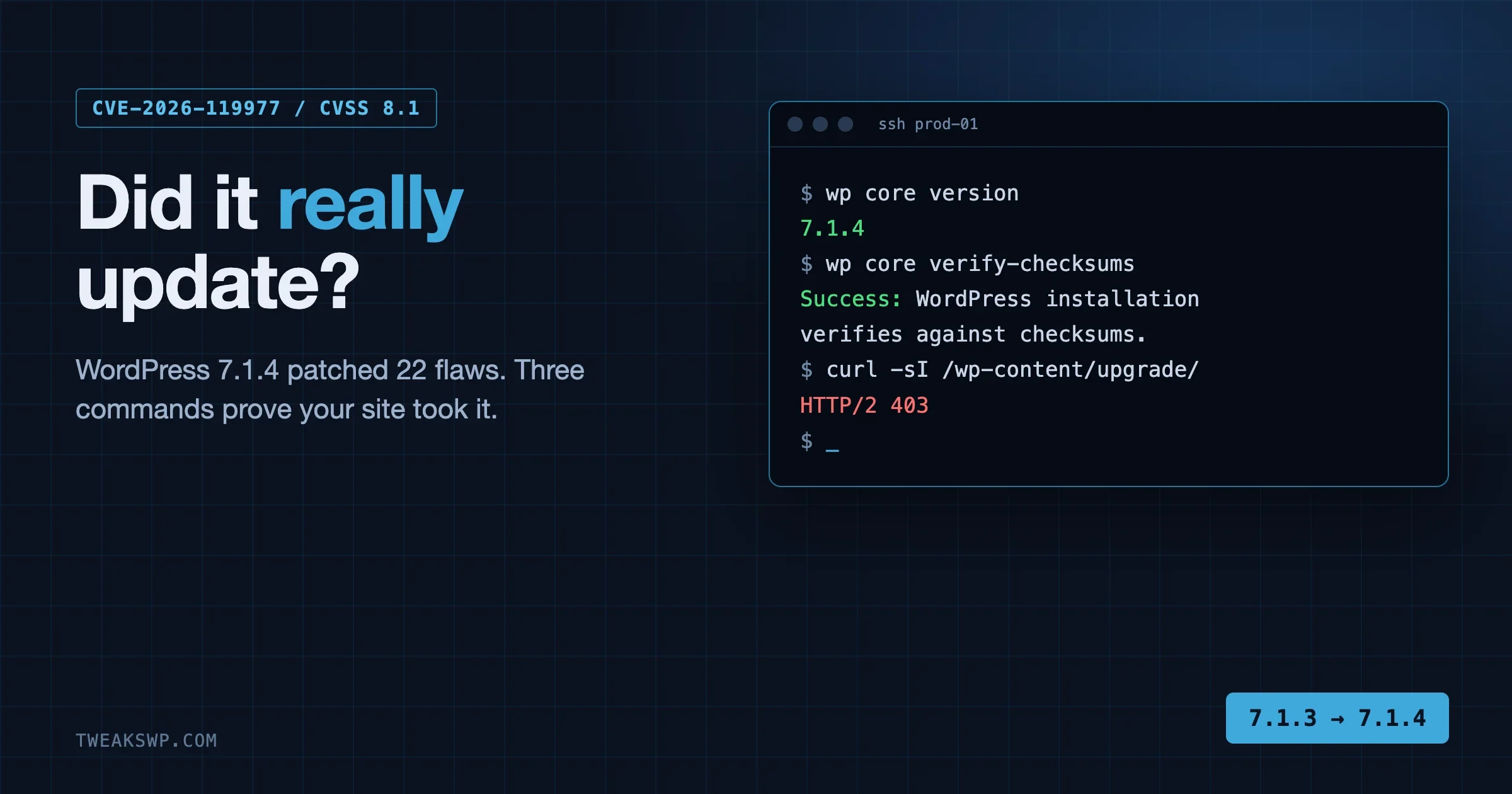
To confirm your site really took the WordPress 7.1.4 security update, run wp core version and expect 7.1.4 (or the patched release for your branch, listed in the table below). Then run wp core verify-checksums, which compares every core file against the official checksums for that version. If both pass, the files on disk are the patched ones. If either fails, or the version is older, the update did not land and you have work to do today.
That check matters more than usual this time. The release shipped on 28 October 2026 and fixes 22 vulnerabilities, one of which is an unauthenticated remote code execution weakness in the core upgrade process itself, now tracked as CVE-2026-119977. Auto-updates are supposed to handle it. On many real sites they do not: pinned Composer builds, Git deploys, managed hosts that wait for a button click, and file permission problems all leave a site quietly on 7.1.3. This guide is the check, the fix, and the one server rule that closes the remaining window. Every number below comes from WordPress.org, the CVE record or Patchstack, and the section near the end lists what we could not confirm.
What shipped on 28 October 2026
WordPress 7.1.4 was announced on the WordPress.org news site on 28 October 2026, written by Aaron Jorbin, who led the release with Nik Tsekouras. The post calls it a security release and says to update immediately. It does not give a count. The HelpHub page for Version 7.1.4 does: it states that older branches are affected by “X of the 22 vulnerabilities”, so 22 is the figure WordPress itself uses.
The news post lists 13 grouped items, and the HelpHub page splits some of them out into more lines. Patchstack, which wrote its own analysis the same day, counts 22 vulnerabilities across 17 advisories and notes that 7.1.3 three weeks earlier had seven. So three numbers circulate (13, 17 and 22) and none of them is wrong. They count the same fixes at different levels of grouping.
Source | What it says | How it counts |
|---|---|---|
WordPress.org news post | Security release, update immediately, 13 grouped items | Grouped by theme |
WordPress HelpHub, Version 7.1.4 | 22 vulnerabilities, per-branch exposure listed | Individual fixes |
Patchstack | 22 vulnerabilities across 17 advisories | Advisories it can publish separately |
Pantheon release note | 13 security issues, action required | Copies the news post grouping |
The next major release is WordPress 7.2, which the news post says is currently planned for 8 December. The same post says WordPress 7.2 Beta 3 has been released and already contains the fixes, so anyone testing the beta is covered as well.
What is CVE-2026-119977?
It is the CVE number for the upgrade-process weakness. Wordfence is the CNA that assigned it, the record was published on 31 October 2026 (three days after the release), and NVD lists it as published the same day with a status of Deferred, meaning NVD has not finished its own analysis. The record credits the finder as Umut Bayram.
Field | Value |
|---|---|
CVE | CVE-2026-119977 |
Description | WordPress Core is vulnerable to Remote Code Execution in versions 4.7 through 7.1.3, due to predictable, web-accessible staging paths used during full-package core upgrades. Unauthenticated attackers can execute code on the server during the upgrade window. |
CVSS 3.1 | 8.1 High, vector AV:N/AC:H/PR:N/UI:N/S:U/C:H/I:H/A:H |
Authentication needed | None |
Affected | 4.7 through 7.1.3, on every branch listed in the record |
Fixed in | 7.1.4 and the backports to older branches |
CNA | Wordfence, published 31 October 2026 |
Read the vector. AC:H means attack complexity is high, and that is the honest reason the score is 8.1 and not 9.8. Everything else in the vector is the worst case: network reachable, no account, no user interaction, full impact on confidentiality, integrity and availability.
Why call it a race condition when the CVE says predictable paths?
You will see both wordings. The HelpHub page says “a race condition during core updates that could lead to remote code execution”. The CVE record says “predictable, web-accessible staging paths”. They describe one bug from two sides.
Patchstack explains the mechanism. When WordPress installs or updates anything, it extracts the package into wp-content/upgrade/, which the web server serves like any other directory. Before 7.1.4 the extraction folder took its name from the package, so for anything uploaded through the admin the name was fully predictable. The cleanup routine that runs first deleted everything in that directory, including the index.php that stops the folder being listed. For the few seconds an update takes, a complete WordPress install sits at a guessable and browsable path. That copy includes wp-admin/setup-config.php, which starts without the site’s configuration. Reaching it in time means running the installer against a database you control, inside someone else’s document root.
The “race” is the attacker’s request landing in that window. The 7.1.4 fix does three things, per Patchstack’s reading of the code: it appends 16 random characters to the folder name, it recreates index.php and stops deleting it, and, in a change the release post does not mention, it adds wp-config.php to the list of files never copied out of the working directory.
How worried should you be?
Patchstack scored the window as hard to hit and would not call it practical to exploit, because the attacker must request the right path in the seconds an update runs. It also says the sink dates back to WordPress 2.8, the window returns on every update including unattended ones, and a PHP firewall cannot block the request. That last point is the reason this post ends with a web server rule and not a plugin.
Our reading: this is not a drop-everything emergency for a site that is already patched. It is a “check today” item for every site you look after, and a real priority for any site that updates in a way you cannot see.
How do I check which WordPress version my site really runs?
Do not trust the dashboard footer or a green tick in a management tool. Ask the files. From the site root:
wp core version
wp core version --extra
grep "\$wp_version =" wp-includes/version.php
wp core check-update
The first command prints the version string. The second adds the database version. The third reads the constant straight from disk, which matters when WP-CLI is pointed at the wrong install or a cached copy. wp core check-update lists any newer release available for that site, so an empty table means you are current for your branch.
Run all four. If wp core version says 7.1.4 and the grep says something older, you are looking at two different installs, and that is its own problem worth solving before anything else.
Which version counts as patched for my branch?
Only the newest WordPress is actively supported, but WordPress backported these fixes to every branch that still receives security updates, back to 4.7. The HelpHub page lists the patched release for each. If you run a site on an older branch, the patched number is not 7.1.4.
Branch | Patched release | Vulnerabilities affecting the branch (of 22) |
|---|---|---|
7.1 | 7.1.4 | All 22 |
7.0 | 7.0.8 | 22 |
6.9 | 6.9.11 | 22 |
6.8 | 6.8.12 | 20 |
6.7 | 6.7.11 | 20 |
6.6 | 6.6.11 | 19 |
6.5 | 6.5.14 | 17 |
6.4 | 6.4.14 | 17 |
6.3 | 6.3.14 | 9 |
6.2 | 6.2.15 | 9 |
6.1 | 6.1.16 | 9 |
6.0 | 6.0.18 | 9 |
5.9 | 5.9.20 | 9 |
5.8 to 5.0 | 5.8.19, 5.7.21, 5.6.23, 5.5.24, 5.4.25, 5.3.27, 5.2.30, 5.1.28, 5.0.31 | 6 each |
4.9 | 4.9.35 | 4 |
4.8 | 4.8.34 | 2 |
4.7 | 4.7.39 | 2 |
4.6 and earlier | None, no longer receives security updates | Not assessed |
The CVE record agrees with this table from the other direction: it lists 7.0.7, 6.9.10 and 4.7.38 as the last affected releases on those branches. The CVE record lists every branch back to 4.7 as affected, so even a very old site that is “only on 4.9” needs 4.9.35, not a shrug.
One wrinkle. The news post says the backports “are in progress and will ship as they become ready”, while the HelpHub page, updated afterwards, lists each one as released. If you run an old branch and your dashboard does not offer the patched number yet, check wp core check-update again later in the day and keep the site off the open internet if you can.
How do I verify the update applied cleanly?
A version number only tells you what version.php says. A half-finished update can leave a new version.php beside old files. wp core verify-checksums catches that.
wp core verify-checksums
wp core verify-checksums --version=7.1.4
wp plugin verify-checksums --all
The first form checks the installed version against the checksums WordPress.org publishes for it. The second pins the version, which is the form to use when you want to prove “these files are 7.1.4” and not just “these files match whatever the version file claims”. The plugin command does the same for plugins hosted on WordPress.org. Premium plugins are not covered, so a clean result there is partial.
Clean output ends with “Success: WordPress installation verifies against checksums.” Failure lists each file as “doesn’t verify” or “should not exist”. Read those lines. A modified wp-includes file after an update means the update stopped midway, or something else has been writing into core. The second case is a security incident and not an update problem. Our compromise assessment after a core RCE patch walks through what to do next.
What a clean result does and does not prove
- It proves the core files on disk match the official release. It says nothing about
wp-content, so a bad plugin or a dropped file in uploads is invisible to it. - It does not prove nobody used the upgrade window before you patched. Patching closes the door and tells you nothing about who walked through earlier. See the log check below.
- It does not cover a second copy of WordPress, for example a staging folder or an old install in a subdirectory. Run the command in each root.
Did auto-updates actually run on my site?
The WordPress.org post says sites that support automatic background updates start the process on their own. Security releases like this one are minor releases, and core’s default is to apply those automatically. The word to underline is “default”, because several common setups switch it off and nobody notices.
# Is the constant set in wp-config.php?
wp config get WP_AUTO_UPDATE_CORE

# What do the filters say after every plugin has had its say?
wp eval 'var_dump( apply_filters( "allow_minor_auto_core_updates", true ) );'

# Is the scheduled check even registered?
wp cron event list --fields=hook,next_run_relative | grep -E "wp_version_check|wp_maybe_auto_update"

# What does WordPress think is available?
wp eval 'print_r( get_site_transient( "update_core" ) );'

# Is a previous update still holding the lock?
wp option get core_updater.lock
Read the results like this.
WP_AUTO_UPDATE_COREset tofalseturns every automatic core update off. Set to"minor"ortrueit allows them. If the command errors with “constant not defined”, core’s default applies.- The filter returning
falsemeans a plugin, mu-plugin or theme is blocking minor updates. This is a frequent side effect of “stability” snippets pasted in years ago. - No
wp_version_checkevent means WP-Cron is not scheduling the check. Sites that disabled WP-Cron withDISABLE_WP_CRONand never wired a real cron job will not auto-update at all. - A
core_updater.lockoption with an old timestamp means a previous attempt died and the lock may be blocking new ones. Locks expire after a while, but a stuck one is worth knowing about.
Core also refuses to auto-update an install it thinks is under version control. If the site folder or a parent contains a .git or similar directory, background updates are skipped on purpose, so the update never ran even though everything looks configured.
Why managed hosts and deploy pipelines lag behind
“My host handles updates” is the sentence that causes most of the unpatched sites we see. Check it, do not assume it. The evidence from this release is mixed.
Pantheon published a release note on 28 October titled “WordPress 7.1.4 Security Release now available” and flagged it as Action required. It says users should upgrade from the dashboard or Terminus, and that Pantheon has deployed platform-wide mitigations against external abuse of some of the fixed vulnerabilities but that “customers need to update their sites as soon as possible”. That is a good host being honest: mitigation on the platform, and still an update to click.
The pattern repeats elsewhere, and it is worth listing the ways a site stays on the old version.
Setup | Why it stays on 7.1.3 | What to check |
|---|---|---|
Managed host with a manual update button | Host makes you opt in per site or per environment | Host dashboard version, then |
Composer or Bedrock | Version is pinned in |
|
Git-based deploy | Core lives in the repo, so background updates skip it | Is core committed? Did the deploy run after 28 October? |
Staging goes first, production waits | Policy says “test then promote” and promotion has not happened | Compare staging and production versions side by side |
Auto-updates disabled by constant or filter | Switched off years ago for a plugin that no longer exists | The commands in the previous section |
File permissions or ownership | The web user cannot write core files, so every attempt fails | Update log, ownership of |
Multisite network | Network admin never ran the update or the database step |
|
If you look after many sites, our update policy for people who look after many sites argues that security releases should go out the same day, automatically, with proof. This post is the proof step. If you run Composer, note that a Composer package for an earlier security release shipped without wp-includes, so run wp core verify-checksums after a deploy and not before.
Checking a whole fleet in one pass
One site by hand is fine. Twenty is where this goes wrong. A short loop over SSH aliases prints a table you can scan in a minute.
#!/usr/bin/env bash
# fleet-check.sh: report core version and checksum status for each site
# usage: ./fleet-check.sh site-a site-b site-c   (SSH aliases, WP root as $WP_ROOT)
WP_ROOT="${WP_ROOT:-~/public_html}"
printf "%-24s %-10s %-10s\n" SITE VERSION CHECKSUMS
for host in "$@"; do
  ver=$(ssh "$host" "cd $WP_ROOT && wp core version 2>/dev/null" || echo "ERR")
  if ssh "$host" "cd $WP_ROOT && wp core verify-checksums --quiet 2>/dev/null"; then
    sums="ok"
  else
    sums="FAIL"
  fi
  printf "%-24s %-10s %-10s\n" "$host" "$ver" "$sums"
done
Compare the version column against the patched release for each site’s branch in the table above, not against 7.1.4. A site on 6.8.12 is fine. A site on 6.8.11 is not.
What if the update did not apply?
Work out why before you force it. Forcing an update onto a site that is failing for a permissions reason just fails louder. Take a database and file backup first.
wp db export ~/backup-before-7-1-4.sql
wp core check-update
wp core update --version=7.1.4
wp core update-db
wp core verify-checksums
Replace 7.1.4 with the patched release for your branch. wp core update run as the correct system user fixes the largest group of failures: cases where the web user could not write core files. If you run WP-CLI as root, switch to the site owner or pass --allow-root deliberately and fix ownership afterwards.
Symptom | Likely cause | What to do |
|---|---|---|
Dashboard says “Briefly unavailable for scheduled maintenance” | A | Confirm no update is running, delete |
Update loops or says another update is running | Stale | Wait for expiry or delete the option, then retry |
“Could not copy file” or “Could not create directory” | Ownership or permissions on core folders, or a full disk | Check |
Version is right but checksums fail | Partial update, or core files modified by something else | Reinstall core files: |
Update succeeds on staging, never reaches production | Promotion step skipped | Promote now, and add a version check to the pipeline |
Site on Composer still reports 7.1.3 | Lock file not updated or deploy not run |
|
Leftover folders in | A failed update never cleaned up | Inspect them, then remove the stale ones after the site is healthy |
The --skip-content flag on wp core download matters. It replaces core files and leaves wp-content and wp-config.php alone. Without it you are asking for trouble.
How do I close the upgrade window at the web server?
Patching removes the specific bug. Patchstack’s recommendation goes one step further and it is the part most people skip: deny web access to wp-content/upgrade/ at the web server, and check that the directory is not listable. Between updates that folder holds nothing but an index.php, so blocking it costs you nothing. Patchstack also points out that a PHP firewall cannot do this job. The extracted copy loads WordPress from its own files and the official zip ships no mu-plugins directory, so your site’s firewall plugin never runs for that request.
For nginx, in the server block:
location ^~ /wp-content/upgrade/ {
    deny all;
    return 403;
}
For Apache 2.4, in the site’s virtual host (preferred) or in an .htaccess placed inside wp-content/upgrade/:
<Directory "/var/www/example.com/wp-content/upgrade">
    Require all denied
</Directory>
Then prove it works from outside the server, which is the only test that counts:
curl -sI https://example.com/wp-content/upgrade/ | head -n 1
curl -sI https://example.com/wp-content/upgrade/index.php | head -n 1
You want a 403 or 404 on both. A 200 on the directory means it is reachable. On managed hosting where you cannot edit server config, ask support to add the rule and ask them to confirm in writing. Our post on why your host’s firewall is not the patch shows how to test what a host really blocks.
One caution on the rule itself: do not block wp-content/upgrade-temp-backup/ thinking it is the same thing. It is a separate folder WordPress uses for rollbacks. If you want it denied as well, that is a reasonable extra rule, but it is not what the patch is about.
Could someone have used the window before you patched?
The honest answer is that nobody outside the attackers knows how often it was tried. Here is what you can check on your own site. This is our own suggestion, not vendor guidance.
First, look for web requests that touched the staging area. Any request to a path under wp-content/upgrade/ other than the directory itself deserves a look, and anything reaching setup-config.php inside it is worth reading line by line.
grep -E "wp-content/upgrade/" /var/log/nginx/access.log* | grep -v "upgrade/ " | head -n 50
zgrep -h "setup-config.php" /var/log/nginx/access.log* | head
Adjust the log paths for your host. A normal site has no legitimate visitor requesting those paths, so even one hit from an unknown address is notable. Second, check the basics an attacker with code execution would touch.
wp user list --role=administrator --fields=ID,user_login,user_email,user_registered
wp core verify-checksums
wp plugin verify-checksums --all
find wp-content -name "*.php" -newermt "2026-10-28" -not -path "*/cache/*" | head -n 50
The last command lists PHP files changed since the release date. On an active site it will show legitimate plugin updates, so read the list for files in places PHP does not belong, such as uploads. If you find an administrator you do not recognise, our 15-minute hidden admin account audit covers the cases the Users screen cannot show. For a site where checks come back dirty, treat it as an incident: take it offline, restore from a backup older than 28 October, patch, then rotate credentials.
Patchstack says the exploit needs the attacker to hit a window of seconds, which makes a successful hit unlikely on a quiet site. The access log check is cheap, so run it anyway.
What about the other 21 fixes?
The upgrade bug gets the headline, but most of the release is something else. Per Patchstack, almost everything else needs an account first, usually a Contributor. Seven of the 17 advisories share one root cause in the Interactivity API: the filter that decides what HTML a user without unfiltered_html may save allows any data-* attribute with any value, and every Interactivity directive is a data-* attribute. A Contributor could write directives into a post, get them past filtering and have the client runtime act on them when a visitor loaded the page.
The HelpHub list also names stored cross-site scripting through whitespace in block delimiters (Contributor and above, with an editor or admin opening the post), a stored XSS on the personal data erasure screen (Editor and above), unpublished Customizer changesets visible to unauthenticated visitors, and a permissions issue that let custom roles with comment moderation read, edit and delete notes on posts they cannot edit. The news post also mentions an update to the bundled root certificates because of the eMudhra revocation.
Practical consequence: the fixes matter most on sites where strangers can get an account. Membership sites, community sites, multi-author blogs and anywhere with open registration at Contributor or Author level should treat 7.1.4 as urgent for the XSS items too, and not only for the headline bug.
wp user list --role=contributor --fields=ID,user_login,user_registered --orderby=user_registered --order=DESC | head -n 20
wp user list --role=author --fields=ID,user_login,user_registered --orderby=user_registered --order=DESC | head -n 20
wp option get users_can_register
wp option get default_role
A site with users_can_register set to 1 and a default role of Contributor or higher is the exposure to fix first. Our post on the PHP flaws no WordPress update can fix is the sister check for the layer underneath WordPress, and the end-of-year upgrade calendar places the 8 December 7.2 release in a staging plan.
What we could not confirm
A security story attracts numbers that outrun the evidence. These are the places where we stopped.
- Exploitation in the wild. Some secondary sites quote counts of blocked attacks attributed to Wordfence. We did not find those figures on a primary Wordfence page we could read, so we do not repeat them. Patchstack’s own write-up calls the bug hard to exploit and does not claim active exploitation.
- The Wordfence advisory page. We read the CVE record Wordfence published as CNA and the NVD entry, but the Wordfence advisory page itself would not load for us.
- NVD analysis. NVD shows the status as Deferred as of 3 November 2026, so there is no NVD-assigned score separate from the CNA’s 8.1.
- Wording. The release post says “a weakness in the WordPress upgrade process”, HelpHub says “race condition”, and the CVE says “predictable, web-accessible staging paths”. We follow the CVE record and Patchstack’s code reading for the mechanism.
- Backport timing. The release post says backports ship as they become ready. HelpHub lists them as released. If your branch does not offer its patched number, check again before assuming the list is wrong.
The five-minute checklist
- Run
wp core versionand compare it with the patched release for your branch. - Run
wp core verify-checksums --version=<patched>and read every line of any failure. - Check why automatic updates did or did not run: constant, filter, cron, lock, version control.
- Add the web server rule denying
wp-content/upgrade/and test it withcurlfrom outside. - Grep access logs for requests to the staging path and review administrator accounts.
- On sites with open registration, audit Contributor and Author accounts.
- Write down the result per site, with the date, so the next security release starts from a known state.
FAQ
Is WordPress 7.1.4 safe to install right away?
WordPress.org says to update immediately because it is a security release, and it is a short-cycle minor release, not a feature release. Take a backup first, as you would for any core update. We have not seen a primary-source report of a regression, but the fixes touch the block editor and Interactivity API, so give your key pages a quick look afterwards.
Does CVE-2026-119977 affect me if I never run updates from the admin screen?
The weakness lives in full-package core upgrades, and the window opens every time an update runs, including unattended ones. If your site never updates, you carry other risks instead, and you are running a version with all 22 known issues open.
My site updates by Composer. Am I affected?
The CVE describes the staging used by the WordPress upgrader. A Composer deploy does not extract through wp-content/upgrade/ in the same way, so the exposure is different, but the other fixes in 7.1.4 still apply. Update the pinned version, deploy, then run wp core verify-checksums.
Is a security plugin or firewall enough to stop this?
Per Patchstack, no. A PHP-level firewall cannot block a request that is served by the extracted copy of WordPress, which loads from its own files. The web server rule is what closes the gap.
Which version should I be on if I cannot move to 7.1?
The newest release of your current branch from the table above, for example 6.8.12 or 6.9.11. Moving to a supported branch is better in the long run, but a same-branch security release is the safe quick step.
How do I know the update did not break anything?
Open the front page, a single post, the login page and any form or checkout flow. Check the PHP error log for new warnings. Core security releases are small, so a break usually points at a plugin that depended on the old behaviour.
Sources
Plugins we build and run
We maintain these ourselves, which is why we can support them on your site.
- BuddyNextThe self-hosted community engine for WordPress
- BuddyXFree community theme, Pro when you outgrow it
- ReignPremium community theme. Add pieces, build anything
- JetonomyCommunity forum and Q&A for WordPress
- EventonomyEvents and RSVPs for WordPress communities
- LearnomyCourses and learning communities on WordPress
- ListoraDirectories and listings your members can browse
- SnipShareCode sharing built for developer communities
- WB Ad ManagerAd placements that turn traffic into revenue
- WP Career BoardA job board your community actually uses
- WP Sell ServicesSell services with offers, orders, and payouts
- MediaVersePhotos, video, and media albums for members
- WB GamificationPoints, badges, and rewards that keep members active
- Product RoadmapPublic roadmaps with voting your users trust