LiteSpeed Cache Vulnerability CVE-2026-93389: Check Your Version and What Was Exposed
CVE-2026-93389 affects LiteSpeed Cache 7.9.1 and older on WooCommerce stores. How to check your version, update to 7.9.2 or later, and what customer data could have been served from cache.

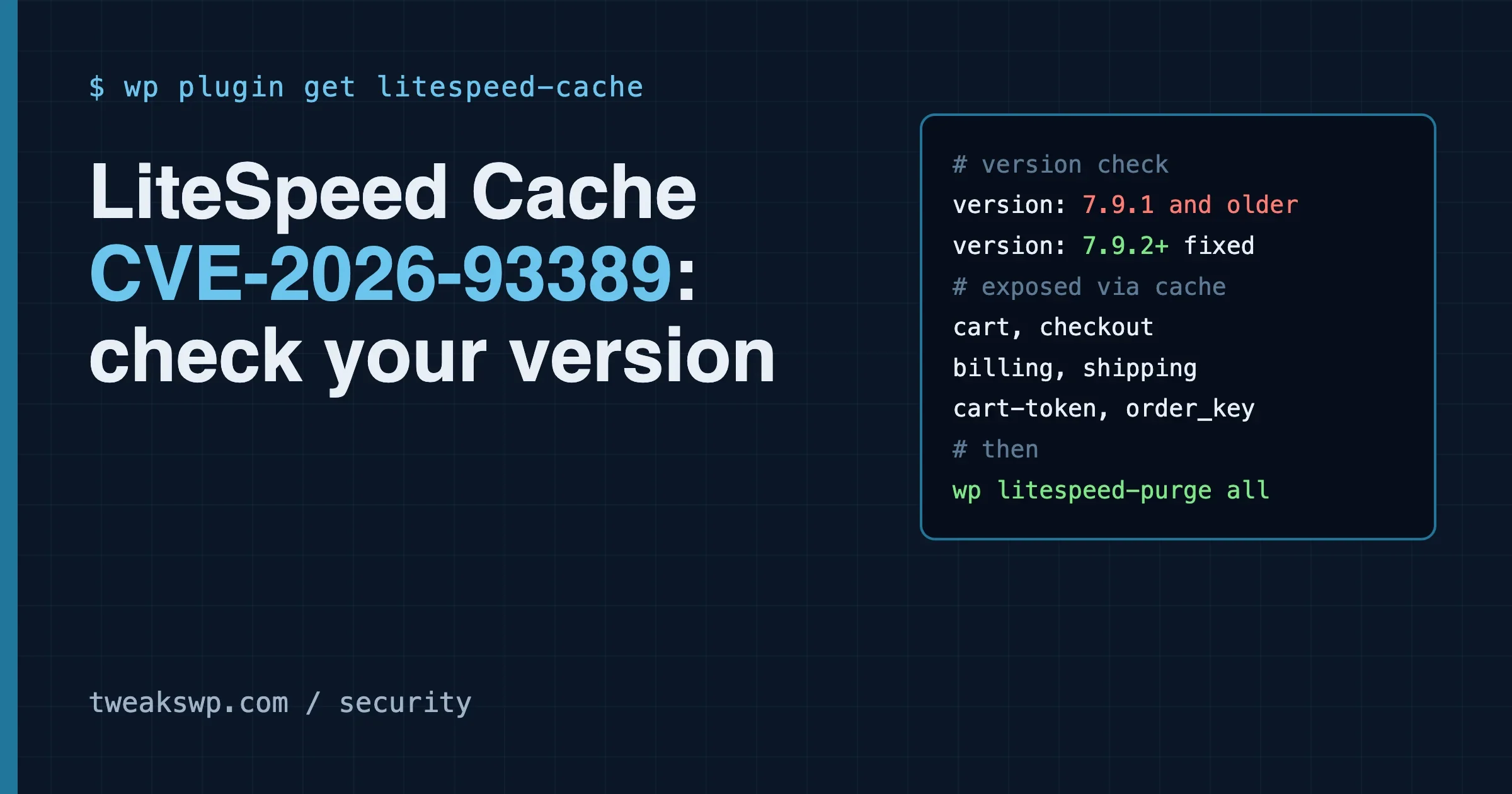
The short answer: the LiteSpeed Cache vulnerability CVE-2026-93389 affects version 7.9.1 and older. The fix shipped in 7.9.2. The bug matters most on WooCommerce stores, because a cached copy of one shopper’s cart or checkout response could be handed to a different visitor. Update the plugin, purge the cache, and then read the section on what may have been exposed.
This guide on the LiteSpeed Cache vulnerability is built from the CVE record, the Patchstack database entry and the plugin’s changelog on wordpress.org. Where those sources disagree, or where I could not read a source, I say so. I did not install the plugin, build a test store or try to trigger the flaw. Every command below is labelled with whether it is documented or untested.
CVE-2026-93389 at a glance
Item | What the sources say |
|---|---|
Plugin | LiteSpeed Cache for WordPress (7+ million active installs per wordpress.org) |
Affected versions | All versions up to and including 7.9.1 |
Fixed version | 7.9.2 or later (Patchstack names 7.9.2) |
Type | Unauthenticated sensitive information disclosure (CWE-200) |
Severity | CVSS 3.1 score 8.2 (High) in the CVE record. Patchstack lists 7.5 and calls the real-world risk low. |
Who can trigger it | Any visitor, no login needed |
Needs WooCommerce | Yes. The exposed endpoints belong to the WooCommerce Store API. |
Setting involved | Cache REST API, option key |
CVE assigned by | Wordfence (CNA). Credited finder: Santh. |
Published | 2026-11-05 (CVE record), 2026-11-04 on Patchstack |
The CVSS gap is worth a line. The CVE record scores it 8.2 with a vector of AV:N/AC:L/PR:N/UI:N/S:U/C:H/I:L/A:N. Patchstack shows 7.5 and says it is unlikely to be exploited. Both agree on the facts that matter to you: it needs no login, and the cure is the same.
What the LiteSpeed Cache vulnerability actually is
LiteSpeed Cache can cache responses from the WordPress REST API. That feature is called Cache REST API in the plugin settings. The CVE record says the setting is on by default.
WooCommerce has its own REST API, the Store API. The block-based cart and checkout use it to load and update the shopper’s cart. Two of its read endpoints are named in the CVE record:
/wp-json/wc/store/v1/cart
/wp-json/wc/store/v1/checkout
Per the record, with Cache REST on, LiteSpeed Cache stored the GET responses for those two endpoints as public cache objects. A public cache object is served to anyone who asks for the same URL. The record states that the cache did not vary on the Cart-Token or on the WooCommerce session. So a visitor with no cookie and no token could receive a response that was generated for a different shopper.
Think of a coat check that hands out whatever coat is on the nearest hook, without looking at the ticket. The ticket (the Cart-Token or session) was part of the request, but the cache ignored it when choosing which stored copy to return.
Why this class of bug is easy to make
A page cache works by mapping a URL to a stored response. That is safe when the response is the same for everyone, like a blog post. It is unsafe when the response depends on who is asking. Carts, checkouts, account pages and anything personal depend on the visitor.
Cache plugins handle this with exclusion rules (never cache these URLs or these cookies) and with vary rules (keep a separate copy per cookie or header). The Store API identifies a shopper with a header, not only a cookie. A rule written for cookies alone can miss it. That is my reading of why the bug is plausible, drawn from how caches work in general. It is not a statement from the vendor, and I could not read the vendor’s code change to confirm it.
If you want the wider picture of where these rules live, the post on WordPress caching layers, from browser to database maps each layer. The post on cookies that bypass the WordPress page cache covers how cookie rules are meant to protect logged-in and cart sessions.
What the LiteSpeed Cache vulnerability exposed
The CVE record lists what a cached cart or checkout response can contain. If a visitor received another shopper’s cached copy, these were in it:
- Billing and shipping details. The record names these. They normally include a name, address, email and phone number, depending on what the shopper had entered by that point.
- Cart contents and totals. What the other person was about to buy and how much it cost.
- The live Cart-Token. This is a session token in JWT form. The record says it could allow session hijack of that cart.
- A nonce. The record lists the Store API nonce alongside the token.
- The order_key on checkout. This is the secret in order confirmation links. Anyone who holds it can open that order’s confirmation page.
The record rates integrity impact as low and confidentiality impact as high. In plain words: the main harm is reading someone else’s data. Changing data is a smaller part of the risk, mostly through the token and nonce.
What the record does not say
- It does not say how many shops were hit. I found no count.
- It does not say the flaw was used in the wild. In the sources I read, I found no report of active exploitation, and Patchstack calls exploitation unlikely. That is not proof that nobody used it.
- It does not tell you how long a given cached response stayed in your cache. That depends on your cache lifetime settings and on traffic.
Is your site open to this vulnerability?
You are in the affected group only if all of these are true:
- LiteSpeed Cache is installed and active, at version 7.9.1 or older.
- WooCommerce is active, and your cart or checkout uses the Store API (the block-based cart and checkout do).
- The Cache REST API setting is on. The record says this is the default.
If you run LiteSpeed Cache on a blog with no WooCommerce, the two named endpoints do not exist, so the data listed above is not at stake. I still suggest updating, because the plugin’s recent releases also carry other security changes (see the changelog section below).
Step 1: Check your version
There are three ways. Use whichever you can reach.
In the dashboard
Open Plugins in wp-admin and read the version under LiteSpeed Cache. If an update is waiting, the row says so.
With WP-CLI
These are standard WP-CLI commands for reading plugin data (documented at developer.wordpress.org/cli).
# Version and status of the one plugin
wp plugin get litespeed-cache --fields=name,status,version,update_version

# Or as a one-line check
wp plugin list --name=litespeed-cache --fields=name,status,version,update
If version is 7.9.1 or lower, you are in the affected range.
From the plugin file
On a host with no WP-CLI, read the header of the main plugin file over SFTP or the file manager. The path is usually this:
grep -m1 "Version:" wp-content/plugins/litespeed-cache/litespeed-cache.phpFor many sites, the same check across a whole fleet is a loop over each install path. That loop is up to you and your host layout, so I do not give one here.
Step 2: Update
Take a backup first if your host does not do it for you. Then update. The WP-CLI form is:
wp plugin update litespeed-cacheAs I read wordpress.org when preparing this post, the current release was 7.9.3, so you will not land on 7.9.2 exactly. Any release at or above 7.9.2 is outside the affected range named in the advisories. The 7.9 release also raised the minimum WordPress version to 6.0, according to the changelog. If your site runs an older core, the plugin may refuse to update, and you need to update WordPress first.
After the update, confirm the version again with the command from step 1.
Step 3: Purge the cache
This step is easy to skip, and it matters here. The flaw was about what sat in the cache. Updating the code does not obviously empty objects that were stored before the update. I could not confirm from the sources whether the new version discards old REST cache entries on its own. So purge by hand.
In wp-admin, use the LiteSpeed Cache toolbar menu and choose Purge All. LiteSpeed Cache also ships WP-CLI commands for this, listed in the LiteSpeed Cache CLI documentation:
# Documented LiteSpeed Cache WP-CLI command (not run by me for this post)
wp litespeed-purge all
If your host puts its own cache in front of WordPress (a CDN, a server-level page cache, QUIC.cloud), purge that layer too. The vulnerable behaviour was in the plugin, but a copy that already travelled to another layer can sit there until it expires.
If you cannot update today
The OpenCVE entry for this CVE adds two mitigations. They come from OpenCVE’s own enrichment, not from the CVE record or from the vendor, so treat them as community guidance.
- Turn off Cache REST API. The setting key is
cache-rest. Setting it to 0 stops the plugin storing REST responses. - Block unauthenticated access to the two Store API endpoints at the web server or firewall.
My advice is to prefer the first. The second can break the block-based cart and checkout, because those screens read from the same endpoints. That is my expectation from how the blocks work. I did not test it.
To turn the setting off in the dashboard, look under the LiteSpeed Cache settings for the Cache tab and the Cache REST API option. Menu labels can change between releases, so go by the option name. If you manage the site from the command line, LiteSpeed documents an option command with the same get and set syntax shown in its CLI docs:
# Command syntax is from the LiteSpeed CLI docs. Not run by me, and I did not confirm the key name on a live install.
wp litespeed-option get cache-rest
wp litespeed-option set cache-rest false
Run the get line first. If it errors or returns nothing, the key name or command differs on your version, and you should use the dashboard instead. Then purge the cache, as in step 3.
A temporary switch is only a bridge. Update as soon as you can.
Check whether your site served cached cart data
You can look at the headers of the two endpoints from your own site. This is a read-only request and does not change anything. It tells you whether the response is coming from the LiteSpeed cache. It does not tell you whether the content was another shopper’s.
# Untested here. Replace example.com with your domain.
curl -sI https://example.com/wp-json/wc/store/v1/cart | grep -i -E "x-litespeed-cache|cache-control|x-wc-store-api-nonce"
LiteSpeed Cache normally adds an x-litespeed-cache header with a value such as hit or miss when a response passes through its cache. How to read the result:
- No
x-litespeed-cacheheader: the response was not served from that cache on this request. That is the state you want. x-litespeed-cache: hiton a cart endpoint, from a request with no cookies: the endpoint is being served from cache. On a vulnerable version, that is the pattern the advisory describes. Update and purge, then run the request again.
The request above sends no cookie and no token, which is the condition the advisory describes for the attacker. If the response body contains a billing address, it is a live problem. Do not paste that output into a ticket or a chat. It is someone’s personal data.
If customer data may have been exposed
Updating closes the hole. It does not tell you whether anyone walked through it. For a store, work through these in order.
1. Decide the window
The exposure window starts when you first ran a vulnerable version with Cache REST on, and ends when you updated or turned the option off and purged the cache. The changelog lists 7.9.1 as released on Sep 1, 2026 and 7.9.2 on Oct 20, 2026. The CVE says all versions up to 7.9.1 are affected, so the start date for your site could be much earlier than September. Check your own update history rather than assuming.
2. Look at your logs
If you keep web server access logs, search them for requests to the two endpoints that carried no cookie header and no Cart-Token header and returned 200. Standard access logs do not record request headers, so you may not be able to tell. If you cannot tell, say that in your own notes instead of guessing.
# Counts requests to the two Store API paths in a standard access log
grep -E "GET /wp-json/wc/store/v1/(cart|checkout)" /var/log/nginx/access.log | wc -l
A large count is normal on a busy shop, because the cart block calls these endpoints on every page that shows a cart. The count alone proves nothing. Rate and source address patterns from addresses that never visit product pages are more telling.
3. Treat sessions and tokens as short-lived
The Cart-Token and nonce are tied to a shopper’s session. I did not find vendor documentation giving an exact lifetime for the Cart-Token in this case, so I will not quote one. The practical point is that carts left open for days are the ones to worry about.
4. Think about the order_key
The order_key is part of the link a shopper receives after paying. Someone holding it can open that order’s confirmation page, which shows the order details. I did not find a documented bulk way to rotate order keys on existing orders. If you sell products where the order page shows sensitive details such as licence keys or download links, ask a developer to review what that page reveals.
5. Check the notification rules that apply to you
If you handle data of people in the EU or UK, a personal data breach can carry a duty to notify the regulator within 72 hours of becoming aware of it, unless the breach is unlikely to put people at risk. The text is in Article 33 of the GDPR. Whether a cache exposure counts as a breach for your shop is a legal decision. I am not giving legal advice, and I could not confirm that any customer data left your site in the first place. Talk to whoever handles privacy for your business, and write down what you checked and when.
What changed in the recent releases
The wordpress.org changelog gives a sense of how much security work landed in a short span. These are my paraphrases of the entries, not verbatim text.
Version | Date | Summary from the changelog |
|---|---|---|
7.9 | Aug 5, 2026 | Minimum WordPress version raised to 6.0. Health service made asynchronous. Redis zstd compression added. Many fixes across page optimize, image optimize, ESI and CDN. |
7.9.1 | Sep 1, 2026 | Security-focused. QUIC.cloud callbacks verified by signature instead of source IP. IP allow list removed. The legacy |
7.9.2 | Oct 20, 2026 | Hardening and bug fixes in many areas, including cache visitor isolation, QUIC.cloud service node restrictions, ESI request signatures, object cache connections and database cleanup scoping. JS Delayed Includes removed. |
Two things stand out. First, the fix named by Patchstack, 7.9.2, was released on Oct 20, before the CVE was published on Nov 4 and 5. That is a normal pattern for coordinated disclosure: the fix ships, then the details follow. It means sites that update on a regular schedule were probably already safe by the time the CVE appeared. Second, the 7.9.2 entry mentions cache visitor isolation. I cannot tell from the changelog text whether that line is the fix for this CVE. The CVE record points to a change in the plugin’s control.cls.php file, but the page that shows that change refused my request, so I could not read it.
Why a LiteSpeed Cache vulnerability like this happens
A cache plugin sits between every visitor and your site. It decides what to store and who gets which copy. That makes it a high-value place for mistakes. A bug in a contact form plugin leaks form data. A bug in the cache can leak anything the site returns.
Three habits reduce your exposure to this kind of bug, whatever plugin you use:
- Do not cache what you do not need to. If your store’s speed does not depend on caching REST responses, turn the option off. Less cached surface means fewer ways to leak.
- Test as a stranger. After any cache change on a store, request cart, checkout and account URLs with no cookies. If you see anything personal, stop. A private browser window is the simplest way to start, and
curlis the strictest. - Keep an update routine. The fix here was out two weeks before the CVE was public. A weekly update window would have covered it.
If you also run PHP on an old version, the picture is worse than a plugin bug. See the guide to checking your WordPress PHP version for the PHP2Shell flaws, which cannot be fixed by any plugin update.
Quick checklist
- Run
wp plugin get litespeed-cache --fields=versionand note the result. - If the version is 7.9.1 or lower, back up and run
wp plugin update litespeed-cache. - Confirm the new version is 7.9.2 or higher.
- Purge all cache in the plugin, then purge any host, CDN or QUIC.cloud layer in front of it.
- On a WooCommerce store, test the cart and checkout as a stranger with no cookies.
- If you could not update, set Cache REST API to off as a stopgap, purge, and schedule the update.
- Write down your exposure window and what your logs could and could not show.
- If you hold EU or UK customer data, ask your privacy contact whether notification rules apply.
Frequently asked questions
Does CVE-2026-93389 affect sites without WooCommerce?
Based on the CVE record, the exposed data comes from two WooCommerce Store API endpoints. Without WooCommerce those endpoints do not exist, so this specific data exposure does not apply. Updating is still sensible.
Which version fixes it?
Patchstack names 7.9.2 as the fixed version. At the time I checked, wordpress.org listed 7.9.3 as the current release, which is also above the affected range.
Is the bug being used in attacks?
I found no report of active exploitation in the sources I read, and Patchstack rates it unlikely to be exploited. Treat that as a lower-risk signal and not a guarantee.
Do I need to change passwords?
The record does not list passwords as exposed. It lists billing and shipping details, cart data, a session token, a nonce and the order key. Passwords were not named, so a password reset is not the first step here. Purging the cache and reviewing orders is.
I use LiteSpeed web server but not the plugin. Am I affected?
This CVE is about the WordPress plugin. The advisories name the plugin only. I did not find any statement about the web server software itself.
What does Cache REST API do?
It lets the plugin store responses from WordPress REST API routes so that repeat requests are faster. The CVE record says the default is on. It is useful for public data. It is risky for any route that returns personal or session-specific data.
Sources and what I could not confirm
Sources used: the CVE record as mirrored on OpenCVE, the Patchstack database entry, and the plugin page and changelog on wordpress.org.
- I could not open the Wordfence advisory page, so I relied on the CVE record’s description of it.
- I could not read the code change on the WordPress plugin repository, so I cannot say exactly how 7.9.2 fixes the issue.
- NVD lists the entry as deferred, so its own analysis is not available yet.
- I did not run any of the commands in the sections marked untested, and I did not test the flaw on any site.
- The list of affected data comes from the CVE description. I have not seen a real cached response.
If the vendor or Wordfence publishes more detail, check it before you decide how far back your exposure window runs.
Plugins we build and run
We maintain these ourselves, which is why we can support them on your site.
- BuddyNextThe self-hosted community engine for WordPress
- BuddyXFree community theme, Pro when you outgrow it
- ReignPremium community theme. Add pieces, build anything
- JetonomyCommunity forum and Q&A for WordPress
- EventonomyEvents and RSVPs for WordPress communities
- LearnomyCourses and learning communities on WordPress
- ListoraDirectories and listings your members can browse
- SnipShareCode sharing built for developer communities
- WB Ad ManagerAd placements that turn traffic into revenue
- WP Career BoardA job board your community actually uses
- WP Sell ServicesSell services with offers, orders, and payouts
- MediaVersePhotos, video, and media albums for members
- WB GamificationPoints, badges, and rewards that keep members active
- Product RoadmapPublic roadmaps with voting your users trust














Related Posts
Freemius SDK Stored XSS: How to Find Every Bundled Copy on a Client Site (Anything Under 2.13.5)
CVE-2026-111497: The Brotli Bug One xmlrpc.php Pingback Can Reach, and Why Turning Off XML-RPC the Usual Way Does Not Close It