WordPress sql_mode in 7.2: Check NO_BACKSLASH_ESCAPES
WordPress 7.2 removes NO_BACKSLASH_ESCAPES from its own database session. How to check your sql_mode, fix queries that break and test on staging before 8 December.

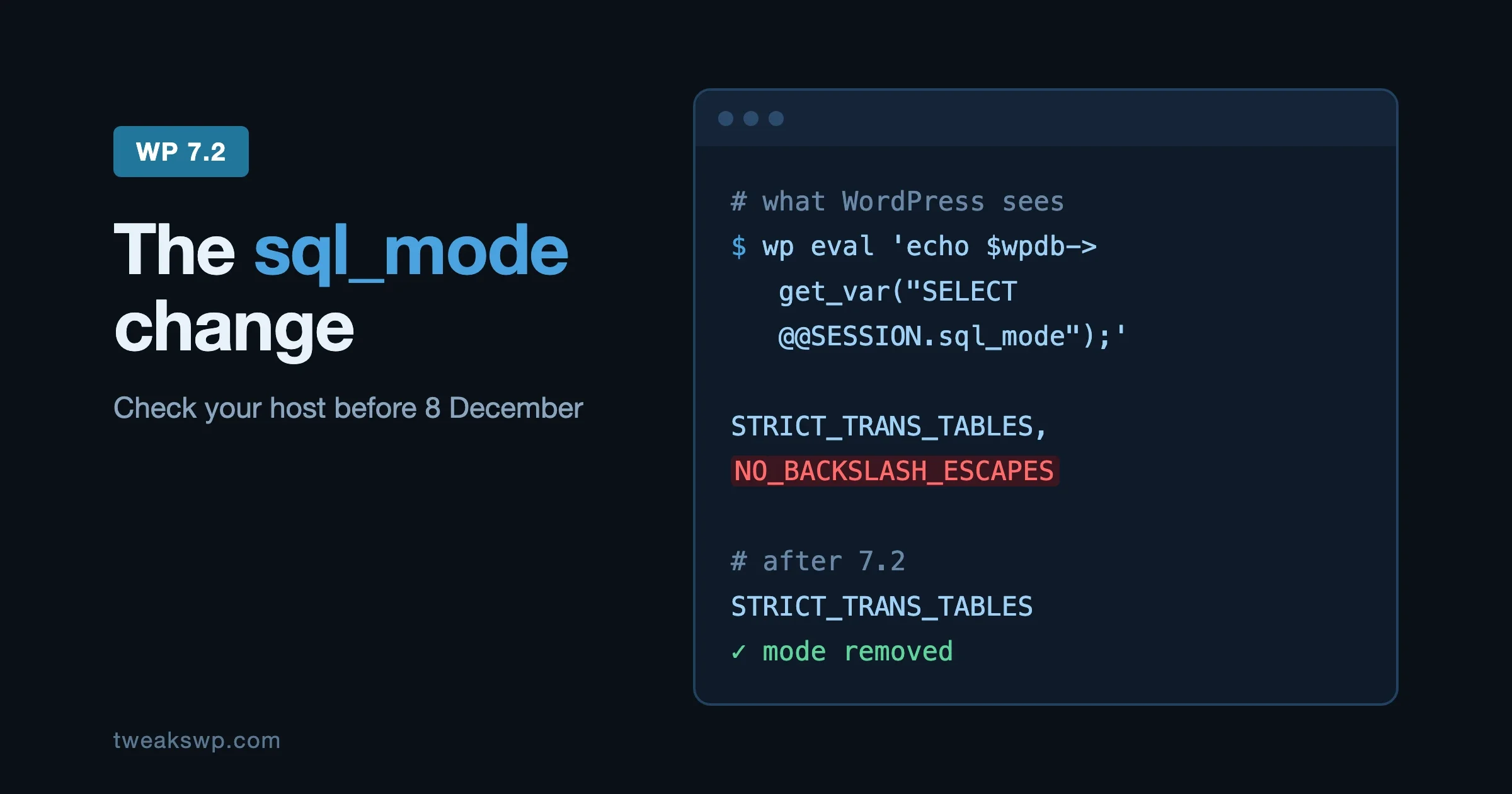
The WordPress sql_mode is changing in 7.2: WordPress will switch off the NO_BACKSLASH_ESCAPES SQL mode on its own database connection. If your host runs MySQL or MariaDB with that mode on, WordPress will stop inheriting it, and any custom query or plugin that quietly relied on the old behaviour can return different results. Most sites will not notice. A site on a host with an unusual sql_mode should check before the final release on 8 December 2026.
This guide covers the WordPress sql_mode change in plain steps: what exactly changes, how to read your server’s global mode and the mode WordPress actually uses, how to find and fix queries that break, how to keep the old behaviour if you truly need it, and a staging routine you can run this week. Everything about the change itself comes from the WordPress 7.2 Field Guide and the developer note published on 9 October 2026, both read on 25 November 2026. The behaviour of the mode itself comes from the MySQL 8.4 manual and the MariaDB knowledge base.
What changes in the WordPress sql_mode in 7.2
The Field Guide lists it under “Changes to supported SQL modes”. WordPress already removes a set of modes it does not support when it connects to the database, such as STRICT_ALL_TABLES, TRADITIONAL and ANSI. In 7.2, NO_BACKSLASH_ESCAPES joins that list.
Question | Answer from the developer note |
|---|---|
What does WordPress do? |
|
Does it change my server? | No. It affects only the WordPress database connection. The server’s global settings are not modified. |
Who notices? | “Most sites won’t notice any difference.” Hosts or setups that turn the mode on can see a change. |
Why? | WordPress uses the backslash to escape special characters in SQL. With the mode on, queries with escaped values can fail or return wrong data, and sites on such servers could have hard-to-find database problems. |
Can I opt out? | Yes, with the existing |
Is it safe to keep the mode? | The note warns that WordPress core “may not work correctly” with the mode turned on. |
You can read the full note here: NO_BACKSLASH_ESCAPES SQL mode is now turned off by default in WordPress 7.2. The method that applies the change is documented in the wpdb::set_sql_mode reference.
The note ties the change to a core ticket, number 66185. We could not open the ticket page from our tools today, so we rely on the developer note for the reasoning.
What NO_BACKSLASH_ESCAPES actually does
The MySQL 8.4 manual describes it like this: enabling the mode disables the use of the backslash as an escape character within strings and identifiers. Backslash becomes an ordinary character, and the default escape sequence for LIKE expressions changes so that no escape character is used. The MariaDB knowledge base says the same in fewer words: it disables using the backslash as an escape character, making it equivalent to an ordinary character.
Put that next to how WordPress writes SQL and you can see the problem. Here is what changes for three common cases:
Query fragment | Mode on (old, on some hosts) | Mode off (7.2 connection) |
|---|---|---|
| A literal backslash followed by the letters “temp” |
|
| No escape character is defined, so the backslash is a normal character | The backslash escapes the percent sign, so it matches a literal “100%” |
A value from | The backslash does not escape the quote, so the string ends early and the query is invalid or unsafe | The quote is escaped, so the string is read as intended |
The first two rows come straight from the manual’s definition. The third follows from it. Notice that the second row is the one core cares about. $wpdb->esc_like() writes backslashes before %, _ and backslash characters, and that only means what it should when backslash escaping is active. So the “off” column is the behaviour WordPress code was written for.
That is why the change is a fix for sites on those hosts, and a risk only for code that was adapted to the unusual mode instead of to WordPress.
Is my site affected? A quick decision guide
- Standard managed WordPress host, no custom database config: very likely not affected. The default modes do not include it. The MySQL 8.4 default list is
ONLY_FULL_GROUP_BY,STRICT_TRANS_TABLES,NO_ZERO_IN_DATE,NO_ZERO_DATE,ERROR_FOR_DIVISION_BY_ZEROandNO_ENGINE_SUBSTITUTION. The MariaDB default isSTRICT_TRANS_TABLES,ERROR_FOR_DIVISION_BY_ZERO,NO_AUTO_CREATE_USERandNO_ENGINE_SUBSTITUTION. - Your own VPS or a host with a custom
my.cnf: check. Someone may have added the mode for another application on the same server. - A server shared with a non-WordPress app that needs the mode: check carefully. WordPress will set its own session, so your other app keeps what it has, but any custom code on the WordPress site that assumed the global mode should be reviewed.
- Heavy custom SQL in plugins or a theme: check even if the global mode is clean, because the review below is cheap.
The MySQL manual adds a note worth repeating: installation programs can configure the SQL mode during setup, so a server that differs from the documented defaults usually has an option-file setting behind it.
Step 1: check the global WordPress sql_mode on the server
Start with the database itself. Use the mysql command line client, phpMyAdmin or whatever your host gives you:
SELECT @@GLOBAL.sql_mode;
SELECT @@SESSION.sql_mode;
Both MySQL and MariaDB accept these. MariaDB’s page also shows SELECT @@SQL_MODE, @@GLOBAL.SQL_MODE; to compare the two in one line. Read the result as a comma-separated list. You are looking for the exact word NO_BACKSLASH_ESCAPES.
From a shell on the web server, WP-CLI can run the same query:
wp db query "SELECT @@GLOBAL.sql_mode AS global_mode, @@SESSION.sql_mode AS session_mode"Here is a detail that trips people up. wp db query hands your SQL to the database client program, which opens its own connection. That connection is not the one WordPress uses, so the session value it prints is the server default for a plain client, not what WordPress sets for itself. Use it to read the global mode. Use the next step to read what WordPress sees. The command is documented in the WP-CLI db query reference.
How to read the result
You see | Meaning | Next move |
|---|---|---|
No | 7.2 changes nothing for the mode on your server | Still run the code review in step 3 if you have custom SQL |
Global mode has it | The server enables it for everyone. WordPress sessions inherit it today and will not in 7.2 | Work through steps 2 to 4 |
Only a non-WordPress user or database has it | Set per user or per connection somewhere else | Confirm WordPress is not affected with step 2 |
Step 2: check the WordPress sql_mode your site really uses
To read the value on WordPress’s own connection, ask WordPress to run the query. WP-CLI can evaluate PHP inside the loaded site:
wp eval 'global $wpdb; echo $wpdb->get_var( "SELECT @@SESSION.sql_mode" ), PHP_EOL;'See the WP-CLI eval reference. This goes through $wpdb, so it shows the session after WordPress has applied its own list of removed modes.
What you should expect:
- On WordPress 7.1.x with a server that enables the mode: the list includes
NO_BACKSLASH_ESCAPES, because WordPress does not remove it yet. - On WordPress 7.2: the word is gone from that list, even if the global list still has it.
Record both outputs in a note. The comparison before and after the update on staging is the proof that you checked.
We read the developer note and the database manuals to write these commands, and we have not run them against a 7.2 release candidate for this post. Run them on staging first and trust your own output over our description.
Step 3: find queries that could behave differently
Now look for code that was written against the old mode. You do not need to read every plugin. Search for the patterns that touch backslashes and hand-built SQL.
# Raw queries built by string concatenation or interpolation
grep -rnE '\$wpdb->(query|get_results|get_var|get_row|get_col)\(' wp-content/plugins/your-plugin wp-content/themes/your-theme

# Hand escaping instead of prepare()
grep -rnE 'addslashes|mysql_real_escape|esc_sql\(' wp-content/plugins/your-plugin wp-content/themes/your-theme

# LIKE queries
grep -rnE "LIKE" wp-content/plugins/your-plugin wp-content/themes/your-theme

# Backslashes inside SQL strings
grep -rnE "(SELECT|WHERE|INSERT|UPDATE).*\\\\\\\\" wp-content/plugins/your-plugin
Treat each hit as a question, not a verdict:
- Does the query build its string by joining user or stored values, or does it use
$wpdb->prepare()? - If it has a
LIKE, are the search terms passed through$wpdb->esc_like()first? - Does the stored data contain backslashes (Windows paths, regular expressions, escaped JSON, serialized strings)? Queries that match against that data are the most exposed.
- Was this code added by someone to work around a host problem? A comment such as “fixes search on host X” is a hint that it was tuned to the mode.
A before-and-after example
A common pattern in older code is a hand-escaped LIKE:
// Fragile: behaviour depends on how the server treats backslashes.
$term    = addslashes( $_GET['s'] );
$results = $wpdb->get_results( "SELECT ID FROM {$wpdb->posts} WHERE post_title LIKE '%{$term}%'" );
The safe version uses core’s helpers, which are written for the mode WordPress 7.2 sets:
$term    = isset( $_GET['s'] ) ? sanitize_text_field( wp_unslash( $_GET['s'] ) ) : '';
$like    = '%' . $wpdb->esc_like( $term ) . '%';
$results = $wpdb->get_results(
	$wpdb->prepare(
		"SELECT ID FROM {$wpdb->posts} WHERE post_title LIKE %s",
		$like
	)
);
See the reference pages for wpdb::prepare and wpdb::esc_like. The rule is short: let prepare() escape values and esc_like() escape wildcards, and never hand-escape on top.
If you maintain a custom plugin that stores Windows-style paths or regular expressions in a column and matches against them in SQL, test those queries explicitly. A value like C:\temp is read differently by the two modes, as the earlier table shows.
Step 4: fix what you find
The fix is nearly always to stop depending on the mode.
- Replace string-built queries with
prepare()and let the placeholders (%s,%d,%f) do the escaping. - Wrap
LIKEterms inesc_like()before adding the%wildcards. - Remove old hand-escaping such as
addslashes()in front of values going into SQL. - Prefer the query APIs.
WP_Query,WP_Meta_Queryand$wpdb->insert()andupdate()handle escaping for you. - Store data that contains backslashes in a way that does not depend on SQL string rules, and match it in PHP when you can.
Keep each fix small, and test the query with real data that includes an apostrophe, a percent sign, an underscore and a backslash. Those four characters are the ones this change can affect.
For a wider look at slow or wasteful queries while you are in there, our guide on how to find and fix slow database queries in WordPress pairs well with this review.
Step 5: keep the old behaviour only if you must
If your site truly needs NO_BACKSLASH_ESCAPES on the WordPress connection, the developer note gives the way: modify the incompatible_sql_modes filter so the mode is not in the removal list. WordPress connects to the database before plugins load, so the code has to run earlier than a plugin or a must-use plugin can. The note says to put it in a db.php drop-in:
<?php
// wp-content/db.php
add_filter( 'incompatible_sql_modes', function ( $modes ) {
	return array_diff( $modes, array( 'NO_BACKSLASH_ESCAPES' ) );
} );
This is the example from the developer note. A few practical points:
- The drop-in file is
wp-content/db.php. Do not put this code in a normal plugin or an mu-plugin, because those run too late for the connection. - If you already run a
db.php(for example a database abstraction or a query logger), add the filter to it instead of replacing it. - The note’s own warning applies: core “may not work correctly” with this mode on. You are choosing to run a configuration core does not support, so you own the consequences.
- Treat it as a bridge. Fix the code that needs the mode, then remove the drop-in.
We have not tested a filter-only drop-in on a 7.2 release candidate. The note describes the approach, so try it on staging and read the output of the step 2 command to confirm the mode is still present.
Should I change the server’s global sql_mode instead?
Possibly, but not as a rushed fix. MySQL says the global value needs the SYSTEM_VARIABLES_ADMIN privilege (or the older SUPER) and affects every client that connects afterwards. A change on a shared server can break another application that depends on the mode.
If the mode was added for WordPress by an old setup guide, removing it globally may be the cleanest end state. If it was added for another app, leave it alone and let WordPress’s own session handle it, which is exactly what 7.2 does. A persistent change belongs in the server’s option file, where the sql-mode value is set, so ask your host or sysadmin to do it and to restart the service.
Ask before you act. A short message to a host works well:
We run WordPress and will move to 7.2 on or after 8 December. Can you tell us the global sql_mode on our database server, whether NO_BACKSLASH_ESCAPES is enabled, and whether it is set per account or for the whole server? We do not need it changed, only to know.
A staging routine before 8 December
The final release is planned for 8 December 2026, with release candidates available before it. Here is a routine that fits in an afternoon.
- Copy production to staging, with the same PHP version and the same database server and version. A staging site on a different database engine tells you nothing about this change.
- Record the baseline. Run the step 1 and step 2 commands and save the output.
- Update staging to the current 7.2 release candidate. The WordPress Beta Tester plugin is the official route to a release candidate. Read the 7.2 development cycle page for the current build.
- Run the step 2 command again. Confirm
NO_BACKSLASH_ESCAPESis absent from the WordPress session. - Exercise search and filters. Site search, admin list table search, any plugin search box, and any filter that uses a text match. These use
LIKE. - Exercise imports, exports and anything that stores paths or patterns. Check the data round-trips unchanged.
- Test special characters. Create a post titled with an apostrophe, a percent sign, an underscore and a backslash, search for it, edit it and delete it.
- Read the PHP error log and the database error log for new database errors while you do all of the above. Our guide on the WordPress database connection constants is useful if you also want to confirm the charset and collation on the connection.
- Write down the result in the change ticket for the 7.2 upgrade.
This fits neatly into a wider plan. If you have not yet set the order for 7.2, PHP and database upgrades, our end-of-year upgrade calendar covers those dates, and the post on the Outdated SQL Server notice in Site Health covers the version side of the database.
Three situations we would expect, and what to do
These are cases we expect from how the mode works, not reports from named customers.
A search box that finds nothing for terms with a percent sign or underscore
A plugin escapes wildcards with esc_like() but the server has the mode on, so the backslash it adds is read as a normal character and the match fails. After the 7.2 change the same query behaves as written. The check is easy: search for a term such as 50% before and after on staging. If the code never used esc_like(), fix that at the same time.
An import that stores file paths
A migration tool saves Windows-style paths in a custom table and later looks them up with raw SQL. Under the old mode the path string was read literally. Under the 7.2 connection a sequence such as \t or \n inside a hand-written SQL string is read as an escape. Moving the lookup to prepare() removes the difference, and the data itself is not touched.
A drop-in or must-use plugin written years ago for a specific host
Old hosting guides sometimes told site owners to change SQL modes through a drop-in. If you inherit a site, open wp-content/db.php and the must-use plugins folder and read what they set. A forgotten drop-in that touches sql_mode is the first thing to understand before you update, because it may already override the behaviour this post describes.
What not to worry about
It helps to be clear about what this change does not do.
- It does not change the global server setting.
- It does not touch other databases or other applications on the same server.
- It does not change other SQL modes. WordPress already removed
STRICT_ALL_TABLES,TRADITIONALandANSIon connect, and it still does. - It does not alter stored data. It changes how queries on the WordPress connection are read.
For a typical site on a mainstream host, the honest summary is: nothing happens, and it is good that the odd corner case is now handled by core.
Frequently asked questions
What is NO_BACKSLASH_ESCAPES in plain words?
It is a database setting that tells MySQL or MariaDB to treat the backslash as an ordinary character in strings. WordPress writes SQL on the assumption that a backslash escapes the next character, so the mode and WordPress disagree.
Will WordPress 7.2 break my site if my host enables it?
It is far more likely to fix hidden problems than create new ones. The risk is limited to custom code or plugins that matched the old behaviour. Review them using steps 3 and 4 and test on staging.
Does WordPress 7.2 change my server’s sql_mode?
No. The developer note says the change is applied to the WordPress database session through wpdb::set_sql_mode() and does not modify server-wide SQL settings.
Why does wp db query show a different session mode from WordPress?
Because it uses the database client’s own connection. To read what WordPress uses, run a query through $wpdb with wp eval, as in step 2.
Where do I put the incompatible_sql_modes filter?
In a wp-content/db.php drop-in. WordPress connects to the database before plugins and must-use plugins load, so the filter would be added too late anywhere else.
Is MariaDB affected too?
The mode exists in MariaDB and is described in its knowledge base in the same terms, and WordPress removes it from the session for any server it connects to. The check commands in step 1 work on both.
Should I switch the mode off on the server for good?
Only if nothing else on that server needs it, and only through your host or sysadmin. If something else needs it, leave the server alone. WordPress will use its own session.
What is the one-line version?
Read your global and WordPress session modes, search custom SQL for hand-escaping and LIKE queries, fix them with prepare() and esc_like(), and run the staging routine before 8 December.
Sources
- WordPress 7.2 Field Guide, “Changes to supported SQL modes” and the developer note of 9 October 2026, read on 25 November 2026.
- MySQL 8.4 Reference Manual, “Server SQL Modes”, read on 25 November 2026.
- MariaDB Knowledge Base: SQL_MODE, read on 25 November 2026.
Plugins we build and run
We maintain these ourselves, which is why we can support them on your site.
- BuddyNextThe self-hosted community engine for WordPress
- BuddyXFree community theme, Pro when you outgrow it
- ReignPremium community theme. Add pieces, build anything
- JetonomyCommunity forum and Q&A for WordPress
- EventonomyEvents and RSVPs for WordPress communities
- LearnomyCourses and learning communities on WordPress
- ListoraDirectories and listings your members can browse
- SnipShareCode sharing built for developer communities
- WB Ad ManagerAd placements that turn traffic into revenue
- WP Career BoardA job board your community actually uses
- WP Sell ServicesSell services with offers, orders, and payouts
- MediaVersePhotos, video, and media albums for members
- WB GamificationPoints, badges, and rewards that keep members active
- Product RoadmapPublic roadmaps with voting your users trust














Related Posts
LiteSpeed Cache Vulnerability CVE-2026-93389: Check Your Version and What Was Exposed
Freemius SDK Stored XSS: How to Find Every Bundled Copy on a Client Site (Anything Under 2.13.5)