WordPress Database Connection: SSL, Charset, Collation, and Repair Constants
Master the wp-config.php database block: DB_CHARSET, DB_COLLATE, WP_ALLOW_REPAIR, MYSQL_CLIENT_FLAGS, a custom db.php drop-in for TLS pinning, and WP-CLI checks to verify encoding and SSL on every connection.

Most wp-config.php files treat the database block as four lines of credentials and move on. That is enough to boot WordPress, but it is nowhere near enough to run a hardened production install. The DB_CHARSET, DB_COLLATE, WP_ALLOW_REPAIR, and MYSQL_CLIENT_FLAGS constants decide whether your database can store emoji without mojibake, whether a crashed table can be recovered without shell access, and whether the bytes leaving your web server reach MySQL over TLS or over the wire in plaintext. Get any of these wrong and you discover it at the worst possible moment.
This article is the fifth entry in our wp-config Mastery series (article 5 of 6). It focuses strictly on the database connection layer: character set, collation, repair access, and SSL/TLS transport. You will find exact constants, the file each one is read in, the WP-CLI commands to verify behavior, and the failure modes that show up in production. If you are coming here from the earlier parts of the series, the companion reference for single-site wp-config.php tweaks is our wp-config.php Tweaks: 15 Hidden Settings Every WordPress Developer Should Know, and the multisite equivalent lives in the network constants guide.
Quick reference table
| Constant | Default | Category | When to set |
|---|---|---|---|
DB_CHARSET | utf8mb4 | Encoding | Always, match DB |
DB_COLLATE | empty string | Encoding | Legacy parity, managed hosts |
WP_ALLOW_REPAIR | unset | Maintenance | Temporarily during incident |
MYSQL_CLIENT_FLAGS | 0 | Transport | TLS, compression, cross-WAN |
DB_SSL_CA (custom) | unset | Transport | Explicit CA pinning |
DB_SSL_CERT (custom) | unset | Transport | Client-side cert auth |
DB_SSL_KEY (custom) | unset | Transport | Client-side cert auth |
Table of contents
- DB_CHARSET and DB_COLLATE: encoding and sort order
- Converting a legacy utf8 database to utf8mb4
- WP_ALLOW_REPAIR: the incident-only flag
- SSL and TLS database connections via MYSQL_CLIENT_FLAGS
- Custom db.php drop-in for TLS pinning
- Verifying TLS is actually negotiated
- Connection failure playbook
- Monitoring the database layer in production
- Full annotated wp-config.php database block
- FAQ
The database block is the shortest part ofwp-config.phpand the most dangerous to leave on defaults. Encoding mismatches corrupt content silently. A missing TLS flag leaks credentials across every shared-tenant network. A forgottenWP_ALLOW_REPAIRships an unauthenticated maintenance page to production.
DB_CHARSET and DB_COLLATE: encoding and sort order
WordPress uses two constants to negotiate character encoding with MySQL or MariaDB: DB_CHARSET and DB_COLLATE. The charset defines which bytes are valid for a given code point. The collation defines how those bytes sort and compare. Both are read in wp-includes/class-wpdb.php, where wpdb::set_charset() issues SET NAMES '{charset}' COLLATE '{collation}' against the connection handle before any query runs.
DB_CHARSET
- Purpose: The MySQL character set used for the connection and for new tables created by
dbDelta(). - Default since WP 4.2:
utf8mb4. - Legacy default:
utf8(really utf8mb3, limited to 3-byte code points). - When to set: Always. New installs ship with
utf8mb4. Older sites may still declareutf8even though the database itself was upgraded. - Read in:
wp-includes/class-wpdb.phpviawpdb::init_charset()andwpdb::set_charset(). - Gotcha: If the value in
wp-config.phpdisagrees with the actual table collation, inserting an emoji or a CJK supplementary character triggersError 1366: Incorrect string valueand the insert is aborted. The WP admin shows a generic 500 page; the real error is only in the MySQL error log.
DB_COLLATE
- Purpose: The MySQL collation (sort and comparison rules) for the connection.
- Default: empty string. WordPress lets MySQL pick the server default for the chosen charset.
- Recommended server default on utf8mb4:
utf8mb4_unicode_520_ci(MySQL 5.6+) orutf8mb4_0900_ai_ci(MySQL 8.0+). - When to set: Only when you need to pin an exact collation for replication parity, a managed host overrides it on
CREATE TABLE, or you are running a mixed-locale site where case-insensitive Unicode sort matters. - Read in: Same place as
DB_CHARSET. - Gotcha: Mixing collations across tables in the same
JOINthrowsIllegal mix of collations. Common after a partial database import. Convert every table to the same collation before suspecting application code.
The canonical block you want in a modern wp-config.php is three lines. Here is the gist-hosted version with the full inline rationale so you can paste it into new projects:
Verify the database matches what wp-config declares
The single most useful one-liner when you inherit a WordPress install is the table-status dump. It tells you every table name and the collation actually stored on disk:
wp db query "
  SELECT TABLE_NAME, TABLE_COLLATION
  FROM information_schema.TABLES
  WHERE TABLE_SCHEMA = DATABASE()
  ORDER BY TABLE_NAME;
" --skip-column-names
If you see a mix of utf8_general_ci and utf8mb4_unicode_520_ci in the same install, you have a legacy import that was never finished. Fix it before adding new features, because every new dbDelta() run will now create tables in utf8mb4 while the old tables stay in utf8, guaranteeing Illegal mix of collations the first time anyone writes a cross-table JOIN.
Converting a legacy utf8 database to utf8mb4
WordPress core ships a migration routine that fires once per install when DB_CHARSET is changed, but it only touches a small list of known core tables. Plugin tables, custom tables, and custom columns stay behind. The safe path is to convert everything in one batch, with a full export as a rollback point. The shell script below does exactly that, table by table, and updates wp-config.php at the end.
A few notes about this migration in production:
- On large tables (
wp_posts,wp_postmeta,wp_options, and any BuddyPress or WooCommerce history tables)ALTER TABLEholds a metadata lock. Run during a low-traffic window or usept-online-schema-changefrom Percona Toolkit for zero-downtime conversion. - Some indexes on
VARCHAR(255)columns exceed the 767-byte InnoDB limit once converted to utf8mb4 (which needs 4 bytes per character). WordPress 4.2 introduced theinnodb_large_prefixworkaround, but on very old MySQL builds you may need to shorten the index toVARCHAR(191)before the conversion.wp_options.option_nameis the most common offender. - Check application code that hard-codes charset in
wpdb->query()calls. Custom SQL that embedsCOLLATE utf8_general_ciwill still fail after a global conversion.
WP_ALLOW_REPAIR: the incident-only flag
- Purpose: Exposes
/wp-admin/maint/repair.php, which runsREPAIR TABLEandOPTIMIZE TABLEagainst every table registered inwpdb. - Default: unset. The repair page returns a 403-style notice asking you to enable the flag.
- When to set: Only during an active incident, and only until the repair finishes. Turn it off immediately afterward.
- Read in:
wp-admin/maint/repair.php, at the top of the file. - Critical gotcha: The repair page is unauthenticated. Anyone who can reach your site while the flag is on can trigger a full database repair and optimize cycle. If you leave it on in production by accident, you have shipped a denial-of-service vector.
When the repair page is actually the right tool
Modern InnoDB tables rarely need REPAIR TABLE. The storage engine self-heals on restart through the redo log. You mostly use this page when:
- You are on MyISAM (still common on older shared hosts) and a crash left index files out of sync with data files.
- A plugin killed MySQL mid-write and you want a single button that runs
CHECK TABLE,REPAIR TABLE, andOPTIMIZE TABLEin sequence. - You cannot SSH into the host but the admin panel still loads, and you need a non-destructive first pass before escalating to the host.
If you already have SSH, skip WP_ALLOW_REPAIR and run wp db check then wp db repair and wp db optimize. Those commands are authenticated to your shell, do the same work, and never touch an HTTP endpoint.
The hardening pattern we use
- Never keep
WP_ALLOW_REPAIRcommitted to the repo. Set it at runtime withwp config set WP_ALLOW_REPAIR true --rawand unset it withwp config delete WP_ALLOW_REPAIR. - If you must leave it on for more than a few minutes, gate the URL at the web server level:
# Nginx
location = /wp-admin/maint/repair.php {
    allow 10.0.0.0/8;   # internal office range
    allow 203.0.113.4;  # on-call engineer
    deny all;
    include fastcgi_params;
    fastcgi_pass unix:/run/php/php8.2-fpm.sock;
}
For an end-to-end look at the runtime health checks we pair with the repair flag, the WordPress Security Hardening: 10 wp-config and Server-Level Tweaks guide covers the matching firewall and file-permission rules.
SSL and TLS database connections via MYSQL_CLIENT_FLAGS
WordPress does not ship a dedicated DB_SSL constant. Instead, it forwards MYSQL_CLIENT_FLAGS to mysqli_real_connect(). The MYSQLI_CLIENT_SSL bit requests a TLS handshake; once set, the PHP mysqli extension negotiates TLS using either the CA bundle on the system or the paths you pass to mysqli_ssl_set(). WordPress core does not call mysqli_ssl_set() itself, so explicit CA, cert, and key paths require a custom db.php drop-in (covered in the next section).
MYSQL_CLIENT_FLAGS
- Purpose: A bitmask passed to
mysqli_real_connect()that toggles TLS, compression, multi-statement, and a few other client-side behaviors. - Default:
0(no flags). - When to set: Any cross-host database connection. If your DB is on a managed service (RDS, Cloud SQL, DigitalOcean Managed, PlanetScale, Aiven), always set at least
MYSQLI_CLIENT_SSL. Many managed providers refuse plaintext by default on public endpoints. - Read in:
wp-includes/class-wpdb.php::db_connect(), passed tomysqli_real_connect(). - Gotcha: PHP does not enforce certificate verification by default for MySQL TLS. A passive attacker cannot read the stream, but an active MITM with a forged cert can. Pair the flag with either a CA path in the db drop-in or
MYSQLI_CLIENT_SSL_DONT_VERIFY_SERVER_CERTonly if you know the network is trusted.
Flag bits worth knowing
Flag | Effect | When to use |
|---|---|---|
| TLS handshake | Any cross-host DB |
| zlib over the wire | Cross-region or high-latency links |
| TLS without peer verification | Internal VPC, self-signed certs |
| Return matched-rows, not changed-rows | Rare; changes app semantics |
Custom db.php drop-in for TLS pinning
When your managed host requires a specific CA bundle, or when you want to force client certificate authentication, the only clean path in WordPress is a db drop-in. Place the file at wp-content/db.php. WordPress core detects it in wp-settings.php right after the object-cache drop-in and uses the class you register instead of the default wpdb.
With this drop-in in place, your wp-config.php declares the file paths alongside the usual credentials:
define( 'DB_NAME',     'wp_prod' );
define( 'DB_USER',     'wp_app' );
define( 'DB_PASSWORD', getenv( 'WP_DB_PASSWORD' ) );
define( 'DB_HOST',     'db.internal.example.com:3306' );
define( 'DB_CHARSET',  'utf8mb4' );
define( 'DB_COLLATE',  '' );

define( 'MYSQL_CLIENT_FLAGS', MYSQLI_CLIENT_SSL );
define( 'DB_SSL_CA',   '/etc/mysql/ssl/ca.pem' );
define( 'DB_SSL_CERT', '/etc/mysql/ssl/client-cert.pem' ); // optional
define( 'DB_SSL_KEY',  '/etc/mysql/ssl/client-key.pem' );  // optional
Three deployment rules matter here. First, the CA file must be readable by the PHP-FPM user, not just by root. Second, never bake the CA into the repo; deploy it with the same secret-provisioning tool that installs DB_PASSWORD. Third, test the drop-in in staging before shipping to production. A broken db.php prevents WordPress from booting at all; there is no admin UI to disable it.
Verifying TLS is actually negotiated
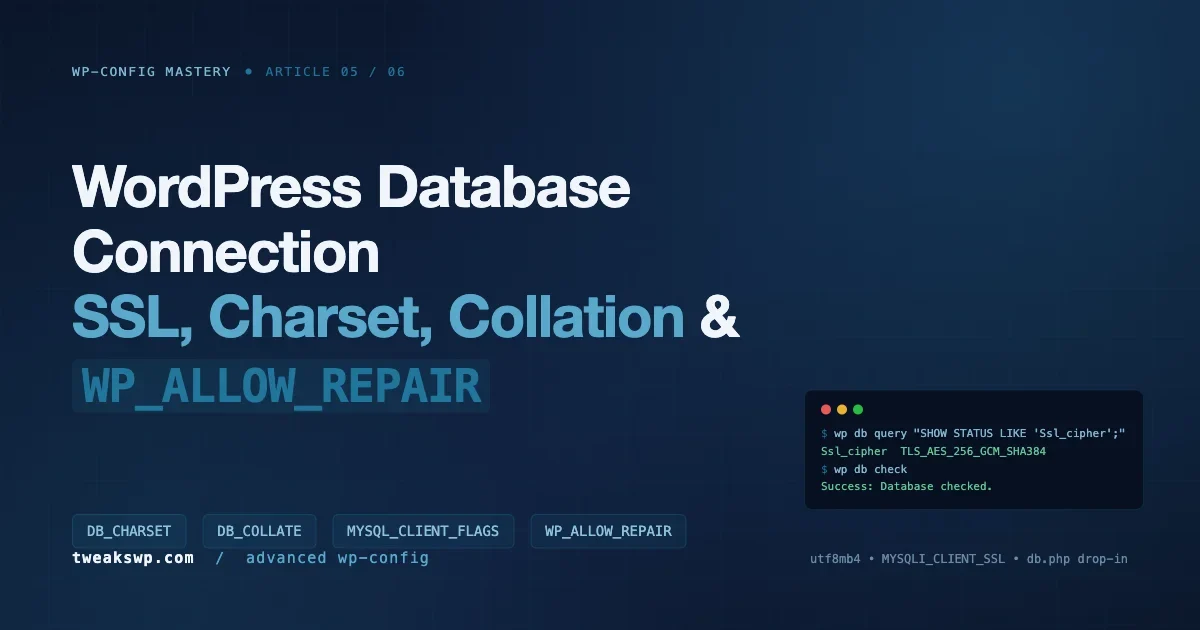
Setting MYSQL_CLIENT_FLAGS does not guarantee that the connection went over TLS. The server can refuse to upgrade, the CA path can be wrong, or PHP can silently fall back to plaintext depending on how mysqli.default_socket is configured. Check the real cipher on the server side, not on the application side:
wp db query "SHOW STATUS LIKE 'Ssl_cipher';"
# Expected:
# Variable_name  Value
# Ssl_cipher     TLS_AES_256_GCM_SHA384

wp db query "SHOW STATUS LIKE 'Ssl_version';"
# Expected:
# Ssl_version    TLSv1.3
If Ssl_cipher comes back empty, your connection is plaintext no matter what wp-config.php says. The two things to check are the server-side require_secure_transport option in my.cnf (set it to ON to force TLS) and the CA bundle path you passed to mysqli_ssl_set().
For ongoing health and charset verification, the WP-CLI script below is what we bake into our server images. It runs every check in one pass and is safe to schedule from cron:
Connection failure playbook
Once you add TLS, charset pinning, and a custom db drop-in, the surface area for failure grows. Here is the short list of real-world errors we have hit, mapped to root cause.
Error establishing a database connection
- Symptom: The WordPress white page with the famous five-word error.
- Diagnose: Tail the MySQL error log and the PHP error log in parallel. The actual failure is almost always in one of them.
- Frequent causes:
DB_HOSTpoints atlocalhoston a UDS socket that no longer exists;MYSQL_CLIENT_FLAGSis set but the server hasrequire_secure_transportoff;DB_SSL_CApath unreadable by the PHP-FPM user.
Error 1366: Incorrect string value
- Symptom: Post save succeeds locally but the text arrives with question marks or empty strings. Emoji are silently dropped.
- Diagnose: The table column is
utf8(3-byte) and the data is utf8mb4 (4-byte). - Fix: Convert the specific column or the whole table with the utf8mb4 migration script above.
Illegal mix of collations
- Symptom: A query works alone, breaks when joined with another table.
- Diagnose: Two tables in the same join have different collations.
- Fix: Convert every table to the same collation. Do not add
COLLATEhints in application code as a workaround; it hides the real problem.
SSL connection error: unable to get local issuer certificate
- Symptom: The connection aborts at handshake. PHP logs
SSL error: unable to get local issuer certificate. - Diagnose: The CA path is wrong, unreadable, or the bundle does not include the intermediate cert.
- Fix: Re-download the CA from the managed host. For AWS RDS the current bundle is
rds-combined-ca-bundle.pem; verify its SHA-256 against the documented value before deploying.
MySQL server has gone away
- Symptom: Long-running WP-CLI jobs (import, search-replace, reindex) die midway.
- Diagnose:
wait_timeouton the server is shorter than the job duration;max_allowed_packetis smaller than a large row. - Fix: Raise
wait_timeoutandmax_allowed_packetinmy.cnf. For WP-CLI specifically, add--skip-plugins --skip-themesto reduce connection pressure during bulk work. Our WordPress Post Revisions cleanup guide walks through the same pattern for purgingwp_postsbloat without tripping the timeout.
Monitoring the database layer in production
Once the database block is clean, the next job is knowing when it drifts. Three checks belong in any monitoring stack that runs WordPress in production.
- TLS negotiation: hit
/wp-admin/admin-ajax.phpevery 5 minutes with a synthetic probe, pipe the MySQLSsl_cipherstatus into Prometheus, and alert when the value goes empty. A silent fallback to plaintext is otherwise invisible. - Collation drift: a daily cron that diffs
information_schema.TABLES.TABLE_COLLATIONagainst a known-good snapshot. Plugin installs occasionally create tables in the server default instead of inheriting the database default; this is how you catch it before it matters. - Connection pool saturation: WordPress does not use a pool, so every PHP worker opens its own connection. Watch
Threads_connectedagainstmax_connections. When the ratio crosses 70 percent, you are one traffic spike fromToo many connectionserrors.
The output of wp db query "SHOW GLOBAL STATUS" piped through grep is enough for a quick health check; for long-term metrics, scrape it with mysqld_exporter and chart the TLS, collation, and connection graphs side by side. Three dashboards take about an hour to build and save you the first postmortem that would have needed them.
Full annotated wp-config.php database block
This is the block we deploy on managed-database production sites. Every line has a reason and nothing is there by accident.
// --- Database credentials ---
define( 'DB_NAME',     'wp_prod' );
define( 'DB_USER',     'wp_app' );
define( 'DB_PASSWORD', getenv( 'WP_DB_PASSWORD' ) );
define( 'DB_HOST',     'db.internal.example.com:3306' );

// --- Encoding ---
define( 'DB_CHARSET', 'utf8mb4' );
define( 'DB_COLLATE', '' );

// --- Transport ---
// TLS required. Paired with DB_SSL_CA in the db.php drop-in.
define( 'MYSQL_CLIENT_FLAGS', MYSQLI_CLIENT_SSL );
define( 'DB_SSL_CA',   '/etc/mysql/ssl/ca.pem' );

// --- Maintenance (off in production; flipped on only during incident) ---
// define( 'WP_ALLOW_REPAIR', true );

// --- Table prefix ---
$table_prefix = 'wp_';
A few production notes on this block:
DB_PASSWORDcomes from an environment variable, not the file itself. This keeps secrets out of the repo and lets a singlewp-config.phpwork across dev, staging, and prod.DB_HOSTembeds the port. Use127.0.0.1rather thanlocalhostwhen you want TCP (so TLS can apply);localhostwith mysqli on most Linux distros silently uses a UNIX socket and bypasses the network stack entirely.WP_ALLOW_REPAIRstays commented out. Flipping it on becomes an explicit, audited action.
FAQ
Do I need MYSQL_CLIENT_FLAGS if my DB is on the same host?
No. A UNIX socket connection on the same host bypasses the network and TLS adds nothing. Use TLS when the DB is on any host you do not share a trust boundary with: managed services, a separate VPC, a different data center, or a physical server across a provider backbone.
Why does WordPress recommend utf8mb4 over utf8?
Because MySQL’s utf8 is a truncated 3-byte encoding that cannot store any code point above U+FFFF. Every emoji, every supplementary Han character, and most mathematical symbols require 4 bytes. Declaring DB_CHARSET as utf8 silently truncates those values to question marks on write.
Is it safe to leave WP_ALLOW_REPAIR on for a shared-host emergency?
Only if the URL is firewalled at the web-server level to your own IP or the host’s internal network. Without that gate you have published an unauthenticated endpoint that runs table repair on demand. Set it, run the repair, remove the constant.
Do I need a custom db.php drop-in, or is MYSQL_CLIENT_FLAGS enough?
The flag alone gives you opportunistic TLS with system-trust verification. If that is enough for your threat model, stop there. If you need CA pinning, client-certificate authentication, or to enforce a specific TLS version, the db drop-in is the supported path. Everything else in the ecosystem (the unofficial wp-db-ssl plugin, for example) is a wrapper around the same mysqli calls.
How do I test a broken wp-config database block without taking the site down?
Keep a second wp-config-tls.php in the repo, and swap it in with a symlink during the rollout. If the first request fails, flip the symlink back. WP-CLI is useful here too: wp db check --skip-plugins --skip-themes will fail fast on a bad connection without loading the entire WordPress stack.
Where this fits in the series
This is article 5 of 6 in our wp-config Mastery series. The database block is the layer that every other constant depends on: memory limits, cache behavior, multisite routing, cron all assume that the connection is healthy, encoded correctly, and encrypted where it needs to be. Pin DB_CHARSET to utf8mb4, leave DB_COLLATE empty unless you have a specific reason, never ship WP_ALLOW_REPAIR in the committed repo, and gate every cross-host connection behind MYSQL_CLIENT_FLAGS with a proper CA. Do those four things and the rest of wp-config.php stays easy to reason about.
Article 6 closes the series with the environment constants that tie everything together: WP_ENVIRONMENT_TYPE, WP_DEBUG_LOG, DISALLOW_FILE_MODS, and the automatic-update controls.
Plugins we build and run
We maintain these ourselves, which is why we can support them on your site.
- BuddyNextThe self-hosted community engine for WordPress
- BuddyXFree community theme, Pro when you outgrow it
- ReignPremium community theme. Add pieces, build anything
- JetonomyCommunity forum and Q&A for WordPress
- EventonomyEvents and RSVPs for WordPress communities
- LearnomyCourses and learning communities on WordPress
- ListoraDirectories and listings your members can browse
- SnipShareCode sharing built for developer communities
- WB Ad ManagerAd placements that turn traffic into revenue
- WP Career BoardA job board your community actually uses
- WP Sell ServicesSell services with offers, orders, and payouts
- MediaVersePhotos, video, and media albums for members
- WB GamificationPoints, badges, and rewards that keep members active
- Product RoadmapPublic roadmaps with voting your users trust