April 2026 WordPress Vulnerability Roundup: Ninja Forms, Kali Forms, and Perfmatters Under Active Exploitation
Three high-severity WordPress vulnerabilities are under active exploitation right now — Ninja Forms file upload, Kali Forms, and Perfmatters file deletion. Here is what got disclosed between April 6 and April 18, who is affected, and the exact steps to take in the next 10 minutes if you run any of them.

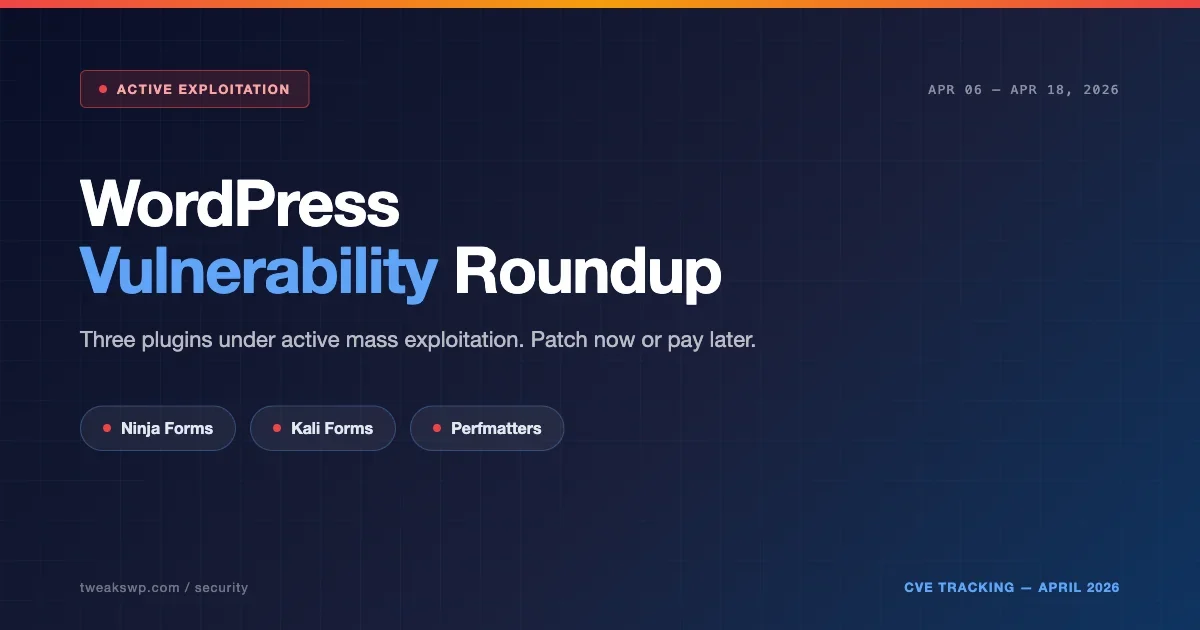
If you run WordPress and you have not checked your plugin updates this week, you are taking a real risk. Between April 6 and April 18, 2026, three plugins with millions of combined installs have been hit with high-severity vulnerabilities, and at least two are under active mass exploitation as this post goes out.
This is the April 2026 vulnerability roundup. Unlike a generic security advisory, this post walks through exactly what is happening, what the attackers are doing, the WP-CLI commands you need to run right now, and the structural changes that make your site resistant to the next cluster, not just this one.
The April 2026 Cluster at a Glance
Three plugins. All three have active exploitation or weaponization signals. All three were reported through Wordfence Intelligence between April 6 and April 12, with follow-up reports through April 18.
- Ninja Forms, Arbitrary File Upload. Roughly 50,000 sites disclosed as affected in the initial Wordfence report. Attackers actively uploading malicious files.
- Kali Forms, Critical severity, actively exploited. Wordfence is tracking probe traffic consistent with known exploit chains.
- Perfmatters, Arbitrary File Deletion. Wordfence reported approximately 200,000 sites affected. Not as loud as file upload, but arbitrary deletion can break a site instantly or be used as a pre-condition for takeover.
For the most recent numbers and version ranges, always cross-reference the Wordfence Intelligence weekly report and the Patchstack database. This post captures the picture as of April 18, 2026.
Why This Cluster Is Different
Three observations matter here.
First, these are not obscure plugins. Ninja Forms alone is on hundreds of thousands of sites. Perfmatters is popular in the performance-optimization community and runs on many high-traffic sites. Kali Forms is less dominant but still widely deployed. You cannot shrug this off as a fringe-plugin problem.
Second, the attack types are complementary. An arbitrary file upload vulnerability drops a webshell. An arbitrary file deletion vulnerability can remove security plugins, clear .htaccess protections, or break the site to force an insecure admin recovery. Together, this cluster maps to a real attack flow that lets an attacker establish persistence, evade detection, and pivot to broader takeover.
Third, automation is fast now. Wordfence and others have documented that exploitation attempts often begin within hours of a disclosure in 2026. The window to patch before probe traffic arrives is effectively zero. Attackers maintain scanners that monitor security advisory feeds and generate exploit attempts within the hour after disclosure.
What Attackers Actually Do With These Vulnerabilities
This is not theory. Across the three CVE patterns in this cluster, here is the pattern we see repeatedly in real incidents.
Arbitrary File Upload (Ninja Forms, Kali Forms pattern)
- Attacker probes for the vulnerable endpoint. This is typically an admin-ajax action or a REST route missing a capability check.
- Attacker uploads a PHP file with a benign extension or through a content-type mismatch that the plugin accepts. Common bypass: filename like
shell.php.jpgwith PHP content, or content-type spoofing asimage/jpegwhile the file body contains executable PHP. - Attacker requests the uploaded file directly to execute it. Usually a simple webshell, eval with a POST body, or a file manager that lets them browse, upload, and execute on demand.
- From there, privilege escalation: creating a new admin user, planting a persistent backdoor in mu-plugins or wp-content/uploads, modifying options to inject content, registering a hidden cron task that re-establishes the backdoor if cleaned.
- Long-term: monetization through redirect injection (sending visitors to scam sites for affiliate revenue), spam content injection, hosting phishing pages on the compromised site, or selling site access to other criminal groups.
Arbitrary File Deletion (Perfmatters pattern)
- Attacker identifies the deletion endpoint.
- Path traversal or missing sanitization lets them target files outside the intended scope. Typical payloads use
../sequences or absolute paths to escape the plugin’s intended directory. - Deletion targets:
wp-config.php(triggers the install flow, a takeover vector),.htaccess(strips protections), security plugin files (disables scanners), or critical WordPress core files. - Once the site is broken, the attacker exploits recovery flows or reinstallation procedures to insert their payload. The recovery pattern is the real risk: a confused admin reinstalling WordPress while attacker-controlled files are present in uploads or mu-plugins re-establishes the compromise.
If you see a site that was working an hour ago and is now throwing a database connection error or showing the WordPress install screen, assume the worst and investigate before you reinstall. Disconnecting the site from the public internet during investigation is the safest move.
The 10-Minute Hardening Checklist
Run through this now, do not schedule it for later in the week.
1. Audit installed plugins against this week’s disclosures
From WP-CLI:
wp plugin list --fields=name,status,version --format=tableCross-reference against Wordfence and Patchstack. Any of the three plugins in this roundup should be updated immediately or deactivated until you can update.
If you manage many sites, run the audit across all of them with a one-liner. Assuming you have SSH access to a server hosting multiple WordPress installs:
for site in /var/www/*/; do
  echo "=== $site ==="
  cd "$site" && wp plugin list --name=ninja-forms,kali-forms,perfmatters --fields=name,version,status --format=table 2>/dev/null
done
2. Update or deactivate, do not wait for auto-updates
WordPress auto-updates are not instant. If you run Ninja Forms, Kali Forms, or Perfmatters on any site you own, log in now and push the update manually. If your site does not have a maintenance window, deactivating the plugin is safer than staying exposed.
wp plugin update ninja-forms perfmatters kali-forms
wp plugin deactivate <vulnerable-plugin> # if you cannot update yet
If you run a managed WordPress host (Kinsta, WPEngine, Pagely, etc.), check whether they have already pushed forced updates for these plugins. Some hosts auto-update on critical CVEs.
3. Check uploads for recently modified PHP
Any PHP file inside wp-content/uploads is suspicious. Your site should not be running PHP from the uploads directory under normal circumstances.
find wp-content/uploads -name "*.php" -mtime -14 -lsIf you find anything, quarantine it (do not delete outright, you want it for the incident record) and start an incident response flow.
mkdir -p ~/incident-quarantine/$(date +%Y%m%d)
find wp-content/uploads -name "*.php" -mtime -14 -exec mv {} ~/incident-quarantine/$(date +%Y%m%d)/ \;
4. Block PHP execution in uploads via .htaccess
Prevention is better than detection. Drop this into wp-content/uploads/.htaccess:
<Files *.php>
  deny from all
</Files>

# Also block .phtml.phps, and other PHP-handler extensions
<FilesMatch "\.(php|phtml|phps|php3|php4|php5|php7|phar)$">
  Require all denied
</FilesMatch>
Or, if you are on Nginx, add an equivalent location block that denies PHP handling inside the uploads path:
location ~* /wp-content/uploads/.*\.(php|phtml|phps|php3|php4|php5|php7|phar)$ {
    deny all;
    return 403;
}
5. Check for new admin users you did not create
wp user list --role=administrator --fields=ID,user_login,user_email,user_registeredAnything created in the last two weeks that you do not recognize is a red flag. To be more precise about a date range:
wp user list --role=administrator --fields=ID,user_login,user_email,user_registered \
  --format=csv | awk -F',' 'NR==1 || $4 > "2026-04-01"'
6. Audit recently modified files site-wide
find . -type f -name "*.php" -mtime -14 -not -path "./wp-content/cache/*"Sort through the results. You are looking for modifications that do not line up with your deploy log or plugin update history.
To narrow further to suspicious patterns inside recently modified files:
find . -type f -name "*.php" -mtime -14 -exec grep -l "eval\|base64_decode\|gzinflate\|str_rot13" {} \;7. Enable a WAF if you do not have one
Wordfence, Cloudflare, Sucuri, or any reputable WAF. A WAF will not fix the underlying vulnerability but it will block the majority of automated probes hitting your site in the first hours after disclosure.
If you are not ready to commit to a paid WAF, Cloudflare’s free tier with the WAF managed rules enabled gives you meaningful baseline protection for free.
8. Add security headers via mu-plugin
Drop this into wp-content/mu-plugins/security-headers.php:
<?php
add_action( 'send_headers', function() {
    header( 'X-Content-Type-Options: nosniff' );
    header( 'X-Frame-Options: SAMEORIGIN' );
    header( 'Referrer-Policy: strict-origin-when-cross-origin' );
    header( 'Permissions-Policy: geolocation=(), microphone=(), camera=()' );
} );
These will not stop an active exploitation but they reduce the blast radius of certain post-exploitation techniques.
If You Find Evidence of Compromise
Do not just delete the file you found and assume you are done. A real compromise from a file upload or file deletion chain almost always leaves additional persistence mechanisms.
- Change all passwords, WordPress admins, hosting, FTP, database, email accounts tied to the site.
- Rotate the WordPress salts in
wp-config.phpto invalidate existing sessions:wp config shuffle-salts
wp cron event list --fields=hook,next_run,recurrence --format=tableLook for hooks with random hashes, hooks pointing to non-existent functions, or events scheduled to run frequently.Audit mu-plugins, anything in wp-content/mu-plugins loads automatically, attackers love it as a persistence location:
ls -la wp-content/mu-plugins/
find wp-content/mu-plugins/ -type f -name "*.php" -exec head -20 {} \;wp option list --search="%base64%" --format=table
wp db query "SELECT user_id, meta_key, meta_value FROM wp_usermeta WHERE meta_value LIKE '%eval(%' LIMIT 50;"BuddyPress and Community Sites: Extra Risks
If you run a BuddyPress community, an LMS, or a membership site, this cluster has higher impact. A few specific concerns:
- User-generated forms are common on community sites. Ninja Forms and Kali Forms are popular for member-facing forms. The attack surface is larger because you have more form endpoints exposed.
- Performance plugins like Perfmatters are commonly installed on community sites that also run BuddyX or BuddyBoss to deal with performance overhead. The Perfmatters file deletion vulnerability impacts these stacks specifically.
- Member impersonation from a successful compromise is more damaging on community sites because it can be used to phish other members or post malicious content under trusted accounts.
- Account takeover via emailed password resets works at scale once an attacker controls the WordPress install, since they can intercept email or modify SMTP configuration.
For community-site operators specifically: after running the hardening checklist above, also audit your BuddyPress activity stream for suspicious posts in the last two weeks, and audit your member registrations for unusual patterns (mass signups from the same IP, signups with disposable email addresses).
Why This Keeps Happening
Every one of these three vulnerabilities comes from the same class of bug: missing capability checks, missing nonce verification, or insufficient input validation on file paths. These are solved problems in the WordPress developer ecosystem. The fact that they keep landing in popular plugins is not a mystery, it is a consequence of:
- Plugin authors shipping fast without security review.
- Security-by-design still not being default in most plugin boilerplates.
- The incentive to feature-ship outweighing the incentive to security-review in commercial plugin businesses.
- Lack of automated security scanning in plugin author CI pipelines.
- Slow security audit response in the WordPress.org plugin review process for established plugins.
If you are a plugin developer reading this, a few minutes with the WordPress security APIs and an automated security scan before you push a release would have caught all three of these before they became news. Specifically:
- Use
current_user_can()on every endpoint that performs an action. - Use
wp_verify_nonce()on every form submission. - Use
sanitize_file_name()andwp_check_filetype_and_ext()on every file upload. - Reject anything outside an allowlist of expected file types and content-type headers.
- Use absolute paths and
realpath()validation on file deletion endpoints.
Weekly Practice: Make This Your Friday Ritual
The realistic defense against this cluster is not perfect code everywhere. It is a 10-minute weekly ritual:
- Check Wordfence and Patchstack weekly reports every Friday.
- Run
wp plugin update --allon every site, every Friday. - Scan uploads for PHP monthly.
- Audit admin users monthly.
- Review WAF logs monthly for novel attack patterns.
- Rotate WordPress salts quarterly as a baseline hygiene practice.
Six habits. Ten to fifteen minutes a week. Catches the next cluster before it becomes an incident report on your site.
Tools That Pay for Themselves
You do not need every premium security plugin to harden a WordPress site. A minimal stack:
- Wordfence (free or premium), signature-based malware detection plus active WAF rules.
- Cloudflare WAF, edge-based protection that catches probes before they hit your origin.
- WP-CLI, your operations terminal for everything. Free, comes with WordPress.
- UpdraftPlus or BlogVault, automated backups so you can recover if cleanup fails.
- Fail2ban or similar at the server level, blocks brute-force attempts on wp-login.php at the OS level before they reach PHP.
If you run dozens of WordPress sites, consider WPVanguard for centralized scanning and hardening, built specifically to catch this class of vulnerability before it reaches your sites.
What We Are Watching Next
Based on the pattern of April 2026 disclosures, expect more form-plugin and performance-plugin vulnerabilities in the next few weeks. Both categories have a history of permissive file handling because both interact with user-generated content and server state. We will publish the next roundup when the signal crosses the threshold.
Specific areas we are monitoring closely:
- Caching plugins with cache-purge endpoints that lack capability checks.
- Backup plugins with download/restore endpoints that lack proper auth.
- Form builders adding new file-upload features without proper validation.
- Page builders with template-import features that may execute arbitrary code.
If you run community sites, membership sites, or any stack where one compromise affects thousands of members, treat this roundup as a prompt to audit now, not later. The cost of a Friday afternoon spent hardening is dramatically lower than the cost of a Monday morning incident response.
For automated scanning and hardening across multiple WordPress sites, see WPVanguard, built to catch exactly this class of vulnerability before it reaches your site.
Coordinated Disclosure Timeline (How These Disclosures Usually Unfold)
Understanding the lifecycle of a typical CVE in the WordPress ecosystem helps you calibrate your response window. The April 2026 cluster followed the standard pattern:
- Day 0: A security researcher (often working with Wordfence Intelligence, Patchstack, or independently) discovers the vulnerability.
- Day 0-7: Responsible disclosure to the plugin author. The researcher reports the vulnerability privately and gives the author time to patch.
- Day 7-30: Plugin author releases a patched version. WordPress.org plugin directory pushes the update to the auto-update channel for users with auto-updates enabled.
- Day 30: Public disclosure window opens. Wordfence, Patchstack, and other security firms publish the CVE details, including affected versions and severity.
- Hours after public disclosure: Automated exploitation kits add the new CVE. Probe traffic against vulnerable endpoints begins within hours.
- Day 30+: Active exploitation continues for weeks until the long tail of unpatched sites either patches or gets compromised.
The April 2026 cluster is in stage 5-6 right now. The disclosures were public roughly a week ago. Probe traffic is heavy. Sites that have not patched are being actively compromised.
Why You Should Care Even If You Do Not Use These Plugins
The specific April cluster is about three plugins. The pattern repeats every few weeks with different plugins. Treating the roundup as “not my problem” because you do not use those three specific plugins misses the point. Three structural lessons:
- Form plugins are a recurring attack surface. Whatever form plugin you use, treat it as security-sensitive. Audit it for capability checks and nonce verification on every endpoint. Watch for security advisories.
- Performance plugins are increasingly targeted. Performance plugins often have file system operations (cache clearing, image optimization, asset deletion) that are tempting attack vectors. Same hygiene applies.
- Auto-updates do not save you fast enough. Even with auto-updates enabled, there is a window between patch release and auto-update execution where you remain exposed. Manual updates on critical plugins after a CVE is the safer move.
Reporting Your Own Vulnerabilities Responsibly
If you discover a vulnerability in a WordPress plugin during your own work or audit, report it responsibly. Do not post it publicly. Do not use it.
- Report to WPScan, Patchstack, or Wordfence Intelligence.
- Provide a clear reproduction case and impact assessment.
- Allow the plugin author 30-90 days to patch before public disclosure.
- Document your findings so the patched version is well understood.
The WordPress security ecosystem works because researchers and plugin authors collaborate on responsible disclosure. Skipping that process and publishing details directly does damage that takes months to recover from.
Plugins we build and run
We maintain these ourselves, which is why we can support them on your site.
- BuddyNextThe self-hosted community engine for WordPress
- BuddyXFree community theme, Pro when you outgrow it
- ReignPremium community theme. Add pieces, build anything
- JetonomyCommunity forum and Q&A for WordPress
- EventonomyEvents and RSVPs for WordPress communities
- LearnomyCourses and learning communities on WordPress
- ListoraDirectories and listings your members can browse
- SnipShareCode sharing built for developer communities
- WB Ad ManagerAd placements that turn traffic into revenue
- WP Career BoardA job board your community actually uses
- WP Sell ServicesSell services with offers, orders, and payouts
- MediaVersePhotos, video, and media albums for members
- WB GamificationPoints, badges, and rewards that keep members active
- Product RoadmapPublic roadmaps with voting your users trust