WordPress Multisite wp-config.php: Network Constants
A complete reference to every WordPress multisite wp-config.php constant: WP_ALLOW_MULTISITE, MULTISITE, SUBDOMAIN_INSTALL, DOMAIN_CURRENT_SITE, PATH_CURRENT_SITE, SITE_ID_CURRENT_SITE, BLOG_ID_CURRENT_SITE, NOBLOGREDIRECT, SUNRISE, COOKIE_DOMAIN, SITECOOKIEPATH, COOKIEHASH, and network tweaks that separate a working network from a production-grade one.

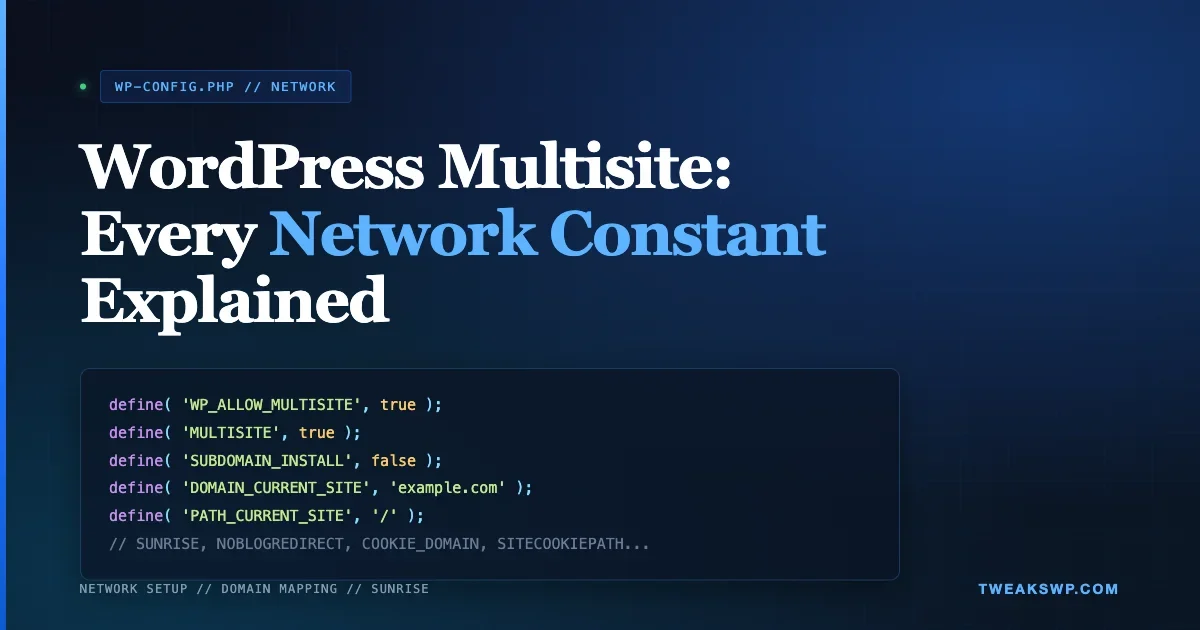
If you run WordPress multisite in production, wp-config.php is the single file that decides whether your network boots, how subsites resolve to domains, and whether login cookies survive across mapped properties. The official Network Setup flow writes a handful of constants for you, but the full list is larger, the defaults are not always right for modern hosting, and several of the most useful tweaks (SUNRISE, NOBLOGREDIRECT, COOKIE_DOMAIN) are not mentioned on the setup screen at all.
This reference documents every network-related constant you can set in wp-config.php, with defaults pulled from WordPress core, the exact file where each one is read, when you should override it, and the real-world gotchas we have hit across domain-mapped networks, reverse proxies, and subfolder installs. If you have ever watched a subsite 302-redirect to the primary domain for no reason, or had Redis cache keys collide between two networks, this guide is for you. If you also want the single-site wp-config.php companion reference, see our wp-config.php Tweaks: 15 Hidden Settings Every WordPress Developer Should Know.
Quick reference table
Constant | Default | Category | When to set |
|---|---|---|---|
| unset | Bootstrap | Before running Network Setup |
| unset | Bootstrap | Always true on a network |
| false | Topology | At install time only |
| detected | Topology | Always, per environment |
| / | Topology | Rarely |
| 1 | Identity | Multi-network installs |
| 1 | Identity | Non-default main site ID |
| unset | Routing | Unmapped host landing |
| unset | Routing | Custom domain logic |
| unset | Auth | Subdomain SSO |
| / | Auth | Subdirectory installs |
| md5(siteurl) | Auth | Co-located installs |
| empty | Cache | Shared cache backends |
| derived | Storage | Custom upload path |
Table of contents
- The boot constants: WP_ALLOW_MULTISITE and MULTISITE
- Topology constants: SUBDOMAIN_INSTALL, DOMAIN_CURRENT_SITE, PATH_CURRENT_SITE
- Network identity: SITE_ID_CURRENT_SITE and BLOG_ID_CURRENT_SITE
- Redirect behavior: NOBLOGREDIRECT
- Custom routing: SUNRISE and sunrise.php
- Cookie constants: COOKIE_DOMAIN, SITECOOKIEPATH, COOKIEHASH
- Per-subsite URL overrides: WP_HOME, WP_SITEURL and the site_url filter
- Object cache keys, upload quota, and network admin email
- Network-wide security hardening
- How WordPress reads these constants at boot
- Environment-specific configuration pattern
- Full annotated wp-config.php example
- Real-world gotchas from domain mapping and subfolder setups
- FAQ
The Network Setup screen writes five constants. The other ten in this guide are what separate a working network from a production-grade one. Every one of them has a default that is correct in isolation and wrong in at least one real-world deployment.
The boot constants: WP_ALLOW_MULTISITE and MULTISITE
WP_ALLOW_MULTISITE
- Purpose: Reveals the Tools > Network Setup screen in wp-admin.
- Default: unset (false).
- When to set: Only during initial network creation. Once the network is running, this constant does nothing and can be removed.
- Read in:
wp-admin/network.phpvia adefined()gate. - Gotcha: Leaving it defined forever is harmless, but it clutters
wp-config.php. Remove it onceMULTISITEis set.
MULTISITE
- Purpose: Tells WordPress to load
ms-settings.phpand operate as a network. - Default: unset (single-site mode).
- When to set: Always true on an active network. Core writes this for you after Network Setup.
- Read in:
wp-settings.php, before the object cache is loaded. - Gotcha: If you clone a production network to staging and forget to update the other network constants,
MULTISITEwill still be true but subsites will 404 becauseDOMAIN_CURRENT_SITEno longer matches the staging hostname. Always set the domain constants before togglingMULTISITEon.
Topology constants: SUBDOMAIN_INSTALL, DOMAIN_CURRENT_SITE, PATH_CURRENT_SITE
SUBDOMAIN_INSTALL
- Purpose: Declares whether subsites are subdomains (
blog1.example.com) or subdirectories (example.com/blog1). - Default:
false(subdirectory). - When to set: At install time. Core writes this for you.
- Gotcha: This value is baked into your database at install and referenced by
is_subdomain_install(). Flipping it post-install is possible but requires editing thewp_sitemetatable, updating rewrite rules, and replacing every subsite URL in thewp_blogstable. Treat the decision as permanent. - Gotcha: Subdirectory networks cannot be created on sites that use
/blog/as a permalink prefix. If your site had been using/blog/, switch permalinks first.
DOMAIN_CURRENT_SITE
- Purpose: The primary hostname of the network (no protocol, no trailing slash).
- Default: Detected from the install URL during Network Setup.
- When to set: Always. Core writes this.
- Gotcha: If your production runs
www.example.combut Network Setup capturedexample.com, every non-wwwrequest will redirect. Keep this value aligned with the canonical hostname your DNS and reverse proxy actually use. - Gotcha on multi-environment pipelines: Staging, QA, and production each need their own
DOMAIN_CURRENT_SITE. Hardcoding production intowp-config.phpand committing it will break staging the moment it deploys. Use an environment variable:define('DOMAIN_CURRENT_SITE', getenv('WP_NETWORK_DOMAIN'));.
PATH_CURRENT_SITE
- Purpose: The URL path where the network lives, almost always
/. - Default:
/. - When to set: Rarely overridden. Only change if WordPress is installed under a subpath (
/wp/) and you want the network to operate beneath that. - Gotcha: Must begin and end with a slash. Mis-setting this triggers the “If you are using HTTPS, please switch to HTTP” redirect loop because the site URL does not match the expected path.
Network identity: SITE_ID_CURRENT_SITE and BLOG_ID_CURRENT_SITE
SITE_ID_CURRENT_SITE
- Purpose: The ID of the active network (
wp_sitetable, one row per network). - Default:
1. - When to set: Only relevant on multi-network installs (multiple networks sharing a single WordPress codebase, which is unusual). On single-network installs this stays at 1.
- Read in:
wp-includes/ms-settings.phpas a fallback when the host-to-network lookup fails.
BLOG_ID_CURRENT_SITE
- Purpose: The ID of the main site of the current network.
- Default:
1. - When to set: When you restore a network from a dump where the main site does not have ID 1. Core references this to decide which subsite is the “root” of the network for WP-CLI and admin operations.
- Gotcha: Legacy installs sometimes defined this as
SITE_ID_CURRENT_SITE. Both constants co-exist; they describe different things.SITE_ID_CURRENT_SITEpoints to a row inwp_site(the network).BLOG_ID_CURRENT_SITEpoints to a row inwp_blogs(the primary subsite).
Redirect behavior: NOBLOGREDIRECT
- Purpose: When a visitor hits a hostname that does not map to any subsite, WordPress normally 302-redirects them to the network’s primary domain.
NOBLOGREDIRECTlets you override that destination. - Default: unset. WordPress redirects to the main site URL.
- Value: A fully-qualified URL (
https://example.com/404) or leave undefined to use the default. - When to set: On domain-mapped networks where unmapped hosts should land on a marketing page, a 404 endpoint, or a “claim this site” flow instead of the generic primary domain.
- Gotcha: This is a 302, not a 301. If you point it at a production URL that you then cache aggressively, unmapped hosts can end up cached under the target URL and break SEO. Always point it at a non-cacheable endpoint.
- Read in:
wp-includes/ms-settings.phpinside thems_not_installed()branch.
Custom routing: SUNRISE and sunrise.php
SUNRISE is one of the most powerful and least-understood multisite constants. Enabling it tells WordPress to load wp-content/sunrise.php before ms-settings.php resolves the host to a subsite. That hook gives you the chance to populate $current_site and $current_blog from any data source you want, which is how every serious domain mapping plugin (including the legacy WPMU Domain Mapping and modern Mercator fork) works under the hood.
- Purpose: Load
wp-content/sunrise.phpearly in the boot sequence to customize how hosts resolve to subsites. - Default: unset.
- Value: Commonly
'on', but any truthy value works. The check isdefined('SUNRISE'), not a string comparison. - When to set: When you need custom domain routing (a lookup table outside
wp_blogs), reverse-proxy-aware host detection, or tenant-aware URL rewriting. - Where to place: Above the
MULTISITEconstant inwp-config.php. If you define it after, core has already committed to the default routing. - Gotcha:
sunrise.phpruns before the object cache is fully initialized and before most plugins load. Keep its logic tight. Heavy DB work here slows every request across the network. - Gotcha: Native core domain mapping (WordPress 4.5+) does not need
SUNRISE. You only enable it if you are replacing the default host lookup with custom code.
Cookie constants: COOKIE_DOMAIN, SITECOOKIEPATH, COOKIEHASH
COOKIE_DOMAIN
- Purpose: Sets the domain on authentication and session cookies. Leaving it undefined scopes cookies per-hostname.
- Default: unset (cookies scoped to the exact domain serving the request).
- Value: A domain with a leading dot for all subdomains, for example
.example.com. - When to set: On subdomain networks where you want seamless SSO across
blog1.example.comandblog2.example.com. Set it to.example.com. - When NOT to set: On domain-mapped networks where subsites live on unrelated domains (
client1.com,client2.com). A sharedCOOKIE_DOMAINis impossible across unrelated parents, and leaving this unset is the correct behavior. - Gotcha: If you set
COOKIE_DOMAINto the bare apex (example.com) without the leading dot, older browsers still honor it but the RFC treats it as “exact match only”, which defeats the purpose. Always use.example.com. - Read in:
wp-includes/default-constants.phpviawp_cookie_constants().
SITECOOKIEPATH
- Purpose: The path that WordPress sets on admin-area cookies (auth, logged_in, test_cookie).
- Default: Computed from
siteurl. On most installs this is/. - When to set: When WordPress is installed in a subdirectory (
/wp/) but you want cookies scoped to the full site. - Gotcha: Setting this to a tighter path than the default will log users out every time they leave the admin area. Only widen the path, do not narrow it.
COOKIEHASH
- Purpose: A salt appended to every WordPress cookie name (
wordpress_sec_COOKIEHASH,wordpress_logged_in_COOKIEHASH). Prevents cookie collisions when two WordPress installs share the same hostname. - Default:
md5(siteurl). - When to set: When two installs are running on the same domain (e.g.
example.comfor production andexample.com/stagingfor staging) and you want them to have fully independent session cookies. Set it to an explicit unique string per install. - Gotcha: Changing
COOKIEHASHinvalidates every session. Deploy it during a maintenance window.
Per-subsite URL overrides: WP_HOME, WP_SITEURL and the site_url filter
On single-site WordPress you typically hardcode WP_HOME and WP_SITEURL in wp-config.php to lock the canonical URL. On multisite this is a trap: every subsite shares the same wp-config.php, so hardcoding either constant forces every subsite to use the same URL, which breaks the whole point of a network.
Correct pattern on multisite
- Leave
WP_HOMEandWP_SITEURLundefined inwp-config.php. Core will resolve them per-subsite from theoptionstable. - For reverse-proxy-aware URL generation (required on most load balancers and CDNs), use the
site_urlandhome_urlfilters with the$blog_idargument (see the gist example below). - If you must pin a specific subsite URL, do it via the filter, not via a constant.
Object cache keys, upload quota, and network admin email
WP_CACHE_KEY_SALT
- Purpose: Prefixes every object cache key. Critical on shared Redis or Memcached backends.
- Default: empty string.
- When to set: Always on multisite if you run a shared object cache across environments. Without it, staging and production will read each other’s cache keys and leak data.
- Value: A short descriptive prefix, for example
example-com-prod:. Include the trailing colon, it is not added automatically.
BLOGUPLOADDIR
- Purpose: Base directory for per-subsite uploads (
wp-content/uploads/sites/N/). - Default: Computed from
WP_CONTENT_DIR. - When to set: When you want uploads on a different volume (NFS, S3 via a filesystem plugin).
- Note: Per-subsite upload quota is set in Network Admin under Settings > Network Settings > Site upload space, not as a constant. The constant only configures the path.
Network admin email
- The network admin email is stored in
wp_sitemetaunder theadmin_emailkey, not as awp-config.phpconstant. - You can override it programmatically via the
pre_site_option_admin_emailfilter, which is useful when you rotate alert routing without touching the database.
Network-wide security hardening
DISALLOW_FILE_EDIT: Removes the plugin and theme editor from every subsite admin. Strongly recommended on multisite.DISALLOW_FILE_MODS: Blocks plugin and theme installation, updates, and uploads across the entire network. Use on networks where subsite owners should not install anything.FORCE_SSL_ADMIN: Forces HTTPS in wp-admin across every subsite. Essential once your network is reachable over HTTPS.WP_AUTO_UPDATE_CORE: Set to'minor'on multisite so you catch security patches across every subsite without breaking major version compatibility.
How WordPress reads these constants at boot
The order in which core reads multisite constants matters. A constant defined too late in wp-config.php either has no effect or silently overrides a value core has already committed to. Here is the actual boot sequence, top to bottom, that WordPress walks through on every request:
index.phprequireswp-blog-header.php, which requireswp-load.php.wp-load.phplocateswp-config.phpand requires it. Everydefine()in yourwp-config.phpis evaluated here, in order.- At the end of
wp-config.php,wp-settings.phpis required. wp-settings.phploadswp-includes/default-constants.php, which sets any still-undefined constants (likeCOOKIE_DOMAIN) to their derived defaults. This is why settingCOOKIE_DOMAINafterwp-settings.phpis useless.- If
MULTISITEis true andSUNRISEis defined,wp-content/sunrise.phpis required here. wp-includes/ms-settings.phpruns. It readsDOMAIN_CURRENT_SITE,PATH_CURRENT_SITE,SITE_ID_CURRENT_SITE,BLOG_ID_CURRENT_SITE, andNOBLOGREDIRECT.- The object cache is loaded (
WP_CACHE_KEY_SALTis now in effect). - Plugins load. Any filter-based URL override (
site_url,home_url) fires here, after every constant above is locked.
The practical rule: define every multisite constant in wp-config.php above the line that requires wp-settings.php. Define SUNRISE above MULTISITE. Use the filter approach only for per-subsite URL tweaks that cannot be known at wp-config.php load time.
Environment-specific configuration pattern
Committing a single wp-config.php across staging, QA, and production is the most common source of multisite bugs we see during audits. A constant that is correct on production (a hardcoded DOMAIN_CURRENT_SITE, a production WP_CACHE_KEY_SALT) becomes a bug the moment the file lands on staging. The fix is a small environment-detection block at the top of wp-config.php:
- Set
WP_ENV(or readWORDPRESS_ENVfrom the host environment). - Switch
DOMAIN_CURRENT_SITE,WP_CACHE_KEY_SALT,WP_DEBUG, and database credentials based on the value. - Keep the multisite routing constants (
MULTISITE,SUBDOMAIN_INSTALL) identical across environments. Only the network hostname changes. - For Composer-based installs (Bedrock and similar), use
.envfiles and read every secret viagetenv(). Never commit environment-specific values.
On containerized deployments, pass the network hostname via an environment variable injected by your orchestrator. The wp-config.php reads getenv('WP_NETWORK_DOMAIN') and nothing else needs to change between environments. This also keeps secrets out of version control, which becomes critical once your network has any client subsites.
Full annotated wp-config.php example
Here is a complete working block for a subdirectory multisite network, followed by a domain-mapping overlay and a sunrise.php starter:
Real-world gotchas from domain mapping and subfolder setups
Subsite logs out after every mapped-domain redirect
Symptom: user logs into the network admin on example.com/wp-admin, clicks over to a mapped subsite on client.com, and lands logged out. Cause: cookies were issued against example.com and do not match client.com. Fix: do not try to share cookies across unrelated parent domains. Instead, use Network Admin > Sites to switch into the mapped subsite, which sets a fresh cookie for the mapped domain. Leave COOKIE_DOMAIN undefined.
Redirects bounce from HTTPS to HTTP on the primary domain
Symptom: a mapped domain request lands on the primary network URL but protocol drops to HTTP. Cause: the reverse proxy is terminating TLS but WordPress does not see HTTPS=on because $_SERVER['HTTPS'] is unset. Fix: in wp-config.php, set $_SERVER['HTTPS'] = 'on'; whenever $_SERVER['HTTP_X_FORWARDED_PROTO'] === 'https'. Do this before wp-settings.php is required.
Subdirectory install cannot create a subsite with slug “blog”
Core blocks reserved slugs that would collide with core rewrites: page, comments, blog, files, feed, wp-admin, wp-includes, wp-content, wp-register.php, trackback, embed. You can extend the list with the subdirectory_reserved_names filter. You cannot shrink it safely.
Cloned network keeps redirecting to production domain
Symptom: you clone production to staging, update siteurl and home in options, but every request still redirects to production. Cause: DOMAIN_CURRENT_SITE in wp-config.php still points to production, and wp_sitemeta has the production domain cached. Fix: update DOMAIN_CURRENT_SITE, run wp search-replace across wp_blogs, wp_site, wp_sitemeta, and every subsite’s wp_N_options table. Our WP-CLI Search-Replace guide covers the exact flag set for multisite clones. WP-CLI with --network handles most of this, but wp_site often needs a manual update.
Redis object cache returns stale data across environments
Symptom: staging starts showing production content intermittently. Cause: both environments are hitting the same Redis instance without WP_CACHE_KEY_SALT. Core prefixes cache keys with WP_CACHE_KEY_SALT in wp-includes/cache.php. Without a unique salt, two installs race for the same keys. Fix: set WP_CACHE_KEY_SALT to a unique per-environment string and flush.
FAQ
Can I flip SUBDOMAIN_INSTALL after the network is created?
Technically yes. Practically, no. You have to update wp_sitemeta, every row in wp_blogs, every siteurl and home option across every subsite, and your DNS. Most teams rebuild the network and import content instead.
Do I need SUNRISE for domain mapping?
No. WordPress 4.5 added native domain mapping. Assign a mapped domain under Network Admin > Sites > Edit and it routes correctly. SUNRISE is only required if you replace the default host-to-blog lookup with custom logic.
Should I define WP_HOME and WP_SITEURL on multisite?
No. Leave them undefined. Every subsite resolves its own URL from its options table. If you hardcode the constants, every subsite ends up pointing at the same URL and the network breaks.
Where is the canonical list of multisite constants in WordPress core?
There is no single file. Constants are read across wp-includes/ms-settings.php, wp-includes/ms-default-constants.php, wp-includes/default-constants.php, and wp-admin/network.php. The official multisite handbook is the best reference, and WordPress core source search on the Code Reference is the fastest way to see exactly where each constant is used.
How do I change the network admin email without touching the database?
Hook pre_site_option_admin_email in a mu-plugin:
add_filter('pre_site_option_admin_email', fn() => 'ops@example.com');
Next steps
With these constants mapped out, the next file to audit on any multisite install is .htaccess (or the Nginx equivalent), followed by any drop-ins in wp-content (sunrise.php, object-cache.php, db.php). The constants above boot the network; drop-ins and rewrite rules decide whether requests make it through the front door in the first place.
Keep this page bookmarked when you inherit a multisite install. The Network Setup screen only writes five constants. The other ten in this guide are what separate a working network from a production-grade one. For subsite-level content operations at scale, pair this with user-generated content moderation that does not kill performance.
Plugins we build and run
We maintain these ourselves, which is why we can support them on your site.
- BuddyNextThe self-hosted community engine for WordPress
- BuddyXFree community theme, Pro when you outgrow it
- ReignPremium community theme. Add pieces, build anything
- JetonomyCommunity forum and Q&A for WordPress
- EventonomyEvents and RSVPs for WordPress communities
- LearnomyCourses and learning communities on WordPress
- ListoraDirectories and listings your members can browse
- SnipShareCode sharing built for developer communities
- WB Ad ManagerAd placements that turn traffic into revenue
- WP Career BoardA job board your community actually uses
- WP Sell ServicesSell services with offers, orders, and payouts
- MediaVersePhotos, video, and media albums for members
- WB GamificationPoints, badges, and rewards that keep members active
- Product RoadmapPublic roadmaps with voting your users trust