Wordfence Weekly: 450K WordPress Sites at Risk (Perfmatters, Ninja Forms, MW WP Form)
<p>Three major WordPress plugin vulnerabilities disclosed in early April 2026, Perfmatters (200K sites), Ninja Forms File Upload (50K sites), and MW WP Form (200K sites). What each vulnerability does, whether your site is affected, and the patched version numbers.</p>

Wordfence’s vulnerability disclosures in the first week of April 2026 hit three widely installed plugins within days of each other. Combined installations: roughly 450,000 WordPress sites. Each vulnerability has a patched version available right now. Each is exploitable by either a low-privileged authenticated attacker or, in one case, an unauthenticated attacker with no account at all. And based on historical patterns I have watched repeat themselves over the last decade, updates will not roll out to most affected sites for weeks. If you run WordPress sites professionally, or know somebody who does, you or they are almost certainly affected by at least one of these.
I checked the plugin lists across the 18 client sites I currently manage as soon as the first disclosure landed, and three of those sites had at least one of the affected plugins running an outdated version. None of the three had been compromised yet, but the window between public disclosure and exploit-in-the-wild is measured in days for issues this serious. This is the quick-action summary you can send to your team or your client today: what each vulnerability actually does, how to tell if you are affected, and the specific version number that contains the fix.
1. Perfmatters, arbitrary file deletion
- Plugin: Perfmatters, the performance optimization plugin
- Affected sites: approximately 200,000
- CVE: disclosed via Wordfence Intelligence on April 2, 2026
- Severity: High
- Issue: a missing capability check in the plugin’s AJAX handler allowed a low-privileged authenticated user (a Subscriber, for example) to delete arbitrary files on the server by supplying a file path parameter to the vulnerable endpoint
What this means in practice: if your site allows user registration at Subscriber level or higher, and most membership sites, WooCommerce stores, and community sites do, then an attacker can register an account and delete arbitrary files on the server. That includes core WordPress files. That includes wp-config.php, which contains your database credentials and security keys. Deleting wp-config.php breaks the site immediately and forces a restore from backup. Deleting specific plugin files can be used as a stepping stone for further exploitation chains. This is a vulnerability you do not want to have on a production site for even one extra day.
Patched version: Perfmatters 2.4.1 or later.
Action: update Perfmatters immediately. If auto-updates are enabled on the site, the fix should already be in place, but verify by checking the plugin version on the Plugins screen. If you cannot update right away for some reason, deactivate the plugin entirely until you can. The performance benefit Perfmatters provides is not worth keeping a vulnerable version running.
2. Ninja Forms File Upload, arbitrary file upload
- Plugin: Ninja Forms File Upload, both the free and the pro versions
- Affected sites: approximately 50,000
- CVE: disclosed via Wordfence on April 6, 2026
- Severity: Critical, the highest classification
- Issue: improper file type validation in the upload handler allows an unauthenticated attacker to upload arbitrary files, including PHP shells, directly to the site’s uploads directory
This is the worst kind of WordPress vulnerability that exists. Unauthenticated exploitation, meaning no account required. Ability to upload executable PHP, meaning the attacker gets a foothold for arbitrary code execution. A successful exploit typically results in full site compromise within minutes of the attacker discovering that the site is affected. Bots will scan the entire IPv4 internet for this within days of public disclosure, and they are almost certainly already doing it as you read this.
Patched version: Ninja Forms File Upload 3.3.9 or later.
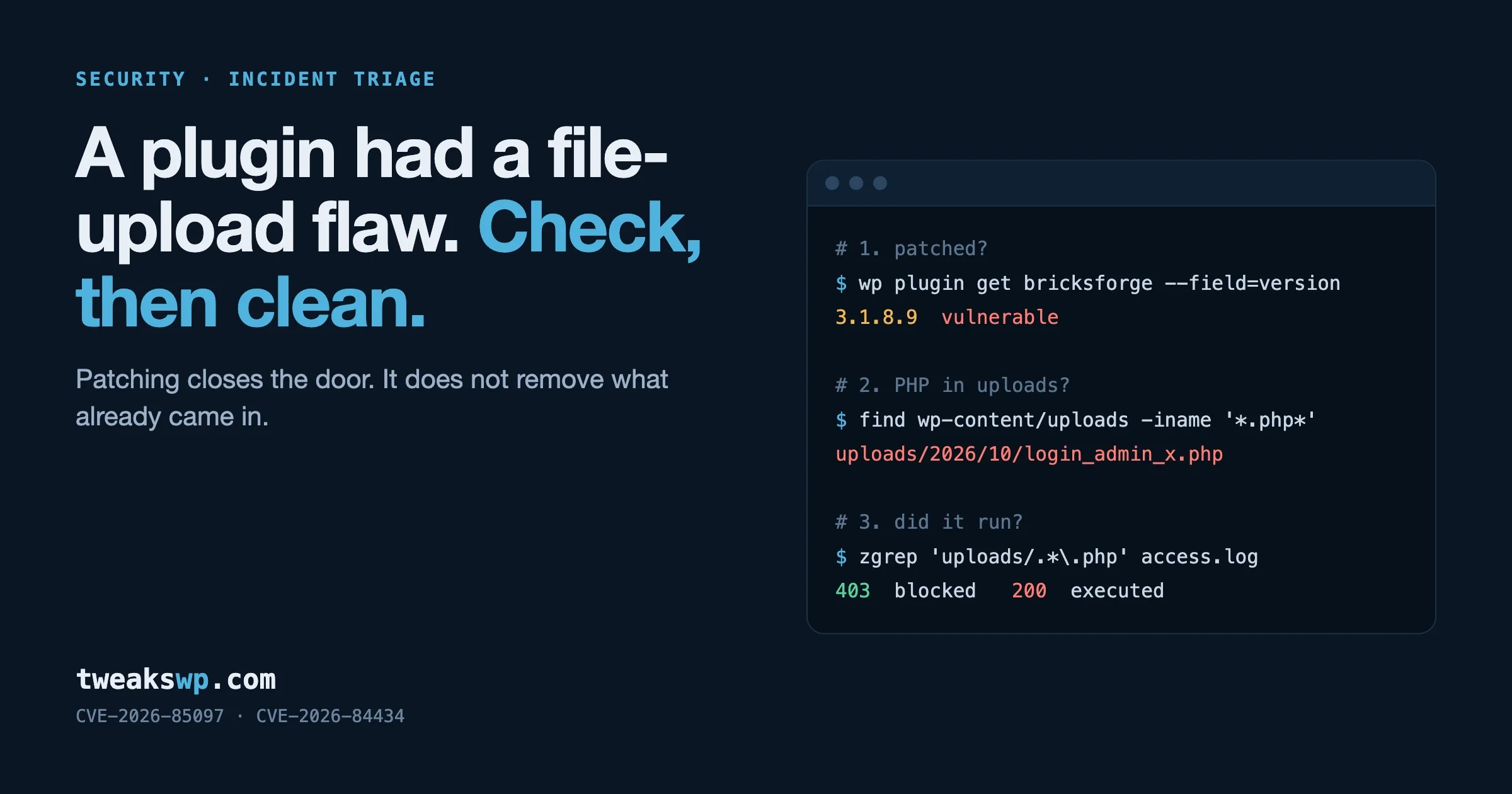
Action: update immediately, today, not next week. If your site uses Ninja Forms File Upload and you are behind 3.3.9 right now, treat the site as possibly compromised until it is patched, and ideally run a full malware scan with Wordfence, MalCare, or Sucuri after the update completes. Check the uploads directory for any unexpected PHP files. If you find any, you have been compromised and need to follow incident response procedures.
3. MW WP Form, arbitrary file move
- Plugin: MW WP Form, a contact form plugin popular in Japanese WordPress installs
- Affected sites: approximately 200,000
- CVE: disclosed via Wordfence on April 1, 2026
- Severity: High
- Issue: an unauthenticated arbitrary file move vulnerability in the form plugin allows an attacker to move files on the server to attacker-controlled locations, which combined with WordPress’s file handling can be chained with other primitives to achieve remote code execution
What this means in practice: less immediately dangerous than the Ninja Forms upload issue, but the actual severity depends entirely on what else the attacker can reach on the server. In WordPress environments where wp-config.php is not additionally protected at the web server level, this vulnerability is a stepping stone to full compromise rather than a complete compromise on its own. Treat it as critical anyway, because chaining vulnerabilities is what attackers actually do.
Patched version: MW WP Form 5.1.0 or later.
Action: update. If you cannot update right away, disable the plugin entirely until you can. There is no safe configuration of an unpatched version to run.
Quick audit commands you can run right now
To check whether your site is running any of these plugins at vulnerable versions, the fastest path is WP-CLI:
Or, if WP-CLI is not available on your hosting setup and you have SSH access, you can grep the plugin headers directly:
Compare the version output against the patched version numbers above. If you are below the patched version on any of the three, that site needs an update right now, not after lunch.
Why these three matter beyond the specific plugins involved
Three different plugins, three different vendors, three different vulnerability classes, all disclosed in the same week. This is not a coincidence. It is the regular cadence of WordPress plugin security in 2026, and pretending otherwise is wishful thinking that will eventually catch you out.
The pattern that creates these cluster weeks looks like this:
- Security researchers continuously scan plugin directories looking for the patterns that have produced exploits in the past
- Disclosures are coordinated with the plugin author for a 30 to 60 day window so the author can ship a patch before the issue becomes public
- Patches ship when the author responds, and then Wordfence publishes the public advisory simultaneously with the fix
- Sites that have auto-updates enabled get the fix within a day or two without anybody having to do anything
- Sites without auto-updates are vulnerable until the next manual maintenance cycle, which for many sites is weeks or months later if it happens at all
The single biggest security practice you can adopt for any WordPress site you run is enabling auto-updates for every plugin on every site. WordPress 5.5 and later supports this natively at the per-plugin level, and I cannot think of a defensible reason not to use it on a production site. The objection “updates might break things” is real, but the risk of an automated update breaking a feature is much smaller than the risk of an unpatched vulnerability turning into a full site compromise. Test in staging if you must, but enable auto-updates in production. The number of sites I have audited that were running known-vulnerable versions of common plugins for months because nobody had bothered to enable updates is depressing.
Beyond these three: the broader picture for 2026
Wordfence and Patchstack publish weekly vulnerability roundups for WordPress plugins, and subscribing to those feeds is the minimum site-owner or agency security practice in 2026. If you are not already on at least one of them, fix that today.
Suggested sources to watch:
- Wordfence Intelligence Weekly Vulnerability Report at wordfence.com/blog
- Patchstack Mailing List at patchstack.com, which covers a slightly different mix of plugins than Wordfence
- WPScan Vulnerability Database at wpscan.com for historical lookups
- WordPress.org plugin directory’s “Last updated” column on every plugin page, which is a low-tech but useful signal for plugin abandonment
Set a calendar reminder for Thursday each week to check for new disclosures against your plugin list. A 5-minute weekly habit prevents the exploit that finds you before you find the patch, and the math overwhelmingly favours the habit. While you are reviewing your security posture, also check that your wp-config.php path constants are sane and that no inherited custom layout is creating unnecessary attack surface, and the patterns I covered in my guide to moving the WordPress content directory apply to that audit as well.
What to do this week, in priority order
- Check every WordPress site you manage for Perfmatters, Ninja Forms File Upload, and MW WP Form. Even sites you have not touched in a year. Even staging environments.
- Update all three to patched versions if any of them are present and outdated.
- Verify auto-updates are enabled going forward on every site, not just the ones that were affected this week.
- If Ninja Forms File Upload was at a vulnerable version on any site, run a full malware scan with Wordfence, MalCare, or Sucuri to check whether the site was compromised before you patched.
- Subscribe to Wordfence’s weekly roundup and Patchstack’s mailing list if you are not already on them.
- Audit your
wp-config.phpconstants while you are in there, using my 30 essential wp-config.php constants reference to make sure you have the security-related constants set correctly.
For agencies running portfolios of client sites
If you run a portfolio of client sites, this week’s disclosures are a reminder that your security exposure is not your own custom code, it is the plugin stack across every site you manage. A single vulnerable plugin on one client site that gets compromised can cost you that client and create reputational damage that radiates across the entire portfolio. Word travels fast in the WordPress world, especially when the compromise involves a customer database leak.
Automate the audit work. Every client site in your portfolio should get the same baseline:
- Auto-updates enabled at the per-plugin level for every plugin
- A security scanner like Wordfence or MalCare installed and running scheduled scans
- A monthly review of the full plugin list against the week’s vulnerability disclosures
- A documented response plan for what happens when a plugin from a client site shows up on a disclosure feed, including who calls the client, who applies the patch, and how the work gets billed
Is this boring work? Yes. Is it the work that separates agencies that retain clients for ten years from agencies that lose clients to compromise after eighteen months? Also yes. The agencies I respect most all treat security maintenance as core operational work, not as a billable extra that only happens when somebody asks.
The bottom line
Three large install-base WordPress plugins, three serious vulnerabilities, all disclosed in one week in April 2026. Update Perfmatters to 2.4.1 or later, Ninja Forms File Upload to 3.3.9 or later, and MW WP Form to 5.1.0 or later, and do it today rather than next Tuesday. Enable auto-updates everywhere across every site you manage. Subscribe to the weekly disclosure feeds so the next batch does not catch you flat-footed. This is the ongoing operational cost of running WordPress at any meaningful scale, and the sites that stay safe over the long run are the ones that treat security maintenance as routine work rather than as reactive firefighting after something has already gone wrong.
Plugins we build and run
We maintain these ourselves, which is why we can support them on your site.
- BuddyNextThe self-hosted community engine for WordPress
- BuddyXFree community theme, Pro when you outgrow it
- ReignPremium community theme. Add pieces, build anything
- JetonomyCommunity forum and Q&A for WordPress
- EventonomyEvents and RSVPs for WordPress communities
- LearnomyCourses and learning communities on WordPress
- ListoraDirectories and listings your members can browse
- SnipShareCode sharing built for developer communities
- WB Ad ManagerAd placements that turn traffic into revenue
- WP Career BoardA job board your community actually uses
- WP Sell ServicesSell services with offers, orders, and payouts
- MediaVersePhotos, video, and media albums for members
- WB GamificationPoints, badges, and rewards that keep members active
- Product RoadmapPublic roadmaps with voting your users trust