WordPress .htaccess Optimization: Gzip, Browser Caching, and Security Rules
WordPress .htaccess optimization covering Gzip compression with mod_deflate, browser caching via mod_expires, ETag removal, security rules, hotlink protection, and XML-RPC blocking.

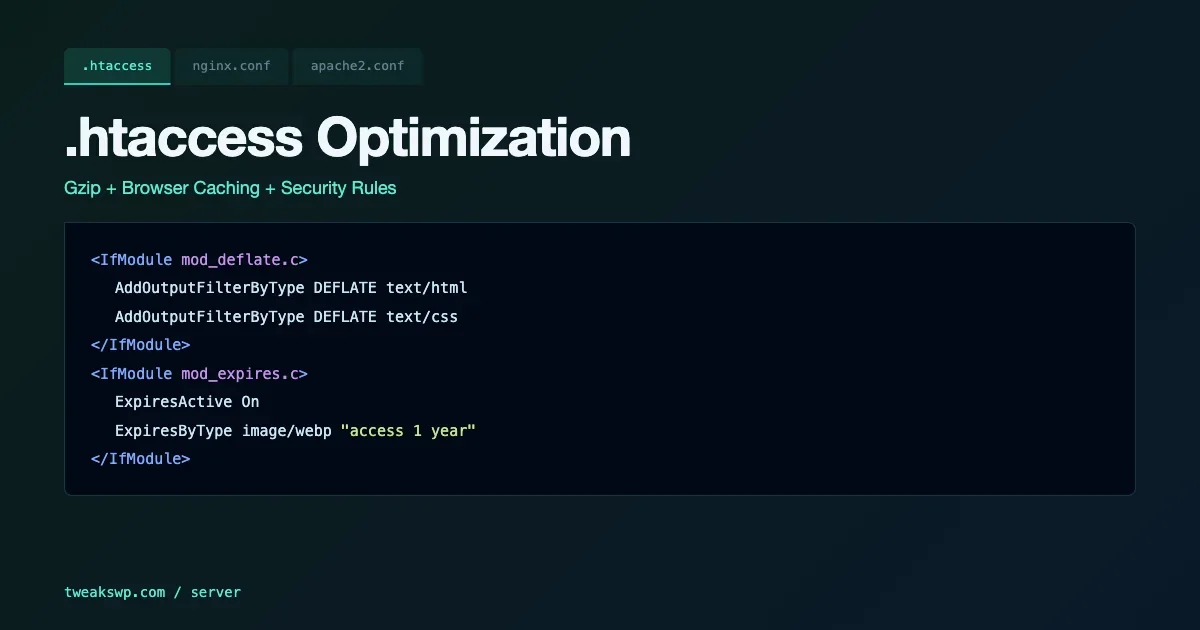
Apache’s .htaccess file handles three server-level concerns that WordPress plugins cannot fully control: Gzip compression, browser caching headers, and security rules. Getting these right reduces page weight, cuts repeat request overhead, and closes common attack vectors - all before PHP runs a single line. This guide covers the specific directives for each, the common misconfiguration patterns, and why ETag removal matters.
Gzip Compression with mod_deflate
Gzip compresses text-based responses (HTML, CSS, JavaScript, XML, JSON) before sending them to the browser. A typical WordPress page that is 100KB uncompressed compresses to 25-35KB - a 65-75% reduction. The Apache module for this is mod_deflate:
The AddOutputFilterByType directives list every MIME type that benefits from compression. The Vary: Accept-Encoding header tells caches (CDNs, proxies) that the response content varies based on the Accept-Encoding request header - this prevents compressed responses from being served to clients that cannot decompress them.
One omission in many setups: font/woff2 and font/woff. These are already compressed formats. Including them in deflate filtering wastes CPU without reducing file size. Exclude binary formats (images, video, PDF) for the same reason.
Browser Caching with mod_expires
Browser caching tells clients how long to cache static assets locally. On repeat visits, the browser serves CSS, JavaScript, fonts, and images from disk rather than requesting them from the server. For a typical WordPress page with 20-30 static assets, proper caching eliminates almost all of those requests for returning visitors:
The key decisions: CSS and JavaScript at 1 year assumes versioned filenames (WordPress appends ?ver=x.x.x to asset URLs, which busts the cache when the version changes). Images at 1 year is appropriate for stable assets. HTML at 0 or very short because the page structure changes on updates. Set a short TTL for HTML and a long TTL for versioned static assets.
ETag Removal: Why and How
ETags are per-server identifiers for file versions. On a single-server setup they work as intended. On multi-server setups (load balancers, CDNs, horizontal scaling), each server generates different ETags for the same file, causing unnecessary revalidation requests. Even on a single server, ETags add header overhead without benefit when Cache-Control headers already handle freshness:
FileETag None disables ETag generation for all files. Header unset ETag removes any ETag headers that were already set. Run both – FileETag None prevents the ETag from being generated, but some configurations add it via other means that Header unset catches.
Cache-Control Headers: Explicit Control Over Browser Behavior
mod_expires sets the Expires header. Adding explicit Cache-Control headers provides more control over the cache behavior for different asset types:
The immutable directive in Cache-Control (supported in Firefox, Safari, and modern Chrome) tells the browser the asset will never change during its TTL - skip even the conditional revalidation request. Use it only for genuinely versioned assets where the URL changes with content changes (WordPress’s query-string versioning qualifies).
Security Rules: Blocking Common Attack Patterns
The .htaccess file is the last line of defense at the Apache layer for requests that reach the server. Several common attack patterns can be blocked before PHP even starts:
These rules block: directory traversal attempts in query strings and request URIs, common shell and injection patterns in query strings, access to hidden files (except .well-known for Let’s Encrypt), and direct access to WordPress configuration and log files. Each rule returns 403 rather than 404 to avoid confirming the existence of the target file.
Hotlink Protection
Hotlinking is when external sites embed your images directly, consuming your bandwidth to serve their pages. Hotlink protection blocks image requests from domains other than your own:
The rule allows empty referrers (direct image access, RSS readers) and any subdomain of your domain. Replace yourdomain.com with your actual domain. Add CDN or social media domains to the allow list if you intentionally share images via those platforms and want embeds to work.
XML-RPC and wp-login.php Access Control
XML-RPC is exploited for brute force attacks and DDoS amplification. Unless you specifically need it (JetPack, mobile apps, some WP-CLI remote operations), block it entirely. wp-login.php rate limiting at the server level prevents brute force attacks before they consume PHP resources:
The RewriteRule approach blocks XML-RPC with a 403 rather than serving the file. The wp-login.php restriction to a specific IP range requires knowing your admin IP. If you have a dynamic IP, use Cloudflare’s managed challenge or an admin login plugin with 2FA instead of IP restriction in .htaccess. For the full set of wp-config.php constants that complement these .htaccess rules, the WordPress Security Hardening: 10 wp-config and Server-Level Tweaks covers DISALLOW_FILE_EDIT, FORCE_SSL_ADMIN, and the other security constants at the application layer.
PHP Execution Block in wp-content/uploads
The uploads directory must not execute PHP files. Attackers who gain file upload access commonly upload PHP webshells to this directory. A .htaccess file in wp-content/uploads that blocks PHP execution prevents a common post-exploitation step:
This belongs in a separate .htaccess inside wp-content/uploads/, not in the root .htaccess. WordPress may overwrite the root .htaccess during updates, but it does not touch the uploads directory’s .htaccess.
Complete .htaccess File in Correct Order
Directive order matters in .htaccess. Security rules should come before caching rules to avoid caching error responses. The WordPress permalink rewrite rules must come last. A complete optimized .htaccess for a WordPress Apache server:
After placing this file, test all critical site functions: post pages, admin access, media uploads, and REST API calls. The security rules’ regex patterns can occasionally match legitimate query strings - if you find a legitimate URL being blocked, inspect the query string against the patterns and adjust the regex to exclude the false positive. For the HTTP security headers (CSP, HSTS, X-Frame-Options) that work alongside these .htaccess rules, they should be set via Apache’s Header set directive or at the server block level, not via WordPress plugins, for consistent enforcement across all responses.
Server Signature and Version Disclosure
Apache’s default configuration includes the server version and module list in HTTP response headers and error pages. This information helps attackers target known vulnerabilities in specific Apache versions. Disable it in the server configuration (httpd.conf or the virtual host config, not .htaccess, since some servers ignore these in .htaccess):
If you can only modify .htaccess (shared hosting), these directives may still work depending on AllowOverride settings. Test by checking response headers before and after applying them. If the Server: header still shows the Apache version and module list, you need server-level access to apply these changes.
Handling the WordPress Multisite Rewrite Case
WordPress Multisite with subdirectory-based sites modifies the standard WordPress rewrite rules. The caching and security rules in this guide apply to both single-site and multisite, but the permalink rewrite section must use the multisite-specific rules that WordPress generates. Do not mix single-site and multisite rewrite blocks - they conflict and produce redirect loops:
Regenerate the multisite rewrite rules via WP-CLI after any network configuration change: wp rewrite flush --network. The security and caching directives in the rest of this guide go above the WordPress rewrite rules, which must remain at the bottom of the file. For the full Multisite network constants that work alongside these .htaccess rules, the WordPress Multisite wp-config.php guide covers SUBDOMAIN_INSTALL, DOMAIN_CURRENT_SITE, and the other network constants.
MIME Type Sniffing Prevention
Browsers attempt to infer the content type of responses when the server does not specify it. This is called MIME sniffing. An attacker who can upload a file with misleading content can exploit this to execute JavaScript from a file with a non-JavaScript MIME type. The X-Content-Type-Options header disables this:
Set this header on all responses. It tells browsers to trust the declared Content-Type and not attempt to infer it from content inspection. For the full set of security headers including CSP and HSTS, the security headers guide covers the complete configuration at the Apache level.
Deflate vs. Brotli Compression
If your Apache version and hosting environment support mod_brotli, Brotli compression achieves 15-25% better compression than Gzip on text assets. The configuration mirrors mod_deflate:
Apache will send the encoding that the client’s Accept-Encoding header supports. Modern browsers support both Brotli and Gzip, with Brotli listed first in their Accept-Encoding header. The server sends Brotli if it supports it, falling back to Gzip otherwise. Keep both modules enabled on Apache to handle clients that only support Gzip (older browsers, some HTTP clients).
Verifying Your Configuration with Online Tools
After deploying .htaccess changes, verify the results against your expected behavior:
- Google PageSpeed Insights or WebPageTest: verify Gzip/Brotli compression is active and browser caching TTLs match your configuration
- curl -I https://yourdomain.com/: check response headers for Content-Encoding: gzip, Cache-Control values, and absence of Server version
- Browser DevTools Network tab: verify assets are served with 200 on first load and 304/from cache on reload
- Security Headers (securityheaders.com): verify X-Content-Type-Options, X-Frame-Options, and other security headers are set
The most common misconfiguration is module-not-loaded errors. If you add mod_deflate directives to a server where the module is not enabled, Apache serves a 500 error. Check that mod_deflate, mod_expires, and mod_headers are enabled with apache2ctl -M | grep -E 'deflate|expires|headers' before deploying.
Performance Impact: What to Expect
Gzip compression reduces text response sizes by 65-75%. On a WordPress page with 80KB of HTML, 150KB of CSS, and 200KB of JavaScript uncompressed, Gzip brings the total to roughly 110-130KB - a 60%+ reduction in transfer size. For visitors on mobile connections or with bandwidth constraints, this is a meaningful improvement in load time.
Browser caching eliminates repeat requests. A returning visitor to a properly cached site makes zero requests for CSS, JavaScript, and fonts. The only request is for the HTML page itself. Combined with Nginx FastCGI cache serving that HTML without PHP, a returning visitor can receive a fully rendered page with a single network request for a few kilobytes of compressed HTML.
The security rules add negligible overhead - they run in Apache before PHP starts and typically match against the request URI with simple string operations. The XML-RPC block alone can reduce server load significantly on sites that were receiving XML-RPC brute force traffic.
Test Before Deploying to Production
Apply these changes in a staging environment first. The security rules in particular need verification against your specific plugin and theme setup. Run through your checkout flow, registration, and any AJAX-heavy features before deploying. Apache error logs will show 403 responses from these rules - review them for false positives.
Plugins we build and run
We maintain these ourselves, which is why we can support them on your site.
- BuddyNextThe self-hosted community engine for WordPress
- BuddyXFree community theme, Pro when you outgrow it
- ReignPremium community theme. Add pieces, build anything
- JetonomyCommunity forum and Q&A for WordPress
- EventonomyEvents and RSVPs for WordPress communities
- LearnomyCourses and learning communities on WordPress
- ListoraDirectories and listings your members can browse
- SnipShareCode sharing built for developer communities
- WB Ad ManagerAd placements that turn traffic into revenue
- WP Career BoardA job board your community actually uses
- WP Sell ServicesSell services with offers, orders, and payouts
- MediaVersePhotos, video, and media albums for members
- WB GamificationPoints, badges, and rewards that keep members active
- Product RoadmapPublic roadmaps with voting your users trust