WordPress SQL Injection Prevention: $wpdb->prepare() Deep Dive
Every WordPress database query that concatenates user input without $wpdb->prepare() is a ticking time bomb. This guide covers every prepare() pattern in production code.

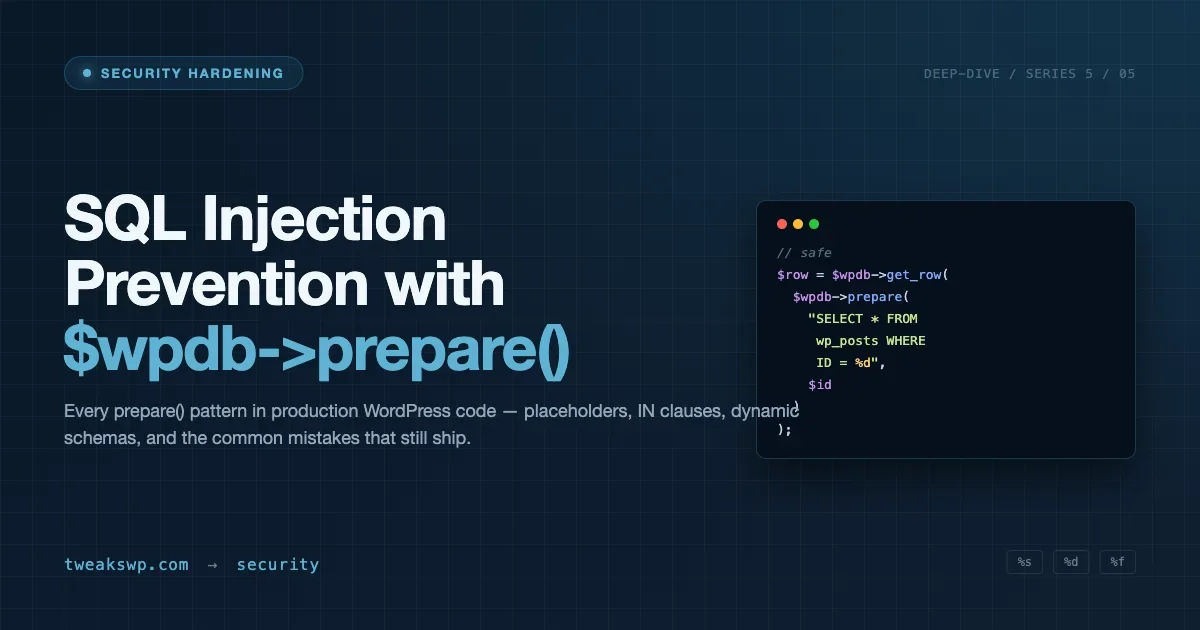
Every WordPress database query that concatenates user input without $wpdb->prepare() is a ticking time bomb. This guide covers every prepare() pattern you will encounter in production code, the specific mistakes that let attackers dump your entire database, and a systematic approach to auditing third-party plugins for raw queries.
Why $wpdb->prepare() Exists and What It Actually Does
$wpdb->prepare() is WordPress’s parameterized query interface. It accepts a query string with %d, %f, %s, and %i placeholders, then binds values to those placeholders after escaping them. The result is a query string safe to pass to $wpdb->query(), $wpdb->get_results(), or any other $wpdb method.
The key point: prepare() does not execute the query. It returns an escaped query string. You still call the execution method separately. This distinction matters when you are reading code written by others and looking for injection vectors.
The Four Placeholder Types
Each placeholder maps to a specific PHP type and applies different escaping:
<?php
global $wpdb;

$sql = $wpdb->prepare(
    "SELECT * FROM {$wpdb->posts} WHERE ID = %d AND post_title = %s AND menu_order > %f",
    $post_id,   // %d - cast to integer
    $title,     // %s - quoted and escaped as a string
    $min_order  // %f - cast to float
);

// %i (WP 6.2+) - backtick-escapes a table/column identifier, not a value
$sql = $wpdb->prepare( "SELECT * FROM %i WHERE ID = %d", $table_name, $post_id );
%s wraps the value in single quotes and escapes internal quotes. %d casts to integer. %f casts to float. %i, added in WordPress 6.2, backtick-escapes a table or column identifier - use it when you need to parameterize a column name, not a value.
The Five Patterns You Will See in Real Plugin Code
Pattern 1: Single Value WHERE Clause
The most common form. A user-supplied ID, email, or slug passed into a WHERE condition:
<?php
$user_id = absint( $_GET['user_id'] );

$row = $wpdb->get_row(
    $wpdb->prepare( "SELECT * FROM {$wpdb->users} WHERE ID = %d", $user_id )
);
The mistake developers make here: using absint() and skipping prepare(). absint() is not a substitute for parameterization on string columns. It only works safely on columns where the value is always a positive integer.
Pattern 2: Multiple Placeholders in One Query
When updating a row with multiple user-supplied fields, each field needs its own placeholder. The positional order in the prepare() call must match the placeholder order in the query string:
<?php
$sql = $wpdb->prepare(
    "UPDATE {$wpdb->prefix}subscribers SET email = %s, status = %s, updated_at = %s WHERE id = %d",
    $email,
    $status,
    current_time( 'mysql' ),
    $subscriber_id
);
$wpdb->query( $sql );
Pattern 3: Dynamic IN() Clause
This is where most developers get it wrong. $wpdb->prepare() does not accept arrays natively, so an IN() clause with an unknown number of values requires generating the placeholder string dynamically:
<?php
$post_ids = array_map( 'absint', $_POST['post_ids'] ); // e.g. [12, 45, 88]

$placeholders = implode( ', ', array_fill( 0, count( $post_ids ), '%d' ) );

$sql = $wpdb->prepare(
    "SELECT * FROM {$wpdb->posts} WHERE ID IN ($placeholders)",
    $post_ids
);
$results = $wpdb->get_results( $sql );
The array_fill() + implode() approach generates the correct number of %d placeholders before the prepare() call receives them. Using sprintf() or string interpolation directly in the query string to handle this is the pattern that creates injection vulnerabilities.
Pattern 4: LIKE Clauses
A LIKE search requires two steps: escape the wildcards in the value itself, then pass it through prepare(). Using $wpdb->esc_like() handles the first step:
<?php
$search = $wpdb->esc_like( $_GET['s'] );

$results = $wpdb->get_results(
    $wpdb->prepare(
        "SELECT * FROM {$wpdb->posts} WHERE post_title LIKE %s",
        '%' . $search . '%'
    )
);
Skip esc_like() and an attacker can supply % wildcards to turn a LIKE search into a full table dump via a series of prefix queries.
Pattern 5: Dynamic Table Names with %i
When the table name itself comes from user input or configuration (multisite table prefixes, custom post type tables), use %i to parameterize it:
<?php
// WordPress 6.2+
$sql = $wpdb->prepare( "SELECT * FROM %i WHERE order_id = %d", $table_name, $order_id );

// Pre-6.2 fallback
$table = $wpdb->prefix . sanitize_key( $table_suffix );
$sql   = $wpdb->prepare( "SELECT * FROM `$table` WHERE order_id = %d", $order_id );
%i backtick-escapes the identifier, preventing attacks that inject SQL keywords as table names. Available since WordPress 6.2 - on older installs, use $wpdb->prefix . sanitize_key( $table_suffix ) to sanitize the table component before embedding it.
Common Mistakes That Create Injection Vulnerabilities
- Skipping prepare() entirely: Raw
$wpdb->query( "SELECT * FROM {$wpdb->posts} WHERE ID = " . $_GET['id'] )is injected as-is. The attacker controls the entire query tail. - Using prepare() then concatenating after: If you call prepare() correctly but then append a raw variable to the result, you have reintroduced the vulnerability in the final query string.
- Double-escaping with stripslashes: Some plugins call
stripslashes()on prepare() output before execution, stripping the escaping that protect against injection. - Using %s for numeric IDs:
%swraps in quotes, soWHERE ID = '5 OR 1=1'becomes a string comparison, not an integer comparison. Use%dfor integer columns. - Skipping prepare() for LIMIT/OFFSET: LIMIT and OFFSET accept only integers. Cast them with
absint()or use%din prepare().
Auditing Third-Party Plugins for Raw Queries
On any site that has installed more than a handful of plugins, you will find raw queries. Here is the systematic approach for auditing them.
Step 1: grep for $wpdb->query() Calls Without prepare()
Start with a grep pass across all plugin directories. This identifies the worst cases first:
grep -rnE '\$wpdb->(query|get_var|get_row|get_results)\s*\(\s*"[^"]*\.\s*\$' wp-content/plugins/ \
  | grep -v 'prepare('
The grep looks for $wpdb-> method calls followed by a string concatenation operator or a variable directly in the query string. It will produce false positives (prepare() calls that span lines), but it narrows the surface area quickly.
Step 2: Check Every get_var(), get_row(), get_results(), and query() Call
Focus on these four methods - they execute queries. Search for each one and check whether the argument is a raw string or a prepare() call:
for method in get_var get_row get_results query; do
  echo "=== \$wpdb->$method ==="
  grep -rn "\$wpdb->$method(" wp-content/plugins/your-plugin/
done
Step 3: Trace Input Sources
For every raw query call found, trace where the query string originates. The risk tiers are:
Input Source | Risk Level | Action |
|---|---|---|
| Critical | Immediate fix - no exceptions |
User-supplied REST API parameters | Critical | Immediate fix - sanitize + prepare() |
Values from | High | Fix - attacker could control these if settings page is unprotected |
Hardcoded strings in code | Low | Note for review but not urgent |
Integer values already cast via | Low | Safe for integer columns - document it |
Testing Your prepare() Implementation
After writing or auditing a query, test it with boundary inputs that would break an unparameterized version:
$test_inputs = array(
    "1 OR 1=1",
    "1'; DROP TABLE wp_users; --",
    "1' UNION SELECT user_login, user_pass FROM wp_users -- ",
    "admin'--",
    "\\' OR '1'='1",
);

foreach ( $test_inputs as $input ) {
    $sql = $wpdb->prepare( "SELECT * FROM {$wpdb->posts} WHERE post_title = %s", $input );
    error_log( $sql ); // confirm the payload is quoted as a literal, not executed as SQL
}
If prepare() is working correctly, these inputs produce escaped query strings that treat the injection payload as a literal value, not SQL syntax. Enable SAVEQUERIES in wp-config.php and inspect $wpdb->last_query to confirm the escaping is applied correctly.
For deeper query debugging, Query Monitor shows the exact SQL sent to MySQL - including prepare() output - on every page load. It is faster than dumping $wpdb->last_query on every test request.
The %i Placeholder and Multisite Table Naming
WordPress multisite changes the table naming scheme. Subsite tables use a {$wpdb->prefix}{blog_id}_ prefix pattern. If your plugin queries subsite tables dynamically, the table name is constructed at runtime from a blog ID. The old approach was to absint() the blog ID and construct the table name via string concatenation. The current approach uses $wpdb->get_blog_prefix( $blog_id ) to get the prefix, then %i if the table name itself needs to go into a query:
<?php
$blog_id = absint( $_GET['blog_id'] );
$prefix  = $wpdb->get_blog_prefix( $blog_id );
$table   = $prefix . 'custom_data';

$results = $wpdb->get_results(
    $wpdb->prepare( "SELECT * FROM %i WHERE status = %s", $table, 'active' )
);
This matters in plugin code that loops over subsites. A single injection vector in a multisite query can expose every subsite’s data in one request.
Beyond prepare(): What It Does Not Protect Against
prepare() handles query-level parameterization. It does not replace:
- Capability checks: A properly parameterized query run by a user who should not have access is still a security problem. Always check
current_user_can()before executing queries that read or write sensitive data. - Nonce verification: On form submissions and AJAX handlers, verify the nonce with
check_admin_referer()orcheck_ajax_referer()before the query runs. This prevents CSRF. - Output escaping: prepare() protects query inputs. Query outputs still need escaping before display. Run query results through
esc_html(),esc_attr(), orwp_kses_post()before rendering them in templates. - File path operations: prepare() is irrelevant for file system operations. Use
sanitize_file_name()andrealpath()checks there.
The WordPress security headers guide at Content Security Policy, HSTS, and X-Frame-Options covers the transport layer hardening that works alongside query-level protection to reduce the blast radius of any vulnerability that does slip through.
Prepared Statements vs. Direct $wpdb Methods: When to Use Each
WordPress exposes multiple ways to run queries. Understanding when each method is appropriate helps you write code that is both secure and readable.
Method | Use When | prepare() Required? |
|---|---|---|
| Fetching multiple rows | Yes, if user input is in the query |
| Fetching a single row | Yes, if user input is in the query |
| Fetching a single value | Yes, if user input is in the query |
| Inserting a row | No - insert() handles escaping via format array |
| Updating rows | No - update() handles escaping via format array |
| Deleting rows | No - delete() handles escaping via format array |
| DDL, complex queries | Yes, always use prepare() for any user input |
$wpdb->insert(), $wpdb->update(), and $wpdb->delete() accept a $format array that maps column values to their types (%s, %d, %f). They handle escaping internally, so you do not need to call prepare() separately. The mistake is passing these methods without a format array - if you omit $format, WordPress defaults all values to %s, which is safe but can cause type mismatches on integer columns.
Logging Queries During Development
During development and auditing, enable query logging to see the final SQL that reaches MySQL. There are two approaches: the built-in SAVEQUERIES constant and Query Monitor.
// wp-config.php - development only, never in production
define( 'SAVEQUERIES', true );

// In a template or debug snippet, after the queries you want to inspect:
global $wpdb;
foreach ( $wpdb->queries as $query ) {
    error_log( $query[0] ); // [0] = SQL, [1] = execution time, [2] = call stack
}
With SAVEQUERIES enabled, $wpdb->queries holds every query executed in the current request, including the query string, execution time, and call stack. Check $wpdb->last_query immediately after a prepare() call to verify the escaping output before it reaches the database.
For persistent logging across page loads without touching wp-config.php, the Query Monitor plugin captures all queries with their execution context and source location. It is the faster option when you are auditing a plugin’s queries across multiple admin requests.
On production, disable both. SAVEQUERIES keeps all query strings in memory for the entire request, which adds measurable overhead on high-traffic pages with many database calls. The security hardening guide covers the full set of wp-config.php constants to disable before a site goes live.
Summary: The prepare() Checklist
- Use
%dfor integers,%ffor floats,%sfor strings,%ifor identifiers (WP 6.2+) - Dynamic IN() clauses: generate placeholders with
array_fill()+implode()before calling prepare() - LIKE searches: call
$wpdb->esc_like()first, then prepare() - Never concatenate variables after calling prepare()
- Never call
stripslashes()on prepare() output - Audit plugins: grep for
$wpdb->query,get_var,get_row,get_resultswithout prepare() wrapping user input - Test with injection strings:
1 OR 1=1, single quotes, backticks - Enable
SAVEQUERIESduring development to inspect the final SQL
prepare() is not optional on queries that touch user input. The cost of parameterization is two lines of code. The cost of skipping it is your entire database.
Audit Your Codebase
Running grep -rn '\$wpdb->' wp-content/plugins/ across a legacy codebase will surface more raw queries than most teams expect. Start with the plugins that handle user registration, checkout, or profile data - those are the highest-value targets. The patterns in this guide cover every case you will find.
Real-World Attack Vectors: Where Injection Happens on Live Sites
Understanding the theory of SQL injection is necessary. Understanding exactly where attacks happen on live WordPress sites tells you which code to prioritize. The most common injection surface is not the custom query you wrote last week. It is the plugin installed three years ago that has not been audited since.
The ORDER BY Clause Attack
One of the most frequently exploited patterns is an ORDER BY clause that takes user input directly. Plugins building custom admin screens with sortable columns often pass the sort column name straight into the query. prepare() cannot parameterize column names, so the standard approach fails here.
The correct approach is an allowlist. Define the set of column names your code permits, verify the supplied value is in that set, then embed it. The same pattern applies to ORDER direction (ASC/DESC), aggregate function names, and any other query component that cannot be parameterized.
<?php
$allowed_columns = array( 'post_title', 'post_date', 'post_author' );
$orderby = in_array( $_GET['orderby'], $allowed_columns, true ) ? $_GET['orderby'] : 'post_date';

$allowed_directions = array( 'ASC', 'DESC' );
$order = in_array( strtoupper( $_GET['order'] ), $allowed_directions, true ) ? strtoupper( $_GET['order'] ) : 'DESC';

// $orderby and $order are now safe to embed directly - they can only be
// one of the allowlisted values, never arbitrary attacker input
$sql = "SELECT * FROM {$wpdb->posts} WHERE post_status = 'publish' ORDER BY $orderby $order";
$results = $wpdb->get_results( $sql );
Any query component that goes into a structural position - not a value position - requires allowlist validation because prepare() covers values, not structure.
The Meta Query Attack Surface
Plugins that bypass WP_Query and build raw meta queries lose the sanitization that WP_Meta_Query applies internally. A plugin letting users filter posts by custom field value and passing the field name directly into a query is a recurring pattern in Wordfence vulnerability disclosures.
Watch for get_posts() or WP_Query calls that receive user input in meta_key without sanitization. Use sanitize_key() on any user-supplied meta key before it reaches a query class. sanitize_key() strips anything that is not a lowercase letter, number, underscore, or hyphen, which covers the injection vectors available through meta key parameters.
Database Error Handling and Information Disclosure
A failed injection attempt that generates a database error and displays it to the user is nearly as useful to an attacker as a successful one. Database errors reveal table structure, column names, and query fragments. WordPress suppresses errors by default, but sites with WP_DEBUG enabled in production or exception handlers that print to the page create this information disclosure vector.
Check your production wp-config.php for these constants:
WP_DEBUGmust befalsein production. When true, PHP errors including database errors print to the page.WP_DEBUG_LOGset to a file path writes errors to a log instead. Confirm the log path is not web-accessible.WP_DEBUG_DISPLAYset tofalsesuppresses display even whenWP_DEBUGis true. The correct production combination is debug log enabled, display disabled.$wpdb->show_errors()prints database errors inline. Remove all calls to this method from production code paths.$wpdb->suppress_errors()silences errors for a specific query. Use it intentionally when querying for table existence, not as a blanket setting.
Using WP-CLI to Audit Queries Across a Site
WP-CLI provides commands useful during a SQL injection audit. The most direct is wp db query, which runs arbitrary SQL against the database from the command line. During an audit, use it to verify that your prepare() implementations produce the expected escaped output without touching PHP at all.
# List every table WordPress and its plugins have created
wp db tables

# Review stored options for serialized data that might hide unescaped strings
wp option list --search="*" --fields=option_name,autoload

# Run arbitrary SQL directly against the database
wp db query "SELECT COUNT(*) FROM wp_posts WHERE post_status = 'publish'"
Run wp db tables to list all tables and check whether plugins created tables with unusual naming or structure. Run wp option list to review stored option values for serialized data that might contain unescaped user strings stored by old versions of plugins. If a plugin was storing raw form input in an option and later escapes on output, the stored data itself is the injection vector.
For automated scanning, WPScan checks your plugin list against its CVE database and flags known injection vulnerabilities. It does not catch custom plugin code, but it catches vulnerable versions of popular plugins before they appear on exploit databases. Run it as part of your regular security maintenance.
Handling Legacy Code with Raw Queries
Not every raw query in a legacy codebase can be converted to prepare() immediately. When you find injection vulnerabilities in code you cannot patch right now, document them and apply compensating controls while you schedule the fix.
- Input validation at the entry point: If a raw query uses a numeric ID, add an explicit
intval()cast at the point where the value enters the code, before it reaches the query. This narrows the surface for integer-only inputs without touching the query itself. - Capability gating: Make sure the code path containing the raw query requires the minimum necessary capability. Unauthenticated access to a raw query is critical severity. Authenticated admin-only access to the same query is lower severity because it requires a prior account compromise.
- WAF rules: A web application firewall can block common injection payloads at the HTTP layer. This is a compensating control, not a fix. WAF rules can be bypassed by encoding or fragmentation. Use it as a temporary measure while the underlying code gets fixed.
- Track it: Add the raw query location to your issue tracker with a priority label. Raw queries that get forgotten are the ones that get exploited.
The prepare() Change in WordPress 5.3
WordPress 5.3 changed how prepare() handles %s placeholders. Before 5.3, %s without quotes around it in the query string produced inconsistent escaping behavior. From 5.3 onward, prepare() enforces that %s always produces a quoted string in the output regardless of whether the developer surrounded it with quotes in the template.
This created breaking changes for plugins that used %s for non-string values or relied on the unquoted output. If you maintain a plugin written for WordPress 4.x and see unexpected query behavior on modern WordPress, this version change is a likely cause. The fix is straightforward: use the correct placeholder type (%d for integers, %f for floats) instead of overloading %s.
WordPress 6.2 added %i for identifiers. Sites before 6.2 need the workaround: $wpdb->prefix . sanitize_key( $table_suffix ) for table names. Keep the WordPress version in mind when writing code that needs to run on older installations.
Database User Privilege Reduction
The MySQL user that WordPress uses to connect to the database should have only the permissions it actually needs. Most WordPress installations grant the database user full privileges, including DROP, CREATE, ALTER, and access to all databases on the server. This is unnecessary for normal operation and expands the blast radius of a successful injection.
A hardened setup uses two MySQL users. The first is a read-write user with SELECT, INSERT, UPDATE, DELETE, and CREATE TEMPORARY TABLES on the WordPress database only. The second is an administrative user with ALTER, CREATE, and DROP that is only used during updates and plugin installations, not during normal page requests.
This separation means that a successful injection through a page request cannot drop tables or alter schema. The attacker is limited to the read-write permissions of the normal database user. It does not prevent data theft, but it prevents the most destructive outcomes from a single injection point.
Implementing this on a hosting environment where you control the database user is straightforward via wp db query or a database management tool. On shared hosting where you cannot create multiple database users, the compensating control is regular off-site backups and monitoring for unexpected data changes rather than privilege separation.
prepare() in the Context of a Complete Security Stack
SQL injection prevention sits at the data layer. A complete WordPress security posture combines it with controls at every other layer. Knowing where prepare() fits in that stack helps you understand both its importance and its limits.
- Input layer: Nonce verification, capability checks, and sanitization on every form submission and AJAX handler. These prevent unauthorized requests from reaching your query code.
- Query layer: prepare() parameterization and allowlist validation for non-parameterizable query components. This is what this guide covers.
- Output layer:
esc_html(),esc_attr(),wp_kses_post()on all values displayed to users. This prevents stored XSS if data was stored without proper sanitization. - Transport layer: HTTPS enforced, HTTP security headers set. Content-Security-Policy prevents injected scripts from executing even if XSS occurs. The security headers guide covers the full CSP configuration for WordPress.
- Server layer: Database user with minimal privileges (covered above), file permissions locked down, and PHP execution disabled in the uploads directory.
prepare() alone does not make a site secure. It makes the query layer of your security stack not the weakest link. Each layer is a gate. Attackers look for the gate that is missing or misconfigured, not the ones that are locked. Put all the gates in place and make sure each one is actually closed.
Plugins we build and run
We maintain these ourselves, which is why we can support them on your site.
- BuddyNextThe self-hosted community engine for WordPress
- BuddyXFree community theme, Pro when you outgrow it
- ReignPremium community theme. Add pieces, build anything
- JetonomyCommunity forum and Q&A for WordPress
- EventonomyEvents and RSVPs for WordPress communities
- LearnomyCourses and learning communities on WordPress
- ListoraDirectories and listings your members can browse
- SnipShareCode sharing built for developer communities
- WB Ad ManagerAd placements that turn traffic into revenue
- WP Career BoardA job board your community actually uses
- WP Sell ServicesSell services with offers, orders, and payouts
- MediaVersePhotos, video, and media albums for members
- WB GamificationPoints, badges, and rewards that keep members active
- Product RoadmapPublic roadmaps with voting your users trust