Implementing Content Security Policy (CSP) to Stop XSS and Data Exfiltration in WordPress
Learn how to implement Content Security Policy in WordPress step by step to reduce XSS risk, lock down script sources, and limit browser-side data exfiltration.
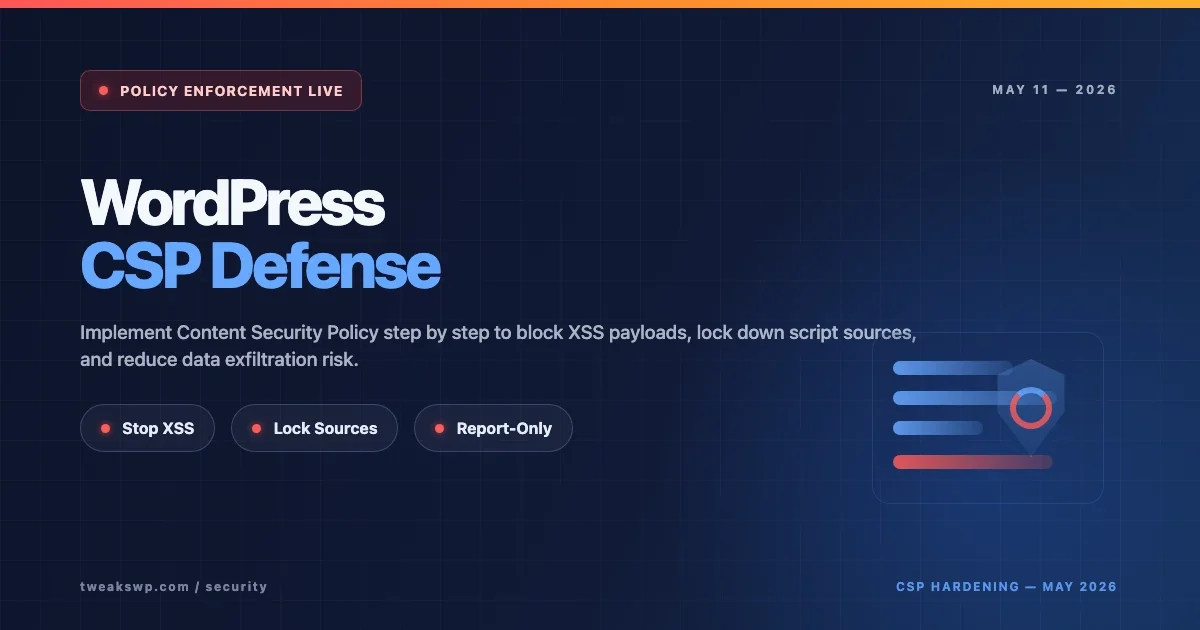
Content Security Policy (CSP) is one of the most effective browser-side defenses you can add to a WordPress site when you want to reduce the risk of cross-site scripting (XSS), malicious script injection, and browser-based data exfiltration.
A properly implemented CSP does not “fix” vulnerable code by itself. What it does is make exploitation much harder by restricting where scripts, styles, images, frames, fonts, and network connections are allowed to come from. If an attacker injects JavaScript into a page, CSP can stop that script from running, block it from loading external payloads, or prevent it from sending stolen data to an outside endpoint.
This guide walks through how to implement Content Security Policy in WordPress step by step, including Report-Only mode, safe testing, nonce and hash strategies, and common WordPress-specific pitfalls.
Table of Contents
- What CSP Actually Does
- Why WordPress Sites Need CSP
- Before You Start: Audit Scripts and Inline Code
- Step 1: Start With CSP Report-Only
- Step 2: Build a Minimal WordPress CSP
- Step 3: Handle Inline Scripts and Styles Safely
- Step 4: Limit Data Exfiltration Paths
- Step 5: Move From Report-Only to Enforcement
- Apache, Nginx, and PHP Examples
- Common WordPress CSP Pitfalls
- FAQs
What CSP Actually Does
CSP is an HTTP response header that tells the browser what sources are trusted for different resource types. Instead of letting the browser load scripts and connect to any destination by default, you define explicit rules.
Examples:
script-srccontrols what JavaScript can run or loadstyle-srccontrols CSS sourcesimg-srccontrols image sourcesconnect-srccontrols where XHR, fetch, WebSocket, and beacon requests can goframe-srccontrols what can be embedded in framesobject-srccan disable legacy plugin content entirely
That makes CSP especially useful for reducing the blast radius of XSS.
Why WordPress Sites Need CSP
WordPress sites often accumulate scripts from themes, plugins, analytics tools, cookie banners, page builders, payment widgets, and embedded third-party services. That creates two problems:
- Inline code sprawl: many themes and plugins inject inline scripts or styles
- Source sprawl: resources are loaded from many different domains
Attackers like this because it becomes easier to hide malicious script execution inside a noisy front end. CSP gives you a way to define what the browser should trust.
It works especially well when combined with related WordPress hardening steps like security headers, blocking unnecessary exposure, and login protection.
Before You Start: Audit Scripts and Inline Code
Before you enforce CSP, map what your site is actually loading. This is the part most people skip, and it is why their first CSP deployment breaks half the front end.
Audit these areas first:
- Theme JavaScript and CSS
- Plugin-generated inline scripts
- Analytics and tag managers
- Font providers
- CDN-hosted assets
- Embedded iframes such as YouTube, payment widgets, or maps
- AJAX, REST, and external API calls
Open your site in browser dev tools and review the Network and Console tabs. You need to know which assets are first-party and which are third-party before you can write a realistic policy.
Step 1: Start With CSP Report-Only
Do not jump straight to enforcement on a production WordPress site. Start with Content-Security-Policy-Report-Only. This tells browsers to evaluate the policy and log violations without actually blocking anything.
A simple Report-Only starting point looks like this:
Content-Security-Policy-Report-Only:
  default-src 'self';
  script-src 'self';
  style-src 'self' 'unsafe-inline';
  img-src 'self' data: https:;
  font-src 'self' https: data:;
  connect-src 'self';
  object-src 'none';
  base-uri 'self';
  frame-ancestors 'self';
This policy is intentionally conservative. It will usually surface violations immediately, which is useful during the audit phase.
Step 2: Build a Minimal WordPress CSP
Once you know what your site uses, build a policy around actual needs rather than copying a giant generic header from somewhere else.
A practical WordPress baseline might look like this:
Content-Security-Policy:
  default-src 'self';
  script-src 'self' https://www.googletagmanager.com;
  style-src 'self' 'unsafe-inline' https://fonts.googleapis.com;
  img-src 'self' data: https:;
  font-src 'self' https://fonts.gstatic.com data:;
  connect-src 'self' https://www.google-analytics.com;
  frame-src https://www.youtube.com;
  object-src 'none';
  base-uri 'self';
  form-action 'self';
  frame-ancestors 'self';
  upgrade-insecure-requests;
This is still only an example. Your real policy should be smaller if possible.
Why start small?
- It is easier to understand and debug
- It reduces accidental trust of unnecessary third-party domains
- It makes future audits simpler
Step 3: Handle Inline Scripts and Styles Safely
This is where most WordPress CSP deployments become difficult. Many themes and plugins rely on inline JavaScript, localized variables, or inline styles. If you block all inline code immediately, things often break.
You have three main options:
Option 1: Temporary 'unsafe-inline'
This is the easiest but weakest option. It can help while you audit and refactor. It is acceptable as a temporary compatibility bridge, not as an ideal long-term CSP for script execution.
Option 2: Nonces
A nonce is a random per-response token added both to the CSP header and to allowed inline script tags. Only inline scripts with that matching nonce can run.
This is one of the best approaches when you control the template output.
Option 3: Hashes
Hashes are useful when inline script blocks are static. The browser allows only inline code whose content matches a predeclared hash in the CSP header.
For many WordPress sites, the real-world path is:
- Use Report-Only first
- Keep
style-src 'unsafe-inline'longer if necessary - Reduce or eliminate
script-src 'unsafe-inline'as quickly as possible
Step 4: Limit Data Exfiltration Paths
CSP is not only about stopping script loading. It can also reduce data exfiltration by limiting where the browser is allowed to send data.
The most important directive here is connect-src.
If an attacker injects JavaScript and tries to send stolen form data, tokens, or page content to an external server, a strict connect-src policy can block that request.
Example:
connect-src 'self' https://api.example.com https://www.google-analytics.com;
That tells the browser to allow fetch, XHR, beacon, and WebSocket requests only to the listed destinations.
Also review:
form-actionto limit where forms can postimg-srcbecause attackers sometimes exfiltrate through image requestsframe-srcandframe-ancestorsto control embedded content and clickjacking risk
Step 5: Move From Report-Only to Enforcement
Once your violation logs are clean and your front end behaves correctly, switch from Report-Only to an enforced CSP header.
Move gradually:
- Test on staging first
- Validate key user journeys: home page, posts, forms, checkout, login, search, account pages
- Watch browser console errors
- Monitor support issues after rollout
The biggest mistake here is enforcing too early. The second biggest mistake is leaving Report-Only on forever and assuming you are protected when you are not.
Apache, Nginx, and PHP Examples
Apache (.htaccess)
<IfModule mod_headers.c>
Header always set Content-Security-Policy "default-src 'self'; script-src 'self'; style-src 'self' 'unsafe-inline'; img-src 'self' data: https:; font-src 'self' https: data:; connect-src 'self'; object-src 'none'; base-uri 'self'; frame-ancestors 'self';"
</IfModule>
Nginx
add_header Content-Security-Policy "default-src 'self'; script-src 'self'; style-src 'self' 'unsafe-inline'; img-src 'self' data: https:; font-src 'self' https: data:; connect-src 'self'; object-src 'none'; base-uri 'self'; frame-ancestors 'self';" always;
PHP / WordPress Hook
<?php
add_action( 'send_headers', function() {
    header( "Content-Security-Policy: default-src 'self'; script-src 'self'; style-src 'self' 'unsafe-inline'; img-src 'self' data: https:; font-src 'self' https: data:; connect-src 'self'; object-src 'none'; base-uri 'self'; frame-ancestors 'self';" );
} );
If you add CSP through PHP, remember that caching layers and reverse proxies may affect how consistently headers are served.
Common WordPress CSP Pitfalls
1. Page builders and plugin UI scripts
Builders and plugin dashboards often inject inline assets or rely on external sources. Test admin and front-end contexts separately.
2. Google Fonts, analytics, and tag managers
These are common reasons sites break under CSP. Do not add broad allowlists blindly. Add only what your site really uses.
3. Inline localized data
WordPress often prints inline objects for AJAX endpoints, nonces, and configuration. This is where nonce-based CSP strategies become especially useful.
4. Third-party embeds
YouTube, Vimeo, payment widgets, live chat, cookie banners, and marketing tools all expand the policy surface. If you do not audit them explicitly, CSP rollout gets messy fast.
5. Assuming CSP replaces secure coding
It does not. CSP is a mitigation layer, not a substitute for sanitization, escaping, capability checks, and secure plugin code.
Implementation Checklist
- Inventory all first-party and third-party scripts
- Deploy CSP in Report-Only mode first
- Review console and violation logs
- Build a minimal allowlist-based policy
- Reduce inline script dependence where possible
- Use nonces or hashes for inline code you must keep
- Lock down
connect-src,form-action, andframe-ancestors - Move to enforcement only after staged testing
FAQs
Does CSP stop all XSS in WordPress?
No. CSP helps reduce exploitation paths, but it does not remove the vulnerable code. You still need proper escaping, sanitization, and secure plugin/theme practices.
What is the safest way to deploy CSP on WordPress?
Start with Report-Only mode, audit real violations, then move gradually to enforcement after testing key pages and flows.
Should I use 'unsafe-inline' in WordPress CSP?
Only as a temporary compatibility measure where necessary. For script execution, it weakens CSP significantly. The long-term goal should be nonces, hashes, or refactoring inline code away.
Can CSP help stop data exfiltration?
Yes. Tight connect-src, form-action, and related directives can reduce where an injected script is allowed to send data.
Final Thoughts
Implementing Content Security Policy in WordPress is one of the best security improvements you can make when you want stronger browser-side control over script execution and outbound connections. The key is to deploy it methodically: audit first, start with Report-Only, shrink trust boundaries, and enforce only after validation.
Done well, CSP helps stop XSS from becoming full browser compromise and makes data exfiltration attempts much harder to execute.
WordPress Security Headers: How to Add CSP, HSTS, and X-Frame-Options
How to Disable XML-RPC and Block REST API User Enumeration in WordPress
WordPress Login Security: Rate Limiting, Custom URL, and Brute Force Protection
Plugins we build and run
We maintain these ourselves, which is why we can support them on your site.
- BuddyNextThe self-hosted community engine for WordPress
- BuddyXFree community theme, Pro when you outgrow it
- ReignPremium community theme. Add pieces, build anything
- JetonomyCommunity forum and Q&A for WordPress
- EventonomyEvents and RSVPs for WordPress communities
- LearnomyCourses and learning communities on WordPress
- ListoraDirectories and listings your members can browse
- SnipShareCode sharing built for developer communities
- WB Ad ManagerAd placements that turn traffic into revenue
- WP Career BoardA job board your community actually uses
- WP Sell ServicesSell services with offers, orders, and payouts
- MediaVersePhotos, video, and media albums for members
- WB GamificationPoints, badges, and rewards that keep members active
- Product RoadmapPublic roadmaps with voting your users trust