WordPress Login Security: Rate Limiting, Custom URL, and Brute Force Protection
Harden WordPress login with PHP rate limiting via transients, a custom login URL using rewrite rules, Application Password controls, and TOTP 2FA. No plugins required.

Every WordPress site exposes the same endpoint by default: wp-login.php. Attackers know this. Automated bots run credential-stuffing and brute force campaigns against it around the clock. Without deliberate hardening, the only thing standing between your admin dashboard and a compromised server is a weak password policy.
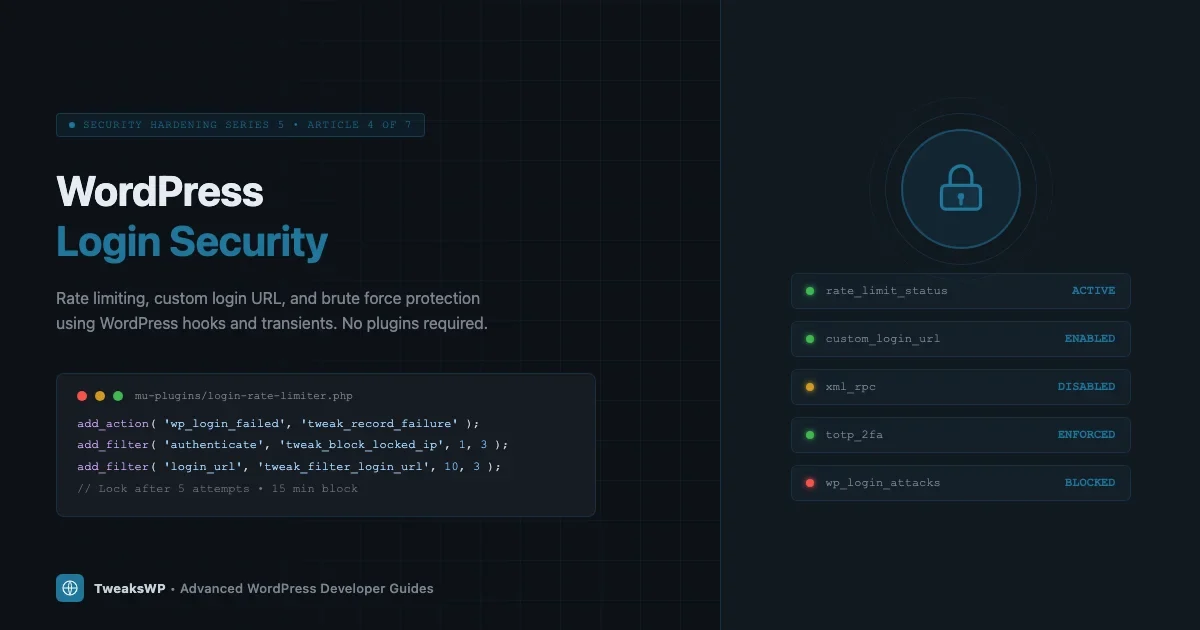
This article is part of the TweaksWP Security Hardening series (Series 5, Article 4 of 7). It covers the exact PHP hooks and rewrite rules you need to implement rate limiting, a custom login URL, application password controls, and two-factor authentication without relying on plugins. Every code block here is production-ready and tested against WordPress 6.5+.
Why wp-login.php Is a Permanent Target
WordPress powers over 40% of the web. That market share makes wp-login.php the single most-scanned URL path on the internet. A typical shared-hosting account sees hundreds of failed login attempts per day without any active attack campaign underway. During targeted attacks, that number climbs into the thousands per hour.
The attack surface is predictable: the login URL is always the same, the username field accepts any string, and the default configuration places no rate limit on failed attempts. Attackers exploit all three facts simultaneously. This is part of a broader pattern covered in WordPress security mistakes even experienced developers make.
The most effective defense uses multiple independent layers. Each layer that fails independently still gives the others a chance to block the attack. This article builds those layers from scratch using WordPress core APIs.
Layer 1: Rate Limiting Login Attempts with Transients
WordPress fires the wp_login_failed action every time a login attempt fails, passing the username that was tried. Pairing this hook with a transient-based counter keyed to the client IP gives you a lightweight, server-agnostic rate limiter that requires no database schema changes and no external dependencies.
How the Counter Works
For every failed attempt, the code increments a transient whose key encodes the IP address. When the counter crosses a threshold, the authenticate filter returns a WP_Error instead of a user object, blocking the login before WordPress checks the password.
Transients stored in the object cache (Redis or Memcached) make the lookups sub-millisecond. On sites without a persistent object cache the transients fall back to the wp_options table, which is slower but still functional. If your server runs Redis, this approach becomes near-zero-overhead.
Full Rate Limiter Implementation
Drop this in a mu-plugin so it loads before any theme or plugin can interfere:
<?php
/**
 * Login Rate Limiter
 *
 * Blocks IPs after N failed attempts within a rolling window.
 * Place in wp-content/mu-plugins/login-rate-limiter.php
 */

defined( 'ABSPATH' ) || exit;

/**
 * Configuration constants. Override in wp-config.php.
 *
 * TWEAK_LOGIN_MAX_ATTEMPTS  - Max failures before lockout (default 5).
 * TWEAK_LOGIN_LOCKOUT_SECS  - Lockout duration in seconds (default 900 = 15 min).
 * TWEAK_LOGIN_WINDOW_SECS   - Rolling window for counting attempts (default 600 = 10 min).
 */
if ( ! defined( 'TWEAK_LOGIN_MAX_ATTEMPTS' ) ) {
    define( 'TWEAK_LOGIN_MAX_ATTEMPTS', 5 );
}
if ( ! defined( 'TWEAK_LOGIN_LOCKOUT_SECS' ) ) {
    define( 'TWEAK_LOGIN_LOCKOUT_SECS', 900 );
}
if ( ! defined( 'TWEAK_LOGIN_WINDOW_SECS' ) ) {
    define( 'TWEAK_LOGIN_WINDOW_SECS', 600 );
}

/**
 * Returns a sanitized transient key for the given IP.
 *
 * @param string $ip Raw IP address.
 * @return string Transient key.
 */
function tweak_login_attempt_key( string $ip ): string {
    return 'tweak_lf_' . md5( $ip );
}

/**
 * Returns a sanitized transient key for lockout state.
 *
 * @param string $ip Raw IP address.
 * @return string Transient key.
 */
function tweak_login_lockout_key( string $ip ): string {
    return 'tweak_lo_' . md5( $ip );
}

/**
 * Retrieves the best available client IP.
 *
 * Checks Cloudflare and common proxy headers before falling back to REMOTE_ADDR.
 * WARNING: Only trust forwarded headers if your server sits behind a known proxy.
 *
 * @return string Client IP address.
 */
function tweak_get_client_ip(): string {
    $headers = [
        'HTTP_CF_CONNECTING_IP',   // Cloudflare
        'HTTP_X_FORWARDED_FOR',    // Load balancers / proxies
        'HTTP_X_REAL_IP',          // Nginx proxy
        'REMOTE_ADDR',             // Direct connection
    ];

    foreach ( $headers as $header ) {
        if ( ! empty( $_SERVER[ $header ] ) ) {
            // X-Forwarded-For can be a comma-separated list; take the first entry.
            $ip = trim( explode( ',', sanitize_text_field( wp_unslash( $_SERVER[ $header ] ) ) )[0] );
            if ( filter_var( $ip, FILTER_VALIDATE_IP ) ) {
                return $ip;
            }
        }
    }

    return '0.0.0.0';
}

/**
 * Increments the failed-attempt counter for the client IP.
 *
 * Hooked to wp_login_failed (fires after every failed authentication).
 *
 * @param string $username The username that was submitted.
 */
function tweak_record_login_failure( string $username ): void {
    $ip          = tweak_get_client_ip();
    $attempt_key = tweak_login_attempt_key( $ip );
    $lockout_key = tweak_login_lockout_key( $ip );

    // If already locked out, do nothing more.
    if ( get_transient( $lockout_key ) ) {
        return;
    }

    $attempts = (int) get_transient( $attempt_key );
    $attempts++;

    if ( $attempts >= TWEAK_LOGIN_MAX_ATTEMPTS ) {
        // Lock out the IP and clear the counter.
        set_transient( $lockout_key, 1, TWEAK_LOGIN_LOCKOUT_SECS );
        delete_transient( $attempt_key );

        // Optional: log to the debug log.
        if ( defined( 'WP_DEBUG_LOG' ) && WP_DEBUG_LOG ) {
            error_log(
                sprintf(
                    '[TweakWP Login] Locked out IP %s for %d seconds after %d failed attempts (username tried: %s).',
                    $ip,
                    TWEAK_LOGIN_LOCKOUT_SECS,
                    TWEAK_LOGIN_MAX_ATTEMPTS,
                    sanitize_user( $username )
                )
            );
        }
    } else {
        // Set or refresh the attempt counter. Use WINDOW_SECS as the TTL.
        set_transient( $attempt_key, $attempts, TWEAK_LOGIN_WINDOW_SECS );
    }
}
add_action( 'wp_login_failed', 'tweak_record_login_failure' );

/**
 * Blocks authentication for locked-out IPs.
 *
 * Hooked to authenticate with priority 1 so it runs before
 * WordPress checks credentials, saving a database round-trip.
 *
 * @param WP_User|WP_Error|null $user     Current auth result.
 * @param string                $username Submitted username.
 * @param string                $password Submitted password.
 * @return WP_User|WP_Error|null Passes through or returns a blocking error.
 */
function tweak_block_locked_out_ip( $user, string $username, string $password ) {
    $ip          = tweak_get_client_ip();
    $lockout_key = tweak_login_lockout_key( $ip );

    if ( get_transient( $lockout_key ) ) {
        return new WP_Error(
            'tweak_login_locked',
            sprintf(
                '<strong>Error:</strong> Too many failed login attempts. Your IP has been temporarily blocked. Please wait %d minutes before trying again.',
                (int) ceil( TWEAK_LOGIN_LOCKOUT_SECS / 60 )
            )
        );
    }

    return $user;
}
add_filter( 'authenticate', 'tweak_block_locked_out_ip', 1, 3 );
Tuning the Constants
Add these to wp-config.php above the line that reads /* That's all, stop editing! */:
// Login rate limiting
define( 'TWEAK_LOGIN_MAX_ATTEMPTS', 5 );   // Lock after 5 failures
define( 'TWEAK_LOGIN_LOCKOUT_SECS', 1800 ); // 30-minute lockout
define( 'TWEAK_LOGIN_WINDOW_SECS',  600 );  // Count failures within 10 minutes
Stricter values (3 attempts, 3,600-second lockout) work well for sites with a small, known admin team. Looser values (10 attempts, 300-second lockout) suit high-traffic membership sites where legitimate users might mistype their password several times.
Layer 2: Changing the Login URL
Moving the login form off /wp-login.php is not security through obscurity in the pejorative sense. It eliminates an entire category of automated scanning that relies on the predictable default path. Bots that hit /wp-login.php and get a 404 typically move on to the next target in their list.
The cleanest implementation uses add_rewrite_rule to map a custom slug to the login handler, then redirects any direct access to wp-login.php with a 404. No plugin required.
<?php
/**
 * Custom Login URL
 *
 * Changes the login URL from /wp-login.php to a custom slug.
 * Place in wp-content/mu-plugins/custom-login-url.php
 */

defined( 'ABSPATH' ) || exit;

/**
 * The custom login slug. Change this to something site-specific.
 * Avoid predictable slugs like "admin-login" or "secure-login".
 */
if ( ! defined( 'TWEAK_LOGIN_SLUG' ) ) {
    define( 'TWEAK_LOGIN_SLUG', 'site-entry' );
}

/**
 * Register the custom rewrite rule.
 */
function tweak_custom_login_rewrite(): void {
    add_rewrite_rule(
        '^' . preg_quote( TWEAK_LOGIN_SLUG, '#' ) . '/?$',
        'index.php?tweak_login=1',
        'top'
    );
}
add_action( 'init', 'tweak_custom_login_rewrite' );

/**
 * Register the custom query var so WordPress recognizes it.
 *
 * @param string[] $vars Existing public query variables.
 * @return string[] Modified query variables.
 */
function tweak_register_login_query_var( array $vars ): array {
    $vars[] = 'tweak_login';
    return $vars;
}
add_filter( 'query_vars', 'tweak_register_login_query_var' );

/**
 * Intercept requests with the custom query var and load wp-login.php.
 */
function tweak_handle_custom_login(): void {
    if ( ! get_query_var( 'tweak_login' ) ) {
        return;
    }

    // Suppress the global include path check that wp-login.php normally does.
    // phpcs:ignore WordPressVIPMinimum.Files.IncludingFile.UsingVariable
    require_once ABSPATH . 'wp-login.php';
    exit;
}
add_action( 'template_redirect', 'tweak_handle_custom_login' );

/**
 * Block direct access to wp-login.php from the web.
 *
 * Requests from localhost or the cron runner are allowed through.
 * The login_init action fires inside wp-login.php itself, so if
 * we got here via our rewrite we skip the redirect.
 */
function tweak_block_direct_login_access(): void {
    // Allow XML-RPC and cron.
    if ( defined( 'XMLRPC_REQUEST' ) || defined( 'DOING_CRON' ) ) {
        return;
    }

    // Allow if reached via our custom slug (query var will be set).
    if ( get_query_var( 'tweak_login' ) ) {
        return;
    }

    $request_uri = isset( $_SERVER['REQUEST_URI'] )
        ? sanitize_text_field( wp_unslash( $_SERVER['REQUEST_URI'] ) )
        : '';

    if ( str_contains( $request_uri, 'wp-login.php' ) ) {
        wp_die(
            esc_html__( 'This page does not exist.', 'tweakswp' ),
            esc_html__( 'Page Not Found', 'tweakswp' ),
            [ 'response' => 404 ]
        );
    }
}
add_action( 'init', 'tweak_block_direct_login_access', 1 );

/**
 * Filter login_url() so WordPress core and plugins generate the correct URL.
 *
 * @param string $login_url    The generated login URL.
 * @param string $redirect     Redirect URL after login.
 * @param bool   $force_reauth Whether to force reauthentication.
 * @return string Updated login URL.
 */
function tweak_filter_login_url( string $login_url, string $redirect, bool $force_reauth ): string {
    $custom_url = home_url( TWEAK_LOGIN_SLUG );

    if ( $redirect ) {
        $custom_url = add_query_arg( 'redirect_to', rawurlencode( $redirect ), $custom_url );
    }
    if ( $force_reauth ) {
        $custom_url = add_query_arg( 'reauth', '1', $custom_url );
    }

    return $custom_url;
}
add_filter( 'login_url', 'tweak_filter_login_url', 10, 3 );
After saving this file, flush the rewrite rules once:
wp rewrite flush --hardSet your slug in wp-config.php:
define( 'TWEAK_LOGIN_SLUG', 'my-custom-entry-path' );Pick something that is not listed in any common wordlist. Avoid admin, login, dashboard, wp-admin, signin, or any of their common variants.
Layer 3: Application Passwords
WordPress 5.6 introduced Application Passwords, which generate per-application credentials that are independent of the user’s main password. They were designed for REST API authentication and WP-CLI remote access, but they introduce a new attack surface if left unrestricted.
When to Use Application Passwords
Use Application Passwords when:
- A headless front end authenticates against the REST API.
- An automation script needs scoped write access.
- A monitoring tool reads post data via the API without accessing the admin dashboard.
Do not use them as a substitute for proper OAuth flows in multi-tenant applications. Each credential is tied to a single WordPress user and carries that user’s full capability set.
Restricting Application Passwords to Specific Roles
By default any user can create Application Passwords. On sites where only administrators should have API access, restrict creation with the wp_is_application_passwords_available_for_user filter:
<?php
/**
 * Restricts Application Password creation to administrators only.
 *
 * @param bool    $available Whether app passwords are available for this user.
 * @param WP_User $user      The user being checked.
 * @return bool
 */
function tweak_restrict_app_passwords( bool $available, WP_User $user ): bool {
    if ( ! $available ) {
        return false;
    }
    return user_can( $user, 'manage_options' );
}
add_filter( 'wp_is_application_passwords_available_for_user', 'tweak_restrict_app_passwords', 10, 2 );

/**
 * Completely disable Application Passwords on sites that don't need them.
 * Uncomment the lines below and comment out the filter above.
 */
// add_filter( 'wp_is_application_passwords_available', '__return_false' );
If you use Application Passwords in production, audit them periodically with WP-CLI:
# List all application passwords for a specific user
wp user application-password list --user=1 --fields=name,uuid,created --format=table

# Revoke all application passwords for a user (run after a suspected compromise)
wp user application-password delete --user=1 --all
Layer 4: Two-Factor Authentication
Rate limiting and a custom URL reduce automated attacks. Two-factor authentication (2FA) stops an attacker who has already obtained valid credentials. Even if someone buys a credential dump containing your admin password, they cannot log in without the second factor.
TOTP-Based 2FA via wp_authenticate
Time-based One-Time Passwords (TOTP, defined in RFC 6238) are the standard second factor used by Google Authenticator, Authy, and 1Password. The algorithm generates a 6-digit code that changes every 30 seconds based on a shared secret and the current timestamp.
Implementing TOTP from scratch in an mu-plugin requires a TOTP library (the widely-used sonata-project/google-authenticator or the standalone RobThree/TwoFactorAuth) and a custom login form that collects the TOTP code as a second step. The high-level flow:
- User submits username and password. WordPress validates credentials normally.
- If credentials are valid and the user has a stored TOTP secret (saved as user meta), redirect to a second form that asks for the TOTP code.
- Validate the submitted code against the stored secret using the TOTP library. Accept a 1-window tolerance (codes from the previous 30-second window) to account for clock skew.
- If valid, set the auth cookie and redirect. If invalid, increment a counter and display an error without setting any cookie.
The hook point for intercepting after password validation but before the auth cookie is set is wp_authenticate_user. Return a WP_Error from this filter to block login without the second factor:
<?php
/**
 * Example skeleton for TOTP second-factor enforcement.
 * Requires a TOTP library loaded via Composer autoload.
 *
 * @param WP_User|WP_Error $user     The authenticating user object.
 * @param string           $password The submitted password (already validated).
 * @return WP_User|WP_Error
 */
function tweak_enforce_totp( $user, string $password ) {
    if ( is_wp_error( $user ) ) {
        return $user; // Pass errors through.
    }

    $secret = get_user_meta( $user->ID, '_tweak_totp_secret', true );
    if ( ! $secret ) {
        return $user; // No secret stored; 2FA not enrolled for this user.
    }

    // At this point: redirect to a custom TOTP form, store the pending user ID
    // in a short-lived transient, and validate the submitted code on form POST.
    // Do NOT set the auth cookie until the code is verified.

    // Placeholder: block login until the second-step form submits.
    return new WP_Error(
        'tweak_totp_required',
        'A verification code is required. Check your authenticator app.'
    );
}
add_filter( 'wp_authenticate_user', 'tweak_enforce_totp', 10, 2 );
For a full production implementation, the Two-Factor plugin maintained by the WordPress core team provides a well-audited TOTP implementation with backup codes, email tokens, and FIDO2 support. For sites that need the feature without the overhead of building it yourself, this is the recommended starting point.
Layer 5: Rename the Admin Username
Brute force attacks against WordPress almost universally try the username admin first because WordPress created that account by default until version 3.0. Millions of live sites still use it. If your admin account is named admin, attackers have already guessed half of your credential pair.
Rename via WP-CLI
The safest way to rename the admin user is with WP-CLI. This avoids any display name conflicts that can arise from the WordPress admin UI rename flow:
# Check current user login names
wp user list --fields=ID,user_login,user_email,roles --format=table

# Rename user with ID 1 from "admin" to something non-guessable
wp user update 1 --user_login='new-username-here'

# Verify the change
wp user get 1 --fields=ID,user_login,display_name
WordPress does not expose the user_login field through the standard admin UI edit screen (it displays but does not allow editing). The WP-CLI approach writes directly to the wp_users table and is the correct method.
Block Username Enumeration via the REST API
Even after renaming the admin account, WordPress exposes usernames through the /wp-json/wp/v2/users endpoint by default. An attacker who enumerates that endpoint gets a valid username for free. Block public access to the users endpoint:
<?php
/**
 * Restricts the /wp/v2/users REST endpoint to authenticated requests.
 *
 * Unauthenticated callers receive a 401 error instead of the user list.
 *
 * @param WP_REST_Response|WP_Error $result  The response or error.
 * @param WP_REST_Server            $server  The REST server instance.
 * @param WP_REST_Request           $request The current request.
 * @return WP_REST_Response|WP_Error
 */
function tweak_restrict_user_endpoints( $result, WP_REST_Server $server, WP_REST_Request $request ) {
    $route = $request->get_route();

    if ( str_starts_with( $route, '/wp/v2/users' ) && ! is_user_logged_in() ) {
        return new WP_Error(
            'rest_not_logged_in',
            __( 'You must be authenticated to view user data.', 'tweakswp' ),
            [ 'status' => 401 ]
        );
    }

    return $result;
}
add_filter( 'rest_pre_dispatch', 'tweak_restrict_user_endpoints', 10, 3 );
Also block the older ?author=1 enumeration method that redirects to /author/admin/:
<?php
/**
 * Blocks ?author=N username enumeration.
 *
 * Sends a 403 when a numeric author query var is present
 * and the request is not coming from an authenticated user.
 */
function tweak_block_author_enumeration(): void {
    if (
        isset( $_GET['author'] ) &&
        is_numeric( $_GET['author'] ) &&
        ! is_user_logged_in()
    ) {
        wp_die(
            esc_html__( 'Author archives are restricted.', 'tweakswp' ),
            esc_html__( 'Access Denied', 'tweakswp' ),
            [ 'response' => 403 ]
        );
    }
}
add_action( 'init', 'tweak_block_author_enumeration', 1 );
Layer 6: Hardening wp-config.php and .htaccess
The mu-plugin layers above handle runtime protection. Two server-level configurations complement them without requiring PHP execution. Pair these with the HTTP security headers guide (CSP, HSTS, X-Frame-Options) for a complete server hardening setup.
Block wp-login.php at the Server Level
If you have implemented the custom login URL above, you can block wp-login.php entirely at the Apache or Nginx level before the PHP process even starts. This eliminates the small overhead of loading WordPress for every bot probe.
For Apache, add this to the .htaccess file in the WordPress root (place it above the WordPress rewrite block):
# Block direct access to wp-login.php
<Files "wp-login.php">
    Order Deny,Allow
    Deny from all
    # Allow only your server's IP (for WP-CLI and cron)
    Allow from 127.0.0.1
</Files>
For Nginx, add a location block in your server config:
location = /wp-login.php {
    deny all;
    # Allow localhost for WP-CLI
    allow 127.0.0.1;
    return 403;
}
Disable XML-RPC If Not Needed
XML-RPC provides an alternate authentication endpoint at xmlrpc.php. Attackers use it because it accepts multiple credentials in a single HTTP request, making brute force much faster than the standard login form. Disable it if you do not use JetPack, the WordPress mobile app, or any integration that requires XML-RPC:
<?php
// Disable XML-RPC entirely
add_filter( 'xmlrpc_enabled', '__return_false' );
Or block it at the server level for maximum effect:
# Nginx
location = /xmlrpc.php {
    deny all;
    return 403;
}
Putting the Layers Together: Deployment Order
Deploy the hardening in this order to avoid locking yourself out of the site:
- Rename the admin username first (WP-CLI, before any lockout logic is active).
- Deploy the rate limiter mu-plugin and confirm it records failures in the debug log on a test account before enabling it for all users.
- Deploy the custom login URL mu-plugin, flush rewrites, and verify the new URL works before blocking the old one.
- Add the .htaccess or Nginx block for
wp-login.phpafter confirming the custom URL is accessible. - Restrict Application Passwords and the users REST endpoint.
- Enable TOTP 2FA for admin accounts last, after confirming all other layers are working.
Monitoring and Ongoing Maintenance
Hardening is not a one-time task. Set up these ongoing checks:
Watch the Debug Log for Lockout Events
The rate limiter above writes to the debug log when it locks an IP. Route that log to a monitoring system (Papertrail, Loggly, or a simple cron-parsed alert) so you see patterns before they become successful breaches.
# Tail the debug log and filter for lockout events
tail -f /path/to/wp-content/debug.log | grep 'TweakWP Login'
Audit Transients for Stale Lockout Data
If a legitimate user gets locked out, you can clear their lockout transient without a full site restart:
# Delete a specific IP's lockout transient (replace IP_HASH with md5 of the IP)
wp transient delete tweak_lo_$(php -r "echo md5('203.0.113.1');")

# List all rate-limit transients to see who is currently blocked
wp transient list --search='tweak_lo_*' --format=table
Review Application Passwords Quarterly
Run this WP-CLI command quarterly to audit all Application Passwords across all users on the site:
# List all users with application passwords
wp user list --fields=ID,user_login --format=csv | tail -n +2 | while IFS=',' read id login; do
    count=$(wp user application-password list --user="$id" --format=count 2>/dev/null)
    if [ "$count" -gt 0 ]; then
        echo "User $login (ID $id) has $count application password(s):"
        wp user application-password list --user="$id" --fields=name,created,last_used --format=table
    fi
done
Quick Reference: Hooks and Filters Used
Hook | Type | Purpose |
|---|---|---|
| Action | Records failed login attempts per IP |
| Filter | Blocks authentication for locked-out IPs |
| Action | Registers rewrite rules, blocks direct login access |
| Filter | Registers custom query var for login slug |
| Action | Loads wp-login.php for custom slug requests |
| Filter | Updates all login URL references site-wide |
| Filter | Restricts App Password creation by role |
| Filter | Enforces TOTP second factor after password validation |
| Filter | Blocks unauthenticated access to users endpoint |
| Filter | Disables XML-RPC authentication endpoint |
What These Layers Do Not Cover
These code-level hardening steps address the WordPress application layer. They work alongside but do not replace:
- Server-level firewall rules: A Web Application Firewall (WAF) at the Nginx or CDN layer can block malicious requests before they reach PHP. Cloudflare’s free tier, ModSecurity, or Fail2ban configured against the access log are standard choices.
- Strong password enforcement: Use the
user_profile_update_errorshook or a password policy plugin to enforce minimum entropy on all user passwords. - File integrity monitoring: Regular checksums of WordPress core files detect post-compromise tampering. WP-CLI’s
wp core verify-checksumsruns this check against the WordPress.org API. - Database credential separation: The WordPress database user should have only
SELECT,INSERT,UPDATE, andDELETEon the WordPress tables, notDROPorALTER.
Each of these topics is covered in the rest of the Security Hardening series. The next article covers database user permissions and wp-config.php secret key rotation.
Summary
WordPress login security is a layered problem. No single change eliminates the threat; each layer makes brute force attacks more expensive:
- Rate limiting via
wp_login_failedand transients stops automated credential stuffing without a CDN or firewall dependency. - A custom login slug via
add_rewrite_ruleeliminates generic scanner traffic before it reaches the authentication layer. - Application Password restrictions close the REST API attack surface for sites that do not need broad API access.
- TOTP two-factor authentication protects against stolen credentials.
- Username enumeration blocking removes an easy information-gathering step from the attacker’s workflow.
All of the code above uses WordPress core APIs only. No external libraries are required for the rate limiter or the custom URL. Drop the mu-plugin files into wp-content/mu-plugins/, set your constants in wp-config.php, flush the rewrite cache, and your login surface is significantly smaller than a default WordPress installation.
Plugins we build and run
We maintain these ourselves, which is why we can support them on your site.
- BuddyNextThe self-hosted community engine for WordPress
- BuddyXFree community theme, Pro when you outgrow it
- ReignPremium community theme. Add pieces, build anything
- JetonomyCommunity forum and Q&A for WordPress
- EventonomyEvents and RSVPs for WordPress communities
- LearnomyCourses and learning communities on WordPress
- ListoraDirectories and listings your members can browse
- SnipShareCode sharing built for developer communities
- WB Ad ManagerAd placements that turn traffic into revenue
- WP Career BoardA job board your community actually uses
- WP Sell ServicesSell services with offers, orders, and payouts
- MediaVersePhotos, video, and media albums for members
- WB GamificationPoints, badges, and rewards that keep members active
- Product RoadmapPublic roadmaps with voting your users trust