A Plugin Deactivated Itself: Find Out Why, Get Alerted
A plugin deactivated itself and nothing is in the logs? Five causes, the check for each, and two small scripts that alert you the next time it happens.

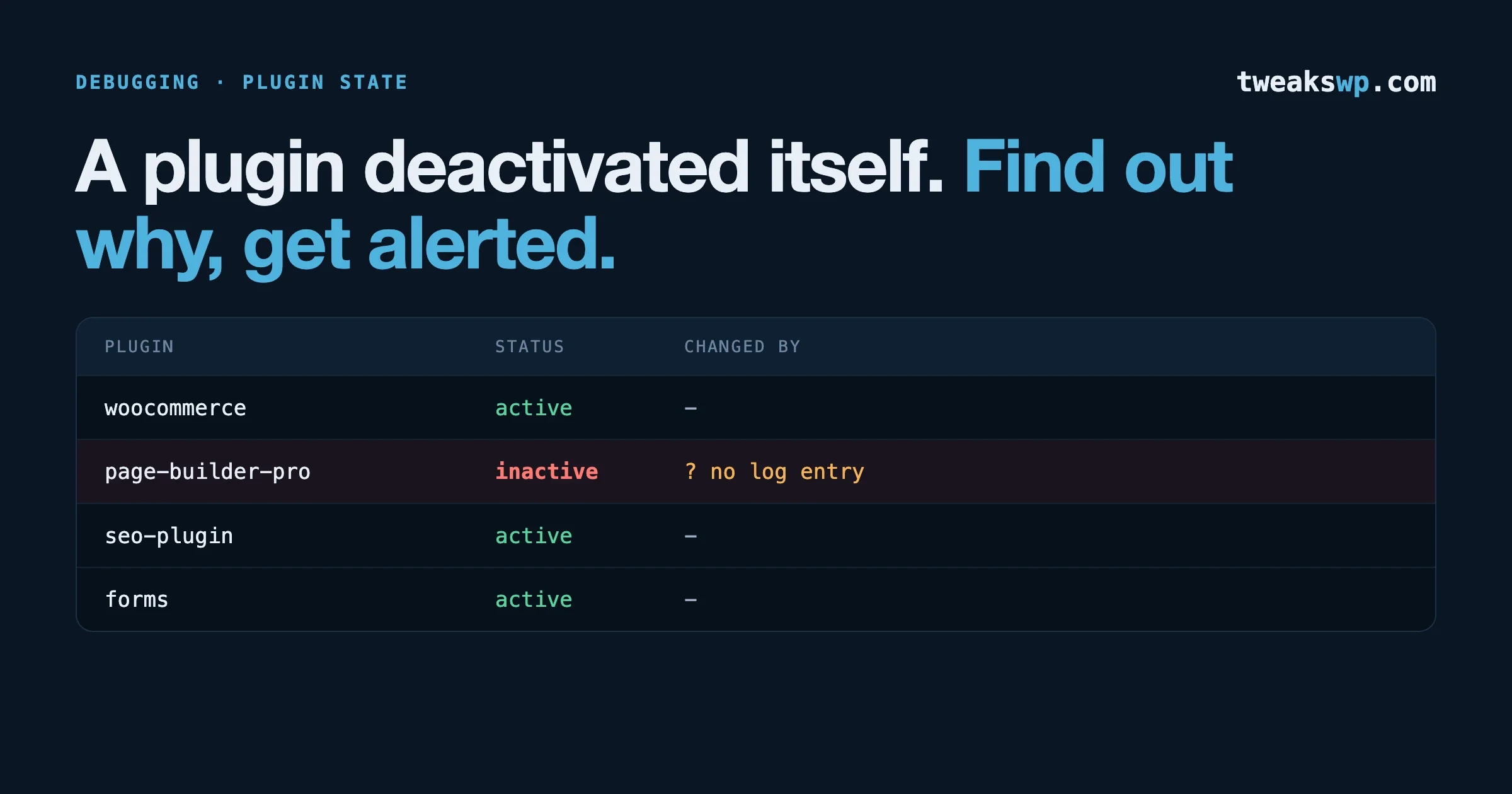
WordPress does not record who or what deactivated a plugin, so when one switches off without anyone clicking the button, you have to work it out from evidence. The causes fall into five groups: the plugin’s file went missing, an update was interrupted, something other than a person in the dashboard changed the setting, the database value was overwritten, or the plugin is not deactivated at all and is paused by recovery mode. This guide gives you a check for each, in the order that finds the answer fastest, and then two small pieces of code so that next time you are told within minutes.
The trigger for writing this was a report in a page-builder user group: an agency looking after more than 300 sites found the builder and its paid add-on deactivated on one of them, with automatic updates off and nothing in the logs. The explanation offered in the thread, that it usually follows a failed update or a change forced by the host, is one administrator’s experience and not a confirmed defect in any plugin. Treat it as one hypothesis among several. Everything below about how WordPress behaves is taken from the core source, with the file named so you can read it yourself.
Commands are read-only unless marked. The shell and WP-CLI commands are standard. The must-use plugin near the end passes a PHP syntax check and follows documented hooks, but we have not run it on a production site, so try it on staging first.
First: is it deactivated, paused, or missing?
These look the same from the front of the site and have different causes. Start here.
# What WordPress thinks is active (the stored setting)
wp option get active_plugins --format=json

# What WP-CLI reports, including must-use plugins and drop-ins
wp plugin list --fields=name,status,version,update

# Is the plugin's folder actually on disk, and when was it last changed?
ls -la wp-content/plugins/ | grep -i -E 'elementor|YOUR-PLUGIN'
stat -c '%y %n' wp-content/plugins/YOUR-PLUGIN/*.php 2>/dev/null | sort | tail -3
What you see | What it means | Go to |
|---|---|---|
Plugin folder missing or nearly empty | The files were removed. WordPress then deactivated it because the file was gone. | Cause 1 |
Folder present, files dated at the time of the incident, status inactive | An update replaced the files and the plugin was not switched back on. | Cause 2 |
Folder present, files old, status inactive | The setting was changed without touching the files. | Causes 3 and 4 |
Status active, but the plugin’s features are not running | Paused by recovery mode after a fatal error. | Cause 5 |
On multisite: inactive on one site only | Check both the site setting and the network setting. | Multisite note below |
For multisite, a plugin can be active per site or across the network, and they are stored separately:
wp site option get active_sitewide_plugins --format=json
wp option get active_plugins --format=json --url=https://the-affected-site.example
Cause 1: the plugin’s main file went missing
This is the cause behind the admin notice “The plugin X has been deactivated due to an error: Plugin file does not exist.”
How it works. Every time an administrator opens the Plugins screen, WordPress runs validate_active_plugins() (in wp-admin/includes/plugin.php). It checks each active plugin’s main file, and for any that fail it calls deactivate_plugins( $plugin, true ). Two details matter. The check runs when someone visits wp-admin/plugins.php, so the deactivation is recorded at the moment an admin looked, which can be hours or days after the files disappeared. And the second argument, true, means a silent deactivation: the plugin’s own deactivation routine and the usual hooks do not run.
Why files go missing.
- A failed update. WordPress removes the old plugin folder before copying the new one in. If the copy fails (disk full, timeout, permissions), the folder can be left empty or absent.
- A deployment or sync that treats the server’s plugin folder as disposable and did not include this plugin.
- A host restore of files to an earlier date, from before the plugin was installed.
- A malware scanner, on the server or as a plugin, that quarantined a file it flagged.
- Someone deleting the folder over SFTP.
How to check.
# Leftovers from an interrupted update
ls -la wp-content/upgrade/ wp-content/upgrade-temp-backup/ 2>/dev/null
ls -la .maintenance 2>/dev/null

# Was the disk full? Is the plugins folder writable by the PHP user?
df -h .
ls -ld wp-content/plugins

# Quarantine folders that scanners commonly create
find wp-content -maxdepth 2 \( -iname '*quarantine*' -o -iname '*infected*' \) 2>/dev/null
A plugin folder sitting in wp-content/upgrade-temp-backup/plugins/ is the copy WordPress keeps so it can roll back a failed update. If it is there, an update started and did not finish cleanly. A leftover .maintenance file tells you the same thing.
Fix. Reinstall the plugin from a fresh download at the version you were running, then activate it. Settings live in the database and are normally untouched.
# Changes the site.
wp plugin install YOUR-PLUGIN --version=X.Y.Z --force --activate
# For a commercial plugin, pass the path to the vendor's zip instead of the slug.
Cause 2: an update was interrupted
This is the most likely explanation when the files are fresh and the plugin is off.
How it works. When you update a single active plugin from the dashboard, WordPress deactivates it first, on purpose. The function is Plugin_Upgrader::deactivate_plugin_before_upgrade() in wp-admin/includes/class-plugin-upgrader.php, and its own comment reads “Deactivate the plugin silently, Prevent deactivation hooks from running.” After the new files are in place, the browser is sent to a reactivation step. If anything interrupts the process between those two points, the plugin stays off. That can be a PHP timeout, the tab being closed, a proxy cutting the connection, or the update returning an error.
The same function contains a second useful line: “When in cron (background updates) don’t deactivate the plugin, as we require a browser to reactivate it.” So automatic background updates take a different path and do not deactivate first. This is why “automatic updates are off” does not rule an update out. It rules out the path that is less likely to leave a plugin deactivated. A manual update from the dashboard, a management tool acting on your behalf, or a host’s own updater are the ones to look for.
How to check. Find update requests in the access log around the time the plugin files changed.
LOG=/var/log/nginx/access.log*    # adjust for your host

# Dashboard update and reactivation requests
zgrep -hE 'update\.php\?action=(upgrade-plugin|activate-plugin|update-selected)|admin-ajax\.php' $LOG \
  | grep -E 'update\.php|action=update-plugin' | tail -40

# Explicit deactivation clicks, single and bulk
zgrep -hE 'plugins\.php\?action=deactivate|plugins\.php.*deactivate-selected' $LOG | tail -20
What you are looking for is an upgrade-plugin request with no activate-plugin request after it, or one that returned a 5xx status or took the full timeout. Then look at the PHP error log for the same minute:
grep -nE 'Maximum execution time|Allowed memory size|PHP Fatal' /path/to/php-error.log | tail -20
tail -100 wp-content/debug.log 2>/dev/null
Many remote management dashboards and host control panels update plugins through their own connector, and those requests will not look like the lines above. Check that tool’s activity history for the site and time. If your host runs plugin updates for you, ask support whether one ran.
Fix. Activate the plugin, confirm the version is the one you expect, and load the pages that depend on it.
# Changes the site.
wp plugin activate YOUR-PLUGIN
wp plugin get YOUR-PLUGIN --fields=name,status,version
Prevent. Update from the command line or a tool that does not depend on a browser staying open, do it on a staging copy first, and raise the PHP time limit for admin requests if large plugins regularly time out. Our update policy guide covers the order and the checks.
Cause 3: something other than a dashboard click changed it
If the files are old and the plugin is off, the setting was changed directly. The candidates:
- A person, through the Plugins screen. The access log lines in Cause 2 show this, with the IP address and time. Match the IP to a user through your login records if you keep them.
- WP-CLI or a script. Check shell history for the site’s system user and any deployment scripts for
wp plugin deactivate.grep -n 'plugin deactivate\|plugin toggle' ~/.bash_history 2>/dev/null
grep -rn 'plugin deactivate' /path/to/deploy/scripts 2>/dev/null
deactivate_plugins() on its own file during load.How to check for a plugin that deactivates others.
# Every place in installed code that deactivates a plugin
grep -rn --include='*.php' 'deactivate_plugins\s*(' wp-content/plugins wp-content/mu-plugins wp-content/themes \
  | grep -v '/node_modules/' | head -40
Most hits will be a plugin deactivating itself when requirements are not met, which is normal. Read the condition around each one. If the plugin that turned off appears in that list with a version or dependency check beside it, compare that requirement with what is installed. A parent plugin updated ahead of its add-on, or the reverse, can trip exactly this.
Cause 4: the stored value was overwritten
The list of active plugins is one row in the options table, named active_plugins. Anything that replaces that row with an older or different copy changes which plugins are active, with no deactivation event at all.
- A database restore or a staging-to-live push. If staging had the plugin off, pushing its database turns it off on live. Check the dates of your last restore and last push against the incident.
- A persistent object cache serving a stale copy. With Redis or Memcached, all autoloaded options are cached together. Two requests saving options at nearly the same moment can leave the cache holding an older version of that group, including an older plugin list. The site then behaves as though a plugin was deactivated, and the next write can save that stale list back to the database.
- A search-and-replace or migration tool that damaged the serialized value. If the value cannot be read as a list, WordPress treats it as empty and every plugin goes off at once.
How to check.
# Compare what the database holds with what the object cache holds
wp db query "SELECT option_value FROM $(wp db prefix)options WHERE option_name='active_plugins'" --skip-column-names
wp option get active_plugins --format=json

# Is a persistent object cache in use?
wp cache type
ls -la wp-content/object-cache.php 2>/dev/null
If the two outputs list different plugins, the cache is stale.
# Changes the site: clears the object cache.
wp cache flush
If every plugin went off together, suspect a damaged value or a restore. If one plugin went off on a site with an object cache and several people or processes saving settings, suspect the cache.
Cause 5: it is paused, not deactivated
Since WordPress 5.2, a plugin that causes a fatal error can be paused by recovery mode. A paused plugin stays in the active list and is skipped when WordPress loads. From the front of the site it looks deactivated. In the Plugins screen it is still shown as active, with a notice that it failed to load.
How to check. Core stores paused plugins in an option whose name ends in _paused_extensions (see wp-includes/class-wp-paused-extensions-storage.php).
wp option list --search='*_paused_extensions' --format=table
grep -n 'PHP Fatal' /path/to/php-error.log | tail -20
Also search the inbox of the site’s admin email address for “Your Site is Experiencing a Technical Issue”. WordPress sends that message when it catches the fatal error, and it names the plugin and the error. On many sites that address belongs to someone who left years ago, which is why nobody saw it.
Fix. Read the fatal error, fix its cause (often a PHP version change, or one plugin updated ahead of another it depends on), then resume the plugin from the Plugins screen in recovery mode. Our guide to checking what a PHP upgrade will break covers the most common trigger.
Why were there no log entries?
Because WordPress core does not keep an activity log, and the hook most logging plugins listen to does not fire in the cases that matter here.
The hook is deactivated_plugin. In deactivate_plugins() it is wrapped in a check: it only runs when the deactivation is not silent. The comment in core says so directly: “If a plugin is silently deactivated (such as during an update), this hook does not fire.” Both the missing-file path in Cause 1 and the update path in Cause 2 use the silent form. An overwritten database value in Cause 4 never calls the function at all.
So an activity log that shows nothing does not mean nothing happened. It means the change did not go through the one door the logger was watching. The next section watches the value itself.
Get alerted next time: a must-use plugin
Every route that changes the active list through WordPress ends in update_option( 'active_plugins'... ), silent or not. WordPress fires update_option_active_plugins whenever that value changes, with the old and new lists. Hooking that catches the click, the update, the missing-file cleanup and WP-CLI alike.
Save this as wp-content/mu-plugins/active-plugins-watch.php. Must-use plugins load before normal plugins and cannot be switched off from the dashboard, which is what you want from a watcher.
<?php
/**
 * Plugin Name: Active Plugins Watch
 * Description: Logs and emails every change to the list of active plugins.
 * Status: syntax-checked, not run in production. Test on staging first.
 */

add_action( 'update_option_active_plugins', 'tw_active_plugins_changed', 10, 2 );

function tw_active_plugins_changed( $old, $new ) {
	$old     = is_array( $old ) ? $old : array();
	$new     = is_array( $new ) ? $new : array();
	$removed = array_values( array_diff( $old, $new ) );
	$added   = array_values( array_diff( $new, $old ) );

	if ( ! $removed && ! $added ) {
		return;
	}

	$user = function_exists( 'wp_get_current_user' ) ? wp_get_current_user() : null;

	// Which code asked for the change. Keeps the function names only.
	$trace = array();
	foreach ( debug_backtrace( DEBUG_BACKTRACE_IGNORE_ARGS, 14 ) as $frame ) {
		$trace[] = ( isset( $frame['class'] ) ? $frame['class'] . '::' : '' ) . $frame['function'];
	}

	$context = array(
		'time'    => gmdate( 'c' ),
		'removed' => $removed,
		'added'   => $added,
		'user'    => ( $user && $user->exists() ) ? $user->user_login : 'none',
		'via'     => ( defined( 'WP_CLI' ) && WP_CLI ) ? 'wp-cli' : ( wp_doing_cron() ? 'cron' : ( wp_doing_ajax() ? 'ajax' : 'web' ) ),
		'request' => isset( $_SERVER['REQUEST_URI'] ) ? esc_url_raw( wp_unslash( $_SERVER['REQUEST_URI'] ) ) : '',
		'ip'      => isset( $_SERVER['REMOTE_ADDR'] ) ? sanitize_text_field( wp_unslash( $_SERVER['REMOTE_ADDR'] ) ) : '',
		'trace'   => implode( ' < ', $trace ),
	);

	error_log( 'active_plugins changed: ' . wp_json_encode( $context ) );

	// Email only when something was switched off.
	if ( $removed ) {
		wp_mail(
			get_option( 'admin_email' ),
			'[' . wp_parse_url( home_url(), PHP_URL_HOST ) . '] Plugin deactivated: ' . implode( ', ', $removed ),
			wp_json_encode( $context, JSON_PRETTY_PRINT )
		);
	}
}
What the output tells you:
via: webwith arequestof/wp-admin/plugins.phpand no user action in the URL, plusvalidate_active_pluginsin the trace: Cause 1.deactivate_plugin_before_upgradein the trace: Cause 2. You will see a matching “added” entry seconds later when the update completes. If you do not, the update was interrupted.via: wp-cli: a script or a person on the server.- Another plugin’s function names in the trace: Cause 3, and now you know which plugin.
Two adjustments worth making. Send the email to an address a person reads, since the site’s admin email is often stale. And if your site sends mail unreliably, replace wp_mail() with a call to your team chat’s incoming webhook using wp_remote_post().
On multisite, network-activated plugins are stored in a site option, so add a second hook on update_site_option_active_sitewide_plugins. Its callback receives the option name first, then the new value, then the old value, so the arguments are in a different order from the hook above.
Get alerted next time: an outside check
The must-use plugin cannot see Cause 4, a restored database or a stale cache, because no WordPress code ran. For that you need something outside WordPress that asks, on a schedule, whether the plugins you depend on are active.
#!/usr/bin/env bash
# required-plugins-check.sh: run from cron every 10 minutes.
# Prints (and so emails, under cron) only when something is wrong.
WP_PATH=/path/to/wordpress
REQUIRED="elementor elementor-pro woocommerce"   # slugs this site cannot run without

for p in $REQUIRED; do
  if ! wp --path="$WP_PATH" plugin is-active "$p" 2>/dev/null; then
    echo "$(date -u +%FT%TZ) $(hostname): required plugin NOT active: $p"
  fi
done

# Recovery mode: anything paused?
paused=$(wp --path="$WP_PATH" option list --search='*_paused_extensions' --field=option_name 2>/dev/null)
[ -n "$paused" ] && echo "$(date -u +%FT%TZ) $(hostname): paused extensions present: $paused"
# crontab -e
MAILTO=you@example.com
*/10 * * * * /usr/local/bin/required-plugins-check.shwp plugin is-active exits with status 0 when the plugin is active and non-zero when it is not, which is what makes the test work. For a fleet, run the same loop over your WP-CLI aliases from one machine and keep the list of required plugins per site in a small file.
Pair it with a check a visitor would notice: request one page that depends on the plugin and look for a string only that plugin produces, such as a class name in the page source. A page builder that is switched off still returns status 200, so an uptime monitor reports all clear while every page shows unstyled text.
curl -s https://example.com/ | grep -q 'elementor-element' || echo "builder markup missing on home page"One-page diagnosis order
wp plugin listandls wp-content/plugins: deactivated, paused or missing?- Plugin file dates: did the files change at the time of the incident?
wp-content/upgrade/,upgrade-temp-backup/,.maintenance: leftovers from an interrupted update?- Access log:
update.phpandplugins.php?action=deactivaterequests, with IP and time. - PHP error log: timeouts, memory limits and fatal errors in the same minute.
- Paused extensions option and the admin inbox for a recovery mode email.
- Database value against cached value, and the dates of the last restore or staging push.
- Management tool history and a question to the host.
grepfordeactivate_plugins(in installed plugins.- If the plugin that went off is a security plugin, run a compromise check before anything else.
Questions people ask
Why did my WordPress plugin deactivate itself?
The common causes are a missing plugin file, an update that was interrupted after WordPress switched the plugin off and before it switched it back on, a host or another plugin deactivating it, an overwritten database value, or recovery mode pausing it after a fatal error. Checking whether the plugin’s files exist and when they last changed narrows it to one or two of these quickly.
Does WordPress log who deactivated a plugin?
No. Core keeps no activity log. Logging plugins usually rely on the deactivated_plugin hook, which does not fire for silent deactivations such as those during an update or when a plugin file is missing. Watching the active_plugins option for changes is more reliable.
Can a plugin be deactivated if automatic updates are turned off?
Yes. A manual update from the dashboard deactivates the plugin first and reactivates it at the end, so an interrupted manual update can leave it off. Management tools and hosts can also update or deactivate plugins regardless of the automatic update setting.
What does “The plugin has been deactivated due to an error: Plugin file does not exist” mean?
WordPress checked its active plugins when an administrator opened the Plugins screen and could not find that plugin’s main file, so it removed it from the active list. The files were deleted, moved or never fully copied during an update. Reinstall the plugin and activate it.
How do I get an alert when a plugin is deactivated?
Use two checks. Inside WordPress, a must-use plugin hooked to update_option_active_plugins can log and email every change to the active list. Outside WordPress, a scheduled script running wp plugin is-active for the plugins the site depends on catches cases where the database was changed directly.
My security plugin was deactivated and I did not do it. Should I worry?
Yes, until you have ruled out a compromise. Switching off security plugins is a routine step for malware. Check for unknown administrator accounts, recently changed PHP files and PHP in the uploads folder before you turn it back on and move on. Our post on checking and cleaning after a file-upload flaw has the commands.
If plugins keep switching off across a group of sites and you would like the cause found and monitoring put in place, our WordPress care plans cover ongoing updates and monitoring, and WordPress support covers one-off investigations.
Plugins we build and run
We maintain these ourselves, which is why we can support them on your site.
- BuddyNextThe self-hosted community engine for WordPress
- BuddyXFree community theme, Pro when you outgrow it
- ReignPremium community theme. Add pieces, build anything
- JetonomyCommunity forum and Q&A for WordPress
- EventonomyEvents and RSVPs for WordPress communities
- LearnomyCourses and learning communities on WordPress
- ListoraDirectories and listings your members can browse
- SnipShareCode sharing built for developer communities
- WB Ad ManagerAd placements that turn traffic into revenue
- WP Career BoardA job board your community actually uses
- WP Sell ServicesSell services with offers, orders, and payouts
- MediaVersePhotos, video, and media albums for members
- WB GamificationPoints, badges, and rewards that keep members active
- Product RoadmapPublic roadmaps with voting your users trust