debug.log Not Created or Not Updating: Every Reason WordPress Stays Silent
WordPress debug.log not created or not updating? 14 causes we reproduced on WordPress 7.1.3, with the check and fix for each, plus how to stop the log going public.

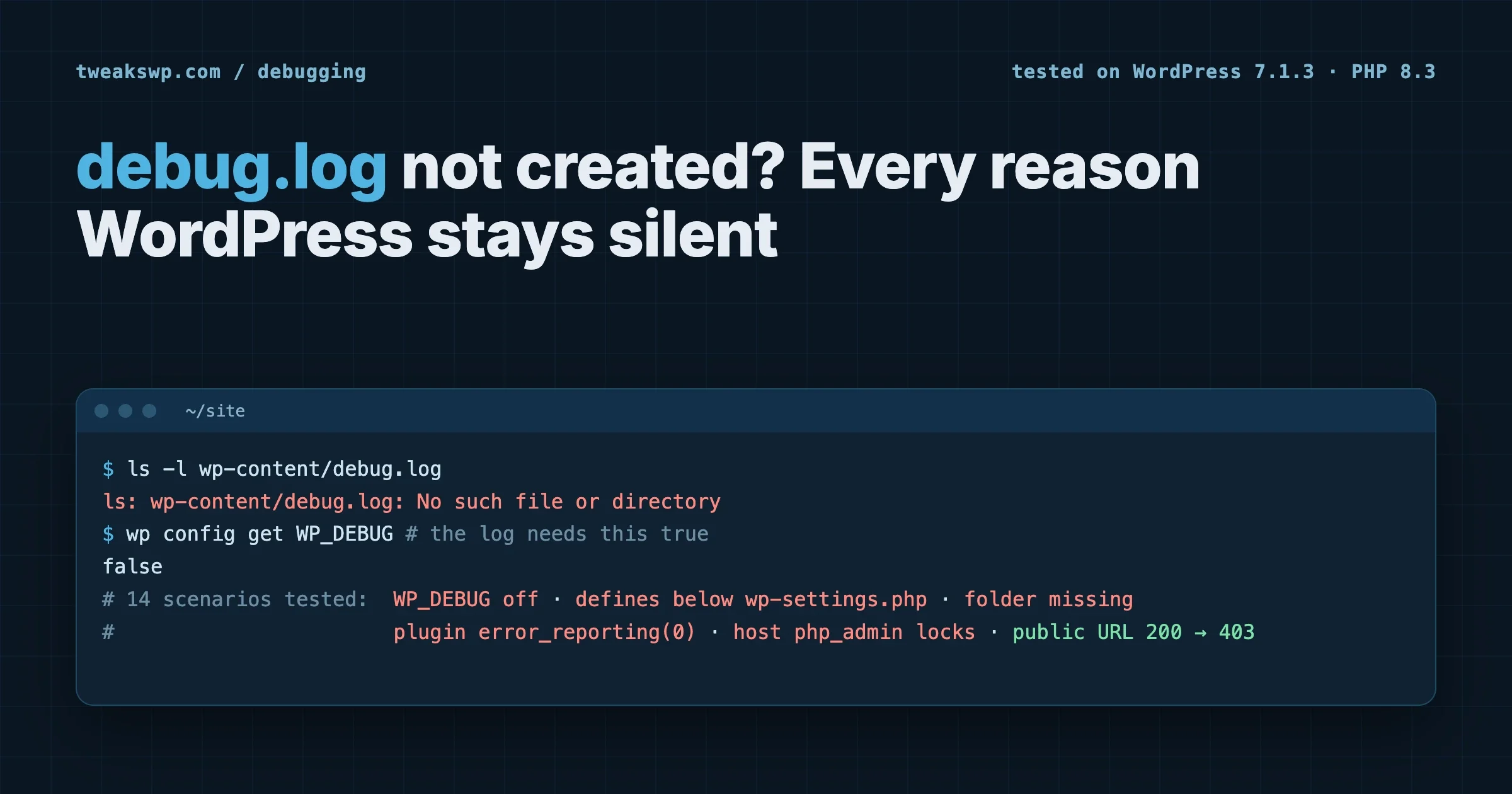
You set WP_DEBUG_LOG to true, reload the page that breaks, and the debug.log is not created: wp-content/debug.log is simply not there. Or it is there, but the error you are chasing never shows up in it. This guide lists every reason WordPress stays silent, in the order we check them, and each one is something we reproduced on a clean WordPress 7.1.3 install running PHP 8.3 on Apache 2.4.68 before writing it down. The last part covers the problem nobody checks: a debug.log that works perfectly and is readable by anyone on the internet.
If you have never turned the log on before, start with our guide on enabling and using the WordPress debug log, then come back here when it does not behave.
The 60-second check
Run these three commands from the WordPress root before reading anything else. They answer most cases on their own.
# 1. What does WordPress actually see for the debug constants?
wp config get WP_DEBUG
wp config get WP_DEBUG_LOG

# 2. Where is PHP really sending errors right now, for a web request?
wp eval 'echo ini_get("log_errors") . " | " . ini_get("error_log") . PHP_EOL;'

# 3. Can the web server user write where the log should go?
ls -ld wp-content
ls -l wp-content/debug.log 2>/dev/null || echo "no debug.log yet"
Note that wp eval runs in the CLI, which can use a different php.ini from your web server. If the CLI answer looks right and the browser request still logs nothing, the web server’s PHP settings are the place to look, which several sections below cover.
How WordPress decides where errors go
Every cause below makes sense once you have seen the code. WordPress sets up error logging in wp_debug_mode(), in wp-includes/load.php, very early in wp-settings.php (before the object cache drop-in, before any plugin). In WordPress 7.1.3 the important part reads:
if ( WP_DEBUG ) {
	error_reporting( E_ALL );

	if ( in_array( strtolower( (string) WP_DEBUG_LOG ), array( 'true', '1' ), true ) ) {
		$log_path = WP_CONTENT_DIR . '/debug.log';
	} elseif ( is_string( WP_DEBUG_LOG ) ) {
		$log_path = WP_DEBUG_LOG;
	} else {
		$log_path = false;
	}

	if ( $log_path ) {
		ini_set( 'log_errors', 1 );
		ini_set( 'error_log', $log_path );
	}
}
The official WordPress debugging documentation describes the constants; the code shows what they really do. Three things follow from that block:
- Nothing happens unless
WP_DEBUGis true.WP_DEBUG_LOGon its own is ignored. - WordPress never creates a file or a folder. It only tells PHP where to write. PHP then tries to open that file on the first error, and if it cannot, it gives up quietly.
- It runs once, early. Anything that changes
log_errors,error_logorerror_reportinglater in the request wins.
The test setup
We ran each scenario on a fresh WordPress 7.1.3 container (PHP 8.3.35, Apache 2.4.68). A must-use plugin raised one warning per web request, tagged with a query string, so we could tell which request wrote which line:
<?php
// wp-content/mu-plugins/dbg.php
if ( PHP_SAPI === 'cli' ) {
	return; // keep WP-CLI out of the results
}
trigger_error( 'dbg-test ' . ( $_GET['t'] ?? 'none' ), E_USER_WARNING );
Then for each scenario we reset the constants, loaded /?t=scenario-name once, and counted the matching lines in the log. Here is the full result:
# | Setup | Warning in debug.log? |
|---|---|---|
1 |
| No |
2 | Both true (the normal setup) | Yes, and the file was public: HTTP 200 |
3 | Custom log path in a folder that does not exist | No |
4 | Same custom path after creating the folder | Yes |
5 |
| No |
6 | Both constants defined below the | No |
7 | A plugin sets | No |
8 | A plugin calls | No |
9 |
| No, it went to the server error log |
10 | A fatal error inside | No: HTTP 500, only in the server error log |
11 | An existing | No |
12 | Host sets | No |
13 | Host sets | No, the warning went to the host’s file |
14 | Host disables | No, and the whole site returned HTTP 500 |
Each row is a reason the log stays empty. Here is how to recognise and fix each one.
Reason 1: WP_DEBUG is false, so WP_DEBUG_LOG is ignored
Symptom: you set WP_DEBUG_LOG to true and nothing ever appears. Check: wp config get WP_DEBUG. Also search the whole file, because the default wp-config-sample.php already contains define( 'WP_DEBUG', false ); and it is easy to add a second definition below it:
grep -n "WP_DEBUG" wp-config.phpPHP keeps the first definition of a constant and ignores the second (with a warning), so whichever define() comes first wins. Fix: keep exactly one block, above the “stop editing” line:
define( 'WP_DEBUG', true );
define( 'WP_DEBUG_LOG', true );
define( 'WP_DEBUG_DISPLAY', false ); // log errors, do not print them on the page
Our guide to every WordPress debug constant explains what each of the other debug settings does.
Reason 2: the constants are below the wp-settings.php line
Symptom: the constants are clearly in wp-config.php and still have no effect. Check: look at where they sit. WordPress reads them when wp-settings.php runs, which is triggered by the last line of wp-config.php:
/* That's all, stop editing! Happy publishing. */
require_once ABSPATH . 'wp-settings.php';
Anything defined after that line is defined too late; by then wp_debug_mode() has already run. In our test, the warning never reached the log with the defines appended at the bottom of the file. Fix: move them above the comment. Hosting control panels and some security plugins append settings to the end of wp-config.php, so check again after any of those touch the file.
Reason 3: a custom log path in a folder that does not exist
Symptom: you set a custom path and no file appears there. Since WordPress 5.1, WP_DEBUG_LOG accepts a file path instead of true, which is the right way to keep the log out of the web root. But WordPress only passes the path to PHP. It does not create missing folders, and PHP will not either.
Check:
wp config get WP_DEBUG_LOG
ls -ld "$(dirname "$(wp config get WP_DEBUG_LOG)")"
Fix: create the folder and give it to the user PHP runs as (often www-data, sometimes your account user on shared hosting):
mkdir -p /var/www/private-logs
chown www-data:www-data /var/www/private-logs
chmod 750 /var/www/private-logs
In our test the same path that logged nothing started working the moment the folder existed and was writable.
Reason 4: PHP cannot write the folder or the file
Symptom: everything is configured, there is no log, and there is no error about it anywhere. This is the most common cause on servers where files were uploaded by one user and PHP runs as another. Two variants failed silently in our tests:
wp-contentwas not writable by the web server user, so PHP could not createdebug.log.debug.logalready existed but was owned by root with mode 644, so PHP could not append to it. This one is sneaky: you can see the file, it just never grows.
Check who PHP runs as and who owns the files:
# the user PHP runs as for web requests (create, load, then delete this file)
echo '<?php echo get_current_user() . " / " . posix_getpwuid(posix_geteuid())["name"];' > whoami-tmp.php
curl -s https://example.com/whoami-tmp.php; rm whoami-tmp.php

ls -ld wp-content
ls -l wp-content/debug.log
Fix: give the log file (or the folder it lives in) to the PHP user, rather than making wp-content world-writable:
touch wp-content/debug.log
chown www-data:www-data wp-content/debug.log
chmod 640 wp-content/debug.log
Reason 5: a plugin or theme switches logging off
Symptom: the log works on a fresh install or with plugins off, and stops when your plugins load. Because wp_debug_mode() runs before any plugin, a plugin that changes PHP’s error settings later in the request overrides WordPress. We reproduced both patterns that do this:
ini_set( 'log_errors', '0' ); // nothing is logged after this line
error_reporting( 0 );         // nothing is even reported, so nothing is logged
Plugins usually do this to hide notices from customers, which is understandable on production and maddening when you are debugging. Check: search for the culprit:
grep -rnE "error_reporting\(\s*0\s*\)|ini_set\(\s*['\"](log_errors|error_log|error_reporting)" \
  wp-content/plugins wp-content/themes wp-content/mu-plugins
Then confirm by switching plugins off without touching the database, the safe way on a live site:
wp plugin list --status=active
wp plugin deactivate suspected-plugin
# reproduce the error, check the log, then:
wp plugin activate suspected-plugin
Fix: if the plugin has a setting for it, use the setting. If it does not, a must-use plugin that loads after it can restore logging only while you debug:
<?php
// wp-content/mu-plugins/zz-restore-debug-log.php (remove when you are done)
add_action( 'plugins_loaded', function () {
	if ( defined( 'WP_DEBUG' ) && WP_DEBUG ) {
		error_reporting( E_ALL );
		ini_set( 'log_errors', '1' );
	}
}, PHP_INT_MAX );
Errors raised before plugins_loaded fires are still lost while the plugin is active, so for errors during plugin loading, deactivate the plugin instead.
Reason 6: the error happens before WordPress sets up logging
Symptom: the site shows a 500 error or “There has been a critical error”, and debug.log has nothing about it. In our test, a fatal error placed inside wp-config.php produced an HTTP 500 and no line in debug.log; the message went to the web server’s error log instead. That is expected: wp-config.php runs before wp_debug_mode(), so PHP is still using the server’s own settings.
The same applies to anything that fails before WordPress loads its settings: a syntax error in wp-config.php, a broken PHP prepend file, a missing PHP extension, or a server running out of memory before WordPress starts.
Check: the server’s own log. The PHP error handling settings (log_errors, error_log) decide where it is. Common locations:
# Apache on Debian/Ubuntu
tail -n 50 /var/log/apache2/error.log
# nginx + PHP-FPM
tail -n 50 /var/log/nginx/error.log
tail -n 50 /var/log/php*-fpm.log
# where PHP itself says it logs, outside WordPress
php -i | grep -E "^(error_log|log_errors)"
On managed hosting, the same log is usually in the control panel under “Logs” or “Error log”. For reading the lines once you find them, see how to read WordPress error logs, and if the error locks you out of the dashboard, how to get into the admin with a critical error.
Reason 7: WP_DEBUG is on but WP_DEBUG_LOG is not
Symptom: errors are clearly happening, WP_DEBUG is true, and there is no debug.log. With WP_DEBUG_LOG unset, WordPress does not change where PHP logs, so errors follow the server’s settings. In our test they landed in Apache’s error log, not in wp-content. Fix: add define( 'WP_DEBUG_LOG', true ); or a custom path.
Reason 8: you are looking at the wrong file
Symptom: the log you open is old or empty, while errors are clearly occurring. Before changing anything, find out where PHP is writing for a real web request, not for the CLI:
<?php
// wp-content/mu-plugins/zz-where-is-my-log.php (delete after one request)
add_action( 'shutdown', function () {
	if ( current_user_can( 'manage_options' ) ) {
		echo '<!-- error_log: ' . esc_html( ini_get( 'error_log' ) ) . ' | log_errors: ' . esc_html( ini_get( 'log_errors' ) ) . ' -->';
	}
} );
Load any page while logged in as an administrator and view the source; the last line tells you exactly where errors are going for that request. Delete the file afterwards.
Reason 9: something tells WordPress to skip its debug setup
The code above starts with a filter: enable_wp_debug_mode_checks. If it returns false, WordPress skips the whole block. Because it runs before plugins and the cache drop-in, only code that runs earlier can set it, in practice wp-config.php or a PHP prepend file. It is rare, but if every other check passes, search for it:
grep -rn "enable_wp_debug_mode_checks" wp-config.php wp-content/ 2>/dev/nullReason 10: the host has locked PHP’s logging settings
Everything WordPress does here goes through ini_set(). On many shared and managed hosts, the server’s PHP configuration sets the logging values in a way ini_set() cannot change, and three variants behaved differently in our tests.
log_errors forced off with php_admin_flag
Settings made with php_admin_flag or php_admin_value (in the Apache or PHP-FPM pool config) cannot be changed by scripts, as the PHP manual on changing configuration explains. With php_admin_flag log_errors off on the server, WordPress’s ini_set( 'log_errors', 1 ) silently did nothing and no error was logged anywhere.
error_log pinned to the host’s own file
With php_admin_value error_log /var/log/php-site.log, the warning was written, just not to debug.log: it went to the host’s file. This is the common setup on managed hosting, where each site gets its own PHP error log in the control panel. If your debug.log stays empty on such a host, open the host’s PHP error log first.
ini_set disabled entirely
This one surprised us. With disable_functions = ini_set in php.ini and WP_DEBUG true, WordPress itself failed: every page returned HTTP 500 with the critical error screen, and the server log showed:
PHP Fatal error:  Uncaught Error: Call to undefined function ini_set()
in /var/www/html/wp-includes/load.php:617
#0 /var/www/html/wp-settings.php(85): wp_debug_mode()
In PHP 8, calling a disabled function is a fatal error, and wp_debug_mode() calls ini_set() as soon as WP_DEBUG is true. So on a host that disables ini_set, switching debugging on takes the site down. Set WP_DEBUG back to false to recover, then ask the host to allow ini_set or to give you their PHP error log.
Check what the server enforces, from a web request rather than the CLI:
<?php
// wp-content/mu-plugins/zz-php-locks.php (delete after one request)
add_action( 'shutdown', function () {
	if ( current_user_can( 'manage_options' ) ) {
		printf(
			'<!-- log_errors=%s | error_log=%s | disabled=%s -->',
			esc_html( ini_get( 'log_errors' ) ),
			esc_html( ini_get( 'error_log' ) ),
			esc_html( ini_get( 'disable_functions' ) )
		);
	}
} );
If error_log shows a path that is not yours and does not change when you set WP_DEBUG_LOG, the host has pinned it. Read that file, or ask the host for access.
The other problem: your debug.log is public
When the log works with the default WP_DEBUG_LOG = true, it lives at wp-content/debug.log, inside the web root. In our test, that URL answered HTTP 200 and served the whole log to anyone who asked. Debug logs routinely contain server paths, database table names, plugin versions, email addresses from failed mail, and sometimes request data or API keys that a plugin printed while failing. Automated scanners request /wp-content/debug.log on every WordPress site they find.
Best fix: keep the log outside the web root.
// wp-config.php, above the "stop editing" line
define( 'WP_DEBUG', true );
define( 'WP_DEBUG_LOG', '/var/www/private-logs/wp-errors.log' ); // folder must exist and be writable
define( 'WP_DEBUG_DISPLAY', false );
If the log must stay in wp-content, block it at the web server. On Apache, add this to the root .htaccess, outside the # BEGIN WordPress block so WordPress never rewrites it:
<Files "debug.log">
  Require all denied
</Files>
We tested this on Apache 2.4.68: the log kept being written, and the public URL changed from 200 to 403. On nginx, the equivalent is a location block in the server config (test it on your own server after a reload):
location ~* /debug\.log$ {
    deny all;
    return 403;
}
Then check from outside, on your real domain:
curl -s -o /dev/null -w "%{http_code}\n" https://example.com/wp-content/debug.log
# want 403 or 404, never 200
And turn it off when you are done. A debug log left on in production grows without limit, slows the site with disk writes on every notice, and keeps collecting sensitive data. Set WP_DEBUG back to false and delete the file:
wp config set WP_DEBUG false --raw
rm -f wp-content/debug.log
Our list of wp-config and server hardening tweaks covers the other files scanners look for.
A checklist to keep
Check | Command or place | Good result |
|---|---|---|
WP_DEBUG really true |
| One definition, true |
Defines above wp-settings.php | Bottom of | Above “stop editing” |
WP_DEBUG_LOG set |
| true or a path |
Custom path folder exists |
| Exists, writable by the PHP user |
File writable by PHP |
| Owned by the PHP user |
No plugin silencing errors | the | No matches, or understood |
Host not locking logging | the check in Reason 10 | error_log is your path |
Early fatals checked | Server error log | Read it when debug.log is empty |
Log not public |
| 403 or 404 |
Off again after debugging |
| Log deleted |
Frequently asked questions
Why is debug.log not created even though WP_DEBUG_LOG is true?
Most often because WP_DEBUG is false (WordPress ignores WP_DEBUG_LOG without it), the defines sit below the wp-settings.php line, or PHP cannot write to wp-content. Check those three first.
Does WordPress create the folder for a custom WP_DEBUG_LOG path?
No. WordPress only tells PHP where to write. If the folder does not exist or is not writable by the PHP user, nothing is logged and no error tells you why.
Why is my fatal error missing from debug.log?
If it happens before WordPress sets up logging, for example inside wp-config.php, it goes to the web server’s error log instead. Check the server log or your host’s log viewer.
Can a plugin stop debug.log from working?
Yes. A plugin that calls error_reporting( 0 ) or sets log_errors to 0 overrides WordPress for the rest of the request. Search for those calls or deactivate plugins one at a time.
Is it safe to leave debug.log in wp-content?
Not on a public site. By default it is served to anyone at /wp-content/debug.log. Move it outside the web root with a custom path, or block it at the web server, and switch debugging off when you finish.
Why did turning on WP_DEBUG take my site down?
If your host disables ini_set, WordPress’s debug setup calls a function that does not exist and PHP 8 stops with a fatal error. Set WP_DEBUG back to false and ask the host for their PHP error log instead.
Where does PHP log errors when WP_DEBUG_LOG is off?
Wherever the server’s PHP configuration says, usually the web server or PHP-FPM error log. Run php -i | grep error_log on the server, or check your host’s control panel.
How we tested this
Every scenario above ran on a disposable WordPress 7.1.3 site (PHP 8.3.35, Apache 2.4.68, Docker) on 17 October 2026, one web request per scenario, with a tagged warning so log lines from WP-CLI could not be mistaken for the test. The three host-lock cases were set in the container’s Apache and PHP configuration and reverted afterwards. The wp_debug_mode() excerpt is from that version’s wp-includes/load.php. The nginx block is the standard deny pattern and was not part of the run; test it after reloading your own server.
Stuck on an error that will not show up anywhere? Our engineers debug production WordPress sites every day, from one-off WordPress help to ongoing care plans with staging-tested updates and uptime monitoring. If an AI tool wrote the code that is failing, our AI-generated code review finds the problems before your customers do.
Plugins we build and run
We maintain these ourselves, which is why we can support them on your site.
- BuddyNextThe self-hosted community engine for WordPress
- BuddyXFree community theme, Pro when you outgrow it
- ReignPremium community theme. Add pieces, build anything
- JetonomyCommunity forum and Q&A for WordPress
- EventonomyEvents and RSVPs for WordPress communities
- LearnomyCourses and learning communities on WordPress
- ListoraDirectories and listings your members can browse
- SnipShareCode sharing built for developer communities
- WB Ad ManagerAd placements that turn traffic into revenue
- WP Career BoardA job board your community actually uses
- WP Sell ServicesSell services with offers, orders, and payouts
- MediaVersePhotos, video, and media albums for members
- WB GamificationPoints, badges, and rewards that keep members active
- Product RoadmapPublic roadmaps with voting your users trust