File-Upload Flaw in a Plugin: How to Check and Clean
Patching a file upload vulnerability does not remove what was uploaded. Version, uploads and log checks for Bricksforge CVE-2026-85097 and Gravity Forms.

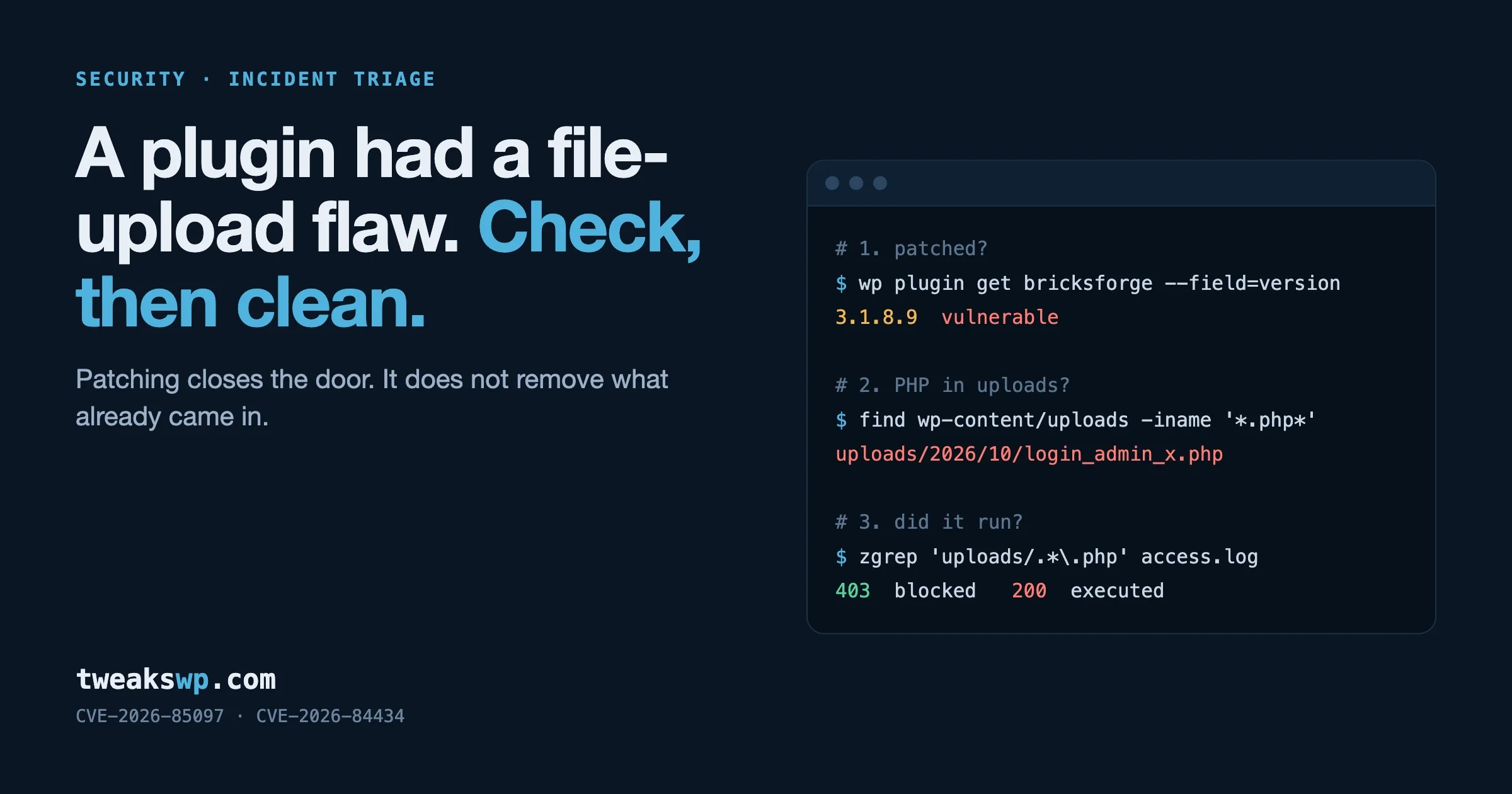
Updating the plugin closes a file-upload flaw. It does not remove a file that was uploaded through it before you updated. So the job has two parts: confirm the version is patched, then check whether anything was planted while the site was exposed. This guide covers both for the two critical upload flaws disclosed in the last month, Bricksforge (CVE-2026-85097) and Gravity Forms (CVE-2026-84434), and the same steps apply to any future flaw of this kind.
Every command below is read-only unless it says otherwise. Run them from the WordPress root over SSH. The WP-CLI and shell commands are standard and safe to run on a live site. The two snippets that call plugin functions are marked untested, because we did not run them against a site with those plugins installed while writing this.
What are the two flaws?
Bricksforge | Gravity Forms | |
|---|---|---|
CVE | CVE-2026-85097 | CVE-2026-84434 |
Severity (CVSS) | 10.0 | 9.8 |
Type | Unauthenticated arbitrary file upload, PHP execution | Unauthenticated arbitrary file upload, possible PHP execution |
Affected versions | 3.1.8.9 and earlier | 3.1.0.4 and earlier |
Fixed in | 3.1.8.10 | 3.1.1 (released 3 September 2026) |
Condition | None stated. Any site running an affected version. | A publicly reachable form with a File Upload field whose Visibility is set to Hidden |
Exploited in the wild | Yes. First seen 7 October 2026, 21:47 UTC. | Not confirmed in the sources we read |
Source |
Bricksforge is an add-on for Bricks Builder. Per Patchstack, it checks a file’s type when the file is first uploaded, but when the form is later submitted it trusts the file details the browser sends back, including the destination url inside a temporaryFileUploads parameter. An attacker uploads a file that is a valid GIF and also contains PHP, then submits the form with a destination ending in .php. The plugin writes the content there, and the server runs it when the file is requested.
Gravity Forms has a different cause with the same result. The CVE record describes a mismatch between validation and saving: hidden File Upload fields skip the extension check, and a file that was rejected can still be passed to upload_file() without being checked again. It only applies to forms that contain a File Upload field set to Hidden, which is a condition you can test for in two minutes.
Step 1: are you on a fixed version?
# Prints the installed version, or an error if the plugin is not installed.
wp plugin get bricksforge --field=version
wp plugin get gravityforms --field=version
Bricksforge needs 3.1.8.10 or later. Gravity Forms needs 3.1.1 or later, and the current release when we checked the changelog was 3.1.3.1. Both are commercial plugins that update through their own licence, so an expired licence means no update arrives. If wp plugin update reports nothing available on an old version, download the current zip from your vendor account and install it over the top:
# Changes the site. Take a backup first.
wp plugin install /path/to/plugin.zip --force
For a fleet, the same check over WP-CLI aliases:
# Assumes aliases are defined in ~/.wp-cli/config.yml
for site in $(wp cli alias list --format=json | jq -r 'keys[]' | grep -v '@all'); do
  for p in bricksforge gravityforms; do
    v=$(wp "$site" plugin get "$p" --field=version 2>/dev/null) && echo "$site $p $v"
  done
done
Step 2: how long were you exposed?
This decides how hard you need to look. Work out the gap between the date exploitation or disclosure began and the date this site was patched.
# When were the plugin files last replaced? (the last update, in practice)
stat -c '%y %n' wp-content/plugins/bricksforge/bricksforge.php 2>/dev/null
stat -c '%y %n' wp-content/plugins/gravityforms/gravityforms.php 2>/dev/null
# macOS / BSD: stat -f '%Sm %N' <file>
Your situation | What it means |
|---|---|
Bricksforge patched before 7 October 2026, 21:47 UTC | Patched before the first exploitation Patchstack recorded. Run steps 4 and 5 once as a sanity check. |
Bricksforge patched after that time, or still unpatched | Treat the site as possibly compromised. Do every step. |
Gravity Forms updated to 3.1.1 or later in early September | You were covered before the details became public on 19 September. |
Gravity Forms still on 3.1.0.4 or earlier after 19 September, and step 3 finds a hidden upload field | Exposed to a public, documented flaw. Do every step. |
Gravity Forms old, but no hidden upload field on any form | The stated condition for this flaw is not met. Update anyway. |
Note the Gravity Forms timeline. The fix shipped on 3 September, and the changelog entry for 3.1.1 reads “Added security enhancements.” The CVE was published on 19 September. A site that updates on release was safe for sixteen days before anyone outside knew why. A site that waits for a named vulnerability before updating a paid plugin spent those sixteen days on a version with a critical flaw whose fix could be compared against the old code by anyone. We come back to what that means for an update policy at the end.
Step 3 (Gravity Forms): do any forms have a hidden File Upload field?
In the admin, open each form, click each File Upload field, and look at Visibility under the Advanced tab. For more than a few forms, list them from the command line. This uses the Gravity Forms API and is untested as written:
# UNTESTED. Lists form ID, title, field ID for File Upload fields that are not visible.
wp eval '
if ( ! class_exists( "GFAPI" ) ) { echo "Gravity Forms not active\n"; return; }
foreach ( GFAPI::get_forms() as $form ) {
  foreach ( $form["fields"] as $field ) {
    if ( $field->type === "fileupload" && $field->visibility !== "visible" ) {
      printf( "form %d (%s) field %d visibility=%s\n", $form["id"], $form["title"], $field->id, $field->visibility );
    }
  }
}'
No output means no form meets the condition in the CVE record. If a form does, ask why the field is hidden. A hidden upload field is occasionally used to carry a file set by code, but more often it is a leftover from a form someone edited. If nothing depends on it, remove it.
Step 4: is there PHP in the uploads directory?
The uploads directory should contain media. On most sites it should contain no PHP at all, apart from an empty index.php that some plugins add to stop directory listing. This is the single most useful check after any upload flaw.
# Every file with a PHP-style extension under uploads, newest first.
find wp-content/uploads -type f \
  \( -iname '*.php' -o -iname '*.php[0-9]' -o -iname '*.phtml' -o -iname '*.pht' \
     -o -iname '*.phtm' -o -iname '*.phps' -o -iname '*.phar' \) \
  -printf '%TY-%Tm-%Td %TH:%TM  %s  %p\n' | sort -r
The extension list is deliberate. Patchstack saw attackers trying .php5, .php7, .php8, .phtml, .pht, .phtm and .phps, and mixed case such as .PHP and .pHp, which is why the search uses -iname.
Then the Bricksforge-specific locations and name pattern from the advisory:
# The plugin's temporary upload directory
ls -la wp-content/uploads/bricksforge/tmp/ 2>/dev/null

# Destination filenames seen in the campaign
find wp-content/uploads -type f -iname 'login_admin_*'
For Gravity Forms, uploads are stored under wp-content/uploads/gravity_forms/ in a hashed folder per form. Run the first find command against that path as well.
Images that contain PHP
The Bricksforge attack begins with a file that passes as an image and also holds PHP code. That file is harmless while it keeps an image extension, but finding one tells you an attempt was made.
# Image files that contain a PHP opening tag. Expect zero results.
grep -rlaE '<\?(php|=)' wp-content/uploads \
  --include='*.gif' --include='*.png' --include='*.jpg' --include='*.jpeg' --include='*.webp' --include='*.ico'
A match in an old photo is nearly always a false alarm from camera metadata. A match in a tiny GIF created in October is not.
Anything created during the exposure window
# Files under wp-content created or changed since the Bricksforge campaign began,
# leaving out normal media types.
find wp-content -type f -newermt '2026-10-07 21:00' \
  ! -iname '*.jpg' ! -iname '*.jpeg' ! -iname '*.png' ! -iname '*.webp' ! -iname '*.gif' \
  ! -iname '*.svg' ! -iname '*.pdf' ! -path '*/cache/*' \
  -printf '%TY-%Tm-%Td %TH:%TM  %p\n' | sort
Compare the result against what you know changed: plugin updates you ran, a theme edit, a backup plugin’s archive. Anything else needs opening.
Step 5: what do the access logs show?
Files can be deleted by an attacker who is tidying up. Logs show the attempt either way. Log paths vary by host, so adjust LOG. On many servers the current log sits beside rotated, compressed copies, which zgrep reads.
LOG=/var/log/nginx/access.log*   # or /var/log/apache2/access.log*, or your host's per-site log

# Bricksforge: the endpoints named in the advisory
zgrep -hE 'bricksforge/v1/form_submit|bricksforge_regenerate_nonce|bricksforge_form_submit' $LOG | tail -50

# Any request for a PHP-style file under uploads, with the status code
zgrep -hiE '"(GET|POST) [^"]*/wp-content/uploads/[^" ]*\.(php[0-9]?|phtml|pht|phtm|phps|phar)' $LOG \
  | awk '{print $9, $1, $7}' | sort | uniq -c | sort -rn | head -40
Read the second command’s output by status code:
- 404 for a PHP file under uploads: someone asked for a file that is not there. This is background noise, or an attempt that failed.
- 403: your server blocked execution in uploads. That is the control from step 7 doing its job.
- 200: the server found and ran a PHP file in uploads. Treat this as a confirmed compromise, even if the file is gone now.
For Bricksforge, a call to bricksforge_regenerate_nonce followed within seconds by a POST to form_submit from the same address is the sequence the advisory describes. Patchstack recorded 63 source addresses, with one group of 44 addresses sending identical payloads within seconds of each other, so do not expect one attacker IP.
If your host gives you no raw logs, ask for them for the date range you need, and check any firewall or security plugin you run for blocked-request records on the same paths.
Step 6: you found something. What now?
Do not start by deleting the file. A web shell is how the attacker got in the second time. The first job is to find out what else they did with it.
- Keep the evidence. Copy the suspicious files and the relevant log lines to a location outside the web root, with timestamps intact.
mkdir -p ~/incident-$(date +%F) && cp -a --parents <suspicious-file> ~/incident-$(date +%F)/
wp core verify-checksumswp plugin verify-checksums --allwp user list --role=administrator --fields=ID,user_login,user_email,user_registered
wp user list --orderby=registered --order=DESC --number=20 --fields=ID,user_login,roles,user_registeredOur guide to auditing for a hidden admin account covers the cases where the user list in the dashboard has been filtered to hide one.
Look for code that reloads the attacker’s access: must-use plugins, drop-ins and scheduled tasks.
ls -la wp-content/mu-plugins/ 2>/dev/null
ls -la wp-content/*.php
wp cron event list --fields=hook,next_run_relative,recurrencels -la wp-config.php .htaccess index.php
find . -maxdepth 2 -name '.htaccess' -newermt '2026-09-01'
find . -maxdepth 3 \( -name '.user.ini' -o -name 'php.ini' \)# Changes the site. Logs every user out.
wp config shuffle-salts
wp user list --role=administrator --field=ID | xargs -n1 wp user application-password listIf the logs show a 200 response for a PHP file in uploads and you cannot account for what it did, the safest route is to restore from a backup taken before the exposure window, update the plugin before bringing the site back, and then rotate credentials. Our malware cleanup checklist has the full recovery sequence.
Step 7: stop PHP running in uploads
Both of these flaws end the same way: a PHP file under wp-content/uploads is requested and the server runs it. If the server refuses to run PHP from that directory, the upload still happens, but it does nothing. This is the control that protects you from the next flaw of this type before it has a CVE number.
Nginx. Place this above the general PHP location block, and reload:
# Deny any PHP-style file under uploads, in any letter case.
location ~* ^/wp-content/uploads/.*\.(php[0-9]?|phtml|pht|phtm|phps|phar)$ {
    return 403;
}
Apache. In wp-content/uploads/.htaccess:
<FilesMatch "(?i)\.(php[0-9]?|phtml|pht|phtm|phps|phar)$">
    Require all denied
</FilesMatch>
Then prove it works. Create a harmless test file, request it, and remove it:
echo '<?php echo "executed";' > wp-content/uploads/exec-test.php
curl -s -o /dev/null -w '%{http_code}\n' https://example.com/wp-content/uploads/exec-test.php   # expect 403
rm wp-content/uploads/exec-test.php
Three limits to know:
- An
.htaccessrule in uploads can itself be overwritten by an upload flaw that lets the attacker choose the filename. A rule in the main server configuration cannot. Use the server configuration where you have access to it. - On managed hosts where you cannot edit the Nginx configuration, ask support whether PHP execution in uploads is blocked, and run the test above to confirm the answer.
- This blocks execution from uploads only. A flaw that lets an attacker write into a plugin or theme folder needs different handling.
There is more on this, including file-type checks and storage outside the web root, in Hardening a Site That Accepts Member Uploads. If you are relying on your host’s firewall to cover you between disclosure and patching, Your Host’s Firewall Is Not the Patch shows how to test what it really blocks.
What does this change about how you update?
Two things, one from each flaw.
From Bricksforge: the window is hours. Patchstack’s advisory records the first exploitation attempt at 21:47 UTC on 7 October, and says its own blocking rule was live before that first attack arrived. For a critical unauthenticated flaw in a plugin you run, “we update on Fridays” is not a plan. You need a way to hear about it the same day and a way to patch outside the normal cycle.
From Gravity Forms: a vague changelog line can be the security fix. “Added security enhancements” appeared in 3.1.1 on 3 September, again in 3.1.2 on 17 September, and again in 3.1.3 on 1 October. The first of those closed a 9.8. You cannot tell from the wording which is which, and that is common practice among vendors who do not want to describe a flaw before customers have updated. The working rule is simple: any release note that mentions security, in any wording, is treated as a security release and goes out on the fast path.
We set out a full policy, including which updates go the same day and which wait, in Update the Same Day or Wait?
A weekly check worth scheduling
The uploads check from step 4 costs nothing to run on a schedule. This prints only when it finds something, which makes it suitable for cron with mail output or a wrapper that posts to your team chat:
#!/usr/bin/env bash
# Reports PHP-style files under uploads, ignoring empty index.php placeholders.
cd /path/to/wordpress || exit 1
found=$(find wp-content/uploads -type f \
  \( -iname '*.php' -o -iname '*.php[0-9]' -o -iname '*.phtml' -o -iname '*.pht' \
     -o -iname '*.phtm' -o -iname '*.phps' -o -iname '*.phar' \) \
  ! \( -name 'index.php' -size -2 \) )
[ -n "$found" ] && printf 'PHP files in uploads on %s:\n%s\n' "$(hostname)" "$found"
Questions people ask
I updated the plugin. Am I safe now?
You are safe from new uploads through that flaw. You are not protected from a file that was uploaded before you updated. Run the uploads and log checks in steps 4 and 5 for the period the site was on a vulnerable version.
How do I know if my site was hacked through Bricksforge?
Look for PHP-style files under wp-content/uploads, especially in uploads/bricksforge/tmp/ and any named login_admin_*.php, and search your access logs for requests to /wp-json/bricksforge/v1/form_submit. A logged request for a PHP file in uploads that returned status 200 confirms code was executed.
Is every Gravity Forms site affected by CVE-2026-84434?
No. The CVE record says exploitation requires a form with a File Upload field whose Visibility is set to Hidden, on a publicly accessible form, on version 3.1.0.4 or earlier. Check your forms for that field, and update to 3.1.1 or later regardless.
Does a security plugin or host firewall make patching less urgent?
It can reduce the risk during the gap, if it has a rule for that specific flaw. It does not replace the patch, and you should test what it blocks instead of assuming. Blocking PHP execution in the uploads directory is the more dependable safety net for this class of flaw.
Should I delete a suspicious PHP file as soon as I find it?
Copy it somewhere safe first, along with the log lines that mention it. The file tells you when the attacker got in and what tool they used, and you need that to work out what else was changed. Then block execution, investigate, and remove it.
Is it normal to have any PHP files in wp-content/uploads?
A few plugins add an empty index.php to stop directory listing, and a small number store generated files there. Anything else, particularly with a recent date and a random or admin-sounding name, should be opened and read.
If the checks turned something up and you would like a second pair of hands on the cleanup, our WordPress malware removal service covers investigation, removal and hardening. For ongoing patching with a fast path for security releases, see WordPress care plans.
Plugins we build and run
We maintain these ourselves, which is why we can support them on your site.
- BuddyNextThe self-hosted community engine for WordPress
- BuddyXFree community theme, Pro when you outgrow it
- ReignPremium community theme. Add pieces, build anything
- JetonomyCommunity forum and Q&A for WordPress
- EventonomyEvents and RSVPs for WordPress communities
- LearnomyCourses and learning communities on WordPress
- ListoraDirectories and listings your members can browse
- SnipShareCode sharing built for developer communities
- WB Ad ManagerAd placements that turn traffic into revenue
- WP Career BoardA job board your community actually uses
- WP Sell ServicesSell services with offers, orders, and payouts
- MediaVersePhotos, video, and media albums for members
- WB GamificationPoints, badges, and rewards that keep members active
- Product RoadmapPublic roadmaps with voting your users trust