AI-Written WordPress Code Snippets: 10 Checks Before You Paste
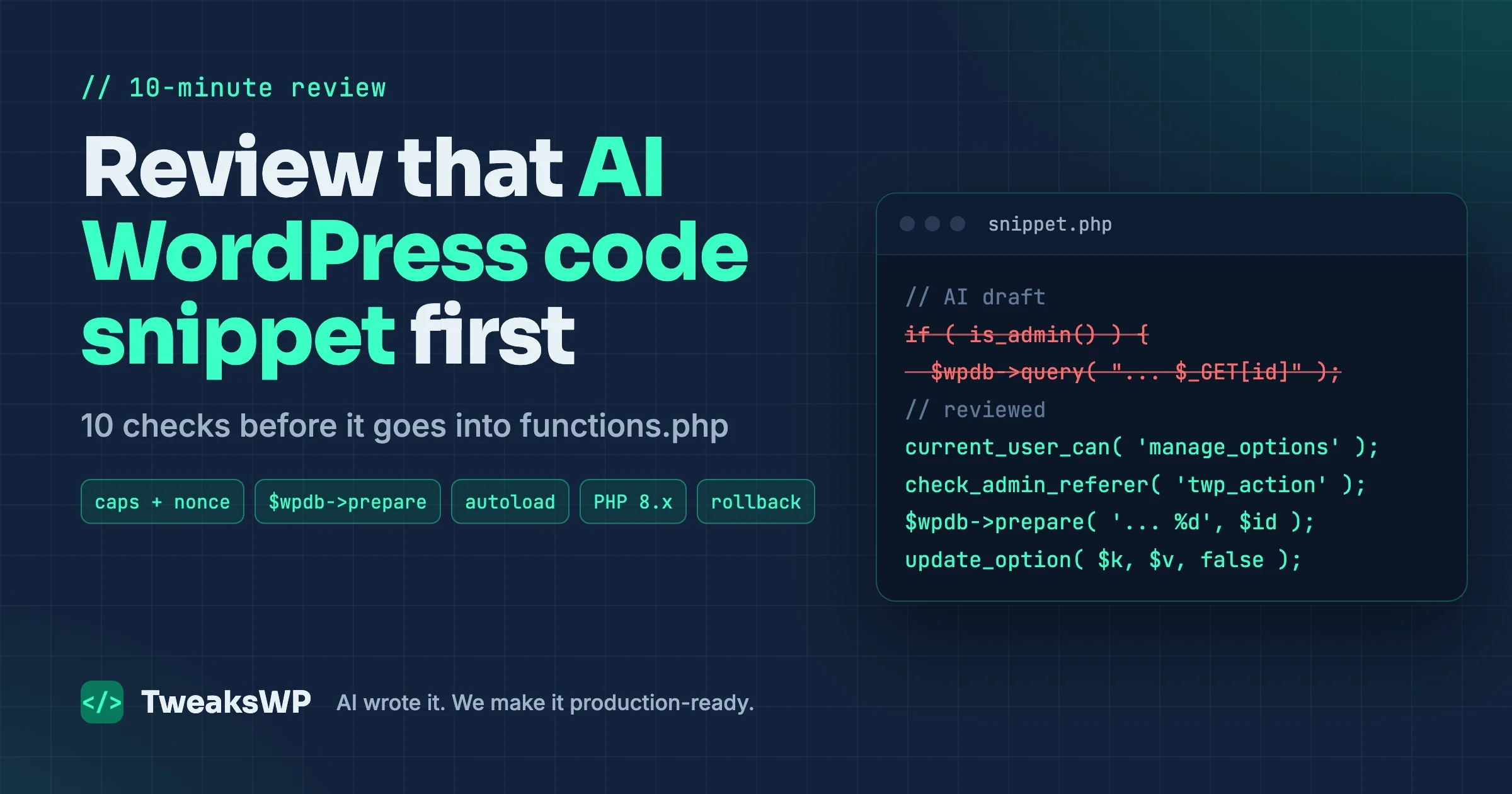
A ten-minute review for any AI-written WordPress code snippet: hooks, capability checks, nonces, escaping, $wpdb->prepare, autoloaded options, per-request cost, deprecated functions, PHP 8.x, where to put it, and how to roll it back.

You asked an assistant for a quick fix, it handed back twenty lines of PHP, and the only question left is where to paste it. That moment is where most AI-written WordPress code snippet problems start. The code runs. The page loads. Three weeks later the options table is 40 MB, a guest can reset a setting by visiting a URL, or the site throws a fatal the day the host moves you to PHP 8.3.
This is a ten-minute review you can run on any WordPress code snippet before it goes into functions.php, a snippets plugin, or mu-plugins. It is not a full security audit. It is the short list of checks that catch the failures AI output produces most often, plus where to put the code and how to back it out if you were wrong.
Why AI snippets fail in a specific way
A snippet from an assistant is usually correct for the happy path. It does what you described on a test page with one admin user logged in. What it skips is context the model cannot see: how many posts you have, which PHP version your host runs, whether the option it writes is loaded on every request, and who else can reach the code path it created.
That makes AI snippets different from a bad plugin. A plugin from the directory has at least passed an automated review and has a changelog. A pasted snippet has no version, no author you can ask, and usually no test. Once it lives in functions.php, nobody reads it again until something breaks.
We covered the security side of AI code in depth in our AI code review-gate checklist. This post is broader and shorter per item: it follows one snippet from the chat window to production and asks ten questions on the way.
The 10-minute WordPress code snippet review at a glance
Run these in order. Each one takes about a minute on a typical snippet of 10 to 60 lines. If any answer is “I don’t know”, stop and find out before pasting.
- Hook: what does it hook into, and does that hook fire where you think it does?
- Permission: who can trigger it, and is that checked with a capability and a nonce?
- Data in and out: is every input sanitized and every output escaped?
- Database: any raw SQL, and if so, is it prepared and prefix-aware?
- Options: does it write options, and are they autoloaded?
- Per-request cost: what does it do on every page view?
- Deprecated WordPress functions: is it using an API that core already replaced?
- PHP 8.x: will it throw warnings or fatals on the PHP version you run next year?
- Placement:
functions.php, snippets plugin, mu-plugin, or a small plugin? - Staging and rollback: how do you test it, and how do you turn it off in 30 seconds?
Minute 1: Read what it hooks into
Every snippet does its work on a hook or runs at file load. Find the add_action() and add_filter() calls first, because the hook decides when and where the code runs, and AI picks hooks by pattern, not by need.
Common mismatches in AI output:
- Code that should run once runs on
init. Registering a post type oninitis correct. Creating a database table, flushing rewrite rules, or sending an email oninitmeans it happens on every request, including REST, AJAX, and cron. admin_inittreated as “admin only”.admin_initalso fires onadmin-ajax.phpandadmin-post.php, and those endpoints accept requests from logged-out visitors. A hook name is not an access check.- Scripts echoed in
wp_head. AI often prints a<script>tag directly. Assets belong inwp_enqueue_scriptswithwp_enqueue_script(), so they can be deferred, deduplicated and dequeued. - Filters that forget to return. A filter callback that modifies a value and returns nothing wipes the value. On
the_contentthat is a blank page body. - Global side effects. A
pre_get_postscallback without$query->is_main_query()and! is_admin()guards changes every query on the site, including menus and widgets.
A quick way to see what a snippet attaches to on a running site:
# List every callback on a hook (WP-CLI, run on staging)
wp eval 'global $wp_filter; print_r( array_keys( $wp_filter["pre_get_posts"]->callbacks ?? [] ) );'

# Find hooks a snippet file registers before you paste it
grep -nE "add_(action|filter)\(" snippet.php
If you want patterns for filters that are safe to run site-wide, our list of 12 WordPress filters that replace plugins shows each one with the guard conditions it needs.
Minute 2: Who is allowed to run it
Any snippet that changes data needs two answers: who is allowed, and did the request come from your own form. In WordPress that is current_user_can() plus a nonce.
The AI mistake we see most on client sites is is_admin() used as a permission check. is_admin() returns true when the request is for an admin screen, including admin-ajax.php. It says nothing about the user. A logged-out visitor can hit a code path guarded only by is_admin().
// AI wrote: "only admins can do this"
if ( is_admin() && isset( $_GET['reset_views'] ) ) {
    delete_option( 'my_view_counts' );
}

// Review: check the user, check the nonce, and do not change state on a plain GET
add_action( 'admin_post_twp_reset_views', static function () {
    if ( ! current_user_can( 'manage_options' ) ) {
        wp_die( esc_html__( 'You are not allowed to do this.', 'twp' ), 403 );
    }
    check_admin_referer( 'twp_reset_views' );
    delete_option( 'twp_view_counts' );
    wp_safe_redirect( admin_url( 'tools.php?twp_reset=1' ) );
    exit;
} );
For REST routes the equivalent is a real permission_callback. If the snippet registers a route with 'permission_callback' => '__return_true' and the route writes anything, that is a public write endpoint. The WordPress security API handbook covers capabilities and nonces with the official examples.
Minute 3: Input in, output out
Scan for every $_GET, $_POST, $_REQUEST, $_COOKIE and $_SERVER read. Each one needs a sanitizer that matches the data type: absint() for IDs, sanitize_text_field() for short strings, sanitize_email(), sanitize_key(), or a strict allow-list with in_array( $value, $allowed, true ). Also wrap reads in wp_unslash(), because WordPress adds slashes to request superglobals.
Then scan for every echo, printf and returned HTML string. Each dynamic value needs escaping at the point of output: esc_html() for text, esc_attr() for attributes, esc_url() for links, wp_kses_post() when some HTML is expected. AI tends to escape once in the middle of a function and then concatenate an unescaped value later. Escape late, at the sprintf() or echo, not earlier.
One WordPress-specific trap: some request keys are public query vars. A snippet that reads $_GET['author_name'], $_GET['p'] or $_GET['s'] also changes the main query when that key is in the URL, because WordPress parses it too. Use a prefixed key or a shortcode attribute instead.
Minute 4: Direct database queries and $wpdb->prepare
Search the snippet for $wpdb. If it is there, ask first whether a core API already does the job. WP_Query, get_posts(), get_users(), get_post_meta() and WP_Term_Query handle caching, filters and prefixes for you. AI reaches for raw SQL far more often than it needs to.
If raw SQL is justified, three checks:
- Every variable goes through
$wpdb->prepare()with%d,%s,%for%ifor identifiers. No string concatenation, no interpolation of request data. See the wpdb::prepare() reference. - No hardcoded
wp_prefix. Use$wpdb->posts,$wpdb->users,$wpdb->prefix. Hardcoded prefixes break on any site that changed it, and on multisite subsites. - Bounded results. A
SELECTwith noLIMITreturns 12 rows on staging and 400,000 rows on a five-year-old store.
Our $wpdb->prepare() deep dive covers the edge cases, including IN() lists and LIKE with $wpdb->esc_like().
Minute 5: Options and autoload
AI loves update_option() as a general-purpose store. It is fine for settings. It is a problem for logs, counters, caches and anything that grows, because options are autoloaded by default when WordPress decides they are small enough, and every autoloaded option is read on every request.
Since WordPress 6.6, the third parameter of update_option() and add_option() takes a boolean. Pass false for data that is only read on a few screens. The old 'yes' and 'no' values still work but are deprecated, per the update_option() reference.
// AI wrote: a growing log, stored in an option loaded on every request
update_option( 'twp_import_log', $log );

// Review: not needed on every request, so do not autoload it
update_option( 'twp_import_log', $log, false );
Also watch for options written inside a loop or on every page view. A snippet that calls update_option() in a shortcode or on wp turns every visit into a database write, and two visitors at the same moment will overwrite each other’s change. To see what a snippet has done to autoload after a day on staging:
wp db query "SELECT option_name, LENGTH(option_value) AS bytes
FROM $(wp db prefix)options
WHERE autoload IN ('yes','on','auto-on','auto')
ORDER BY bytes DESC LIMIT 20;"
Minute 6: What it costs on every request
Ask: when a logged-out visitor loads the home page, what does this code do? Snippets hooked to init, wp, template_redirect, wp_head or the_content run on most or all front-end requests. Look for these inside them:
- Remote HTTP calls with
wp_remote_get()and no caching. A 600 ms API call on every page is a 600 ms slower site, and a dead API is a hanging site. Cache the response in a transient and set a shorttimeout. 'posts_per_page' => -1or'numberposts' => -1. Unbounded queries grow with the site.- Queries in a loop. A
get_post_meta()orget_user_by()per row is usually fine with the object cache warm; a raw$wpdbquery per row is not. - Uncounted
WP_Querywork. If you do not paginate, pass'no_found_rows' => trueso MySQL skips the total count. - File reads and writes such as
file_put_contents()for logging on each request.
If the snippet only matters on one screen, gate it early with a cheap check: is_singular( 'product' ), is_page( 'pricing' ), or get_current_screen() in admin. Then measure. Query Monitor on staging shows queries and HTTP calls per request, and the difference with and without the snippet active is the real number.
Minute 7: Deprecated WordPress functions
Models are trained on years of tutorials, and a lot of that code predates current core. A snippet can be syntactically fine and still call functions WordPress replaced several releases ago. Deprecated functions keep working for a while, then log notices, then disappear.
A common one in AI output is get_page_by_title(), deprecated in WordPress 6.2 in favour of WP_Query. Its function reference on developer.wordpress.org shows the replacement:
// AI wrote (deprecated since 6.2)
$page = get_page_by_title( 'Pricing' );

// Review: WP_Query with the title argument
$query = new WP_Query( array(
    'post_type'              => 'page',
    'title'                  => 'Pricing',
    'post_status'            => 'all',
    'posts_per_page'         => 1,
    'no_found_rows'          => true,
    'ignore_sticky_posts'    => true,
    'update_post_term_cache' => false,
    'update_post_meta_cache' => false,
) );
$page = $query->posts[0] ?? null;
You do not need to memorise the list. Turn on WP_DEBUG_LOG on staging, load the pages the snippet touches, and read the log. WordPress writes a line such as “Function get_page_by_title is deprecated since version 6.2.0!” with the replacement named. Also check any function you do not recognise against developer.wordpress.org. If there is no reference page, the model may have invented it.
Minute 8: PHP 8.x compatibility
Most hosts now run PHP 8.1 or newer, and each release has promoted old notices to warnings or errors. Code that worked on PHP 7.4 can fill the log or fatal on 8.x. The patterns to look for in AI snippets:
- Removed functions:
create_function()andeach()were removed in PHP 8.0. Calling them is a fatal error. - Undefined keys and variables: since 8.0, reading a missing array key is a warning.
$counts[ $key ] + 1on a new key, or$_GET['x']withoutisset(), fills the log. Use?? 0orisset(). - Null to built-in functions: since 8.1, passing
nullto a non-nullable parameter ofstrlen(),trim(),str_replace()and similar is deprecated.get_post_meta()with$single = truereturns an empty string when missing, but other APIs returnnull. - Dynamic properties: since 8.2, setting a property that was not declared on a class is deprecated. AI-written classes often do this.
"${var}"string interpolation,utf8_encode()andutf8_decode()are deprecated in 8.2. See the PHP 8.2 deprecation list.- Implicitly nullable parameters such as
function x( string $a = null )are deprecated in 8.4. Write?string $a = null.
For anything longer than a few lines, run a compatibility scan instead of eyeballing it:
# Syntax check with the PHP version your server runs
php -l snippet.php

# Compatibility scan against PHP 8.1 and newer (PHPCompatibilityWP ruleset)
phpcs -p --standard=PHPCompatibilityWP --runtime-set testVersion 8.1- snippet.php
A worked example: one AI WordPress code snippet, reviewed
Here is a realistic request: “Add a shortcode that shows the latest five posts by the author in the URL, and count how many times each author list is viewed. Admins should be able to reset the counts.” This is close to what an assistant returns:
add_action( 'init', function() {
    add_shortcode( 'author_posts', 'show_author_posts' );
    if ( is_admin() && isset( $_GET['reset_views'] ) ) {
        update_option( 'my_view_counts', array() );
    }
} );

function show_author_posts( $atts ) {
    global $wpdb;
    $author = $_GET['author_name'];
    $posts  = $wpdb->get_results( "SELECT ID, post_title FROM wp_posts
        WHERE post_author = (SELECT ID FROM wp_users WHERE user_login = '$author')
        AND post_status = 'publish' ORDER BY post_date DESC LIMIT 5" );

    $counts = get_option( 'my_view_counts', array() );
    $counts[ $author ] = $counts[ $author ] + 1;
    update_option( 'my_view_counts', $counts );

    $out = '<ul>';
    foreach ( $posts as $p ) {
        $out .= '<li><a href="' . get_permalink( $p->ID ) . '">' . $p->post_title . '</a></li>';
    }
    return $out . '</ul>';
}
It works on a test page. Now run the ten questions against it:
- Hook: the reset logic runs on
init, on every request, including front-end, REST and cron. - Permission:
is_admin()is true foradmin-ajax.php, so a logged-out visitor can wipe the counts with/wp-admin/admin-ajax.php?reset_views=1. No capability, no nonce, state changed on a GET. - Data in and out:
$_GET['author_name']is unsanitized and unslashed, and the post title and permalink are printed unescaped. - Database: the author value is interpolated into SQL (injection), the
wp_prefix is hardcoded, andauthor_nameis a public query var, so the URL also changes the main query. - Options:
my_view_countsgrows with every distinct value anyone puts in the URL, and it autoloads. - Per-request cost: every render writes to
wp_options. Two visitors at once lose a count. A full-page cache hides the shortcode, so the counter is also wrong. - PHP 8.x:
$_GET['author_name']and$counts[ $author ]throw “Undefined array key” warnings on first use. - Naming:
show_author_postsis unprefixed and will fatal if a theme or plugin declares the same function.
The reviewed version drops the view counter entirely (page views belong in analytics, not in an option written on every request), takes the author as a shortcode attribute, uses WP_Query, escapes output, and caches the HTML:
<?php
/**
 * Plugin Name: TWP Author Recent Posts
 * Description: [twp_author_posts user="login" count="5"] shortcode.
 * Requires PHP: 8.1
 */

defined( 'ABSPATH' ) || exit;

add_action( 'init', static function () {
    add_shortcode( 'twp_author_posts', 'twp_author_posts_shortcode' );
} );

function twp_author_posts_shortcode( $atts ): string {
    $atts = shortcode_atts(
        array(
            'user'  => '',
            'count' => 5,
        ),
        $atts,
        'twp_author_posts'
    );

    $user = get_user_by( 'login', sanitize_user( $atts['user'] ) );
    if ( ! $user ) {
        return '';
    }

    $count     = min( 20, max( 1, absint( $atts['count'] ) ) );
    $cache_key = 'twp_author_posts_' . $user->ID . '_' . $count;
    $html      = get_transient( $cache_key );

    if ( false === $html ) {
        $query = new WP_Query( array(
            'author'                 => $user->ID,
            'post_status'            => 'publish',
            'posts_per_page'         => $count,
            'no_found_rows'          => true,
            'ignore_sticky_posts'    => true,
            'update_post_meta_cache' => false,
            'update_post_term_cache' => false,
        ) );

        $html = '<ul class="twp-author-posts">';
        foreach ( $query->posts as $post ) {
            $html .= sprintf(
                '<li><a href="%s">%s</a></li>',
                esc_url( get_permalink( $post ) ),
                esc_html( get_the_title( $post ) )
            );
        }
        $html .= '</ul>';

        set_transient( $cache_key, $html, HOUR_IN_SECONDS );
    }

    return $html;
}
Same feature, roughly the same length. The difference is that it is bounded (maximum 20 posts, cached for an hour), it cannot be driven by the URL, it has no public write path, and it is packaged as a plugin with a header, so it can be activated and deactivated. If you still need a reset action, the admin_post_ handler from minute 2 is the pattern. If the list must update the moment a post is published, clear the transient on save_post or drop the cache time.
If you have a folder of snippets like this across several client sites and no time to review each one, that is the work our AI-generated WordPress code review service covers: we read every snippet, fix or replace it, and hand back code you can put under version control.
Minute 9: Where the WordPress code snippet should live
The same code behaves differently depending on where you put it. Pick the location by asking two questions: should it survive a theme change, and should anyone be able to switch it off from the dashboard?
Location | Survives theme change | Can be deactivated in admin | In version control | Good for |
|---|---|---|---|---|
Theme | No | No | If the theme is | Code that only makes sense with this theme: template tweaks, theme supports |
Snippets plugin (stored in the database) | Yes | Yes, per snippet | No | Quick tests; owners who cannot deploy files |
| Yes | No, always on | Yes | Site-wide rules that must never be switched off: security headers, environment config |
Small custom plugin | Yes | Yes | Yes | Anything with a feature name: shortcodes, REST routes, integrations |
A few details that decide it in practice:
functions.phpis tied to the theme. Switch themes, or update a parent theme you edited directly, and the code is gone. If you use it, use a child theme.- Snippets plugins store code in the database. That means no diff, no code review and nothing in your deploy. It is convenient for testing and a liability for anything permanent. We wrote up why database snippets are missing from your deploy and how to audit them on an inherited site.
- mu-plugins load before regular plugins and cannot be deactivated from the admin. Only PHP files directly in the folder load, so subfolders need a loader file. That makes them right for rules and wrong for features you may want to disable. The must-use plugins handbook page lists the caveats, and our mu-plugins guide has working loader patterns.
- A small custom plugin is the default answer for anything a site owner would describe as a feature. It is one folder, one header comment, and it gets activation, deactivation, a place in Git and a name in the plugin list. Moving from a pile of snippets to a plugin is covered step by step in turning WordPress snippets into a custom plugin.
Minute 10: Test on staging and keep a rollback path
Never paste an unreviewed WordPress code snippet into production through the theme file editor. A parse error there can take the whole site down, and the editor that would let you fix it is part of the site that is down. Test on staging, and decide before you deploy how you would turn the code off.
A short staging test
# 1. Snapshot the database before the change
wp db export before-snippet.sql

# 2. Syntax check the file
php -l wp-content/plugins/twp-author-posts/twp-author-posts.php

# 3. Activate and watch the log while you load the affected pages
wp plugin activate twp-author-posts
tail -f wp-content/debug.log
Make sure logging is on for staging in wp-config.php:
define( 'WP_DEBUG', true );
define( 'WP_DEBUG_LOG', true );
define( 'WP_DEBUG_DISPLAY', false );
Then load the pages the snippet touches as a logged-out visitor, as a subscriber and as an admin. Check the log for notices, warnings and deprecation lines, and compare query counts with the snippet on and off. The debugging in WordPress handbook page documents each constant.
Rollback, by location
- Custom plugin:
wp plugin deactivate twp-author-posts. If the site is already fataling, add--skip-plugins --skip-themesso WP-CLI can boot, or rename the plugin folder over SFTP. - mu-plugin: move the file out of
wp-content/mu-plugins/. There is no admin switch. - Snippets plugin: most have a safe mode for exactly this case. Code Snippets, for example, reads
define( 'CODE_SNIPPETS_SAFE_MODE', true );inwp-config.phpand skips all snippets until you remove it. functions.php: restore the previous file from Git or your backup. This is the slowest path, which is one more reason not to start there.- Data changes: if the snippet wrote options or meta you do not want,
wp db import before-snippet.sqlon staging, or delete the specific keys on production.
WordPress recovery mode, introduced in 5.2, helps with fatals in regular plugins and themes: it emails the admin a link that pauses the extension causing the error. It does not cover mu-plugins or wp-config.php, so code in those places needs a manual rollback path.
Ask the assistant for a better first draft
The review is faster when the snippet starts closer to right. Adding constraints to the prompt changes the output a lot:
- State the environment: “WordPress 7.1, PHP 8.3, object cache active, 20,000 posts.”
- State the packaging: “Return a single-file plugin with a header, a unique function prefix, and an ABSPATH guard.”
- State the rules: “Use core APIs over raw SQL. Check capabilities and nonces on any write. Escape all output. Do not autoload new options. No remote calls on front-end requests without a transient.”
- Ask for the risks: “List every hook used and when it fires, and anything this does on every page load.”
Treat the answer as a draft. The model will still claim that code is secure when it is not, which is why the ten minutes stay in the process.
When ten minutes is not enough
This review fits snippets: one feature, one file, under a hundred lines. Stop and get a second pair of eyes when a snippet:
- handles payments, orders, user registration or login;
- registers REST routes or AJAX actions available to logged-out visitors;
- creates custom tables or runs migrations on existing data;
- touches files on disk, uploads or remote servers;
- has grown past a few hundred lines across several snippets that depend on each other.
At that point you are reviewing a plugin, not a snippet, and it deserves a plugin-level review with static analysis, a staging run against real data, and a written rollback plan. That is the gap between “AI wrote it” and “it is production-ready”, and it is what we do in an AI code review engagement.
Frequently asked questions
Is it safe to paste a WordPress code snippet from ChatGPT or Claude into functions.php?
It can be, after review. The code itself is neither safe nor unsafe because an AI wrote it; it is unreviewed. Run the ten checks above, test on staging, and prefer a small plugin over functions.php so you can switch it off without editing theme files.
Should I use a snippets plugin or a custom plugin?
Use a snippets plugin to try something quickly. Once the code is staying, move it into a small custom plugin or mu-plugin so it lives in version control and ships with your deploys instead of sitting in a database row.
How do I know if a function the AI used actually exists?
Search for it on developer.wordpress.org. Every core function, hook and class has a reference page. If there is no page and it is not defined in the snippet itself or a plugin you have installed, the model invented it.
What is the fastest check if I only have two minutes?
Look for request data ($_GET, $_POST) and find where it ends up. If it reaches SQL without $wpdb->prepare(), output without escaping, or a write without current_user_can() and a nonce, do not paste it.
Why did my snippet work on staging but slow down production?
Usually data volume or traffic. An unbounded query, an autoloaded option that grows, or a remote call without caching costs nothing on a staging site with 30 posts and one visitor. Measure queries and HTTP calls per request with the snippet on and off, on a copy of production data.
Does PHP 8.x break old snippets?
It can. Removed functions like create_function() fatal on PHP 8.0 and newer, and many old patterns now log warnings or deprecations. Run php -l with your server’s PHP version and a PHPCompatibility scan before deploying.
The short version
An AI-written WordPress code snippet is a draft from a fast assistant that has never seen your site. Ten minutes of review catches the problems it reliably ships with: the wrong hook, a missing capability check, raw SQL, an autoloaded option that grows, work done on every request, deprecated functions and PHP 8 warnings. Put the result in a small plugin rather than functions.php, test it on staging with logging on, and know the one command that turns it off. That habit is most of the difference between code that runs today and code you can still trust next year.
Plugins we build and run
We maintain these ourselves, which is why we can support them on your site.
- BuddyNextThe self-hosted community engine for WordPress
- BuddyXFree community theme, Pro when you outgrow it
- ReignPremium community theme. Add pieces, build anything
- JetonomyCommunity forum and Q&A for WordPress
- EventonomyEvents and RSVPs for WordPress communities
- LearnomyCourses and learning communities on WordPress
- ListoraDirectories and listings your members can browse
- SnipShareCode sharing built for developer communities
- WB Ad ManagerAd placements that turn traffic into revenue
- WP Career BoardA job board your community actually uses
- WP Sell ServicesSell services with offers, orders, and payouts
- MediaVersePhotos, video, and media albums for members
- WB GamificationPoints, badges, and rewards that keep members active
- Product RoadmapPublic roadmaps with voting your users trust