AI Code Is 1.88x More Likely to Be Vulnerable: A WordPress Review-Gate Checklist
Studies in 2026 put AI-generated code at ~1.88x more likely to be vulnerable. Here is what the research found, why AI code fails in predictable ways, and a concrete WordPress security review-gate checklist to run before AI code touches a live site.

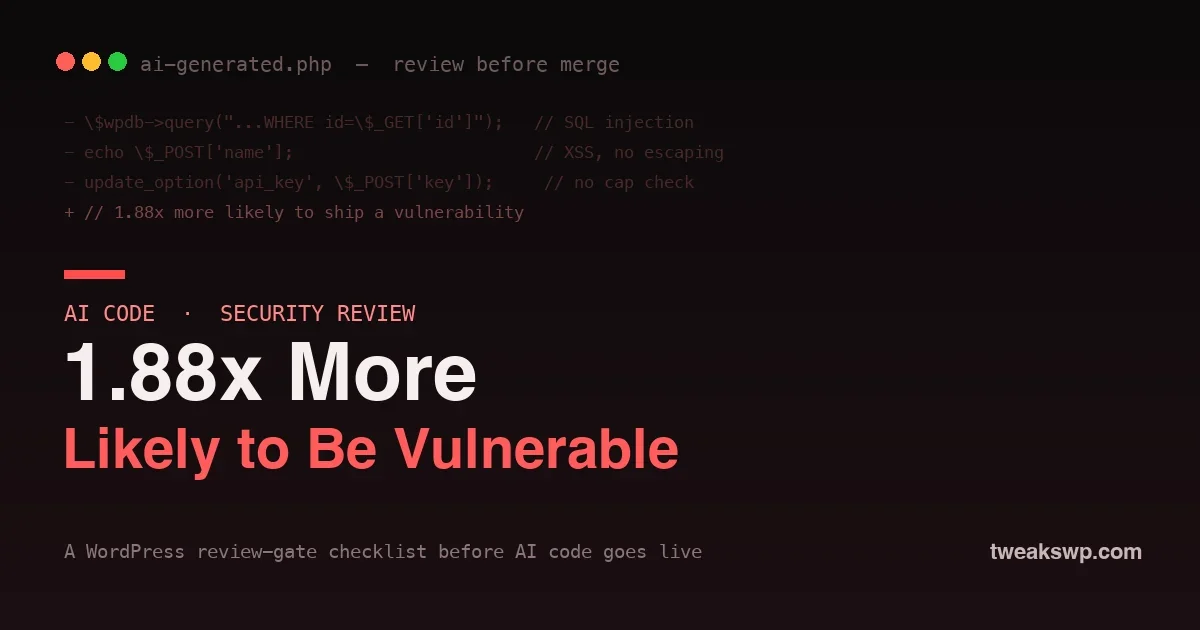
AI now writes a large share of the WordPress code shipped every day. Copilot, Claude, and Cursor scaffold plugins, generate REST handlers, and refactor themes in seconds. The productivity is real. So is the risk, and in 2026 there is finally hard data on it: multiple studies converge on AI-generated code being roughly 1.88 times more likely to contain a security vulnerability than code written by a human alone. A peer-reviewed analysis of iterative AI code generation and a Georgia Tech research note published in April 2026 both point the same direction.
That number is not an argument against using AI. It is an argument for a review gate: a fixed checklist that every piece of AI-generated code passes before it touches a live site. This post covers what the research actually found, why AI code fails in predictable ways, and a concrete WordPress security checklist you can run on any AI output in a few minutes.
What the research actually found
The headline is the 1.88x vulnerability rate, but the details matter more:
- Higher-severity flaws are over-represented. Serious issues (CVSS 7.0 and above) show up markedly more often in AI output than in human-reviewed code.
- Secrets leak more. AI-generated code exposes hardcoded credentials and API keys noticeably more often, because the model happily inlines a key it saw in training rather than reaching for an environment variable.
- Iteration makes it worse, not better. The peer-reviewed work on iterative generation found that repeatedly asking the model to “fix” or “improve” code tends to degrade its security over successive rounds, adding surface area faster than it removes bugs.
For WordPress specifically, that translates into a familiar list of sins: missing capability checks, unsanitized input, unescaped output, and raw database queries built from request data.
Why AI code is more vulnerable
The failure modes are not random. AI writes insecure code for structural reasons:
- It learned from insecure code. The training data is the public internet, which is full of tutorials and Stack Overflow answers that skip escaping and nonces “for clarity.” The model reproduces the average, and the average is not secure.
- It has no threat model. A developer asks “what could an attacker send here?” A model asks “what usually comes next?” It optimizes for plausible, not for safe.
- It is confidently wrong. AI output looks finished and reads well, which lowers your guard exactly when you should raise it. Reviewed code that looks rough gets scrutiny; polished code that is subtly wrong slides through.
- It copies the happy path. Models reliably handle the intended input and quietly ignore the malicious one, which is the entire point of a security bug.
Where the risky AI code comes from
It helps to know which AI-assisted work carries the most risk, so you can aim the review gate where it matters. The highest-risk output is anything that touches a trust boundary: form handlers, AJAX and REST endpoints, database queries, file uploads, and anything that reads user input. Pure presentation code, a template rendering already-escaped data or a CSS tweak, is low risk. The danger concentrates in the code that receives data from the outside world and acts on it.
Vibe coding, where you accept AI output quickly to keep momentum, is where this bites hardest. The faster you move, the less each block gets read, and the security-relevant lines are exactly the ones that look boring enough to skim. A review gate is what lets you keep the speed on the safe parts while forcing a pause on the parts that can hurt you.
The WordPress review-gate checklist
Run this on every block of AI-generated PHP before it merges. None of it is new; it is the WordPress security basics the model skipped. The value is in applying it every single time, without exception.
1. Escape all output
AI frequently echoes values directly. Every dynamic value printed to the page must be escaped with the right function for its context: esc_html(), esc_attr(), esc_url(), or wp_kses_post() for allowed HTML.
// AI wrote:2. Sanitize all inputEvery value from
echo '<div title="' . $_GET['label'] . '">' . $name . '</div>';
// Review gate:
printf( '<div title="%s">%s</div>', esc_attr( $_GET['label'] ), esc_html( $name ) );$_GET, $_POST, $_REQUEST, or a REST body must be sanitized on the way in with sanitize_text_field(), absint(), sanitize_email(), or a stricter validator. Never trust a request value as-is.
3. Use prepared statements for every query
The single most dangerous AI pattern is building a SQL string from request data. Every custom query through $wpdb must use prepare(). If you see string concatenation into a query, stop.
// AI wrote:For the broader database side of this, our guide to locking down the REST and XML-RPC surface covers the endpoints attackers probe first.
$wpdb->query( "SELECT * FROM {$wpdb->prefix}items WHERE id = " . $_GET['id'] );
// Review gate:
$wpdb->get_results( $wpdb->prepare(
"SELECT * FROM {$wpdb->prefix}items WHERE id = %d", absint( $_GET['id'] )
) );
4. Check a capability on every action
AI routinely writes handlers with no authorization. Every action that changes data must gate on current_user_can() with the right capability, and REST routes need a real permission_callback, never __return_true.
5. Verify a nonce on every form and AJAX call
State-changing requests need CSRF protection. Confirm the code calls wp_verify_nonce() or check_ajax_referer(), and that the form actually emitted the nonce field. AI often does one half and forgets the other.
6. Hunt for hardcoded secrets
Grep the output for anything that looks like a key, token, or password. AI inlines credentials it saw in training. Secrets belong in wp-config.php constants or environment variables, never in a committed file.
7. Check the file and function names it invented
Models sometimes call functions that do not exist, or invent option names that never get read. Confirm every WordPress function it used is real and used correctly, and that any option it writes is one something actually consumes.
A worked example: an AI-generated REST endpoint
Here is a realistic block an assistant might hand you when asked to add an endpoint that updates a setting. It looks complete and it runs. It is also a textbook vulnerability:
register_rest_route( 'myplugin/v1', '/setting', array(Run the checklist against it and three failures fall out immediately: there is no
'methods' => 'POST',
'callback' => function ( $req ) {
update_option( 'myplugin_value', $_POST['value'] );
return array( 'ok' => true );
},
) );permission_callback (anyone can call it), the input is unsanitized, and the request is not nonce-verified. The reviewed version closes all three:
register_rest_route( 'myplugin/v1', '/setting', array(Same feature, same five minutes of work, none of the exposure. That is the entire value of the gate.
'methods' => 'POST',
'permission_callback' => function () { return current_user_can( 'manage_options' ); },
'args' => array( 'value' => array( 'sanitize_callback' => 'sanitize_text_field' ) ),
'callback' => function ( $req ) {
update_option( 'myplugin_value', $req->get_param( 'value' ) );
return array( 'ok' => true );
},
) );
Wire the gate into your workflow
A checklist you have to remember is a checklist you will skip under deadline. Automate as much of it as possible:
- PHPCS with the WordPress and security rulesets catches missing escaping, sanitization, and nonce patterns automatically. Run it on every commit, and it flags most of this list before a human looks.
- PHPStan or Psalm catches the invented functions, wrong argument types, and undefined variables AI produces.
- A pre-commit hook that runs both means AI code cannot merge without passing the gate, whether or not anyone remembered to check.
- Human review for logic and auth. Static analysis will not tell you the capability check is missing where it matters most; a human reading with an attacker’s mindset will.
The goal is to make the secure path the default path, so the 1.88x risk is caught by tooling instead of by your users.
The AI mistakes that hit WordPress hardest
Beyond the checklist, a few WordPress-specific patterns recur in AI output often enough to watch for by name:
- REST routes with
__return_truepermission callbacks, exposing data or actions to anyone. This is the exact class of flaw behind many recent disclosures; see our breakdown of the Gravity SMTP patch-gap incident. - Options endpoints that dump settings, including stored keys, without stripping secrets before returning them.
- Direct superglobal use in templates, echoing
$_GETstraight into the page. - Missing
ABSPATHguards at the top of files, allowing direct access. - Overly broad
add_actionhooks that run privileged code on every request.
What the checklist does not catch
The gate above catches the mechanical vulnerabilities, the ones with a function-shaped fix. It will not catch logic flaws, and those are the ones AI is quietly good at introducing. An endpoint can escape every output, sanitize every input, and still authorize the wrong user, expose one customer’s data to another, or trust a value the client should never control. These need a human who understands the feature’s intent, reading the flow and asking who should be allowed to do what. Static analysis is necessary but not sufficient; the last mile is judgment, and that stays your job.
Defense in depth beyond the code
The review gate stops most bugs at the source, but assume some will slip through anyway and limit what they can do. Least-privilege API keys mean a leaked credential is worth less. A tightened REST surface means an accidentally-public endpoint is harder to find. Security headers contain the blast radius of an XSS that escapes review. None of these replace fixing the code, but together they mean a single missed check is an inconvenience rather than an incident. The teams that ship AI code safely are not the ones that never make a mistake; they are the ones whose mistakes cannot reach far.
Frequently asked questions
Does this mean I should stop using AI to write WordPress code?
No. AI is a genuine productivity gain, and banning it just pushes it underground. The point is to pair it with a review gate so its output is held to the same security bar as any other code, which is exactly the bar it tends to miss.
Can I just ask the AI to make the code secure?
Asking helps, but it is not a substitute for review. The research on iterative generation found security can degrade when you repeatedly ask a model to fix its own code. Treat the model’s “it is secure now” as a claim to verify, not a fact.
Which single check catches the most?
Prepared statements and output escaping together prevent the two highest-impact WordPress bug classes, SQL injection and XSS. If you only had time for two lines of the checklist, those are the two.
How do I gate this without slowing my team down?
Automate it. PHPCS with the WordPress security sniffs plus a pre-commit hook enforces most of the list with zero human effort, so the gate adds seconds, not meetings.
Is AI-generated code worse than a cheap outsourced developer?
The failure mode is different. A weak developer writes obviously bad code you can spot; AI writes polished code that hides its bugs behind clean formatting. That is why the review gate matters more, not less, for AI output.
Should junior developers use AI more carefully than seniors?
Yes, because the review gate depends on someone recognizing what is wrong, and that recognition is exactly what juniors are still building. Pair AI use with static analysis and senior review for less experienced developers, so the tooling catches what the reviewer might not yet.
Does this apply to AI-generated JavaScript too?
The principle is identical, though the checks differ: escape output in the DOM, validate data from the server, avoid building HTML from untrusted strings, and never trust client-side checks for security. The review-gate discipline is the same; only the function names change.
How often does AI actually produce a serious bug in practice?
Often enough that the studies measure it in multiples, not rare edge cases. You will not see a vulnerability in every block, but across a codebase of AI-assisted work the odds compound. The review gate turns an unpredictable stream of occasional serious bugs into a steady, boring process that catches them before users do.
The bottom line
The 1.88x figure is not a reason to fear AI-assisted WordPress development; it is a reason to stop treating AI output as trusted by default. The model is a fast junior developer who writes confident code, skips the security basics, and never learned WordPress escaping. Handle it accordingly: run every block through the review-gate checklist, automate the checks with PHPCS and PHPStan, and keep a human reading the auth logic with an attacker’s mindset. Do that and you keep the speed of AI without shipping its vulnerabilities to your users. For the layer beyond code, harden the surface too with proper HTTP security headers, so a bug that slips through has less room to do damage.
Plugins we build and run
We maintain these ourselves, which is why we can support them on your site.
- BuddyNextThe self-hosted community engine for WordPress
- BuddyXFree community theme, Pro when you outgrow it
- ReignPremium community theme. Add pieces, build anything
- JetonomyCommunity forum and Q&A for WordPress
- EventonomyEvents and RSVPs for WordPress communities
- LearnomyCourses and learning communities on WordPress
- ListoraDirectories and listings your members can browse
- SnipShareCode sharing built for developer communities
- WB Ad ManagerAd placements that turn traffic into revenue
- WP Career BoardA job board your community actually uses
- WP Sell ServicesSell services with offers, orders, and payouts
- MediaVersePhotos, video, and media albums for members
- WB GamificationPoints, badges, and rewards that keep members active
- Product RoadmapPublic roadmaps with voting your users trust