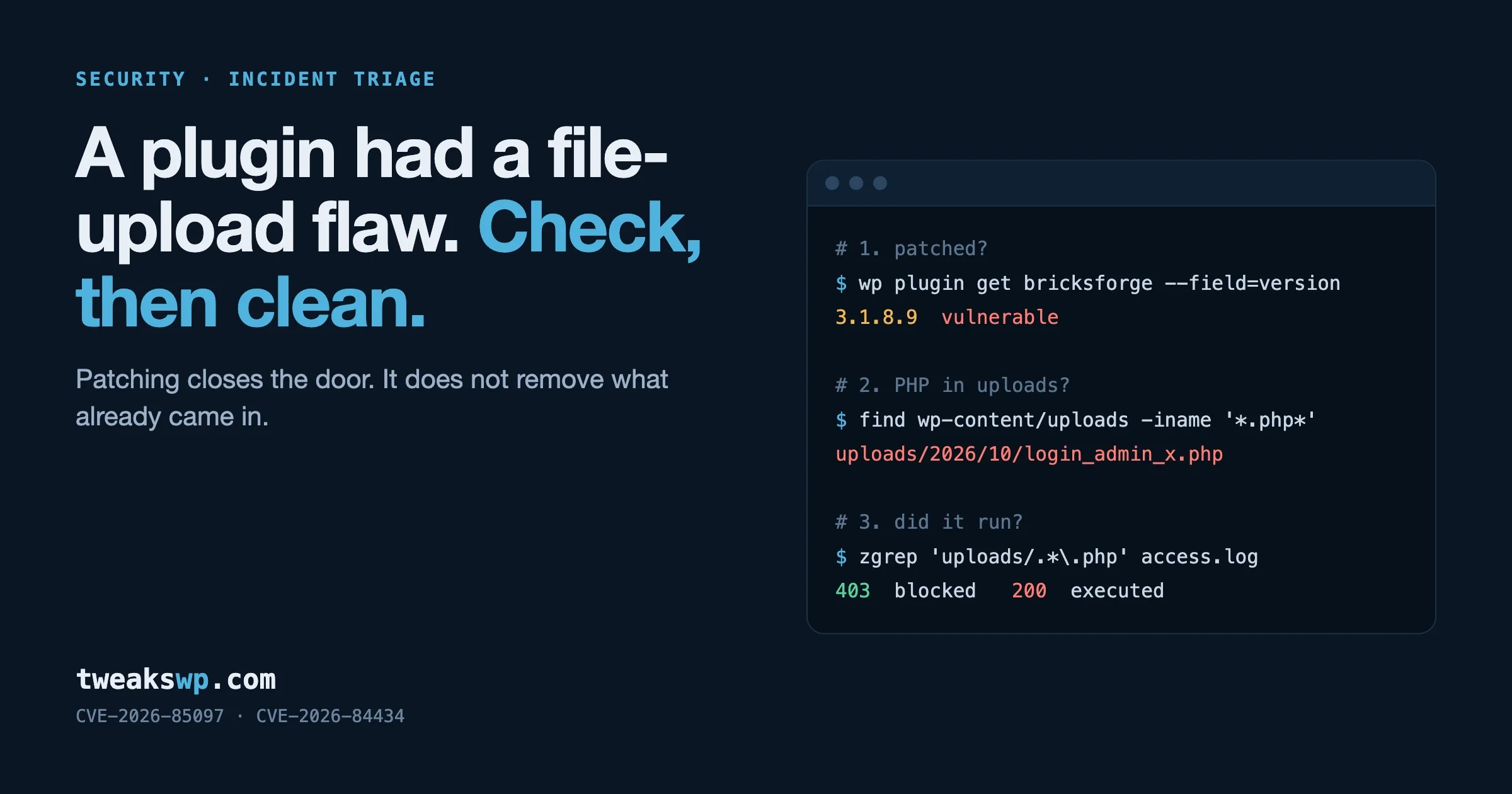
The Patch-Gap Problem: Why Gravity SMTP Sites Got Hit 3 Months After the Fix
CVE-2026-4020 was patched in March 2026 but mass-exploited in June. The story is the 82-day patch gap - why WordPress sites get compromised by fixes nobody installed, and the operational discipline that closes it.

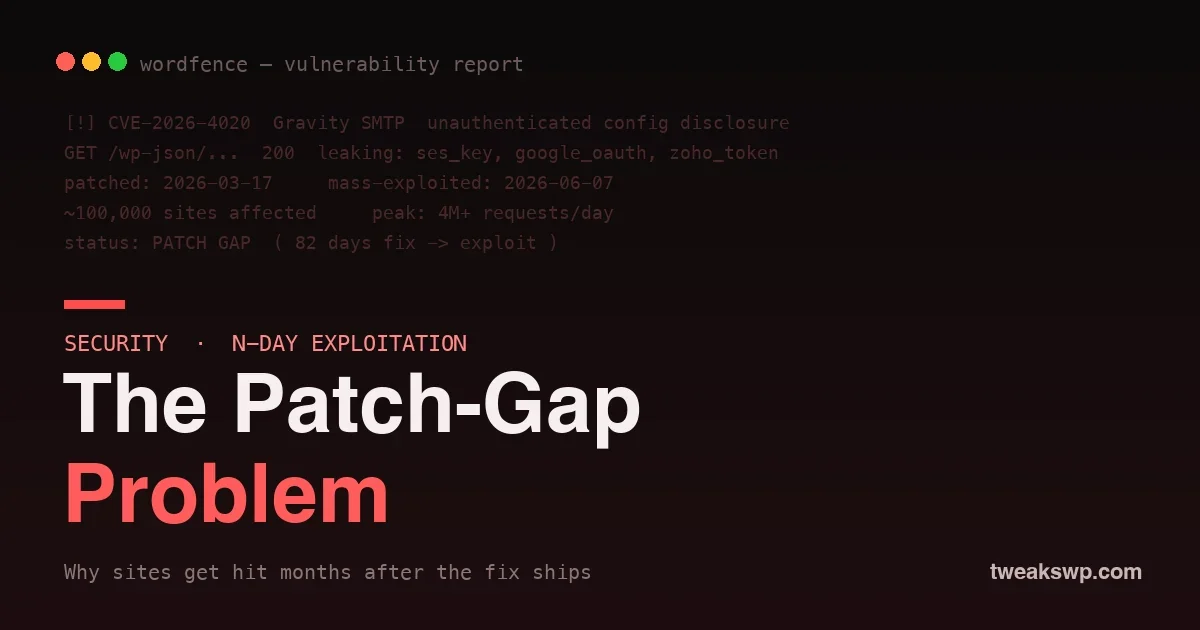
On 17 March 2026, the Gravity SMTP plugin shipped a patch for CVE-2026-4020, an unauthenticated configuration disclosure flaw that exposed stored SMTP provider credentials. Almost three months later, on 7 June 2026, Wordfence recorded the attack peak against that same vulnerability: millions of requests a day, hammering sites that had never applied the fix. Roughly 100,000 installs were in range.
The interesting part of that story is not the bug. Bugs ship and bugs get patched every week. The interesting part is the 82-day gap between the fix being available and the mass exploitation that followed, because that gap is where most WordPress sites are actually compromised. Not by zero-days. By fixes nobody installed. This post is about the patch gap: what it is, why it exists, why attackers depend on it, and the operational discipline that closes it on the sites you run.
What CVE-2026-4020 actually exposed
Gravity SMTP routes a site’s outbound mail through a transactional provider instead of the host’s default mail function. To do that, it stores provider credentials: Amazon SES keys, Google OAuth tokens, Zoho tokens, SendGrid or Mailgun API keys, depending on what the site owner wired up. CVE-2026-4020 let an unauthenticated request read that stored configuration back out. No login, no nonce, no capability check on the path that mattered.
The severity here is not “an attacker can read a setting.” It is that the leaked values are live credentials to a third-party service that can send mail as your domain and bill your account. An exposed SES key is not a website problem. It is an AWS problem, a deliverability problem, and a billing problem, all of which outlive the WordPress site they came from.
The timeline that matters
| Date | Event |
|---|---|
| 2026-03-17 | Patched version released. The vulnerability is now public by implication. |
| Mar to May | Slow scanning. Proof-of-concept refinement. Most sites still unpatched. |
| 2026-06-07 | Mass exploitation peak: millions of requests per day across the install base. |
Read that ordering again, because it is the whole point. Exploitation peaked after the patch, not before it. The fix did not end the risk window. For unpatched sites, the fix opened it.
Why the patch is the exploit blueprint
There is a persistent myth that applying a patch quickly is optional because “the details are not public yet.” For an open-source plugin, the details are public the moment the patch ships. Anyone can diff the vulnerable release against the patched one. The changed lines are a map straight to the vulnerable code path, the missing capability check, the unsanitised parameter. A competent attacker does not need the official write-up. They need the two zip files, which are sitting in the plugin repository’s version history.
This is the n-day model, and it is why n-day exploitation is more common than zero-day against WordPress. A zero-day is expensive to find. An n-day is free: the vendor already did the hard part by telling everyone exactly what to fix. The only variable left is how many sites failed to apply it. That number is the attacker’s addressable market, and the patch gap is what keeps it large.
# What attacker recon looks like for an n-day. No skill required.
# 1. Pull both releases
wget plugin-1.4.1.zip   # vulnerable
wget plugin-1.4.2.zip   # patched
# 2. Diff them
diff -ru 1.4.1/ 1.4.2/  | less
# 3. The patch hunk shows the exact path that was unprotected
# 4. Mass-scan the install base for the unpatched version string
Why the gap exists on real sites
Site owners are not careless as a rule. The patch gap is the sum of rational-looking local decisions that add up to exposure:
- Auto-updates are off. Often deliberately, after one bad update broke a layout years ago. The lesson learned was “updates are dangerous,” and it never got revisited.
- Staging fear. Updates are queued to be tested on staging “later.” Security patches sit in the same queue as a cosmetic version bump, with the same low urgency.
- Update fatigue. A site with 40 plugins shows update notices constantly. The signal of a critical security release drowns in the noise of minor ones.
- Abandoned and inherited sites. The client stopped paying for maintenance, or the agency that built it moved on. Nobody is watching the dashboard at all.
- “If it is not broken.” The site works, so touching it feels like the risk. The exposure is invisible until it is not.
None of these are stupid. All of them produce the same outcome: a known-vulnerable version running long after the fix existed.
What a leaked SMTP key actually costs
When the credential in question is a mail-sending key, the blast radius is specific and expensive. An attacker with your SES key does not deface your homepage. They do something quieter and worse: they send mail through your reputation.
- Spam and phishing at your expense. Your sending quota becomes their free, pre-warmed infrastructure. Phishing sent through a legitimate domain lands in inboxes that would have filtered a fresh one.
- Domain reputation damage. Once your domain is flagged for abuse, your real transactional mail, including password resets and receipts, starts landing in spam. Recovering sender reputation takes weeks.
- Billing and suspension. SES bills per message. A burst of attacker traffic is a real invoice, and AWS may suspend the account for abuse, taking your legitimate mail down with it.
This is why a mail-credential disclosure is rated the way it is. The website is the entry point, not the target.
Updating does not undo the leak
Here is the part that gets missed in the rush to click “update.” If a credential was exposed while your site ran the vulnerable version, updating the plugin closes the hole but does not invalidate the key that already leaked. The attacker copied it. It is theirs until you rotate it.
So the response to a credential-disclosure CVE is two steps, not one:
- Patch the plugin to stop further disclosure.
- Rotate every credential the plugin stored: generate new SES, OAuth, or provider keys, update them in the plugin, and revoke the old ones at the provider. The revocation is the step that actually ends the incident.
How to tell if you were already hit
Assume nothing from the dashboard looking normal. Check the places that show abuse:
- Provider sending logs. Your SES or Mailgun dashboard shows volume and recipients. A spike you did not cause, or mail to addresses you do not recognise, is the signal.
- Provider security alerts. AWS frequently emails when a key appears compromised or when sending patterns trip abuse detection. Do not ignore those.
- Server access logs. Look for unauthenticated requests to the plugin’s REST or admin-ajax paths around and after the patch date. For the general technique of watching the request surface, our guide to locking down XML-RPC and REST user enumeration covers the same log-reading discipline.
- A security scanner. Wordfence and similar tools flag the known-vulnerable version and many of the exploit signatures directly.
Closing your own patch gap
The fix for one CVE is “update and rotate.” The fix for the patch-gap problem is operational, and it is the same on every site you manage. The goal is simple: the window between a security release and you applying it should be measured in hours, not months.
Turn on auto-updates for plugins, deliberately
The old fear of auto-updates is mostly outdated. WordPress core auto-updates have been stable for years, and plugin auto-updates can be enabled per plugin so you keep manual control over the one fragile component while everything else patches itself. You can enable them in the dashboard, or in code:
// Auto-update all plugins except a named fragile one.
add_filter( 'auto_update_plugin', function ( $update, $item ) {
    $hold = array( 'fragile-plugin/fragile-plugin.php' );
    if ( in_array( $item->plugin, $hold, true ) ) {
        return false; // update this one by hand
    }
    return true; // everything else updates automatically
}, 10, 2 );
Separate security updates from feature updates
The reason patches sit in a staging queue is that all updates are treated with the same urgency. They are not equal. A security release goes out now; a feature release waits for the test cycle. If your process cannot tell the two apart, every security patch inherits the delay of your slowest cosmetic one. Subscribe to a vulnerability feed so you know which is which. We publish a running WordPress vulnerability roundup for exactly this triage.
Monitor, because the dashboard will not call you
An abandoned site has nobody looking at its update notices. Uptime and integrity monitoring fills that gap by pushing an alert when a known-vulnerable version is detected or when file integrity changes. The dashboard is a pull interface; security needs a push one.
Understand the 24-hour distribution delay
WordPress.org’s 2026 “Protect The Shire” change adds up to a 24-hour cooldown before a plugin or theme release is distributed, so AI-assisted review can run. For your patch process this means a security release is not always instantly available the moment the developer tags it. It does not change your job, which is to apply the fix as soon as it reaches you, but it is worth knowing why a fix you read about might lag in your updates screen by a day.
Harden the surface so a future disclosure leaks less
Defense in depth limits what any single disclosure can cost. Security headers, a tightened REST surface, and least-privilege credentials all shrink the blast radius. Start with HTTP security headers, then scope every API key you hand a plugin to the minimum the integration needs. An SES key restricted to sending from one verified domain is worth far less to an attacker than a full-access one.
A patch-gap playbook for agencies
If you run many client sites, the patch gap is a portfolio risk, not a per-site one. A workable standard:
- Inventory. Know every plugin and version across every site, in one place. You cannot patch what you cannot see.
- Default to auto-update for everything except an explicit, documented hold list.
- A vulnerability feed wired to alerts, so a critical release becomes a ticket the same day, not a thing someone notices next month.
- A rotation runbook for credential-disclosure CVEs: which keys each site stores and how to rotate each provider, written down before you need it.
- A monthly audit that catches the sites auto-update missed: the abandoned ones, the manually held plugin that is now three versions behind.
How disclosure bugs like this happen
Configuration-disclosure flaws almost always come from the same root cause: a read path that returns stored settings without checking who is asking. In a WordPress plugin that usually means a REST route or an admin-ajax handler registered without a real permission callback, or registered with one that returns true. The vulnerable shape looks like this:
// Vulnerable: anyone can read the stored settings, keys included.
register_rest_route( 'gravity-smtp/v1', '/settings', array(
    'methods'             => 'GET',
    'callback'            => 'gsmtp_get_settings',
    'permission_callback' => '__return_true', // the bug
) );

function gsmtp_get_settings() {
    return get_option( 'gravity_smtp_settings' ); // includes provider keys
}
The fix is one line of intent: gate the read on a capability that only a trusted user holds, and never return secrets in a response at all.
'permission_callback' => function () {
    return current_user_can( 'manage_options' );
},
// and strip secrets before returning, even to admins:
function gsmtp_get_settings() {
    $s = get_option( 'gravity_smtp_settings' );
    unset( $s['ses_secret'], $s['oauth_token'] );
    return $s;
}
If you write plugins, this is the audit: every route and handler that reads options needs a permission callback that is not __return_true, and no endpoint should ever serialize a stored secret back to the client.
Rotating a leaked SES key without breaking mail
Rotation is where most incident responses stall, because people fear taking mail down. You do not have to. Add the new key before removing the old one, verify, then revoke:
# 1. Create a new access key for the SES IAM user
aws iam create-access-key --user-name ses-smtp-user

# 2. Put the new key into the plugin settings, save, send a test email
# 3. Confirm delivery in the SES dashboard, then DEACTIVATE the old key
aws iam update-access-key --user-name ses-smtp-user \
    --access-key-id AKIA_OLD_KEY --status Inactive

# 4. Watch for 24-48h. If nothing breaks, DELETE the old key for good
aws iam delete-access-key --user-name ses-smtp-user \
    --access-key-id AKIA_OLD_KEY
Deactivating before deleting gives you an instant rollback if some forgotten cron job still used the old key. The leaked key is dead the moment it goes inactive, which is the part that ends the incident.
Wiring a vulnerability alert so you hear about the next one
The dashboard will not tell you a plugin became dangerous overnight. A scheduled scan will. At minimum, run a vulnerability check on a schedule and have it shout when it finds something, rather than waiting for someone to log in:
# A daily WP-CLI vulnerability scan via system cron (not WP-Cron),
# piped to an alert when anything is found.
0 7 * * * cd /var/www/site && wp plugin list --update=available --format=count \
  | awk '$1>0{print "updates pending on site"}' \
  | mail -s "WP updates pending" ops@example.com
Pair that with a real vulnerability feed (Wordfence Intelligence or Patchstack) so the alert distinguishes a security release from a routine one. The point is to convert a silent risk into a message that reaches a human the same day the fix ships.
Frequently asked questions
If I updated the plugin, am I safe?
You are safe from further disclosure, but not from a key that already leaked while you were vulnerable. Updating closes the hole; rotating the stored credentials is what invalidates what the attacker already took. Do both.
How do I know if my key was actually stolen?
You often cannot prove a negative, so treat exposure as compromise. If your site ran the vulnerable version while it was being scanned, rotate the keys. The cost of rotating is a few minutes; the cost of assuming you were fine is a hijacked sending domain.
Does a web application firewall remove the need to patch?
A firewall buys time and blocks known exploit patterns, which is valuable during the gap. It is not a substitute for the patch, because rules can be bypassed and new variants appear. Treat a firewall as the thing that protects you for the hours between disclosure and your update, not instead of it.
Why do attackers wait months after the patch to strike?
They do not wait deliberately; exploitation ramps as tooling matures and scanning finds the long tail of unpatched sites. Early on, few sites are worth the effort. By the time mass scanning is automated, the patched sites have moved on and the remaining targets are exactly the ones that never updated.
Should I enable auto-updates on every plugin?
Enable them on everything except a small, documented list of plugins you have a specific reason to update by hand. The risk of an auto-update breaking a layout is far smaller and far cheaper than the risk of sitting on a known-vulnerable version for months.
The takeaway
CVE-2026-4020 will be followed by another credential-disclosure flaw, and another after that. You cannot control when a plugin you depend on ships a vulnerability. You can control the one variable that decides whether it touches your sites: the time between the fix shipping and you applying it. The sites compromised in June were not hit because the bug was clever. They were hit because the patch was three months old and still not installed. Close that gap as a matter of process, treat credential leaks as rotations and not just updates, and the next n-day becomes a notification instead of an incident.
Plugins we build and run
We maintain these ourselves, which is why we can support them on your site.
- BuddyNextThe self-hosted community engine for WordPress
- BuddyXFree community theme, Pro when you outgrow it
- ReignPremium community theme. Add pieces, build anything
- JetonomyCommunity forum and Q&A for WordPress
- EventonomyEvents and RSVPs for WordPress communities
- LearnomyCourses and learning communities on WordPress
- ListoraDirectories and listings your members can browse
- SnipShareCode sharing built for developer communities
- WB Ad ManagerAd placements that turn traffic into revenue
- WP Career BoardA job board your community actually uses
- WP Sell ServicesSell services with offers, orders, and payouts
- MediaVersePhotos, video, and media albums for members
- WB GamificationPoints, badges, and rewards that keep members active
- Product RoadmapPublic roadmaps with voting your users trust