WordPress Dynamic Hooks: The Complete save_post_{type} Guide
Learn how WordPress dynamic hooks like save_post_{$post_type}, manage_{$screen->id}_columns, and theme_mod_{$name} work, with code examples and gotchas.

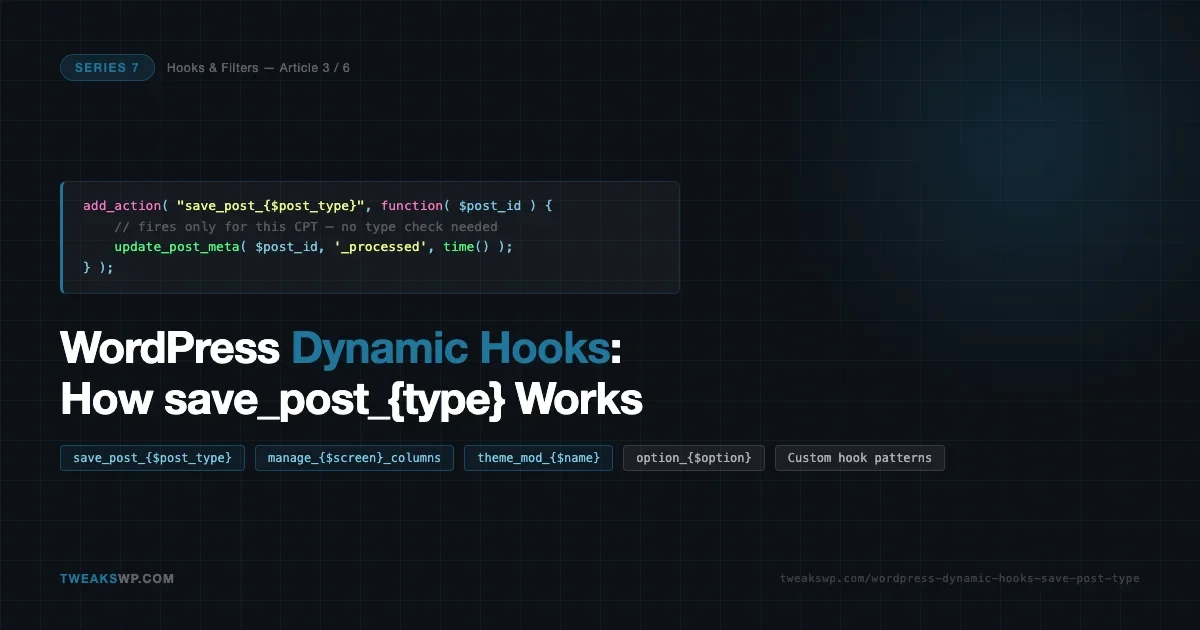
WordPress has over 2,000 named hooks in core, but a smaller set of them are dynamic: their names are not fixed strings but are built at runtime by embedding a variable. save_post_{$post_type}, manage_{$screen->id}_columns, and theme_mod_{$name} are the three you will hit most often. Understanding how they work changes how you write plugin and theme code. Instead of registering on a broad hook and filtering inside the callback, you register on a specific hook and your callback does one thing cleanly. This article covers each pattern, how to build your own, and the edge cases that cause silent failures.
What Makes a Hook Dynamic
A dynamic hook is one where the hook name contains a PHP variable interpolated at the point WordPress calls do_action() or apply_filters(). The hook registration happens at call time, not at plugin load time. When WordPress saves a product post, core runs this:
do_action( “save_post_{$post->post_type}”, $post_id, $post, $update );
If $post->post_type is product, the hook name becomes save_post_product. If it is event, it becomes save_post_event. WordPress evaluates both save_post (static) and save_post_{$post_type} (dynamic) on every save. You can hook either or both.
This pattern shows up across core in three main areas: post saving, admin list table columns, and theme customization values. Each has its own variable and its own subtleties. Before diving into each one, it helps to understand how WordPress resolves dynamic hook names internally. When do_action() is called, it looks up the full constructed string in the $wp_filter global - the same registry used for every static hook. There is no special dynamic dispatch layer. The only difference is that the key in that registry was built with string interpolation instead of typed as a literal.
This means you can verify hook registration with the same tools you use for static hooks: has_action(), has_filter(), and Query Monitor’s Hooks panel all treat dynamic and static hooks identically. The hook name is just a string by the time any of these functions see it.
save_post_{$post_type}: Scoped Save Hooks
The save_post hook fires for every post type on every save operation. It has been the standard hook for meta box data since WordPress 1.x. The dynamic variant save_post_{$post_type} was introduced later and fires immediately after save_post, with the same three parameters: $post_id, $post, and $update.
The difference is scope. On save_post you must check $post->post_type manually before doing anything useful. On save_post_{$post_type} that check is built into the hook name itself. The callback is only invoked for that post type.
The snippet below shows basic usage for two post types, each with its own callback that does not need an inner type check.
Saving Meta Box Data Securely
The most common use of save_post_{$post_type} is saving custom meta box fields. The pattern requires four guards: autosave check, revision check, capability check, and nonce verification. All four must be present. Missing any one of them creates either a data loss bug (autosave overwrites with empty values) or a security vulnerability (any logged-in user can write arbitrary post meta).
The example below registers an event meta box, renders its fields, and saves them on save_post_event. Each field is sanitized before it reaches the database.
save_post vs save_post_{$post_type}: When Each Fires
Both hooks fire on the same save event. The execution order is:
Hook | When it fires | Parameters |
|---|---|---|
| Every post type, before dynamic variant | $post_id, $post, $update |
| Only for the specified type, after save_post | $post_id, $post, $update |
Both fire on autosaves, REST API saves, and WP-CLI wp post update. The autosave guard (defined( 'DOING_AUTOSAVE' ) && DOING_AUTOSAVE) is mandatory on both. Autosaves do not send meta box nonces, so a nonce check alone is not sufficient to block them; you need the explicit autosave constant check first.
The $update parameter is true when the post already exists in the database and false on first insert. Use it to skip initialization logic when editing an existing post or to run one-time setup only on creation.
REST API and Gutenberg Considerations
Gutenberg saves posts via the REST API. save_post_{$post_type} fires on REST API saves, but the request context is different. There is no $_POST array. If your callback reads $_POST data (as meta box callbacks do), those reads return nothing on REST saves. This is correct behavior: Gutenberg does not submit meta box fields through the block editor by default.
For meta stored through the block editor (via register_post_meta with show_in_rest: true and single: true), use the REST API update callback in register_post_meta or hook rest_after_insert_{$post_type}, which fires after a REST insert or update and gives you a clean WP_Post object and the incoming WP_REST_Request.
add_action( ‘rest_after_insert_event’, function( $post, $request, $creating ) {
$venue = $request->get_param( ‘_event_venue’ );
if ( $venue !== null ) {
update_post_meta( $post->ID, ‘_event_venue’, sanitize_text_field( $venue ) );
}
}, 10, 3 );
The naming pattern is the same as save_post_{$post_type}: embed the post type slug. This is the REST-safe alternative for meta that Gutenberg sends through the REST API rather than through a classic meta box form submission.
manage_{$screen->id}_columns: Scoped Admin Columns
The admin list table for any post type, taxonomy, or custom admin page exposes a dynamic filter for adding, removing, or reordering columns. The hook name is built from the WordPress screen ID for the current page. For a post type list table the ID follows the pattern {post_type}_posts, so the filter becomes manage_{post_type}_posts_columns. For taxonomy list tables it is manage_edit-{taxonomy}_columns.
The dynamic hook targets the columns for one specific screen. Without it, you would hook manage_posts_columns (which fires for all post types) and guard with a post type check. The scoped version eliminates that guard.
The example below adds three custom columns to the event post type, populates them from post meta, makes one sortable, and handles the sort query. These four hooks work together and all use the same screen-derived naming pattern.
Finding the Correct Screen ID
The screen ID is not always obvious. For custom admin pages registered with add_menu_page() or add_submenu_page(), WordPress generates an ID from the page slug. A top-level menu page with slug my-settings gets the screen ID toplevel_page_my-settings. A submenu under Settings with slug my-settings gets settings_page_my-settings.
The fastest way to find the exact screen ID is to log it temporarily:
add_action( ‘current_screen’, function( $screen ) {
if ( defined( ‘WP_DEBUG’ ) && WP_DEBUG ) {
error_log( $screen->id );
}
} );
Then navigate to the admin page in question. The screen ID appears in your PHP error log. Remove the log statement once you have the ID. This approach works for WooCommerce HPOS order tables (woocommerce_page_wc-orders), third-party plugin list pages, and taxonomy edit screens where the ID format is less predictable.
Column Hooks Reference
Hook | Purpose | Context |
|---|---|---|
| Add/remove columns (filter) | Post type list table |
| Populate column content (action) | Post type list table |
| Add/remove columns (filter) | Taxonomy list table |
| Populate column content (filter, returns value) | Taxonomy list table |
| Register sortable columns (filter) | Post type list table |
Note the difference between post type and taxonomy column population: for post types it is an action (you echo the value), for taxonomies it is a filter (you return the value). Mixing these up produces empty columns with no PHP error because WordPress silently discards the echoed output in filter context.
theme_mod_{$name}: Per-Setting Customizer Overrides
Every call to get_theme_mod( 'setting_name' ) runs the value through apply_filters( "theme_mod_{$name}", $value ) before returning it. This means you can intercept any single Customizer setting by name without writing a customize_register callback or touching the settings database.
The pattern is useful in three situations: forcing a brand color that must not be changeable through the Customizer, providing a sensible default when the setting has never been saved (fresh theme installs), and making the value context-aware (different color on a landing page template versus the main blog).
What theme_mod_{$name} Cannot Do
theme_mod_{$name} only affects reads via get_theme_mod(). It does not change what is stored in the database. If you override header_textcolor to always return 21759b, the Customizer preview will still show whatever value the user set, because the Customizer uses its own in-memory state during the live preview, not get_theme_mod() on every refresh.
To control what the Customizer shows as the current value, you need customize_register with a sanitize callback that enforces the value, or a custom control with a locked input. The filter is appropriate for production runtime override; it is not a Customizer UI constraint.
The filter also fires on REST API requests and WP-CLI commands that call get_theme_mod(). If your context check uses conditional tags that require a front-end query (is_front_page(), is_singular()), guard with did_action( 'wp' ) to avoid calling conditionals before the query is set up.
Building Your Own Dynamic Hooks
The same pattern that WordPress core uses is available to any plugin or theme. You embed a variable in the hook name at the call site. Code that wants to intercept all events hooks the generic name; code that targets one type hooks the specific name. This is the plugin API’s extension model applied recursively.
The standard convention is to fire both: one generic hook and one dynamic hook. The generic hook fires first. The dynamic hook fires second. This gives consuming code the choice of which to use.
Naming Conventions
WordPress core uses a few consistent patterns for dynamic hook names:
action_{$variable}oraction_{$variable}_suffix- variable embedded in the middle or at the end- The variable is always a machine-readable slug, not a display label
- Underscores separate segments; hyphens appear only when the underlying slug contains them
- The static portion is long enough to be grep-able:
save_postis findable,postalone is not
For your own hooks, follow the same rules. Use your plugin prefix, make the static portion descriptive, and document the hook with a @fires annotation in the function’s docblock. Dynamic hook names cannot be discovered by a simple grep because the full name is never a string literal in your codebase. Documentation is the only way consuming developers will find them.
Dynamic Filters Follow the Same Pattern
Everything above applies to apply_filters() as well. WordPress uses dynamic filters in get_template_part() (get_template_part_{$slug}), in widget output (widget_{$widget_id}_title), and in option retrieval (option_{$option}). Your custom filter API follows the same structure: call both the generic and the specific filter, in that order.
function tweakswp_get_config( $key, $context ) {
$value = get_option( “tweakswp_{$key}” );
$value = apply_filters( “tweakswp_config_{$key}”, $value );
$value = apply_filters( “tweakswp_config_{$key}_{$context}”, $value );
return $value;
}
A call to tweakswp_get_config( 'timeout', 'api_fetch' ) fires tweakswp_config_timeout (any consumer) and then tweakswp_config_timeout_api_fetch (consumers targeting the API fetch context only). The value passes through both filter chains in sequence.
Gotchas and When NOT to Use Dynamic Hooks
Dynamic hooks solve a real problem but they introduce a different category of issue. These are the ones that cause silent failures and are harder to debug than a wrong hook name.
The Six Gotchas in Detail
- Hook name case sensitivity. Post type slugs are always lowercase. A CPT registered as
Product(capital P) is stored asproduct. The hook fires assave_post_product. This is rarely a problem you create yourself, but third-party CPTs occasionally deviate from the convention. Check the post type slug withwp post-type list --status=publicin WP-CLI before writing the hook name. - save_post fires before save_post_{$post_type}. If you remove an action from
save_post, it is already removed before the dynamic hook fires. If you need to prevent a callback from running, remove it from the correct hook. - manage_{$screen->id}_columns: the screen ID is not the post type slug. For post type list tables the ID is
{post_type}_posts, not{post_type}. The filter ismanage_product_posts_columns, notmanage_product_columns. The second form does not fire. Useerror_log( $screen->id )incurrent_screento verify. - theme_mod_{$name} fires on every get_theme_mod() call, anywhere in the stack. REST API requests, WP-CLI calls, admin AJAX, and cron jobs all call this filter when they use
get_theme_mod(). A conditional tag that assumes a front-end context (is_singular()) will be false or will trigger a notice depending on when it is called. Guard withdid_action( 'wp' )before using front-end conditionals. - Dynamic hooks are discovery-hostile. A
grepfortweakswp_form_submitted_quotereturns no results in your codebase because the full string is never written. Use@firesdocblock annotations and maintain a hook reference in your plugin’s docs. WP-CLIwp hook list(Query Monitor plugin) shows registered hooks at runtime but cannot enumerate dynamic names before they fire. - Do not use dynamic hooks as a substitute for a well-typed API. If the variable is unbounded (any arbitrary string from user input), the hook name is unpredictable. Dynamic hooks work well when the variable is from a controlled set (registered post types, registered taxonomy slugs, known theme mod keys). When the variable comes from outside your control, validate it first and consider a static hook with a parameter instead.
Dynamic Hooks in Core: A Pattern Reference
Once you know what to look for, dynamic hooks appear throughout WordPress core. These are the ones you are most likely to encounter in plugin development:
Hook | Variable | Typical use |
|---|---|---|
| Post type slug | Save CPT meta box data |
| Post type slug | Post-save logic on REST API saves |
| Post type slug | Modify REST response for one CPT |
| Post type slug | Add admin list table columns |
| Taxonomy slug | Add taxonomy list table columns |
| Customizer setting key | Override a single Customizer value at runtime |
| Option name | Filter any options table value on read |
| Option name | Short-circuit any option lookup |
| Context + field | Sanitize a field in a specific context (users, terms) |
| Widget instance ID | Modify a specific widget’s title |
| Meta type (post, user, term) | Short-circuit meta reads for a type |
option_{$option} and pre_option_{$option}
These two filters are among the most powerful dynamic hooks in core because they give you read-time control over any value stored in the wp_options table. Every call to get_option() runs through both.
pre_option_{$option} fires first. If your callback returns anything other than false, WordPress skips the database query entirely and uses your return value. This is how object caching plugins intercept option reads to serve from Redis or Memcached without a SQL query. It is also how you can stub option values in tests without writing to the database.
option_{$option} fires after the database read. The value passed to your callback is whatever the database returned (or the default you passed to get_option()). Use this filter to transform the stored value at read time: normalize a format, enforce a minimum, or add context-dependent decoration.
// Short-circuit a specific option - bypass the database entirely.
add_filter( ‘pre_option_blogname’, function( $pre_value ) {
// Return false to fall through to the database.
// Return any other value to use it directly.
if ( defined( ‘WP_STAGING_LABEL’ ) ) {
return ‘[STAGING] ‘ . get_bloginfo( ‘name’ ); // NOTE: do not call get_option() here - infinite loop.
}
return false; // Fall through to the database.
} );
// Modify a stored option value after it is read.
add_filter( ‘option_admin_email’, function( $email ) {
// In non-production environments, redirect all admin emails to a dev address.
if ( defined( ‘WP_ENVIRONMENT_TYPE’ ) && ‘production’ !== WP_ENVIRONMENT_TYPE ) {
return ‘dev@example.com’;
}
return $email;
} );
One hard constraint: never call get_option() for the same option inside a pre_option_{$option} callback for that option. WordPress does not guard against this recursion, and the result is a fatal stack overflow. If you need to read a related value, read a different option key or use a global/static variable to track state.
These filters also affect options autoloaded at startup via wp_load_alloptions(). The alloptions cache is populated on the first call, and subsequent get_option() calls hit the cache rather than the filter unless the cached value has been cleared. If you need your filter to override autoloaded options reliably, clear the options cache first with wp_cache_delete( 'alloptions', 'options' ) after adding the filter.
Putting It Together: A Real Plugin Scenario
Consider a plugin that extends WooCommerce products with a custom “product source” field, adds that field as a sortable admin column, and respects a Customizer color for the source badge in the front end.
Without dynamic hooks, the code would check post type inside save_post, check the screen inside manage_posts_columns, and use a generic get_theme_mod() call. With dynamic hooks:
save_post_producthandles saving the meta - no post type check inside the callbackmanage_product_posts_columnsadds the column - only fires on the product list tablemanage_product_posts_custom_columnpopulates ittheme_mod_product_source_badge_colorprovides the fallback color when the Customizer setting has not been saved
Each callback does one thing. Each fires only when relevant. Debugging is simpler because the hook name itself documents the scope: any callback registered on save_post_product is immediately understood to be about product post saving.
The same structural clarity applies when you add more post types. Adding an event post type with its own meta, its own admin columns, and its own Customizer setting means adding callbacks on save_post_event, manage_event_posts_columns, and theme_mod_event_badge_color. Each set of hooks is self-contained. No existing callback needs to be modified. No type-guard conditionals grow longer. This is the design intent of dynamic hooks: they are a scoping mechanism, not just a convenience API. Use them to write code that is narrowly scoped by default, and reserve broad hooks (save_post, manage_posts_columns) for cross-cutting concerns that genuinely need to fire across all types.
This pattern also has a performance implication. A single save_post callback that checks post type for 10 different CPTs runs on every save across the whole site. Splitting it into 10 type-specific callbacks means each save only runs the one callback that applies. At scale, on sites with high editorial throughput or background WP-CLI imports, this adds up.
Debugging Dynamic Hooks with Query Monitor
Query Monitor’s Hooks panel lists every hook that fired on the current request, its registered callbacks, their priorities, and their execution times. For dynamic hooks this is the only reliable way to verify that your hook name is correct and that your callback was actually called.
When a dynamic hook callback silently does nothing, the first check is the Hooks panel: is the hook name you expected in the list? If save_post_product is there but your callback is not, you have a registration problem (wrong hook name, registered too late, or a removed registration elsewhere). If the hook is not in the list at all, either the save event did not happen or the post type slug does not match what you expect.
WP-CLI helps at the save level:
wp post update 123 - post_title=”Test” - debug=hooks 2>&1 | grep save_post
The --debug=hooks flag (requires WP_DEBUG enabled) outputs all fired actions to stderr. Pipe through grep save_post to see both save_post and any save_post_{$post_type} variants that fired for that update. This confirms the hook name and verifies execution order without a browser or an active HTTP request.
For manage_{$screen->id}_columns issues, the most common problem is not knowing the screen ID. Use the current_screen logging approach from the gotchas snippet above, navigate to the admin page, read the screen ID from the error log, then use that exact string in your filter registration.
For theme_mod_{$name} issues, the cleanest debug approach is to temporarily add the filter to all hooks using add_filter( 'all'... ) and log whenever the callback’s name prefix appears:
add_filter( ‘all’, function( $value ) {
$hook = current_filter();
if ( str_starts_with( $hook, ‘theme_mod_’ ) ) {
error_log( ‘theme_mod filter fired: ‘ . $hook );
}
return $value;
} );
This logs every theme_mod_* filter that fires during the request. Check which setting names appear, verify yours is in the list, and remove the debug filter once done. The all filter fires on every hook so only use it briefly on a development environment.
For option_{$option} and pre_option_{$option}, the same all filter approach applies. More targeted: use add_filter( 'option_siteurl', function( $v ) { error_log($v); return $v; } ) for a specific option and check what value is actually being returned to the caller.
The internal link from this series that covers the priority mechanics: see WordPress Hook Priority Explained for how execution order interacts with dynamic hook timing. And if you want to eliminate plugin dependencies with well-placed filters: 12 WordPress Filters That Replace Plugins walks through real replacements using several of the hooks covered in the core reference table above.
Summary
Dynamic hooks embed a runtime variable in the hook name. WordPress core uses this pattern across post saving, admin columns, Customizer values, options reads, REST API responses, and more. The three you will use most are:
save_post_{$post_type}- fires only for a specific CPT. Use it instead ofsave_postwhen your callback is scoped to one post type. Always include autosave, revision, capability, and nonce guards.manage_{$screen->id}_columns- scopes admin column management to one list table. The screen ID is{post_type}_postsfor CPT list tables,edit-{taxonomy}for taxonomy tables. Usecurrent_screenlogging to find non-obvious IDs.theme_mod_{$name}- fires on everyget_theme_mod()call for a named setting. Use it to enforce brand defaults or override values contextually. Guard front-end conditionals withdid_action( 'wp' ).
When building your own dynamic hooks, fire both a generic hook and a specific one. Document them with @fires annotations. Validate the variable before embedding it in the hook name if it comes from external input.
The companion gist for this article contains all six code examples as standalone, copy-paste-ready files: gist.github.com/vapvarun/2484b2dcafb5e3428f8ddb09c17a65a2
Plugins we build and run
We maintain these ourselves, which is why we can support them on your site.
- BuddyNextThe self-hosted community engine for WordPress
- BuddyXFree community theme, Pro when you outgrow it
- ReignPremium community theme. Add pieces, build anything
- JetonomyCommunity forum and Q&A for WordPress
- EventonomyEvents and RSVPs for WordPress communities
- LearnomyCourses and learning communities on WordPress
- ListoraDirectories and listings your members can browse
- SnipShareCode sharing built for developer communities
- WB Ad ManagerAd placements that turn traffic into revenue
- WP Career BoardA job board your community actually uses
- WP Sell ServicesSell services with offers, orders, and payouts
- MediaVersePhotos, video, and media albums for members
- WB GamificationPoints, badges, and rewards that keep members active
- Product RoadmapPublic roadmaps with voting your users trust