12 WordPress Filters That Replace Plugins (Code Snippets You Can Use Today)
<p>Twelve WordPress filters that eliminate plugin dependencies entirely. Covers the_content, wp_mail, login_redirect, upload_mimes, pre_get_posts, posts_clauses, cron_schedules, body_class, the_title, excerpt_length, allowed_redirect_hosts, and wp_nav_menu_items — each with a real-world use case and a ready-to-use code snippet.</p>

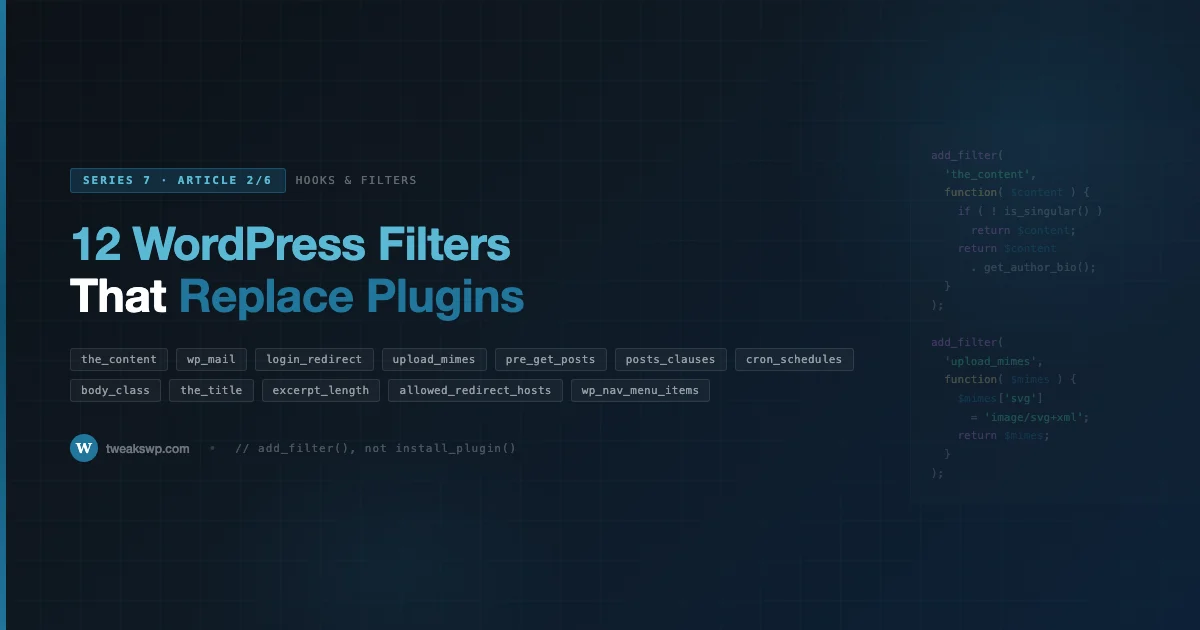
WordPress ships with thousands of hooks. Most developers use ten. The remaining ninety percent of site customizations get handled by installing yet another plugin, one that itself hooks into the same filters you could call directly. This post covers twelve filters that eliminate that dependency entirely. Each one is production-tested, narrow in scope, and requires fewer than twenty lines to implement.
This is Article 2 in Series 7: Hooks & Filters. If you missed Article 1 on how WordPress resolves hook priority and execution order, that foundation matters here, several of the filters below behave differently depending on where in the request lifecycle they fire.
What “Replacing a Plugin” Actually Means
The goal is not to rebuild a plugin from scratch. It is to stop loading an entire plugin when a filter hook gives you the same outcome in thirty seconds. Plugins carry admin menus, database tables, REST endpoints, and update checks, overhead that scales with every site request. A filter applied in a must-use plugin or a theme’s functions.php carries none of that.
The twelve filters below are organized by what they control: content output, email, authentication, file uploads, query behavior, and system scheduling. Each section explains the filter signature, when it fires in the request, what a realistic use case looks like, and what a naive plugin implementation does that you can skip.
1. the_content
Every piece of post content passes through the_content before it reaches the browser. The filter receives the full HTML string, after shortcodes are processed, after blocks are rendered, after auto-formatting runs. Whatever you return becomes the page output.
The filter signature is apply_filters( 'the_content', string $content ). It fires once per the_content() call, which means it runs on singular posts, on archive loops, and on any template that calls the function directly. If your logic should only apply to singular views, check is_singular() inside the callback.
Realistic use cases: appending a custom author bio after every post body, injecting an affiliate disclosure above the first paragraph, wrapping external links with a tracking redirect, or stripping gallery shortcodes from RSS feeds. Each of these is a three-to-six line function. Plugins that do exactly this, “append content,” “auto-link keywords,” “add disclosure”, frequently weigh in at several hundred kilobytes of PHP once you count their admin UI.
The snippet below shows a pattern that appends dynamic content only on singular posts and skips the REST API context to avoid double-processing.
add_filter( 'the_content', function ( $content ) {
    if ( is_singular( 'post' ) && ! is_admin() && ! ( defined( 'REST_REQUEST' ) && REST_REQUEST ) ) {
        $content .= '<p class="author-bio">' . esc_html__( 'Written by our editorial team.', 'textdomain' ) . '</p>';
    }
    return $content;
} );
2. wp_mail
WordPress routes all outbound email through wp_mail(), and that function runs its arguments through the wp_mail filter before handing off to PHPMailer. The filter receives an associative array with keys to, subject, message, headers, and attachments. You can modify any of them.
What this replaces: email logging plugins, “change WordPress sender name” plugins, and any plugin whose sole purpose is to prepend or append content to notification emails. If you want all system emails to come from a branded address, modify $args['headers'] in this filter. If you want to log every outbound subject line to a custom table, write to it here and return $args untouched. For the underlying mail delivery infrastructure, SMTP, DNS authentication, deliverability, see the WordPress email deliverability guide, which covers the server-side setup this filter assumes is already in place.
One important constraint: this filter cannot stop email delivery. It can only modify the payload. To cancel delivery conditionally, use the pre_wp_mail filter instead and return false. The snippet below covers both patterns.
// Modify the payload of every outgoing email.
add_filter( 'wp_mail', function ( $args ) {
    $args['headers'][] = 'From: Site Name <no-reply@example.com>';
    return $args;
} );

// Cancel delivery conditionally (wp_mail cannot short-circuit on its own).
add_filter( 'pre_wp_mail', function ( $null, $atts ) {
    if ( str_contains( $atts['subject'], '[skip]' ) ) {
        return true; // Non-null short-circuits wp_mail() and skips sending.
    }
    return $null;
}, 10, 2 );
3. login_redirect
After a successful login, WordPress calls apply_filters( 'login_redirect', string $redirect_to, string $requested_redirect_to, WP_User|WP_Error $user ). The first argument is the resolved destination, the second is what the user or the login form originally requested, the third is the authenticated user object.
This filter fires for both standard login form submissions and XML-RPC authentications. It does not fire for cookie-based session restoration or REST API authentication.
The pattern almost every “custom login redirect” plugin implements: check the user’s role in $user->roles, return a different URL per role. Subscriber goes to the front page, editor goes to the post list, shop manager goes to WooCommerce orders. That logic fits in eight lines and requires no plugin activation, no admin settings page, and no database row.
add_filter( 'login_redirect', function ( $redirect_to, $requested_redirect_to, $user ) {
    if ( is_a( $user, 'WP_User' ) ) {
        if ( in_array( 'shop_manager', $user->roles, true ) ) {
            return admin_url( 'edit.php?post_type=shop_order' );
        }
        if ( in_array( 'subscriber', $user->roles, true ) ) {
            return home_url( '/' );
        }
    }
    return $redirect_to;
}, 10, 3 );
4. upload_mimes
WordPress maintains an allowlist of file types the media uploader will accept. That list is passed through apply_filters( 'upload_mimes', array $mimes, int|WP_User $user ) before every upload attempt. Adding a key-value pair to the array allows the type; removing one blocks it.
The array keys are file extensions (or pipe-separated extension groups like jpg|jpeg|jpe), and the values are MIME types. WordPress validates the uploaded file’s actual MIME against this list, so you cannot simply declare a MIME type, the file must match.
Common replaceable plugins: “allow SVG uploads,” “allow WebP uploads,” “block executable uploads.” All three are single callbacks on this one filter. The SVG case deserves one extra note: WordPress also runs uploaded files through wp_check_filetype_and_ext(), which does deeper MIME validation. SVG files do not have a standardized MIME signature, so you may also need to hook wp_check_filetype_and_ext to override the ext check for SVG specifically. The snippet below shows both hooks together.
add_filter( 'upload_mimes', function ( $mimes ) {
    $mimes['svg']  = 'image/svg+xml';
    $mimes['webp'] = 'image/webp';
    return $mimes;
} );

// SVG has no standard MIME signature, so override the deeper filetype check too.
add_filter( 'wp_check_filetype_and_ext', function ( $data, $file, $filename ) {
    if ( str_ends_with( strtolower( $filename ), '.svg' ) ) {
        $data['ext']  = 'svg';
        $data['type'] = 'image/svg+xml';
    }
    return $data;
}, 10, 3 );
5. pre_get_posts
Strictly speaking, pre_get_posts is an action, not a filter, it receives a reference to the WP_Query object and expects you to modify it in place rather than return a value. It earns a place in this list because its function is the same as a filter: transform the query before SQL is generated. Every “change posts per page,” “exclude category from archive,” and “add custom post type to search results” plugin is a callback on this hook.
The hook fires after query variables are set but before the database query runs. You receive a WP_Query instance via reference. The critical guard is checking $query->is_main_query() before modifying anything, without it, you risk altering secondary queries on the same page, including nav menu queries, widget queries, and any plugin-generated loops. The nine most common WordPress hook mistakes covers this exact footgun in detail, it is the number one cause of corrupted secondary loops on production sites.
The pattern that replaces the most plugins: on the main archive query for a specific post type, set a custom orderby, add a meta query, or exclude specific term IDs. These are property assignments on the query object, no SQL, no subquery, no custom table join required.
add_action( 'pre_get_posts', function ( $query ) {
    if ( is_admin() || ! $query->is_main_query() ) {
        return;
    }
    if ( $query->is_post_type_archive( 'event' ) ) {
        $query->set( 'posts_per_page', 24 );
        $query->set( 'meta_key', 'event_date' );
        $query->set( 'orderby', 'meta_value' );
        $query->set( 'order', 'ASC' );
    }
} );
6. posts_clauses
When pre_get_posts is not enough, when you need a custom JOIN, a subquery in WHERE, or a non-standard ORDER BY expression, posts_clauses gives you direct access to the SQL fragments before they are assembled.
The filter signature is apply_filters( 'posts_clauses', array $clauses, WP_Query $query ). The $clauses array has keys: where, groupby, join, orderby, distinct, fields, and limits. Each is a raw SQL string fragment. You append to or replace each fragment, then return the array.
This replaces: plugins that add custom sort options to WooCommerce product archives, plugins that filter posts by geographic radius, and plugins that add “sticky at top” behavior via a meta value. All of those work by modifying the JOIN and ORDER BY clauses. The snippet below shows a radius-sort pattern using a haversine expression in the ORDER BY fragment, a common pattern for location-based queries that is impossible to implement cleanly through WP_Query alone.
add_filter( 'posts_clauses', function ( $clauses, $query ) {
    if ( ! $query->is_main_query() || ! $query->is_post_type_archive( 'listing' ) ) {
        return $clauses;
    }
    global $wpdb;
    $lat = 40.7128; // example origin latitude
    $clauses['join']   .= " INNER JOIN {$wpdb->postmeta} pm_geo ON pm_geo.post_id = {$wpdb->posts}.ID AND pm_geo.meta_key = 'geo_lat'";
    $clauses['orderby'] = $wpdb->prepare( 'ABS( pm_geo.meta_value - %f ) ASC', $lat ) . ', ' . $clauses['orderby'];
    return $clauses;
}, 10, 2 );
7. cron_schedules
WordPress cron uses named intervals to determine how often a recurring event fires. The built-in intervals are hourly, twicedaily, daily, and (since WordPress 5.4) weekly. Any other interval, every five minutes, every fifteen minutes, every four hours, must be registered through the cron_schedules filter.
The filter receives an array of interval definitions. Each entry has an interval (in seconds) and a display label. You add your custom interval and return the modified array. Once registered, you can use the interval key in wp_schedule_event().
What this replaces: any plugin that adds a background task on a custom schedule and registers the schedule itself. If the plugin’s only function is “run this task every X minutes,” you can replicate it with this filter plus a direct add_action() callback on the scheduled hook. The snippet below shows the complete pattern: register the interval, schedule the event on plugin activation using register_activation_hook, unschedule on deactivation, and define the callback. Twelve minutes of work, zero plugin dependencies.
add_filter( 'cron_schedules', function ( $schedules ) {
    $schedules['every_fifteen_minutes'] = array(
        'interval' => 15 * MINUTE_IN_SECONDS,
        'display'  => __( 'Every 15 Minutes' ),
    );
    return $schedules;
} );

register_activation_hook( __FILE__, function () {
    if ( ! wp_next_scheduled( 'myplugin_check_feed' ) ) {
        wp_schedule_event( time(), 'every_fifteen_minutes', 'myplugin_check_feed' );
    }
} );
register_deactivation_hook( __FILE__, function () {
    wp_clear_scheduled_hook( 'myplugin_check_feed' );
} );
add_action( 'myplugin_check_feed', function () {
    // Task logic here.
} );
8. body_class
The body_class filter modifies the array of CSS classes applied to the <body> element. The signature is apply_filters( 'body_class', array $classes, array $class ), the first argument is the computed class list, the second is any additional classes explicitly passed to body_class() in the template.
This replaces: plugins that add a “logged-in user” class for CSS targeting, plugins that add a device-type class (though server-side UA detection is unreliable), and plugins that append a post-specific class for template overrides. All of these are two-line callbacks. You can also remove unwanted classes that WordPress or a theme adds, strip page-id-{n} classes in bulk to reduce fingerprinting surface, for example.
add_filter( 'body_class', function ( $classes ) {
    if ( is_user_logged_in() ) {
        $classes[] = 'user-logged-in';
    }
    // Strip noisy page-id classes to reduce fingerprinting surface.
    return array_filter( $classes, function ( $class ) {
        return ! str_starts_with( $class, 'page-id-' );
    } );
} );
9. the_title
The the_title filter receives the post title string and the post ID on every call to get_the_title() or the_title(). The signature is apply_filters( 'the_title', string $title, int $id ).
A note on scope: this filter fires in many contexts, RSS feeds, admin post lists, nav menus, and custom queries. Callbacks should guard against unintended contexts using is_admin(), is_feed(), or a post type check.
What this replaces: plugins that append a status badge (“DRAFT”, “SALE”, “NEW”) to post titles in archive views, plugins that prefix event post titles with the event date, and plugins that truncate titles beyond a character limit for specific templates. Each is a string manipulation with an ID-based condition. The snippet below shows appending a product sale badge only on archive and shop pages, not in the admin or SEO meta.
add_filter( 'the_title', function ( $title, $id ) {
    if ( is_admin() || is_feed() ) {
        return $title;
    }
    if ( ( is_shop() || is_product_category() ) && 'yes' === get_post_meta( $id, '_on_sale_badge', true ) ) {
        $title .= ' <span class="badge-sale">' . esc_html__( 'Sale', 'textdomain' ) . '</span>';
    }
    return $title;
}, 10, 2 );
10. excerpt_length and excerpt_more
These two filters control the auto-generated excerpt. excerpt_length sets the word count (default 55). excerpt_more sets the string appended when the excerpt is trimmed (default is […]).
They are among the simplest filters in WordPress, both receive a single value and expect a single value back. Their signatures are apply_filters( 'excerpt_length', int $number ) and apply_filters( 'excerpt_more', string $more_string ).
What this replaces: any plugin listed as “custom excerpt length” or “read more text.” Both filters are covered in a single four-line snippet. The snippet below also shows how to make excerpt length conditional per post type, shorter excerpts on product archives, longer ones on news archives.
add_filter( 'excerpt_length', function ( $length ) {
    return is_post_type_archive( 'product' ) ? 20 : 40;
} );

add_filter( 'excerpt_more', function () {
    return '…';
} );
11. allowed_redirect_hosts
WordPress validates redirect URLs through wp_safe_redirect() by checking the destination host against an allowlist. By default, only the current site’s host is allowed. The allowed_redirect_hosts filter lets you add external domains to that allowlist.
The filter signature is apply_filters( 'allowed_redirect_hosts', array $hosts, string $host ). The second parameter is the host being validated on the current call, useful if you only want to conditionally allow redirects to specific domains.
This replaces: any plugin that handles SSO redirects to external identity providers, plugins that redirect to a separate checkout domain after login, and plugins that whitelist affiliate tracking domains. One callback, one array push. The snippet below shows the pattern alongside a security note: never add wildcard subdomains, each approved host should be a fully qualified domain name.
add_filter( 'allowed_redirect_hosts', function ( $hosts ) {
    $hosts[] = 'checkout.example.com';
    $hosts[] = 'sso.example.com';
    return $hosts;
} );
12. wp_nav_menu_items
The wp_nav_menu_items filter fires after a nav menu’s HTML is built but before it is returned. The signature is apply_filters( 'wp_nav_menu_items', string $items, stdClass $args ). The first argument is the complete HTML string of <li> elements. The second is the arguments object passed to wp_nav_menu(), which includes the theme_location key.
Use $args->theme_location to scope changes to a specific menu. Modifying all nav menus unconditionally is the most common mistake with this filter.
What this replaces: plugins that append a “Login / Logout” link to the primary nav, plugins that add a cart icon to the header menu, and plugins that insert a language switcher at the end of navigation. Each inserts an HTML string at the start or end of $items. The snippet below covers the login/logout pattern with a current-page-aware link and a conditional check for WooCommerce cart count.
add_filter( 'wp_nav_menu_items', function ( $items, $args ) {
    if ( 'primary' !== $args->theme_location ) {
        return $items;
    }
    if ( is_user_logged_in() ) {
        $items .= '<li class="menu-item"><a href="' . esc_url( wp_logout_url( home_url() ) ) . '">' . esc_html__( 'Log Out', 'textdomain' ) . '</a></li>';
    } else {
        $items .= '<li class="menu-item"><a href="' . esc_url( wp_login_url( get_permalink() ) ) . '">' . esc_html__( 'Log In', 'textdomain' ) . '</a></li>';
    }
    return $items;
}, 10, 2 );
Decision Framework: Filter vs. Plugin
Not every use case belongs in a functions file. Some criteria that favor the filter-only approach:
- The behavior is site-specific and will not be reused across WordPress installs.
- No database table, admin settings page, or user-facing interface is required.
- The implementation fits in under thirty lines without external dependencies.
- The plugin you would install does only this one thing, its features page is three bullets long.
Criteria that favor keeping the plugin:
- The behavior needs a UI that non-developer site admins will configure.
- The logic spans multiple hooks and post types in ways that benefit from encapsulation.
- The plugin includes migrations, REST endpoints, or integrations you rely on.
- Updates to the behavior need version tracking across multiple environments.
Where to Put These Snippets
For site-wide behavior that should survive theme switches: a must-use plugin in wp-content/mu-plugins/. A single file named site-filters.php with all twelve callbacks is cleaner than scattering them across theme files.
For theme-specific behavior that only makes sense with the active theme: functions.php, wrapped in a theme check if the code might ever be extracted to a mu-plugin later.
For environment-conditional behavior (staging only, production only): wrap callbacks in a check against WP_ENV or a custom constant defined in wp-config.php. Do not rely on hostname checks, those break in containerized deployments where the server hostname differs from the domain name.
What’s Next in the Series
Article 3 covers dynamic hook patterns, specifically how save_post_{$post_type} and similar parameterized hooks work, and how to build your own dynamic hook names without colliding with core. Article 4 goes into must-use plugins in depth: load order, limitations, and the use cases where they are the correct container for the snippets in this post.
Apply What You Know
Pick one plugin from your current install that does only one thing. Check its source for which filter or action it hooks into. If the hook is documented in the WordPress Developer Reference, try replicating the behavior in under twenty lines using the snippets above as a starting point.
When you need something more complex than a filter can handle cleanly, Wbcom Designs provides WordPress plugin development services for custom functionality that warrants a properly architected plugin.
Plugins we build and run
We maintain these ourselves, which is why we can support them on your site.
- BuddyNextThe self-hosted community engine for WordPress
- BuddyXFree community theme, Pro when you outgrow it
- ReignPremium community theme. Add pieces, build anything
- JetonomyCommunity forum and Q&A for WordPress
- EventonomyEvents and RSVPs for WordPress communities
- LearnomyCourses and learning communities on WordPress
- ListoraDirectories and listings your members can browse
- SnipShareCode sharing built for developer communities
- WB Ad ManagerAd placements that turn traffic into revenue
- WP Career BoardA job board your community actually uses
- WP Sell ServicesSell services with offers, orders, and payouts
- MediaVersePhotos, video, and media albums for members
- WB GamificationPoints, badges, and rewards that keep members active
- Product RoadmapPublic roadmaps with voting your users trust