WordPress Shutdown Hook: How to Run Code After Page Output Is Complete
How the WordPress shutdown action fires, how it differs from register_shutdown_function, and practical patterns for deferred logging, post-response API calls, fastcgi_finish_request, and fatal error capture.

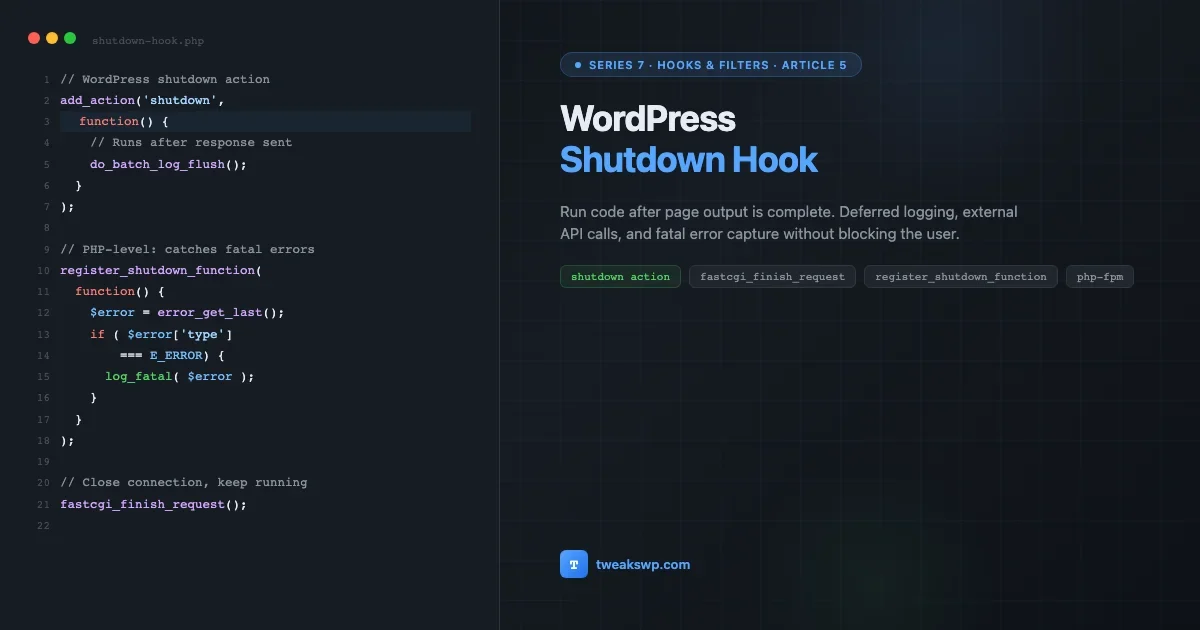
WordPress fires the shutdown action after the response has been assembled and, on PHP-FPM servers, after it has been flushed to the browser. It is the last reliable place in the WordPress lifecycle where you have access to $wpdb, loaded options, the current user, and your plugin’s objects. Knowing exactly when it fires, how it differs from PHP’s register_shutdown_function(), and what you can safely do there will let you move expensive or non-critical work out of the critical path without reaching for a background-job plugin.
This is Article 5 in Series 7: Hooks and Filters. Article 1 covered how WordPress resolves hook priority and execution order, the same priority system controls which shutdown callbacks run first, so that foundation matters here. Article 2 showed twelve filters that replace single-purpose plugins; this article extends that idea to post-response cleanup work that would otherwise require a queue plugin.
What the WordPress Shutdown Hook Actually Is
The shutdown action is a standard WordPress hook. It fires because WordPress registers wp_ob_end_flush_all() on PHP’s built-in register_shutdown_function() during bootstrap, and within that shutdown function WordPress calls do_action('shutdown'). So everything you add with add_action('shutdown', $callback) runs inside PHP’s own shutdown sequence.
The sequence for a typical page request on PHP-FPM looks like this:
- WordPress processes the request and builds the response.
- The template calls
wp_footer(), which fires thewp_footeraction. By this point all output for the page is queued. - PHP reaches the end of the script, triggering its own shutdown sequence.
- WordPress’s registered
register_shutdown_functioncallback fires, flushing output buffers and runningdo_action('shutdown'). - If
fastcgi_finish_request()has been called at any point before or during this sequence, the HTTP connection to the browser is already closed.
The practical implication: on PHP-FPM, code you add to shutdown can run after the browser has received and rendered the page, making it genuinely non-blocking for the user. On mod_php and CGI environments, the response is not flushed until PHP exits entirely, so shutdown code still delays the response unless you explicitly flush and close the connection first.
The Shutdown Action vs. register_shutdown_function
These two mechanisms solve different problems and are easy to confuse because the WordPress shutdown action is itself implemented via register_shutdown_function().
WordPress | PHP | |
|---|---|---|
How to use |
|
|
WordPress context available | Yes, | Only if WordPress loaded before the fatal |
Runs on PHP fatal errors | No, script is already dead | Yes, designed for this |
Priority control | Yes, via the third argument to | No, FIFO order |
Use for | Deferred logging, cache cleanup, post-response API calls | Fatal error capture, low-level resource release |
The rule of thumb: use add_action('shutdown'...) for anything that needs WordPress objects or needs to fire in a specific order relative to other hooks. Use register_shutdown_function() only when you need to catch fatal errors, since that is the only scenario where the WordPress lifecycle has already ended before your code can run.
Deferred Logging: Write Once, Not on Every Event
A common pattern in analytics-heavy plugins is writing a database row on every product view, search query, or user interaction. If those writes happen synchronously during the request, they add database round-trips directly to the page load time. The shutdown action lets you collect all events in memory during the request and flush them in a single INSERT at the end, after the response has been sent.
The pattern is a static buffer class: a log() method that appends to an in-memory array, and a flush() method hooked to shutdown that runs one batched INSERT. The buffer accumulates any number of events at zero database cost during the request. The flush runs once, with a single prepared statement.
This approach reduces database writes from N (one per event) to 1 per request, regardless of how many events fire. On a product archive page with a dozen product impressions, that is twelve writes saved. On a page with infinite scroll loading forty products, it is forty.
Two things to note about the Gist implementation: it uses a separate log table rather than wp_options, because autoloaded options run on every request and a growing log table in options is a performance problem. It also clears the queue after flushing so a second call to flush() (which should not happen, but defensively) does nothing.
Sending Data to External APIs After the Response
Sending a POST request to an external API from inside a WordPress page request blocks that request for as long as the external API takes to respond. A webhook delivery to a slow endpoint can add 500ms or more to a page load. The shutdown action combined with fastcgi_finish_request() eliminates that wait entirely on PHP-FPM servers.
The mechanism: fastcgi_finish_request() flushes all output buffers and closes the FastCGI connection to the web server. The browser receives the complete response at that moment. PHP continues executing. The subsequent HTTP request to the external API happens in the background, invisible to the user.
An important constraint: once you call fastcgi_finish_request(), you cannot write anything more to the response. Headers are sent, the body is sent, the connection is closed. Code that runs after this point can only do work that does not affect the response, database writes, external HTTP calls, file operations, cache population.
The Gist uses a raw cURL call rather than wp_remote_post() for the external API request. On shutdown, wp_remote_post() can trigger additional hooks that have already fired. cURL is lower-level and has no dependencies on the WordPress HTTP API state. If your use case only needs a fire-and-forget POST, cURL is the safer choice here.
fastcgi_finish_request: When It’s Available and How to Use It Safely
fastcgi_finish_request() is only available when PHP runs as a FastCGI process, which in practice means PHP-FPM. It is not available on mod_php, PHP-CGI, or PHP CLI. Most modern WordPress hosting stacks run PHP-FPM, but shared hosts, some managed WordPress platforms, and local development environments may not.
The safe usage pattern always checks function_exists('fastcgi_finish_request') before calling it, and handles the fallback gracefully. On non-FPM environments, the code still runs, it just runs synchronously at the end of the request rather than after the response is sent. For most deferred tasks, that is acceptable.
Two additional settings matter for shutdown callbacks that do significant work. set_time_limit() resets PHP’s max execution time counter from the current point, if your request took 10 seconds and the limit is 30, you have 20 seconds of work left, which may not be enough for a heavy background task. Calling set_time_limit(60) at the start of your shutdown callback gives a fresh 60 seconds from that point. ignore_user_abort(true) tells PHP to keep running even if the browser disconnected, which matters for mobile users on poor connections who navigate away before the page fully loads.
One thing the Gist demonstrates that is easy to miss: output buffer state. If WordPress or a plugin has open output buffers when your shutdown callback runs, calling fastcgi_finish_request() may not flush everything if those buffers were not closed. The while (ob_get_level() > 0) { ob_end_flush(); } loop forces all layers closed before the flush. This is especially relevant on sites using full-page caching plugins that wrap the entire response in an output buffer.
Capturing Fatal Errors on Shutdown
PHP fatal errors kill the script immediately. No subsequent code runs, no WordPress hook fires, no exception handler catches them. The only way to intercept them is with a function registered via register_shutdown_function(), which PHP calls even when the script ends due to a fatal.
Inside the shutdown function, error_get_last() returns the last error that occurred. If its type field is E_ERROR, E_PARSE, E_CORE_ERROR, or E_COMPILE_ERROR, the script died with a fatal. You can then write to a log file, send a notification, or record the error in whatever persistent storage is available.
The key constraint: if a fatal occurs early in the WordPress bootstrap, before $wpdb is initialized, before plugins load, WordPress functions are not available. Your fatal handler must be self-contained. Use PHP’s native file_put_contents() for file writes and cURL for HTTP notifications rather than wp_remote_post() or $wpdb->insert(). For systematic error capture across environments, consider pairing this handler with the WP_DEBUG and error logging setup covered in the WordPress error log reading guide, that article maps every PHP error type to its correct WP_DEBUG configuration, which determines whether the fatal reaches your log file in the first place.
Register the fatal handler as early as possible. An mu-plugin is the right location, it loads before regular plugins, so it can catch fatals that occur during plugin activation or inside a regular plugin’s top-level code. A function in a theme’s functions.php loads too late to catch fatals that occur before the active theme is determined.
Gotchas: What to Watch Out For
The shutdown action is straightforward to use correctly, but several assumptions developers bring from other hooks do not hold here.
Output Is Already Sent
By the time shutdown fires, headers_sent() returns true. Calling wp_redirect(), header(), or wp_die() will either trigger a PHP warning (“headers already sent”) or do nothing. Do not attempt to modify the response from a shutdown callback. If you need to redirect based on work done during shutdown, store a flag (option, transient, user meta) and act on it during the next request.
Object Cache State Is Uncertain
Persistent object cache backends (Redis, Memcached) may or may not be in a consistent state during shutdown. Some object cache plugins explicitly close their connection in a shutdown callback registered at a specific priority. If your shutdown callback runs after that, wp_cache_get() calls may silently return false for keys that were set earlier in the request. Write code that falls back to a direct database read when the cache returns false, rather than assuming the cached value is available.
max_execution_time Keeps Running
PHP’s max_execution_time limit counts time from the start of the script. If your request takes 25 seconds and the limit is 30, your shutdown callback has 5 seconds before PHP forces a timeout. That timeout does not produce an orderly error, it triggers an E_ERROR, which kills the shutdown sequence itself. Always call set_time_limit(N) at the start of any shutdown callback that does more than a trivial amount of work. The value you pass is added to the current time, giving you N seconds from the point of the call.
Priority Order Still Matters
The shutdown action respects WordPress hook priorities exactly as any other hook does. Caching plugins typically register their page cache flush at high priority numbers (late in execution). If your code depends on the page cache being flushed before it runs, hook at a priority higher than the cache plugin’s shutdown hook, or check the cache plugin’s source to confirm its priority. For a full explanation of how WordPress resolves hook execution order when multiple callbacks share a hook, see the hook priority guide.
Database Connections Can Time Out
On servers with aggressive MySQL wait_timeout settings, the database connection can be dropped during a long shutdown callback. If your callback runs a long operation followed by database queries, the connection may be gone by the time the queries execute. $wpdb->check_connection() (added in WordPress 3.9) pings the database and attempts a reconnect. Call it before database operations in callbacks that do substantial work before querying.
wp_footer vs. shutdown: Choosing the Right Hook
The wp_footer action fires inside the template, before </body>, while the page is still being built. Output is not yet sent to the browser. It is the correct hook for injecting HTML, scripts, or styles into the page, anything that needs to be part of the response.
The shutdown action fires after the response is complete. No HTML you output reaches the browser. It is the correct hook for work that should not be part of the response: writing to a log, updating a cache, sending a notification, recording an analytics event.
Task | Correct hook |
|---|---|
Inject a tracking pixel into the page footer |
|
Enqueue a JavaScript file |
|
Record a page view in the database |
|
Send a POST request to an analytics endpoint |
|
Clear a stale transient after a post is displayed |
|
Output a “related posts” widget |
|
Batch-write queued log entries |
|
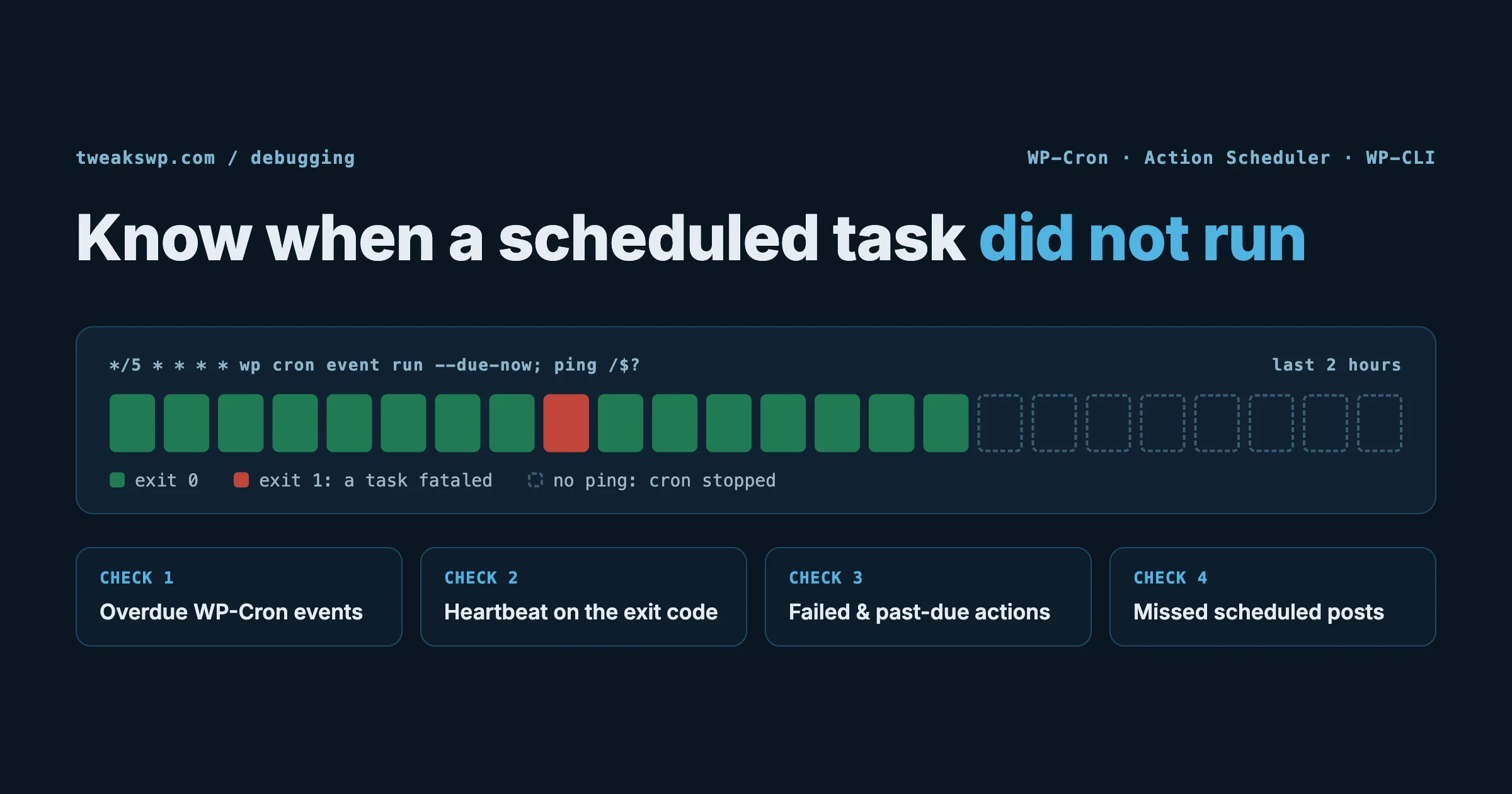
There is a third category: work that must happen before the response is sent but should not block the main execution path. wp_cron handles some of this, WordPress spawns an async cron request in the background from wp_footer. For custom background work that needs to run immediately (not on the next cron tick), the shutdown plus fastcgi_finish_request() pattern is the better fit. For an explanation of why WP-Cron fires where it does and how to diagnose it when it stops, see the WP-Cron debugging guide.
Practical Patterns Summary
To consolidate what is covered above, here are the four patterns and when each one applies.
- Deferred batch logging. Use when you need to record multiple events per request without per-event database writes. Queue during the request, INSERT in bulk on
shutdown. - Post-response external API calls. Use when a webhook or analytics POST would otherwise add latency visible to the user. Combine
shutdownwithfastcgi_finish_request()to fire after the browser receives the page. - Cache warming or invalidation. Use when a post save or settings update should trigger a cache rebuild that is too slow to run synchronously. Queue the rebuild on
shutdown; the admin UI response returns immediately. - Fatal error capture. Use
register_shutdown_function(), not theshutdownaction, when you need to intercept PHP-level fatal errors. Combine with structured logging and an alert channel for production visibility.
Where to Place Shutdown Code
For site-wide shutdown work that should survive theme switches: a must-use plugin in wp-content/mu-plugins/. Must-use plugins load before regular plugins and are always active, they cannot be deactivated from the admin UI. This is especially important for fatal error handlers, which need to be registered before any code that could produce a fatal.
For plugin-specific cleanup that only makes sense when your plugin is active: hook it inside your plugin’s main class or bootstrap file, guarded by a check that your plugin is actually activated. If your plugin is deactivated, its shutdown callbacks should not run. Wrapping with is_plugin_active() is not the right approach here, by shutdown, that function is unreliable. Instead, define a constant in your plugin and check for it: if (!defined('MYPLUGIN_VERSION')) return;.
For development and debugging: shutdown callbacks that write to error logs are useful for tracing request lifecycle issues that are difficult to observe with Query Monitor. Register them in a condition that checks WP_DEBUG so they do not fire on production.
What Is Next in the Series
Article 6, the final article in Series 7, covers building and documenting your own custom action and filter hooks inside a plugin, naming conventions, argument design, backward compatibility, and how to version custom hooks correctly so other plugins can depend on them without breaking on your updates.
Apply It
Find one place in your plugin or theme where a database write, external HTTP call, or cache operation happens synchronously during a request and is not part of the response. Move it to the shutdown action. Measure the before and after with Query Monitor’s timeline view. On a PHP-FPM stack, the impact on perceived page load time will be immediate. The six Gists above cover every pattern shown in this article, start with the deferred logging implementation and adapt the buffer class to your specific event schema.
Plugins we build and run
We maintain these ourselves, which is why we can support them on your site.
- BuddyNextThe self-hosted community engine for WordPress
- BuddyXFree community theme, Pro when you outgrow it
- ReignPremium community theme. Add pieces, build anything
- JetonomyCommunity forum and Q&A for WordPress
- EventonomyEvents and RSVPs for WordPress communities
- LearnomyCourses and learning communities on WordPress
- ListoraDirectories and listings your members can browse
- SnipShareCode sharing built for developer communities
- WB Ad ManagerAd placements that turn traffic into revenue
- WP Career BoardA job board your community actually uses
- WP Sell ServicesSell services with offers, orders, and payouts
- MediaVersePhotos, video, and media albums for members
- WB GamificationPoints, badges, and rewards that keep members active
- Product RoadmapPublic roadmaps with voting your users trust