A Week of Stolen Secrets: Rank Math PRO, UpdraftCentral and Railway, and the WordPress Credential Rotation Checklist
Rank Math PRO 3.0.123, UpdraftCentral connection keys and Railway environment variables all turned on stolen secrets, not software bugs. What each incident requires, and a rotation checklist by system, in order, with a way to confirm the old secret is dead.


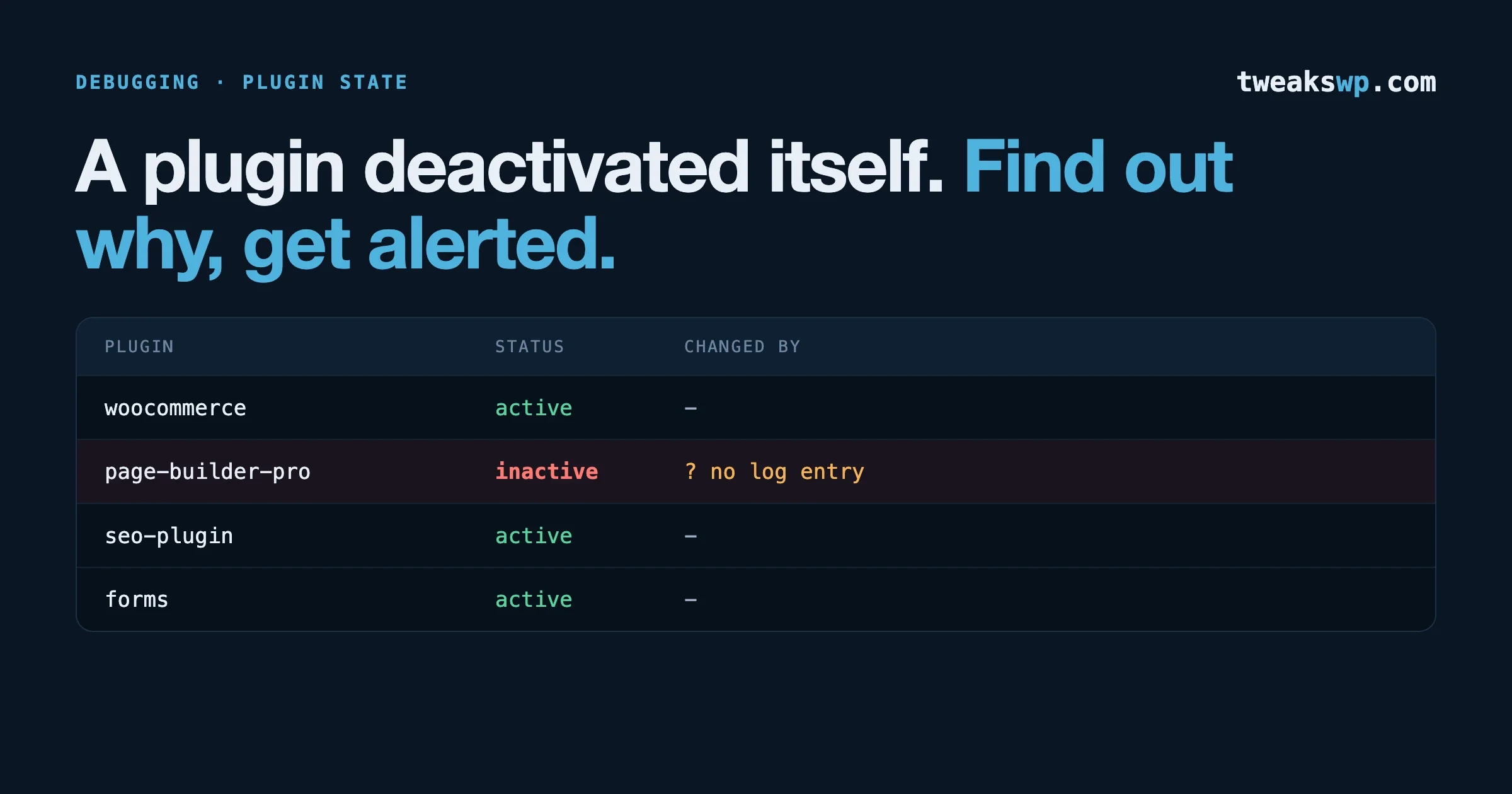
Between 15 and 22 October 2026, three unrelated incidents had the same shape. A paid WordPress SEO plugin shipped a trojanized build. A backup vendor’s customer database leaked the keys that let a dashboard control connected sites. A developer hosting platform told every customer to treat the environment variables it stores as exposed. None of them is a bug in your code, and none of them is fixed by a normal plugin update. Each one is about a secret that someone other than you held, or that sat somewhere you did not control.
On top of that, 21 October brought the critical PHP flaws we covered in PHP2Shell: Check Your WordPress PHP Version Now, where Wiz says memory reads can expose passwords, tokens and API keys. That makes four reasons in a single week to know exactly which secrets your site holds and how to replace them.
This post does two jobs. First it states what each incident is, using the vendors’ own pages and the researchers who analysed them, and what each one asks you to do. Then it gives the rotation checklist we would use on any WordPress site, organised by system and in the order that avoids locking yourself out. Where we could not read a primary page, we say so.
The short version
- Rank Math PRO: if you downloaded or auto-updated 3.0.123 between 20:02 UTC on 15 October and 07:12 UTC on 16 October and activated it, treat the site as compromised. Installing 3.0.124 alone is not enough.
- UpdraftPlus and UpdraftCentral: update to 1.26.13 (free) or 2.26.13 (Premium), delete any stored UpdraftCentral key on each site, and look for Editor accounts with administrator-level capabilities.
- Railway: only relevant if part of your stack (a headless front end, an API, a worker) runs there. If it does, Railway recommends revoking every environment variable stored in it.
- PHP: patch first, then rotate if you cannot rule out an earlier break-in.
- Rotate in a fixed order, and finish each rotation by proving nothing still uses the old secret.
Incident one: Rank Math PRO 3.0.123
What is established
Rank Math’s own security incident page says users who downloaded Rank Math PRO 3.0.123 between 15 October 2026 at 20:02 UTC and 16 October at 07:12 UTC may have received malware that could compromise a site if the plugin was activated. The clean replacement is 3.0.124. The page covers three cases:
- Installed and activated 3.0.123 in the window: treat the site as compromised, even after updating to 3.0.124. Rank Math’s preferred route is to restore the files and database from a backup made before 20:02 UTC on 15 October, change all credentials, then install 3.0.124.
- Installed but never activated: delete the plugin files, install 3.0.124 from your account and run a security scan.
- Downloaded but never installed or activated: the page says the incident alone does not indicate compromise.
The free Rank Math SEO plugin from WordPress.org is stated to be unaffected. The page adds that free accounts registered between 13 and 16 October were removed during a system refresh, with affected users emailed, and that Search Console and Analytics connections, the keyword rank tracker and the AI features need a new account and a reconnect. Rank Math says it never sends download links by email, and that you should download 3.0.124 only by logging in at rankmath.com. The page gives no publication date.
Reporting by The Hacker News says the incident is tracked as CVE-2026-111862 and rated 9.8 by Wordfence. We could not read Wordfence’s own page, so that rating is as reported. The same article says the malware can recreate its hidden backdoor when someone visits the site, so deleting files by hand may not work, and that Wordfence’s guidance is that installing 3.0.124 replaces the plugin but does not remove malicious files, administrator accounts or scheduled tasks left elsewhere on the server. Patchstack, per that coverage, classifies it as a backdoor and says a WAF rule is not possible because the attack was on Rank Math’s own systems.
Two cautions from our own reading. The version number alone does not tell you whether a copy is affected, because a 3.0.123 you obtained before the window is outside the incident. And no source we read gives a count of affected sites. Rank Math PRO install numbers are not public, so any number you see is a guess.
What to check on a site that ran 3.0.123
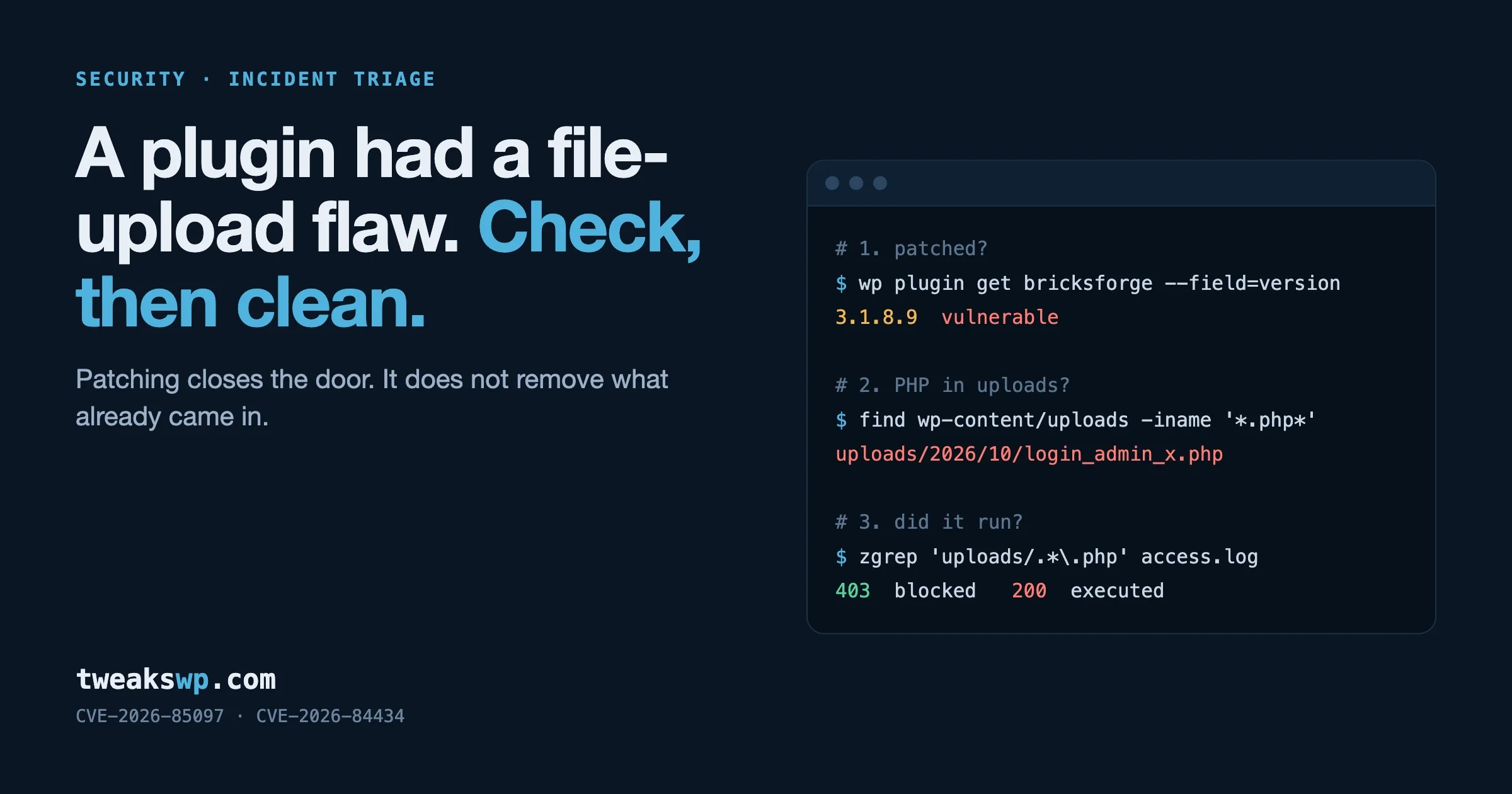
Rank Math lists specific indicators. We reproduce them as checks you can run from the WordPress root with WP-CLI and standard tools. The names below come from Rank Math’s page.
# 1. The three malicious option names Rank Math lists
wp db query "SELECT option_name FROM $(wp db prefix)options WHERE option_name IN ('_uf6qdn2hmm','t8krdk990phb','_np5pvf754c')"

# 2. A file that is not part of WordPress core
ls -la wp-includes/class-wp-cache-util.php

# 3. Suspicious administrator usernames and email domain
wp user list --search='wpsupport_*' --search-columns=user_login --fields=ID,user_login,user_email,roles
wp user list --search='*@wp-mail.net' --search-columns=user_email --fields=ID,user_login,user_email,roles

# 4. .htaccess rules that run .cache files as PHP, and .cache files holding PHP
grep -n "cache" .htaccess
find . -name "*.cache" -type f -exec grep -l "<?php" {} + 2>/dev/null

# 5. PHP files where none should be
find wp-content/uploads wp-content/mu-plugins -name "*.php" -print

# 6. Scheduled events you do not recognise
wp cron event list --fields=hook,next_run_relative
The page also lists code markers (base64 decoding with XOR loops, the key xmmqhn, proc_open and PHP-FPM socket code), crontab entries tagged #ms6v46 and an outbound domain, rank1cdn.com, which Rank Math says to block if you can. If you have shell access, check the server’s crontab and any SSH keys as well, since the page and the coverage name SSH keys among possible artifacts:
crontab -l | grep -n "ms6v46"
grep -rl "xmmqhn" wp-content wp-includes 2>/dev/null
ls -la ~/.ssh/authorized_keys
Be careful with what a negative result means. Wordfence, per the coverage, says not finding the listed indicators does not prove a site is clean. These are the known markers from a vendor notice, not a guarantee. The reliable path when you ran the affected build is the one Rank Math recommends: restore from a backup from before the window and rotate everything.
One useful detail from the coverage: WordPress.org publishes no checksums for the PRO plugin, so wp plugin verify-checksums cannot validate it. For premium plugins, the fallback is a clean copy from the vendor’s own account, compared file by file.
Incident two: UpdraftCentral connection keys
What is established
TeamUpdraft’s incident page says unauthorised access was identified over the weekend of 17 and 18 October, and that it believes its customer database was accessed. It says the database holds names, email addresses, billing addresses, order history, hashed account passwords, two-factor settings, and connection keys for UpdraftCentral, UpdraftVault and UpdraftClone. It says it stores no card details. Not affected, per the page: the UpdraftPlus plugin and its downloads, self-hosted UpdraftCentral, and backups sitting in your own remote storage. The update that revokes the keys, UpdraftPlus 1.26.13 free and 2.26.13 Premium, was published just after 10pm BST on 19 October, and the page’s last update is dated 23 October. The page is not consistent about which connections the update disconnects: the original text names a cutoff of 13:07 BST on 18 October and later updates describe the disconnect without one, so read the current page for your own situation.
Patchstack’s analysis explains why this matters to WordPress owners. In its words, the commands are correctly encrypted and signed with genuine dashboard private keys, so a site cannot tell them from a real command, and this is not a vulnerability in UpdraftPlus. Patchstack observed a signed plugin.upload_plugin command, first on 18 October at 15:32 UTC and most recently on 19 October at 09:23 UTC in its data, installing a small backdoor plugin. Each plugin watches for a secret URL parameter. When it sees it, it creates an account with a hardcoded password and the Editor role, then grants that account manage_options and install_plugins, and logs the visitor in with a cookie, so the login form, two-factor authentication and login-attempt limits never run. Removing the plugin does not remove the account, and the attacker knows its password.
Patchstack counted 99 distinct plugin names, with “Site Health Cache” recurring as the strongest name-based indicator, and says the samples it saw contained a coding error that caused HTTP 500 errors. Its warning on that point is worth repeating: do not repair such a plugin, because fixing the error switches the backdoor on. Remove it. It also says keys issued in November 2025 still worked in October 2026, so keys do not expire, and that connecting a site to a TeamUpdraft account happens by default, because the checkbox to add the site to UpdraftCentral is hardcoded as checked when the site has no key yet.
What to check
The first check is the most useful one, because it tells you whether the site holds a key at all. The option name below comes from Patchstack’s article.
# Any output means the site holds an UpdraftCentral key
wp option get updraft_central_localkeys

# Delete it (Patchstack: removing the site from the dashboard is not enough)
wp option delete updraft_central_localkeys

# The backdoor leaves an Editor with administrator-level capabilities,
# which the normal administrator list will not show
wp eval 'foreach ( get_users() as $u ) { if ( $u->has_cap( "manage_options" ) && ! in_array( "administrator", $u->roles, true ) ) { echo $u->ID . " " . $u->user_login . " " . implode( ",", $u->roles ) . "\n"; } }'

# The backdoor option Patchstack names
wp option get _sync_token

# Plugins you did not install, including the recurring name
wp plugin list --fields=name,title,status,version
wp plugin list --fields=name,status | grep -i "site-health-cache\|site health cache"
Patchstack gives more detail for responders: usernames of two words plus two digits (it names data-ops43 and media-staff96), @example.org emails, a display name of “Site Tools”, and a plugin description line, “Small maintenance toolkit: keeps option storage tidy.” If you find a backdoor, its order is to delete the UpdraftCentral key first, deactivate the plugin, move it out of the web root rather than deleting through wp-admin, then remove the _sync_token option and the backdoor account. If the site is compromised, it advises restoring from a pre-attack backup, comparing files to a clean install, rotating administrator and UpdraftCentral Cloud passwords, ending sessions and enabling two-factor authentication.
One policy point deserves attention beyond the incident. A remote management key is, in effect, an administrator credential held by a third party. If you manage sites through any remote dashboard, make a list of which tools hold keys to which sites, and decide whether each one is worth the exposure. Patchstack suggests, where remote management is needed, creating the key under an account without install_plugins. Our hidden admin account audit covers the wider search for accounts the Users screen does not show.
Incident three: Railway environment variables
Railway is a developer hosting platform, not a WordPress host. It matters here only if part of your WordPress stack runs on it: a headless front end, a webhook handler, a background worker, an API that WordPress calls. If that is you, the environment variables in Railway often hold exactly the secrets a WordPress site uses, such as REST credentials, database URLs and payment keys.
We could read Railway’s status page for the incident, not its security notice itself. From the status page: on 21 October at 22:10 UTC a security notice was published; on 22 October at 04:39 UTC all Railway API tokens were invalidated; bucket credentials were rotated; builds were paused and then restored in stages, with the last plan enabled on 22 October at 23:22 UTC; new signups were paused. Railway’s recommendation, as the status page states it, is to revoke all environment variables stored in Railway, including API keys and private registry credentials, review service logs for unusual activity, and follow its published guides, which cover checking for unexpected usage of AI providers, payment and cloud services and GitHub access, and rotating database credentials. The page does not say what data was accessed or how many accounts are involved, and says affected customers will be contacted by email. Its latest update was dated 23 October at 02:19 UTC, and it expected a preliminary incident report around midday Eastern Time on 23 October.
Coverage from The Hacker News and BleepingComputer, which we saw only as search summaries, adds that an unauthorised party may have accessed encrypted environment variables and obtained the decrypted contents for some, and that Railway describes the incident as part of attacks on platform companies aimed at AI inference providers. Treat those statements as reported rather than confirmed by us. Other incidents that circulated on social media the same week were not verified, and we have left them out.
What these have in common
Three patterns repeat, and each leads to a habit you can adopt.
- The secret lived with a third party. UpdraftCentral keys sat in a vendor database. Railway held environment variables. The fix cannot be a patch on your side, so you need an inventory of which outsiders hold which keys.
- The trusted channel delivered the bad build. Rank Math PRO updates come from the vendor, not WordPress.org. A premium plugin from a vendor’s own account is a different supply channel with different checks and no public checksums.
- Updating does not undo what already happened. Wordfence said it of Rank Math, and Patchstack said it of UpdraftCentral: the new version stops the problem but leaves the accounts, files and scheduled tasks the attacker placed.
The rotation checklist
Do this when any of the above applies to you, when an employee or contractor with access leaves, or when you find a compromise. Work from the outside in: start with whatever an attacker can use remotely right now, and finish with the things that only matter once they are already inside.
Step 0: take stock before you change anything
Make a short table with four columns: the secret, where it lives, what uses it, and how you will confirm the old one is dead. A secret you forgot to list is one you will not rotate. Typical entries for a WordPress site:
Secret | Where it lives | What breaks if you change it |
|---|---|---|
Database password | wp-config.php, hosting panel | The whole site, if the two disagree |
Authentication keys and salts | wp-config.php | Logs every user out |
Administrator and user passwords | wp_users | Individual logins |
Application passwords | User profile | Integrations and mobile apps |
Payment and mail API keys | Plugin settings or constants | Checkout, order emails |
Backup storage keys | Backup plugin settings | Scheduled backups |
Remote management keys | Plugin options, dashboard | The dashboard’s control of the site |
Hosting, SFTP and SSH credentials | Host account, key files | Deployments |
CDN and DNS tokens | Provider dashboards, CI | Cache purges, deploys |
Deploy and Git tokens | CI settings | Automated deploys |
Headless or Node front end variables | Railway, Vercel or similar | The front end |
Take a backup before you start and keep it offline. Do the work from a clean machine, and do it in a window when you can watch the site.
Step 1: cut off remote control and sessions
Remove remote management keys first, because they are administrator access you may not know about. Then end every session, so a stolen cookie stops working.
wp option get updraft_central_localkeys
wp option delete updraft_central_localkeys

# Replace the salts, which invalidates every login cookie
wp config shuffle-salts

# End sessions for every user explicitly
wp user list --field=ID | xargs -n1 wp user session destroy --all
Also deactivate and delete any plugin you do not recognise, using the safe approach from Patchstack: move it out of the web root, do not repair it. If your site uses another management tool, such as ManageWP, MainWP or WP Umbrella, check that tool’s connected-sites list and regenerate its keys. We have not reviewed how each of those tools stores its keys, so follow the vendor’s own documentation for that step.
Step 2: accounts and application passwords
List administrators, and the accounts that have administrator-level capabilities without the administrator role. Remove what you do not recognise, and set a new strong password for the rest.
wp user list --role=administrator --fields=ID,user_login,user_email,user_registered
wp user update 1 --user_pass="$(openssl rand -base64 24)"

# Application passwords: list, then revoke all for a user
wp user application-password list 1 --fields=uuid,name,last_used,last_ip
wp user application-password delete 1 --all
The last_used and last_ip columns help you spot one that was used from somewhere you do not expect. Revoking all of them will break integrations that use them, so list your integrations first, then create new ones afterwards. Turn on two-factor authentication for every administrator if it is not already on.
Step 3: the database password
Change it in two places, in the right order, so the site never points at a password that does not exist. Create the new password in the database first, update wp-config.php straight afterwards, and check the site loads.
# In the MySQL client, as an administrative user (adjust the user and host)
ALTER USER 'wp_user'@'localhost' IDENTIFIED BY 'new-long-random-password';

# Then immediately update wp-config.php
wp config set DB_PASSWORD 'new-long-random-password' --type=constant
wp db check
If your host manages the database through a panel, use the panel’s change-password function, since it usually updates both sides, and then confirm with wp db check. Keep the new password out of shell history where you can, for example by using an interactive prompt or a file with restricted permissions.
Step 4: third-party keys that the site holds
This is the longest part, and the one most often forgotten. For each key, create the new one first, update the site, test the feature, and only then revoke the old one. In practice that means:
- Payment gateway keys. Create new API keys in the gateway dashboard, update the plugin, run a test transaction, then roll the old keys. Webhook signing secrets are separate from API keys and need their own rotation.
- Transactional mail and SMTP credentials. Create a new key or password, update the mail plugin or the constants, send a test, revoke the old credential.
- Backup storage keys. TeamUpdraft recommends that anyone whose site was accessed through UpdraftCentral re-authorise remote storage and change storage access keys as a precaution. Do that, then run one manual backup to confirm it still writes.
- CDN, DNS and cache tokens. Replace the API token used for purges and for deploy automation, and scope the new one narrowly.
- AI provider and other API keys. If a plugin stores a key for an AI service, a map service or a CRM, replace it in the provider’s dashboard, then in the plugin.
To find where keys hide in WordPress itself, search the configuration and the options table. Review the results by hand, since not every match is a secret.
wp config list --fields=name | grep -Ei "KEY|SECRET|TOKEN|PASS"
wp db query "SELECT option_name FROM $(wp db prefix)options WHERE option_name REGEXP 'key|secret|token|api' AND LENGTH(option_value) > 16 LIMIT 100"
Step 5: hosting, deployment and headless environments
Change the hosting account password and SFTP or SSH credentials, remove SSH keys that no longer belong, and invalidate deploy tokens in your Git host and CI. For a headless or Node front end on a platform like Railway, follow the platform’s own instructions. On Railway, that is revoking all stored environment variables and rotating database credentials, with some steps needing a redeploy. Update the values in whatever secret store you use, and avoid pasting them into chat or tickets while you work.
Step 6: confirm the old secret is dead
Rotation is finished when you can show that nothing still uses the old secret, not when you have created a new one. For each entry in your table, do one of these:
- Look at the provider’s usage log for the old key and confirm no calls after the rotation time. Most payment, mail and cloud providers show a last-used timestamp.
- Try the old credential and confirm it is rejected. For a database user or an API token, a deliberate failed attempt is a valid test.
- For WordPress logins, confirm that a cookie from before the salt change no longer works.
- Watch the site’s error log for authentication failures in the hour after the change, which show you what still uses the old value.
grep -iE "401|403|authentication|unauthor|invalid (api )?key" wp-content/debug.log | tail -50
wp cron event list --fields=hook,next_run_relative
A failed job after rotation is useful information. It names something that depended on the old secret and that your table missed. Add it to the table.
Order of operations, in one list
- Patch PHP if you are on an affected branch (see the PHP2Shell guide).
- Back up, offline.
- Delete remote management keys. End all sessions with new salts.
- Remove unknown plugins, mu-plugins and accounts.
- Rotate user passwords, then application passwords.
- Change the database password, in the database first.
- Rotate third-party keys, new first and revoke last.
- Rotate hosting, deploy and headless-platform secrets.
- Verify each old secret is dead and log what you found.
What to put in place so next week is easier
A rotation you have practised is much less frightening than one you improvise. Four habits pay off. Keep the secrets table up to date as a living document. Prefer short-lived or narrowly scoped keys over broad permanent ones, since Patchstack found UpdraftCentral keys from November 2025 still working eleven months later. Keep production secrets out of the web root and out of the database where you can, using constants or environment variables set at the server level. And treat each vendor update channel as part of your supply chain: premium plugin downloads, remote dashboards and hosting platforms each deserve a line in your inventory.
For a wider approach to measuring how long you stay exposed between a vendor fix and your own rollout, see WordPress auto-updates at fleet scale, and for the plugin-repository side of the same problem, The Backdoor Came Through the Plugin Repo, Not Around It.
Turning the checklist into a routine: a maintained setup
The rotation checklist above works best as a routine, not a reaction. Put the secrets table on the calendar, rotate on a schedule with the same order of operations, keep a list of which outside services hold keys to your site, and give someone the job of reading vendor notices the day they arrive. If you want to hand that to a team, Wbcom Designs, the team behind this site, sells fixed monthly care plans, per site. According to its care plans page, every plan includes updates tested on a staging copy, off-site encrypted backups kept for 30 days and test-restored monthly, malware removal at no extra charge, 24/7 uptime monitoring from three regions and a weekly written report, and it works with your current host.
Essentials is $99 a month, Professional is $179, Ultimate is $299 and Care Pro is $499 with four developer hours a month. Hosting, premium plugin and theme licences, redesigns and new features are not included, there is no contract, and the first 30 days are refundable. Terms change, so read the care plans page before you decide. Whoever you choose, ask them the same questions this post asks: how do you learn about a compromised vendor, what do you rotate, in what order, and how do you prove the old secret is dead?
What we could not verify
- Wordfence’s own pages on the Rank Math incident. The CVE rating and Wordfence’s statements are as reported by The Hacker News.
- Railway’s own security notice. We read its status page and saw news coverage only as search summaries, so statements about decrypted contents and motive are reported, not confirmed.
- The number of sites affected by any of the three incidents. No source we read gives one.
- How each third-party management tool (ManageWP, MainWP, WP Umbrella) stores its keys.
- Whether TeamUpdraft has published a root cause beyond its incident page.
Sources
Plugins we build and run
We maintain these ourselves, which is why we can support them on your site.
- BuddyNextThe self-hosted community engine for WordPress
- BuddyXFree community theme, Pro when you outgrow it
- ReignPremium community theme. Add pieces, build anything
- JetonomyCommunity forum and Q&A for WordPress
- EventonomyEvents and RSVPs for WordPress communities
- LearnomyCourses and learning communities on WordPress
- ListoraDirectories and listings your members can browse
- SnipShareCode sharing built for developer communities
- WB Ad ManagerAd placements that turn traffic into revenue
- WP Career BoardA job board your community actually uses
- WP Sell ServicesSell services with offers, orders, and payouts
- MediaVersePhotos, video, and media albums for members
- WB GamificationPoints, badges, and rewards that keep members active
- Product RoadmapPublic roadmaps with voting your users trust