Someone Is Scanning Your Site Pretending to Be ClaudeBot
A reported campaign impersonates AI crawlers to scan for credential and config files left by AI coding tools. Why user-agent rules are theatre, how to verify a crawler properly, and the commands to check your own fleet.

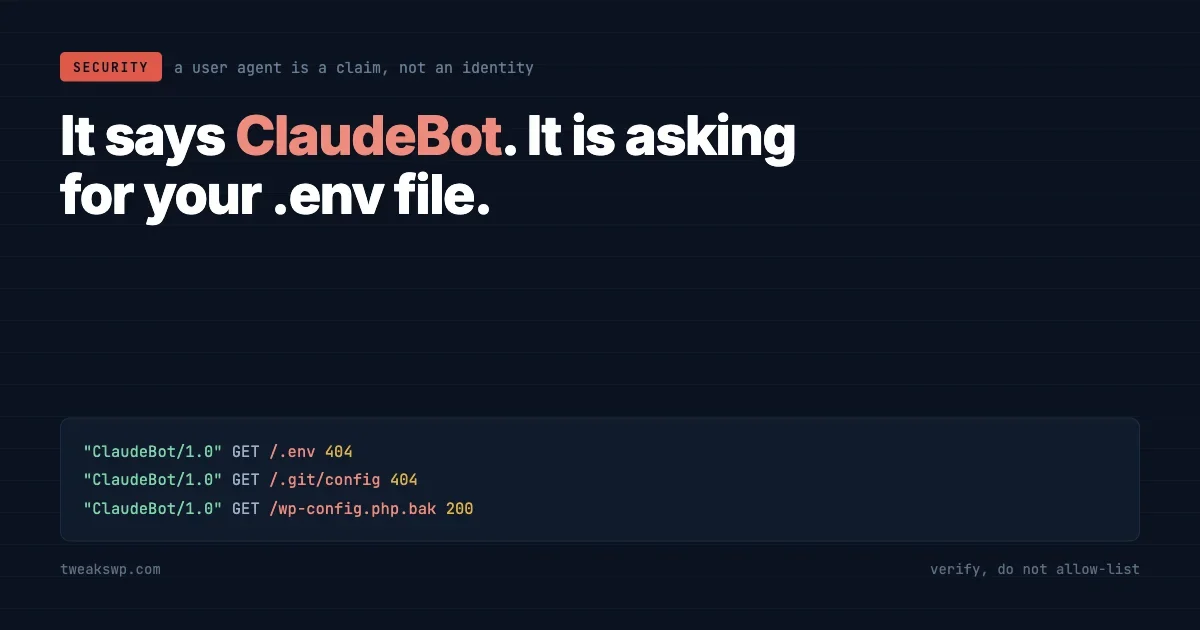
A request arrives claiming to be ClaudeBot. Your logs record it as ClaudeBot. Your analytics count it as ClaudeBot. Your firewall, if it is configured the way most are, waves it through as a known AI crawler.
None of that establishes that it was ClaudeBot. A user agent is a string the client chooses. It is a claim, not an identity, and it costs nothing to lie.
That has always been true and mostly did not matter, because the payoff for impersonating a crawler was small. It matters more now, because there is an active campaign using it.
What changed is not the technique. Anyone could always set a user agent header, and people have been faking Googlebot since Googlebot existed. What changed is that pretending to be a crawler now buys something specific: crawlers get treated well. They are exempted from rate limits, waved past bot challenges, excluded from analytics, and skipped in log review because a line of crawler traffic reads as noise rather than as an event. Every one of those courtesies is extended on the strength of a string.
The rest of this is what the reported campaign is looking for, why a WordPress deployment is more exposed to it than it was three years ago, and the commands to find out whether any of it applies to you. That last part takes about an hour across a fleet and does not depend on believing any of the threat reporting.
What is being reported
Known Agents, a company that sells bot analytics, publishes an index of AI bot traffic drawn from sites running its own product. In the security section of that index they describe an active threat:
We are observing a widespread campaign impersonating AI bots to scan websites for vulnerabilities. The attacker appears to be targeting credential and configuration paths used by AI coding tools.
That second sentence is the useful one, and I will come back to it.
Their definition of spoofing is worth adopting because it is precise: a visit is spoofed when it claims a recognised agent identity but fails that agent’s supported authentication method, such as verified IP or Web Bot Auth. Not “looks suspicious”. Fails a check that the real agent would pass.
The identities they list as most impersonated, by share of that identity’s traffic: Googlebot at 0.5%, then ChatGPT-User, GPTBot, OAI-SearchBot, PerplexityBot and ClaudeBot at 0.1% each.
How much to trust this
Before building anything on those numbers, three caveats that the source does not foreground.
The sample is self-selected. It covers sites that installed a bot analytics product, which is not a random sample of the web. Sites that install bot analytics are more likely to have a bot problem, and more likely to be the kind of site worth scanning.
The vendor benefits commercially from the finding. A company selling agent identification has an interest in agent impersonation being significant. That does not make the report wrong, and their methodology is stated openly, which is more than many such reports offer. It does mean you should treat the numbers as one vendor’s telemetry rather than an industry measurement.
And the percentages are small in isolation. Nought point one percent of ClaudeBot-identified traffic being fake is not, on its own, an emergency. What makes it worth an hour of your time is not the volume. It is what the traffic is looking for.
The part that actually matters: what they are hunting
Credential and configuration paths used by AI coding tools.
Think about what has appeared in repositories over the past two years. Editor configuration. Agent instruction files. MCP server definitions, which by their nature contain the addresses and often the tokens for services an agent is allowed to reach. Local environment files holding the API keys a developer used while building.
None of that existed as a category of scannable target three years ago. All of it now sits in a predictable set of filenames, in a predictable location relative to a project root, on a very large number of machines.
A scanner does not need to be clever. It needs a list of paths and a lot of hosts.
The new attack surface is not a WordPress vulnerability. It is your development workflow, deployed.
Why a WordPress site is exposed to this at all
Because of how sites get deployed. If the document root is a git checkout, everything in that repository is one request away unless something explicitly blocks it. That includes the files nobody thought of as public.
Check what is reachable rather than assuming. From outside the server, which is the only view that counts:
SITE="https://example.com"
for p in \
  ".env" ".env.local" ".env.production" \
  ".git/config" ".git/HEAD" \
  ".aws/credentials" \
  "config.json" "mcp.json" ".mcp.json" \
  "wp-config.php.bak" "wp-config.php.save" "wp-config.php~" \
  ".vscode/settings.json" \
  "composer.json" "package.json" \
  "debug.log" "error_log"
do
  code=$(curl -s -o /dev/null -w "%{http_code}" -m 10 "$SITE/$p")
  [ "$code" = "200" ] && echo "EXPOSED $code  $SITE/$p"
done
Anything printing EXPOSED is a finding. A 403 or 404 is fine. Run it against every site you operate, not the one you assume is representative.
Then look on disk, because a file can be present and merely unlinked rather than blocked:
# Anything that should not be under a document root.
find . -maxdepth 3 \( \
  -name ".env*" -o \
  -name "*.sql" -o \
  -name "*.bak" -o \
  -name "wp-config.php.*" -o \
  -name ".git" -o \
  -name ".mcp.json" \
\) -not -path "./wp-content/uploads/*" -print
The fix for most of what turns up is to move it out of the web root rather than to block the path, because blocking depends on a config file that survives every future server change and moving does not.
That distinction is worth holding onto, because the two approaches fail differently. A deny rule is one migration, one control panel reset or one helpful support engineer away from being gone, and nothing alerts you when it goes. A file that is not under the document root cannot be served by accident no matter what happens to the server config later. Prefer the fix that survives someone else’s Tuesday.
Where you cannot move it, deny it at the server. In Apache:
<FilesMatch "^\.(env|git|aws|vscode|mcp)">
  Require all denied
</FilesMatch>

<FilesMatch "\.(bak|sql|save|swp|log)$">
  Require all denied
</FilesMatch>
And in nginx:
location ~ /\.(env|git|aws|vscode|mcp) {
  deny all;
  return 404;
}

location ~* \.(bak|sql|save|swp|log)$ {
  deny all;
  return 404;
}
Return 404 rather than 403 where you can. A 403 confirms the file exists, which is a smaller leak than the file itself but still a free answer to a question the scanner was asking.
Why blocking by user agent achieves nothing
The instinct on reading about bot impersonation is to block the impersonated names. It is worth being clear about why that fails.
Blocking the string ClaudeBot blocks the real ClaudeBot, which is following your robots.txt and which you may actually want indexing your content. The attacker changes one line of configuration and continues, now identifying as something you have not blocked, or as a plain browser.
You have removed a legitimate visitor and inconvenienced an attacker for about ten seconds. The same logic applies in reverse to allow-listing: an allow rule keyed on a user agent string is an instruction to trust anyone who types that string.
If your bot policy is a list of user agent patterns, it is a filing system, not a control.
How to verify a crawler properly
There are three real methods, in increasing order of how new they are.
Forward-confirmed reverse DNS
The classic. Take the IP, resolve it back to a hostname, then resolve that hostname forward again and check you land on the same IP. Both directions are required, because reverse DNS alone can be set by whoever controls the address block.
verify_ip() {
  IP="$1"
  HOST=$(dig +short -x "$IP" | sed 's/\.$//')
  [ -z "$HOST" ] && { echo "$IP  no PTR record"; return; }
  BACK=$(dig +short "$HOST" | tail -1)
  if [ "$BACK" = "$IP" ]; then
    echo "$IP  confirmed as $HOST"
  else
    echo "$IP  FAILED  PTR says $HOST but it resolves to $BACK"
  fi
}

verify_ip 66.249.66.1
Then check the confirmed hostname belongs to the domain the crawler should be operating from. A confirmed hostname on a hosting provider’s domain is not the crawler you were told it was.
Published IP ranges
The major operators publish the address ranges their crawlers use, as machine-readable files intended for exactly this. Fetch the current list from the vendor’s own documentation rather than from a blog post, cache it, refresh it on a schedule, and check the source address against it.
The failure mode here is a stale copy. A range list pasted into a config file two years ago will start rejecting legitimate crawlers as the operator expands, and the symptom shows up as a slow decline in indexing rather than as an error anyone notices.
Web Bot Auth
The newest of the three, and the one the reported definition of spoofing leans on alongside verified IP. The principle is that the bot signs its requests cryptographically, so identity is proven per request rather than inferred from where it came from.
It solves the problems the other two have. Reverse DNS is slow and adds a lookup to request handling. IP ranges go stale and break when infrastructure moves. A signature travels with the request.
Adoption is early. Treat it as the direction rather than the current answer, and check whether your CDN or firewall already implements it before you build anything yourself.
What a fake looks like in the log
Verification is the reliable test, but you can usually tell before you run it, because a scanner wearing a crawler’s name behaves nothing like the thing it is imitating.
Signal | Real content crawler | Scanner in costume |
|---|---|---|
Paths requested | Posts, pages, sitemap, feed | Config files, backups, admin endpoints |
Response codes | Mostly 200 and 304 | Mostly 404, which is the point |
Pattern | Follows links it found | Requests paths nothing links to |
Pacing | Paced, often with backoff | Fast, then gone |
robots.txt | Usually fetched first | Never fetched |
Source addresses | Stable, operator-owned ranges | Scattered, often hosting or residential |
That fourth row generalises into the single best heuristic available: a high 404 rate from one source is a scan, whatever it calls itself. Nothing legitimate spends its time asking for files you do not have.
# Sources whose requests mostly 404. Sorted by how suspicious they look.
awk '{ total[$1]++; if ($9 == 404) miss[$1]++ }
     END { for (ip in total)
             if (total[ip] > 20)
               printf "%6d reqs  %3d%% 404  %s\n",
                      total[ip], (miss[ip]*100)/total[ip], ip }' access.log \
  | sort -k3 -rn | head -20
Adjust the field numbers for your log format. Anything above roughly 70% on a decent request count is worth looking at, and it needs no threat feed, no subscription and no user agent list to find.
Rate limiting that survives a liar
If your rate limits carve out exceptions for known crawlers, and those exceptions are keyed on the user agent, the exception is the attack.
Three rules make that safe.
Limit by address, not by claimed identity. The source address is the one thing a client cannot simply assert, because packets have to come back to it.
Grant exemptions only after verification. An exemption that a user agent string unlocks is not an exemption, it is a bypass. Verify first, cache the verdict against the address for a sensible period, and exempt the verdict rather than the claim.
Rate limit 404s separately and much harder. A legitimate visitor generates very few. A scanner generates almost nothing else. Limiting on misses catches path enumeration regardless of how the request identifies itself, and it barely touches real traffic.
The last one is the highest value change in this article for most fleets, because it is identity-independent by construction. It does not care what the client claims, which means it does not care when the claim changes.
Robots.txt is not a control, and the data proves it twice
Known Agents put robots.txt compliance at 98.5% across the bots they observe. That number is genuinely encouraging and completely irrelevant to this problem, and it is worth understanding why both halves are true.
It is encouraging because it says the ecosystem of real crawlers largely honours the file. If you want to keep GPTBot out of your archive, a robots.txt rule mostly works, and the operators are mostly behaving.
It is irrelevant because compliance is voluntary and measured only among bots that identify themselves honestly. Something scanning you for .env files while wearing ClaudeBot’s name is not consulting your robots.txt, and if it did, the file would function as a directory listing of the paths you care about.
Two separate jobs. Robots.txt is a preference expressed to well-behaved software. Access control is a rule enforced against everyone.
Running this across a fleet
One site is an afternoon. Forty sites needs commands.
Start with what your logs already know. Count the requests claiming an AI crawler identity and look at what they asked for:
# Who claims to be an AI crawler, and how often.
grep -hiE "ClaudeBot|GPTBot|ChatGPT-User|PerplexityBot|OAI-SearchBot" access.log \
  | awk '{print $1}' | sort | uniq -c | sort -rn | head -20

# What those requests actually asked for.
grep -hiE "ClaudeBot|GPTBot|PerplexityBot" access.log \
  | awk '{print $7}' | sort | uniq -c | sort -rn | head -30
The second command is the diagnostic. A real content crawler requests posts, pages and a sitemap. Anything claiming to be a crawler while requesting .env, .git/config or a backup file has told you what it is, regardless of its user agent.
Then verify the top talkers rather than all of them, since that is where the volume is:
grep -hiE "ClaudeBot|GPTBot|PerplexityBot" access.log \
  | awk '{print $1}' | sort -u | head -50 \
  | while read -r ip; do verify_ip "$ip"; done
And check the sites themselves are not handing anything over. Across a fleet, from a file of paths:
while read -r SITE; do
  URL=$(wp --path="$SITE" option get siteurl 2>/dev/null) || continue
  for p in ".env" ".git/config" "wp-config.php.bak"; do
    code=$(curl -s -o /dev/null -w "%{http_code}" -m 10 "$URL/$p")
    [ "$code" = "200" ] && echo "EXPOSED  $URL/$p"
  done
done < sites.txt
Silence is the good outcome. Anything it prints goes to the top of today, ahead of whatever you had planned, because an exposed credential file is not a backlog item.
What this changes about how you read logs
The habit worth breaking is treating the user agent column as information about who is visiting. It is information about what the visitor wants you to record, which is a different thing, and it is the field an attacker controls most cheaply.
Two consequences follow for anyone who reports on traffic.
Your AI crawler statistics are inflated by an unknown amount. If you have told a client that AI crawlers account for some percentage of their traffic, part of that number is a scanner. That matters more as those figures start appearing in strategy decks.
And any rule you wrote against a user agent, whether to block or to exempt, is doing something other than what you intended. Rate limits that exempt known crawlers are the sharpest version: an exemption keyed on a string is an invitation to send the string.
We wrote last week about how AI is finding vulnerabilities faster than fixes ship. This is the same story from the other end. Discovery got cheaper, and one of the things being discovered is which of your hosts left a credential file where a GET request can reach it.
The awkward case: when it really is the crawler
Worth separating out, because the two problems get conflated and they need opposite responses.
Plenty of operators are unhappy about verified, honest AI crawlers taking their content for training. That is a real grievance and it has nothing to do with this article. It is a licensing and policy argument, and the tools for it are robots.txt, terms of service, and whatever blocking your CDN offers, all of which work precisely because the crawler is honest.
What this article describes is someone borrowing that crawler’s name to look for your credentials. There is no policy conversation to have. It is a scan.
The reason to keep them separate is that the responses conflict. Blanket-blocking every AI user agent feels like it addresses both and addresses neither. It removes the honest crawlers, which is a decision you might want to make deliberately for content reasons, while doing nothing at all about the dishonest traffic, which never depended on the name it borrowed.
Decide the content question on its own terms. Then handle the scanning with verification, exposure checks and rate limits, none of which care what anyone claims to be.
What to do today
- Run the exposure check against every site you operate. Fix anything that returns 200 before you read further.
- Grep your access logs for what self-identified AI crawlers actually requested. Content, or config files.
- Verify the top claiming addresses with forward-confirmed reverse DNS. Note how many fail.
- Find every rule in your stack that keys on a user agent string, and decide whether it is doing what you thought.
- Move secrets out of the document root rather than blocking the paths, wherever that is possible.
None of that depends on the reported campaign being as large as one vendor says it is. The exposure check either finds something or it does not, and the answer is the same either way.
Which is the useful way to hold this sort of report generally. The threat intelligence is someone else’s telemetry filtered through their commercial interest. The finding about your own servers is yours, it is cheap to obtain, and it is the only part that tells you whether you have a problem.
The exposure window argument from the piece on firewall rule delays applies here too, with one difference worth noting. No vendor rule protects a file you published. That one is entirely yours, which also means it is entirely fixable this afternoon.
Plugins we build and run
We maintain these ourselves, which is why we can support them on your site.
- BuddyNextThe self-hosted community engine for WordPress
- BuddyXFree community theme, Pro when you outgrow it
- ReignPremium community theme. Add pieces, build anything
- JetonomyCommunity forum and Q&A for WordPress
- EventonomyEvents and RSVPs for WordPress communities
- LearnomyCourses and learning communities on WordPress
- ListoraDirectories and listings your members can browse
- SnipShareCode sharing built for developer communities
- WB Ad ManagerAd placements that turn traffic into revenue
- WP Career BoardA job board your community actually uses
- WP Sell ServicesSell services with offers, orders, and payouts
- MediaVersePhotos, video, and media albums for members
- WB GamificationPoints, badges, and rewards that keep members active
- Product RoadmapPublic roadmaps with voting your users trust














Related Posts
Freemius SDK Stored XSS: How to Find Every Bundled Copy on a Client Site (Anything Under 2.13.5)
CVE-2026-111497: The Brotli Bug One xmlrpc.php Pingback Can Reach, and Why Turning Off XML-RPC the Usual Way Does Not Close It