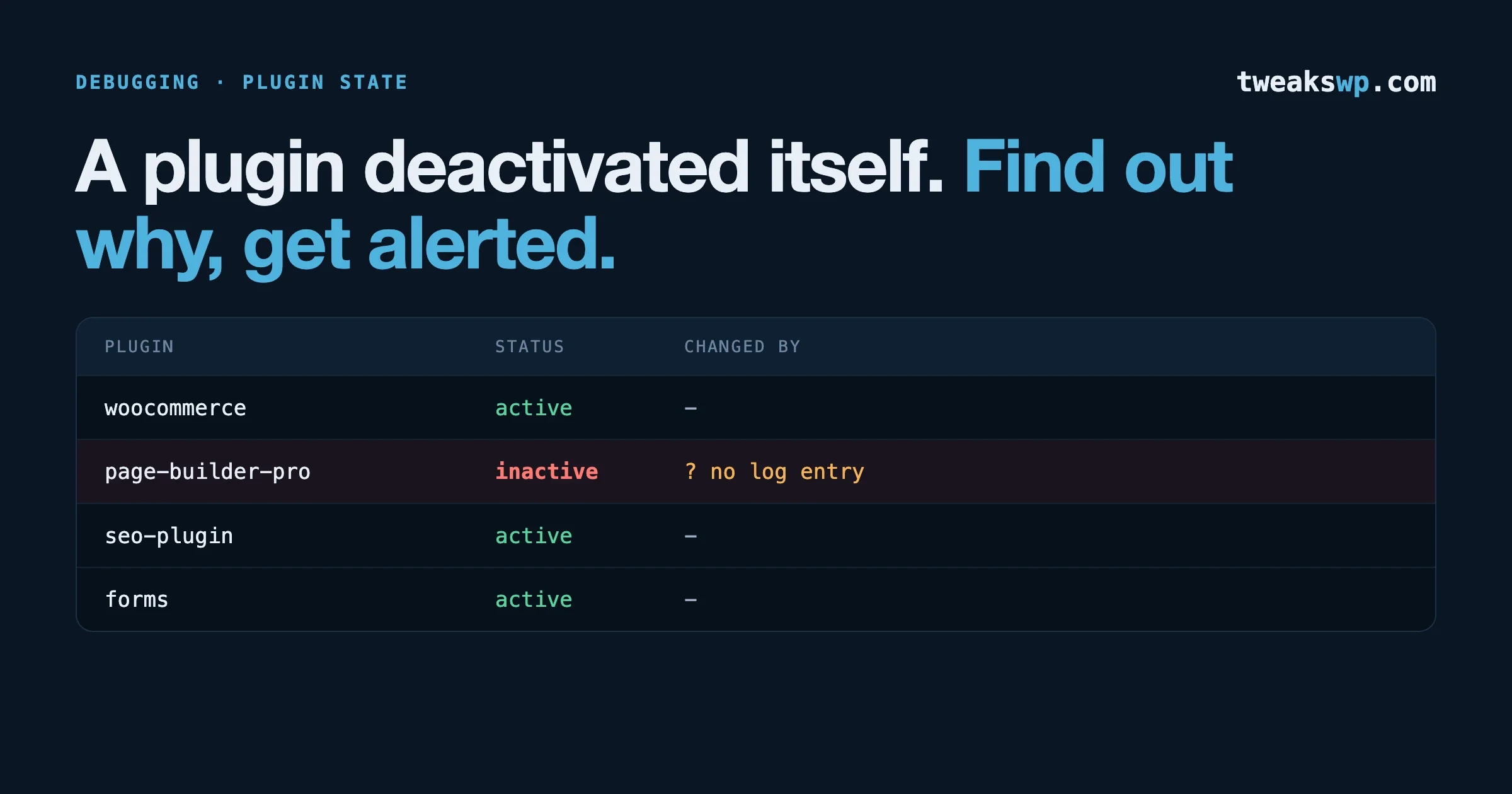
Your WAF Protected Paying Customers on 28 July. You Get the Rule on 27 August.
Wordfence shipped the ARVE backdoor rule to premium on 28 July. Free tier gets it 27 August. How to measure your own exposure window, verify the WAF is actually loaded, and four ways to close the gap.

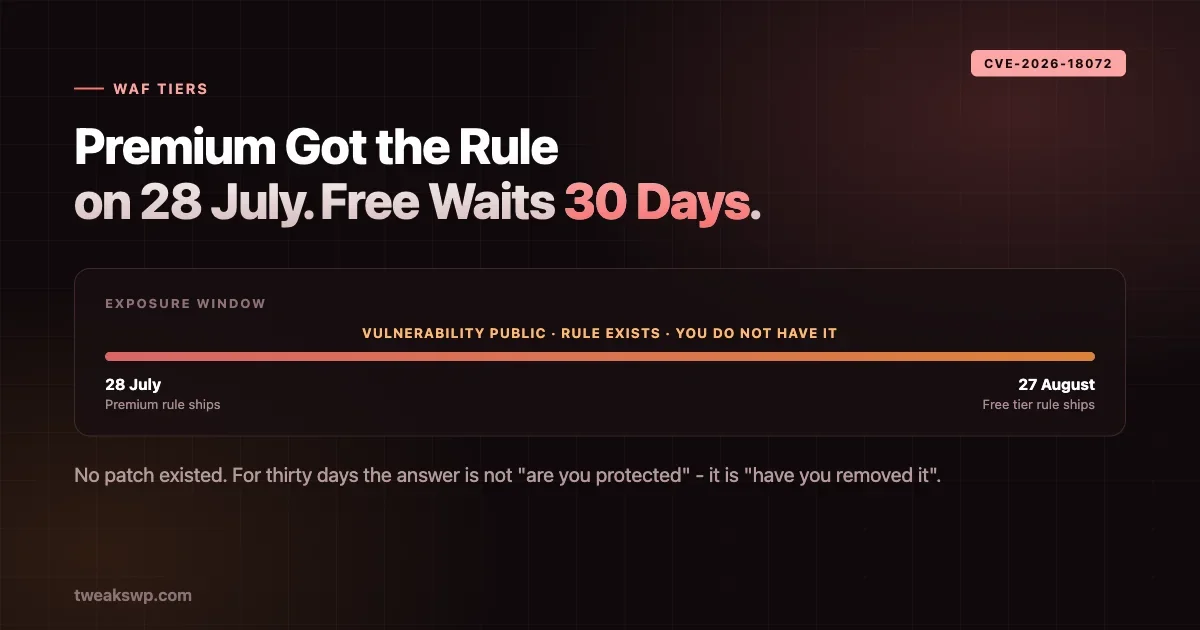
On 28 July, Wordfence detected a hardcoded backdoor in a plugin with roughly 20,000 active installs. CVE-2026-18072, CVSS 9.8, authentication bypass requiring no credentials and no user interaction. A firewall rule went out to premium users the same day.
Free-tier users get that rule on 27 August.
That is thirty days. During it the vulnerability is public, the exploit is trivial, the rule exists and works, and your site does not have it.
This is not a scandal and Wordfence is not doing anything underhanded - a thirty-day delay on free firewall rules is their published model and it is how the free tier is funded. The problem is that almost nobody running a WordPress site knows the window exists, and so nobody plans for it. If your risk posture assumes “we run a WAF, we’re covered”, it is wrong for a month after every disclosure.
This post is about measuring that window and closing it.
What the delay actually is
Worth being precise, because two different things get conflated.
Malware signatures and firewall rules are not the same product. A scanner signature identifies a known-bad file already on your server. A firewall rule blocks a request pattern before it reaches vulnerable code. The delayed item is generally the firewall rule - the preventive control - which is the one that matters during an active exploitation window.
The delay is not a patch delay. If the plugin author ships a fix, updating gets you protected immediately regardless of tier. The WAF rule matters specifically in the gap between disclosure and your update, or when no patch exists.
In the ARVE case there was no patch to apply. The plugin was closed for downloads and the recommendation was removal, which means for thirty days the free-tier answer is “have you removed it”, not “are you protected”.
That is the scenario worth planning around: no vendor patch, WAF rule exists, you cannot have it.
Find your own exposure window
Do not assume you know your tier or your delay. Check.
# Which security plugins are actually active across a fleet?
wp site list --field=url | while read -r url; do
  printf '%s\t' "$url"
  wp plugin list --status=active --field=name --url="$url" \
    | grep -iE 'wordfence|sucuri|ithemes|solid|patchstack|ninjafirewall|shield' \
    | paste -sd, - || echo "NONE"
done
Then establish the delay for each vendor you found. Vendors publish this, but it moves, so check the current terms rather than trusting a number you remember. What you want written down, per site:
- Which WAF is installed
- Free or paid
- The vendor’s stated rule delay for free tier
- Whether the WAF is actually running in its optimal mode, or basic mode
That last one catches more sites than the tier question. Wordfence in “extended protection” mode loads before WordPress; in basic mode it loads as a plugin, which means requests that bypass WordPress bootstrap also bypass the firewall. A site can be paying for premium and still be running the weaker configuration because nobody completed setup.
Verify the WAF is actually loaded
A firewall you believe in and have never tested is a belief, not a control.
Check the autoprependfile setting, which is how a WAF loads before WordPress:
wp eval 'echo ini_get("auto_prepend_file") ?: "NOT SET";'If that returns nothing on a site you thought had extended protection, the firewall is running in basic mode.
Confirm the plugin agrees:
wp option get wordfence_version 2>/dev/null || echo "not wordfence"
wp eval 'var_dump( defined("WFWAF_ENABLED") ? WFWAF_ENABLED : "undefined" );'
And check for the case that catches people after a host migration - a .user.ini or php.ini pointing autoprependfile at a path that no longer exists:
wp eval '$f = ini_get("auto_prepend_file"); echo $f ? ($f . " => " . (file_exists($f) ? "EXISTS" : "MISSING")) : "NOT SET";'A missing prepend file is worse than no firewall, because the dashboard may still report the WAF as active while nothing is intercepting requests.
Why the delay exists at all
Worth understanding rather than resenting, because it tells you when the model works and when it does not.
Firewall rules are the expensive part of a security vendor’s operation. Somebody has to analyse the disclosure, work out the request signature, write a rule narrow enough not to break legitimate traffic, test it against real sites, and ship it. That is skilled human work per vulnerability, several times a week.
Free users fund none of it. The thirty-day delay is what converts research into a paid product while still eventually protecting everyone. Remove the delay and either the free tier disappears or the research budget does.
There is also a second-order argument vendors make, and it holds up: publishing a rule immediately to millions of free installs tells attackers precisely what is being blocked and how. A staged rollout gives paying customers protection while the exploit is fresh, and broad coverage once the exploitation wave has largely passed.
None of which changes your position. The reasoning is sound and the window still exists on your site. But it does mean the correct response is planning around a known constraint, not switching vendors in irritation - the next vendor has the same model.
Worth knowing too that this pattern is not unique to WordPress or to Wordfence. Tiered delay on preventive rules is standard across the security tooling industry. If you also run a WAF in front of non-WordPress applications, the same question applies there.
Closing the gap: four options, in order of preference
1. Remove or replace the plugin
Boring and almost always correct. In the ARVE case this was the official recommendation, and it closes the window completely rather than mitigating it.
The objection is always “but we need that functionality”. Sometimes true. Frequently the plugin is providing something you could live without for four weeks, and nobody asked the question because removing a plugin feels like a bigger decision than accepting a CVSS 9.8.
Inventory first:
wp site list --field=url | while read -r url; do
  if wp plugin is-installed advanced-responsive-video-embedder --url="$url" 2>/dev/null; then
    printf '%s\t%s\n' "$url" "$(wp plugin get advanced-responsive-video-embedder --field=version --url="$url")"
  fi
done
Swap the slug for whatever the current disclosure names. That loop is the thing to keep and reuse.
2. Write the rule at the edge
If you run Cloudflare, a load balancer or any reverse proxy, you have a WAF that does not care about plugin tiers. Most disclosures include enough detail to write a targeted rule - a path, a parameter name, a header, a token.
For an authentication-bypass backdoor triggered by a specific request signature, an edge rule blocking that path or parameter is genuinely equivalent protection, delivered on your schedule rather than the vendor’s.
The caveats are real and you should hold them honestly. You are writing a security control from a public advisory, which is a different skill from applying a vendor rule, and an over-broad rule breaks legitimate traffic while an over-narrow one is trivially bypassed. Write it, test it against both a benign request and the documented exploit pattern, and log rather than block first if the endpoint is one real users touch.
3. Deny the path at the web server
Cruder, effective when the vulnerable surface is a discrete file or route:
# nginx
location ~* /wp-content/plugins/vulnerable-plugin/(admin|includes)/.*\.php$ {
    deny all;
}
# Apache
<FilesMatch "^(vulnerable-file)\.php$">
Require all denied
</FilesMatch>This works because most plugin vulnerabilities are reachable at a predictable path. It fails when the vulnerable code path runs through admin-ajax.php or the REST API, where you cannot block by path without breaking everything else.
4. Pay for the tier
Sometimes the correct answer, and worth evaluating honestly rather than treating as defeat.
Do the arithmetic on the fleet rather than the site. If you manage forty client sites, premium across all of them is a real number, and the same money spent on removing abandoned plugins and tightening the update process may buy more actual safety. If you manage three sites that handle payments, the licence cost is trivial against one incident.
The question is not “is premium worth it” in the abstract. It is “for this site, what closes the window faster - the licence, or removing the plugin”.
Detecting exploitation while you wait
If you are inside a window with no rule and no patch, monitoring becomes the fallback control. You cannot block the request, so the objective shifts to knowing quickly if it arrives.
Most disclosures name a path, a parameter or a token. Grep your access logs for it directly:
# Adjust the pattern to whatever the advisory names.
zgrep -hE 'vulnerable-plugin.*(token|auth|bypass)=' \
  /var/log/nginx/access.log* \
  | awk '{print $1}' | sort | uniq -c | sort -rn | head -20
Then watch the outcomes an exploit would produce, which is more reliable than watching for the exploit itself. For an authentication bypass leading to admin access, the signals are new administrators, new application passwords, and changed user emails:
wp user list --role=administrator --field=user_login --format=csv
wp user meta list <user_id> --keys=_application_passwords
wp db query "SELECT user_login, user_registered FROM $(wp db prefix --allow-root 2>/dev/null || echo wp_)users ORDER BY user_registered DESC LIMIT 10;"
Run those on a schedule during the window and diff against a baseline you take now. A new administrator appearing at 04:00 is a far clearer signal than any log pattern, and it does not depend on you having guessed the exploit signature correctly.
This is a weaker control than a firewall rule and should be treated as such. Detection tells you that you have a problem; it does not prevent one. But during a thirty-day window with no patch, knowing within an hour beats finding out in September.
Build the window into your process
The specific CVE stops mattering in a few weeks. The pattern does not, so the useful output of all this is a change to how you handle disclosures.
Add three lines to whatever runbook you use when a vulnerability lands:
- Is there a patch? If yes, the WAF gap is irrelevant - update and move on.
- If no patch: is a WAF rule the only control, and when do I actually get it? This is the question nobody asks. Record the date.
- If the answer is “in thirty days”: remove, edge-rule, or accept the risk explicitly. Write down which. An accepted risk that somebody chose is defensible. An accepted risk nobody noticed is not.
That third step is the whole point. The failure here is rarely technical - it is that the gap is invisible, so nobody makes a decision at all, and the site sits exposed by default rather than by choice.
A worked policy you can copy
Abstract advice does not survive contact with a busy week, so here is the concrete version. Four tiers, decided in advance, applied by CVSS and patch availability.
Patch exists, CVSS 7.0+ - update within 24 hours, fleet-wide, no discussion. The WAF gap never opens because you are not in it long enough for it to matter.
No patch, CVSS 9.0+, plugin is removable - remove it the same day. Restore when a fix ships. Tell the client afterwards rather than asking first; a missing video embed for four days is a smaller problem than an admin takeover, and framing it as a question invites the wrong answer.
No patch, CVSS 9.0+, plugin is load-bearing - edge rule plus the monitoring above, reviewed daily until a patch lands. This is the case where premium licensing pays for itself, and where the decision to buy should be made on the day rather than deferred to a procurement cycle.
No patch, CVSS below 7.0 - record it, monitor, wait. Not everything is an emergency, and treating it as one is how teams stop responding to the ones that are.
Write that down somewhere your team reads. The value is not the specific thresholds, which you should adjust to your own risk tolerance. It is that the decision gets made once, calmly, rather than improvised at 22:00 by whoever saw the advisory first.
One addition worth making explicit in the policy: who decides. A rule that says “remove the plugin same day” is useless if the person who spots the advisory does not have authority to remove a plugin from a client site. Name the role, not the person, and make sure at least two people hold it.
What to tell a client who asks
This conversation lands badly if you open with “you are unprotected for thirty days”. It lands well if you open with what you did about it.
The framing that works: their security plugin is doing its job, one specific class of protection arrives later on the free tier than the paid one, you checked whether it affects their site, and here is what you did. Three sentences, then the specifics.
What not to do is present it as a choice they have to make with no recommendation. A client asked “do you want to pay for premium or accept the risk” will either say no on cost or yes on fear, and neither is a decision - it is a coin flip dressed as consent. Come with a position: “I removed the plugin, it is back when the fix ships” or “I have added an edge rule and I am watching the logs” or “your sites are not affected, no action needed”.
The one case worth escalating rather than deciding is a site that handles payments or personal data, where the risk is not only theirs. There, present the licence cost against the incident cost and let them choose, because the consequences run past your remit.
And write the decision down wherever you track client work. Six months later, “why is that plugin gone” is a question somebody will ask, and “there was a backdoor and no patch” is a much better answer when it is recorded rather than remembered.
Where this fits with everything else
The window only matters if you are slow to update, which puts patching speed back at the centre. A fleet that applies security updates within hours spends very little time in any WAF gap, because the gap only opens when no patch exists or you have not applied it yet.
Our WP-CLI fleet auto-update setup covers the mechanics of making that fast and verifiable. The two work together: fast updates shrink the window, and knowing your WAF delay tells you how exposed you are inside whatever window remains.
The ARVE backdoor post covered the incident itself - what the backdoor did, and why detection in under two hours mattered more than the damage. This is the follow-on question that post did not raise: detection was fast, disclosure was fast, the rule was written fast, and free-tier users still wait a month.
And if you are running the affected version, proving you were not already breached is the other half of the job. A firewall rule arriving on 27 August does nothing about access obtained on 29 July.
The uncomfortable question about plugin count
Every WAF-gap conversation eventually arrives at the same place: the window only threatens you if you are running the affected plugin.
A site with twelve plugins is exposed to disclosures affecting twelve plugins. A site with forty-five is exposed to nearly four times as many, and the odds that at least one of them is in a thirty-day window at any given moment stop being theoretical.
This is the part that makes people uncomfortable, because it reframes a tooling question as an inventory question. No firewall tier fixes an install carrying eleven plugins nobody has opened in two years. The rule arrives on time and blocks an attack against something you did not need.
Run the count across the fleet and look at the distribution rather than the average:
wp site list --field=url | while read -r url; do
  printf '%s\t%s\n' "$url" "$(wp plugin list --status=active --format=count --url="$url")"
done | sort -k2 -rn | head -15
The sites at the top of that list are the ones where the WAF gap matters most, and they are usually the ones nobody has audited recently. Deactivating five plugins that exist because someone was evaluating options in 2023 does more for those sites than any licence upgrade.
Deactivation is not enough on its own, incidentally. A deactivated plugin’s files are still on disk and still reachable by direct request in some configurations. Delete rather than deactivate when you have decided something is not needed.
The honest summary
Tiered security products are a reasonable business model and the delay is disclosed rather than hidden. Nobody is being deceived.
But there is a gap between what a security plugin’s marketing implies and what a free installation delivers on the day a critical vulnerability drops, and that gap is measured in weeks. Most site owners have never thought about it, which means most sites sit through it unprotected without anyone deciding that was acceptable.
Twenty minutes with the inventory commands above tells you which of your sites are in that position. For most fleets the answer will be reassuring. For the ones where it is not, you now have four ways to close the window instead of waiting for it to close itself.
The broader lesson generalises past firewalls. Every security control you rely on has conditions attached - a tier, a mode, a configuration step, a refresh interval - and those conditions are where real exposure lives, not in the headline capability. “We run a WAF” is a statement about software installed. “Our WAF loads before WordPress, we are on the paid tier, and rules arrive same-day” is a statement about protection.
The distance between those two sentences is where most incidents happen. Work out which one is true of your sites, write it down, and you will have done more for your security posture than any product decision.
If you take one action from this post, make it the inventory loop. Not because the ARVE window is the important thing - by the time most people read this, 27 August will have passed and that specific rule will have shipped. But the next disclosure is already being written, and the difference between a fleet that knows its exposure window and one that does not is entirely a matter of having run the commands before you needed the answer.
Plugins we build and run
We maintain these ourselves, which is why we can support them on your site.
- BuddyNextThe self-hosted community engine for WordPress
- BuddyXFree community theme, Pro when you outgrow it
- ReignPremium community theme. Add pieces, build anything
- JetonomyCommunity forum and Q&A for WordPress
- EventonomyEvents and RSVPs for WordPress communities
- LearnomyCourses and learning communities on WordPress
- ListoraDirectories and listings your members can browse
- SnipShareCode sharing built for developer communities
- WB Ad ManagerAd placements that turn traffic into revenue
- WP Career BoardA job board your community actually uses
- WP Sell ServicesSell services with offers, orders, and payouts
- MediaVersePhotos, video, and media albums for members
- WB GamificationPoints, badges, and rewards that keep members active
- Product RoadmapPublic roadmaps with voting your users trust