WordPress 7.1 Turns On Media Library Infinite Scroll. Measure It Before You Keep It.
Media library infinite scroll is on by default in WordPress 7.1. The new precedence order, why setting the filter overrides every user's opt-out, WP-CLI commands to measure your own library, and the three plugin patterns this breaks.

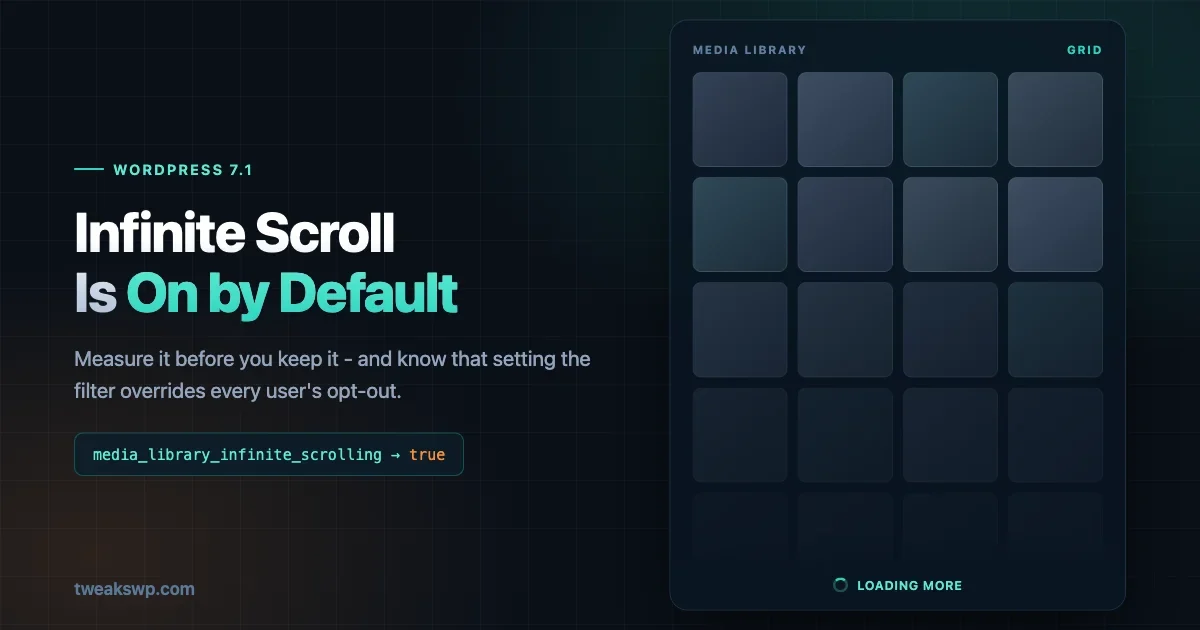
Media library infinite scroll is on by default in WordPress 7.1, and on most sites nobody will notice. On sites with a large media library, it changes how many requests the admin makes and how much work the server does to render a screen your team opens dozens of times a day.
The medialibraryinfinite_scrolling filter has defaulted to false since WordPress 5.8. In 7.1 it defaults to true. The grid view auto-loads attachments on scroll out of the box, and so does the media modal.
This is a small change with a specific blast radius. Here is what actually changed, how the new precedence works, and how to decide for your own fleet rather than taking a guess.
What changed
Three facts, and they are the whole mechanic.
The filter medialibraryinfinite_scrolling now returns true by default instead of false. It affects the Media Library grid view and the media modal - the picker that opens when you insert an image into a post. List view is unaffected, because list view has always been paginated and stays that way.
There is now a per-user opt-out. Users with the upload_files capability get a checkbox on their profile screen reading “Disable infinite scrolling in the Media Library grid view”, unchecked by default.
The tracking ticket is Core Trac #65564.
Worth stating plainly what this is not. Media library infinite scroll changing its default is not a breaking change, nothing is deprecated, and no API has moved. If you do nothing at all, every site you run will keep working. The reason it is worth twenty minutes of attention is that the sites where it does cause a problem are the ones least likely to report it as one - the editors will simply find the media library a bit worse and work around it.
The precedence order matters more than the default
Three things can decide whether infinite scrolling is on, and they are ranked:
- The
medialibraryinfinite_scrollingfilter - highest priority - The user’s opt-out preference
- The default, now
true- lowest priority
Read that carefully, because it has an operational consequence that is easy to get wrong. If you set the filter, you override every user’s personal choice. A site owner who filters it off has also removed the ability of any editor to turn it on, and a site owner who filters it on has taken away the opt-out checkbox’s effect entirely.
Forcing it off:
add_filter( 'media_library_infinite_scrolling', '__return_false' );Forcing it on:
add_filter( 'media_library_infinite_scrolling', '__return_true' );The user preference is stored as a user option called infinite_scrolling, holding the string 'true' or 'false' - a string, not a boolean, which is worth knowing if you are reading it programmatically:
$infinite_scrolling_disabled = 'false' === get_user_option( 'infinite_scrolling', $user_id );That string comparison is the supported way to read it. Do not shortcut it with a truthy check, because the string 'false' is truthy in PHP and you will get the answer backwards.
Why this is a scale question
Infinite scroll trades one decision for another. Pagination makes the user ask for the next batch. Infinite scroll decides for them, based on scroll position.
On a library of 300 images that difference is invisible. The distinction only becomes real when the library is large enough that “scroll until you find it” becomes a plausible user behaviour, because that behaviour is what generates the load. A user who scrolls steadily through a grid backed by tens of thousands of attachments will trigger request after request, each returning a batch of attachment objects, each requiring the server to query and the browser to hold every node already rendered.
The pattern is the one we covered in Scaling WordPress to 50,000 Rows: a UI that is comfortable at small scale because nothing bounds how much it will fetch. What is different here is that the boundedness is now a default rather than a choice, and it is a default on a screen that every editor touches.
Two amplifiers are worth naming because they are common and they are not obvious.
Offloaded media. If your attachments live on S3, a CDN origin, or any offload plugin, each rendered attachment may involve URL rewriting per item, and some offload plugins hook attachment metadata in ways that are cheap once and expensive in bulk. More attachments rendered per session means more of that work.
Attachment metadata size. Sites that generate many image sizes store large serialized wpattachment_metadata values. Fetching more attachments per session means unserializing more of it, and that cost lives in PHP memory rather than in the database.
A third factor is worth naming because it is the one that turns a slow grid into an unusable one: the browser, not the server. Every batch adds DOM nodes, and nothing removes the earlier ones. A grid that has loaded two thousand thumbnails is holding two thousand image elements, their event listeners, and the decoded image data behind them. Server-side response time can stay flat while the tab becomes progressively less responsive, which is why a measurement that only looks at request timings can conclude everything is fine while an editor tells you the media library “freezes”. If you test this, watch memory and interaction latency in the browser, not just the network panel.
This is also why the problem is worse on the machines least able to handle it. A developer testing on a current laptop with 32GB of RAM will scroll through a large library and find it acceptable. An editor on a four-year-old low-spec machine, which is who actually uses the media library all day, will not. Test on hardware that resembles your users’ hardware, or at minimum throttle CPU in devtools before concluding there is no problem.
Measure it on your own library
I am not going to give you a number here, because a number from someone else’s library is worth nothing for your decision. The Make Core announcement does not include benchmarks either. What matters is the size and shape of your library, your hosting, and whether your editors actually browse or search.
Start by finding out what you are dealing with.
Count attachments per site:
wp post list --post_type=attachment --format=countAcross a multisite network or a fleet, loop it and record the result so you know which sites are even in scope:
wp site list --field=url | while read -r url; do
  printf '%s\t%s\n' "$url" "$(wp post list --post_type=attachment --format=count --url="$url")"
done
Check how heavy the metadata is, since that is the cost that does not show up in a row count:
wp db query "SELECT ROUND(SUM(LENGTH(meta_value))/1024/1024, 2) AS mb \
  FROM $(wp db prefix --allow-root 2>/dev/null || echo wp_)postmeta \
  WHERE meta_key = '_wp_attachment_metadata';"
Then measure the thing itself. Open the Media Library grid in a browser with the network panel recording, scroll the way an editor looking for an image would scroll, and read off three numbers: how many requests fired, the total transferred, and the time to interactive after each batch. Do it once with the filter forced off and once with it forced on, on the same site, same connection. That comparison is the only one that answers the question for you.
If you have a staging copy and want to know where the cliff is rather than where you are today, seed it and repeat at intervals:
wp media import /path/to/images/*.jpg --skip-copyWatch for the point where scrolling stops feeling instant. That threshold, on your stack, is your real answer.
The accessibility side, which is why this was off for five years
The performance question is the obvious one. It is not the reason the filter defaulted to false for five years.
Infinite scroll has well-documented accessibility problems, and they are structural rather than incidental. Content that appears without an explicit user action is not announced to screen readers unless the implementation goes out of its way to announce it. Keyboard users tabbing through a grid can find focus behaving unpredictably when new items insert beneath them. And anything positioned after the scrolling region - a footer, a pagination control, a “load more” fallback - becomes progressively harder to reach, because the list keeps growing as you approach it.
The 2021 discussion that led to the filter being introduced with a false default weighed those concerns against the smoother browsing experience, and landed on off-by-default with an opt-in. The 7.1 change reverses that judgement while keeping an escape hatch, which is a reasonable position five years later - implementations have improved and user expectations have shifted - but it is worth knowing the history rather than treating the old default as arbitrary.
The practical upshot for you: if you support users with accessibility requirements, or you have a legal obligation to meet a standard, the per-user opt-out is the mechanism that matters and it needs to be discoverable. A checkbox on the profile screen that nobody has been told about does not discharge the obligation. Tell your editors it exists.
Making the decision
Once you have numbers, the choice is between three positions.
Leave the default alone. Correct for most sites. If your library is modest, or your editors search rather than browse, infinite scroll is a better experience and the load is irrelevant. Doing nothing is a legitimate outcome and the one that respects the per-user opt-out.
Leave the default and tell your editors about the checkbox. The right answer when the library is large but the pain is uneven - a few people who browse heavily, most who do not. It keeps the decision with the person experiencing the problem. The cost is that it requires communication, and a checkbox nobody knows about helps nobody.
Filter it off site-wide. Justified when you have measured a real problem, when the library is large enough that browsing is common, or when editors work on constrained connections or low-powered machines. Be clear about what you are giving up: you are overriding every user’s preference, including users who would have wanted it on.
Applying it conditionally across a fleet
If you do decide to filter, the useful shape is a threshold rather than a flat on or off. A small mu-plugin that counts attachments once, caches the result, and disables infinite scroll only above a size you have measured:
<?php
/**
 * Plugin Name: Media Library Infinite Scroll Policy
 * Description: Disables media library infinite scrolling above a measured attachment threshold.
 */

add_filter( 'media_library_infinite_scrolling', function ( $enabled ) {
	$threshold = (int) apply_filters( 'acme_media_scroll_threshold', 20000 );

	$count = get_transient( 'acme_attachment_count' );

	if ( false === $count ) {
		$counts = wp_count_posts( 'attachment' );
		$count  = isset( $counts->inherit ) ? (int) $counts->inherit : 0;
		set_transient( 'acme_attachment_count', $count, DAY_IN_SECONDS );
	}

	return $count < $threshold ? $enabled : false;
} );
Two things about that implementation are deliberate. It uses wpcountposts() rather than a WP_Query, because you want a count and not a result set - the same discipline the rest of this applies to the media grid. And it caches for a day, because an attachment count that changes by a few hundred does not change the decision, and running a count on every admin page load to decide a UI preference would be its own performance problem.
Note that returning the incoming $enabled value below the threshold rather than true matters: it preserves the user’s per-user opt-out on sites where the policy does not kick in. Returning true there would override the checkbox for everyone, which is exactly the precedence trap described earlier.
For an agency running many client sites, resist the urge to apply one filter across the fleet. Attachment counts vary enormously between a brochure site and a publisher, and a blanket mu-plugin will be wrong for most of them. Inventory first with the count command above, then apply the filter only where the number justifies it.
The better fix nobody reaches for
There is an option missing from the three above, and on large libraries it beats all of them: make browsing unnecessary.
Infinite scroll only matters if people scroll. They scroll because they cannot find things any other way. A media library where search works is one where the grid is a fallback rather than the primary interface, and the load question mostly evaporates.
Three things move the needle here, in rough order of effort.
Make people fill in the title field. WordPress searches attachment titles, and the default title is the filename. A library full of IMG_4471.jpg is unsearchable by construction, and no amount of scrolling behaviour fixes that. This is a process change rather than a technical one, which is why it rarely happens - but a team that titles uploads has a library that stays usable at any size.
Use the existing filters. The grid has type and date filters that most editors never touch because nobody showed them. “Images, uploaded this month” collapses most real searches to a handful of items. Again, a documentation problem more than an engineering one.
Consider taxonomy on attachments. For libraries in the tens of thousands, registering a taxonomy for attachments and tagging by campaign, client, or section turns browsing into filtering. It is real work and it needs backfilling to be worth anything, so it only pays off where the library is both large and long-lived.
None of this is a reason to skip the measurement above. But if your numbers come back bad, reaching for the filter is treating the symptom. The library got hard to browse before the default changed; the default just made it more visible.
Where this sits in your 7.1 rollout
Media library infinite scroll is not a reason to delay a 7.1 upgrade, and it should not be treated as one. It is a default change with a one-line override, which puts it in a very different category from anything that breaks.
The useful thing is to fold the check into the rollout you are already planning rather than treating it as separate work. If you run updates across a fleet, the WP-CLI fleet auto-update setup already gives you the inventory loop and the canary-site pattern; the attachment count is one more field to record while you are there. And if you are staging the upgrade properly, the safe update workflow already has a verification step after applying - opening the media library on your two largest sites belongs in that step.
The pattern generalises. Default changes are cheap to check and expensive to discover late, so the right place for them is the verification pass you already run, not a separate project. This one takes two minutes per site once you know which sites to look at, and the inventory command tells you that in one pass.
Before 19 August
Three things worth doing while 7.1 is still in Beta.
Run the attachment inventory across your fleet so you know which sites are even candidates. Most will not be.
On the top two or three by attachment count, run the browser comparison against Beta so you have a real before-and-after rather than a hunch.
And check any plugin that customises the media modal. The modal is affected by this change too, and plugins that add tabs, filters, or custom attachment browsers to it are the most likely place for something to break - not because the change is invasive, but because those plugins tend to assume a fixed set of loaded attachments.
Three categories are worth testing specifically, because each makes an assumption the new default breaks:
Anything that binds events to attachment thumbnails on load. A plugin that attaches click handlers when the modal opens will handle the first batch and silently ignore every attachment loaded afterwards. The symptom is a feature that works at the top of the grid and stops working once you scroll. Delegated event binding is immune; direct binding is not.
Anything that counts or selects across the grid. Bulk-select helpers, “select all visible” controls, and custom filters that operate on rendered items now operate on a set that grows underneath them. The behaviour is not wrong so much as ambiguous, and it is worth deciding what you want it to mean before a client asks.
Offload and optimisation plugins that hook per-attachment rendering. These are the ones where the change is a performance question rather than a correctness one. If a plugin does per-item work when an attachment is rendered, infinite scroll multiplies how often that runs in a single session.
A quick way to isolate any of this is to compare the same workflow with the filter forced both ways on a staging copy. If a behaviour only breaks with the filter on, you have found a plugin making the fixed-set assumption, and you can decide whether to report it upstream or force the filter off for that site until it is fixed.
The default flip itself is defensible. Infinite scroll is what people expect from a media grid in 2026, and core kept an opt-out rather than forcing it. The work on your side is small: find out whether you are one of the sites where it matters, and if you are, decide deliberately instead of inheriting the default.
One last note on how to think about this class of change generally. A default flipping is not a feature announcement, and it will not appear in any list of what is new in 7.1 that a client reads. It changes behaviour on every site that has not explicitly opted out, which is most of them, and the sites where it matters are exactly the ones least likely to notice quickly - large, busy, with editors who will assume the admin has always been a bit slow.
That is the argument for spending twenty minutes on the inventory command now rather than waiting for a support ticket in September. The command is cheap, the answer is usually “not affected”, and knowing which of your sites sit in the small affected group is worth more than the time it costs. Defaults are where behaviour changes quietly, and quiet changes on large sites are the ones that get diagnosed slowly.
Plugins we build and run
We maintain these ourselves, which is why we can support them on your site.
- BuddyNextThe self-hosted community engine for WordPress
- BuddyXFree community theme, Pro when you outgrow it
- ReignPremium community theme. Add pieces, build anything
- JetonomyCommunity forum and Q&A for WordPress
- EventonomyEvents and RSVPs for WordPress communities
- LearnomyCourses and learning communities on WordPress
- ListoraDirectories and listings your members can browse
- SnipShareCode sharing built for developer communities
- WB Ad ManagerAd placements that turn traffic into revenue
- WP Career BoardA job board your community actually uses
- WP Sell ServicesSell services with offers, orders, and payouts
- MediaVersePhotos, video, and media albums for members
- WB GamificationPoints, badges, and rewards that keep members active
- Product RoadmapPublic roadmaps with voting your users trust