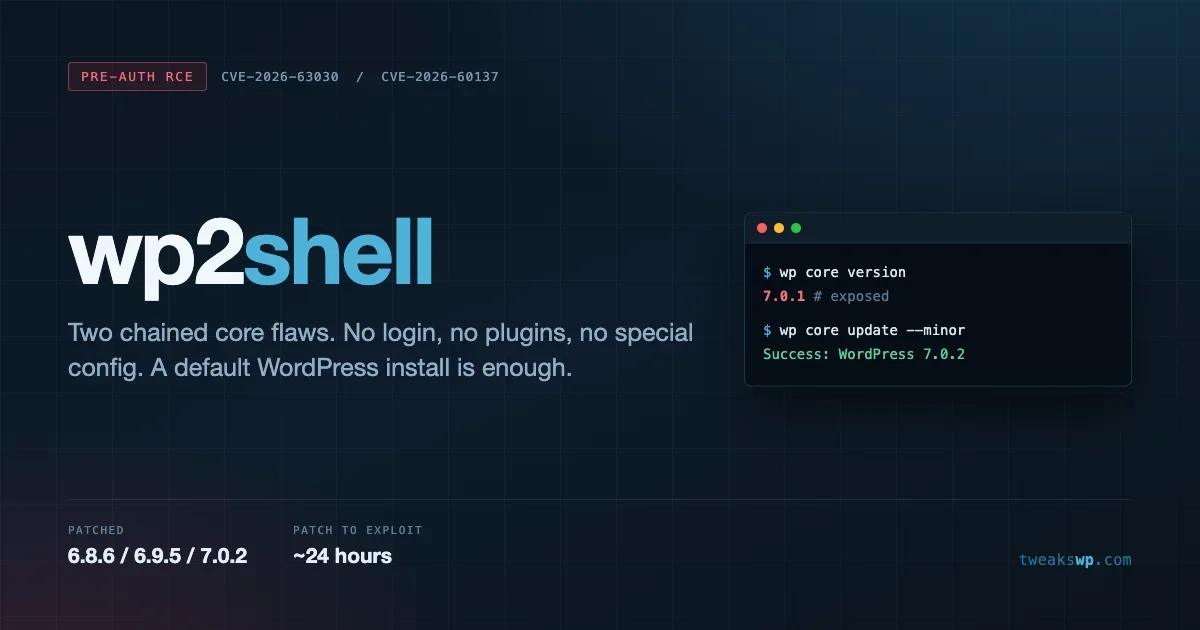
wp2shell: The WordPress Core RCE Chain That Needs No Login
Two chained WordPress core flaws give an anonymous attacker remote code execution on a default install. What CVE-2026-63030 and CVE-2026-60137 actually are, how to check your exposure with WP-CLI, and how to tell whether you were hit before you patched.

On Friday 17 July 2026, WordPress shipped 7.0.2, 6.9.5 and 6.8.6 as an emergency security release and switched on forced auto-updates. By Monday, attackers were mass-scanning the internet for sites that had not taken it. If you run WordPress and you have not confirmed your version since that Friday, this article is the one to read first.
The bug chain is called wp2shell. It gives an anonymous attacker remote code execution on a stock WordPress install. No login. No plugins. No unusual configuration. A single HTTP request to a default site is enough.
This post covers what the two vulnerabilities actually are at the code level, how to confirm your exposure with WP-CLI in about ten seconds, how to tell whether you were compromised before you patched, and what to do if you find that you were.
The nine day timeline
The speed here matters more than the CVE numbers, because it explains why so many sites got hit.
- Friday 17 July: WordPress releases 7.0.2, 6.9.5 and 6.8.6. Forced auto-updates are enabled for affected versions. The release notes describe one critical SQL injection and one high severity REST API issue leading to remote code execution.
- Saturday 18 July: Researchers diff the patch, publish the mechanism, and put working exploit code on GitHub. The window between “patch available” and “exploit available” was roughly one day.
- Monday 20 July: Mass scanning and exploitation are reported in the wild. Coalition captures active exploitation in its honeypots. Qualys publishes an advisory.
- Friday 24 July: CISA patching deadline for federal agencies, which is the strongest signal available that this is being exploited at scale.
- Today: Nine days after the patch. Every unpatched site has been reachable by public exploit code for eight of them.
That one day gap between patch and public exploit is the entire story. The old assumption that you have a comfortable week to test a security release is gone. It was already thin. This release killed it.
What wp2shell actually is
wp2shell is not one bug. It is two, and neither one reaches code execution alone. Understanding the split matters, because the version ranges differ and so does your exposure.
CVE-2026-60137: SQL injection in author__not_in
The first flaw lives in WP_Query, in the handling of the author__not_in parameter. That parameter is documented as taking an array of author IDs to exclude from a query.
The validation assumed it would receive an array. Hand it a string instead, and the check that expects an array is skipped entirely. The value then reaches the SQL layer without being sanitised, which is a textbook injection primitive.
This is the older of the two bugs. It affects WordPress 6.8.0 through 6.8.5, 6.9.0 through 6.9.4, and 7.0.0 through 7.0.1. Versions before 6.8 are not affected.
On its own, this is already serious. An attacker who can inject SQL can read your wp_users table, pull password hashes, and start cracking them offline. It does not hand over the server, but it hands over your database.
This flaw was reported by TF1T, dtro and haongo.
CVE-2026-63030: batch route confusion in the REST API
The second flaw is the more interesting one. WordPress exposes a batch endpoint at /wp-json/batch/v1 that lets a client send several sub-requests in one HTTP call. The endpoint keeps an allowlist of which routes are permitted inside a batch.
The bug is an off-by-one. When one sub-request in the batch throws an error, the internal tracking arrays fall out of alignment by a single position. Every subsequent sub-request is then matched against the wrong entry. In practice that means a request can be made to run under a different request’s handler, which is exactly how you get around an allowlist: you do not defeat the check, you make the check apply to something else.
This one was found by Adam Kues at Assetnote, the attack surface management arm of Searchlight Cyber, and reported through the WordPress HackerOne programme.
How they chain
Separately they are two bad bugs. Chained, they are a pre-authentication remote code execution.
The batch route confusion gets an attacker to a handler they should never have been able to reach unauthenticated. That handler carries the SQL injection. From there the public exploits follow a predictable path: extract password hashes through the injection, crack an administrator credential offline, authenticate as that administrator, then upload a plugin containing a webshell. Plugin upload is a legitimate admin feature, which is what turns database access into arbitrary command execution.
The full RCE chain requires both bugs, so it affects 6.9.0 through 6.9.4 and 7.0.0 through 7.0.1. If you are on a 6.8.x release, you are exposed to the SQL injection but not the complete chain. That is not a reason to relax. Password hashes leaving your database is its own incident.
Are you affected? Check in ten seconds
Run this against every site you are responsible for:
wp core versionCompare the output against this table.
Your version | Exposure | Action |
|---|---|---|
Below 6.8.0 | Not affected by either flaw | You have other problems. That release line is long past security support. |
6.8.0 to 6.8.5 | SQL injection only | Update to 6.8.6 now |
6.9.0 to 6.9.4 | Full pre-auth RCE chain | Update to 6.9.5 now |
7.0.0 to 7.0.1 | Full pre-auth RCE chain | Update to 7.0.2 now |
6.8.6, 6.9.5, 7.0.2 or later | Patched | Verify you were patched before 18 July, not after |
If you manage more than a handful of sites, loop it rather than checking by hand:
for d in /var/www/*/public_html; do
  printf '%s: ' "$d"
  wp core version --path="$d" --skip-plugins --skip-themes 2>/dev/null || echo "check failed"
done
Searchlight Cyber also published a public checker at wp2shell.com if you want an external opinion on a site you do not have shell access to.
Patching, and why auto-update may not have saved you
The fix is the update. There is no configuration change that substitutes for it.
wp core update --minor
wp core version
For a specific target version:
wp core update --version=7.0.2
wp core update-db
WordPress.org enabled forced auto-updates for affected versions, which is why a large share of sites were patched without anyone touching them. That is the system working as designed, and it is the single reason this was not far worse.
The gap is what nobody has confirmed: whether the forced push reaches sites that explicitly turned auto-updates off. Plenty of agency and enterprise sites do exactly that, usually through define( 'WP_AUTO_UPDATE_CORE', false ); or define( 'AUTOMATIC_UPDATER_DISABLED', true ); in wp-config.php, or by filtering auto_update_core. If that describes your fleet, assume you were not patched automatically and verify every site by hand. Our reference on wp-config.php constants covers which of those switches you may have set years ago and forgotten.
If you are the person who disabled auto-updates because an update once broke a client site, that instinct is reasonable and the answer is not to flip it back blindly. The answer is a staging step fast enough that it does not delay security releases by a week. Our safe update workflow covers backup, staging test, apply and verify in a sequence that still lets you ship a critical patch the same day.
The object cache side effect
One detail worth knowing, and worth not relying on. Sites running a persistent object cache such as Redis or Memcached may not be exploitable through the full chain. The caching layer changes the query path enough to interfere with it.
Treat that as a coincidence, not a control. It is a side effect of your caching architecture, it was never designed as a security boundary, and it does nothing about the SQL injection itself. If you run Redis and you are still on 7.0.1, you are not safe, you are lucky. If you want the performance benefits for the reasons they actually exist, our Redis object cache setup guide covers doing it properly.
Assume breach: were you already hit?
This is the part most site owners skip. Patching closes the door. It does nothing about anyone already inside.
If your site ran an affected version at any point between Saturday 18 July and the moment you patched, you were exposed to public exploit code. That is the window to investigate. Work through the following.
Look for administrator accounts you did not create
Creating a new admin user is the most common persistence step after this kind of compromise.
wp user list --role=administrator --fields=ID,user_login,user_email,user_registeredSort by registration date and question anything created after 17 July. Check the email domains carefully. Attackers frequently pick a login that looks plausible next to your real team names.
Look for plugins nobody installed
Plugin upload is how the public exploits turn database access into code execution, so an unexpected plugin is a strong signal.
wp plugin list --fields=name,status,version,update
wp plugin verify-checksums --all
The checksum verification is the useful half. It compares installed plugin files against the versions published on WordPress.org and reports anything modified. A clean plugin list with a failing checksum means someone edited a plugin you trust.
Verify core files
wp core verify-checksumsAny core file reported as modified on a production site is an incident until proven otherwise. Core files do not change on their own.
Hunt for dropped files
Webshells usually land in the uploads directory, because that path is writable by design and rarely inspected.
find wp-content/uploads -name '*.php' -type f
find wp-content -type f -newermt '2026-07-17' -name '*.php'
There is no legitimate reason for a PHP file to exist under wp-content/uploads. Not one. Every result from that first command deserves an explanation.
Check scheduled tasks and options
wp cron event list
wp option get siteurl
wp option get home
Cron is a favourite persistence mechanism because it survives file cleanup. An unfamiliar hook name that fires a remote request is worth chasing down.
Search your access logs
Nobody has published a definitive request signature for this chain, and you should be sceptical of any post that claims otherwise. Coalition confirmed exploitation in its honeypots without releasing the payloads. What you can do is search for traffic to the endpoints involved, which on a normal site is close to zero.
The batch endpoint is the first place to look:
grep -c 'batch/v1' /var/log/nginx/access.log
grep 'batch/v1' /var/log/nginx/access.log | awk '{print $1}' | sort | uniq -c | sort -rn | head -20
Most WordPress sites never receive a request to /wp-json/batch/v1 in normal operation. It exists for the block editor and a few specific admin flows. A burst of requests to it from a single address, especially before you patched, is worth reading line by line.
The injected parameter is the second:
grep -iE 'author__not_in' /var/log/nginx/access.log | head -50Bear in mind that a POST body will not appear in a standard access log, so absence of results here is weak evidence. Presence of results is strong evidence. That asymmetry is worth stating plainly: these greps can confirm you were targeted, but a clean result does not prove you were not.
If your logs have already rotated past 17 July, you have lost the window. Check your retention settings now rather than during the next incident, and keep at least thirty days.
If you find evidence of compromise
Patching a compromised site does not clean it. Once an attacker has had code execution, the only defensible assumption is that everything on that host is suspect.
- Do not simply delete the webshell and move on. You will find one. There are usually several, plus a persistence mechanism you have not found yet.
- Preserve evidence before cleaning. Copy access logs, error logs and the file tree somewhere off the host. You cannot reconstruct a timeline from a server you have already scrubbed.
- Rotate every credential. Database password, all administrator passwords, application passwords, API keys, SFTP and SSH keys, and your salts. Regenerate salts with
wp config shuffle-salts, which invalidates every existing session. - Revoke application passwords. They survive a password reset, which is exactly why attackers create them.
- Rebuild rather than clean where you can. Fresh core, fresh plugins and themes from source, and restore only
wp-content/uploadsand the database after inspecting both. - Get help if the site handles payments or personal data. That is a forensics and disclosure question, not a WordPress question, and the reporting clock may already be running.
If you want a broader sweep of your site’s posture once the fire is out, our five minute security audit is a reasonable next pass.
What a web application firewall does and does not do
A WAF in front of the site would have blocked many of the early exploit attempts, because the first wave of public exploit code was uniform enough to fingerprint. That is real value and it is why managed hosts absorbed a lot of this quietly.
It is also not a fix. Signature based blocking degrades as attackers vary their payloads, and it was never going to catch every variant of a request to a legitimate endpoint with a legitimately shaped parameter. Coalition’s advisory puts it plainly: a WAF may provide some protection, patching is the only complete fix.
Use one. Do not schedule your patching around having one.
Reducing REST API surface as defence in depth
Once you are patched, it is fair to ask whether the batch endpoint needs to be reachable on your site at all. On a site where nobody uses the block editor, or where editing happens on a separate admin host, it does not.
You can remove the batch route for unauthenticated callers with a filter in an mu-plugin:
add_filter( 'rest_pre_dispatch', function ( $result, $server, $request ) {
    if ( str_starts_with( $request->get_route(), '/batch/v1' ) && ! is_user_logged_in() ) {
        return new WP_Error( 'rest_forbidden', 'Batch requests are disabled.', array( 'status' => 401 ) );
    }
    return $result;
}, 10, 3 );
Test this on staging before production. If your editors use the block editor on the same host, an over-broad version of this rule will break saving, and a broken editor is a worse outcome than a closed endpoint you did not need.
The general principle holds beyond this one bug: every REST route you expose to anonymous callers is surface you have to trust forever. Auditing which ones you actually need is cheap, and it pays off the next time a route-level bug lands.
The uncomfortable lesson about patch gaps
Strip out the CVE numbers and this event is a timing problem.
The patch was available on day zero. Public exploit code existed on day one. Mass exploitation started on day three. Any process that treats a security release as something to review at the next sprint boundary is a process that guarantees a multi-day window with public exploit code pointed at production.
Three things follow from that.
Security releases need a separate lane. Feature updates can wait for your testing cycle. Security releases cannot use the same queue. The decision to apply one should take minutes, not a planning meeting.
Auto-updates for core should be the default, and the exceptions should be documented. If a site has core auto-updates disabled, someone should be able to say why, and that reason should be reviewed. “It broke once in 2023” is not a current reason.
You need to know your versions without logging in anywhere. If answering “which of my sites were on 7.0.1 last Friday” takes you an afternoon, that is the finding. Inventory is a security control.
WordPress core being the vulnerable component rather than a plugin is what made this one unusual. Most site owners have internalised that plugins are the risk surface, which is statistically fair. It also means a lot of people assumed a default install with no plugins was a safe install. This chain worked on exactly that.
Questions people are asking
My host says they patched me. Do I still need to check?
Check anyway, and check the version rather than the ticket. Managed hosts largely did handle this well and many patched before most owners knew about it. That still leaves you needing to know the date, because the question that matters is not whether you are patched now, it is whether you were exposed between 18 July and whenever the patch landed. Ask your host for the timestamp.
I have a security plugin. Was I protected?
Partly, and not reliably. A security plugin with a firewall module blocks traffic that matches its rules, and rules for this chain appeared quickly. That helps against the first wave of copy-paste exploitation and helps less as payloads vary. A security plugin also runs inside WordPress, which means it is loaded by the same request it is trying to block. Treat it as one layer, never as the reason you can defer a core update.
I am on 6.8.x. The RCE does not affect me, so can this wait?
No. You are exposed to the SQL injection, which means an attacker can read your database, including password hashes for every account on the site. Losing your user table is a serious incident on its own, and cracked administrator credentials lead to the same place as the full chain, just with more steps. Update to 6.8.6.
Do I need to reinstall WordPress if I was running an affected version?
Not automatically. Running a vulnerable version means you were exposed, not that you were exploited. Work through the detection steps above first. If checksums are clean, no unexpected admin users exist, no PHP files are sitting in uploads, and cron looks normal, patch and monitor. Rebuild when you find actual evidence, not on suspicion alone.
Why did WordPress force updates onto sites this time?
Because the chain needs no authentication and works against a default install. There is no configuration a site owner could have chosen that would have made them safe, which removes the usual argument for letting owners decide their own timing. Forced updates are reserved for exactly this shape of problem, and the fact that they were used tells you how the security team read the risk.
Was this caused by a plugin or theme?
No, and that is what makes it unusual. Both flaws are in WordPress core. A site with zero plugins and a default theme was exploitable. The common advice that plugins are the main risk surface is true as a statistical matter and it was not true here.
Your checklist
Short version, in order:
- Run
wp core versionon every site you own. - Anything below 6.8.6, 6.9.5 or 7.0.2 gets updated today, not this week.
- Confirm when each site was patched. Before 18 July means you probably closed the window in time. After means investigate.
- Run
wp core verify-checksumsandwp plugin verify-checksums --all. - List administrator accounts and question every one created since 17 July.
- Search
wp-content/uploadsfor PHP files. - If anything looks wrong, rotate credentials and shuffle salts before you do anything else.
- Re-enable core auto-updates anywhere you had turned them off without a current reason.
The sites that came through this untouched were not the ones with the most security plugins. They were the ones running a supported version with auto-updates left on. That is the whole lesson, and it costs nothing to apply before the next one.
Plugins we build and run
We maintain these ourselves, which is why we can support them on your site.
- BuddyNextThe self-hosted community engine for WordPress
- BuddyXFree community theme, Pro when you outgrow it
- ReignPremium community theme. Add pieces, build anything
- JetonomyCommunity forum and Q&A for WordPress
- EventonomyEvents and RSVPs for WordPress communities
- LearnomyCourses and learning communities on WordPress
- ListoraDirectories and listings your members can browse
- SnipShareCode sharing built for developer communities
- WB Ad ManagerAd placements that turn traffic into revenue
- WP Career BoardA job board your community actually uses
- WP Sell ServicesSell services with offers, orders, and payouts
- MediaVersePhotos, video, and media albums for members
- WB GamificationPoints, badges, and rewards that keep members active
- Product RoadmapPublic roadmaps with voting your users trust














Related Posts
Freemius SDK Stored XSS: How to Find Every Bundled Copy on a Client Site (Anything Under 2.13.5)
CVE-2026-111497: The Brotli Bug One xmlrpc.php Pingback Can Reach, and Why Turning Off XML-RPC the Usual Way Does Not Close It