Should You Remove Polyfill from WordPress?
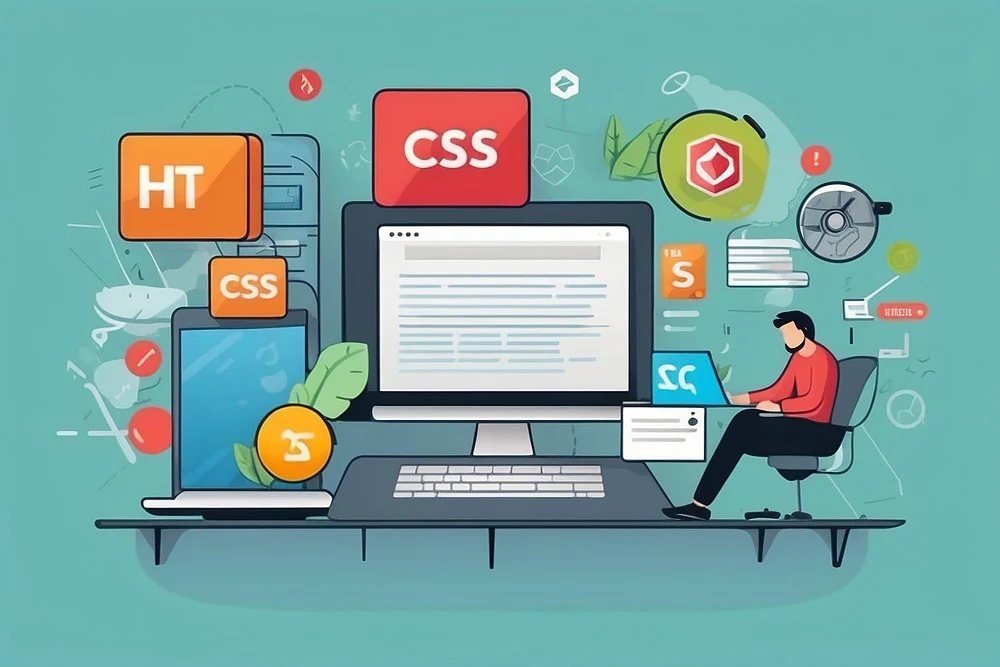
Polyfills are JavaScript snippets that make modern browser features work on older browsers by “filling in” for what’s missing. In WordPress, they exist to keep sites working on browsers that don’t support certain modern standards. But with evergreen browsers - the ones that update themselves automatically - now dominant, the need for polyfills has shrunk. So should you actually remove them from your WordPress site?

What Are Polyfills?
Polyfills are JavaScript that make modern web features available across different browsers - a fallback that helps older browsers understand and run modern code.
For example, newer JavaScript methods like Array.prototype.includes() may not work in older versions of Internet Explorer, so a polyfill adds that method to the browser environment so your site still functions correctly.
In WordPress, polyfills are included to keep your site working even on browsers that don’t support the latest web standards.
Also Read: How to Create Coupons on WordPress Products
Why Does WordPress Use Polyfills?
WordPress powers a significant share of websites globally, so it needs to work across many different browsers, including older ones. To maintain that compatibility, WordPress adds polyfills for features that aren’t supported by every browser, so visitors get a working experience regardless of what they’re using.
Polyfills matter most when your audience is diverse enough that some users won’t always be on the latest browser version.
Example of Polyfill Use in WordPress
One common polyfill in WordPress is for the HTML5 shim. It ensures HTML5 elements like <article>, <section>, and <header> work correctly in older versions of Internet Explorer.
The Case for Removing Polyfills
With evergreen browsers like Chrome, Firefox, and Microsoft Edge now dominant, the need for polyfills has dropped. These browsers update automatically and stay current with the latest standards, which reduces the need for fallback support.
Removing polyfills can bring a few real benefits:
1. Improved Performance
Polyfills add extra JavaScript to your site, which can slow down page load times. Even though modern browsers don’t need them, the code still gets sent to every visitor. Removing unnecessary polyfills streamlines your code and helps your site load faster.
2. Reduced Complexity
Fewer polyfills means less code to maintain and troubleshoot, which keeps your site simpler to manage.
3. Decreased File Size
Removing polyfills reduces the overall size of your site’s files, particularly JavaScript, cutting the amount of data users need to download - which matters more for visitors on slower connections.
The Case Against Removing Polyfills
Despite those benefits, there’s real risk here, especially if your audience includes users on older browsers. A few reasons to keep polyfills around:
1. Browser Compatibility
Most users are on modern browsers, but some are still on outdated versions of Internet Explorer or similar. Removing polyfills could break the experience for those visitors. If you serve a global audience where older browsers are still common, removal carries real risk.
2. Functionality Issues
Key parts of a WordPress site - form validation, JavaScript-powered animations, even basic page navigation - can rely on polyfills to work in older browsers. Remove them, and those features can break for users whose browsers don’t support the underlying methods.
3. SEO Impact
If removing polyfills breaks functionality on older browsers, it can indirectly hurt your SEO. Poor user experience, higher bounce rates, or inaccessible content can all drag down search rankings. Google weighs user experience and page speed heavily, and issues caused by missing polyfills can hurt search performance.
Also Read: How Do Hackers Mine WordPress for Admin Email Addresses?
Steps to Remove Polyfills from WordPress
If you’ve weighed the pros and cons and are ready to remove polyfills, here’s how to do it carefully:
Check Your Audience’s Browser Use. Before removing anything, use Google Analytics or a similar tool to see which browsers actually access your site. If most of your users are on evergreen browsers, it’s probably safe to proceed.
Test in a Staging Environment. Before touching your live site, test polyfill removal in staging. Tools like BrowserStack can simulate older browsers so you can confirm the site still works.
Edit the Functions File. To remove polyfills, deregister the relevant scripts in your theme’s functions.php file. For example, to remove the HTML5 shim:
function remove_polyfills() {
    wp_deregister_script('html5-shiv');
}
add_action('wp_enqueue_scripts', 'remove_polyfills', 100);
Monitor Performance and Compatibility. After removing polyfills, watch your site for performance improvements and any compatibility issues, and check Google Search Console for SEO or usability errors.
Should You Remove Polyfill?
The right call depends largely on your audience. If most visitors use modern browsers, removing polyfills can improve performance and cut file sizes. If a meaningful chunk of your audience is still on older browsers, removal risks broken functionality, a worse user experience, and potential SEO fallout.
A quick way to think it through:
- Do most users access your site on modern, evergreen browsers?
Yes → Consider removing polyfills.
No → Keep them for compatibility. - Is page speed a priority?
Yes → Removing polyfills can help. - Does your audience still include older-browser users you need to support?
Yes → Keep the polyfills.
The decision comes down to balancing performance against compatibility. Review your site’s analytics regularly and adjust as your audience’s browser habits shift.

Weighing It Up
Polyfills play a real role in keeping older browsers able to run modern WordPress sites, but they’re not as necessary as they used to be. Removing them can mean better performance, faster load times, and smaller file sizes - but only if your audience genuinely no longer depends on outdated browsers. Check your analytics, test changes in a controlled environment, and monitor performance and compatibility before making the call.
Interesting Reads:
Plugins we build and run
We maintain these ourselves, which is why we can support them on your site.
- BuddyNextThe self-hosted community engine for WordPress
- BuddyXFree community theme, Pro when you outgrow it
- ReignPremium community theme. Add pieces, build anything
- JetonomyCommunity forum and Q&A for WordPress
- EventonomyEvents and RSVPs for WordPress communities
- LearnomyCourses and learning communities on WordPress
- ListoraDirectories and listings your members can browse
- SnipShareCode sharing built for developer communities
- WB Ad ManagerAd placements that turn traffic into revenue
- WP Career BoardA job board your community actually uses
- WP Sell ServicesSell services with offers, orders, and payouts
- MediaVersePhotos, video, and media albums for members
- WB GamificationPoints, badges, and rewards that keep members active
- Product RoadmapPublic roadmaps with voting your users trust