Best Skool Alternatives in 2026
Compare the best Skool alternatives for 2026: BuddyNext, Jetonomy, Circle, Mighty Networks, and more, with an honest look at owning vs renting your community platform.

Updated September 2026.
Looking for the best Skool alternatives for your online community? Whether you’re a creator, coach, educator, or business owner, the right platform depends on how much control, customization, community functionality, and ownership you need, and how comfortable you are paying a monthly platform fee indefinitely for something you never actually own.
Skool is popular because it combines community discussions, courses, and engagement in one hosted platform. It’s also a rented platform: your community, your members, and your content live on Skool’s servers under Skool’s rules. You may want an alternative if you prefer a self-hosted WordPress website you actually own, more flexible community features, or a platform focused specifically on discussions and Q&A. None of that makes Skool a bad product; it makes it one specific trade-off among several worth understanding before you build a business on top of it.
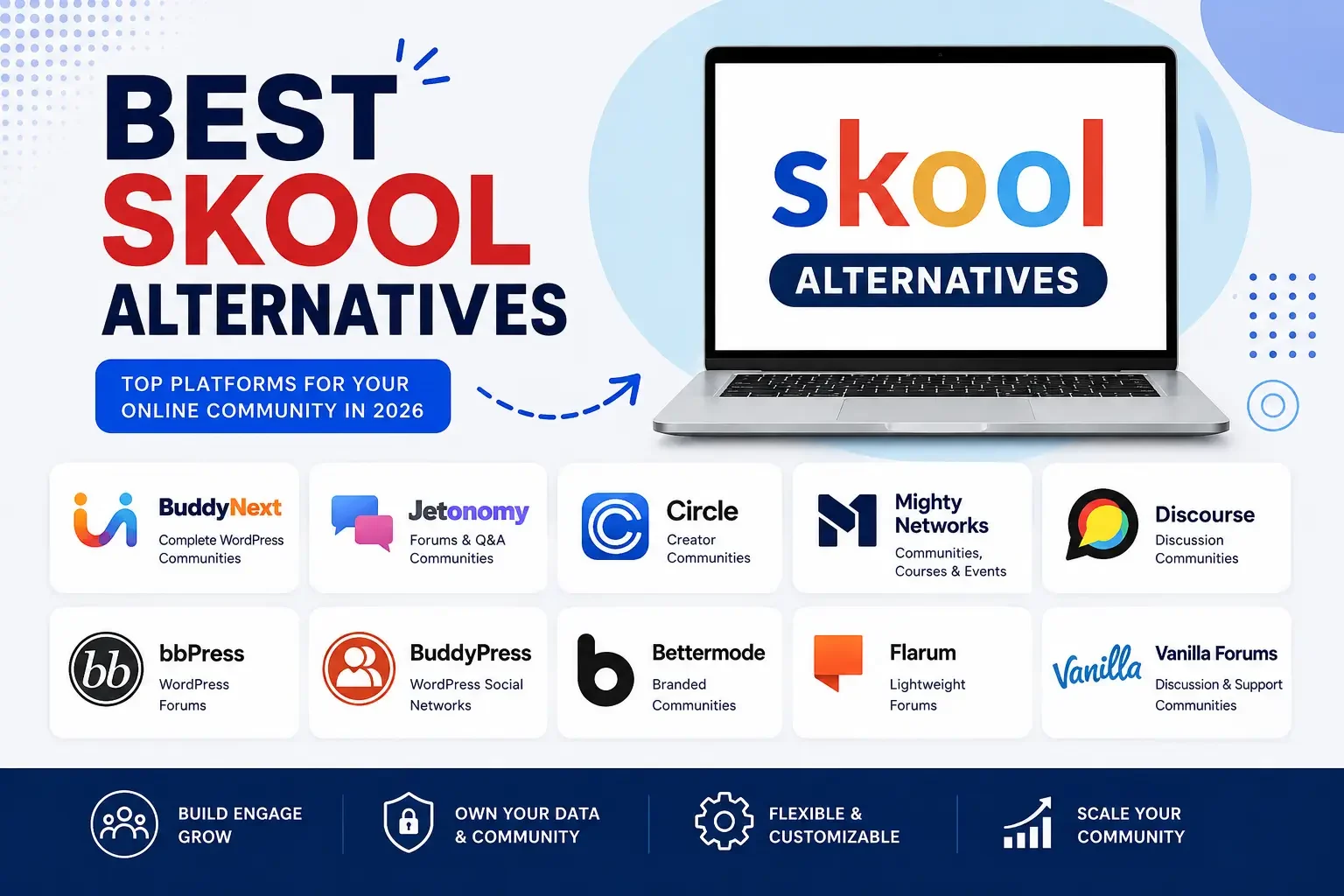
In this guide, we compare 10 Skool alternatives, including BuddyNext, Jetonomy, Circle, Mighty Networks, Discourse, bbPress, BuddyPress, Bettermode, Flarum, and Vanilla Forums.
Watch the Video
Prefer watching instead of reading? Watch our video below for a quick comparison of the best Skool alternatives and find out which platform could be the right fit for your community.
Watch on YouTube: Best Skool Alternatives
Why Look for a Skool Alternative?
Skool offers a straightforward combination of community and learning features, but different community owners have different requirements, and not everyone wants their community’s future tied to one hosted vendor’s roadmap and pricing.
You may want an alternative if you need:
- More control over your website and data
- Self-hosted community functionality you actually own
- Greater design flexibility and full branding control
- Advanced discussion features and dedicated Q&A functionality
- More control over community structure and monetization
- Integration with an existing WordPress website
- A platform focused specifically on forums or social networking
The best alternative depends on whether your priority is courses, social networking, discussions, Q&A, or complete ownership of your platform.
Quick Comparison
Platform | Best For | Hosting |
|---|---|---|
BuddyNext | Complete WordPress communities | Self-hosted |
Jetonomy | Forums and Q&A | Self-hosted |
Circle | Creator communities | Hosted |
Mighty Networks | Communities and courses | Hosted |
Discourse | Large discussion communities | Self-hosted |
bbPress | WordPress forums | Self-hosted |
BuddyPress | WordPress social communities | Self-hosted |
Bettermode | Branded communities | Hosted |
Flarum | Lightweight forums | Self-hosted |
Vanilla Forums | Discussion communities | Hosted/Self-hosted options |
1. BuddyNext: Best Complete WordPress Alternative to Skool
Best for complete WordPress communities
BuddyNext is a complete community platform for WordPress, built to cover the same ground Skool sells: an activity feed, member Spaces, profiles, messaging, moderation, paid memberships, courses with certificates, forums with Q&A, gamification, and more, everything Skool bundles into one monthly subscription, except built on a site you own outright. It’s built as a completely new architecture, not an extension of BuddyPress, with WordPress 6.9+ and PHP 8.2+ as the baseline requirements.
Where Skool charges a recurring fee for as long as your community exists and adds transaction costs on what members pay you, BuddyNext’s native Stripe membership tiers carry no per-member platform fee, ever. Members interact through activity feeds, join open, private, or secret Spaces, message each other directly, and take courses with verifiable certificates, all inside one system built by one team rather than bolted together. Deep native moderation, reports, strikes, shadow-bans, banned word lists, rounds out the platform with tools a hosted competitor rarely exposes to community owners in this much detail.
Because BuddyNext runs on your own WordPress website and database, you keep ownership of your community and its data regardless of what happens to any single vendor. Pairing it with the BuddyX design layer also gives you a level of brand control, colors, typography, dark mode, style variations, that a hosted platform’s “logo and accent color” customization simply can’t match. That difference shows up the moment a member visits your community and sees your brand, not a shared template shape shared with thousands of other Skool communities.
Key Features
- Activity feed, Spaces, profiles, and messaging
- Native Stripe membership tiers, no per-member fees
- Courses with certificates and forums with Q&A
- Gamification with points, badges, and leaderboards
- Deep native moderation tools
- Full branding and design control
Pros
- Complete platform, not a single-purpose plugin
- No per-member pricing, regardless of community size
- You own the platform outright; nothing disappears if you stop a subscription
- Full design control down to the pixel
Cons
- Requires a self-hosted WordPress install rather than a hosted signup
Best for: Creators, membership websites, learning communities, customer communities, and businesses that want a self-hosted community they control rather than renting the equivalent from Skool indefinitely.
Setup follows a guided wizard: install, run the setup, and enable the modules (memberships, courses, forums, gamification) your community needs. Because one team built every piece, there’s no separate compatibility matrix to check the way there would be assembling BuddyPress plus several third-party plugins to match Skool’s bundle.
2. Jetonomy: Best for Discussion-First Communities
Best for forums and Q&A communities
Jetonomy takes a more discussion-focused approach than Skool’s activity-feed model. It’s a standalone WordPress forum and Q&A plugin that combines several types of community spaces in one installation: traditional forums, Q&A with accepted answers, ideas boards, Show & Tell, and a social feed.
Jetonomy uses its own database tables for community data and WordPress’s Interactivity API for a responsive front end. It provides a REST API for developers and supports membership gating through integrations with several membership and learning solutions.
Key Features
- Forums and Q&A with accepted answers
- Ideas boards and Show & Tell spaces
- Voting, reactions, and trust levels
- Membership gating and REST API
Pros
- More than a traditional forum
- Self-hosted, strong developer API
- Multiple discussion formats in one plugin
Cons
- More discussion-focused than a full social platform
Best for: Support communities, Q&A websites, product communities, course communities, and discussion-focused membership websites.
Its six trust levels automatically promote reliable members to lighter posting restrictions, distributing moderation work the way Skool’s own moderation tools rarely do at scale for larger communities.
3. Circle: Best for Hosted Creator Communities
Best for hosted creator communities
Circle is a hosted community platform designed for creators, businesses, and organizations that want discussions, memberships, courses, and events in one environment. It can be a reasonable choice if you want to avoid technical maintenance while still having a dedicated community platform, though it carries the same rent-versus-own trade-off as Skool.
Best for: Creators, coaches, educators, and businesses that prefer a managed platform over self-hosting.
Like Skool, Circle bundles community and courses into one hosted subscription. The ownership trade-off described above applies here just as much as it does to Skool itself.
4. Mighty Networks: Best for Communities With Courses and Events
Best for communities with courses and events
Mighty Networks combines community features with courses, events, memberships, and mobile experiences. It’s useful for creators and organizations that want to bring learning and community engagement together without managing their own infrastructure, at the cost of the same hosted-platform limitations as Skool and Circle.
Best for: Creators, educators, coaches, and membership businesses comfortable with a hosted subscription.
Mighty Networks leans further into native mobile apps than Skool does, a real advantage for communities whose members expect an app-store presence rather than a mobile web experience.
5. Discourse: Best for Large Discussion Communities
Best for large discussion communities
Discourse is an open source discussion platform built around structured conversations. It’s particularly strong when forums, discussions, moderation, and community knowledge are the primary focus, offering a more traditional forum experience than Skool’s feed-first model.
Best for: Developer communities, support forums, public discussions, and large knowledge-based communities.
Discourse’s self-hosted option means it shares WordPress alternatives’ ownership advantage, though it requires its own separate server rather than running inside an existing WordPress installation.
6. bbPress: Best for Simple WordPress Forums
Best for simple WordPress forums
bbPress is a lightweight forum plugin for WordPress. If you already have a WordPress website and primarily need organized discussions, it’s a straightforward, free alternative that doesn’t try to replicate every feature of an all-in-one platform like Skool.
Best for: Support forums, discussion boards, and small WordPress communities.
Because it’s maintained by the WordPress core team, bbPress tends to stay compatible with new WordPress releases faster than most third-party plugins.
7. BuddyPress: Best for Customizable WordPress Social Networks
Best for customizable WordPress social networks
BuddyPress is an established open source WordPress community plugin providing member profiles, activity streams, groups, and messaging. It’s especially useful for developers who want a flexible foundation extended through additional plugins and themes, though matching Skool’s bundled courses and memberships means assembling several separate tools.
Best for: Social networks, membership communities, organizations, and custom WordPress projects.
Its two-decade track record gives it the largest pool of available developers and documentation of any option here, a real consideration for organizations planning to hire help long-term.
8. Bettermode: Best for Branded Hosted Communities
Best for branded hosted communities
Bettermode focuses on creating branded online communities that businesses can integrate into their digital experience. It’s worth considering if you want a hosted community solution with customization options without managing WordPress hosting yourself.
Best for: SaaS companies, customer communities, product communities, and businesses.
Its focus on embedding a community into an existing product experience differentiates it from Skool’s standalone community model, useful specifically for SaaS companies building community around their own app.
9. Flarum: Best for Lightweight Discussion Forums
Best for lightweight discussion forums
Flarum is an open source forum platform focused on keeping discussions simple, fast, and clean. It’s a good choice for users who want control over their hosting environment and primarily need a forum rather than an all-in-one creator platform.
Best for: Developers, discussion communities, and lightweight forums.
Its minimalist, fast interface appeals to technical communities that find Skool’s feature-rich layout more cluttered than they need.
10. Vanilla Forums: Best for Support and Discussion Communities
Best for support and discussion communities
Vanilla Forums has traditionally focused on online discussions, customer support, and community management. Its strengths center on organized conversations and community support rather than combining courses, gamification, and creator tools the way Skool does.
Best for: Customer support communities, product communities, and discussion platforms.
Its long history in customer support use cases makes it a proven option for businesses whose community exists primarily to reduce support ticket volume rather than to sell courses or memberships.
Feature Comparison
Platform | Social Feed | Forums | Q&A | Courses | Self-Hosted |
|---|---|---|---|---|---|
BuddyNext | Yes | Built in | Built in | Yes | Yes |
Jetonomy | Yes | Yes | Yes | No | Yes |
Circle | Yes | Yes | Limited | Yes | No |
Mighty Networks | Yes | Yes | Limited | Yes | No |
Discourse | Limited | Yes | Yes | No | Yes |
bbPress | No | Yes | No | No | Yes |
BuddyPress | Yes | Via integration | No | Via integration | Yes |
Bettermode | Yes | Yes | Limited | Limited | No |
Flarum | Limited | Yes | Via extensions | No | Yes |
Vanilla Forums | Limited | Yes | Limited | No | Varies |
The Rent vs. Own Question Skool Doesn’t Answer
Skool’s pitch is genuinely appealing: one price, community and courses bundled, nothing to configure. The trade-off is structural rather than a matter of feature checklists. You’re renting your community’s home, and every member relationship, every piece of content, every dollar of transaction volume runs through infrastructure you don’t control. That’s a completely reasonable trade for many creators; it’s just worth naming clearly instead of treating it as an afterthought once a community is already thousands of members deep.
| Skool (and similar hosted platforms) | BuddyNext on WordPress |
|---|---|---|
The deal | Monthly subscription plus transaction fees, forever | One platform you own |
Your data | Their database | Yours, in one coherent schema |
Per-member pricing | Plan limits force upgrades as you grow | No, ever |
Branding | Logo and accent color on their layout | Full design layer, your brand throughout |
If you stop paying | Community access at risk | Features keep working |
This isn’t an argument that Skool is a bad product. For creators who value zero setup and don’t mind the ongoing cost and platform risk, it’s a genuinely reasonable choice. It’s an argument for going in with eyes open about what you’re trading for that convenience.
Plenty of successful creator businesses run happily on Skool for years without ever hitting the limits that push others toward a self-hosted alternative. The point of this comparison isn’t to argue everyone should switch; it’s to make the trade-off visible so the decision is made deliberately rather than by default.
Performance at Scale: What Skool’s Infrastructure Handles For You
One genuine advantage of a hosted platform like Skool is that scaling infrastructure is someone else’s problem. As your community grows to thousands of active members, Skool’s team handles the servers, caching, and database tuning behind the scenes.
Self-hosting shifts that responsibility to you or your hosting provider. Plugins built on custom database tables purpose-designed for community access patterns, which includes BuddyNext and Jetonomy, are built with this in mind and generally hold up well on reasonable WordPress hosting even at meaningful scale. Plugins bolted onto WordPress’s default post storage can start to show strain sooner as member and content counts climb. Choosing a plugin with the right underlying architecture from the start matters more for long-term performance than any single feature on its marketing page.
For most creators and small-to-mid-sized communities, quality managed WordPress hosting paired with a well-architected plugin handles this without issue. Very large communities (tens of thousands of daily active members) may want to budget for more robust hosting or a developer’s help with caching and optimization, a cost that’s worth weighing against Skool’s per-member pricing as your community scales.
The crossover point where self-hosting starts requiring real infrastructure investment varies by community, but it’s rarely as early as site owners fear. Most creator communities, even successful ones, never approach the scale where WordPress hosting becomes the bottleneck before other business factors do.
Common Mistakes When Leaving a Hosted Platform Like Skool
- Underestimating course content migration time. Videos, quizzes, and lesson structures rarely transfer automatically between platforms; budget real time for manual re-upload and reorganization. This is consistently the most time-consuming part of any hosted-to-self-hosted migration, more so than moving discussion threads or member records.
- Not auditing which Skool features your community actually uses. Some communities barely touch half of Skool’s feature set. Know what you genuinely need replicated before comparing alternatives.
- Choosing a self-hosted option without a plan for ongoing maintenance. WordPress hosting requires updates and occasional troubleshooting that a fully managed SaaS platform handles for you. Make sure your team, or a hired developer, can handle that ongoing responsibility.
- Cutting over billing without a transition plan. A gap in payment processing during migration can mean lost revenue or, worse, members losing access they’ve paid for.
- Skipping a test migration on staging. Always verify the full experience, registration, payment, course access, discussions, works correctly before pointing your full membership at the new platform.
Choosing by Community Type
- Paid course-based community currently on Skool: BuddyNext’s native courses, certificates, and membership tiers replace Skool’s bundle directly, without the recurring platform fee.
- Support or product community currently using Skool’s discussion feature as a workaround: Jetonomy’s structured Q&A with accepted answers is a better architectural fit than any general feed-based platform, Skool included.
- Team that values managed hosting over ownership: Circle, Mighty Networks, or Bettermode remain reasonable choices if the convenience of a hosted platform outweighs the ownership trade-off for your team. These platforms handle infrastructure, updates, and scaling for you, a genuine convenience worth its cost for teams without in-house technical capacity.
- Developer-run community wanting full customization: BuddyPress paired with additional plugins, or Discourse if a separate server for discussions specifically is acceptable.
- Simple internal or small hobby community: bbPress or Flarum if a lightweight discussion board is genuinely all that’s needed.
Migrating From Skool to WordPress
If you’re already running a community on Skool and considering a move, plan for a real migration project rather than a weekend task.
- Member data: Export your member list and any available engagement history from Skool’s admin tools before starting, since hosted platforms vary widely in how much they let you take with you.
- Course content: Videos, lessons, and quizzes typically need to be re-uploaded into your new platform’s course system rather than imported automatically. Start this process early since it’s typically the longest single task in the entire migration.
- Discussion history: Expect to archive old Skool discussions as a reference rather than porting them exactly, since community platforms rarely share compatible data models.
- Payment continuity: Plan the cutover of recurring member billing carefully so paying members don’t experience a lapse in access during the transition.
- Member communication: Tell your community what’s changing and why before the migration, not after. A sudden platform switch with no explanation creates far more support requests than a well-communicated one.
- Access to purchase history: Members who’ve paid for specific courses or tiers on Skool will expect that access to carry over. Map exactly who has access to what before the cutover so nobody loses something they’ve already paid for. Nothing damages trust in a community faster than a paying member losing access they’ve already paid for.
Test the new platform thoroughly with a small group before migrating your full membership, and budget more calendar time than feels necessary. Community migrations that get rushed tend to surface data gaps well after the fact, when they’re much harder to fix.
Consider running both platforms in parallel for a short window, keeping Skool active in read-only mode while the new WordPress community takes over new activity, rather than a single hard cutover date.
Do I need to migrate my entire Skool community at once?
Not necessarily. Some site owners run the new platform in parallel for new activity while gradually archiving the old Skool community, rather than a single disruptive cutover for the whole membership at once. This approach also gives members time to adjust without feeling forced into an abrupt change.
Will my SEO be affected by switching away from Skool?
Hosted platforms like Skool typically don’t expose much content to search engines in the first place, since community content usually lives behind a login. Moving to a self-hosted WordPress community can actually improve search visibility for public-facing content, provided you set up your new site’s SEO properly from the start. A self-hosted community also gives you control over which pages are indexable at all, a decision Skool makes for you.
Which Skool Alternative Should You Choose?
Choose BuddyNext if you want to build your community on WordPress with control over your website, members, and data, plus native memberships, courses, forums, and gamification built into one platform rather than a rented subscription.
Choose Jetonomy if your community is primarily centered around discussions, Q&A, ideas, support, or member-generated content.
Choose Circle or Mighty Networks if you want a hosted platform that combines community functionality with creator and learning features and don’t mind the ongoing rental relationship.
Choose Discourse or Flarum if structured discussions and forums are your main priority.
Choose bbPress if you already use WordPress and want a simple, free forum.
Choose BuddyPress if you want a customizable WordPress social network foundation and don’t mind assembling additional plugins for memberships and courses.
Choose Bettermode if branded customer or product communities are your priority and a hosted platform fits your operations.
BuddyNext vs. Jetonomy: Which Is Better?
BuddyNext and Jetonomy can both work as Skool alternatives on WordPress, but they serve different purposes. BuddyNext is the stronger choice when you want a complete social community platform: the core social layer with feeds, Spaces, profiles, messaging, notifications, moderation, native memberships, courses, and gamification, all in one system.
Jetonomy is better suited to a discussion-first community. Its combination of forums, Q&A, ideas boards, Show & Tell, social feeds, voting, moderation, and trust levels makes it particularly useful for support and knowledge-sharing communities that don’t need the full breadth of a complete platform.
Some communities genuinely benefit from running both: BuddyNext as the core social and membership platform, with Jetonomy’s deeper Q&A structure for a dedicated support or knowledge-base section if BuddyNext’s own forums don’t go quite deep enough for that specific use case.
If you want a Skool alternative centered on social networking, memberships, and a broader WordPress community ecosystem, choose BuddyNext. If your priority is structured discussions, Q&A, feedback, and community knowledge, Jetonomy is worth considering instead, or alongside BuddyNext for its native forums.
Frequently Asked Questions
Is BuddyNext really free like Skool’s basic plan?
Compare capabilities and ownership structure rather than any specific price point on either side; pricing details live on each product’s own pages and change over time. The structural difference that matters here is that BuddyNext runs on infrastructure you own, while Skool’s plans run on infrastructure you rent indefinitely. Focus your evaluation on which structure fits your business model rather than chasing a specific number.
Can I replicate Skool’s course + community + gamification combination exactly on WordPress?
BuddyNext covers that combination natively: community feed and Spaces, native memberships, courses with certificates, and gamification with points and badges, all in one platform, closer to Skool’s bundled experience than assembling BuddyPress with several separate plugins. The main gap is a smaller third-party ecosystem than BuddyPress’s two-decade head start, though the core bundle itself matches Skool’s completeness closely.
What happens to my Skool community if I stop paying?
Access to your own community and member data depends entirely on Skool’s policies at the time, which is exactly the structural risk a self-hosted WordPress alternative avoids by keeping your data in your own database regardless of any subscription status. This is precisely the scenario the ownership comparison earlier in this guide is meant to make concrete rather than abstract.
Is a self-hosted alternative harder to maintain than Skool?
It requires WordPress hosting and occasional plugin updates, more hands-on than a fully managed SaaS platform. In exchange, you get full ownership, no per-member fees, and complete design control, a trade-off worth weighing against your team’s technical comfort. Most managed WordPress hosts handle the bulk of that maintenance automatically, narrowing the practical gap considerably.
Which alternative is closest to a true one-to-one Skool replacement?
BuddyNext, since it covers community, memberships, courses, and gamification in one platform the way Skool does, rather than requiring you to assemble equivalents from several separate WordPress plugins.
Is it possible to test BuddyNext before committing to a full migration?
Yes, the live demo link lets you explore the actual member and admin experience before touching any real data, a useful way to compare it directly against your current Skool community’s workflow. Run through the exact workflows your community relies on daily, posting, messaging, course access, before deciding.
How long does a typical Skool-to-WordPress migration take?
For a mid-sized community, a few hundred to a couple thousand members with several courses, plan for several weeks covering data export and audit, platform setup, content migration, staging tests, and a communicated cutover. Rushing this into days significantly increases the risk of losing member data or course content. Larger communities with extensive course libraries should plan for longer, not shorter.
Final Verdict
Skool is a convenient option for creators who want community, learning, and engagement features in one hosted platform. It is not the only way to build an online community, and it’s not the only way to get that same completeness.
WordPress provides a different approach. With solutions such as BuddyNext and Jetonomy, you can build a self-hosted community while maintaining control over your website and data. For an all-around WordPress community, BuddyNext is our top recommendation. It provides a complete social foundation with native memberships, courses, forums, and gamification, and lets you expand further as your needs grow, all without a recurring platform fee attached to every member you sign up.
For a discussion-first community, Jetonomy is an excellent alternative, especially if Q&A, forums, ideas, member contributions, and structured conversations are central to your website. Ultimately, the best Skool alternative depends on your community model. Weigh ownership, courses, discussions, social networking, customization, and scalability before making your decision, not just which platform is fastest to sign up for today.
Whichever direction you take, treat the decision as one you’re making for the community’s next several years, not just its launch week. The extra time spent comparing architecture and ownership structure now costs far less than a rushed migration off a platform that no longer fits, two or three years from now.
Plugins we build and run
We maintain these ourselves, which is why we can support them on your site.
- BuddyNextThe self-hosted community engine for WordPress
- BuddyXFree community theme, Pro when you outgrow it
- ReignPremium community theme. Add pieces, build anything
- JetonomyCommunity forum and Q&A for WordPress
- EventonomyEvents and RSVPs for WordPress communities
- LearnomyCourses and learning communities on WordPress
- ListoraDirectories and listings your members can browse
- SnipShareCode sharing built for developer communities
- WB Ad ManagerAd placements that turn traffic into revenue
- WP Career BoardA job board your community actually uses
- WP Sell ServicesSell services with offers, orders, and payouts
- MediaVersePhotos, video, and media albums for members
- WB GamificationPoints, badges, and rewards that keep members active
- Product RoadmapPublic roadmaps with voting your users trust














Related Posts
Freemius SDK Stored XSS: How to Find Every Bundled Copy on a Client Site (Anything Under 2.13.5)
CVE-2026-111497: The Brotli Bug One xmlrpc.php Pingback Can Reach, and Why Turning Off XML-RPC the Usual Way Does Not Close It