Best Social Community Themes & Plugins for WordPress (2026)
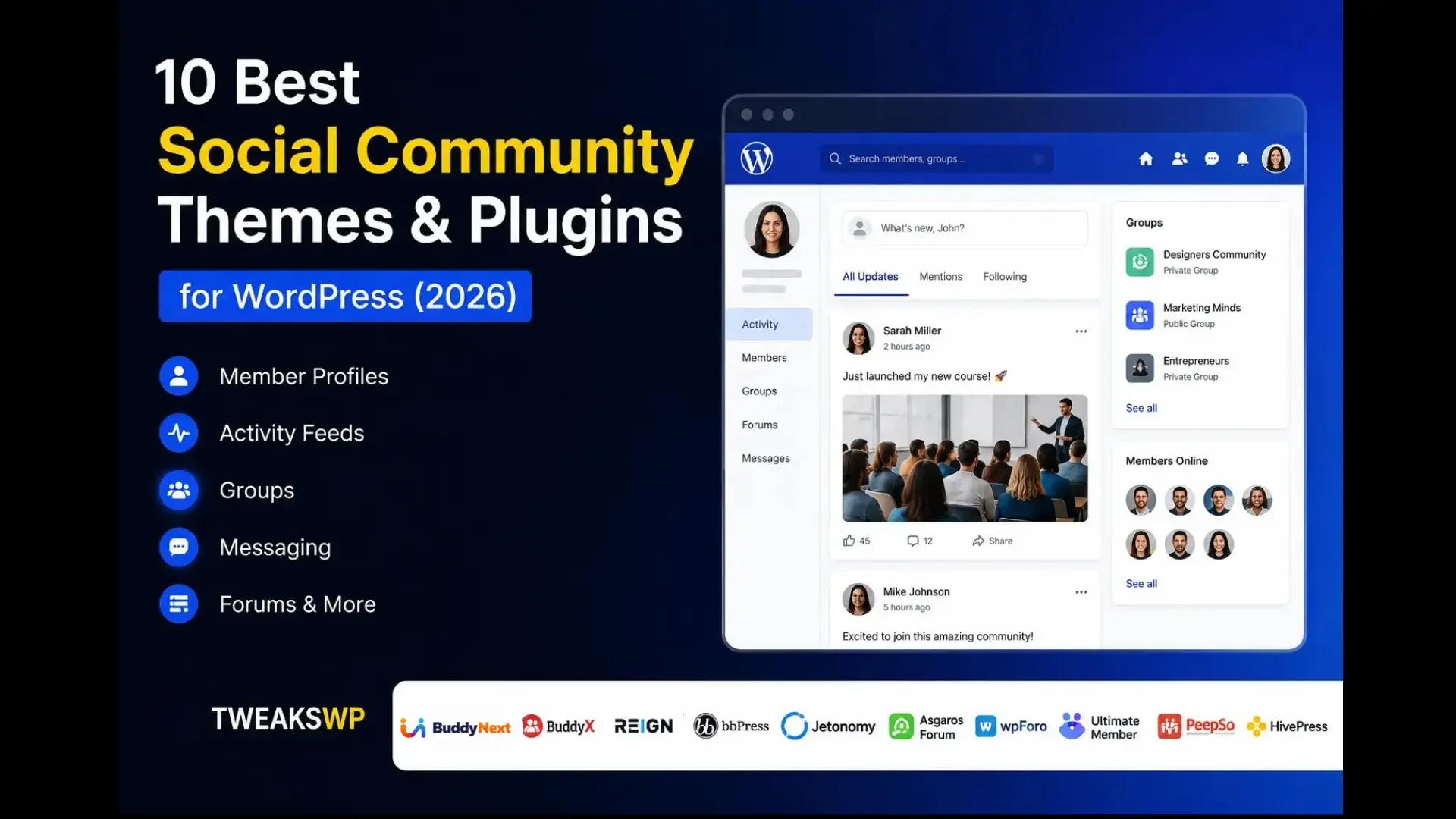
Compare the best WordPress social community themes and plugins in 2026: BuddyNext, BuddyX, Reign, bbPress, Jetonomy, PeepSo, and more.

Updated September 2026.
Want to build your own social community on WordPress, similar to Facebook, Reddit, or a private member network? WordPress gives you plenty of options for creating a community website without building everything from scratch.
The hard part isn’t finding an option, it’s narrowing dozens of plugins and themes down to the one or two that actually fit what you’re building.
With the right theme or plugin, you can add features such as member profiles, activity feeds, groups, messaging, forums, memberships, directories, and user interaction. Some solutions are full platforms that ship the entire experience out of the box; others are themes that need to be paired with a community plugin to actually function.
Watch the video: Before diving into the detailed comparison, watch our video to see the best social community themes and plugins for WordPress in 2026.
Watch on YouTube: Best Social Community Themes & Plugins for WordPress
In this guide, we compare 10 popular options, including BuddyNext, BuddyX, Reign, bbPress, Jetonomy, Asgaros Forum, wpForo, Ultimate Member, PeepSo, and HivePress. If you want a narrower comparison of forum-specific plugins, see our complete forum plugin comparison.
Why Use a WordPress Social Community Theme or Plugin?
Creating a social community from scratch requires significant development work. WordPress community themes and plugins provide ready-made functionality that helps you launch faster.
That head start matters most in the first few weeks, when momentum and a working product matter more than a perfectly bespoke build.
Depending on the solution you choose, you can create:
- Member profiles and directories
- Social activity feeds
- Discussion forums
- Groups and community spaces
- Private messaging
- User registration
- Listings and directories
- Membership websites
- Private member areas
- Online learning communities
The right choice depends on whether your priority is a complete platform, a design layer to build on, forums, memberships, or a combination of different community features. A theme alone won’t give you a working community; a plugin alone might not give you the design flexibility you want. Knowing which category each option falls into avoids a mismatched purchase.
It also helps to be honest about your timeline. A complete platform gets you further on day one because memberships, courses, and gamification are already wired together. A narrower plugin like bbPress or HivePress gets you to launch faster if your needs really are that narrow, but expect more integration work later if the community’s ambitions grow past its original scope.
1. BuddyNext: Best Complete Community Platform
Best for: Owning a complete WordPress community end to end
BuddyNext is a complete community platform for WordPress, built as a completely new architecture rather than an extension of BuddyPress. It combines the core social layer, activity feed, Spaces, profiles, messaging, notifications, moderation, with native Stripe membership tiers, courses with certificates, forums and Q&A, photo and video sharing, gamification, job boards, directories, and a service marketplace, all in one system.
One of BuddyNext’s biggest advantages is that it isn’t limited to a social feed. Members interact through activity feeds, join open, private, or secret Spaces, search member profiles, send private messages, and receive notifications, then grow into paid memberships, courses, forums, and gamification as the community expands, all built by one team so the pieces share design language instead of feeling bolted together.
Because BuddyNext is self-hosted, your community runs on your own WordPress website and your member data stays on your own hosting and database. Pairing it with the BuddyX design layer gives you full branding control, colors, typography, dark mode, and style variations, rather than a one-size-fits-all interface.
Key Features
- Activity feed, Spaces, and member directory
- Private messaging and notifications
- Native Stripe membership tiers
- Courses with certificates and forums with Q&A
- Gamification with points, badges, and leaderboards
- Job boards, directories, and a service marketplace
- Deep native moderation tools
- Full REST API and branding control
Pros
- Complete social community foundation, not just a feed
- Multiple community capabilities available in one coherent system
- You own your members, content, and data
- Designed for scalability
Cons
- Requires self-hosted WordPress rather than a hosted signup
Best for: Full social communities, membership websites, creator communities, learning communities, customer communities, and businesses that want to own their community infrastructure outright.
Setup follows the same pattern as any WordPress plugin: install, run the guided setup, and choose which modules (memberships, courses, forums, gamification) to activate for your specific community. Because every module is built by the same team, there’s no separate compatibility matrix to check between a community plugin and a bolted-on membership or gamification tool.
2. BuddyX Theme: Best Design Layer for Community Websites
Best for: Full branding control on top of a community platform
BuddyX is a WordPress community theme designed for social networks, membership websites, courses, and online communities. It’s the design layer built specifically to pair with BuddyNext, giving communities a token-based styling system, colors, typography, dark mode, and ready-made style variations, rather than a generic theme reskinned for community use. It also works with BuddyPress and BuddyBoss for site owners on those platforms, and supports popular LMS and eCommerce plugins.
Key Features
- Member profiles and activity feed layouts
- Groups and community-focused templates
- LearnDash, Tutor LMS, and LifterLMS support
- WooCommerce, Dokan, and WCFM compatibility
- Dark mode and multiple color schemes
- Elementor and Gutenberg ready
- Responsive, multilingual, and RTL support
Pros
- Purpose-built as BuddyNext’s design layer
- Community-focused design out of the box
- Works with major WordPress community plugins
- Strong LMS and WooCommerce compatibility
Cons
- A theme alone doesn’t provide community functionality; it needs a plugin like BuddyNext underneath it
Best for: Social communities, membership websites, online courses, and any BuddyNext site that wants full brand control down to the pixel.
Because BuddyX uses a token-based design system rather than hardcoded colors and spacing, updating your brand’s look later, a new color palette, a redesign, adding dark mode, doesn’t mean rebuilding templates from scratch. That matters more than it sounds once a community site has been live for a year or two and the brand evolves.
3. Reign Theme: Best Premium Theme for Professional Communities
Best for: Flexible, professional community websites
Reign is a premium WordPress community theme designed specifically for online community websites. It works with BuddyPress, BuddyBoss Platform, and PeepSo, while also offering integrations for learning platforms, marketplaces, directories, job boards, and membership websites.
Key Features
- BuddyPress, BuddyBoss, and PeepSo support
- Multiple member and group layouts
- 30+ ready-made demos
- LearnDash, LifterLMS, and Tutor LMS integrations
- WooCommerce and marketplace integrations
- GeoDirectory support
Pros
- Built specifically for community websites
- Supports multiple community platforms
- Extensive customization options
- Suitable for communities, eLearning, directories, and marketplaces
Cons
- Premium theme with additional cost
- Some integrations require additional add-ons
- May be more theme than needed for a basic forum
Best for: Professional communities, membership websites, and eLearning platforms already committed to BuddyPress, BuddyBoss, or PeepSo.
Reign’s 30+ ready-made demos mean a functioning starting point exists for most common community types out of the box, real estate communities, coaching platforms, marketplaces, which shortens setup for site owners without much design experience, at the cost of a heavier theme than a lean, purpose-built platform template.
Licensing options that include annual and lifetime tiers give agencies more flexibility across multiple client sites compared to a single fixed pricing structure.
4. bbPress: Best for Discussion Forums
Best for: Simple, lightweight discussion boards
If your primary goal is a discussion-based community, bbPress remains a popular, reliable choice. The lightweight forum plugin integrates directly with WordPress and lets you create organized discussion boards without adding unnecessary complexity.
It’s a dependable foundation precisely because it does one thing rather than trying to compete with full social platforms.
Key Features
- Discussion forums, topics, and replies
- Forum organization and moderation
Pros
- Lightweight and simple to manage
- Native WordPress integration
- Free
Cons
- Primarily focused on forums
- Requires additional plugins for social networking features
Best for: Support forums, discussion boards, and websites where conversations are the main focus.
Because bbPress ships from the WordPress core team, compatibility with new WordPress releases tends to arrive quickly, an underrated advantage for sites that can’t tolerate forum downtime after a core update.
5. Jetonomy: Best for Forums, Q&A, and Discussion Communities
Best for: Modern, self-moderating discussion communities
Jetonomy is a WordPress forum and Q&A community plugin designed for websites that need more than a traditional discussion forum. It combines forums, Q&A, ideas boards, show-and-tell spaces, and a social feed within one plugin, storing community data in its own database tables rather than relying entirely on standard WordPress post tables.
Its Q&A functionality allows members to ask questions, vote on replies, and mark accepted answers. The Ideas space lets members submit and upvote feature requests, while Show and Tell provides a visual space for members to showcase their work.
A trust-level system automatically promotes reliable members to lighter posting restrictions, helping active communities self-moderate rather than routing every decision through a small admin team.
Key Features
- Discussion forums and Q&A with accepted answers
- Ideas and feature-request boards
- Show and Tell spaces and a social feed
- Voting, reputation, and trust levels
- Membership gating via MemberPress, PMPro, and more
- REST API with 48+ endpoints free
Pros
- More than a traditional forum
- Self-hosted and built for performance at scale
- Strong developer API and membership integrations
Cons
- Focused on discussions and Q&A rather than a full social networking platform
Best for: Support communities, Q&A websites, course communities, and product feedback platforms.
Jetonomy’s custom database tables and Interactivity API-powered frontend are built with larger discussion volumes in mind, a meaningful difference for communities expecting to outgrow a basic forum plugin’s default WordPress post storage within a year or two.
6. Asgaros Forum: Best for Simple Forums
Best for: Minimal-setup discussion areas
Asgaros Forum is a lightweight WordPress forum plugin designed for users who want a discussion area with minimal setup. Its simplicity makes it suitable for smaller communities that don’t need a large collection of social networking features.
Resource usage stays low even on modest shared hosting, which matters for smaller sites without a dedicated performance budget.
Pros
- Lightweight and beginner-friendly
- Simple setup
- Free
Cons
- Limited social networking functionality
Best for: Small discussion communities and support forums.
You can have a working forum minutes after activation, which is exactly its appeal for a first-time forum owner who doesn’t want to spend a weekend on configuration before launch.
7. wpForo: Best for Feature-Rich Forums
Best for: Advanced forum functionality
wpForo is designed for websites that need more advanced forum functionality than a basic discussion board, with multiple forum layouts, moderation tools, and user profiles.
Extensive customization options mean site owners can fine-tune exactly how discussions display, at the cost of more time spent in settings before launch compared to a simpler plugin.
Pros
- Multiple layouts
- Feature-rich forum functionality
- Suitable for growing communities
Cons
- More configuration required
- Primarily focused on forums
Best for: Growing discussion communities and support platforms.
The extra configuration time upfront, choosing layouts, setting up ranking rules, pays off for communities that specifically want forum-native gamification without adopting a broader social platform.
8. Ultimate Member: Best for Member Profiles and Directories
Best for: Registration-first, profile-centric websites
Ultimate Member is focused on user registration, member profiles, directories, and private member areas. It’s a good choice if your website needs structured registration and profile functionality rather than a complete social networking system.
Role-based content restriction makes it a solid fit for websites that need to separate what different membership tiers can see, independent of any social features.
Pros
- Flexible profile functionality
- Easy user registration
- Free version available
Cons
- Advanced social networking features require additional plugins
Best for: Membership websites, professional directories, and private member communities.
Its drag-and-drop profile and registration form builder makes it approachable for non-developers, though building a genuine community feel on top still means pairing it with additional plugins for a feed or discussions.
9. PeepSo: Best for Facebook-Style Social Networking
Best for: A familiar social-network feel
PeepSo focuses on creating a social network experience within WordPress, with activity feeds, profiles, messaging, and community engagement built around a familiar layout.
Its modular add-on system lets you enable exactly the features your community needs rather than a fixed bundle, which keeps the core plugin itself relatively lean.
Pros
- Social network focused
- Familiar user experience
- Extensible through additional add-ons
Cons
- Some functionality depends on paid add-ons
Best for: Social networks, interest-based communities, and member communities.
Budget time to plan which add-ons you actually need before installing, since PeepSo’s modular pricing means costs can add up faster than a single all-in-one platform if you enable everything available.
10. HivePress: Best for Directories and Marketplaces
Best for: Listing-centered communities
HivePress takes a different approach from traditional social networking plugins. It’s particularly useful for websites where the community revolves around listings, directories, or marketplaces, letting users interact around listings while the site provides a structured marketplace experience.
Built-in review and rating systems on listings give the marketplace a social layer of its own, even without a traditional activity feed.
Pros
- Excellent for directories and marketplaces
- Flexible listing functionality
- Free version available
Cons
- Not primarily a social networking plugin
Best for: Business directories, service marketplaces, and listing websites.
Setup revolves around picking a listing type template and configuring submission fields, which is fast, but adding genuine social features (a feed, direct messaging) means reaching outside HivePress’s core focus.
Feature Comparison
Plugin or Theme | Profiles | Groups | Forums | Messaging | Memberships | Best Use |
|---|---|---|---|---|---|---|
BuddyNext | Yes | Yes | Built in | Yes | Native Stripe | Complete communities |
BuddyX | Yes | Yes | Via plugin | Via plugin | Via plugin | Design layer / theme |
Reign | Yes | Yes | Via plugin | Via plugin | Via plugin | Premium theme |
bbPress | Limited | No | Yes | No | No | Forums |
Jetonomy | Yes | Yes | Yes | No | Gating via other plugins | Q&A / discussions |
Asgaros Forum | Limited | No | Yes | No | No | Simple forums |
wpForo | Yes | No | Yes | No | No | Advanced forums |
Ultimate Member | Yes | No | Limited | No | Via plugins | Memberships |
PeepSo | Yes | Yes | Add-on | Yes | Via add-ons | Social networks |
HivePress | Yes | No | No | No | No | Directories |
Themes vs. Plugins: Understanding the Difference
A recurring point of confusion in this category is what a theme actually does versus what a plugin does. Themes like BuddyX and Reign control layout, styling, and templates. They make a community look polished, but they don’t create profiles, activity feeds, or forums on their own; that functionality comes from a plugin (BuddyNext, BuddyPress, BuddyBoss, or PeepSo) running underneath.
A complete platform like BuddyNext blurs this line somewhat, since its own default templates are already community-ready, but pairing it with BuddyX still unlocks a level of brand customization, colors, typography, dark mode, layout variations, that a plugin’s default styling doesn’t provide on its own. Understanding this distinction before buying prevents the common mistake of installing a beautiful community theme and being confused when it doesn’t actually have any community features.
This distinction also explains why theme and plugin roadmaps evolve independently. A theme update usually means new layouts, color options, or template improvements. A plugin update usually means new features: a new membership tier type, a new moderation tool, a new gamification mechanic. Knowing which team owns which part of the experience helps set the right expectations when something needs fixing or a specific feature is missing.
Ownership: Platform vs. Theme vs. Hosted SaaS
It’s worth being explicit about a distinction that gets lost in feature comparisons: a WordPress plugin and a WordPress theme both run on infrastructure you own, but a hosted SaaS community platform (Circle, Skool, Mighty Networks) does not.
| Hosted SaaS platform | WordPress plugin + theme (any combination above) |
|---|---|---|
Where your member data lives | Vendor’s servers | Your own database |
Design control | Logo and accent color on their layout | Full theme-level control (deeper with BuddyX or Reign) |
If you stop paying | Community access at risk | Site and data remain yours |
Adding memberships, courses, gamification later | Usually locked to that vendor’s roadmap | Native in BuddyNext, or via additional WordPress plugins |
Whichever specific plugin or theme combination you land on, the shared advantage of building on WordPress is that your community’s history, design, and member relationships stay under your control rather than a vendor’s.
That ownership advantage compounds over time. A community that’s five years old with a rich member history, thousands of forum threads, and a loyal paying membership base is a genuine business asset when it lives on infrastructure you control. The same community built on a rented SaaS platform is one pricing change or shutdown notice away from disruption.
Common Mistakes When Choosing a Community Theme or Plugin
- Buying a theme expecting it to include community functionality. Themes like BuddyX and Reign are design layers. Without a plugin like BuddyNext, BuddyPress, BuddyBoss, or PeepSo underneath, there’s no feed, no profiles, and no groups to style.
- Choosing a plugin based on the demo screenshots alone. A polished demo often reflects a specific theme and plugin combination, not what you’ll get installing the plugin with your current theme. Check compatibility explicitly.
- Underestimating how much a “just forums” choice limits future growth. bbPress, Asgaros, and wpForo are excellent at discussions but don’t have a built-in path to memberships, courses, or a social feed if the community later wants them.
- Assuming premium always means more complete. A premium theme adds design polish and demo variety; it does not automatically add features a free plugin lacks. Read the actual feature list for both the theme and the plugin underneath it.
- Not checking the exit plan. Ask what happens to your member data if you ever switch plugins or themes. Self-hosted WordPress keeps that data in your own database regardless of which specific tool you’re running today.
Choosing by Community Type
- Paid creator or membership community: BuddyNext’s native membership tiers, paired with BuddyX for full branding.
- Course-first community: BuddyNext with built-in courses and certificates, or Reign paired with LearnDash on BuddyBoss.
- Support or product community: bbPress or Asgaros for pure discussion, or Jetonomy if you want structured Q&A with accepted answers.
- Facebook-style social network: PeepSo, or BuddyNext if you also want memberships and gamification alongside the feed.
- Local directory or marketplace: HivePress for listings-first communities, or BuddyNext’s directory and service marketplace features if you also want a social layer.
- Agency building for clients: Reign’s 30+ demos speed up delivery across multiple client projects; BuddyNext plus BuddyX offers a more modern baseline for a single, deeply customized build.
Performance Considerations as Your Community Grows
Feature lists look similar across many of these options at launch size. The differences show up once a community has real member counts and daily activity behind it.
Plugins built on custom database tables rather than WordPress’s default wp_posts structure, which includes BuddyNext and Jetonomy, tend to hold up better at scale because their queries are purpose-built for community access patterns: fetching a feed, sorting by activity, searching across tens of thousands of members. Plugins layered heavily on top of standard WordPress post storage can start to show slowdowns as member and content counts climb into the tens of thousands.
Themes factor into this too, though less directly. A theme with heavy, unoptimized templates can make even a fast plugin feel sluggish, especially on directory and profile-grid pages that render many members at once. When evaluating a theme, check whether it lazy-loads images and paginates long lists rather than rendering everything on one page.
None of this means smaller communities need to obsess over architecture from day one. It does mean that if you’re planning for meaningful growth, checking how a plugin’s database structure and a theme’s template efficiency hold up at scale is worth ten minutes of research before committing.
Ask the vendor directly if published benchmarks aren’t available; a serious plugin or theme team should have an answer ready rather than a vague reassurance.
Which Social Community Solution Should You Choose?
The best WordPress community solution depends on what you want your website to accomplish.
Choose BuddyNext if you want a complete, modern community platform with feed, memberships, courses, forums, and gamification built in.
Choose BuddyX if you want the design layer that pairs with BuddyNext (or BuddyPress/BuddyBoss) for full brand control.
Choose Reign if you’re looking for a premium theme for a professional community already built on BuddyPress, BuddyBoss, or PeepSo.
Choose bbPress, Asgaros Forum, or wpForo if discussions and forums are the main purpose of your community.
Choose Jetonomy if modern Q&A, ideas boards, and trust-based moderation matter to your project.
Choose Ultimate Member if member registration, profiles, and directories are your primary requirement.
Choose PeepSo if you want a social network with activity feeds, profiles, and messaging.
Choose HivePress if your community revolves around listings, directories, or marketplaces.
Frequently Asked Questions
Can I switch from BuddyPress or BuddyBoss to BuddyNext later?
You can migrate a community’s content and members to BuddyNext, but because it’s a completely new architecture rather than a BuddyPress extension, expect a genuine migration project rather than a simple plugin swap. Old BuddyPress-only add-ons are not designed to run on BuddyNext directly.
Do I need a page builder like Elementor to use these themes?
No. BuddyX and Reign both work with the WordPress block editor natively, and BuddyX is Gutenberg-ready out of the box. Elementor support is available for site owners who prefer it, not a requirement.
Do I need both a theme and a plugin to build a WordPress community?
Usually yes, unless you choose a complete platform like BuddyNext, which ships community-ready templates by default. If you want deeper brand customization on top, pairing it with a design layer like BuddyX adds that control.
Is BuddyNext built on BuddyPress?
No. BuddyNext is a completely new architecture, not an extension or fork of BuddyPress. It runs standalone, with its own database tables built for performance at scale.
Can I use Reign or BuddyX with any community plugin?
BuddyX is built specifically to pair with BuddyNext, and also supports BuddyPress and BuddyBoss. Reign supports BuddyPress, BuddyBoss Platform, and PeepSo. Check compatibility before assuming a theme works with every plugin.
What’s the difference between a forum plugin and a social community plugin?
A forum plugin like bbPress, Asgaros, or wpForo focuses on topics and replies. A social community plugin or platform adds profiles, an activity feed, groups, and messaging around that discussion layer, or in BuddyNext’s case, includes forums as one part of a much larger platform.
Which option is best for a community that also wants paid memberships?
BuddyNext includes native Stripe membership tiers as part of the platform. Other plugins on this list typically require pairing with a separate membership plugin like MemberPress or WooCommerce Memberships.
Is it worth paying for a premium theme like Reign if BuddyX has a free version?
It depends on how much design variety you need on day one. Reign’s 30+ ready-made demos suit agencies delivering multiple distinct client projects quickly. BuddyX’s token-based system suits a single community that wants deep, ongoing brand control rather than picking from a demo library once and rarely revisiting it.
Final Verdict
WordPress offers flexible options for building communities, from forums to full social networks to complete platforms. BuddyNext is our top choice for a modern, customizable community experience that covers feed, memberships, courses, forums, and gamification without assembling six separate tools. BuddyX and Reign suit site owners who want a strong design layer on top of a plugin, bbPress and wpForo suit forums, Ultimate Member suits memberships, PeepSo suits social networks, and HivePress works well for directories and marketplaces.
Choose the solution that best fits your current needs and future growth, not just how the demo screenshots look today.
Whatever you choose, treat the decision as a foundation rather than a quick fix. Migrating a live community’s members, content, and design later is a genuine project, not a plugin swap, so it’s worth spending the extra hour comparing architecture and growth path now instead of two years from now when the community has real history attached to it.
If you’re still undecided, start from the community’s actual purpose rather than the plugin’s marketing page: what do members need to do together, and which option gets them there with the least friction and the most room to grow.
Plugins we build and run
We maintain these ourselves, which is why we can support them on your site.
- BuddyNextThe self-hosted community engine for WordPress
- BuddyXFree community theme, Pro when you outgrow it
- ReignPremium community theme. Add pieces, build anything
- JetonomyCommunity forum and Q&A for WordPress
- EventonomyEvents and RSVPs for WordPress communities
- LearnomyCourses and learning communities on WordPress
- ListoraDirectories and listings your members can browse
- SnipShareCode sharing built for developer communities
- WB Ad ManagerAd placements that turn traffic into revenue
- WP Career BoardA job board your community actually uses
- WP Sell ServicesSell services with offers, orders, and payouts
- MediaVersePhotos, video, and media albums for members
- WB GamificationPoints, badges, and rewards that keep members active
- Product RoadmapPublic roadmaps with voting your users trust