It Works in the Demo: The Checklist Between an AI-Built App and One You Can Put Customers On
Six checks to run before customers use an app an AI builder made: access rules, keys, dependencies, a tested restore, migrations, and monitoring.

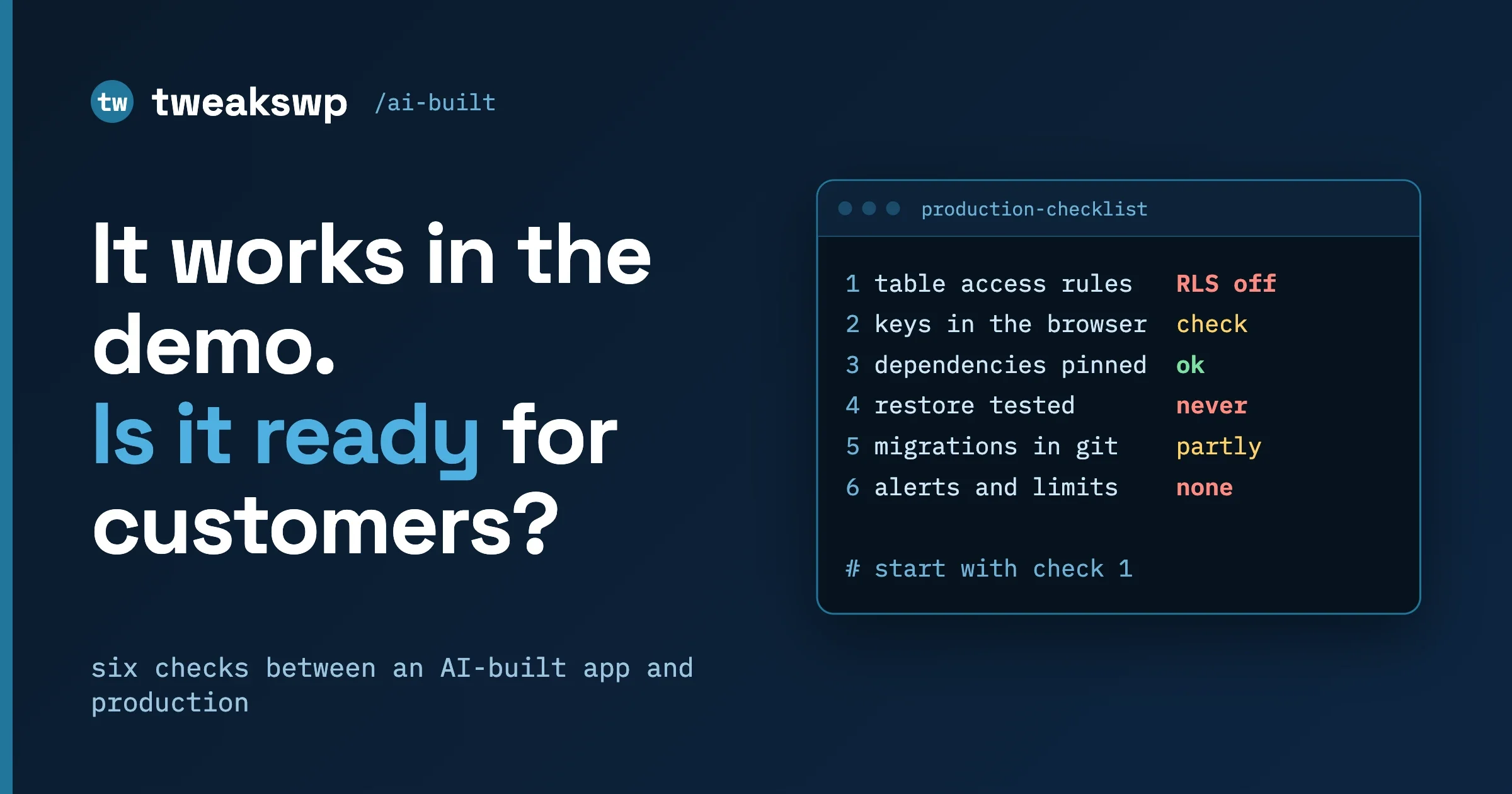
A demo proves the happy path: one person, clean data, nothing hostile. Production needs six things checked, most of them in an afternoon, and the first is who can read and write each table in your database. This guide is for a founder or small team that built a web app with an AI app builder (the kind that generates a front end plus a hosted database back end such as Supabase) and now wants real customers on it.
We do not assume you are a database specialist. We assume you can open a dashboard and run a command. For each of the six checks you get what can go wrong, how to check in a few minutes, the fix, and how to keep it fixed. Everything here is about apps built outside WordPress. If your problem is a WordPress site or a pasted WordPress snippet, our post AI-Written WordPress Code Snippets: 10 Checks Before You Paste covers that ground and we do not repeat it.
In this guide
- What an AI builder leaves to you
- The six checks: database access rules, keys and secrets, dependencies, backups, changes under control, monitoring and limits
- The checks on one page, harden or rebuild, and who owns it after launch
Database details come from the Supabase documentation as we read it on 8 October 2026. Hosted products change defaults and plan limits, so re-check the linked docs before relying on any of it. The SQL and Supabase CLI examples are taken from the official documentation and were not run by us against a live project. This is general engineering guidance, not legal or compliance advice.
What does an AI app builder give you, and what does it leave to you?
A builder gives you speed: screens, sign-in, forms that save data and a hosted database, often from one conversation. That is real value, and a good way to learn whether anyone wants the product. What it does not give you is a decision on each question production raises. Those decisions still exist. Defaults make them for you, or nobody does.
- Usually generated: screens, routes, a database schema, sign-in wiring, calls from the browser to the database.
- Usually left to you: which rows each person may see or change, which keys may be public, which packages are acceptable, how you get data back after a mistake, how a change reaches the live database, and how you learn something is wrong.
The first item matters most. The browser often talks to the database directly, through an API the database provider generates. No server of your own stands in between to say no, so the only thing deciding who can read or write a row is the set of access rules inside the database. If those rules are missing, the demo still works, because the demo user is allowed everything. A stranger may be allowed everything too.
This is why the checklist exists. The US National Vulnerability Database records CVE-2025-48757 with this description: “An insufficient database Row-Level Security policy in Lovable through 2025-04-15 allows remote unauthenticated attackers to read or write to arbitrary database tables of generated sites.” The same entry says “this is disputed by the Supplier because each individual customer of the Lovable platform accepts a responsibility over protecting the data of their application.” NVD shows a CVSS 3.1 base score of 9.3 (Critical) from the CVE program’s secondary source, with status “Deferred” when we read it. We do not judge the dispute. The practical lesson is that whoever is responsible, the owner of the customer data finds out first when the rules are wrong. Check them yourself.
Check 1: who can read and write each table?
What can go wrong
Supabase is a hosted Postgres database with an automatic API in front of it. Postgres has a feature called Row Level Security (RLS): rules, per table, that decide which rows a person may read, add, change or delete. The Supabase documentation is direct: “A table in an exposed schema without RLS is readable and writable by any role with a grant on it.” An exposed schema is one the API publishes, usually public.
Two Postgres roles matter. anon is used for visitors who are not signed in, authenticated for signed-in users. The docs say new tables in public automatically grant select, insert, update and delete to anon, authenticated and service_role. The starting point is not “locked”, it is “open until rules narrow it”.
There are two separate gates. Postgres first checks grants (may this role do this kind of operation on this table at all), then policies (which rows it touches, like an extra WHERE clause). The docs warn: “Adding policies doesn’t remove them. A table protected only by policies still hands anon an insert path if you never revoke the grant.” Set both for every table you expose.
With RLS on and no policy yet, the docs say no data is accessible through the API with a publishable key. That fails safe, and it is why an app can look “broken” right after this fix. Write policies, do not switch RLS off.
How to check in minutes
- Open the Security Advisor in the dashboard. The docs describe Advisors as “deterministic checks that ship with the platform”. It flags
0013_rls_disabled_in_publicas an error because “anyone with your project URL can read, edit, and delete all data”. The finding0024_permissive_rls_policycatches always-true conditions such asUSING (true). The command line equivalent in the docs issupabase db advisors. - List every table, including those the builder made for sign-in, files, orders and invites. Each needs an answer to “who may read it, who may write it”.
- Test as people. Signed out in a private window, try every screen that shows data. Then create two test accounts, add data as the first, and confirm the second cannot see or change it, including by guessing an ID in a URL. OWASP ranks broken access control first in its Top 10:2025 and defines the goal as “users cannot act outside of their intended permissions”.
The fix
For each table, turn RLS on, remove the default grants and give back only what signed-in users need. These statements are the ones shown in the Supabase docs (replace reports with your table):
alter table public.reports enable row level security;

revoke all on table public.reports from anon, authenticated;
grant select, insert, update, delete on table public.reports to authenticated;
Then write one policy per action you allow. The docs’ pattern for “see only your own rows” compares an owner column with the ID of whoever is asking:
create policy "Users can view their own todos."
on todos for select to authenticated
using ( (select auth.uid()) = user_id );

create policy "Users can create their own profile."
on profiles for insert to authenticated
with check ( (select auth.uid()) = user_id );
The docs also warn that a policy relying on the user_metadata claim “can create security issues”, because users can edit that data about themselves. A view only obeys the policies of its tables if you set security_invoker = true (Postgres 15 and above). Do not use using ( true ) to silence the Advisor: it removes the warning and keeps the data open.
How to keep it fixed
Put policies in migration files (Check 5), then add tests. The docs describe a pgTAP workflow: supabase test new <table>_rls.test creates a file, supabase test db runs them, and inside a test you switch role with set local role anon; and set local request.jwt.claim.sub = '<UUID>';. Test all four operations as both roles. The docs add: “Never prove an allowed write with lives_ok. It passes when the write matched zero rows.” A test that only checks for no error can pass while a policy blocks everything, so assert on the result.
Check 2: which keys can live in the browser, and which must never?
What can go wrong
Supabase has two kinds of key. A publishable key (sb_publishable_) is for client code: “Anyone can read it, so it only reaches what Row Level Security allows”. A secret key (sb_secret_) is for servers and “bypass[es] Row Level Security, so it must never leave your control”. Older projects use the legacy pair, the anon key (browser-safe) and the service_role key (secret). The docs say the legacy keys are being deprecated by the end of 2026.
The secret key skips every rule from Check 1, because it uses the service_role role, which has the BYPASSRLS attribute. If it reaches the browser, a public repository, a screenshot or a chat with an assistant, Check 1 protects nothing. OWASP’s secrets guidance counts “API keys, database credentials” and similar among secrets, and names hardcoding them in source as a risky habit.
How to check in minutes
Search the repository, its history and the built site visitors download.
# Current files
grep -rIn -E "sb_secret_|service_role" .

# Anything ever committed, even if deleted later
git log -p --all -S"sb_secret_" --oneline

# The built output (dist, build or .next)
grep -rIn -E "sb_secret_|service_role" dist/
Add patterns for other providers’ keys (payments, email, AI services), and search the live app’s Sources tab in the browser developer tools for the same strings.
The fix
- Move secrets to the server side: environment variables on your host, read only by server code (an edge function, an API route, a job). Browser code gets the publishable key only.
- If a secret key was exposed, rotate it in the order the docs give: create a new key, replace the old one everywhere, confirm every component uses the new one, then delete the old one. The docs add: “Don’t rush. Fix the root cause of the leak before you rotate anything.”
- Assume the old value was copied and review the logs (Check 6) for reads or writes you do not recognise. Deleting the key from code is not enough, because git history keeps it. Rotation is what makes it useless.
How to keep it fixed
Turn on secret scanning. GitHub’s docs say it detects hardcoded credentials such as API keys, passwords and tokens, including in git history. It runs automatically on public repositories at no cost; private repositories need GitHub Team with Secret Protection enabled, or GitHub Enterprise Cloud. Push protection “blocks pushes that contain secrets before they reach your repository”. Repository-level push protection is off by default, needs Secret Protection, and anyone with write access can bypass it by giving a reason, which raises an alert. Plans change, so check the linked pages. Keep a written list of every key and where it lives, so the next rotation is quick.
Check 3: are your dependencies real, maintained and pinned?
What can go wrong
Your app is mostly other people’s code, pulled from a registry such as npm, and an assistant chose much of it. A package can have a known vulnerability, be abandoned, or not exist at all: code assistants sometimes suggest package names that were never published. A research paper, “We Have a Package for You! A Comprehensive Analysis of Package Hallucinations by Code Generating LLMs” (Spracklen and colleagues, accepted at USENIX Security 2025), studied this and describes it as a package confusion attack: if someone later publishes a real package under an invented name, anyone who installs it runs that person’s code. We skip its rates, which depend on the models tested. The rule is general: never install a package only because a generated file imports it.
How to check in minutes
- Read
package.json. For each dependency ask: do we recognise it, does its registry page show a real maintainer, an openable repository and recent releases, and do we actually use it? Remove what fails. - Run
npm audit. The npm docs say it “submits a description of the dependencies configured in your project to your default registry and asks for a report of known vulnerabilities”. It exits non-zero on findings;--audit-levelsets the threshold. - Confirm
package-lock.jsonis committed. The npm docs say it is “intended to be committed into source repositories” so that “teammates, deployments, and continuous integration are guaranteed to install exactly the same dependencies”.
The fix
Remove unused or unknown packages, or replace them with a well known one. Apply npm audit fix but read the changes: the docs note some vulnerabilities cannot be fixed automatically. Deploy with npm ci, which per the docs requires a lockfile, exits with an error if it disagrees with package.json instead of updating it, and never writes to either file. Your live build then matches what you tested.
How to keep it fixed
Dependabot alerts “notify you about vulnerable dependencies so you can upgrade to secure versions” when advisories are published or your dependency graph changes, though GitHub cautions that “Alerts can’t catch every security issue”. Dependency review shows what each pull request adds or updates, with vulnerability data. It is available for public repositories; private ones need GitHub Code Security or GitHub Advanced Security.
Check 4: can you get your data back, and have you proved it?
What can go wrong
A backup you have never restored is a hope. The usual failures are mundane: the plan lacks the backup you assumed, the backup lacks something you assumed, or nobody knows the steps on the day.
How to check in minutes
Read your plan’s terms on the Supabase backups page. As the docs state today: Pro keeps the last 7 days of daily backups, Team 14 days, Enterprise up to 30 days. Point in time recovery (PITR), which restores to a chosen moment instead of a daily snapshot, is an add-on for Pro, Team and Enterprise and needs at least a Small compute add-on. The backups page recommends free projects export regularly with the CLI and keep off-site copies. We quote no prices; check the pricing page. The docs also say database backups do not include objects stored through the Storage API, so uploaded files need their own copy plan.
The fix
- State a recovery target in plain words: “we can lose at most a day” or “a few minutes”. Daily backups meet the first, PITR the second.
- Take an export you control, using forms from the CLI reference:
supabase db dump -f supabase/schema.sql
supabase db dump --data-only -f data.sql
supabase db dump --role-only -f roles.sql
This runs pg_dump and excludes Supabase-managed schemas such as auth and storage, so it is not everything (user accounts live in auth).
Restore into a separate project, never production. On paid plans with physical backups, the backups page has a Restore to a New Project tab that creates an independent project in the same region. The docs say schema, data, indexes, roles and auth users (with hashed passwords) come across, while storage objects, Edge Functions, auth settings and API keys, Realtime settings, extensions and read replicas must be set up again.Point a copy of the app at the restored project, rerun the Check 1 tests, and write down how long it took and what was missing. That list is your real recovery plan.
How to keep it fixed
Repeat the restore after any large schema change and at least quarterly, and record the date and result where the team can read it.
Check 5: how do changes reach the live database?
What can go wrong
Builders and dashboards make a table change one click. The change works, nobody records it, and a month later nobody can say why a column exists, who removed a policy or how to rebuild the database. Staging and production drift apart, and a fix that worked on one fails on the other.
How to check in minutes
Ask whether you could recreate the database from files in the repository. Look for a supabase/migrations folder of dated SQL files. If it is empty and the app has tables, the schema lives only in the dashboard. supabase migration list shows applied migrations locally against remote.
The fix
Adopt migrations: versioned SQL files applied in order. The docs give the workflow:
- Run
supabase loginandsupabase link --project-ref <project-id>, thensupabase db pullto capture the existing remote schema. - For each change, run
supabase migration new <name>, write the SQL in the file and apply it locally withsupabase db reset. - Deploy with
supabase db push.
The docs state the rule: “Never change the remote database directly. Once you’re using migrations, all schema changes, even small ones, should go through migration files.” Dashboard edits bypass the history and can make db push fail with sync errors. Put the Check 1 statements in these files.
Then add a second project. The docs recommend separate projects: staging receives changes from a develop branch, production from main, and staging must start as a fresh project because the CLI would reapply changes to one already matching production. Keep one rule: nothing reaches production that has not run somewhere that is not production.
How to keep it fixed
Make the repository the source of truth and have a person review every migration that touches a policy, grant or function. One more setting to know: the docs say serverless and edge functions open many short-lived connections and should use the shared pooler in transaction mode (port 6543), where prepared statements and other session state do not survive between transactions. If the app fails under load with connection errors, read that page first.
Check 6: will you know when something is wrong, and what it will cost?
What can go wrong
The first signs in a young app are quiet: a sign-up form failing for one visitor in ten, a table being scraped, a bill that doubles, a project paused because a quota ran out. Without logs and alerts you hear it from a customer or an invoice.
How to check in minutes
- Logs. The Supabase dashboard has logs for the API gateway, Postgres, Auth, Storage, PostgREST, Edge Functions, Realtime and the pooler, with retention that depends on plan. Also find where front end and server errors go, and who sees them.
- Cost. For Pro, the docs describe a spend cap, on by default, that stops charges beyond included quotas. You are notified on reaching the quota, and continued use can bring restrictions such as paused projects, read-only databases or HTTP 402 responses. Decide on purpose whether a cap or an overage is the better failure for your business.
- Rate limits. The Auth rate limits page covers sign-ups, sign-ins, password recovery, one-time passcodes and magic links, and token refresh, adjustable under Authentication, Rate Limits. The production checklist also recommends CAPTCHA on sign-up, sign-in and password reset, and a custom SMTP server for auth email. For every public form and costly endpoint (one that sends email, calls a paid API or runs a heavy query), ask what stops one visitor calling it a million times.
- Uptime. Set an external check on your home page and one database-backed page, alerting a real person.
The fix
Give each item an owner and an alert destination that a human reads. Add CAPTCHA to the forms an attacker would hit first, and cap anything that triggers cost.
How to keep it fixed
Spend ten minutes a month on logs and usage, as a calendar entry with a name on it, and send a test alert each quarter to prove it still reaches a person.
The six checks on one page
Check | How to check | Done when |
|---|---|---|
1. Database access rules | Run the Security Advisor (or | RLS is on for every table in an exposed schema, each allowed action has a policy, default grants are reviewed, and no finding for RLS disabled remains |
2. Keys and secrets | Search the repository, its history and the built site for secret key patterns | Only the publishable key is in browser code, secrets live on the server, any exposed key is rotated, and secret scanning is on |
3. Dependencies | Review | Every package is real and maintained, high findings are resolved or explained, and deploys use |
4. Backups and restore | Read what your plan includes; export with | A restore has been completed end to end, timed, and written up, including what the backup does not cover |
5. Changes under control | Look for | Every schema and policy change is a reviewed file, and a staging project receives changes first |
6. Monitoring and limits | Open logs and usage pages; review auth rate limits and public forms; set an uptime check | Errors, cost and downtime each reach a named person, and public forms and costly endpoints are limited |
Should you harden the generated app, or rebuild it?
Most apps can be hardened, and the six checks are hardening. The decision changes when checks keep failing for structural reasons.
It can be hardened as it is when: the schema is readable (clear table names, an owner column on each row); you can state the access rules in a few sentences per table; logic lives in a few places; and a build from a clean checkout works.
Part of it should be rebuilt when: nobody can say who is meant to see what; rules lean on data users can edit or on logic copied into the browser; each fix breaks something else with no tests to say what; the builder overwrites your edits; or the team will not be able to read the code in six months.
Often the answer is a split. Harden the signed-in product and move the content (marketing pages, a blog, documentation) to something its writers can run without touching the application database. WordPress is one sensible option, among a static site generator or a hosted CMS. If WordPress itself is what an AI built, our snippet post above and the wbcomdesigns guide Your AI-Built WordPress Site Broke: What to Check, and When to Hire Someone to Fix It cover it.
Who should own this after launch?
One named person, with a deputy. Not “the team” and not “the AI”. They hold the checklist, the key list, the restore record and the alert inbox, and approve changes to policies and grants. Early on that is often the founder; later an engineer or outside maintainer. Make it a routine: under an hour monthly for logs, usage and dependency alerts, a few hours quarterly for a restore test and key review, and a rerun of Check 1 after any release that adds a table.
Questions people ask
Is my AI-built app unsafe by default?
It is unverified by default. The Supabase docs say tables in the public schema start with grants for anonymous, signed-in and server roles, and RLS is what narrows them. Run the Security Advisor and the two-user test from Check 1.
We pushed a secret key to GitHub. What now?
Close the path that leaked it, then rotate in the docs’ order: create a new key, replace the old one everywhere, confirm, delete the old one. Deleting the file is not enough because git history keeps the value.
Do we need Point in Time Recovery?
It depends on how much data you can afford to lose. Daily backups can lose up to a day of changes; PITR is for tighter targets. Either way, test a restore, and remember Storage files are not in the database backup.
Can we fix the database in the dashboard if it is faster?
In an emergency, yes, but write the same change into a migration file straight afterwards, since the docs warn that remote edits outside migrations can break later deploys.
If you would like a second pair of eyes on an app an AI built, our AI-built sites page explains how we review and harden them, and the contact page is the place to describe what you have built and what you need before customers arrive.
Plugins we build and run
We maintain these ourselves, which is why we can support them on your site.
- BuddyNextThe self-hosted community engine for WordPress
- BuddyXFree community theme, Pro when you outgrow it
- ReignPremium community theme. Add pieces, build anything
- JetonomyCommunity forum and Q&A for WordPress
- EventonomyEvents and RSVPs for WordPress communities
- LearnomyCourses and learning communities on WordPress
- ListoraDirectories and listings your members can browse
- SnipShareCode sharing built for developer communities
- WB Ad ManagerAd placements that turn traffic into revenue
- WP Career BoardA job board your community actually uses
- WP Sell ServicesSell services with offers, orders, and payouts
- MediaVersePhotos, video, and media albums for members
- WB GamificationPoints, badges, and rewards that keep members active
- Product RoadmapPublic roadmaps with voting your users trust