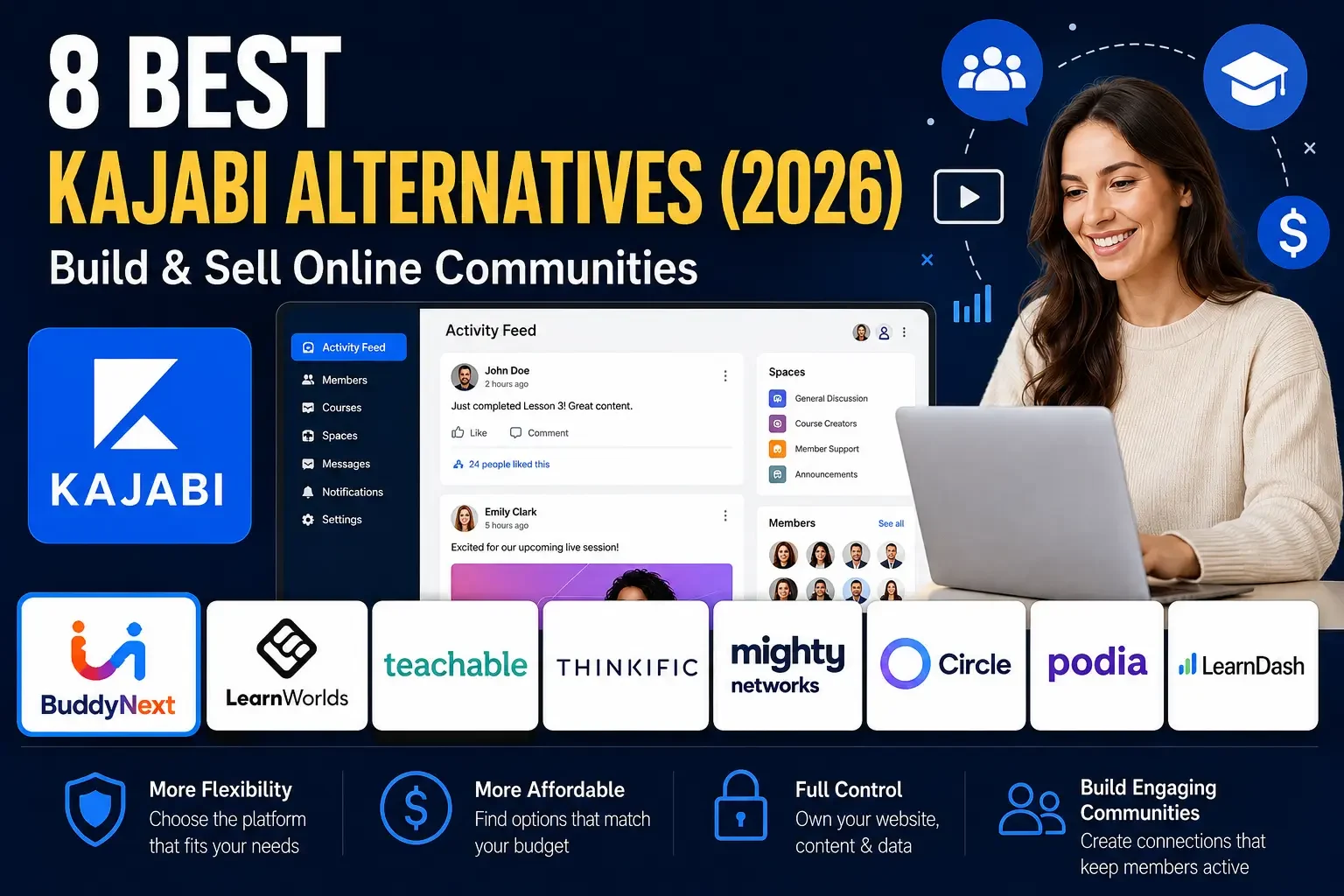
8 Best Kajabi Alternatives (2026) | Build & Sell Online Communities
Compare 8 Kajabi alternatives in 2026, including BuddyNext, a self-hosted WordPress platform with native memberships, courses, and community built in.

Updated September 2026.
Kajabi is a popular all-in-one platform for selling online courses, memberships, and digital products, but it may not be the right fit for every creator or business. Some users want more control over their website, while others need stronger community features, WordPress flexibility, or a different approach to online learning, one where they own the platform instead of renting it indefinitely. None of that makes Kajabi a poorly built product; it’s one specific trade-off among several worth understanding clearly before you build years of business history on top of it. This guide walks through both sides honestly.
That is where Kajabi alternatives come in. The right one depends less on feature checklists and more on whether you’re comfortable renting your business’s foundation indefinitely.
In this guide, we compare eight platforms for building courses, memberships, communities, and online businesses, starting with BuddyNext, a self-hosted WordPress community platform. Each entry covers what it does well and where its limits show up, so you can match the platform to your actual business model rather than the loudest marketing claim.
In this guide
- Watch the Video
- Kajabi Alternatives: Quick Comparison
- 1. BuddyNext: Best Self-Hosted WordPress Alternative to Kajabi
- 2. LearnWorlds: Best for Interactive Online Courses
- 3. Teachable: Best for Beginners Selling Courses
- 4. Thinkific: Best for Courses, Memberships, and Communities
- 5. Mighty Networks: Best for Community-First Businesses
- 6. Circle: Best for Premium Communities With Courses
- 7. Podia: Best for Simple, Combined Digital Products
- 8. WordPress + LearnDash: Best for Maximum Course Customization
- Bonus: When Courses Are the Product, Not Just the Community
- Setting Up Your Course and Community Business Right the First Time
- Rent vs. Own: The Question Every Kajabi Comparison Should Start With
- Choosing by Business Type
- Common Mistakes When Choosing a Kajabi Alternative
- What Kajabi Genuinely Does Well
- Migrating From Kajabi to WordPress
- Performance and Reliability at Scale
- Frequently Asked Questions
- Final Verdict
Looking for a course-first platform instead of a community-first one? Get Learnomy
Watch the Video
Want a quick overview? Watch the video below to see how these Kajabi alternatives compare and which platform may be the right fit for your needs.
Watch on YouTube: Best Kajabi Alternatives
Kajabi Alternatives: Quick Comparison
Platform | Best For | Main Strength | Community | Self-Hosted |
|---|---|---|---|---|
BuddyNext | WordPress communities and learning communities | Complete platform: feed, memberships, courses, forums, gamification | Yes | Yes |
LearnWorlds | Learning-focused businesses | Interactive learning and community tools | Yes | No |
Teachable | Course creators | Easy course and digital product selling | Yes | No |
Thinkific | Courses, memberships and communities | Flexible learning products | Yes | No |
Mighty Networks | Community-first businesses | Community, courses and events | Yes | No |
Circle | Premium online communities | Modern community experience | Yes | No |
Podia | Digital creators | Simple courses, downloads and memberships | Yes | No |
WordPress + LearnDash | Advanced LMS websites | WordPress flexibility and course control | Via integrations | Yes |
1. BuddyNext: Best Self-Hosted WordPress Alternative to Kajabi
Best for WordPress users who want a complete community and course platform they own
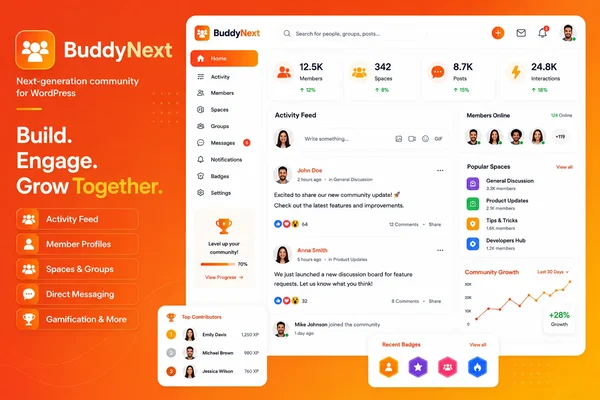
First on our list is BuddyNext, a WordPress-based community platform that takes a fundamentally different approach from hosted platforms like Kajabi. Instead of managing your community, courses, and memberships through a separate SaaS subscription, you build all of it directly into a WordPress website you own.
BuddyNext provides the essential features for an interactive community, member profiles, activity feeds, Spaces, messaging, notifications, discussions, and member discovery, and pairs them with native Stripe membership tiers, courses with anti-cheat quiz tracking and QR-verifiable certificates, instructor revenue sharing on course sales, forums with Q&A, and gamification, all built by one team as a single platform rather than a SaaS bundle you rent. It’s built as a completely new architecture, not an extension of BuddyPress, with WordPress 6.9+ and PHP 8.2+ as the baseline requirements. Most quality managed WordPress hosts already meet these baselines by default, so this rarely becomes a blocker in practice.
The main difference from Kajabi is structural, not just cosmetic. Since it runs on WordPress, you have full control over your website setup, integrations, and design, and there’s no per-member fee or monthly subscription tied to your community’s continued existence. If you already use WordPress and want to combine community features with courses and memberships in one owned platform, BuddyNext is worth serious consideration as a Kajabi alternative. Pairing it with the BuddyX design layer adds full branding control that goes well beyond what a hosted platform’s template customization typically allows.
The course layer is where the Kajabi comparison gets most direct. Kajabi’s business is built on selling courses with quizzes, certificates, and a checkout that takes a share of every sale on top of the subscription fee. The same selling motion runs through BuddyNext’s course layer: built-in courses with anti-cheat tracking that flags tab-switching during a quiz, certificates a graduate can verify with a QR code instead of just trusting a PDF, and instructor revenue sharing that pays teachers without routing an extra cut through the platform itself. For a creator already selling courses on Kajabi and weighing what a self-hosted move actually replaces, that’s the part that matters most, not just the community layer, the selling motion moves with you.
Key Features
- Activity feed, Spaces, profiles, and messaging
- Native Stripe membership tiers, no per-member fees
- Courses with anti-cheat quiz tracking and QR-verifiable certificates
- Instructor revenue sharing, so course sales don’t carry an extra platform cut
- Forums with Q&A, gamification, job boards, and directories
- Full branding and design control
Pros
- You own the platform; nothing disappears if you stop a subscription
- No per-member pricing regardless of community size
- Complete platform, not several disconnected tools
- Full design control down to the pixel
Cons
- Requires a self-hosted WordPress install and some technical comfort
Best for: WordPress users who want a community-first foundation with native memberships and courses, and businesses that want to own their platform outright rather than renting the Kajabi equivalent indefinitely.
Setup follows a guided wizard similar in spirit to Kajabi’s onboarding, though with more upfront decisions about which modules to enable. That extra setup time buys a platform that doesn’t charge more as your member count grows.
2. LearnWorlds: Best for Interactive Online Courses
Best for interactive online courses and professional learning businesses
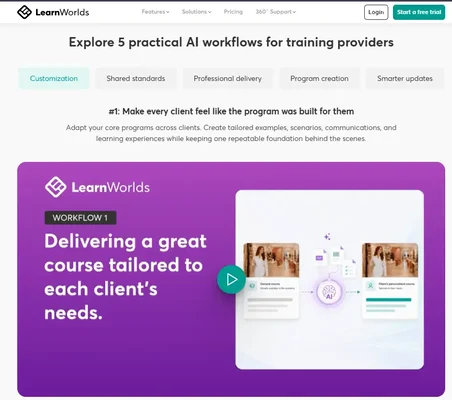
LearnWorlds is an all-in-one learning platform designed for creators, educators, trainers, and businesses. It provides tools for building courses, interactive videos, assessments, live sessions, websites, mobile apps, and learning experiences.
One of its standout strengths is interactive learning: interactive video, assessment tools, flexible courses, analytics, subscriptions, bundles, marketing tools, and integrations. It also provides community functionality with custom spaces, member profiles, messaging, integrated courses, and social learning features.
Best for: Creators and businesses whose main priority is a polished learning business with advanced course and learner engagement features.
Its interactive video and assessment tools go deeper than most competitors on this list, a genuine advantage for education-first businesses where course quality is the primary differentiator. That depth comes with a steeper learning curve for admins setting up the more advanced features, worth budgeting extra onboarding time for.
3. Teachable: Best for Beginners Selling Courses
Best for beginners who want a simple way to sell courses and digital products
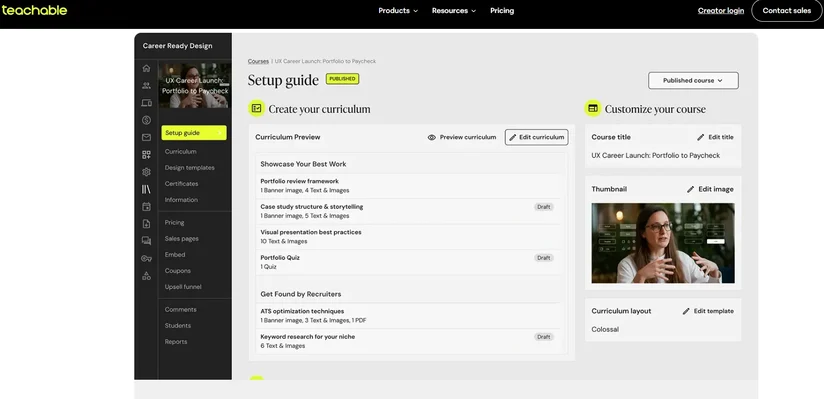
Teachable is another established Kajabi alternative focused on helping creators sell educational products online, including online courses, coaching, digital downloads, and memberships. It supports multimedia lessons, quizzes, drip content, completion certificates, and mobile learning.
The platform is particularly attractive if you don’t want to manage WordPress hosting, plugins, or technical configuration, trading some ownership and customization for simplicity. Its straightforward pricing model also makes budgeting predictable for creators who’d rather not think about scaling costs.
Best for: Creators who prioritize ease of setup over deep website ownership and customization.
Its long track record and large user base mean extensive third-party tutorials and integrations, useful for creators without much technical background.
4. Thinkific: Best for Courses, Memberships, and Communities
Best for businesses combining courses, memberships, and communities
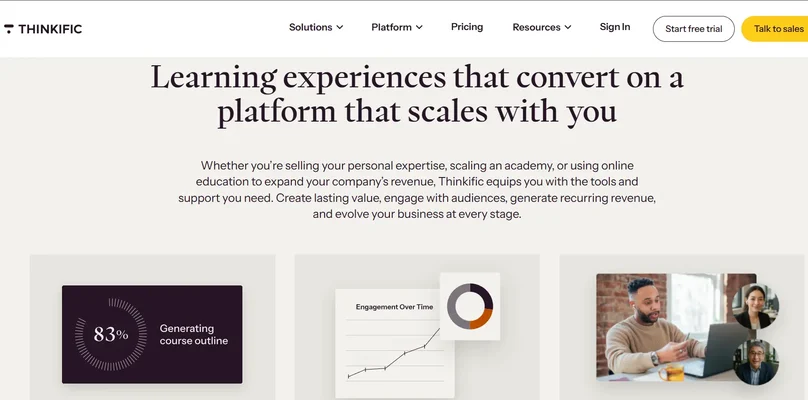
Thinkific has evolved beyond a traditional online course platform, bringing courses, communities, memberships, digital products, coaching, webinars, marketing, analytics, and commerce tools together. Communities can work alongside courses or operate as a standalone product, and memberships can bundle multiple content types into recurring subscriptions.
Best for: Creators and businesses wanting a structured learning business with built-in community and commerce tools.
Its flexibility in bundling courses, communities, and digital products into a single subscription tier appeals to businesses that want fewer separate purchase decisions for their customers. Its analytics dashboard also gives a clearer picture of which content drives retention than more course-only platforms typically offer.
5. Mighty Networks: Best for Community-First Businesses
Best for community-first businesses and membership programs
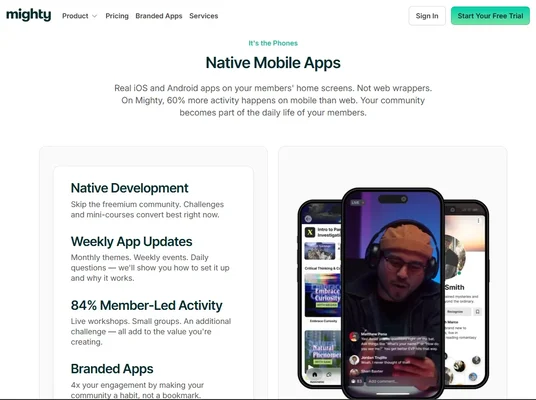
Mighty Networks takes a community-first approach, combining communities, courses, events, memberships, member engagement, payments, and other business tools. Courses are designed to live alongside the community, letting learners interact with other members while progressing through content, with automation for welcoming and re-engaging members.
Best for: Businesses that depend heavily on member interaction, accountability, and community engagement.
Its engagement automation, welcoming new members, recognizing contributions, re-engaging inactive ones, reduces the manual community management work that often falls on a single overworked moderator elsewhere. Its mobile app support is also more developed than several competitors, worth checking if your community skews toward phone-first engagement.
6. Circle: Best for Premium Communities With Courses
Best for premium communities combined with courses and memberships
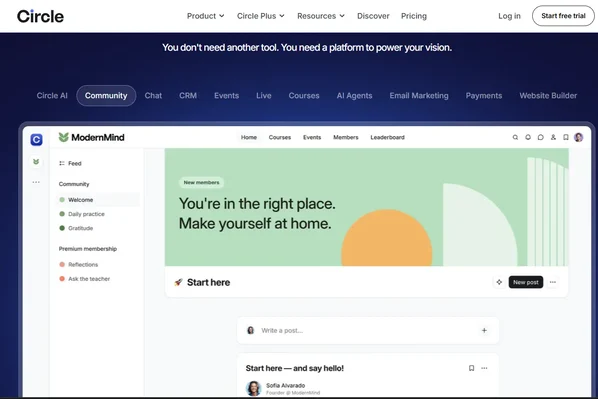
Circle is built around bringing community, courses, events, content, and revenue into one platform, supporting discussions, member directories, profiles, live streams, courses, paid memberships, gamification, and analytics. Built-in payments, subscriptions, and access control make it useful for creators who want community and monetization closely connected.
Best for: Creators for whom the community experience matters as much as the course content.
Its gamification and challenge features are more developed than most course-first competitors, useful for communities that want to keep members active between course modules. Live streaming and office hours features also give creators direct, real-time contact with members without a separate video conferencing tool.
7. Podia: Best for Simple, Combined Digital Products
Best for creators who want courses, digital products, email, and community in one place

Podia brings together websites, courses, communities, email, coaching, and events in one dashboard. Its community functionality includes group conversations, direct messages, topic-based spaces, and both free and paid memberships, alongside digital downloads for guides, templates, and files.
Best for: Creators who want simplicity and several types of digital products managed from one dashboard.
Its lighter feature set compared to Kajabi or Circle means a shorter learning curve, a reasonable trade for creators who want to launch quickly rather than configure extensively. Its pricing model also avoids some of the transaction fees other platforms charge on digital product sales, worth checking directly if margin matters for your specific products.
8. WordPress + LearnDash: Best for Maximum Course Customization
Best for businesses that want a highly customizable learning website
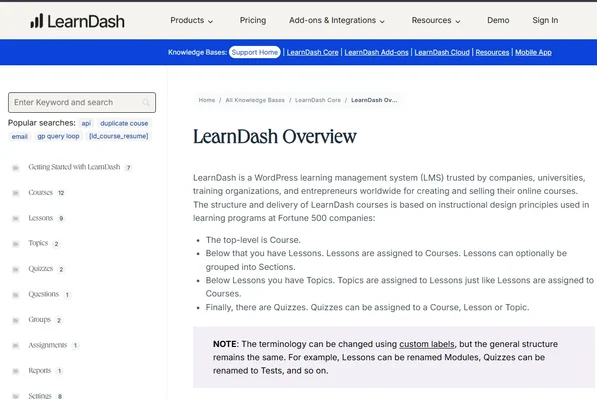
For maximum WordPress flexibility, combining WordPress with LearnDash is another strong Kajabi alternative. LearnDash is designed specifically for online learning within WordPress, supporting integrations with membership plugins like MemberPress and Paid Memberships Pro that connect membership levels with course access.
Because it operates within WordPress, you can combine LearnDash with other plugins for memberships, ecommerce, communities, forums, marketing, and analytics. The trade-off is that WordPress generally requires more setup and ongoing management than an all-in-one hosted platform, but that flexibility is valuable for businesses wanting more control.
Best for: Course-focused businesses that want deep WordPress customization and are comfortable assembling a few complementary plugins.
LearnDash’s own migration tools support imports from several other LMS platforms, useful if you’re moving off Kajabi’s course structure specifically rather than starting from scratch. Pairing it with a dedicated community plugin, or with BuddyNext for a more unified experience, closes the gap between LearnDash’s course-first focus and a genuine community product.
Bonus: When Courses Are the Product, Not Just the Community
Best for creators and businesses where course selling, grading, and certifying is the core business, with community as an optional layer instead of the starting point
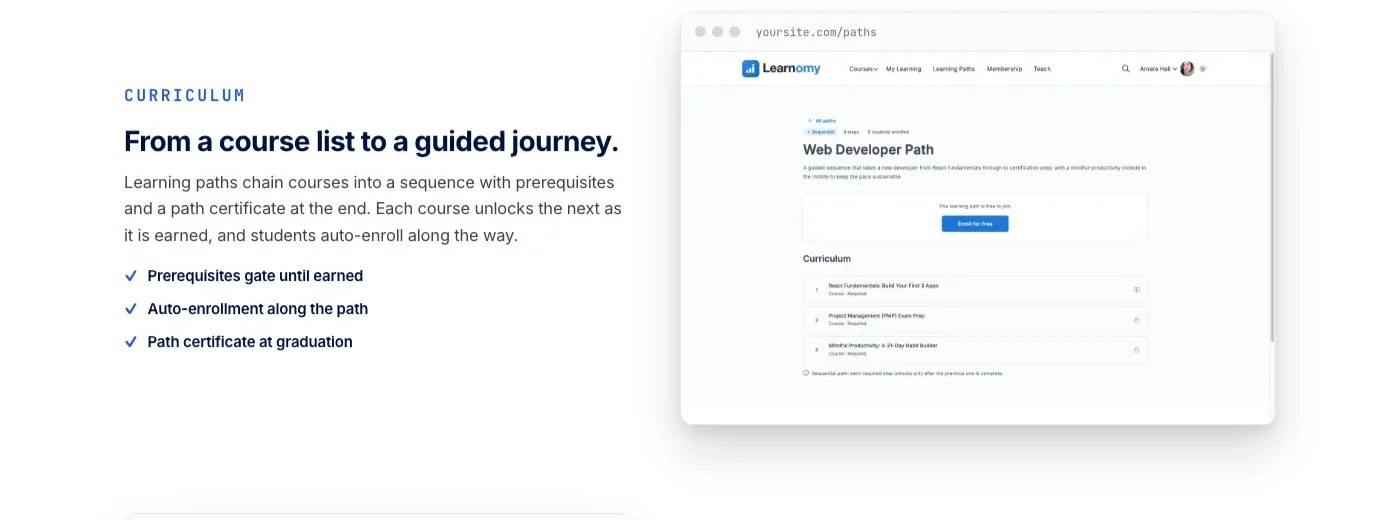
Everything above compares Kajabi against community-first or hosted course platforms. But some of the businesses reading this list are not looking for a community with courses attached, they are looking for a course business first, the exact thing Kajabi itself sells. For that reader, the same team behind BuddyNext also builds Learnomy, a complete learning platform for WordPress built around courses, quizzes with anti-cheat tracking, certificates a graduate can verify with a QR code, and a built-in checkout with no platform fee taken from what students pay, the kind of setup that means never having to bolt on a separate ecommerce store just to collect payment for a course.
The structural argument is the same one made throughout this guide: Kajabi charges a recurring subscription and, depending on your plan, a share of what your students pay, on a platform you do not own. Whether your own course business should even be recurring in the first place is worth settling before you copy Kajabi’s pricing model onto your own site. Learnomy runs the same selling motion, courses, quizzes, certificates, checkout, and instructor revenue sharing once a school grows beyond one teacher, on a WordPress site that is yours.
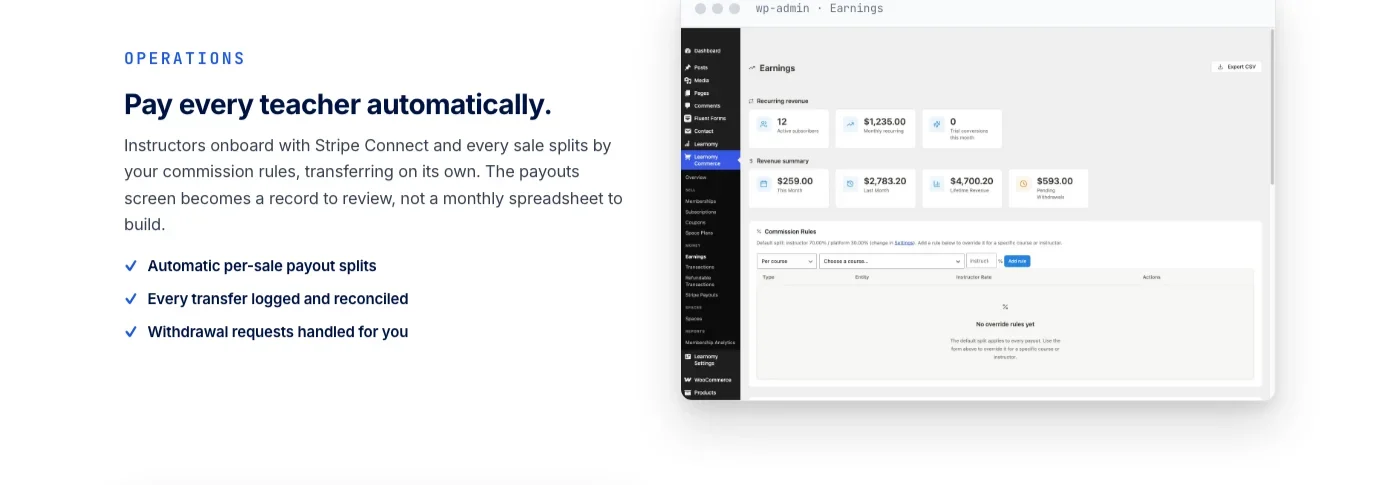
It does not stop at the course layer either. The same platform can grow into a learning community around the school, course discussion boards and Q&A, gamified progress with points and badges, and even a job board for graduates, all from the same team, with full control over branding and design. That matters for two of the use cases already covered in this guide: a company training its own staff at scale, see how to build an employee onboarding training platform with Learnomy, and a business training the external partners who represent it, covered in partner enablement training with Learnomy.
Best for: Course-first businesses, academies, and corporate or partner training programs that want the completeness of a hosted platform and the ownership of WordPress, without treating community as the entry point.
Setting Up Your Course and Community Business Right the First Time
Whichever platform you choose, a few decisions upfront prevent a costly restructuring project later:
- Decide your pricing and membership structure before launch. Retrofitting tiered pricing onto a business that’s been flat-rate for a year is far more disruptive than starting with the structure you actually intend to use long-term.
- Map your course catalog’s growth plan. A single flagship course today may become a multi-course curriculum later; confirm your platform can handle bundles, learning paths, or prerequisites before you need them urgently.
- Decide how central community is to the business model. If community engagement drives retention and referrals, weight your platform choice toward strong community tools, not just course delivery mechanics.
- Plan for payment processing and taxes early. Different platforms handle sales tax, currency support, and payout schedules differently; confirm these work for your specific market before committing.
- Test the mobile experience for both courses and community. A meaningful share of learners and community members engage primarily on phones; verify video playback, quizzes, and discussions all work well on a small screen.
None of these decisions require a specific platform, but getting them wrong is far more expensive to fix once real revenue and real students are attached to the original structure. Run through this checklist with whoever handles day-to-day operations, not just whoever is choosing the platform, since their perspective on pricing structure and course growth is worth gathering before launch rather than after the first awkward pricing conversation with early customers.
Rent vs. Own: The Question Every Kajabi Comparison Should Start With
Every hosted alternative on this list, LearnWorlds, Teachable, Thinkific, Mighty Networks, Circle, Podia, shares Kajabi’s fundamental structure: a recurring subscription for a platform you don’t own, with your courses, community, and member data living on their servers.
| Kajabi and similar hosted platforms | BuddyNext on WordPress |
|---|---|---|
The deal | Monthly subscription, forever | One platform you own |
Your data | Their database | Yours, one coherent schema |
Per-member pricing | Plan limits force upgrades as you grow | No, ever |
Branding | Logo and accent color on their layout | Full design layer, your brand throughout |
If you stop paying | Course and community access at risk | Features keep working |
WordPress + LearnDash shares BuddyNext’s ownership advantage but requires assembling separate plugins for community, memberships, and commerce rather than getting them as one native platform, closer to the “pile of plugins” problem BuddyNext was built to avoid.
None of the hosted alternatives are poorly built products; Kajabi, Circle, and Mighty Networks all have genuine strengths in polish and marketing integration. The rent-versus-own distinction is simply a structural fact worth naming clearly before you build years of business history on top of any of them.
Choosing by Business Type
- Solo course creator wanting simplicity: Teachable or Podia, both optimized for fast setup with minimal configuration.
- Education business prioritizing interactive learning quality: LearnWorlds, with its deeper interactive video and assessment tools.
- Community-first coaching or membership business: Mighty Networks or Circle if a hosted subscription fits your operations, or BuddyNext if ownership matters more than managed convenience.
- Established WordPress business adding courses: WordPress + LearnDash for maximum customization within an existing site, or BuddyNext if you also want native community and membership features without assembling several plugins.
- Business planning significant long-term growth: BuddyNext, since its lack of per-member fees means costs don’t scale with your success the way many hosted platforms’ tiered pricing does.
- Agency delivering multiple client course sites: WordPress-based options (BuddyNext or LearnDash) let you standardize a stack across clients rather than managing several different hosted platform accounts and their individual billing.
Common Mistakes When Choosing a Kajabi Alternative
- Comparing feature lists without weighing ownership. A hosted platform with more checkbox features isn’t automatically the better long-term choice if it means renting your entire business infrastructure indefinitely. Weigh completeness against control, since the two aren’t the same axis.
- Underestimating course migration effort. Videos, quizzes, and lesson structures rarely transfer automatically between platforms, whichever direction you’re moving. This is consistently the longest single task in any platform migration, whether you’re moving to or from a hosted service.
- Choosing based on launch-day simplicity alone. The easiest platform to set up today isn’t necessarily the one that serves your business best in three years, especially once per-member or per-feature pricing tiers start adding up. Model your costs at 10x your current member count before committing, not just at today’s size.
- Not testing the actual member experience. Feature comparisons on marketing pages rarely capture how a platform actually feels to use daily. Request trials or demos and test real workflows before committing. Have a colleague unfamiliar with the platform try to complete a common task, buying a course, posting in the community, and watch where they get stuck.
- Ignoring the exit plan. Before committing to any platform, hosted or self-hosted, ask what happens to your courses, community, and customer data if you ever need to leave. Confirm export options exist and actually work before you have years of content and thousands of members depending on the answer.
What Kajabi Genuinely Does Well
It’s worth being fair to Kajabi rather than treating this purely as a takedown. Its integrated marketing tools, email automation, sales pipelines, checkout pages, save real setup time for creators who’d otherwise stitch together several separate marketing tools. Its course builder is polished and beginner-friendly, and its all-in-one nature means fewer decisions about which plugin or integration to use for any given feature.
For a creator just starting out who values speed to launch over long-term ownership, or who genuinely doesn’t want to think about hosting, plugins, or technical maintenance, Kajabi’s trade-offs may be entirely reasonable. This comparison exists for the creators and businesses whose calculus shifts once they’ve felt the limits of renting, not to argue Kajabi is objectively wrong for everyone. That shift usually happens gradually: a plan upgrade that feels disproportionate to actual usage, a design limitation that starts to grate, or simply the accumulated cost of years of subscription fees that could have gone toward owning the underlying platform instead.
Migrating From Kajabi to WordPress
If you’re already running courses and a community on Kajabi and considering a move, plan for a genuine migration project.
- Course content: Export video files, lesson structures, and quizzes; expect to rebuild the course structure in your new platform’s system rather than a one-click import. Start this task first since it typically takes the longest of anything in the migration.
- Member and customer data: Export your customer list and purchase history from Kajabi’s admin tools before starting. Keep a permanent backup independent of either platform in case anything is lost during transfer.
- Community discussions: Archive existing Kajabi community threads as a reference; most platforms don’t share compatible data models for direct import. Members often reference old threads for context, so keeping an accessible archive, even read-only, preserves institutional knowledge.
- Payment continuity: Plan the cutover of recurring billing carefully so paying members don’t experience an access gap. A gap in payment processing during migration risks both lost revenue and, worse, members losing access they’ve already paid for.
- Domain and SEO: If your Kajabi site had public-facing pages ranking in search, set up redirects to their new WordPress equivalents before launch.
- Certificates and completion records: If your courses issue completion certificates, confirm your new platform can generate equivalent credentials for members who completed courses under the old system. BuddyNext’s certificate system can issue new credentials going forward, but historical completions typically need to be manually recorded during migration.
Test the new platform with a small group before migrating your full membership, and budget real calendar time rather than a weekend. Consider running the old and new platforms in parallel briefly, keeping Kajabi active in a limited capacity while the new WordPress site takes over new activity, rather than a single hard cutover date.
A realistic timeline for a mid-sized Kajabi migration, a handful of courses, a few hundred to a couple thousand members, usually spans several weeks: exporting and auditing data, rebuilding course structures, a staging test, and a communicated cutover with billing continuity in place. Compressing this into days significantly increases the risk of losing content or member access along the way. Larger course catalogs and bigger member bases should plan for proportionally more time, not less.
Performance and Reliability at Scale
A meaningful advantage of hosted platforms like Kajabi, Teachable, and Circle is that scaling infrastructure isn’t your problem. As your course sales and community grow to thousands of active members, their teams handle the servers, video hosting, and uptime behind the scenes.
Self-hosting on WordPress shifts that responsibility to you or your hosting provider. Platforms built on custom database architecture designed for community and course access patterns, which includes BuddyNext, generally hold up well on quality managed WordPress hosting even at meaningful scale. Video delivery specifically benefits from a CDN or a dedicated video hosting integration rather than serving large files directly from your own server. Ask any WordPress-based plugin vendor directly about tested performance at scale if published benchmarks aren’t readily available; a credible team should have a real answer.
For most course creators and mid-sized communities, well-configured managed WordPress hosting handles this without issue. Very large operations with tens of thousands of active learners may want to budget for more robust hosting or a developer’s help with video delivery and caching, a cost worth weighing against a hosted platform’s recurring, per-feature pricing as you scale.
Key takeaways
- Every hosted alternative on this list shares Kajabi’s core structure: a recurring fee for a platform you do not own.
- BuddyNext is the strongest self-hosted pick when community is the foundation and courses are a feature.
- If courses, grading, and certifying are the actual business, Learnomy is the same team’s course-first counterpart.
- Weigh completeness against ownership, not just feature checklists, before building years of business history on any platform.
- Plan the migration itself as a real project: course content, member data, payment continuity, and SEO redirects all need dedicated time.
Frequently Asked Questions
What is the best Kajabi alternative in 2026?
There is no single best option for everyone. If you want an all-in-one hosted learning platform, LearnWorlds, Thinkific, Teachable, Circle, Mighty Networks, and Podia are worth considering. If you want WordPress ownership and a community-first, complete platform, BuddyNext is the strongest option.
Is BuddyNext a good alternative to Kajabi?
Yes, especially if community ownership matters alongside courses. BuddyNext provides a self-hosted platform with feeds, Spaces, profiles, messaging, native memberships, courses with anti-cheat quizzes and verifiable certificates, instructor revenue sharing, forums, and gamification, all in one system rather than a rented subscription.
Which Kajabi alternative is best for online courses specifically?
LearnWorlds, Teachable, Thinkific, and LearnDash are strong choices for course-focused businesses. LearnWorlds is particularly focused on interactive learning, while LearnDash gives WordPress users extensive customization options.
Which Kajabi alternative is best for communities?
If community is your main priority, BuddyNext, Mighty Networks, and Circle are strong choices. BuddyNext is especially suited to WordPress users who want their community and courses hosted on their own website rather than a vendor’s servers.
Can I use WordPress instead of Kajabi?
Yes. WordPress can run BuddyNext for a complete community and course platform, or combine BuddyPress-style tools with LearnDash for more granular customization. The main advantage is flexibility and ownership, with more setup and maintenance responsibility in exchange.
Is Kajabi better than WordPress?
It depends on your priorities. Kajabi provides an integrated hosted experience with courses, memberships, community, and marketing tools, at the cost of a recurring fee and less ownership. WordPress offers more control over hosting, customization, plugins, and your overall technology stack, in exchange for more hands-on management.
What happens to my Kajabi community if I stop paying?
Access to your courses and community depends on Kajabi’s policies at the time, the exact structural risk a self-hosted WordPress alternative avoids by keeping your data in your own database.
How do I know if I’ve genuinely outgrown a hosted platform like Kajabi?
Signs include hitting plan limits that force upgrades as your member count grows, feeling boxed in by design customization limits, or wanting to add community features a hosted platform doesn’t support well. If none of these apply, staying on a hosted platform may still be the right call.
Is a self-hosted alternative harder to maintain than Kajabi?
It requires WordPress hosting and occasional plugin updates, though most managed WordPress hosts handle the bulk of that automatically. In exchange, you get full ownership, no per-member fees, and complete design control.
Can I run a trial of BuddyNext before migrating real course content?
Yes, the live demo lets you explore the actual member and admin experience before committing any real data, a useful way to compare it directly against your current Kajabi workflow. Test the exact workflows your business depends on daily, checkout, course access, community posting, before making a final decision.
Will switching away from Kajabi hurt my SEO?
Not if handled carefully. Set up redirects from any public Kajabi pages to their new WordPress equivalents, and a self-hosted WordPress site can often improve long-term SEO since you have full control over site structure, page speed, and content optimization.
Should agencies standardize on one Kajabi alternative across client projects?
Many do, since it reduces the support burden of maintaining expertise across several platforms. BuddyNext’s broad feature coverage makes it a reasonable default for WordPress-focused agencies, while a course-specific client with no community needs may still be better served by LearnDash alone or a hosted platform like Teachable.
Final Verdict
The best Kajabi alternative depends on what you want to build.
For a course-focused business, LearnWorlds, Teachable, Thinkific, and LearnDash are strong choices. For community-led businesses comfortable with a hosted subscription, Circle and Mighty Networks stand out, while Podia is a convenient option for creators selling multiple types of digital products. Weigh each against your actual growth trajectory, not just how polished the signup flow feels today.
But if you want to build a modern online community and course business on WordPress while keeping control of your website, members, and data, BuddyNext is our top choice. It gives WordPress users a community-first foundation with feeds, Spaces, profiles, messaging, native memberships, courses, forums, and gamification, without a per-member fee or a rented subscription standing between you and your own audience.
The right platform ultimately comes down to whether you prioritize simplicity, course delivery, community engagement, or complete control over your website and its long-term costs.
Whichever direction you choose, run the numbers on where your business will be in two or three years, not just where it is today. A platform that fits perfectly at launch can become an expensive constraint once your community and course catalog have grown well past their starting size.
Selling courses is the actual business? Look at Learnomy
Courses, quizzes with anti-cheat tracking, QR-verifiable certificates, built-in checkout, and instructor revenue sharing, on a WordPress site you own.
Plugins we build and run
We maintain these ourselves, which is why we can support them on your site.
- BuddyNextThe self-hosted community engine for WordPress
- BuddyXFree community theme, Pro when you outgrow it
- ReignPremium community theme. Add pieces, build anything
- JetonomyCommunity forum and Q&A for WordPress
- EventonomyEvents and RSVPs for WordPress communities
- LearnomyCourses and learning communities on WordPress
- ListoraDirectories and listings your members can browse
- SnipShareCode sharing built for developer communities
- WB Ad ManagerAd placements that turn traffic into revenue
- WP Career BoardA job board your community actually uses
- WP Sell ServicesSell services with offers, orders, and payouts
- MediaVersePhotos, video, and media albums for members
- WB GamificationPoints, badges, and rewards that keep members active
- Product RoadmapPublic roadmaps with voting your users trust