Best 5 Hivebrite Alternatives for WordPress (2026)
Compare 5 Hivebrite alternatives for WordPress in 2026, including BuddyNext, a self-hosted community platform with native memberships built for associations.

Updated September 2026.
If you’re looking for a Hivebrite alternative, WordPress gives you more flexibility to build a branded community around your own website. The best option depends on whether you need a full social community, private member spaces, discussion tools, or an all-in-one hosted platform, and how comfortable you are with a recurring subscription tied to your community’s future. Associations in particular carry a longer time horizon than most communities, which makes the platform decision higher-stakes than it might first appear.
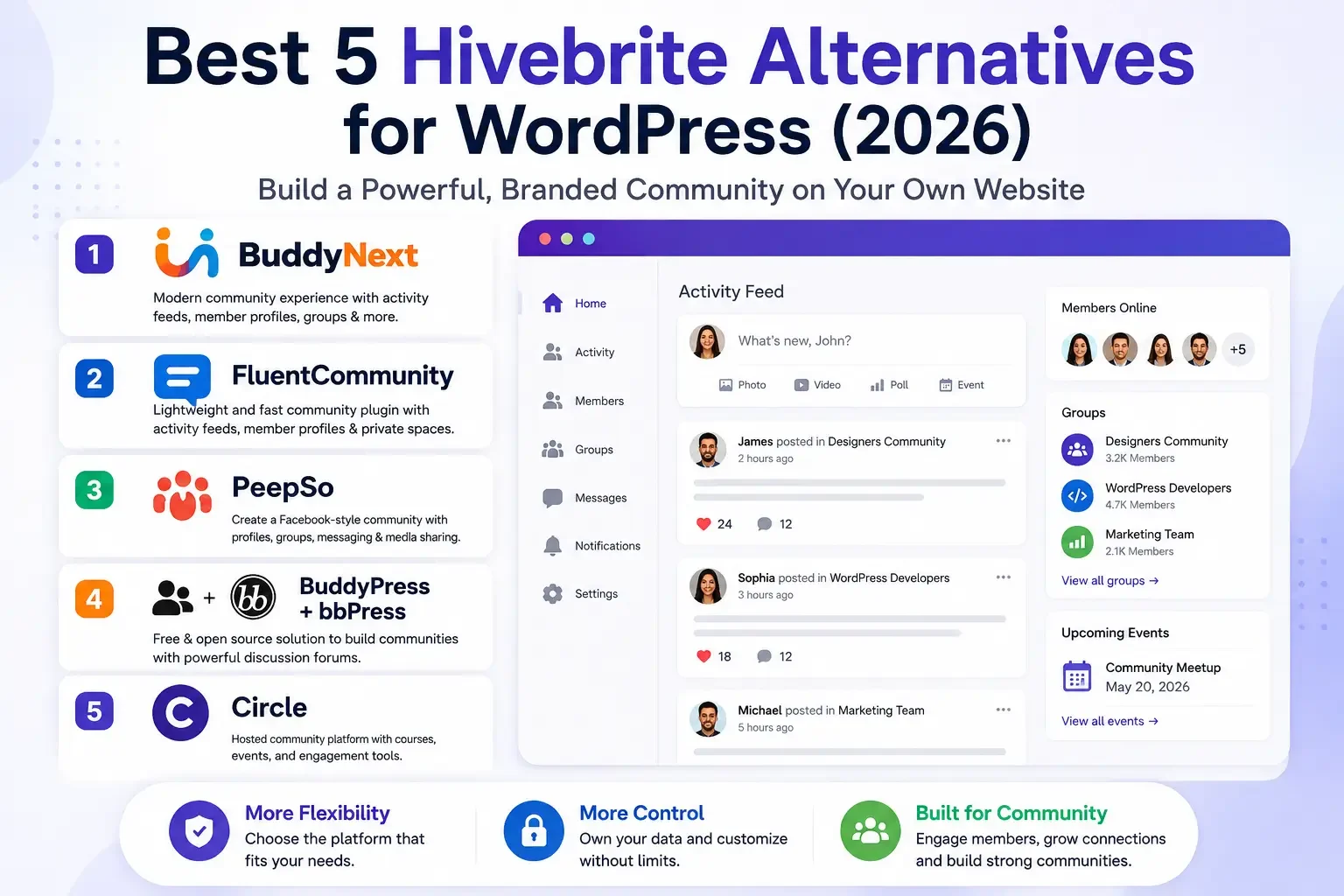
In this guide, we compare five Hivebrite alternatives: BuddyNext, FluentCommunity, PeepSo, BuddyPress with bbPress, and Circle.
Watch the video: Prefer watching instead of reading? Watch our quick comparison video below to see the five Hivebrite alternatives and their key differences.
Watch on YouTube: Best Hivebrite Alternatives
Why Consider a Hivebrite Alternative?
Hivebrite is designed as a dedicated, hosted community platform aimed at associations, alumni networks, and membership organizations. WordPress can be a better fit if you want greater control over your website and the ability to combine community functionality with the broader WordPress ecosystem, without a recurring per-community subscription. None of that makes Hivebrite a poorly built product for its niche; it makes it one specific trade-off worth understanding clearly before committing years of member records to it.
A WordPress-based community can give you:
- Control over your website and hosting
- Flexible branding and customization
- Access to thousands of WordPress integrations
- Multiple options for memberships and monetization
- Greater control over your community structure
- The ability to expand beyond community features
The right choice depends on your technical requirements, community size, and the features your members need.
Quick Comparison
Platform | Best For | Hosting Model | Key Strength |
|---|---|---|---|
BuddyNext | Complete WordPress communities | Self-hosted | Full community platform |
FluentCommunity | Private communities | Self-hosted | Simple community experience |
PeepSo | Social networking | Self-hosted | Social features |
BuddyPress + bbPress | Community and forums | Self-hosted | Flexible and open source |
Circle | Hosted communities | Hosted | All-in-one community platform |
1. BuddyNext: Best Complete WordPress Alternative to Hivebrite
Best for complete WordPress communities
BuddyNext is a complete community platform for WordPress designed to cover the same ground Hivebrite sells to associations and membership organizations: activity feed, member Spaces, profiles, messaging, notifications, and moderation, paired with native Stripe membership tiers, courses with certificates, forums with Q&A, and gamification, all built by one team as a single platform you run on your own WordPress site.
A major advantage over Hivebrite specifically is architecture: BuddyNext isn’t a basic social plugin bolted onto WordPress, it’s a purpose-built platform with its own database tables designed to stay fast as an association or alumni network grows into thousands of members. Because BuddyNext is self-hosted, your community runs on your own WordPress website, hosting, and database, with no per-member platform fee eating into membership dues the way many hosted association platforms structure their pricing. It’s built as a completely new architecture, not an extension of BuddyPress, which matters for associations that tried and abandoned BuddyPress in the past due to its shallower directory and membership tools.
Key Features
- Activity feed, Spaces, profiles, and directory
- Native Stripe membership tiers
- Courses with certificates and forums with Q&A
- Gamification, job boards, and directories
- Deep native moderation and trust tools
- Full REST API and branding control
Pros
- Complete community foundation, not a bare social plugin
- Own your community data and infrastructure outright
- No per-member platform fee
- Expandable ecosystem without a platform migration
Cons
- Requires WordPress hosting and some technical comfort
Best for: Businesses, creators, membership websites, associations, alumni networks, and organizations that want a complete community on WordPress instead of a rented association-management platform. Its combination of ownership and completeness is the specific reason it leads this comparison.
Setup follows a guided wizard: install, run the setup, and configure membership tiers and profile fields to match your organization’s structure. Because directory, moderation, and membership tools are already part of the platform, there’s no need to bolt on a separate directory plugin just to replicate what Hivebrite offers out of the box.
2. FluentCommunity: Best for Private and Creator Communities
Best for private and creator communities
FluentCommunity is another WordPress-focused option for creating private communities and member spaces, particularly suited to creators, educators, coaches, and membership businesses that want to combine community discussions with their existing WordPress website. A small nonprofit board or hobby association without complex dues tiers can launch on FluentCommunity in an afternoon, a real advantage over a heavier platform’s longer setup process.
Key Features
- Community spaces and discussions
- Member profiles and activity-based interaction
- Private community areas
Pros
- WordPress-based, no separate hosting
- Clean community experience
- Suitable for private communities
Cons
- Community requirements may need additional WordPress integrations
- Not as broad an ecosystem as a complete platform
Best for: Private communities, membership websites, educators, coaches, and creators.
Its smaller footprint means faster setup than a full platform, though associations with complex membership tiers or dues structures will likely find its feature set thinner than a purpose-built option like BuddyNext or ProfileGrid.
3. PeepSo: Best for Social Networking
Best for social networking
PeepSo focuses on bringing social networking functionality to WordPress, supporting member profiles, groups, activity streams, followers, and community interaction, with additional functionality available through extensions. This makes it a suitable choice when your main goal is a social network rather than a discussion-first or association-style community. For an association whose members mainly want a Facebook-style feed rather than a formal directory, PeepSo’s familiar layout can lower the learning curve for less tech-savvy members.
Key Features
- Member profiles and activity streams
- Groups and followers
- Social interactions via extensions
Pros
- Social network focused
- Good range of community features
- Extensible through add-ons
Cons
- Advanced functionality may require additional extensions
- Configuration can become more involved as requirements grow
Best for: Social networks, interest communities, private groups, and member-based websites. Less suited to organizations whose primary need is a structured member directory rather than a feed.
PeepSo’s modular add-on system lets you enable only the features your organization needs, though replicating Hivebrite’s professional-directory depth would require assembling several add-ons rather than getting it natively.
4. BuddyPress + bbPress: Best for Flexible, Open Source Setups
Best for flexible community and forum setups
BuddyPress remains one of the most established open source community solutions for WordPress, providing profiles, private conversations, social connections, groups, activity streams, and notifications. You can combine it with bbPress when your community also needs structured discussion forums. Its long history means abundant documentation and third-party plugins for niche needs, a real asset for associations whose requirements don’t fit neatly into a purpose-built platform’s assumptions.
This approach gives developers and site owners considerable flexibility, though you’ll likely need additional plugins and customization as your community’s needs grow past what BuddyPress covers natively, the same “pile of plugins” pattern a complete platform is designed to avoid.
Key Features
- Member profiles and activity streams
- Groups and private messaging
- Forums through bbPress
Pros
- Open source and free
- Flexible, large WordPress ecosystem
- Strong developer support and documentation
Cons
- May require multiple plugins for a complete experience
- Final experience depends heavily on the theme and extensions chosen
Best for: Developers, organizations, forums, social communities, and websites that want maximum WordPress flexibility. Best suited to organizations with either in-house technical staff or a reliable long-term developer relationship.
Its two-decade track record gives it the largest available pool of WordPress developers of any option here, a genuine advantage for associations planning to hire ongoing technical help.
5. Circle: Best for an All-in-One Hosted Community
Best for an all-in-one hosted community
Circle is different from the other options on this list because it’s a hosted community platform rather than a WordPress plugin. It brings community discussions, courses, events, live experiences, memberships, payments, and website tools into one platform, with customizable community spaces, member directories, rich profiles, paid memberships, gamification, and analytics. Its event and live-streaming tools in particular go beyond what most WordPress community plugins offer natively, a genuine consideration for associations that run frequent virtual programming.
Like Hivebrite, Circle carries a recurring subscription and runs on infrastructure you don’t control, the same rent-versus-own trade-off worth weighing against a self-hosted WordPress alternative.
Key Features
- Community spaces, discussions, and courses
- Live streams and events
- Paid memberships and gamification
- Website builder and custom domain
Pros
- All-in-one hosted platform
- No WordPress setup required
- Strong course and event features
- Modern interface
Cons
- Hosted platform with a recurring subscription
- Less ownership than a self-hosted WordPress alternative
Best for: Creators, course businesses, professional communities, and organizations that prefer an all-in-one hosted platform over self-hosting. Weigh its convenience against the ownership trade-off before committing years of member relationships to it.
Its course and live-event tools are more developed than Hivebrite’s own, useful for organizations that want to run structured programming alongside a membership directory.
Hivebrite’s Audience: Associations and Alumni Networks
Hivebrite specifically targets associations, alumni networks, and membership organizations, a more specialized niche than general community platforms like Circle or Mighty Networks. That focus shows up in features like member directories built around professional networking, event and chapter management, and donor or dues tracking.
For WordPress alternatives to genuinely compete in this niche, member directory depth and structured membership tiers matter more than they would for a general creator community. BuddyNext’s 13-field profiles, per-field privacy, and native Stripe membership tiers are the closest match among the WordPress options here, while BuddyPress and PeepSo need additional plugins to approach the same directory and dues-management depth. Event and chapter management is a bigger gap: none of the WordPress options here replicate Hivebrite’s dedicated event-and-chapter tooling natively, so associations with heavy event programming may need to pair their chosen platform with a dedicated events plugin.
Rent vs. Own for Associations and Membership Organizations
Associations and alumni networks often hold member data with long retention expectations, sometimes decades of graduating classes or membership history. That makes the ownership question especially relevant here, more so than for a short-lived creator community.
| Hivebrite / Circle (hosted) | BuddyNext on WordPress |
|---|---|---|
Where member records live | Vendor’s servers | Your own database |
Long-term data retention | Subject to vendor’s policies and continued existence | Stays in your database indefinitely |
Per-member pricing | Often scales with member count | No, ever |
Branding for chapters or sub-groups | Limited to platform templates | Full design control via BuddyX |
For an organization planning to exist for decades, that’s a meaningful consideration beyond which platform has the most polished feature list today. Boards and volunteer leadership also change over time; a self-hosted platform ensures institutional knowledge and member history don’t depend on any single vendor relationship staying intact across those leadership transitions.
Performance for Large Member Directories
A professional association’s member directory can grow into the thousands or tens of thousands over years of operation. Search and filtering by member type, chapter, or graduation year are usually the first things to slow down on a directory not built for scale.
Plugins built on custom, purpose-designed tables, which includes BuddyNext’s profile and membership system, generally hold up better here than directory features layered onto standard WordPress user meta queries. Ask any plugin vendor directly about tested directory sizes if published benchmarks aren’t available. This is a genuinely technical question worth asking directly rather than assuming based on a polished demo with a handful of test members.
Pagination matters just as much as search speed. A directory that tries to render every member on one page becomes unusable well before it becomes technically broken, so confirm your chosen platform paginates and filters results by default. Filtering by chapter, membership tier, or region compounds the issue further; a directory with thousands of members and no meaningful filters is functionally just a long list nobody actually uses to find each other.
Choosing by Organization Type
- Professional or trade association: BuddyNext, for its native membership tiers and detailed profile system matching Hivebrite’s own directory depth. Industry-specific certifications or credentials can be tracked as custom profile fields.
- Alumni network: BuddyNext, whose private Spaces and membership tiers suit the mix of free and paid alumni access many networks require. Graduation-year-based directory segments are especially easy to configure with a 13-field profile system.
- Small nonprofit or hobby membership group: FluentCommunity for something lighter, if complex dues structures aren’t a factor. Revisit the decision if the group later grows into multiple chapters or tiered dues.
- Organization wanting a hosted, fully managed alternative: Circle, accepting the same rent-versus-own trade-off as Hivebrite itself. A reasonable choice for boards that explicitly prefer outsourcing technical maintenance entirely.
- Developer-run organization wanting full customization: BuddyPress with bbPress, assembled with additional membership plugins as needed. This path demands the most ongoing technical involvement of any option on this list.
Common Mistakes When Choosing a Hivebrite Alternative
- Underestimating directory and dues complexity. Associations often have several member types (active, lapsed, honorary, student) each with different visibility and pricing rules. Confirm your chosen plugin can represent all of them before committing. This audit alone often surfaces member categories nobody had documented clearly before.
- Choosing a general social plugin for a directory-first need. PeepSo and FluentCommunity are excellent at social features but weren’t built around professional directory depth the way Hivebrite or BuddyNext’s profile system was. Match the plugin’s core strength to your organization’s actual center of gravity, records versus conversation, before comparing feature checklists further.
- Ignoring long-term data retention requirements. Alumni and membership records often need to persist for decades. Confirm your platform’s export options and data ownership model before migrating years of member history. This is one of the strongest arguments for self-hosted ownership over any hosted subscription in this specific context.
- Skipping a staging migration test. A live association migration gone wrong affects real members with real dues on the line, far more visible than a staging mistake. Always dry-run the full registration and payment flow before opening it to real members.
- Not budgeting communication time for less tech-forward members. Association memberships often skew toward members who need more advance notice and clearer instructions for a platform change than a typical online community. A simple printed or emailed step-by-step guide for logging into the new platform goes a long way for members less comfortable navigating a new interface on their own.
What Hivebrite Genuinely Does Well
It’s worth being fair to Hivebrite rather than treating this purely as a takedown. It’s built specifically for associations and membership organizations, which shows in details general community platforms often miss: dues renewal workflows, chapter management, event and networking tools tailored to professional and alumni contexts, and dedicated account management support for larger organizations.
For an association without in-house technical staff that values a fully managed, purpose-built solution and doesn’t mind the recurring cost, Hivebrite’s specialization is a genuine advantage. This comparison exists for organizations whose calculus shifts once they’ve felt the limits of a per-member pricing model or want more control over decades of member data, not to argue Hivebrite is wrong for everyone. Plenty of well-run associations operate happily on Hivebrite for years without ever hitting those limits; the point here is making the trade-off visible, not prescribing a universal answer.
Migrating From Hivebrite to WordPress
- Member directory data: Export member records, custom fields, and membership tier assignments from Hivebrite before starting; expect to remap fields to your new platform’s profile system. Keep an independent backup of this export regardless of which platform you migrate to, since it’s the hardest thing to reconstruct if anything goes wrong mid-migration.
- Chapter or sub-group structures: Recreate these as Spaces or groups in your new platform rather than expecting an automatic import, since data models rarely match between platforms. Map out each chapter’s specific needs (its own moderators, its own private discussion area) before recreating the structure rather than defaulting to identical settings for every chapter.
- Dues and payment history: Keep an independent backup of billing and dues records regardless of which system manages access going forward. These records often matter for tax and audit purposes well beyond the migration itself.
- Directory visibility rules: Test that privacy settings for different member types (alumni by graduation year, current dues-paying members, honorary members) work correctly before opening the new directory to your full membership.
- Event and chapter history: If Hivebrite tracked event attendance or chapter-specific activity, decide whether to archive that history as reference material or attempt a more involved data migration into the new platform’s equivalent features. Most organizations find archiving as a static reference sufficient, since live re-creation of historical event data rarely justifies its cost.
Test the full migration on staging first, and communicate the change to your membership well before cutover, since associations often have members who are less tech-forward and need more advance notice than a typical online community. Consider a phased rollout, opening the new platform to a small, engaged group of members first to catch usability issues before the full membership sees the change.
Board and Volunteer Considerations
Associations are often run partly or entirely by volunteer boards with rotating leadership, a real factor in platform choice that pure feature comparisons tend to overlook.
A hosted platform like Hivebrite or Circle shifts technical maintenance to the vendor, which can matter when board turnover means institutional technical knowledge doesn’t reliably carry forward year to year. A self-hosted WordPress platform puts more of that responsibility on the organization, though a modest ongoing budget for a WordPress maintenance service, separate from any board member’s personal time, can close much of that gap.
Before committing to a self-hosted option, have an honest conversation with your board about who will own basic maintenance responsibilities long-term, not just who’s excited to set it up today. The person who champions a platform switch isn’t always still on the board three years later. Documenting the setup thoroughly as you go, not after the fact, also makes the eventual handoff to a new volunteer far less painful than starting from an undocumented system nobody fully understands.
Setting Up Your Association’s Community Right the First Time
Whichever platform you choose, a few decisions upfront prevent a costly restructuring project later:
- Map every membership tier before configuring anything. List every distinct member category your organization currently supports (active, lapsed, honorary, student, corporate) and confirm your chosen platform can represent all of them with the correct pricing and access rules.
- Decide on directory visibility rules deliberately. Not every member wants their contact details visible to the entire membership; plan tiered visibility (public profile, members-only details, board-only fields) from the start.
- Plan renewal and dues reminders before launch. Automated renewal reminders reduce lapsed memberships significantly; confirm your platform supports them natively or via integration before members start expiring.
- Decide how chapters or regional groups will be structured. Map this out as Spaces, groups, or categories deliberately rather than improvising once members start asking for a chapter-specific space.
- Test the process from a new member’s perspective. Have someone unfamiliar with the association try to register, pay dues, and find their chapter’s space, and note anywhere they get confused.
None of these decisions require a specific plugin, but getting them wrong is far more expensive to fix once years of member records are attached to the original structure. Run through this checklist with your membership committee, not just whoever is technically implementing the platform, since their perspective on real member needs is worth gathering before launch rather than after the first confused support email.
Which Hivebrite Alternative Should You Choose?
Choose BuddyNext if you want a complete, self-hosted WordPress community with social features, Spaces, messaging, moderation, native memberships, courses, forums, and gamification, all without a per-member platform fee. It’s the closest structural match to what Hivebrite itself offers, minus the recurring subscription.
Choose FluentCommunity if you want a focused WordPress solution for private communities, creators, and membership websites. Confirm early whether its lighter membership tools will genuinely cover your organization’s dues structure before committing.
Choose PeepSo if your priority is building a social network with profiles, groups, activity streams, and member interactions. It’s a reasonable middle ground for organizations that want more social engagement than a bare directory but don’t need BuddyNext’s full platform breadth.
Choose BuddyPress with bbPress if you want an open source foundation that can be customized extensively and extended with WordPress plugins. Budget for ongoing developer involvement, since assembling the equivalent of a purpose-built platform takes real configuration work.
Choose Circle if you prefer a hosted, all-in-one platform that combines community, courses, events, and memberships and don’t mind the ongoing subscription. Its live event tools may particularly suit associations with frequent virtual programming needs.
Frequently Asked Questions
Is BuddyNext a good fit for an association or alumni network specifically?
Yes. Its detailed profiles, private Spaces, and native membership tiers map closely to what associations need: dues-based access, member directories, and private chapter or interest groups, without a per-member fee that scales against your membership growth.
Can I keep decades of alumni or member records if I switch from Hivebrite?
Export your member data before migrating and budget time to remap custom fields to your new platform’s profile system. Self-hosted WordPress keeps that data in your own database afterward, regardless of any vendor’s future policies.
Is Circle a true Hivebrite alternative, or a different category of product?
Circle is a more general creator and community platform, while Hivebrite specifically targets associations and membership organizations. Circle can work for associations, but its feature depth around dues, chapters, and professional directories is less specialized than Hivebrite’s own focus.
Do I need developer help to set up BuddyNext for an association?
Most core setup, membership tiers, profile fields, Spaces, can be configured through guided wizards without custom code. More unusual requirements, like complex multi-tier dues structures, may benefit from developer input.
What happens to our association’s community if we stop paying for a hosted platform?
Access to your own member data and community depends on that vendor’s policies at the time, the exact structural risk a self-hosted WordPress alternative avoids by keeping your data in your own database regardless of subscription status.
How do I handle multiple membership tiers (student, active, honorary, lapsed) in a WordPress alternative?
BuddyNext’s native Stripe membership tiers support multiple pricing levels with different access rules, closer to what most associations actually need than a plugin built around a single flat membership type. Confirm your specific tier structure maps cleanly before committing.
Can chapters or regional sub-groups within a national association each have their own space?
Yes, on platforms with a Spaces or groups model, including BuddyNext and BuddyPress. Each chapter can operate as its own private or semi-private area while still being part of the larger organization’s directory and membership system.
Is it realistic for a volunteer-run association to manage a self-hosted WordPress community?
It depends on available technical skill. Guided setup wizards handle most initial configuration without code, but ongoing maintenance (updates, backups, occasional troubleshooting) benefits from at least one board member or volunteer with basic WordPress comfort, or a modest budget for outside help.
Should our association trial a platform before migrating all our member data?
Yes. Most of these options, including BuddyNext’s live demo, let you explore the actual member and admin experience before touching real data. Test registration, dues payment, and directory search specifically, since these are the workflows members interact with most often.
Final Verdict
The best Hivebrite alternative depends on how much control and flexibility you need, and how much you value owning your association’s member data outright rather than renting it from a platform built around per-member pricing.
For a WordPress-based community, BuddyNext is our top choice because it combines a self-hosted community platform with profiles, Spaces, activity feeds, messaging, moderation, native memberships, courses, forums, and gamification, all without a recurring per-member fee.
If you want an all-in-one hosted platform instead of WordPress, Circle is a strong alternative, though it carries the same rent-versus-own trade-off as Hivebrite itself. For social networking, PeepSo is worth considering, while BuddyPress with bbPress remains a flexible open source approach for developers who want to assemble their own stack. Whichever direction your organization takes, weigh the decision against your association’s expected lifespan, not just its current size. A platform choice made for a 200-member chapter today should still make sense at 2,000 members and a decade from now.
Plugins we build and run
We maintain these ourselves, which is why we can support them on your site.
- BuddyNextThe self-hosted community engine for WordPress
- BuddyXFree community theme, Pro when you outgrow it
- ReignPremium community theme. Add pieces, build anything
- JetonomyCommunity forum and Q&A for WordPress
- EventonomyEvents and RSVPs for WordPress communities
- LearnomyCourses and learning communities on WordPress
- ListoraDirectories and listings your members can browse
- SnipShareCode sharing built for developer communities
- WB Ad ManagerAd placements that turn traffic into revenue
- WP Career BoardA job board your community actually uses
- WP Sell ServicesSell services with offers, orders, and payouts
- MediaVersePhotos, video, and media albums for members
- WB GamificationPoints, badges, and rewards that keep members active
- Product RoadmapPublic roadmaps with voting your users trust