Your Host Says It Is Secure. Here Is How to Actually Test That
WAF, malware scanning, isolation, daily backups. Every host lists them and almost none of it is verifiable from the marketing page. Ten checks you can run yourself to find out which claims are real, and the questions worth asking before you buy.

Every managed WordPress host sells the same list. Enterprise-grade firewall. Proactive malware scanning. Account isolation. Daily backups. Hardened PHP. DDoS protection.
None of it is falsifiable from the outside, which is exactly why it appears on every pricing page. A feature list is a claim, and a claim you cannot test is a claim you are taking on trust.
Most of it can be tested. Not all, and not perfectly, but enough to tell a host that has actually built something from one that has bought a plugin and written a bullet point. Here is how, in roughly the order worth doing it.
Before you start: two ground rules
These checks are for a site you control, on a plan you pay for. Probing infrastructure you do not own is a different activity with a different legal status, and nothing here is intended for that.
Second, keep every probe benign. You are checking whether a control responds, not whether you can get through it. A request that a WAF should block is enough; you never need one that would do damage if it succeeded. If your host has an acceptable-use policy on security testing, read it first, and tell them what you are doing if it asks you to.
1. Does the firewall actually block anything?
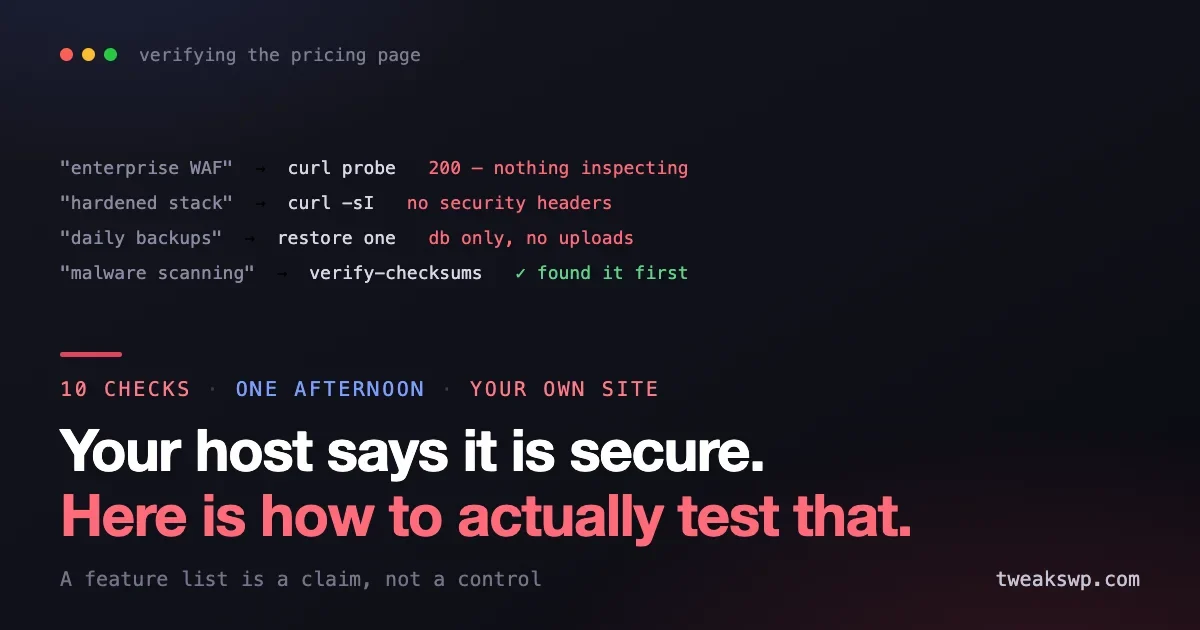
The most common gap between marketing and reality. Plenty of hosts count a rate limiter, or a Cloudflare account they enabled on your behalf, as a web application firewall.
The honest test is a request that any real WAF ruleset flags, aimed at your own site, with a payload that does nothing:
# A classic probe string. Harmless, and on every WAF's list.
curl -s -o /dev/null -w "%{http_code}\n" \
  "https://example.com/?test=%27%20OR%201%3D1--"

# Same request, with a scanner-shaped user agent
curl -s -o /dev/null -w "%{http_code}\n" -A "sqlmap/1.0" \
  "https://example.com/"
A 403, 406 or a challenge page means something is inspecting requests. A clean 200 on both means either there is no WAF in front of you, or its ruleset is set so permissively that it is decorative.
Neither result is conclusive on its own. A good WAF may allow the first because the payload never reaches a query. What is conclusive is the pattern: if nothing you send ever produces anything other than a 200, nothing is inspecting your traffic.
While you are there, look at what the response tells you about the stack:
curl -sI https://example.com/ | grep -iE "server|x-powered|x-cache|cf-|strict-transport|content-security"A host that advertises hardening and returns a full version string in Server or X-Powered-By has not done the cheapest hardening step there is.
2. Are the security headers actually set?
This one is binary and takes ten seconds, which makes it a good early signal. HSTS, a content security policy, frame options, and content-type sniffing protection are all things a host can set at the edge for every customer.
curl -sI https://example.com/ | grep -iE \
  "strict-transport-security|content-security-policy|x-frame-options|x-content-type-options|referrer-policy"
Most hosts leave all of these to you, which is a defensible choice. What is not defensible is claiming hardening while leaving them empty. If the list comes back bare, that is your answer about how much the platform is doing versus how much you are.
3. Is the stack actually current?
“Latest PHP available” and “running current PHP” are different sentences. Check what you are actually on:
wp cli info
wp eval 'echo PHP_VERSION . PHP_EOL;'
wp db query "SELECT VERSION();"
Then compare against what is supported upstream rather than what your host offers. A host that lets you select an end-of-life PHP version is fine. A host whose default for new sites is an end-of-life version is telling you something about its priorities.
The database version is the one people forget. It is also the one most likely to be years behind, because upgrading it is disruptive and nobody asks.
4. Do the backups restore?
The single most oversold item on any hosting page. “Daily backups” describes a cron job. It says nothing about whether the output is complete, whether it can be restored, or how long a restore takes.
There is only one test, and you have to actually do it: restore one. To staging, not production.
What you are measuring is not whether a file exists. It is:
- How far back retention genuinely goes, versus what the page claims.
- Whether the restore includes uploads, or only the database.
- How long it takes, start to finish, with you doing it rather than a support agent.
- Whether you can restore a single file or table, or only the whole site.
- Whether restoring is self-service or requires a ticket, and what the response time on that ticket is.
The last point matters more than the rest combined. A backup you can only restore by opening a ticket has a recovery time measured in the host’s support queue, not in minutes. Find that number out on a Tuesday afternoon, not during an incident.
5. Is shared hosting genuinely isolated?
Account isolation is the claim that another customer on the same machine cannot reach your files. On decent platforms this is true and enforced by the kernel. On cheap ones it is a directory permission and a hope.
You can check your own side of it without touching anyone else’s:
# What can this user see above its own home?
ls -la /home/ 2>&1 | head

# Is the web user able to read outside the docroot?
cat /etc/passwd | wc -l
A long list of other customers’ home directories, readable, is the finding. Being able to enumerate every account on the machine is a weaker signal but still tells you the platform is not doing much partitioning.
Stop at reading your own environment. Do not attempt to read another account’s files even if the permissions appear to allow it; that is someone else’s data regardless of what the filesystem says.
6. Does malware scanning notice anything?
If your host advertises proactive scanning, the reasonable question is what it scans for and how quickly it tells you.
The safe version of this test is a known-benign test file rather than anything actually malicious. The EICAR test string exists precisely for this: it is a harmless text file that every antivirus engine is required to detect.
Place it somewhere it does not belong, such as your uploads directory, and see whether anything notices, and how long it takes. Then delete it. If a week passes with no alert, the scanning is either not running on your account or not reporting to you, and either way you should not be counting on it.
Be clear about what signature scanning can and cannot do. It finds known malware. It does not find a fresh supply-chain payload, which is why a backdoor introduced into a legitimate plugin is invisible to it until someone publishes a signature. Do the check that does not depend on signatures:
wp core verify-checksums
wp plugin verify-checksums --all
If your host’s scanner never told you about a modified core file but this does, you have learned something useful about the scanner.
7. Are file permissions and wp-config as claimed?
Hardening claims usually include sane permissions and a protected configuration file. Both are checkable in seconds.
ls -la wp-config.php
find . -type d -perm -o+w -not -path "./wp-content/cache/*" | head
find wp-content/uploads -name "*.php" | head
World-writable directories, a world-readable wp-config.php, or PHP files sitting in uploads are all things a hardened platform should either prevent or flag. Finding them means the hardening is advice in a knowledge-base article rather than a control on the platform.
Check the configuration constants too:
wp config get DISALLOW_FILE_EDIT
wp config get WP_DEBUG
wp config get FORCE_SSL_ADMIN
A host that ships new installs with the file editor enabled and debug output on is not hardening anything on your behalf.
8. What happens at the login endpoint?
Brute-force protection is another universal claim. Test it the boring way: fail to log in, repeatedly, with a username you own, and see whether anything stops you.
Ten wrong passwords in a row should produce a lockout, a challenge, or a rate limit. If the eleventh attempt behaves exactly like the first, there is no protection in front of wp-login.php and you should add your own.
Also worth checking whether XML-RPC is open, since it is a well-known way around login rate limiting:
curl -s -o /dev/null -w "%{http_code}\n" -X POST https://example.com/xmlrpc.phpA 200 or 405 means it is reachable. Whether that matters depends on whether you use it, but a host claiming to harden WordPress specifically might reasonably be expected to have an opinion about it.
9. Can you see what is happening?
Security you cannot observe is security you cannot verify. Ask what access you have to raw logs.
- Can you read the access log yourself, or only a filtered dashboard?
- How far back does it go?
- Are blocked requests logged, or only served ones?
- Can you export it?
This is the difference between being able to answer “what happened” after an incident and having to ask someone else who may not answer quickly. Log retention shorter than your exposure window means an assessment that cannot reach a conclusion.
10. Ask what happens when it goes wrong
The last check is not technical and is the most informative. Open a pre-sales or support ticket and ask, in plain words:
- If my site is compromised, do you clean it, or do I? Is that included or billed?
- How fast do you patch the stack when a critical vulnerability is disclosed?
- Do you notify me if you detect something, or do you just suspend the account?
- What is the actual recovery time objective for a full restore?
- Have you had a security incident affecting customer sites, and what did you publish about it?
You are reading the answer as much as its content. A host with a real security practice answers these specifically and quickly, because they have written the answers down already. A host without one answers with marketing copy, or takes three days.
How to read the results
No host will pass everything, and that is not the point. What you are building is an accurate picture of the split between what the platform does and what you are still responsible for, because the gap is where sites get compromised.
If this fails | You now own |
|---|---|
No WAF response | Application-level firewall, and rate limiting on login |
No security headers | Setting them yourself, at the app or edge |
Backups do not restore cleanly | Your own backup, off-platform, tested |
Scanner never alerts | File integrity monitoring, checksum runs on a schedule |
Short or no log access | Shipping logs somewhere you control |
Slow patching | Your own update policy, and a faster one |
A cheap host that fails half of these and is honest about it is a perfectly reasonable choice, as long as you fill the gaps knowingly. The dangerous configuration is an expensive host that fails half of these while you assume it does not.
Frequently asked questions
Is running these checks against my own site allowed?
Testing infrastructure you pay for is generally fine, but some hosts have an acceptable-use clause covering security testing. Read it, and if it asks you to notify them, notify them. Everything here is benign by design, but a host that sees probe-shaped traffic and suspends the account first is a real possibility.
What if the WAF blocks my probe but nothing else?
Then you have learned the ruleset covers common patterns, which is genuinely worth knowing. It does not tell you how it handles a novel attack, and no external test will. Treat a passing WAF as one control among several rather than a reason to skip the others.
My host says the backups are on a separate system. Is that enough?
It is the right architecture and it still needs testing. Separate storage protects against your server failing; it does nothing about a backup that has been silently incomplete for months. Restore one and see.
Should I run these on a live production site?
The read-only checks, yes. The backup restore should go to staging. The login rate-limit test will lock you out if protection works, so do it with an account you can recover, and not the only administrator.
How often is it worth repeating?
Annually, and whenever you renew or change plan. Platforms drift, defaults change on new server builds without existing customers being migrated, and the answers you got two years ago may describe a stack you are no longer on.
Does managed hosting mean I can stop worrying about updates?
No. Some managed hosts apply core security releases automatically and leave plugins entirely to you, which is the majority of your actual risk. Ask specifically what is auto-updated and what is not, then build your own policy for the rest.
The bottom line
Hosting security is sold as a list of nouns and bought on trust. Most of that list is testable in an afternoon: send a probe and see whether anything inspects it, read the response headers, check the stack versions, restore a backup to staging, run a checksum verification, look at your permissions, fail a few logins, and ask support what happens during an incident.
You will not find a host that passes everything. What you will find is the honest boundary between what the platform handles and what is still yours, and that boundary is the only thing worth knowing, because everything on your side of it is only going to get done if you know it is there.
Plugins we build and run
We maintain these ourselves, which is why we can support them on your site.
- BuddyNextThe self-hosted community engine for WordPress
- BuddyXFree community theme, Pro when you outgrow it
- ReignPremium community theme. Add pieces, build anything
- JetonomyCommunity forum and Q&A for WordPress
- EventonomyEvents and RSVPs for WordPress communities
- LearnomyCourses and learning communities on WordPress
- ListoraDirectories and listings your members can browse
- SnipShareCode sharing built for developer communities
- WB Ad ManagerAd placements that turn traffic into revenue
- WP Career BoardA job board your community actually uses
- WP Sell ServicesSell services with offers, orders, and payouts
- MediaVersePhotos, video, and media albums for members
- WB GamificationPoints, badges, and rewards that keep members active
- Product RoadmapPublic roadmaps with voting your users trust