10 Best Plugins to Build an Online Community on WordPress (2026)
Compare the 10 best WordPress community plugins in 2026. BuddyNext leads as the complete platform, feed, memberships, courses, forums, and gamification in one system you own.

Updated September 2026.
Building an online community is one of the best ways to increase engagement, strengthen customer relationships, and create recurring revenue. Whether you’re launching a membership site, an online learning platform, a private social network, or a customer community, WordPress offers plenty of powerful plugins to help you get started.
The challenge is choosing the right one, especially now that the line between a simple plugin and a full platform has blurred considerably.
Some plugins focus purely on social networking. Others specialize in forums, member profiles, directories, or memberships. A newer category tries to do all of it at once, packaging feed, groups, memberships, courses, and gamification into a single platform the way Circle, Skool, and Mighty Networks do for SaaS communities. The best choice depends on how far you want to go and how much of that stack you want to own outright versus rent.
In this guide, we compare the 10 best WordPress community plugins in 2026, highlighting their features, architecture, and ideal use cases. If you already know you want a discussion-first community, our complete forum and community plugin comparison goes deeper on that specific angle, and if points, badges, and leaderboards are the priority, see our roundup of community plugins with gamification.
Why Build Your Community on WordPress?
Unlike hosted community platforms, WordPress gives you complete ownership of your website, members, and content. A subscription-based SaaS platform can raise prices, change limits, or shut down and take your community’s history with it. A self-hosted WordPress community lives on infrastructure you control, and the plugin you choose today shapes how much of that control you actually get to use.
Some of the biggest advantages include:
- Full control over your community’s design, rules, and roadmap
- Complete ownership of member data and content, stored in your own database
- Unlimited customization through code, hooks, and design tokens
- Thousands of plugin integrations across payments, email, and analytics
- Better long-term SEO, since your content lives on your own domain instead of a subdomain
- Multiple monetization options without a platform cut on every transaction
- No forced migration if a vendor changes its pricing or business model
Whether you’re creating a free community or a premium membership platform, WordPress provides the flexibility to grow alongside your business, and increasingly, a single plugin can now cover most of what used to require five or six separate tools.
How We Chose These Plugins
We evaluated each plugin based on:
- Community features (feed, groups, profiles, messaging)
- Ease of use for both admins and members
- Customization and design flexibility
- Integrations with memberships, courses, and commerce tools
- Scalability for growing membership counts
- Performance and database architecture
- Documentation and support quality
- Overall value against the completeness of the feature set
Watch the video
Watch our complete comparison video below to see the 10 best WordPress community plugins in action, then continue reading for an in-depth feature, architecture, and use case comparison.
1. BuddyNext
Best Overall: The Complete Community Platform
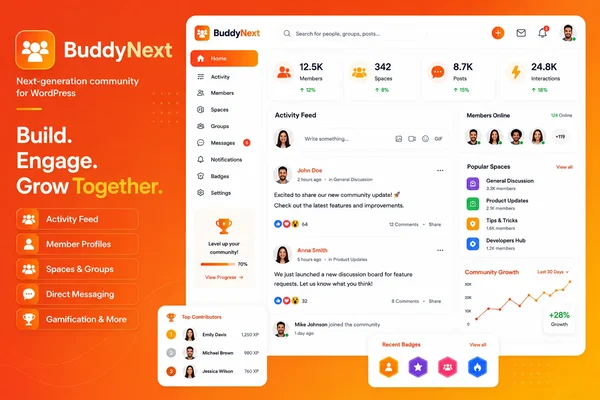
BuddyNext is a complete community platform for WordPress, not just a plugin that bolts an activity feed onto your site. It covers the same ground as Circle, Skool, or Mighty Networks: an activity feed, member Spaces, profiles, messaging, moderation, paid memberships, courses with certificates, forums and Q&A, photo and video sharing, gamification, job boards, directories, a service marketplace, and full branding control. The difference is structural, not cosmetic. Everything runs on a site you own.
It is built as a completely new architecture, not an extension of BuddyPress, with its own custom database tables designed to stay fast as a community grows into tens of thousands of members. Requirements are WordPress 6.9+ and PHP 8.2+.
The social core alone matches most dedicated community plugins on this list: a For You / Following / Spaces / Network feed, a composer that handles text, media, links, and polls, six reaction types, five-level threaded comments, reposts and quotes, trending hashtags, bookmarks, and drafts. Spaces work as open, private, or secret groups with their own roles, join flows, sub-spaces, and moderation settings. Profiles support thirteen field types with per-field privacy, a completion meter, member types, and a proper following and connections system, not just a static “friends” list.
Where BuddyNext pulls ahead of a traditional community plugin is everything built around that core. Native Stripe membership tiers handle monthly, yearly, and one-time billing with trials, gated Spaces, and inline content locks, without per-member platform fees. When a community wants to grow further, the same platform switches on forums with accepted-answer Q&A, courses with quizzes and verifiable certificates, photo and video sharing with direct messaging, points and badges with leaderboards, a job board, directories, and a service marketplace. It is all built by the same team, so the pieces share design language and a REST-first architecture instead of feeling like six plugins stapled together.
Design control is the other half of the story. Because the platform pairs with the BuddyX / BuddyX Pro theme, branding goes far beyond a logo and an accent color. A token-based design system controls colors, typography, dark mode, and ready-made style variations, so the community looks like your brand rather than a reskinned SaaS dashboard.
Key Features
- Activity feed with reactions, threaded comments, reposts, and hashtags
- Spaces with roles, sub-spaces, and per-space moderation
- 13-field member profiles and directory with privacy controls
- Native Stripe membership tiers, no per-member fees
- Forums and Q&A with accepted answers
- Courses with quizzes and verifiable certificates
- Photo and video sharing with direct messaging
- Points, badges, levels, and leaderboards
- Job board, directories, and a service marketplace
- Full branding and design layer, dark mode included
- Deep native moderation: reports, strikes, shadow-bans, banned words/domains
- Full REST API, WP-CLI, webhooks, PWA support
Pros
- Genuinely complete platform, not a single-purpose plugin
- No per-member pricing, ever, regardless of community size
- One team builds the entire stack, so pieces integrate cleanly
- Full design control down to the pixel
- You own the platform outright; nothing disappears if you stop a subscription
Cons
- Requires a self-hosted WordPress install rather than a hosted signup
- Newer than legacy WordPress community stacks, so the companion ecosystem is still expanding
Best For
- Creators and businesses that want a SaaS-style complete platform without renting it
- Course communities that need certificates and paid memberships in one place
- Brand and product communities that care about design control
- Anyone replacing a Circle, Skool, or Mighty Networks subscription with something they own
2. BuddyPress
Best Free Social Community Framework
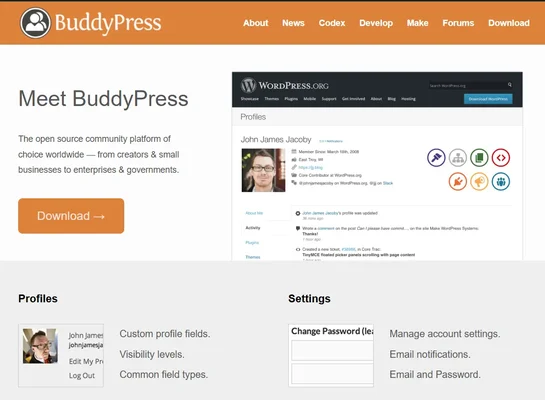
BuddyPress has been one of the most trusted names in WordPress community building for close to two decades. It adds member profiles, activity streams, private messaging, groups, and notifications on top of core WordPress, and it is one of the few community frameworks with an ecosystem this large behind it.
What BuddyPress does not do on its own is bundle memberships, courses, or gamification. It gives you the social layer and expects you to pair it with other plugins for anything past that, which is exactly the “pile of separate plugins” problem newer complete platforms are built to avoid. If you are comparing it directly against the newer generation of platforms, our BuddyPress alternatives comparison breaks down where each one picks up the slack.
Setup takes roughly the same amount of time as installing any WordPress plugin: activate, run the setup wizard, and pick which components to enable. The real time investment shows up later, when you start layering in a membership plugin, a forum plugin, and a theme that ties them all together visually.
Key Features
- Activity streams with likes and comments
- Groups with basic roles and privacy settings
- Extended member profiles with custom fields
- Private messaging between members
- Notifications for mentions, group activity, and messages
- Friend connections
Pros
- Completely free with no paid tier required to start
- The largest and oldest ecosystem of third-party add-ons in this category
- Highly customizable at the code level for developers
Cons
- Interface feels dated next to newer, app-like platforms
- Memberships, courses, forums, and gamification all require separate plugins
- Assembling a full “complete platform” experience means managing several vendors
Best For
- Open source purists who want to build the exact stack they need, piece by piece
- Developers comfortable stitching together plugins
- Small communities without complex monetization needs
3. BuddyBoss Platform
Best Premium Community Platform for LMS-Heavy Sites
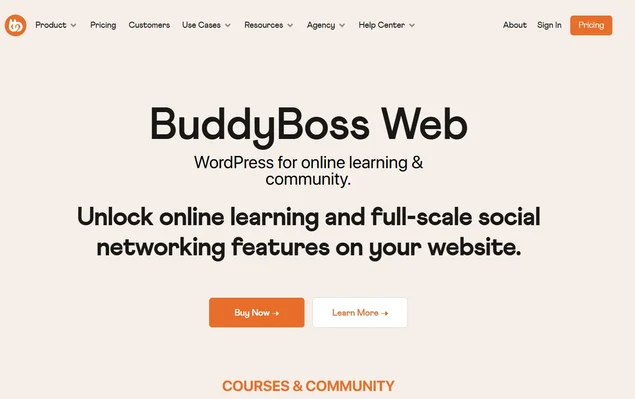
BuddyBoss Platform is built on top of BuddyPress and bbPress, wrapped in a more polished admin experience and a companion mobile app. It is particularly popular among coaching businesses, membership websites, and online educators who are already invested in LearnDash for course delivery.
The trade-off is that BuddyBoss inherits the same “separate pieces” architecture as its BuddyPress foundation. Native mobile apps and deep LMS styling come at a premium, and features that a complete platform ships as one system here often mean layering in more add-ons.
Migration into BuddyBoss is usually smoothest for sites already running BuddyPress and LearnDash, since the platform is designed as an upgrade path for that exact combination. Sites starting from scratch will spend more setup time configuring LearnDash separately before the community layer feels complete.
Key Features
- Groups with granular privacy controls
- Real-time messaging
- Activity feeds with rich media embeds
- Deep LearnDash integration and course-focused styling
- WooCommerce compatibility for memberships
Pros
- Polished, premium-feeling admin and member experience
- Strong LMS pairing for course-first communities
- Native mobile app option
Cons
- Built on top of BuddyPress, so it inherits its architectural ceiling
- Mobile apps and advanced modules add ongoing cost
Best For
- Membership websites centered on LearnDash courses
- Coaching businesses that want a native mobile app
- Teams that prefer a managed, opinionated setup over raw customization
4. PeepSo
Best for Facebook-Style Social Networking
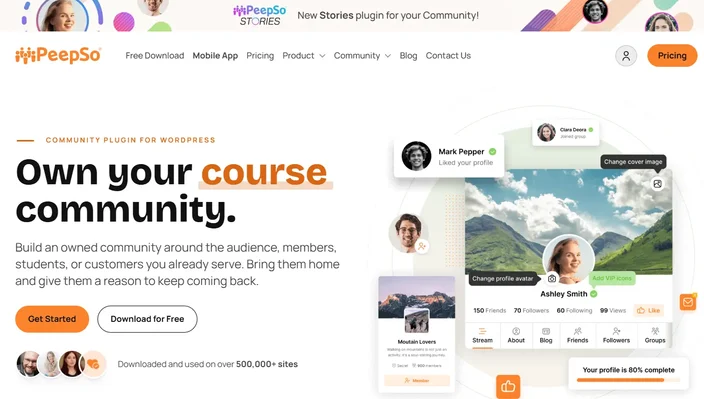
PeepSo leans hard into the Facebook-style social network format: profiles, activity feeds, messaging, and groups, all wrapped in a modern, familiar interface. Its modular add-on system lets you bolt on extra functionality one piece at a time, which keeps the core plugin lean.
That modularity is also its main limitation. Each add-on is its own purchase and its own update cycle, and the plugin does not attempt to cover memberships, courses, or gamification as a unified system the way a complete platform does.
Setup is straightforward for the core social features, but budgeting matters here: plan out which add-ons (groups, events, chat) you actually need before installing, since costs can add up faster than a single all-in-one platform.
Key Features
- Activity feed with reactions
- Groups and events add-ons
- Private and group messaging
- Rich member profiles
- Media sharing with galleries
Pros
- User-friendly, modern interface out of the box
- Good extension library for social-specific features
Cons
- Many meaningful features live behind separate paid add-ons
- No built-in course or job board layer
Best For
- Social-first communities and hobby groups
- Sites that want a familiar Facebook-style layout without deep monetization needs
5. bbPress
Best Free Forum Plugin
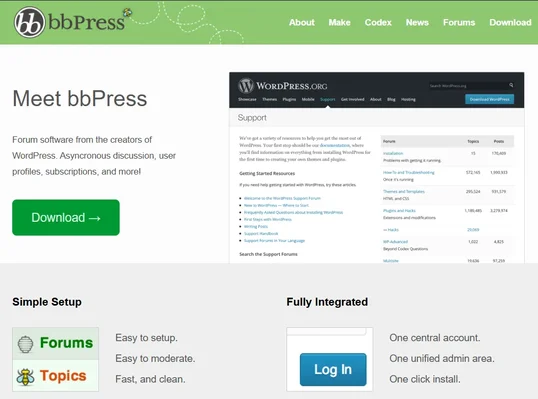
If discussions are the primary focus of your community, bbPress is one of the simplest solutions available. Built by the WordPress core team, it integrates naturally with WordPress while staying lightweight and fast even on modest hosting.
It is intentionally narrow in scope: forums, topics, and replies, with no social feed, no profiles beyond the basics, and no memberships. For a broader comparison of forum-first plugins, see our full forum and community plugin comparison.
Because it ships from the WordPress core team, updates are dependable and compatibility with new WordPress releases tends to arrive quickly, which matters if you run a large support forum that can’t afford downtime.
Key Features
- Discussion forums with nested topics
- Threaded replies
- Basic moderation tools
- User roles inherited from WordPress
Pros
- Lightweight and fast
- Free and maintained by the core WordPress team
- Reliable on almost any hosting environment
Cons
- No social networking features beyond basic forums
- Interface needs a theme or add-on to feel modern
Best For
- Support forums and product help centers
- Discussion-only communities that do not need a social feed
6. FluentCommunity
Best for Simple, Private Creator Communities
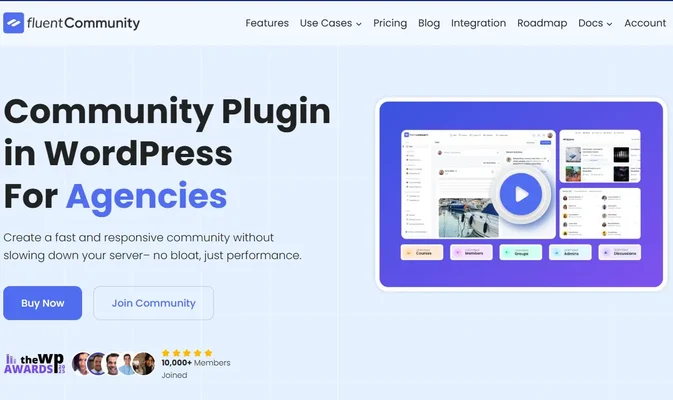
FluentCommunity is designed for creators and membership businesses that want a clean, simple private community without a steep learning curve. It focuses on discussions, member Spaces, and a tidy navigation experience rather than trying to be everything at once.
The trade-off for that simplicity is a smaller ecosystem and fewer integrations, which matters once a community wants to add courses, a job board, or deeper gamification. See our FluentCommunity alternatives roundup for a closer look at that gap.
Because the feature set is intentionally compact, onboarding new members is quick, but growing communities often hit a ceiling and end up migrating to a broader platform within a year or two.
Key Features
- Simple community feed
- Member Spaces
- Discussion threads
- Basic member profiles
- Notifications
Pros
- Fast, easy setup
- Lightweight footprint
- Modern, clean interface
Cons
- Smaller ecosystem than BuddyPress-based tools
- Fewer native integrations for courses, jobs, or gamification
Best For
- Coaches and solo creators running one focused community
- Membership sites that do not need a sprawling feature set
7. Ultimate Member
Best Membership and Profile Plugin
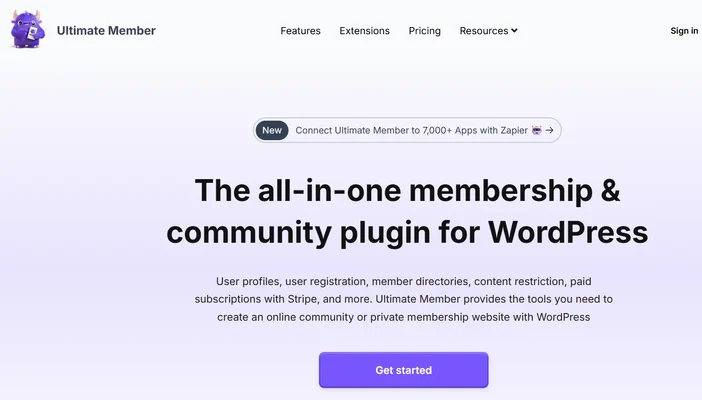
Ultimate Member focuses on user registration, member profiles, directories, and access control rather than social networking. It works well for websites where managing who can see what matters more than building a feed.
Setup is beginner-friendly thanks to a visual form builder for registration and profile fields, though building a genuine community feel on top of it requires pairing Ultimate Member with additional plugins for activity streams or discussions.
Key Features
- Frontend registration and login forms
- Custom user profiles
- Member directories with search and filters
- Role management
- Content restriction by role or membership status
Pros
- Flexible drag-and-drop profile builder
- Solid free tier
- Easy to customize for niche use cases
Cons
- Limited community features without extensions
- No native feed, forums, or gamification
Best For
- Membership websites where access control matters most
- Business directories and private member databases
8. HivePress
Best for Directory and Marketplace Communities
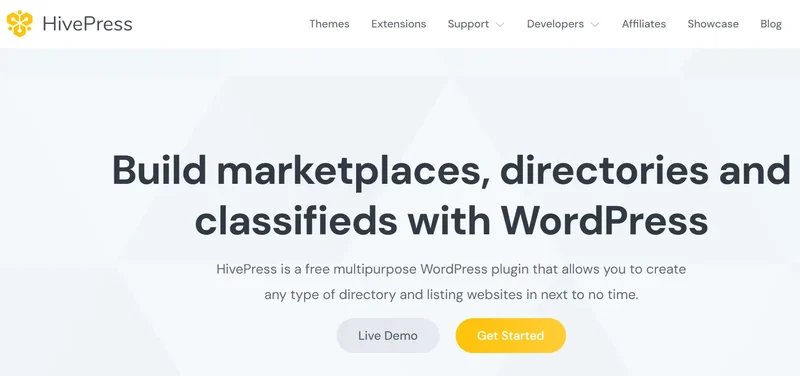
HivePress is built for directories and marketplaces where members submit listings and interact around them, rather than a general-purpose social feed. It suits real estate, local business, and classifieds-style communities.
Setup revolves around choosing a listing type template and configuring submission fields, which is quick, but adding true social features like a feed or messaging means reaching for extensions outside HivePress’s core focus.
Key Features
- Listings with custom fields
- Vendor profiles
- Marketplace and payment support
- Frontend user submissions
- Search and filtering
Pros
- Flexible directory and listing builder
- Marketplace-ready out of the box
- Free core plugin
Cons
- Not built for social networking or activity feeds
Best For
- Local directories and classifieds sites
- Service marketplaces built around listings
9. ProfileGrid
Best for Profile-Centric Membership Communities
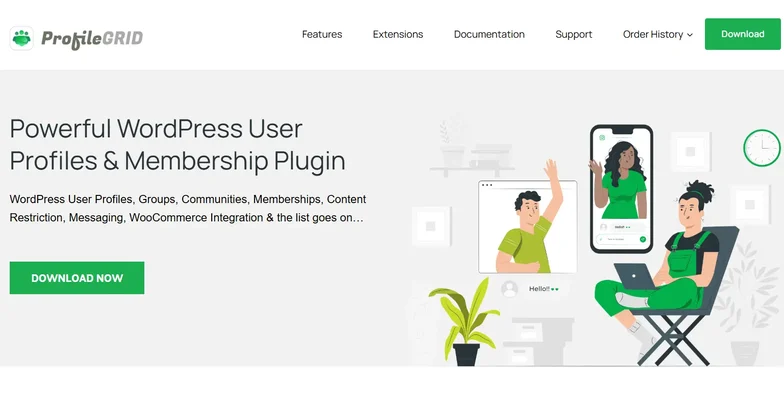
ProfileGrid combines membership management with groups, profiles, and content restrictions, offering plenty of flexibility for websites where user profiles are the centerpiece rather than an afterthought.
The learning curve is moderate, mostly spent configuring membership levels and group permissions, and the interface, while functional, hasn’t kept pace visually with newer, app-like community platforms.
Key Features
- Groups with role management
- Custom member profiles
- Membership levels
- Content restriction by group or level
Pros
- Flexible membership configuration
- Good profile customization
- Free version available
Cons
- Interface feels dated compared to newer platforms
Best For
- Membership communities, clubs, and organizations
10. Asgaros Forum
Best Lightweight Forum Solution
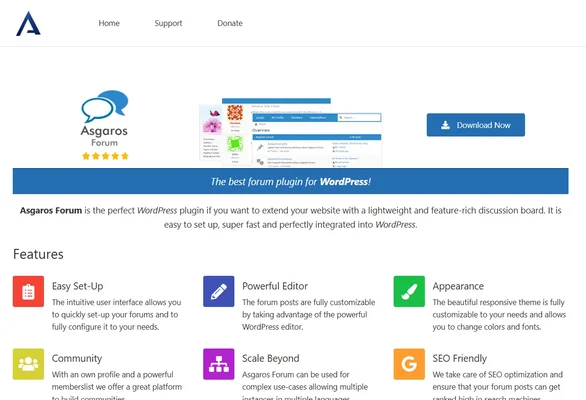
Asgaros Forum is a lightweight forum plugin for site owners who want simple discussions without unnecessary complexity. It integrates directly with WordPress and performs well even on smaller, budget hosting.
You can have a working forum within minutes of activation, which makes it a sensible pick for hobby sites and small support communities that don’t need advanced roles or rich media discussions.
Key Features
- Forums, topics, and replies
- Basic moderation tools
- User permission settings
Pros
- Very lightweight
- Easy setup
- Free
Cons
- Limited advanced community features
Best For
- Small communities and support-focused discussion boards
Feature Comparison
Plugin | Activity Feed | Profiles | Groups/Spaces | Messaging | Forums | Courses | Memberships | Gamification |
|---|---|---|---|---|---|---|---|---|
BuddyNext | Yes | Yes | Yes | Yes | Built in | Built in | Native Stripe | Built in |
BuddyPress | Yes | Yes | Yes | Yes | Via bbPress | Via plugins | Via plugins | Via plugins |
BuddyBoss | Yes | Yes | Yes | Yes | Via bbPress | Via LearnDash | Via WooCommerce | Via plugins |
PeepSo | Yes | Yes | Yes | Yes | Add-on | No | Via add-ons | No |
bbPress | No | Limited | No | No | Yes | No | No | No |
FluentCommunity | Yes | Yes | Yes | Limited | Limited | No | Limited | No |
Ultimate Member | No | Yes | No | No | No | No | Via plugins | No |
HivePress | No | Yes | No | No | No | No | No | No |
ProfileGrid | Limited | Yes | Yes | Limited | No | No | Yes | No |
Asgaros Forum | No | Limited | No | No | Yes | No | No | No |
Which Plugin Should You Choose?
Your ideal plugin depends on how much of the “complete platform” experience you want built in versus assembled yourself.
- Choose BuddyNext if you want feed, Spaces, memberships, courses, forums, and gamification as one coherent platform you own.
- Choose BuddyPress if you prefer a free, fully open source social framework and don’t mind adding plugins for memberships or courses.
- Choose BuddyBoss Platform if you’re building a premium, LearnDash-centered membership or eLearning site and want a native mobile app.
- Choose PeepSo for a Facebook-style social network with a modular add-on approach.
- Choose bbPress or Asgaros Forum if discussion forums are your only real requirement.
- Choose Ultimate Member or ProfileGrid if profiles and access control matter more than a social feed.
- Choose HivePress if you’re building a directory or marketplace rather than a social community.
- Choose FluentCommunity if you want a small, simple private community and nothing more.
Ownership vs. Renting: Why the Platform You Pick Matters Long-Term
Most of the plugins above solve one piece of the puzzle. That is fine for a narrow use case, but it starts to show cracks the moment a community wants to add paid memberships, then courses, then a bit of gamification to keep members active. Each new piece is a new vendor, a new update cycle, and a new place for something to break.
| Legacy WP stack (BuddyPress + bbPress + LMS + gamification plugin) | BuddyNext platform |
|---|---|---|
Vendors involved | Multiple, each with its own release schedule | One team building the full stack |
Your data | Yours, but scattered across plugin tables | Yours, in one coherent schema |
Design consistency | Theme hunting across vendors | Token-based design layer, your brand throughout |
Adding memberships or courses later | Bolt on another plugin and hope it plays nice | Switch on a module already built for the platform |
Common Mistakes When Choosing a Community Plugin
A surprising number of community launches stumble not because the plugin was bad, but because the choice didn’t match the actual goal. A few patterns show up again and again:
- Picking a forum plugin for a social community. bbPress and Asgaros Forum are excellent at what they do, but they were never designed to replace an activity feed, profiles, or member directory. Trying to force a discussion-only tool into a full social experience usually means bolting on plugins that were never meant to work together.
- Underestimating the membership layer. It’s easy to launch a free community and only think about monetization once members are active. Retrofitting a membership plugin onto an existing community, migrating access rules and content locks after the fact, is far more work than starting with native membership tiers from day one.
- Assuming “premium” means “complete.” A polished interface and a mobile app do not automatically mean courses, gamification, and a job board are built in. Read the actual feature list, not just the marketing page, before assuming a plugin covers everything you’ll eventually need.
- Ignoring what happens at scale. A plugin that feels fast with 50 test members can behave very differently at 5,000 active members posting daily. Custom database tables, background job processing, and caching-friendly architecture matter more than they seem to at launch.
- Not checking the exit plan. Before committing to any platform, hosted or self-hosted, it’s worth asking what happens to your member data and content if you ever need to leave. Self-hosted WordPress plugins keep that data in your own database by definition; hosted SaaS platforms vary widely in how much they let you export.
Thinking through these five points before installing anything will save more time than any single feature comparison, including this one. Most of the frustration we see with community plugins traces back to one of these five decisions made too quickly at the start.
Frequently Asked Questions
What is the best WordPress plugin for building an online community in 2026?
BuddyNext is the strongest overall pick because it covers the full range of what a modern community needs, feed, Spaces, memberships, courses, forums, and gamification, in one platform. BuddyPress remains the best choice if you want a free, fully modular starting point and don’t mind adding plugins over time.
Do I need a separate plugin for memberships?
Not necessarily. Older tools like BuddyPress and bbPress rely on separate membership plugins such as MemberPress or WooCommerce Memberships. Newer complete platforms like BuddyNext build native Stripe membership tiers directly into the core, with no per-member fees.
Can I add courses and certificates to my community later?
Yes, on most platforms. If you start with BuddyPress or BuddyBoss, you’ll typically add LearnDash or a similar LMS. Platforms built as a complete system let you switch on courses as a module without a separate integration project.
Is a free community plugin good enough, or do I need a paid platform?
Free plugins like BuddyPress, bbPress, and Asgaros Forum are genuinely capable for smaller, simpler communities. Once you need paid memberships, structured courses, or gamification working together, a complete platform saves the integration headache even before you consider a premium tier.
What happens to my community if I stop using a hosted SaaS platform instead?
On a hosted platform like Circle or Skool, your community, member data, and content live on their servers. If you stop paying, access typically stops too. On a self-hosted WordPress community, the platform and your data stay on your own site regardless of what you do next.
How much technical skill do I need to set up a community plugin?
Most plugins on this list, including BuddyNext, BuddyPress, and FluentCommunity, can be installed and configured through a setup wizard without touching code. Deeper customization, like custom fields or design overrides, benefits from basic WordPress familiarity but is not strictly required to launch.
Will switching community plugins later break my existing content?
It depends on the plugin’s database structure. Tools built on custom tables, including BuddyNext, Jetonomy-style forums, and Learnomy-style course systems, generally offer cleaner migration paths and importers from legacy tools than trying to move data between two plugins that both store everything in wp_posts.
Do I need BuddyPress installed to use BuddyNext?
No. BuddyNext is a completely new architecture built from the ground up, not an extension or fork of BuddyPress. It runs standalone on any compatible WordPress install, and older BuddyPress-only add-ons are not designed to run on top of it, since equivalent functionality is built natively into the platform instead.
What type of community are you building?
- Paid creator community: BuddyNext’s native membership tiers plus built-in gamification cover this without a separate membership plugin.
- Course-first community: BuddyNext with built-in courses and certificates, or BuddyBoss paired with LearnDash if you’re already invested in that LMS.
- Support or product community: bbPress or Asgaros Forum for pure discussion, or BuddyNext’s built-in forums and Q&A if you also want a member directory and profiles.
- Local directory or marketplace: HivePress for listings-first communities, or BuddyNext’s directory and service marketplace capabilities if you also want a social layer around them.
- Small private group for a course or coaching program: FluentCommunity for something lightweight, or BuddyNext if you expect to add memberships or gamification later.
Final Verdict
WordPress offers an excellent ecosystem for building online communities, with plugins designed for everything from forums and social networks to memberships and marketplaces.
If you’re looking for the most complete solution, one that combines a modern feed, memberships, courses, forums, gamification, and full brand control, without asking you to assemble it from six different vendors, BuddyNext is our top recommendation. It gives you the completeness of a SaaS platform with the ownership of a WordPress site, and it grows with your community instead of forcing you onto a bigger plan.
Plugins we build and run
We maintain these ourselves, which is why we can support them on your site.
- BuddyNextThe self-hosted community engine for WordPress
- BuddyXFree community theme, Pro when you outgrow it
- ReignPremium community theme. Add pieces, build anything
- JetonomyCommunity forum and Q&A for WordPress
- EventonomyEvents and RSVPs for WordPress communities
- LearnomyCourses and learning communities on WordPress
- ListoraDirectories and listings your members can browse
- SnipShareCode sharing built for developer communities
- WB Ad ManagerAd placements that turn traffic into revenue
- WP Career BoardA job board your community actually uses
- WP Sell ServicesSell services with offers, orders, and payouts
- MediaVersePhotos, video, and media albums for members
- WB GamificationPoints, badges, and rewards that keep members active
- Product RoadmapPublic roadmaps with voting your users trust