Best FluentCommunity Alternatives
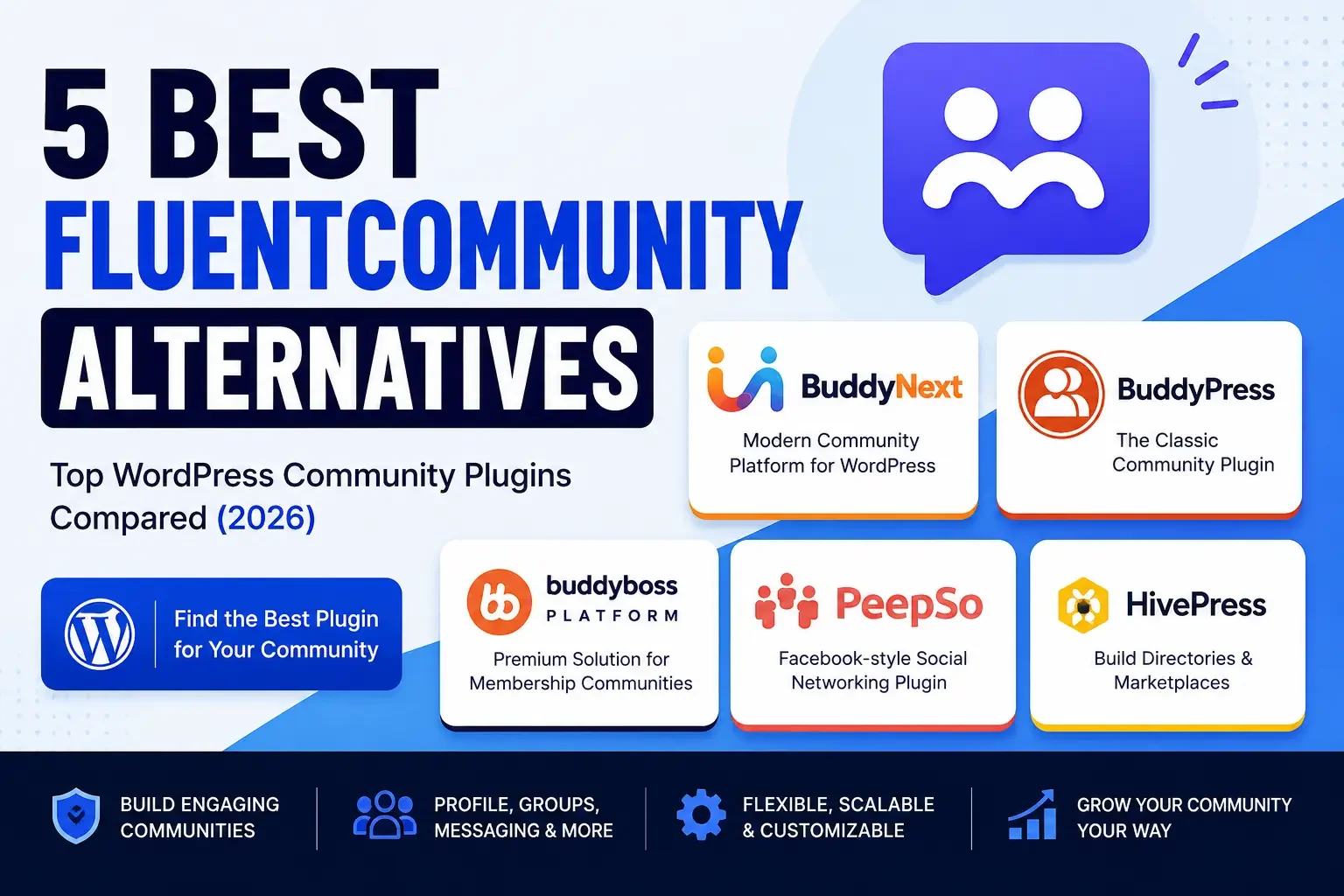
Compare the best FluentCommunity alternatives for WordPress in 2026: BuddyNext, BuddyPress, BuddyBoss, PeepSo, and HivePress.

Updated September 2026.
Looking for the best FluentCommunity alternatives for your WordPress website? FluentCommunity is a capable, lightweight tool for private communities, but different projects need different depth, from a complete social platform with memberships and courses built in, to open source flexibility, to directory and marketplace functionality.
In this guide, we compare five options: BuddyNext, BuddyPress, BuddyBoss Platform, PeepSo, and HivePress, each evaluated on where it genuinely outperforms FluentCommunity and where it doesn’t. None of the five is a strictly better version of FluentCommunity across the board; each trades away some of its simplicity for depth in a specific direction.
Watch the Video
Prefer watching instead of reading? Watch our video below for a quick comparison of the best FluentCommunity alternatives and see which community plugin may fit your website.
Watch on YouTube: Best FluentCommunity Alternatives
Why Consider FluentCommunity Alternatives?
FluentCommunity is designed for creating private communities within WordPress, and it does that well for a single, focused use case. It may not be the perfect fit for every project, though. Understanding exactly where that fit ends is more useful than a generic “is FluentCommunity good or bad” verdict.
That distinction matters because most FluentCommunity dissatisfaction isn’t really about quality; it’s about a mismatch between what the tool was designed for and what the project actually needs six months after launch.
None of this is a criticism of FluentCommunity’s product decisions; a compact, opinionated tool is exactly right for a large share of the creators and coaches who choose it, and staying put is often the correct call. You might consider an alternative if you need:
- A broader social networking experience with a public or semi-public feed
- Native paid memberships instead of a bolted-on payment plugin
- More flexible community structures at larger member counts
- Different approaches to groups, forums, and discussions
- Directory or marketplace functionality
- A larger ecosystem of community extensions and integrations
The right choice depends on what you want your community to offer and how much flexibility you need as it grows past FluentCommunity’s intentionally compact feature set.
Quick Comparison
Plugin | Best For | Profiles | Groups | Activity Feed | Native Memberships |
|---|---|---|---|---|---|
BuddyNext | Complete communities | Yes | Yes | Yes | Yes |
BuddyPress | Flexible social networks | Yes | Yes | Yes | No |
BuddyBoss Platform | Premium communities | Yes | Yes | Yes | Via WooCommerce |
PeepSo | Social networking | Yes | Yes | Yes | No |
HivePress | Directories and marketplaces | Yes | No | No | No |
1. BuddyNext: Best Complete Platform Alternative to FluentCommunity
Best for complete WordPress communities
BuddyNext is a complete community platform for WordPress, built as a completely new architecture. It includes activity feeds, Spaces, member profiles, messaging, notifications, and moderation, the same private-community basics FluentCommunity covers, but paired with native Stripe membership tiers, courses with certificates, forums with Q&A, photo and video sharing, gamification, job boards, directories, and a service marketplace.
Where FluentCommunity keeps things intentionally simple, one private feed, basic Spaces, light course integration, BuddyNext is built for communities that expect to need more eventually: gated membership tiers, a real forum with accepted answers, gamification to keep contributors active, or a job board and directory for a professional community. All of it ships from one team, so the pieces share design language instead of feeling like separate add-ons. This isn’t a knock on FluentCommunity’s design choices; a compact tool with fewer decisions to make is genuinely the right call for many creators. It’s a reason to be honest about which category your own project falls into before committing to either direction.
BuddyNext is self-hosted, so your community runs on your own WordPress site, server, and database. Pairing it with the BuddyX design layer adds full branding control, colors, typography, dark mode, and style variations, well beyond FluentCommunity’s fixed visual style. That extra design depth matters most for brand-conscious businesses and agencies delivering client work, less so for a solo creator happy with a clean default look.
Key Features
- Activity feed, Spaces, and member directory
- Native Stripe membership tiers
- Courses with certificates and forums with Q&A
- Gamification, job boards, and directories
- Deep native moderation tools
- Full REST API and branding control
Pros
- Complete community platform, not a single-purpose tool
- Native memberships without a separate plugin
- Expandable without a platform migration as needs grow
- You own your website and community data
Cons
- More platform than a very small, simple private community may need
- Requires self-hosted WordPress rather than a hosted signup
Best for: Businesses, creators, membership websites, learning communities, customer communities, and anyone who expects their community to outgrow a compact, single-purpose tool.
Setup follows a guided wizard similar in spirit to FluentCommunity’s, though with more decisions to make upfront about which modules (memberships, forums, gamification) to enable. That extra setup time buys a platform that doesn’t need a second migration when the community’s ambitions grow.
2. BuddyPress: Best Free, Flexible Foundation
Best for flexible WordPress social networks
BuddyPress is one of the established options for adding social networking functionality to WordPress. It provides member profiles, activity streams, groups, and messaging while giving developers flexibility to extend the experience with additional plugins and themes. Two decades of continuous development mean its documentation, tutorials, and hired-developer availability are unmatched by any newer plugin on this list, FluentCommunity included.
That maturity is a genuine asset for organizations planning to outlast any single developer or agency relationship, since replacement help is far easier to find for BuddyPress than for a smaller, newer plugin.
Its open source foundation makes it particularly useful when you want to customize your community piece by piece, though that flexibility means more assembly work than FluentCommunity’s out-of-the-box simplicity.
Key Features
- Member profiles and activity streams
- Groups and messaging
- A large third-party extension ecosystem
Pros
- Free and open source
- Highly flexible for developers
- Large WordPress ecosystem
Cons
- Advanced functionality requires additional plugins
- The final experience depends heavily on the theme and extensions you choose
Best for: Developers, organizations, small communities, and custom WordPress projects that want full control over every piece.
Its two-decade track record means extensive documentation and a huge pool of developers familiar with its codebase, a real advantage for organizations that need to hire help maintaining the site long-term.
3. BuddyBoss Platform: Best for Premium Membership Communities
Best for premium membership communities
BuddyBoss Platform is designed for professional WordPress communities, membership websites, and online learning platforms. It provides community functionality, profiles, groups, activity feeds, messaging, while supporting integrations commonly used by membership and LMS websites. For a coaching business already running LearnDash, that specific pairing can outweigh the added cost, since the LMS integration work has already been done rather than requiring custom setup. Weigh that against the ongoing subscription cost if LearnDash isn’t already part of your stack.
Key Features
- Profiles, groups, and activity feeds
- Memberships and LMS integrations
- Native mobile app option
Pros
- Professional, polished community solution
- Strong membership and LMS use cases
- Suitable for larger community projects
Cons
- Premium solution with ongoing cost
- Additional functionality may require other products or integrations
Best for: Course creators, membership businesses, coaching communities, and professional online communities already invested in LearnDash.
Its native mobile app option is a meaningful differentiator for communities where members expect an app-store presence rather than a mobile web experience, something FluentCommunity doesn’t offer on its own.
4. PeepSo: Best for Social Networking
Best for social networking websites
PeepSo focuses heavily on creating a social network experience within WordPress, with member profiles, activity streams, groups, messaging, and other social interactions built around a Facebook-style layout. Members familiar with mainstream social networks tend to onboard onto PeepSo faster than onto a less conventional interface, a real advantage for communities with less tech-savvy audiences. That familiarity reduces onboarding support requests, a real operational benefit for community managers running the site solo.
Key Features
- Profiles and activity feeds
- Groups and messaging
- Media-related functionality
Pros
- Social-network focused
- Familiar community experience
- Extensible through add-ons
Cons
- Some functionality depends on paid extensions
- Advanced communities may require additional configuration
Best for: Social networks, interest communities, hobby communities, and member-based websites.
Its modular add-on approach lets you enable only the specific social features you need, though budgeting for individual add-ons upfront prevents costs from creeping past what a bundled platform would have charged.
5. HivePress: Best for Directories and Marketplaces
Best for community directories and marketplaces
HivePress takes a different approach from traditional social community plugins. It’s primarily designed for creating directories and marketplace websites where users create listings and interact around them. Its OpenStreetMap integration works without an API key, a practical cost and setup advantage for local directories on a limited budget. Search and category filtering are built around listings from the start, rather than adapted from a general-purpose profile system.
Key Features
- User profiles and listings
- Directories and search
- Marketplace functionality
Pros
- Strong directory functionality
- Marketplace-focused
- Free core plugin
Cons
- Not primarily a social networking platform
Best for: Business directories, service marketplaces, local communities, and listing-based websites.
If your FluentCommunity site was really functioning as a directory of members offering services to each other, HivePress’s purpose-built listing structure is a better architectural match than any general social-community plugin, including FluentCommunity itself. Recognizing this pattern early, that a community is really a directory wearing a social plugin’s clothes, saves a lot of wasted configuration time.
Ownership: What All Five Alternatives Share
Whichever plugin you pick, all five options here run on your own WordPress site rather than a hosted subscription. That’s a meaningful shared advantage over the SaaS platforms (Circle, Skool, Mighty Networks) that increasingly shape what community members expect.
It’s worth stating plainly because it’s easy to lose sight of in a feature-by-feature comparison: the decision here is never “own vs. rent,” it’s already been made in FluentCommunity’s favor and stays that way with every option on this list.
| Hosted SaaS platform | Any WordPress plugin on this list |
|---|---|---|
Where member data lives | Vendor’s servers | Your own database |
If you stop paying a subscription | Community access at risk | Site and data remain yours |
Design control | Logo and accent color on their layout | Full theme-level control |
Adding memberships, courses, gamification later | Locked to vendor’s roadmap | Native in BuddyNext, or via additional plugins for the others |
Choosing among these five is a decision about how much of the “complete platform” experience you want built in versus assembled, not whether you own your community’s infrastructure. That part is already settled by building on WordPress at all. Keep that framing in mind as you weigh feature lists against each other; the real question is which architecture matches how big and how complex your community will actually become, not which plugin currently has the longer checklist. If you’re unsure which category your project falls into, plan for the larger, more complex outcome. Communities tend to grow faster than expected once they resonate with an audience, and re-architecting after the fact always costs more than building for scale up front.
BuddyNext vs. FluentCommunity: The Core Difference
BuddyNext takes a broader, complete-platform approach. Its core covers the same social layer FluentCommunity handles, feed, Spaces, profiles, messaging, moderation, but it doesn’t stop there. Native Stripe membership tiers, courses with certificates, forums with Q&A, gamification, and directories are all part of the same system rather than separate add-ons you’d need to research and install individually.
FluentCommunity’s advantage is genuine simplicity. For a coach running one private group with one course, its lighter footprint and faster setup can be the better fit. The trade-off shows up later: a community that wants gated tiers, a real forum, or gamification will need to add plugins FluentCommunity wasn’t built around, while BuddyNext already includes them.
Neither approach is objectively correct. The right one depends entirely on whether your community’s ambitions today match its ambitions eighteen months from now, a question worth answering honestly before comparing any more feature lists.
The table below breaks down that difference feature by feature, useful if you want the specific gaps in front of you rather than a general summary.
Feature Depth Comparison
| FluentCommunity | BuddyNext |
|---|---|---|
Setup time | Fast, minimal configuration | Fast, with more modules to configure if used |
Native paid memberships | Via separate plugins | Native Stripe tiers |
Forums with Q&A | Not included | Built in |
Gamification | Not included | Built in |
Directory and marketplace features | Not included | Built in |
Design customization depth | Fixed, limited style options | Full token-based design layer via BuddyX |
Performance as Your Community Grows Past FluentCommunity’s Sweet Spot
FluentCommunity’s compact feature set generally performs well for its intended scale, a single private community with moderate activity. Growth changes the picture. As member counts and daily posts climb into the thousands, the database architecture underneath your community plugin starts to matter more than any single feature.
Plugins built on custom database tables purpose-designed for community access patterns, which includes BuddyNext, tend to hold up better at scale than lighter tools built primarily for smaller deployments. If you’re choosing a FluentCommunity alternative specifically because your community outgrew it, it’s worth confirming your next choice won’t hit a similar ceiling in another year or two.
This is a genuinely technical question, not a marketing one, and it deserves a technical answer. A vendor unwilling or unable to discuss their database architecture at even a high level is itself a signal worth noting.
Ask directly about tested member counts if published benchmarks aren’t available. A credible plugin team should have a real answer about performance at scale rather than a vague assurance.
Migrating From FluentCommunity
If you’ve already built a community in FluentCommunity and are considering a switch, plan for a genuine migration rather than a quick import.
- Member and profile data: Export what you can from FluentCommunity’s admin tools and expect to manually remap custom fields to your new plugin’s profile system.
- Discussion history: Community platforms rarely share compatible data models for posts and comments; budget time for either a partial import or archiving old discussions as read-only rather than porting them exactly.
- Course content: If FluentCommunity’s course integration is central to your community, confirm your destination platform’s course feature (native in BuddyNext, or via LearnDash on BuddyBoss) can replicate your existing structure before migrating.
- URLs: Set up redirects from old FluentCommunity URLs to their new equivalents before launch to protect existing search visibility.
- Payment history: If any part of your community involved payments through a third-party plugin alongside FluentCommunity, keep an independent backup of that billing history regardless of which system manages access going forward.
Test the full migration on staging first, and communicate the change to members ahead of the cutover so the transition doesn’t feel abrupt.
A realistic timeline for a mid-sized FluentCommunity migration, a few hundred to a couple thousand members, a handful of courses, moderate discussion history, usually spans exporting and auditing data, remapping profile fields, a staging test and QA pass, and a final cutover with redirects live. Rushing this into a weekend project is the most common way migrations end up with data gaps discovered after launch, when they’re far more disruptive to fix.
Budget contingency time beyond your initial estimate as well. Even a well-planned migration tends to surface a handful of edge cases, an unusual profile field, a member with duplicate accounts, that weren’t visible during the planning phase.
Choosing by Community Type
- Creator community that wants paid tiers: BuddyNext’s native Stripe memberships replace whatever payment plugin you’d otherwise bolt onto FluentCommunity.
- Course-first community: BuddyNext’s built-in courses and certificates, or BuddyBoss paired with LearnDash if you need deeper LMS-specific features.
- Support or product community that outgrew flat discussion threads: A dedicated forum tool with structured Q&A fits better than any of the five general community options here, whether that’s BuddyNext’s built-in forums or a standalone tool; see our forum plugin comparison for that specific angle.
- Facebook-style social network: PeepSo, or BuddyNext if you also want memberships and gamification alongside the feed.
- Local directory or marketplace that outgrew being a FluentCommunity “workaround”: HivePress, built for listings from the ground up.
- Small, simple private group with no monetization plans: Staying on FluentCommunity may genuinely be the right call; not every community needs to switch.
Common Mistakes When Leaving FluentCommunity
- Switching before confirming the actual limitation. Be specific about what FluentCommunity can’t do for you (no native memberships, no forums, no gamification) rather than switching on a vague sense that you’ve “outgrown” it.
- Choosing based on a demo, not your real content. A polished feature comparison doesn’t guarantee a smooth migration of your specific discussion history, member fields, and course content. Request a real demo environment and test with a sample of your actual data before committing to a full migration.
- Assembling multiple narrow plugins to replicate one complete platform. If you need memberships, forums, and gamification together, stitching together three separate tools recreates the exact fragmentation problem a complete platform avoids, along with three separate update cycles to manage indefinitely.
- Skipping a staging test. A live community migration gone wrong is far more visible than a staging mistake. Always dry-run first.
- Forgetting SEO redirects. Old FluentCommunity profile and discussion URLs may carry real search traffic; redirect them to their new equivalents before cutover.
Support and Documentation: What to Expect
Documentation depth and support responsiveness vary meaningfully across these five options, and it’s worth factoring in before committing.
BuddyPress benefits from being one of the longest-running plugins in this category, with extensive community documentation, tutorials, and Stack Exchange-style Q&A accumulated over two decades. BuddyBoss Platform, as a premium product, generally offers dedicated support channels alongside its documentation. PeepSo and HivePress both maintain active documentation for their core features and popular add-ons. BuddyNext, as a newer complete platform, ships with its own documentation site and demo environments, though its third-party tutorial ecosystem is naturally smaller than BuddyPress’s given how much longer BuddyPress has existed.
None of this should be a deciding factor on its own, but for teams without in-house WordPress expertise, checking the depth of available documentation and the responsiveness of support channels before committing can save real frustration during setup and troubleshooting. Ask each vendor directly about typical support response times if this matters to your team, rather than assuming based on plugin popularity alone.
Setting Up Your New Community Right the First Time
Whichever alternative you choose, a few decisions upfront prevent a second restructuring project later:
- Decide your monetization model before launch, not after. Retrofitting paid membership tiers onto a community that’s been free for a year is far more disruptive than starting with the pricing structure you actually intend to use.
- Map out your Spaces or groups structure deliberately. A flat list of generic categories rarely serves a growing community as well as categories mapped to the actual questions and topics your members care about.
- Decide whether you need structured Q&A or general discussion. Support and course communities benefit from accepted-answer formatting; general social communities usually don’t need it.
- Plan your moderation policy before you need it. Write down what counts as spam or off-topic content before your first moderation dispute, not during one.
- Test the mobile experience specifically. A meaningful share of community engagement happens on phones; verify posting, browsing, and messaging all work comfortably on a small screen before launch.
None of these decisions require a specific plugin, but getting them wrong is more expensive to fix once a community has real history and member habits built around the original structure.
Run through this checklist with whoever will actually manage the community day to day, not just whoever is comparing plugins. Their perspective on category structure and moderation policy is worth gathering before launch rather than after the first dispute.
Which FluentCommunity Alternative Should You Choose?
Choose BuddyNext if you want a complete, self-hosted WordPress community with activity feeds, Spaces, profiles, messaging, moderation, native memberships, courses, forums, and gamification, all in one platform.
Choose BuddyPress if you want a free, flexible foundation you can customize with other WordPress plugins.
Choose BuddyBoss Platform if you’re building a premium membership, coaching, or online learning community around LearnDash.
Choose PeepSo if your primary goal is a social networking experience with profiles, feeds, groups, and messaging.
Choose HivePress if your community is centered around listings, directories, services, or marketplaces.
Frequently Asked Questions
Is FluentCommunity a bad choice compared to these alternatives?
No. FluentCommunity is a solid, focused tool for a single, simple private community. These alternatives make sense specifically when your needs grow past what a compact tool was designed to cover, not because FluentCommunity is poorly built.
What’s the fastest alternative to set up if I need something working today?
BuddyPress or PeepSo both have straightforward setup wizards comparable to FluentCommunity’s. BuddyNext’s setup is similarly quick for the core social layer, with additional configuration only needed for the modules (memberships, forums, gamification) you choose to enable.
Can I keep FluentCommunity’s course integration if I switch to BuddyNext?
BuddyNext includes its own native courses and certificates module, so you’d migrate course content into that system rather than keeping FluentCommunity’s integration running alongside a different community plugin.
Does switching away from FluentCommunity mean losing my current theme?
Likely yes, since FluentCommunity’s templates are built around its own plugin. Pairing your new platform with a purpose-built theme, like BuddyX for BuddyNext, from the start avoids a second redesign down the line.
Is BuddyPress harder to maintain than FluentCommunity long-term?
It can be, since BuddyPress’s flexibility comes from combining it with other plugins, each with its own update cycle. FluentCommunity and BuddyNext both consolidate more functionality into fewer moving parts, which generally means less ongoing maintenance.
How do I know if my community has genuinely outgrown FluentCommunity?
Signs include needing to gate content behind paid tiers without a workaround plugin, wanting structured Q&A rather than flat discussion threads, or wanting to reward active members with points and badges. If none of these apply, FluentCommunity may still be the right tool. It’s worth revisiting this question every six months rather than only when something breaks, since a plugin that fit perfectly at launch can quietly become a bottleneck well before anyone consciously decides to switch.
Should agencies standardize on one FluentCommunity alternative across client projects?
Many do, since standardizing reduces the support burden of maintaining expertise across many plugins. BuddyNext’s broad feature coverage makes it a reasonable default for agencies with varied client needs, while HivePress remains the better call for a specifically directory-first client project.
Will my SEO rankings suffer if I switch away from FluentCommunity?
Not if you handle the transition carefully. Set up 301 redirects from old profile, group, and discussion URLs to their new equivalents, and avoid a sudden drop in indexed pages by migrating content rather than deleting it outright.
Is there a way to trial a FluentCommunity alternative before fully committing?
Yes, most of these plugins offer free versions or trial demo environments. Running a live demo (BuddyNext’s Try Live Demo link, for example) side by side with your current FluentCommunity site lets you compare the actual member experience before migrating any real data.
Final Verdict
There’s no single FluentCommunity alternative that works for every WordPress website. Your choice depends on how far past a simple private community your project needs to go, and how confident you are in that assessment holding true a year from now.
For a complete, self-hosted community experience, BuddyNext is our top recommendation. It combines the same core social features FluentCommunity offers with an expandable platform covering memberships, courses, forums, and gamification, giving you room to grow without starting over on a new plugin later. BuddyPress, BuddyBoss Platform, PeepSo, and HivePress each have their own strengths, so your final choice should depend on your community model and the features your members need most.
Whatever you decide, treat the choice as a foundation for the next few years of your community’s growth, not just its next feature request. A plugin that fits perfectly today and hits a wall in a year costs far more to migrate away from than the extra hour spent comparing architecture, not just checklists, would have cost now.
Start from your community’s real needs, verified against the specific gaps this comparison identified, rather than whichever plugin has the most recognizable name, and the right FluentCommunity alternative becomes far easier to identify.
Plugins we build and run
We maintain these ourselves, which is why we can support them on your site.
- BuddyNextThe self-hosted community engine for WordPress
- BuddyXFree community theme, Pro when you outgrow it
- ReignPremium community theme. Add pieces, build anything
- JetonomyCommunity forum and Q&A for WordPress
- EventonomyEvents and RSVPs for WordPress communities
- LearnomyCourses and learning communities on WordPress
- ListoraDirectories and listings your members can browse
- SnipShareCode sharing built for developer communities
- WB Ad ManagerAd placements that turn traffic into revenue
- WP Career BoardA job board your community actually uses
- WP Sell ServicesSell services with offers, orders, and payouts
- MediaVersePhotos, video, and media albums for members
- WB GamificationPoints, badges, and rewards that keep members active
- Product RoadmapPublic roadmaps with voting your users trust