Best Software to Create a Data Science and Machine Learning Community
Why code-block rendering and a real Q&A structure matter more than social features for a data science and ML community, and how to build one on BuddyNext.

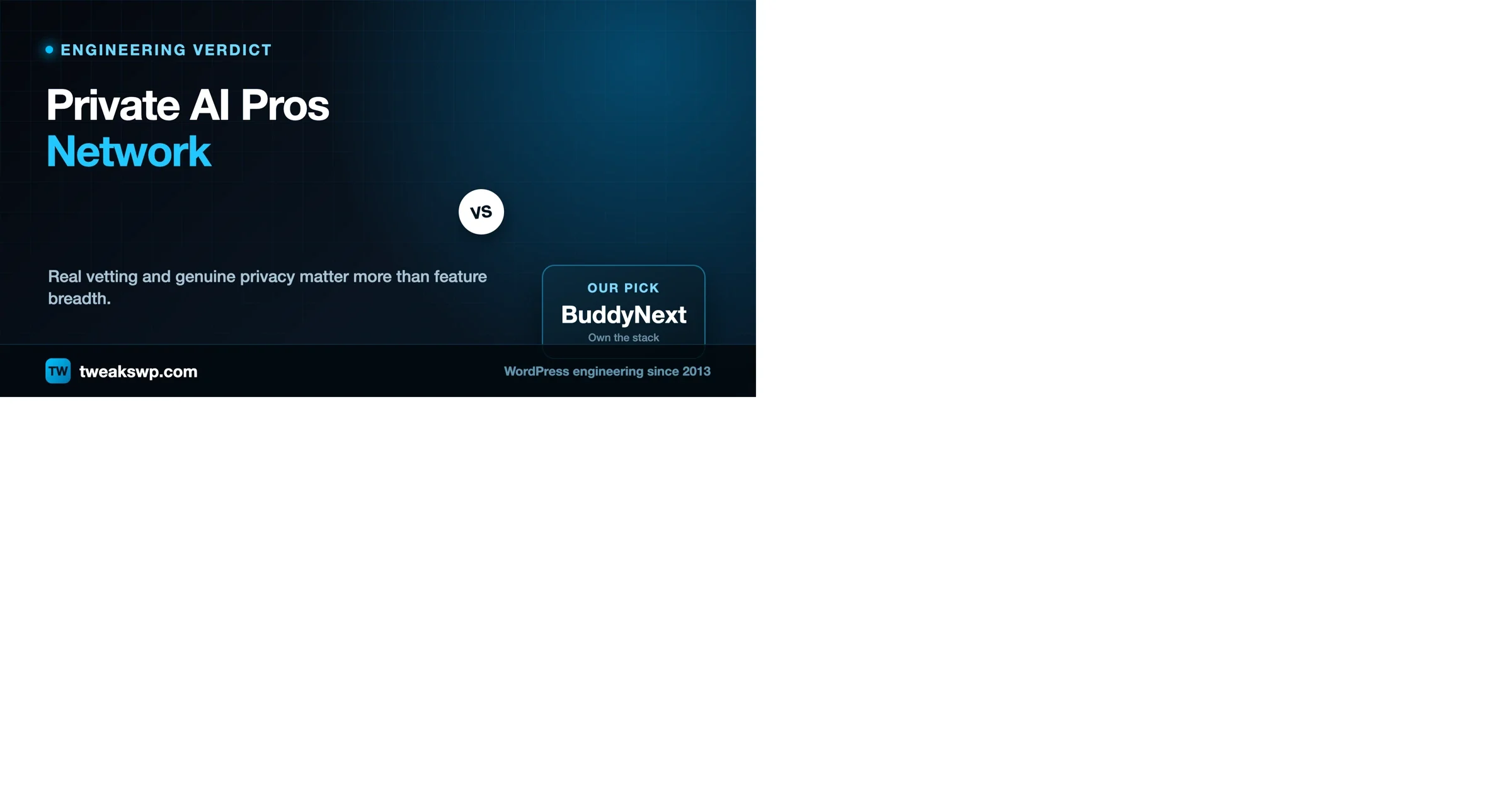
Short version, if you want to skip ahead: BuddyNext is the platform we’d point a data science and machine learning community to if you want to own the space long-term, paired with real code-block support and a forums layer for the kind of technical troubleshooting this audience actually does daily. Kaggle, Slack, and Discord dominate the existing landscape, but none of them are something you own.
A data science community has a specific content problem most niches don’t: the actual value exchanged is code, error messages, and dataset-specific debugging, not general discussion. A platform that mangles a code block, strips indentation, or can’t render a traceback cleanly loses this audience within one bad post.
What this audience actually needs from a platform
Three requirements matter more here than in a typical community. First, genuinely good code rendering: syntax highlighting across Python, R, SQL, and whatever else the community’s stack includes, with line numbers and copy-to-clipboard, not a monospace font slapped on a paragraph. Second, a real forum or Q&A structure rather than a pure social feed, since most valuable data science discussion is question-and-answer shaped (why does this model underperform, what’s the right preprocessing step here) and a chronological feed buries the answer the moment a new post arrives. Third, file or notebook sharing that doesn’t mangle formatting, since a shared Jupyter notebook or CSV sample is often the actual artifact under discussion, not just an illustration.
Kaggle solves the competition and dataset-hosting use case better than any general community platform ever will, and DataTalks.Club’s Slack-plus-cohort-course model has real traction for structured learning. Neither is something you can brand, own, or build a paid offering on top of, which is the gap a self-hosted community fills: a place for your specific audience (your course’s alumni, your consultancy’s client base, your niche within data science) where you control the data, the monetization, and the member experience end to end.
Building it: BuddyNext with the technical details this audience will test
Code block rendering needs to be verified before launch, not assumed: paste a real, multi-line Python function with nested indentation and confirm it renders with the indentation intact and syntax highlighting applied, since this is the single most common failure point when a general-purpose community platform gets used for technical content. BuddyNext’s forums and Q&A layer (powered by Jetonomy, which auto-integrates, no separate setup) gives this community an accepted-answer mechanic that a flat activity feed can’t: a member asks why their model is overfitting, several people respond, and the asker marks the one that actually solved it, which then surfaces at the top for the next person who searches the same question.
Member profiles should support linking to a GitHub or Kaggle profile directly, since credibility in this field is demonstrated by actual published work, not a bio paragraph. If the community includes any paid component (a course, a mentorship tier), BuddyNext’s native Stripe membership tiers handle that without adding a separate plugin, and Learnomy pairs in cleanly for structured courses with graded assignments if the community’s value includes actual teaching, not just discussion.
Space structure for a mixed beginner-to-expert audience
Data science communities span a wider skill range than most niches, from people a week into a Python course to practitioners with a decade of production ML experience, and a single undifferentiated space serves neither well. A beginners’ space for fundamentals questions, kept separate from an advanced space for production ML, deployment, and research-level discussion, prevents the common failure mode where experienced members stop engaging because the feed is dominated by basic questions, while beginners feel intimidated posting alongside people visibly more advanced. A project-showcase space, separate from both, gives members a place to share finished work for feedback without it getting lost in ongoing discussion threads.
Migrating from an existing Slack or Discord community
Slack and Discord both make history export difficult or outright unavailable on free tiers, so plan the migration as a fresh start with a curated set of the best existing threads manually recreated, not a full history import. Announce well in advance, run both platforms in parallel for two to three weeks so members can migrate on their own schedule, and seed the new platform with enough genuinely useful content (pinned troubleshooting guides, a few of the best past discussions rewritten as proper forum posts) that it doesn’t feel empty on day one. The members most likely to churn during a migration are lurkers who never posted much anyway; the ones who actively contributed will usually follow if the new platform is genuinely better for the kind of discussion they care about.
Quick comparison: platforms for a data science and ML community
- BuddyNext (self-hosted): own the platform, native Q&A via Jetonomy, code-block rendering you control, Stripe membership tiers if monetized. Trade-off: you own the hosting and maintenance.
- Kaggle: unmatched for competitions and public datasets, but not a brandable, ownable community space for a specific audience.
- Slack: fast setup, good for real-time troubleshooting, weak history and search once a community grows past a few thousand messages.
- Discord: strong for real-time chat and voice, weaker for durable, searchable Q&A content that outlives the conversation.
- Discourse (self-hosted, open-source): excellent forum structure and search, but a second system running alongside WordPress rather than integrated with it.
Worth reading next: if this community also includes a teaching or cohort component, see our notes on building an AI learning and training community and a web development learning community for how the course-plus-community structure plays out. For the broader AI-practitioner audience this niche often overlaps with, see our piece on a private AI professionals network.
What this actually costs to run, year over year
Budget three line items, not one. Hosting is the smallest and most predictable: a BuddyNext install runs comfortably on a mid-tier managed WordPress host, roughly $20-50/month for a community under a few thousand active members, scaling with traffic rather than member count directly. The second line item is the time cost of moderation and content curation, which for a technical community means someone who can actually evaluate whether an answer is correct, not just whether it’s polite; budget two to five hours a week even for a well-behaved group, more if the community is public-facing and attracts spam or low-effort posts. The third, often skipped, line item is the cost of the founding content seed itself: writing or commissioning the first fifteen to twenty genuinely useful posts before any member has arrived, since a technical audience judges a new platform by the quality of what’s already there, not by its feature list.
Compare that to Slack or Discord’s “free” framing: those platforms cost nothing in licensing but carry a hidden cost in lost institutional knowledge every time history ages out of a free tier or a long thread becomes unsearchable, which for a community whose entire value is accumulated troubleshooting knowledge is a real, recurring cost even if it never appears on an invoice.
A realistic space structure, worked through
Take a community of roughly 500 active members as a concrete example. A reasonable starting structure: one “General & Introductions” space for onboarding and casual discussion, one “Questions & Troubleshooting” space using the Q&A/accepted-answer format for the bulk of technical traffic, one “Project Showcase” space for finished work and portfolio pieces, one “Resources & Papers” space for sharing papers, tutorials, and tool recommendations without those getting mixed into active discussion threads, and, if the community serves a paid tier, one members-only “Mentorship & Career” space gated behind that tier. Five spaces is enough structure to keep discussion navigable without fragmenting a 500-person community into rooms too quiet to feel alive; adding more spaces before the member count justifies it is a common early mistake that makes a small community feel emptier than it is.
Moderation policy, written down and specific
A technical community’s moderation problems are different from a general social community’s: the main failure mode isn’t abuse, it’s low-effort questions that could have been answered by a two-minute search, and burned-out experts who stop answering because the same basic question gets asked weekly. Write an explicit posting guideline that asks for a minimum reproducible example (the actual code, the actual error message, what was already tried) before a question gets posted to the main Q&A space, and route anything that doesn’t meet that bar to a “Quick Questions” thread instead of blocking it outright, so the pressure to write a good question is there without a hard gate that drives beginners away. Pin a small number of excellent past answers to the top of common sub-topics so a new member’s first instinct is to search before posting, which is the single biggest lever for keeping the signal-to-noise ratio high as the community scales past a few hundred members.
Integrating the tools this audience already uses
A data science community doesn’t exist in isolation from GitHub, Kaggle, and whatever notebook environment its members work in daily, and a platform that ignores those tools asks members to context-switch every time they want to reference their own work. Member profiles that support a GitHub username field, rendered as a clickable link on the profile page, let credibility carry over from a member’s actual commit history rather than resetting to zero inside the community. A pinned “resources” space that links out to the community’s shared Kaggle competitions, a GitHub organization for collaborative projects, or a shared dataset repository keeps those external tools visible without trying to rebuild them inside WordPress, which would be slower and worse than the purpose-built originals.
Webhooks are the practical bridge when a community wants tighter integration: a GitHub webhook that posts a notification into a relevant space when a tagged repository gets a new release, or a simple cron job that pulls a community’s shared Kaggle leaderboard into a pinned post once a day, gives members a reason to check the community platform regularly without duplicating infrastructure that already works well elsewhere. The lazy version of this integration (a manually updated pinned post, refreshed weekly) is often good enough for a community under a thousand members; the automated version becomes worth building once manual upkeep starts slipping.
Migrating a Discourse-based community instead
Some data science communities already run on Discourse rather than Slack or Discord, in which case the migration calculus is different: Discourse’s search and threading are genuinely strong, and a move away from it should be driven by a real need (courses, paid tiers, a broader social layer) rather than a vague sense that a newer platform would be better. Discourse does support a full data export (a complete backup including topics, posts, and users), which makes a technically clean migration possible, though mapping Discourse’s category structure onto BuddyNext’s spaces still needs manual decisions about which categories merge, split, or get archived rather than ported one-to-one. Budget real time for this: a clean export is the easy half of a Discourse migration, and the category-mapping decisions are the half that actually determines whether the new platform feels like a worthwhile move for members who already have a working setup.
FAQ
Can a self-hosted WordPress community actually render Jupyter notebooks properly?
Not natively as an interactive notebook, but a static rendered export (HTML or a syntax-highlighted code block per cell) works fine for sharing and discussion purposes, which covers most community use cases. For anything genuinely interactive, link out to a hosted notebook service (Google Colab, Kaggle kernels) rather than trying to embed live execution in the community platform itself, which introduces real security exposure if done carelessly.
Should the community charge for access, or stay free to maximize growth?
It depends on what the community is actually for: a free, open community grows faster and works well as a top-of-funnel for a paid product or service, while a paid community filters for serious participants and funds the moderation and content-curation work that keeps quality high as it scales. A common pattern is a free general space alongside a paid tier for deeper mentorship, code review, or a structured course, which BuddyNext’s native membership tiers support without a separate plugin.
How do we keep the community from becoming dominated by the same handful of expert voices?
Actively prompt newer members into specific, answerable discussions (a weekly “what are you working on” thread, a beginner-friendly project showcase) rather than leaving the general feed open to whoever posts most, since a feed naturally rewards frequent posters and can unintentionally sideline quieter but genuinely knowledgeable members. Recognizing helpful answers publicly (the accepted-answer mechanic, a monthly highlight of good contributions) also draws in people who are more comfortable answering a specific question than starting a general discussion.
Is Discourse a better technical fit than BuddyNext specifically for a Q&A-heavy data science community?
Discourse’s forum and search capability is genuinely excellent and purpose-built for exactly this kind of discussion. The honest trade-off is that it’s a separate system from WordPress, which means running two stacks, two sets of updates, and two places members need accounts, rather than one coherent platform. If the community is purely Q&A with no courses, profiles, or monetization layer, Discourse alone can be the simpler choice; once you want courses, paid tiers, or a broader social layer alongside the Q&A, BuddyNext with Jetonomy covers more ground from one install.
What’s a realistic first-90-days plan for launching this kind of community?
Weeks one and two: build and harden the platform, seed it with ten to fifteen genuinely useful posts so it doesn’t look empty. Weeks three through six: invite a small founding group (twenty to fifty people) who you know will actually post, and focus entirely on response quality, answering every question within a day. Weeks seven through twelve: open to a wider audience once the founding group has established a real posting rhythm, since an empty-feeling community at wide launch is much harder to recover from than a slow, deliberate start.
Do we need a separate analytics setup to know if the community is actually working?
Track a small number of numbers that reflect real engagement, not vanity metrics: questions answered within 24 hours (a leading indicator of whether the community is self-sustaining versus dependent on one or two moderators), ratio of accepted answers to total questions asked, and repeat-posting rate (what share of members who post once post again within a month). Member count and pageviews look good on a dashboard but say nothing about whether the community is actually solving the problem it exists to solve, which for a data science community is getting good answers to specific technical questions.
What happens to this community if the person running it gets busy for a month?
This is the real test of whether a community has become self-sustaining or is still dependent on its founder. If the accepted-answer mechanic and pinned resources are doing their job, a well-seeded Q&A space keeps functioning without active moderation for weeks, since members answer each other and the search-before-posting habit is already established. If engagement drops sharply the moment the founder stops posting daily, that’s a sign the community’s value was concentrated in one person rather than distributed across its membership, which is worth addressing before scaling further rather than after.
Should the community be public and indexable by search engines, or private?
A public, search-indexable Q&A space compounds in value over time: every well-answered question becomes a page that can rank for the exact error message or technical term someone searches months later, turning the community into a growing SEO asset the same way Stack Overflow’s public questions do. The trade-off is that a public space needs tighter moderation from day one, since it’s visible to anyone, not just vetted members. A reasonable middle ground many data science communities land on is a public Q&A space for general technical questions (which benefits from search traffic) alongside a private, membership-gated space for career discussion, salary data, or anything members wouldn’t want attached to their name in a public search result.
What’s the realistic timeline to launch this kind of community from scratch?
Budget two to three weeks for the build itself: setup and code-rendering verification in week one, space structure and seeding fifteen to twenty real posts in week two, and a small founding-group beta in week three before a wider invite. The seeding step is the one most often rushed, and it’s the one that determines whether the first fifty real visitors stick around or bounce off an empty-feeling platform.
Is it worth building a reputation or points system to encourage answering?
A simple, visible signal (an accepted-answer count on a member’s profile, or a monthly highlight of the most helpful contributors) works better for a technical audience than a gamified points system with badges and levels, which this audience tends to see through quickly and sometimes actively resents as a manipulation tactic. The accepted-answer mechanic itself, surfaced plainly on a profile, is usually sufficient recognition without needing a separate reputation layer bolted on top.
Does GPU access or compute sharing belong inside the community platform itself?
No platform in this comparison runs GPU workloads directly, and trying to bolt that in is a scope mistake. The community’s job is discussion, knowledge-sharing, and coordination; actual compute (shared Colab notebooks, a Kaggle kernel, a rented GPU instance) stays external, linked from a pinned resource post rather than embedded. Mixing the two turns a straightforward community build into an infrastructure project nobody asked for.
How do we handle members who want to share proprietary model weights or training data?
Set the rule explicitly before the first proprietary-adjacent post happens, not after a legal problem forces the issue: a private, invite-only space for sharing internal work with an explicit non-redistribution norm stated in that space’s description, separate from the public or semi-public general discussion areas. BuddyNext’s per-space privacy settings and space-scoped moderator roles make this a configuration choice, not a custom build.
Should the community run on a subdomain of the main product site, or a separate domain?
A subdomain (community.yourproduct.com) carries SEO and brand equity from the main domain and signals the community is an official extension of the product, not a side project. A separate domain makes sense only when the community is meant to feel independent of any single vendor, which is rare for a product-adjacent data science community specifically.
Plugins we build and run
We maintain these ourselves, which is why we can support them on your site.
- BuddyNextThe self-hosted community engine for WordPress
- BuddyXFree community theme, Pro when you outgrow it
- ReignPremium community theme. Add pieces, build anything
- JetonomyCommunity forum and Q&A for WordPress
- EventonomyEvents and RSVPs for WordPress communities
- LearnomyCourses and learning communities on WordPress
- ListoraDirectories and listings your members can browse
- SnipShareCode sharing built for developer communities
- WB Ad ManagerAd placements that turn traffic into revenue
- WP Career BoardA job board your community actually uses
- WP Sell ServicesSell services with offers, orders, and payouts
- MediaVersePhotos, video, and media albums for members
- WB GamificationPoints, badges, and rewards that keep members active
- Product RoadmapPublic roadmaps with voting your users trust