Top 10 Best Free Elementor Addons for WordPress in 2024

The top 10 best free Elementor addons for WordPress are excellent tools for anyone looking to build stunning, professional-looking websites with ease. What makes Elementor even more powerful is its ever-growing library of addons that give users more customization, widgets, and features to work with.
Here are the best free Elementor addons for WordPress that can elevate your site’s design and functionality - ranging from new design elements to performance boosts, these are worth having on any Elementor-based site.

What Are Elementor Addons?
Elementor addons are third-party extensions that integrate with Elementor, extending what the page builder can do. Addons give users additional widgets, blocks, and templates that Elementor doesn’t offer natively. Whether you’re looking to add sliders, form builders, or dynamic content, these plugins expand Elementor’s core functionality.
Best Free Elementor Addons for WordPress in 2024
1. Essential Addons for Elementor

Key Features:
- Over 90 widgets (free and premium combined)
- Lightweight and optimized for performance
- Widgets like form builders, content toggles, and advanced galleries
- Advanced Google Maps widget, Instagram feed, and post grid
Perfect for users looking to customize multiple aspects of their site, Essential Addons is one of the most popular Elementor addons out there, with more than 1 million active installs. Its broad widget library makes it ideal for anyone who wants to enrich their WordPress site without slowing it down. The free version offers plenty on its own, with premium upgrades available for more.
2. The Plus Addons

Key Features:
- More than 120 widgets and 300+ UI blocks
- Fast, lightweight performance
- Advanced customization for WooCommerce and dynamic content
- Pre-built templates for easier design
- Animation and parallax effects
The Plus Addons is an excellent choice if you want a highly customizable plugin. With over 300 UI blocks and 120 widgets, it’s a good fit for creative site owners who want to push their design further. It’s also a solid pick for WooCommerce integration, with advanced product grids, quick-view features, and custom cart pages.
3. Happy Addons
Key Features:
- Over 60 free widgets
- Cross-domain copy-paste functionality
- Shape dividers and custom cursor effects
- Pre-built templates and layouts
- Optimized for lightweight performance
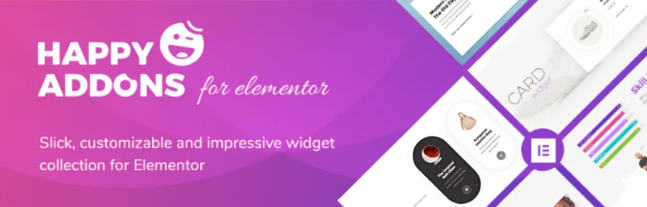
Happy Addons stands out for creative features like cross-domain copy-pasting and unique shape dividers. Whether you’re working on multiple sites or just one, it’s flexible enough for either. It’s a favorite among beginners and professionals alike thanks to its simple interface and focus on design creativity.
4. Stratum
Key Features:
- 20+ essential widgets
- Advanced customization for each widget
- Compatible with both free and pro versions of Elementor
- Optimized for speed and performance
- Integrates well with JetPlugins for additional functionality
Stratum strikes a good balance between essential widgets and speed. It focuses on the most useful, customizable elements - advanced sliders, carousels, contact forms - making it a lightweight option for anyone who doesn’t want to overload their site but still needs quality widgets.
5. Crocoblock
Key Features:
- Comes with the JetPlugins suite
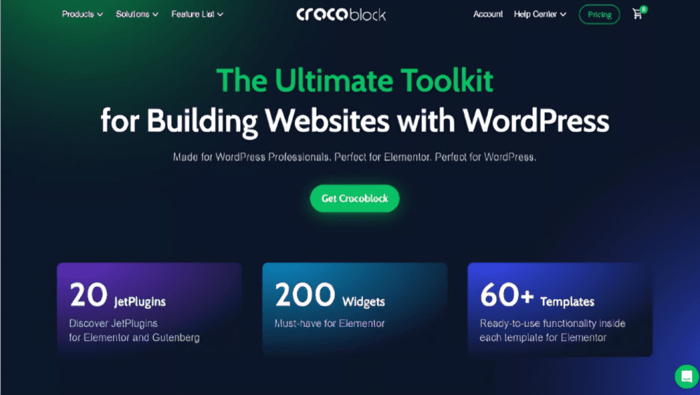
- 20 individual plugins and over 200 widgets
- Dynamic content creation for Elementor
- WooCommerce customization and integration
- Advanced popup builders, filters, and queries
Crocoblock is well known for its JetPlugins collection, covering everything from dynamic content creation to WooCommerce integrations. It does offer premium options, but the free features are extensive enough to handle most sites. Good fit for anyone building complex, feature-rich websites.
6. Master Addons
Key Features:
- Unique content restriction widgets
- Custom breakpoints for responsive design
- 30+ free widgets
- Pre-made templates for quick page creation
- Floating effect for interactive elements
Master Addons stands out for its content restriction capabilities, letting you build member-only areas. It also gives you the flexibility to add custom breakpoints for responsive design, making it easier to optimize sites for mobile.
7. Exclusive Addons
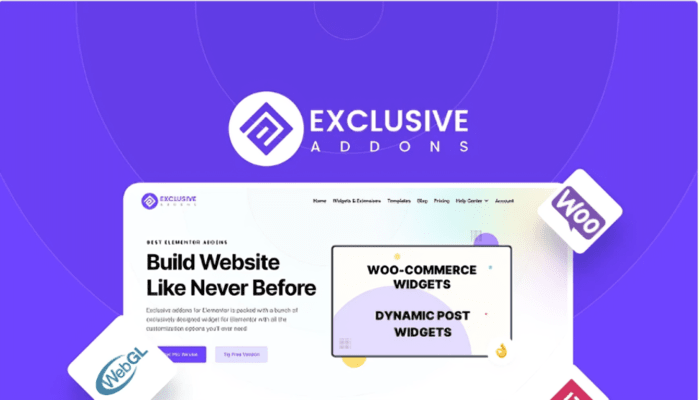
Key Features:
- 31+ free page-building blocks
- Simple, intuitive interface
- Highly customizable and scalable
- Modern, lightweight design elements
- Advanced WooCommerce widgets
Exclusive Addons offers a modern, clean set of design blocks with a strong emphasis on simplicity. Its intuitive interface lets even beginners quickly build well-designed pages without much effort. The WooCommerce widgets add a good amount of customization for eCommerce stores too.
8. PowerPack Addons
Key Features:
- 42 creative Elementor widgets
- Focus on performance and speed
- Light on the server, ensuring faster load times
- Advanced widgets like reviews, image galleries, and icon boxes
- Regular updates for new features
PowerPack is known for balancing creativity and performance. The free version alone includes 42 widgets covering everything from reviews to social sharing options - a solid tool for enhancing an Elementor site without sacrificing speed.
9. Element Pack
Key Features:
- Offers a premium selection of widgets
- Over 190+ useful widgets and elements
- Multiple demo pages for easy setup
- Compatible with third-party tools and plugins
- Wide variety of templates and pop-up builders
Element Pack is a versatile addon with an impressive 190+ widgets, including advanced post grids, contact forms, and WooCommerce tools. It works well for both personal bloggers and professional developers.
10. Dynamic Content for Elementor
Key Features:
- 58 widgets and 20 extensions
- Interactive elements such as animated text and sticky headers
- Ideal for dynamic WooCommerce content
- Provides advanced filters, queries, and content loops
- Animation options for enhanced design flexibility
Dynamic Content for Elementor is a good fit for developers or site owners who need genuinely dynamic content, especially for eCommerce. It offers plenty of interactive elements and advanced query options, well suited to WooCommerce stores or content-heavy sites.

Key Takeaways
The top 10 best free Elementor addons for WordPress can genuinely expand what you can build without spending a fortune. Whether you’re looking for basic widgets or advanced features, this list has something for everyone - from Essential Addons’ robust widget library to Crocoblock’s dynamic content tools, each one unlocks a bit more of what Elementor can do.
Interesting Reads:
Mastering How to Add a New WordPress Page with a Design: Your Complete Guide
How to Change the Background Color of Your Header in WordPress
Plugins we build and run
We maintain these ourselves, which is why we can support them on your site.
- BuddyNextThe self-hosted community engine for WordPress
- BuddyXFree community theme, Pro when you outgrow it
- ReignPremium community theme. Add pieces, build anything
- JetonomyCommunity forum and Q&A for WordPress
- EventonomyEvents and RSVPs for WordPress communities
- LearnomyCourses and learning communities on WordPress
- ListoraDirectories and listings your members can browse
- SnipShareCode sharing built for developer communities
- WB Ad ManagerAd placements that turn traffic into revenue
- WP Career BoardA job board your community actually uses
- WP Sell ServicesSell services with offers, orders, and payouts
- MediaVersePhotos, video, and media albums for members
- WB GamificationPoints, badges, and rewards that keep members active
- Product RoadmapPublic roadmaps with voting your users trust













