Best MyBB Alternatives in 2026 (Friendly Admin, Same Forum Ceiling)
MyBB is free, open source, and runs on a friendlier admin panel than most of its peers. What it still doesn't cover, the real alternatives including a WordPress-based platform, and what a careful migration actually takes.
MyBB and phpBB get searched together constantly, and for good reason: free, open-source, PHP-based, built by volunteers, running on self-managed hosting. If you’re evaluating MyBB specifically, you’ve probably already ruled out the hosted SaaS platforms in this series on cost grounds alone, which means the real question isn’t rent-versus-own. It’s whether a lightweight forum is still the right tool, or whether you’ve quietly outgrown what any pure forum software, MyBB included, was built to do.
We’ll cover what MyBB actually does well, where that stops being enough, and the realistic alternatives, including a WordPress-based platform we’d point most growing communities toward, along with several genuine open-source and commercial options if a forum, not a full community platform, is still the right call for you.
What MyBB actually is
MyBB is free, open-source forum software written in PHP, licensed so the source is free to use, modify, and redistribute. It supports MySQL, PostgreSQL, and SQLite as database backends, with database fail-over support for larger installs, an admin control panel that’s generally regarded as more approachable than some of its peers, and an extensive plugin ecosystem built up over two decades of community contributions. Core forum features cover the basics solidly: threaded discussion, private messaging, user bans and warnings, thread locking and moderation, and a theming system for visual customization.
There’s no MyBB vendor and no MyBB subscription. You pay for hosting and, optionally, premium themes or plugins from third-party developers, same cost structure as phpBB and most of its open-source peers. For a hobbyist community, a niche fan forum, or a technically-inclined admin who wants full infrastructure control without a licensing fee, that’s a genuinely good deal, and MyBB’s admin experience is frequently cited as friendlier than phpBB’s for exactly this audience.
It’s worth being direct about who should stop reading here. If your forum is doing exactly what you need, threaded discussion, a working plugin or two, an admin panel you’re comfortable in, switching platforms purely because something newer exists is solving a problem you don’t actually have. Everything below only matters once you’re genuinely hitting it.
Where the friction actually is
It’s forum software, and the gap to a real community platform is the same gap every pure forum has
MyBB gives you threads, replies, and private messaging. It doesn’t give you an activity feed, real member profiles beyond basic account pages, photo and video sharing, gamification, or any native way to charge for membership access. Every one of those requires a plugin, if a maintained one exists, each with its own update cadence and its own risk of breaking against the next MyBB core release. MyBB’s plugin ecosystem is genuinely large, built over roughly two decades, but large doesn’t mean uniformly maintained; plugin abandonment is a real, common failure mode on long-running installs.
This shows up concretely when a community manager goes looking for a specific capability, a gamification plugin, a media-sharing extension, a membership-gating plugin, and finds three options: one abandoned years ago with known compatibility issues on current PHP versions, one that technically works but hasn’t been security-reviewed in a long time, and one that’s actively maintained but costs money anyway. At that point the “free” platform is costing real evaluation time and accepting real risk to get features a purpose-built platform ships natively.
Free software is still a maintenance commitment
Self-hosted and free doesn’t mean unattended. Security patching, database maintenance, bot and spam moderation at scale, and plugin compatibility testing after a core update are entirely your responsibility, with no vendor support line when something breaks. The hosting cost is usually small. The ongoing engineering attention a production forum needs is the real cost, and it’s exactly the cost that gets skipped on smaller, under-resourced installs, which shows up as outdated core versions and known security gaps left unpatched. Forum software specifically is a recurring target for automated attacks, because registration forms, private messaging, and file-upload-capable plugins are all common attack surfaces, and an unpatched install sitting quietly for a year or two is exactly the kind of target that gets found eventually, not hypothetically.
The design and mobile experience need real work to feel current
MyBB’s default theming is functional but dated by modern standards. A genuinely modern, mobile-first look is achievable, the theming system supports it, but it requires either a premium theme, a competent frontend developer, or both. That’s the honest cost of a platform built around a traditional PHP template system rather than a modern component-based frontend, and it compounds on mobile specifically: a default MyBB theme is usable on a phone but rarely comfortable to browse for long, and most members today expect a community they can actually enjoy using from a phone, not just tolerate.
The alternatives, in order of what we’d actually recommend
1. BuddyNext: a complete community platform instead of a forum plus a patchwork of plugins
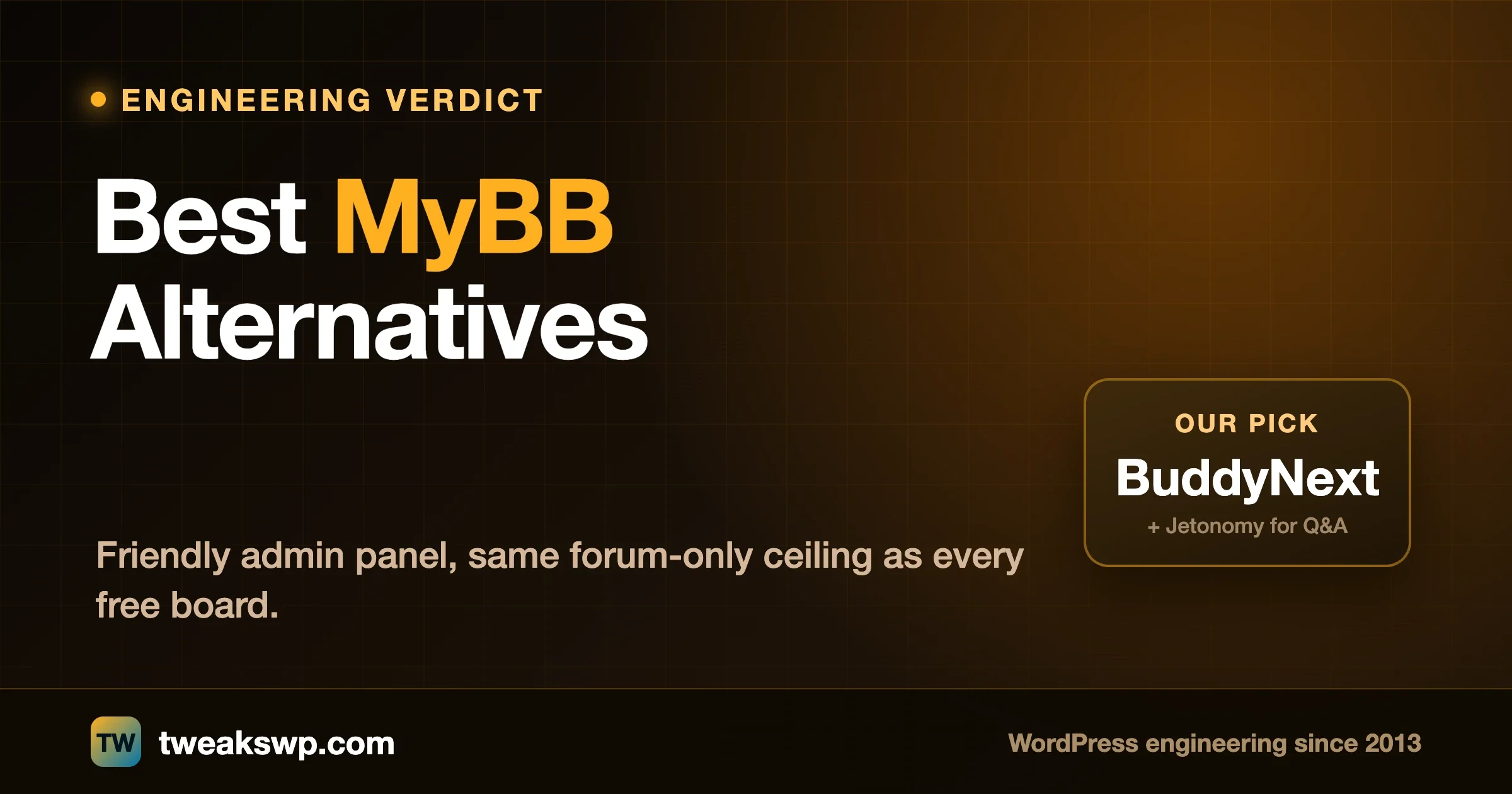
If what you actually need is threaded discussion plus profiles plus an activity feed plus the ability to charge for access plus moderation that doesn’t depend on a volunteer plugin author still being active, BuddyNext is built as one coherent platform rather than a forum core with bolted-on extensions. The pairing we’d recommend specifically for a MyBB migration is BuddyNext for the social and community layer plus Jetonomy for structured forums and Q&A with accepted answers, since that’s Jetonomy’s documented, automatic integration into BuddyNext rather than a generic claim.
Concretely: BuddyNext ships an activity feed with reactions and five-level threaded comments, Spaces (open, private, or secret groups) as the modern equivalent of MyBB’s forum categories with sub-spaces and per-space moderation, detailed member profiles with thirteen field types and a searchable directory, native Stripe membership tiers if you ever want to charge for access, which MyBB has no native path to at all, and deep moderation tooling, reports, strikes, suspensions, shadow-bans, banned word and domain lists, well beyond what most MyBB installs run even with plugins added. Jetonomy layers structured Q&A with accepted answers and an ideas board on top, the specific discussion shape MyBB’s flat-threaded model wasn’t built for.
The architecture difference is the real point, not a feature checklist. MyBB’s plugin model means every capability past core threading comes from a separate author, each with their own maintenance commitment or lack of one. BuddyNext and Jetonomy are built by one team as a single coherent system, the same bet MyBB itself made against raw unorganized PHP scripts two decades ago, just applied one layer up.
The honest trade-off: you move from genuinely free software to a platform you buy once, and you’re still running and maintaining it yourself either way, MyBB never gave you a free pass on that. If plain threaded discussion really is the whole job, this is more platform than you need. If you’ve been chaining plugins onto MyBB trying to approximate a real community, this replaces the patchwork with one coherent thing.
There’s also a design dimension worth naming directly. BuddyNext ships with a real design layer, a theme built on a token-based styling system with dark mode and layout variations purpose-built for community screens like feeds, directories, and profiles, rather than a traditional forum template system retrofitted for modern expectations. For a community that’s outgrown MyBB’s visual ceiling as much as its feature ceiling, that’s not a small detail.
2. phpBB: the other major free option, larger but older ecosystem
phpBB and MyBB solve the identical problem the identical way: free, open source, PHP-based, volunteer-maintained, roughly the same two-decade history. phpBB’s extension library is larger in raw count; MyBB’s admin panel and core codebase are often described as more approachable for a smaller team. If your MyBB frustration is specific rather than structural, a particular plugin gap, a particular admin workflow, phpBB is worth a direct side-by-side evaluation before assuming you need a bigger platform change. It carries the exact same forum-only ceiling MyBB does, and switching between the two without addressing that ceiling just moves the same limitation to a different codebase.
3. Discourse: the modern open-source rebuild
Discourse is open source like MyBB, but built from scratch with a current, mobile-first interface, real-time updates, and trust levels that automatically extend more permissions to members who participate well over time. It ships as a Docker-based install rather than MyBB’s traditional PHP/MySQL stack, a real deployment difference worth knowing upfront. If pure, well-designed discussion is the entire job and you want MyBB’s 2026 equivalent at the same price (free), Discourse is the most direct upgrade.
4. Flarum: lighter, more modern, a smaller but higher-quality extension catalog
Flarum is a newer forum platform with a single-page-app interface and a flexible extension API, built around the idea of what a forum looks like designed today instead of two decades ago. PHP-based like MyBB, so the hosting environment is familiar, but its extension catalog trades MyBB’s sheer breadth for generally tighter core-extension compatibility and a more current default look.
5. XenForo: paid, polished, and worth it if budget allows
XenForo is closed-source and paid, which is precisely why it’s become the default for larger, more serious forum communities: the license fee funds dedicated, responsive development that volunteer open-source projects often can’t sustain. If your real MyBB complaint is rough edges or slow bug fixes rather than missing features, XenForo’s paid model buys you exactly what MyBB’s free model structurally can’t promise.
6. NodeBB: real-time by default, a genuinely different technical foundation
NodeBB runs on Node.js rather than PHP, with real-time updates, new posts appearing without a page refresh, built in as a core feature rather than a plugin. It’s open source and self-hosted like MyBB, but the technology choice means a different hosting environment and a different, smaller plugin ecosystem than MyBB’s PHP-based peers. Worth considering specifically if live interaction matters to your community and your hosting setup can comfortably run a Node application rather than a traditional PHP stack.
Who each of these actually suits, in practice: a hobbyist or niche community with a technically comfortable admin and no plans to charge for access genuinely has no strong reason to leave MyBB at all. A growing community that’s started layering plugins onto MyBB to fake profiles, paid tiers, or a feed is the clearest BuddyNext-and-Jetonomy case. A team that wants the free, self-hosted model but a more current interface should look at Discourse or Flarum before assuming a platform change is necessary. And a large, revenue-generating forum that’s outgrown volunteer-maintained software’s support model is usually better served by XenForo’s paid, dedicated development than by anything free.
- MyBB: free, open source, PHP, friendly admin panel. Best fit: a straightforward forum for a small, technically comfortable team. Loses on dated design and plugin-ecosystem maintenance risk beyond core threading.
- BuddyNext + Jetonomy: self-hosted WordPress, one coherent platform. Best fit: anyone chaining plugins onto MyBB to approximate a real community platform. Trade-off: a platform cost, same hosting/maintenance responsibility either way.
- phpBB: free, open source, PHP, larger extension library. Best fit: a near like-for-like swap if the issue is MyBB-specific, not structural. Same forum-only ceiling.
- Discourse: open source, Docker-based, modern design. Best fit: pure discussion communities wanting MyBB’s successor at the same price. Still forum-only.
- Flarum: open source, PHP-based, lightweight. Best fit: MyBB loyalists wanting its philosophy modernized. Smaller extension catalog, generally higher consistency.
- XenForo: paid, closed source, polished. Best fit: serious communities with budget for dedicated support. Loses on cost and closed-source lock-in.
- NodeBB: open source, Node.js, real-time by default. Best fit: communities wanting live updates without a bolt-on plugin. Different hosting stack than PHP-based alternatives.
If you decide to move to WordPress, here’s what actually has to happen
Moving a live MyBB community to WordPress is a real migration project, and treating it casually is how members end up with lost posts, broken links, or locked-out accounts.
The real work has four parts. First, data: MyBB’s database schema doesn’t map cleanly onto a different platform, so plan an actual export and import process, not a generic importer you hope handles edge cases like custom user groups or heavily plugin-modified post types. Accept some loss on the unusual edge cases rather than discovering it mid-migration, and tell members about it upfront.
Second, redirects: every indexed MyBB thread URL search engines and bookmarks point to needs a mapped redirect, or you lose both search visibility and the members clicking an old link into a dead page.
Third, identity: decide whether members start fresh or whether account and password data carries over, which depends on your MyBB version’s specific hashing method and needs verifying, not assuming. Older MyBB installs running legacy hashing are generally not worth trying to migrate directly; a one-time password reset flow for the whole membership is usually the safer, cleaner path than attempting a risky hash conversion. Fourth, a staged rollout with a real testing window before the old domain points at the new site, so a small group catches problems before your whole membership does on launch day.
That migration work, the data mapping, the redirect plan, the security hardening on the new install, is what we do for clients day to day. If you’re seriously evaluating this move, have that conversation before you start exporting data, not after you’ve already announced a cutover date to your members.
Realistic timeline matters here too. A small MyBB forum with a simple category structure and a handful of plugins can move in a focused week or two once the data plan is settled. A larger, long-running install with heavy plugin customization and years of indexed threads deserves a longer, staged project, with redirect mapping and a parallel testing window taking up more of that time than the content migration itself. Also audit your installed plugins honestly before migrating: a surprising number on long-running MyBB forums are unused, redundant, or abandoned by their original author, and sorting the load-bearing ones from the dead weight before you plan the move saves real time later.
FAQ
Is MyBB actually free, or are there hidden costs?
The software is genuinely free and open source. Your real costs are hosting and, optionally, premium themes or plugins from third-party developers. There’s no MyBB license fee because there’s no vendor selling the core software, and that remains true no matter how large your community grows, which is a real, durable advantage over any hosted platform with seat-based pricing tiers.
How is MyBB actually different from phpBB if they’re both free PHP forums?
The core feature sets overlap heavily, both are traditional threaded forums with plugin ecosystems. The practical differences are in the admin experience (MyBB’s control panel is often considered friendlier for smaller teams), the size and age of each plugin library (phpBB’s is larger and older), and community preference built up over years rather than a hard technical gap. If you’re choosing between the two specifically, evaluate both against your actual plugin needs rather than assuming one is objectively better, since neither has a structural advantage over the other that would outweigh picking the one whose admin workflow and plugin availability actually match what your community needs.
Why would anyone pay for BuddyNext when MyBB is free?
Because MyBB solves a narrower problem. If threaded discussion is genuinely the whole job, MyBB at zero software cost is the right call and we’d say so honestly. If you’ve been layering plugins onto MyBB to approximate profiles, an activity feed, paid membership, and real moderation, you’re already paying in integration risk and ongoing maintenance for a weaker version of what BuddyNext and Jetonomy ship as one actively developed platform.
Will our old MyBB thread URLs still work after a migration?
Only if the migration plan includes explicit redirect mapping from every old URL to its new location. This doesn’t happen automatically across different platforms, and skipping it costs both search rankings and members following old links into dead pages.
How long does a realistic MyBB-to-WordPress migration take?
A smaller MyBB forum with a simple structure and a few plugins can move in a focused couple of weeks once the data-mapping plan is settled. A larger, long-running forum with heavy plugin customization and years of indexed content needs a longer, staged project, with the redirect map and a parallel testing window taking up more time than the content migration itself. Rushing the testing phase to hit an arbitrary date is the most common cause of a migration that technically works but breaks things members notice over the following weeks.
What happens to our MyBB moderators and user groups during a migration?
User groups and moderator permissions don’t transfer automatically, because the underlying permission models aren’t the same between platforms. Treat this as a deliberate rebuild step: document exactly what each current role can do, then recreate the equivalent roles on the new platform rather than trusting an import tool to infer the mapping. It’s also a natural point to clean up permission sprawl that’s built up over years instead of carrying it over as-is.
Can we run MyBB and the new platform in parallel before fully committing?
Yes, and we’d recommend it over a hard cutover for anything beyond a small forum. Stand up the new platform on a staging subdomain, migrate a representative slice of data, and invite a small group of trusted members to test logins, posting, and search before you point your main domain at it. Issues found in that window are cheap to fix quietly; the same issues found by your whole membership on launch day are not.
Is it worth trying to keep MyBB running alongside BuddyNext rather than fully migrating?
For most communities, no. Running two platforms means two sets of accounts, two places members have to check, and double the maintenance burden you were trying to reduce in the first place. The cases where a parallel run makes sense are narrow: a short, deliberate transition window for testing, or a genuinely separate archival purpose for old threads you want preserved read-only rather than migrated. Outside of those, commit to one platform and migrate fully rather than maintaining a permanent split community.
Plugins we build and run
We maintain these ourselves, which is why we can support them on your site.
- BuddyNextThe self-hosted community engine for WordPress
- BuddyXFree community theme, Pro when you outgrow it
- ReignPremium community theme. Add pieces, build anything
- JetonomyCommunity forum and Q&A for WordPress
- EventonomyEvents and RSVPs for WordPress communities
- LearnomyCourses and learning communities on WordPress
- ListoraDirectories and listings your members can browse
- SnipShareCode sharing built for developer communities
- WB Ad ManagerAd placements that turn traffic into revenue
- WP Career BoardA job board your community actually uses
- WP Sell ServicesSell services with offers, orders, and payouts
- MediaVersePhotos, video, and media albums for members
- WB GamificationPoints, badges, and rewards that keep members active
- Product RoadmapPublic roadmaps with voting your users trust