Essential WordPress Marketing Plugins And Tools of 2019

A business website has to look good, be simple for the owner to manage, stay optimized for search engines, and hold up against spam and scrapers, none of which happens automatically. WordPress remains one of the more capable systems for handling all of that, and it’s in good company: sites like the New York Post, Fortune, Thought Catalog, TIME, and TechCrunch all run on it. Since WordPress is open source, its code is freely available to inspect, redistribute, and modify, which is a big part of why it stays so flexible as both a content platform and a general website builder. Here are nine WordPress marketing plugins and tools worth using.
1) Google Analytics, WordPress Marketing Plugin
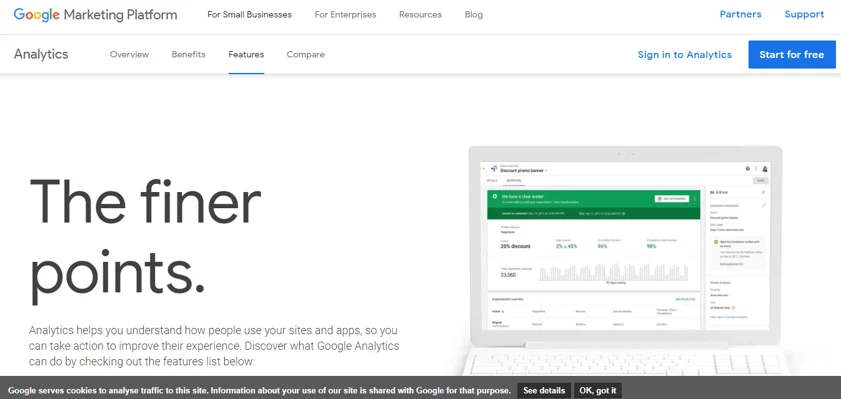
Google Analytics remains the standard WordPress marketing plugin for understanding how your site, app, and marketing are actually performing. It integrates with Google Ads and other publisher products, so your analytics data feeds directly into ad targeting rather than sitting in a silo. Reports are shareable, and one art marketplace cited a 350% year-over-year revenue increase after using analytics to optimize their listings. Key features include:
1) Analytics Intelligence answers plain-language questions about your data and surfaces insights through more complex modeling than you’d get from raw reports alone.
2) Reporting tools show exactly how customers are engaging with your site or app across different views.
3) Data visualization and analysis tools let you organize and present data in whatever way fits your business.
4) Data management and collection tools keep everything organized as it comes in.
5) Data activation turns that information into actual marketing decisions rather than just a dashboard you glance at.
6) Integrations with partner products and other Google tools save time by connecting analytics to the rest of your stack.
2) Revive Old Post, WordPress Marketing Plugin

Revive Social resurfaces older posts on social media so they keep earning traffic long after publish day. Setup is two steps: authorize the plugin against your social accounts, then customize and schedule shares with your own text, hashtags, and mentions. Key features:
1) Full control over each share, custom text, hashtags, and usernames are all editable per post.
2) Shares to Facebook, Instagram, Twitter, LinkedIn, Tumblr, and Pinterest, with no limit on how many old posts you resurface.
3) Works across pages, custom post types, posts, and media, useful if your site runs more than just a standard blog.
4) Automatically pulls hashtags from a post’s categories and tags rather than requiring manual entry each time.
5) Integrates with URL shortening services and Google Analytics campaign tracking, so you can see exactly how much traffic each revived post actually drives.
3) Elementor, WordPress Marketing Plugin

Elementor covers most of what you need for a landing page or site built to convert, with a drag-and-drop builder that’s approachable without sacrificing flexibility. A dedicated popup builder lets you create effective popups for conversions, leads, and sales using the same visual tools you’d use to build the rest of your site.

Form building happens entirely on the front end without breaking your workflow, and Elementor connects with a growing list of marketing platforms for list management. A few notable features:
1) Direct links to Google Calendar, WhatsApp, Waze, and other services users already use.
2) Lightbox popups that open when a user clicks a button, image, or link.
3) Evergreen countdown timers, so every visitor sees the same countdown window regardless of when they land on the page.
4) Sticky headers, footers, and bars that stay visible as visitors scroll, aimed at improving conversions.
5) Ability to carry a user’s data through each stage of your funnel to personalize their experience.
4) OptinMonster, WordPress Marketing Plugin
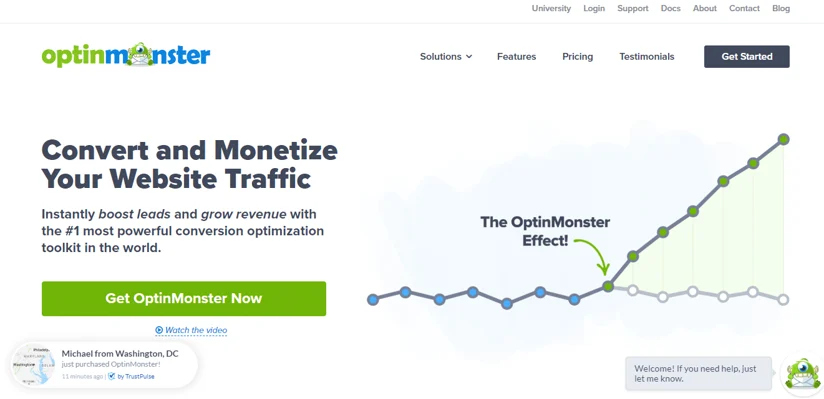
OptinMonster works to convert existing traffic into leads and sales in three steps: build an offer from a pre-made template or blank canvas, target and customize it with behavior automation, then track the stats and A/B test to improve conversion over time. Notable features:
1) 70+ pre-made lead capture templates, fully customizable.
2) Multiple form types, popups, full-screen overlays, floating bars, and slide-ins, all in one plugin.
3) Straightforward A/B testing across headlines, layouts, and content.
4) Enterprise-grade segmentation and page-level targeting for more precise campaigns.
5) Advanced traffic redirection to funnel visitors toward key pages while tracking engagement along the way.
5) W3 Total Cache, WordPress Marketing Plugin
W3 Total Cache handles performance optimization, improving load times and SEO through CDN support and current caching best practices. Benefits include:
1) Better conversion rates and search rankings, both of which are affected by site speed.
2) Reduced page load times, which keeps visitors around long enough to view more pages.
3) Better server performance during high-traffic periods.
4) SEO improvements, particularly relevant for mobile-friendly and SSL-secured sites.
Key features:
1) Works across shared hosting, dedicated servers, virtual private servers, and clusters.
2) Transparent CDN management for WordPress core, theme files, and the media library.
3) Mobile-aware caching, with theme switching by user-agent or referrer group.
4) SSL support built in.
5) Caching of feeds (categories, comments, search results) both in memory, on disk, and via CDN.
6) MonsterInsights, WordPress Marketing Plugin

MonsterInsights is used by more than 105,000 professionals to bring Google Analytics data directly into the WordPress dashboard with one-click tracking integration. Notable features:
1) Universal tracking across devices and campaigns, set up in a few clicks.
2) One-click e-commerce tracking for WooCommerce, Easy Digital Downloads, and membership plugins.
3) Automatic GDPR and privacy-regulation compliance for your analytics setup.
4) Page-level analytics showing detailed stats per page and post, so you can see what content actually performs.
5) Custom dimensions for tracking users, tags, authors, searches, categories, and more with minimal setup.
6) Automatic click tracking on affiliate banners, links, and other outbound clicks.
7) Real-time stats inside WordPress showing who’s currently on your site and what they’re doing.
7) Thrive Architect, WordPress Marketing Plugin

Thrive Architect is a fast, visual WordPress page builder. What sets it apart:
1) Immediate click-to-edit interaction rather than a laggy drag-and-drop experience.
2) Landing page templates that need no design or coding background.
3) Pre-built conversion elements aimed specifically at growing a business, not just a generic page builder retrofitted for marketing.
What it’s built for:
1) A high-converting homepage.
2) Sales pages that read like they were written by a professional copywriter.
3) Landing pages that build your mailing list and establish credibility.
4) Well-formatted blog posts built to get more shares and traffic.
5) Product launch and general marketing pages.
A few more advanced capabilities:
1) Flexible column layouts.
2) Attention-grabbing image and text combinations.
3) Full font customization for a polished, magazine-style look.
4) Full-width layouts with visual impact.
5) Advanced hover effects.
6) Detailed styling control, no coding required.
8) MailChimp for WordPress, WordPress Marketing Plugin

MailChimp for WordPress makes newsletter sign-up simple, growing your MailChimp list through opt-in forms that combine with existing forms on your site, checkout, comments, or contact pages. Notable features:
1) Mobile-optimized, fully customizable sign-up forms with control over every field.
2) MailChimp account connection in a matter of minutes.
3) Consistent integration with popular plugins: WPForms, Events Manager, default WordPress registration forms, Ninja Forms, Easy Digital Downloads, MemberPress, WooCommerce, and default WordPress comment forms.
4) Developer-friendly extensibility, with example code snippets available in the plugin’s documentation.
Also worth checking out in the MailChimp for WP knowledge base:
1) Several add-on plugins available for extending functionality further.
2) Translations managed through Transifex, open to community contributions.
3) Active development on GitHub.
4) Action and filter hooks for developers who want to extend or modify default behavior.
Putting These Plugins to Work
Website maintenance and marketing add up to a lot of moving pieces, and this list touches most of the important ones: analytics for understanding your traffic, page builders for converting it, caching for keeping the site fast, and email tools for turning visitors into a list you actually own. Handling all of this manually would eat a huge amount of time, and hiring a developer for custom work on each piece adds up fast. Installing a handful of solid, purpose-built plugins like these gets most site owners most of the way to a well-optimized site without either cost.
Plugins we build and run
We maintain these ourselves, which is why we can support them on your site.
- BuddyNextThe self-hosted community engine for WordPress
- BuddyXFree community theme, Pro when you outgrow it
- ReignPremium community theme. Add pieces, build anything
- JetonomyCommunity forum and Q&A for WordPress
- EventonomyEvents and RSVPs for WordPress communities
- LearnomyCourses and learning communities on WordPress
- ListoraDirectories and listings your members can browse
- SnipShareCode sharing built for developer communities
- WB Ad ManagerAd placements that turn traffic into revenue
- WP Career BoardA job board your community actually uses
- WP Sell ServicesSell services with offers, orders, and payouts
- MediaVersePhotos, video, and media albums for members
- WB GamificationPoints, badges, and rewards that keep members active
- Product RoadmapPublic roadmaps with voting your users trust