How to Set Up a CDN for WordPress (And Why It's Not Optional in 2026)
A CDN keeps copies of your files on servers worldwide and serves each visitor from the nearest one, so your site loads faster everywhere. What a CDN does, why it is close to essential in 2026, and how to set one up on WordPress without breaking anything.

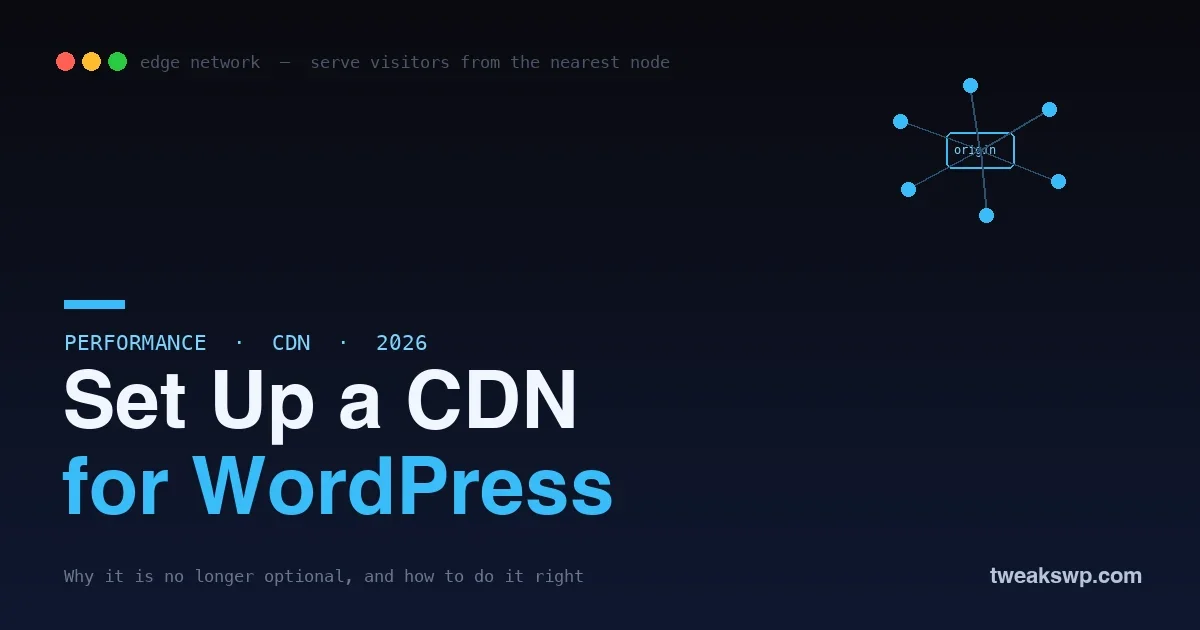
Your WordPress site lives on a server somewhere, one physical location. When a visitor loads it, their browser has to fetch every file, images, stylesheets, scripts, from that server, and the further away they are, the longer it takes. A visitor in Sydney loading a site hosted in Virginia waits for data to cross the planet and back, on every request. A content delivery network fixes this by keeping copies of your files on servers all over the world and serving each visitor from the one nearest them. In 2026, with visitors everywhere, mobile connections common, and Google weighing page speed heavily, a CDN has gone from a nice optimization to something close to essential for any site with an audience beyond its own city.
This guide explains what a CDN actually does, why it matters more than ever, and how to set one up on WordPress without breaking anything. It is written to be understandable whether or not you are technical, and to leave you with a faster site.
What a CDN actually does
A CDN is a network of servers spread across the world, called edge servers or points of presence. When you put a CDN in front of your site, it stores copies of your static files, images, CSS, JavaScript, fonts, on those edge servers. Then, when someone visits your site, the CDN serves those files from the edge server closest to them instead of from your origin server. A visitor in Tokyo gets your images from a nearby Tokyo edge, not from your host in another continent, so the files arrive faster and your origin server does less work. The content is the same; the distance it travels is shorter, and shorter distance means faster loading. That is the whole idea, and it is why a CDN helps almost every site with a geographically spread audience.
What happens on a request, step by step
To make the idea concrete, follow a single visit. Without a CDN, a visitor in London loading your site hosted in New York sends every request across the Atlantic: the browser asks your New York server for the HTML, then for each image, stylesheet, and script, each round trip crossing the ocean, and the page assembles slowly because distance adds delay to every file.
With a CDN in place, the first time anyone near London requests one of your static files, the CDN fetches it from your origin once and stores a copy on its London edge server. Every visitor near London after that gets the file from that local edge, in a fraction of the time, and your New York server never hears about those requests. The dynamic HTML may still come from the origin, but the images, CSS, scripts, and fonts, usually the bulk of a page’s weight, arrive locally and fast. Multiply that across every visitor and every file, and the page-load improvement is substantial, especially for the visitors furthest from your server, who benefited least before.
Why a CDN matters more than ever
Three forces make a CDN close to essential in 2026. First, speed is a ranking factor: Google measures page experience, largely on mobile, and a CDN improves the load times those metrics reward, so it helps your visibility, not just your visitors. Second, audiences are global and mobile: a real site has visitors far from its server and on slower connections, and both are exactly who a CDN helps most by cutting distance and offloading bytes. Third, resilience: by serving static files from the edge and absorbing traffic, a CDN reduces load on your origin and helps your site stay up under a spike or a basic attack. Faster, more visible, and more resilient, from one change, is why so few serious sites run without one now.
The benefits, concretely
- Faster load times worldwide. Visitors get files from a nearby edge, so pages load faster regardless of where they are, which is the core win.
- Less load on your server. The CDN serves the heavy static files, so your origin handles fewer requests and has room to do the dynamic work only it can do.
- Better SEO and Core Web Vitals. Faster loading improves the page-experience signals Google rewards, helping rankings alongside users.
- Lower bandwidth bills. Because the CDN serves most of the bytes, your host serves fewer, which can reduce bandwidth costs on the origin.
- Resilience under load. The edge network absorbs traffic spikes and provides a layer of protection that helps keep the site up.
How to set up a CDN on WordPress
Adding a CDN to WordPress is more approachable than it sounds, and there are two common paths depending on how much you want to change.
The full-service approach
The simplest path is a service that sits in front of your entire site. You point your domain’s DNS at the provider, and it routes all your traffic through its global network, caching and serving your static files from the edge automatically. This is popular because it requires no changes to your files or URLs, you change where your domain points, and the network handles the rest, often adding security and caching features alongside the CDN. For most sites, this is the easiest and most complete way to get a CDN, and several providers offer a capable free tier to start.
The plugin-and-CDN approach
The other path pairs a CDN provider with a WordPress plugin. You sign up with a CDN, and a caching or CDN plugin rewrites the URLs of your static files so they are served from the CDN’s edge instead of your origin. This gives you fine control over exactly what is offloaded and integrates with the caching setup many sites already run. It is a little more hands-on than the full-service route but suits people who want to combine the CDN with a specific caching stack. Either way, the outcome is the same: your static files come from the edge, and your site gets faster.
The steps in practice
- 1. Choose a provider. Pick a CDN, several have generous free tiers that are plenty for many sites.
- 2. Connect your site. Either point your DNS at the service, or sign up and connect it through a caching plugin, depending on the approach.
- 3. Confirm static files are served from the edge. Check that your images, CSS, and JavaScript now load from the CDN, not directly from your origin.
- 4. Set sensible cache rules. Cache static files aggressively at the edge, and make sure dynamic and logged-in content is not cached in a way that shows one user another’s view.
- 5. Test from different locations. Use a speed test that checks load times from multiple regions to confirm the improvement is real and global.
Full-service versus plugin: which to choose
| Factor | Full-service (DNS) | CDN + caching plugin |
|---|---|---|
| Setup effort | Point your DNS; done | Sign up + configure a plugin |
| What it covers | Whole site through the network | Static files you choose to offload |
| Control | Managed for you | Fine-grained over what is offloaded |
| Extras | Often bundles security + caching | Integrates with your caching stack |
| Best for | Most sites wanting the easy path | Teams with a specific caching setup |
Neither is wrong; they suit different preferences. The full-service route is the easiest and most complete for most sites, while the plugin route gives control to those who want to combine the CDN with a particular caching stack. If you are unsure, the full-service path gets you the benefit with the least effort.
What to serve from the CDN, and what not to
Knowing which files belong on the edge keeps a CDN both fast and safe. The clear wins are your static assets: images, CSS, JavaScript, fonts, and downloadable files. These do not change per visitor, so caching them at the edge and serving them locally is pure benefit, and they are usually the heaviest part of a page. What you must be careful with is anything dynamic or personalized: a logged-in dashboard, a cart, a page that shows the visitor their own data. Those should either bypass the edge cache or be varied by session, because serving one visitor’s personalized page to another from a shared cache is exactly how privacy leaks happen. The safe default is aggressive edge caching for static assets and no shared caching of logged-in or personalized responses. Most full-service CDNs handle this sensibly out of the box, but it is worth confirming, especially if your site has member areas, a store, or any per-user content, because this is the one CDN misconfiguration with real consequences beyond a stale file.
The mistakes that cause problems
A CDN is safe when configured sensibly, but a few missteps cause the classic issues, so avoid these.
- Caching dynamic or logged-in pages at the edge. The most dangerous mistake: if the CDN caches a logged-in or personalized page and serves it to everyone, you can leak one user’s view to others. Cache static assets aggressively, but exclude dynamic and logged-in content or vary it by session, the same discipline that protects any full-page cache.
- Serving stale files after an update. Because the edge holds copies, an old CSS or JavaScript file can linger after you change it. Use versioned filenames or purge the CDN cache when you deploy changes, so visitors get the new files.
- Mixed content and URL issues. Make sure your CDN serves over HTTPS and that file URLs are rewritten correctly, or you can get broken assets or security warnings.
- Assuming a CDN fixes a slow backend. A CDN speeds up static file delivery; it does not fix slow database queries or heavy PHP. If your pages are slow to generate, that is a separate problem, covered in our guides to slow query optimization and running WordPress at scale.
What a CDN does not do
It is worth being clear about the limits, because a CDN is one layer, not a cure-all. It accelerates the delivery of static files and offloads your server, but it does not make a slow page generate faster on the origin, so if your database queries are slow or your PHP is heavy, the initial page still takes time to build before the CDN can help deliver it. It also does not replace good hosting, image optimization, or caching; it works alongside them. Think of a CDN as the delivery layer, the fast last mile to the visitor, sitting on top of a site that also needs to be efficient at its origin. Paired with a fast backend and optimized assets, a CDN is excellent; expected to rescue a slow, heavy site on its own, it disappoints.
Does a CDN work with a membership site or store?
Yes, with the right cache rules. The static assets, product images, styles, scripts, benefit from the edge just as on any site, while the personalized pages, carts, accounts, dashboards, must be excluded from shared caching or varied by session so one user never sees another’s view. Configured that way, a CDN speeds up a store or membership site safely; the only care needed is keeping personalized content out of the shared edge cache.
How do I know the CDN is actually working?
Check where your static files load from and test speed by region. In your browser’s developer tools, the network panel shows the host serving each file, so you can confirm images and scripts come from the CDN rather than your origin. A speed test that measures load times from multiple locations then confirms the global improvement. If files still come from your origin, the CDN is not offloading them yet and the setup needs another look.
Will a CDN help my mobile visitors specifically?
Yes, and they are among the biggest beneficiaries. Mobile connections are often slower and higher-latency, so cutting the distance files travel and reducing the bytes the origin serves helps mobile load times noticeably. Since Google measures page experience largely on mobile, that improvement supports both your mobile users and your rankings at once.
Frequently asked questions
Do I need a CDN for a small local website?
If your entire audience is in one city near your server, the speed benefit of a CDN is smaller, because there is little distance to cut. Even then, the resilience and offloading can help, and many CDNs are free to start, so there is little downside. But a purely local site with local hosting is the one case where a CDN is genuinely optional rather than close to essential.
Will a CDN slow down my site if it is misconfigured?
A badly configured CDN can cause problems, serving stale files, caching dynamic pages, or breaking asset URLs, but a correctly set-up one makes the site faster, not slower. The failures come from caching the wrong things, not from the CDN itself. Following sensible cache rules, aggressive on static assets, careful with dynamic content, avoids them.
Is a CDN the same as a caching plugin?
No, they are complementary. A caching plugin typically speeds up your site at the origin, storing generated pages so WordPress does not rebuild them every time, while a CDN speeds up delivery of static files to visitors around the world from edge servers. Many sites use both: caching to make the origin fast, and a CDN to deliver the result quickly everywhere. They solve different parts of the speed problem.
Does a CDN improve security?
It can, as a side benefit. By sitting in front of your origin and absorbing traffic, many CDNs add a layer that helps against basic attacks and traffic floods, and they serve content over HTTPS. It is not a substitute for real security hardening, but it is a useful additional layer, and it pairs well with measures like proper security headers.
How much does a CDN cost?
Often nothing to start. Several major CDNs offer free tiers that are more than enough for many sites, with paid plans for higher traffic or advanced features. Because the entry cost can be zero and the speed and resilience benefits are real, a CDN is one of the highest-value, lowest-cost improvements available to most WordPress sites.
The bottom line
A CDN keeps copies of your static files on servers around the world and serves each visitor from the nearest one, so your site loads faster everywhere, your origin does less work, and your rankings and resilience both improve, from a single change that often starts free. Set it up by pointing your domain at a full-service provider or pairing a CDN with a caching plugin, cache static files aggressively while keeping dynamic and logged-in content out of the shared cache, and test from multiple regions to confirm the gain. Remember that a CDN is the delivery layer, not a fix for a slow backend, so pair it with an efficient origin and optimized assets. Do that, and in 2026 a CDN is one of the simplest, highest-return upgrades you can give a WordPress site with an audience beyond its own doorstep.
Plugins we build and run
We maintain these ourselves, which is why we can support them on your site.
- BuddyNextThe self-hosted community engine for WordPress
- BuddyXFree community theme, Pro when you outgrow it
- ReignPremium community theme. Add pieces, build anything
- JetonomyCommunity forum and Q&A for WordPress
- EventonomyEvents and RSVPs for WordPress communities
- LearnomyCourses and learning communities on WordPress
- ListoraDirectories and listings your members can browse
- SnipShareCode sharing built for developer communities
- WB Ad ManagerAd placements that turn traffic into revenue
- WP Career BoardA job board your community actually uses
- WP Sell ServicesSell services with offers, orders, and payouts
- MediaVersePhotos, video, and media albums for members
- WB GamificationPoints, badges, and rewards that keep members active
- Product RoadmapPublic roadmaps with voting your users trust