Speculative Loading in WordPress: How Prerendering Makes Page Navigation Instant
Speculative loading loads the next page before the visitor clicks, so navigation feels instant. How it works via the Speculation Rules API, how WordPress uses it, the more-aggressive default coming in 7.1, and how to configure it safely.

Most WordPress speed advice is about making a page load faster once it is requested: caching, a CDN, smaller images, fewer queries. Speculative loading takes a different approach entirely. Instead of making the next page load fast, it loads the next page before the visitor clicks, so that when they do click, the page appears instantly, because it is already there. It is one of the most impactful and least understood performance features available to WordPress in 2026, it is built into core, and WordPress 7.1 is making it more aggressive by default. If your site feels quick but navigation between pages still has a beat of delay, this is how you remove it.
This guide explains what speculative loading is, how it works through the browser’s Speculation Rules API, how WordPress uses it, what is changing in 7.1, and how to configure it safely. It is the difference between a fast site and a site that feels instant.
What speculative loading actually is
Speculative loading means the browser predicts where a visitor is likely to go next and loads that page ahead of time, in the background, before any click. When the visitor does click, the page is already fetched, or even fully rendered, so it displays immediately with little or no wait. There are two levels of this. Prefetching downloads the next page’s HTML in advance, so the request is already done when the click happens. Prerendering goes further and actually renders the page in the background, so clicking swaps to an already-complete page almost instantly. Both work from the same idea: use the idle moments while a visitor reads or hovers to get the next page ready, so navigation feels immediate instead of incurring a fresh round trip.
How it works: the Speculation Rules API
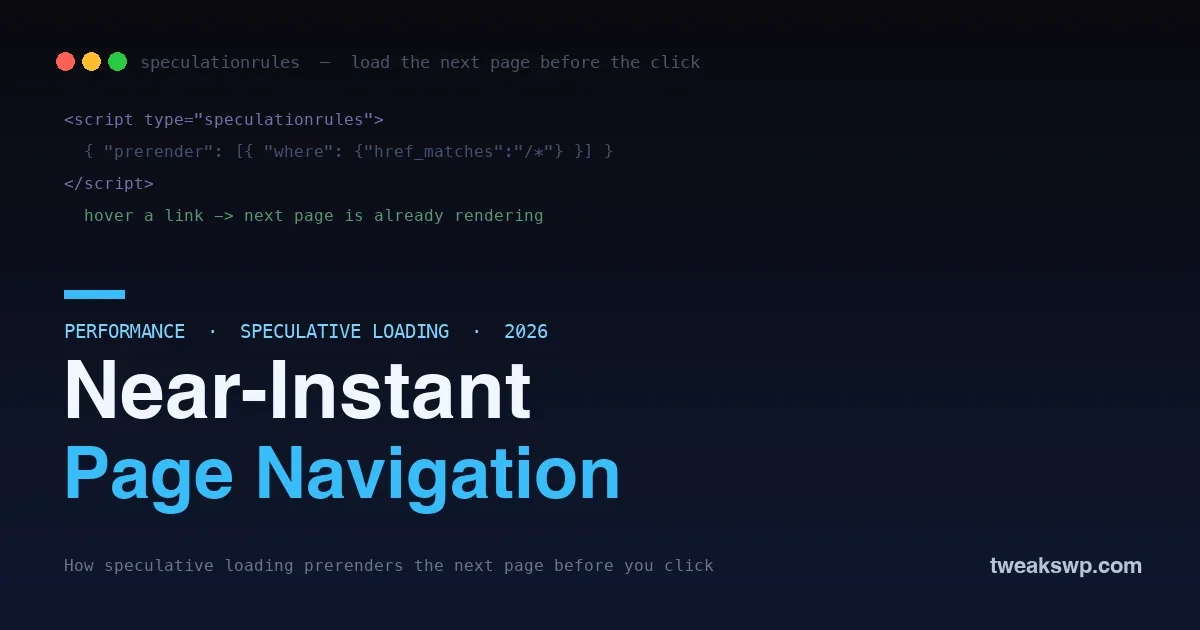
Modern browsers implement this through the Speculation Rules API, a standard way for a page to tell the browser which links to prefetch or prerender and under what conditions. The rules are declared in a small script block that describes what to speculate on:
<script type="speculationrules">
{
  "prerender": [
    {
      "where": { "href_matches": "/*" },
      "eagerness": "moderate"
    }
  ]
}
</script>
This tells the browser to prerender same-site links, with an eagerness setting that controls how aggressively it acts. Eagerness is the key dial: a conservative setting speculates only on strong signals, such as the visitor starting to click, while a moderate setting acts earlier, for example when they hover a link, and an eager setting speculates as soon as links are known. Higher eagerness means more pages feel instant but also more speculative work and bandwidth, so the setting is a trade-off between speed and resource use.
The eagerness levels, explained
Eagerness is the single most important setting, because it decides the balance between instant navigation and wasted work. The levels map to how strong a signal the browser waits for before it speculates.
| Eagerness | Speculates when | Trade-off |
|---|---|---|
| Conservative | The visitor starts to click a link | Least waste, smallest speed gain |
| Moderate | The visitor hovers or shows intent | Balanced; the 7.1 default with caching |
| Eager | As soon as links are known | Most instant, most speculative work |
Reading the table, the pattern is clear: the earlier you speculate, the more pages feel instant, but the more work you do on guesses that may not pay off. Conservative wastes almost nothing but only helps at the moment of clicking; eager makes nearly everything instant but prerenders pages many visitors never open. Moderate sits in the middle, acting on a real intent signal like a hover, which is why it is the sensible default for a site that can afford it, exactly the condition 7.1 checks for with caching.
How WordPress uses speculative loading
You do not need to write those rules by hand, because WordPress builds speculative loading in. Core generates the appropriate speculation rules for your site’s links automatically, so internal navigation can be prefetched or prerendered without any custom code. This started as part of the performance work in the Performance Lab effort and moved into core, and it means a standard WordPress site already has the machinery to make navigation feel instant, controlled by a sensible default. For most sites, speculative loading is therefore something you tune rather than build, and the tuning is about how aggressive to be and which pages to include or exclude.
What is changing in WordPress 7.1
Here is the timely part. WordPress 7.1, arriving in August 2026, changes the default speculative loading behavior to be more aggressive when it is safe to do so. Specifically, the default eagerness moves from conservative toward moderate when the site is detected to be using caching, on the reasoning that a cached site can absorb the extra speculative requests cheaply, so it can afford to prerender more and make navigation feel faster for more visitors. The takeaway for site owners is twofold: navigation on many sites will get noticeably snappier after upgrading with no action needed, and if your site uses caching, you will benefit most, which is one more reason to have caching properly set up. It is a rare change that makes sites faster by default, and it rewards the sites that already did their caching homework.
Prefetch or prerender: which and when
The two levels of speculation suit different situations, and understanding the difference helps you set expectations. Prefetching downloads the next page’s HTML but does not render it, so the click still has to render the page, just without waiting for the network. It is cheaper, because it only fetches, and it is a safe, broadly useful default. Prerendering fully builds the page in the background, so the click swaps to a finished page almost instantly, the most dramatic effect, but it costs more, because the browser does the full render work in advance for a page that may not be visited. The practical guidance is that prefetching is the lower-risk, lower-cost option good for wide use, while prerendering delivers the truly instant feel and is best reserved for the links a visitor is most likely to follow. WordPress and the eagerness setting balance these for you, but knowing the distinction explains why more aggressive speculation costs more: it is often the difference between merely fetching and fully rendering ahead of time.
The benefits, and the catch
The upside is dramatic: navigation that feels instant is a genuine step change in perceived performance, often more noticeable to a visitor than shaving milliseconds off an already-fast initial load, because it removes the wait between pages entirely. That improves the experience, keeps people moving through your site, and supports the page-experience signals that matter for engagement. The catch is that speculation is a guess, and a guess that is wrong costs resources: prerendering a page the visitor never visits used server work and bandwidth for nothing. This is why eagerness and configuration matter, and why the 7.1 change ties higher aggressiveness to detecting caching, more speculation is worth it when each speculative page is cheap to serve, and wasteful when it is expensive. The art of speculative loading is speculating enough to feel instant without speculating so much that you burden your origin.
Configuring it safely
A few principles keep speculative loading fast without side effects. First, match aggressiveness to your infrastructure: a well-cached site behind a CDN can afford eager speculation because each prerendered page is cheap, while a site whose pages are expensive to generate should stay conservative, which is exactly the logic 7.1 automates by checking for caching. Second, exclude the pages that should never be prerendered, anything that performs an action on load or must not be requested speculatively, such as logout links, cart or checkout actions, or admin URLs, because prerendering a page that changes state is a real bug, not just wasted work. Third, be careful with analytics and counters: a prerendered page may or may not count as a view depending on how your tracking handles it, so verify your metrics still make sense. WordPress handles the common exclusions sensibly by default, but if you add custom action links, make sure they are not eligible for speculation. Configured with these in mind, speculative loading is close to pure upside.
Why perceived speed matters more than you think
It is worth stepping back to see why this feature is such a big deal. A lot of performance work chips away at the initial load, turning a two-second load into a 1.6-second one, which is real but not dramatic to a visitor. Speculative loading targets something different: the wait between pages as someone moves through your site, and removing that wait entirely is far more noticeable than shaving a fraction off a load that already felt acceptable. A site where every click resolves instantly feels fast in a way that changes how people use it, they browse more freely, hesitate less, and read more, because nothing punishes the next click with a pause. Perceived speed, how fast the site feels in use, drives engagement and satisfaction more than a benchmark number does, and speculative loading is one of the most direct ways to improve it. That is why a feature that simply makes navigation instant can matter more to your visitors than another round of image optimization.
Speculative loading versus caching and CDNs
It helps to see where this sits alongside the speed tools you already know, because it complements rather than replaces them. Caching makes a page cheap to generate; a CDN makes it fast to deliver; speculative loading makes the next page ready before it is requested. They operate at different moments: caching and the CDN speed up the response when a request happens, while speculation removes the wait by making the request happen early and in the background. In fact they reinforce each other, speculative loading works best on a cached, CDN-served site, because the speculative requests it generates are cheap and fast to satisfy, which is precisely why 7.1 turns up the aggressiveness when caching is present. Think of the full stack as: an efficient origin (fast queries, as in our slow query guide), caching to avoid regenerating pages, a CDN to deliver globally, and speculative loading on top to make navigation between those fast pages feel instant.
Does speculative loading help SEO?
Its most direct benefit is user experience, making navigation feel instant, which supports engagement signals like people viewing more pages and staying longer. Faster perceived performance aligns with the page-experience factors search engines value, though speculative loading is about how the site feels in use rather than a single ranking metric. Treat it as an experience win that supports SEO indirectly, not a direct ranking lever.
Will it waste my visitors’ mobile data?
Speculation does use some extra data for pages that may not be visited, which is a consideration on metered connections, and browsers account for this by respecting data-saver signals and moderating speculation accordingly. Keeping eagerness matched to your site rather than maximally aggressive limits unnecessary fetching, and the browser’s own safeguards reduce the impact on constrained connections, so in practice the data cost is modest for the experience gain.
Measuring the effect and keeping it honest
Because speculative loading improves perceived speed rather than a single lab number, it is worth knowing how to confirm it and keep it healthy. The most convincing test is your own hands: click through your site on a real device and notice whether internal navigation resolves instantly. In the browser’s developer tools you can see which pages were prefetched or prerendered and whether the speculation rules are being applied, which confirms the mechanism is active. Watch two things over time. First, your origin request volume, since speculation adds requests, a sudden jump alongside a caching gap is a sign your eagerness is higher than your infrastructure comfortably supports, and you should either improve caching or dial speculation back. Second, your analytics, because prerendered pages can be counted differently depending on your tracking, so verify your pageview and engagement numbers still reflect reality after enabling more aggressive speculation. Kept in check this way, speculative loading gives you the instant feel without quietly straining your server or distorting your metrics.
Frequently asked questions
Will speculative loading increase my server load?
It can, because prerendering pages the visitor may not visit generates extra requests, which is exactly why aggressiveness should match your setup. On a well-cached site those speculative requests are cheap, so the load increase is minor and the speed benefit is worth it, which is the reasoning behind 7.1 tying higher eagerness to detected caching. On a site whose pages are expensive to generate, keep speculation conservative so you do not do costly work on guesses that do not pay off.
Does speculative loading work with my caching plugin?
Generally yes, and the two are complementary, caching makes each speculative page cheap to serve, which is precisely when more speculation makes sense. WordPress core generates the speculation rules, and a caching layer satisfies the resulting requests quickly. Confirm your caching setup is not caching per-user or action pages in a way that speculation would then request, but in normal use they work well together and reinforce each other.
Can speculative loading break anything?
The one real risk is prerendering a page that performs an action just by being requested, a logout, a one-click action, an admin operation, because speculating it could trigger that action unintentionally. WordPress excludes the obvious cases by default, but if you have custom links that change state on load, make sure they are not eligible for speculation. For ordinary content pages, which are safe to request in advance, there is nothing to break.
How do I know speculative loading is working?
You feel it first, navigation between pages becomes near-instant, but you can confirm it in the browser’s developer tools, which show prefetched and prerendered pages and the speculation rules a page declared. If internal links resolve immediately with no visible load, speculation is doing its job. Testing on a real device across a few pages is the quickest way to see the effect for yourself.
Do I need to do anything to enable it, or is it automatic?
On a modern WordPress site it is largely automatic, core generates the speculation rules with a sensible default, and 7.1 makes that default more aggressive when caching is detected. You mainly tune it: adjust aggressiveness to your infrastructure and ensure action links are excluded. For most sites the built-in behavior is a good starting point, and the main work is confirming your caching is solid so you get the fuller benefit.
Is speculative loading the same as the old link-prefetching plugins?
It is the modern, standardized successor. Older prefetching relied on plugins guessing and fetching links in ad hoc ways, whereas speculative loading uses the browser’s native Speculation Rules API, which supports both prefetching and full prerendering with proper eagerness controls and browser safeguards. WordPress core generating these standard rules is more reliable and capable than the plugin-based prefetching of the past, and it includes prerendering, which the older approaches generally could not do.
The bottom line
Speculative loading attacks page speed from a different angle than everything else: instead of making a page load faster, it loads the next page before the visitor clicks, so navigation feels instant. It works through the browser’s Speculation Rules API, WordPress generates the rules for you, and 7.1 is making the default more aggressive when your site uses caching, so many sites will feel snappier after upgrading with no work at all. Match the aggressiveness to your infrastructure, exclude any links that perform actions on load, and pair it with the caching and scaling fundamentals that make each speculative page cheap. Do that, and you turn a fast site into one that feels instant, which is often the upgrade visitors notice most. The fastest page load is the one that already happened before the click, and speculative loading is how WordPress makes that the default.
Plugins we build and run
We maintain these ourselves, which is why we can support them on your site.
- BuddyNextThe self-hosted community engine for WordPress
- BuddyXFree community theme, Pro when you outgrow it
- ReignPremium community theme. Add pieces, build anything
- JetonomyCommunity forum and Q&A for WordPress
- EventonomyEvents and RSVPs for WordPress communities
- LearnomyCourses and learning communities on WordPress
- ListoraDirectories and listings your members can browse
- SnipShareCode sharing built for developer communities
- WB Ad ManagerAd placements that turn traffic into revenue
- WP Career BoardA job board your community actually uses
- WP Sell ServicesSell services with offers, orders, and payouts
- MediaVersePhotos, video, and media albums for members
- WB GamificationPoints, badges, and rewards that keep members active
- Product RoadmapPublic roadmaps with voting your users trust