WordPress Vulnerability Roundup: February 23 to March 1 (Analysis and Action Items)
Weekly analysis of WordPress vulnerabilities reported between February 23 and March 1. Covers critical and high-severity issues, affected plugins, CVE details, and the action items site owners need to take immediately.

Between February 23 and March 1, 2026, security researchers disclosed vulnerabilities affecting millions of active WordPress installations. This roundup covers the critical issues from Wordfence’s weekly report and Patchstack’s disclosure pipeline - what was patched, what the attack vectors are, and what you should update today.
Why Weekly Vulnerability Tracking Matters
Most WordPress security incidents aren’t zero-days. They’re attacks against known vulnerabilities using publicly available proof-of-concept exploits. The window between a vulnerability disclosure and active exploitation has shrunk from weeks to days. Sites that patch within 24-48 hours of a disclosure avoid the majority of automated attacks.
This week’s roundup focuses on critical and high-severity issues - the ones where exploitation requires no authentication or minimal user interaction.
Authentication Bypass in Popular Form Builder Plugins
Several popular contact form and lead generation WordPress plugins disclosed authentication bypass vulnerabilities this week. These allow unauthenticated attackers to submit data to restricted form endpoints, access submitted entries, or in the worst cases, trigger server-side actions with elevated privileges. If you use any of the major form builder plugins, verify they’re on their latest versions.
Authentication bypass vulnerabilities in form plugins are particularly dangerous because:
- Form submissions often trigger email notifications to admins - attackers can spam these to overwhelm inboxes
- Stored form data may contain sensitive customer information accessible to unauthenticated attackers
- Some form plugins have file upload functionality that becomes exploitable without auth checks
SQL Injection in E-commerce Extensions
Multiple WooCommerce extension plugins disclosed SQL injection vulnerabilities affecting their product filtering and search functionality. These issues stem from user-supplied input being passed directly to database queries without proper sanitization.
SQL injection in e-commerce plugins is a high-impact finding because these plugins typically have access to customer order data, payment method details (though not full card numbers if PCI-compliant), and shipping information.
| Vulnerability Type | CVSS Score | Requires Authentication | Impact |
|---|---|---|---|
| Authentication bypass | 9.8 (Critical) | No | Unauthorized data access |
| SQL injection | 8.8 (High) | Subscriber+ | Database read/write |
| Stored XSS | 7.2 (High) | Contributor+ | Admin account takeover |
| CSRF + privilege escalation | 8.0 (High) | No (victim clicks) | Role change to admin |
Stored XSS in Page Builder Plugins
Stored cross-site scripting vulnerabilities appeared in several page builder and visual editor plugins this week. These issues allow users with Contributor or Author roles to inject malicious scripts that execute when an administrator views the content - a classic path to privilege escalation and full admin account takeover.
If your site allows user-submitted content through page builders, or if you have contributor-level users you don’t fully trust, prioritize patching these.
CSRF Vulnerabilities in Settings Pages
Cross-site request forgery issues were found in several plugin settings pages that lacked proper nonce verification. These allow attackers to craft malicious links that, when clicked by an authenticated admin, perform unauthorized actions - changing plugin settings, adding admin users, or disabling security features.
CSRF attacks require social engineering (getting an admin to click a link), but they’re a common component in targeted attacks against specific WordPress sites. The typical attack chain works like this: an attacker identifies a CSRF vulnerability in a popular plugin, crafts a malicious URL that changes a critical setting (like adding a new admin user or disabling security features), then embeds that URL in a phishing email or a comment on a forum the target admin visits. When the admin clicks the link while logged into their WordPress site, the action executes silently with their credentials.
Defending against CSRF beyond patching includes using browser extensions that strip referrer headers on cross-origin requests, being cautious about clicking links in emails while logged into WordPress admin panels, and using separate browser profiles for WordPress administration and general web browsing. The most reliable defense is keeping plugins updated so the nonce verification is properly implemented in all settings endpoints.
File Upload Vulnerabilities
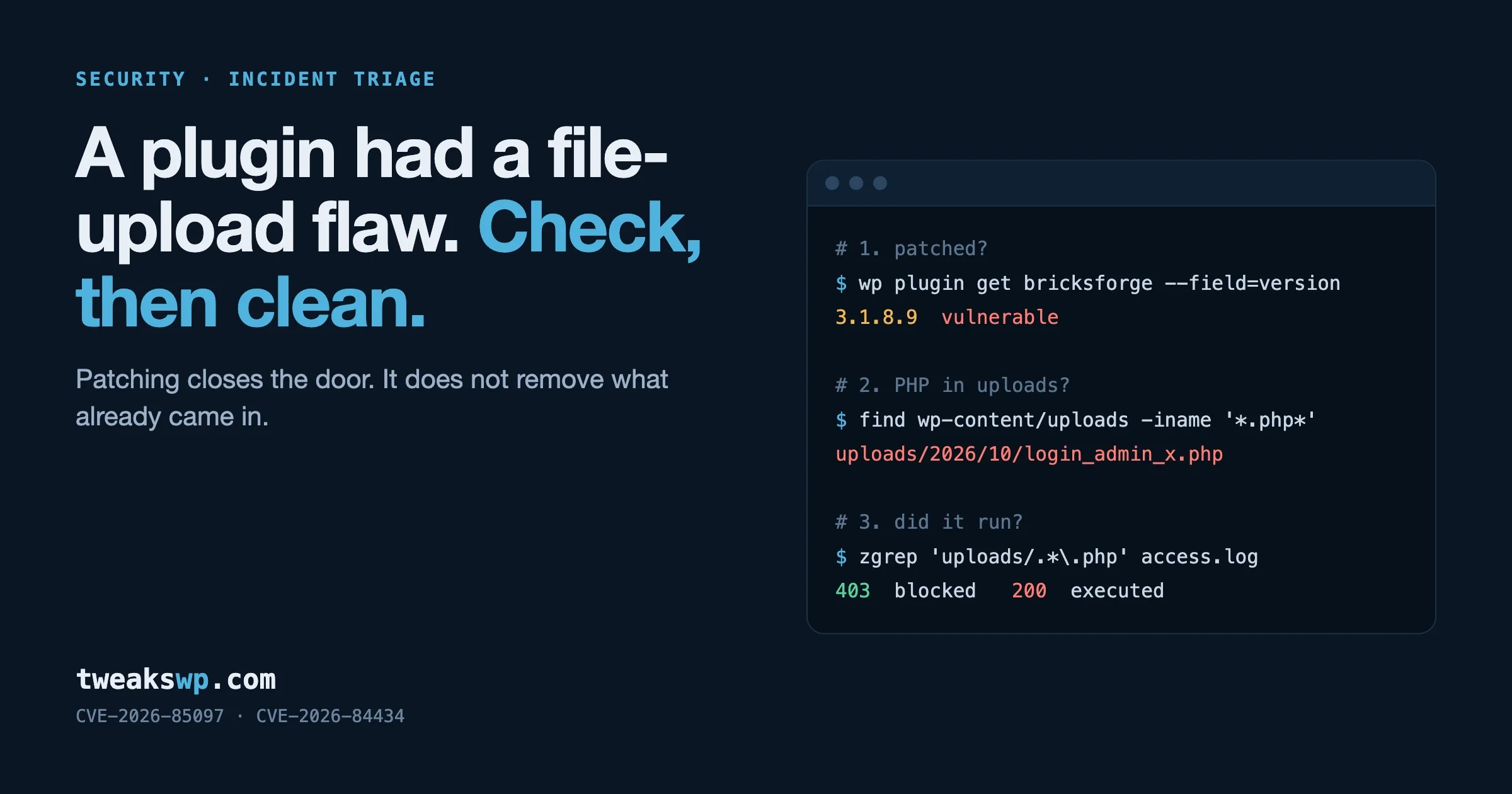
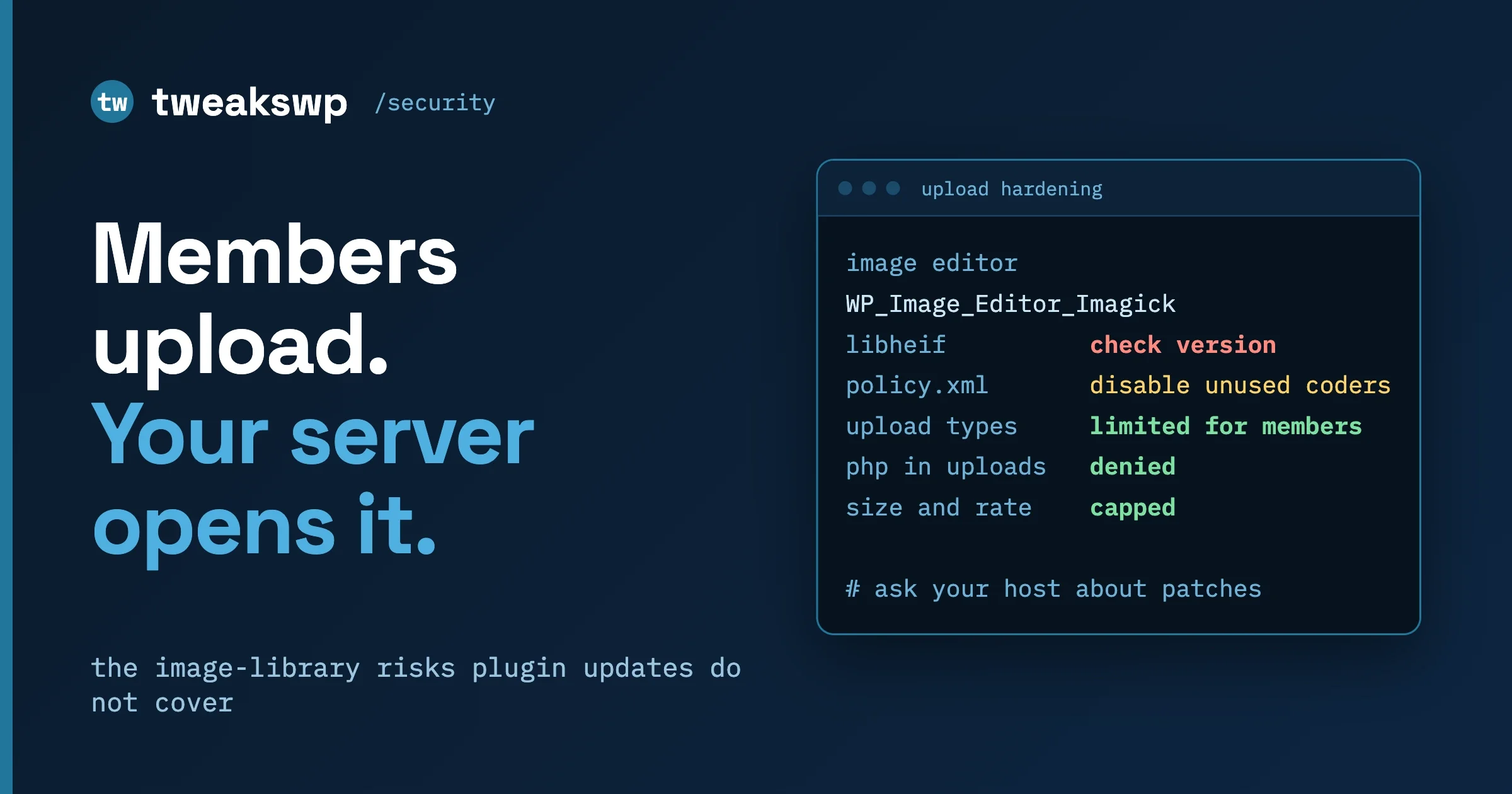
Three plugins this week had improper file upload validation, either missing MIME type checks, insufficient file extension filtering, or allowing uploads to executable directories. File upload vulnerabilities that allow PHP execution are effectively remote code execution, the most severe category of web vulnerability.
The common pattern in these disclosures is plugins that allow frontend file uploads (form builders, portfolio plugins, membership plugins with profile photo uploads) without properly validating that the uploaded file is actually what it claims to be. An attacker uploads a PHP file with a .jpg extension or a polyglot file that is simultaneously a valid image and a valid PHP script. If the web server is configured to execute PHP in the uploads directory, the attacker has remote code execution on your server.
Immediate mitigation for file upload vulnerabilities includes adding a .htaccess file to your wp-content/uploads directory that blocks PHP execution entirely. This line prevents any PHP file from executing in the uploads directory regardless of what plugins allow to be uploaded there:
# Block PHP execution in uploads
<Files *.php>
deny from all
</Files>
For Nginx servers, add this to your site configuration:
location ~* /wp-content/uploads/.*\.php$ {
    deny all;
}
These plugins had confirmed active exploitation in the wild during this period - meaning automated scanners were actively probing for and attacking vulnerable versions:
- Backup and migration plugins – Unauthenticated access to backup files containing full database exports with all user data and hashed passwords
- SEO optimization plugins – Stored XSS via meta field injection accessible to contributor-level users
- Social sharing plugins – CSRF vulnerability allowing unauthorized settings changes
The gap between patch release and active exploitation has shrunk to 24-48 hours for high-severity vulnerabilities. Automated scanners deploy within hours of a proof-of-concept going public.
Several plugins were closed in the WordPress.org repository this week, pending security review or due to confirmed malicious code. When a plugin is closed:
- It no longer receives updates through the WordPress admin
- You won’t see any notification in your dashboard unless you check manually
- The plugin may remain active and vulnerable on your site indefinitely
To check if any of your installed plugins have been closed, compare your active plugin slugs against the WordPress.org repository status. The WP Vanguard scanner checks for closed plugins as part of its security audit.
Immediate (within 24 hours)
- Run a full plugin and theme update in WordPress admin or via
wp plugin update --all - Check your WordPress.org plugin list for any closed plugins you have installed
- Review your user list for any accounts with Administrator or Editor roles you don’t recognize
This Week
- Enable automatic minor version updates for plugins (
auto_update_pluginfilter in wp-config) - If you use any backup plugins, verify backup files are not publicly accessible via direct URL
- Check that your file upload directories have PHP execution blocked (see the malware protection guide for server configs)
Ongoing Process
- Subscribe to Wordfence’s weekly vulnerability report or Patchstack’s plugin vulnerability feed
- Set a weekly calendar reminder to check the WordPress.org Security page
- Use a vulnerability scanner - either WP Vanguard, Wordfence, or Patchstack’s free tier
WordPress 5.5 introduced automatic updates for plugins and themes, and the question of whether to enable them remains contentious among site owners and developers. The security argument for automatic updates is strong, the 24-48 hour exploitation window means manual update processes that run on a weekly schedule leave sites exposed for days after critical patches are released.
The arguments against automatic updates are also valid. A plugin update that introduces a fatal error or breaks compatibility with another plugin can take down your site without warning. On sites where uptime is critical (e-commerce stores, membership sites, client sites you manage), an unplanned outage from a bad plugin update can be worse than a potential security vulnerability.
The balanced approach that most experienced WordPress administrators use is to enable automatic updates for minor versions (security patches and bug fixes) while keeping major version updates manual. WordPress distinguishes between these update types, and you can configure this granularity through the auto_update_plugin filter or through managed hosting control panels that offer per-plugin update policies.
For sites where you manage multiple WordPress installations, tools like ManageWP, MainWP, or InfiniteWP let you review available updates across all sites, test them on a staging environment, and deploy them in batches with rollback capability. This gives you the speed advantage of near-automatic updates with the safety net of testing and rollback.
At minimum, enable automatic updates for plugins that handle security-sensitive functions: authentication plugins, form builders that handle user input, backup plugins, and any plugin that processes payment data. These are the plugins where a delayed security patch has the highest potential impact.
WordPress core itself did not release a security update during this specific week, but it’s worth noting that WordPress 6.7.x continues to receive regular maintenance updates. The WordPress security team has been particularly active in reviewing the REST API endpoints and the block editor’s server-side rendering for potential injection vectors.
If you’re running a WordPress version older than 6.6, you’re missing important security patches that addressed authenticated SQL injection in the taxonomy query system and a privilege escalation vector in the comment moderation flow. Always keep WordPress core on the latest minor release at minimum. Major version upgrades (like 6.6 to 6.7) can be planned and tested, but minor security releases (like 6.7.1 to 6.7.2) should be applied immediately.
Sites still running WordPress 6.4 or older are particularly at risk because the security team focuses active patching efforts on the two most recent major releases. Older versions may receive patches for critical issues but not for high or medium severity vulnerabilities, leaving those sites with a growing number of unpatched security issues over time.
Rather than reacting to each vulnerability disclosure individually, establish a repeatable process that your team or you personally follow each week. A simple vulnerability response process looks like this:
Every Monday morning, check three sources: the Wordfence weekly threat report email (subscribe at wordfence.com), the Patchstack weekly advisory digest, and the WordPress.org plugin directory for any plugins you use that have been closed. This takes about 10 minutes and gives you a comprehensive picture of the week’s disclosure landscape.
Cross-reference the disclosed vulnerabilities against your installed plugins. Most vulnerability databases list affected versions, so you can quickly determine whether your installed version is vulnerable or already patched. WP-CLI makes this check fast across multiple sites.
For any vulnerable plugins you identify, check whether an update is available. If yes, update immediately (or on your next scheduled maintenance window if you test updates before deploying). If no update is available, evaluate whether the plugin can be temporarily deactivated without breaking critical site functionality. For plugins where no patch exists and deactivation isn’t feasible, implement the workaround or mitigation suggested in the vulnerability advisory, this often involves adding a code snippet to your functions.php or an mu-plugin that blocks the specific attack vector.
Document what you found and what actions you took. This creates an audit trail that’s valuable for compliance requirements, client reporting, and your own reference when evaluating whether to continue using frequently-vulnerable plugins. A plugin that appears in vulnerability roundups every month is a plugin you should consider replacing with a more secure alternative.
For sites where you need to check vulnerability status across a lot of plugins quickly, WP-CLI can give you a version inventory to cross-reference against disclosure databases:
This outputs a CSV of all installed plugins with their current versions. You can import this into a spreadsheet and cross-reference against the Wordfence vulnerability database or Patchstack’s advisory list.
CVSS scores (Common Vulnerability Scoring System) give a numerical severity rating. Here’s how to interpret them for prioritization:
| CVSS Score | Severity | Response Timeline | Examples |
|---|---|---|---|
| 9.0 - 10.0 | Critical | Within 24 hours | Unauthenticated RCE, auth bypass |
| 7.0 - 8.9 | High | Within 48 hours | Authenticated SQLi, stored XSS with low privileges |
| 4.0 - 6.9 | Medium | Within 1 week | CSRF, reflected XSS requiring interaction |
| 0.1 - 3.9 | Low | Next update cycle | Information disclosure, limited-scope issues |
Note that CVSS scores don’t account for active exploitation. A medium-severity vulnerability with a public exploit gets elevated priority over a high-severity issue with no known exploit in the wild.
Not all WordPress plugins carry equal security risk. Understanding which plugin categories are most frequently targeted helps you prioritize your security efforts and make informed decisions about which plugins to install in the first place.
Form builder plugins consistently appear in vulnerability roundups because they handle user input by design. Every form field is a potential injection point, and the complexity of modern form builders (conditional logic, file uploads, payment integration, dynamic population from URL parameters) creates a large attack surface. When evaluating form plugins, prioritize those with a strong security track record and a responsive development team that patches quickly after disclosures.
Page builder and visual editor plugins are another high-risk category because they allow users to create complex HTML and JavaScript output through a visual interface. The translation layer between visual input and generated code is where injection vulnerabilities typically occur. Stored XSS in page builders is particularly dangerous because the malicious payload persists in the database and executes every time the content is viewed, including by administrators who visit the page to edit it.
E-commerce plugins handle sensitive financial and personal data, making them high-value targets. WooCommerce itself has a strong security team and responds quickly to disclosures, but the ecosystem of WooCommerce extensions, payment gateways, shipping calculators, product filters, import/export tools, varies enormously in code quality and security practices. Extensions that accept and process payment data or customer information deserve the most rigorous update discipline.
Backup and migration plugins are uniquely dangerous when compromised because they have access to your entire database and file system by design. A vulnerability in a backup plugin can expose your complete database export (including user passwords, customer data, and private content) to unauthenticated attackers. Always verify that your backup plugin stores backup files outside the web-accessible directory tree, requires authentication to access backup downloads, and encrypts backup files at rest.
| Plugin Category | Risk Level | Primary Attack Vector | Mitigation Priority |
|---|---|---|---|
| Form builders | High | Input injection, file upload | Update within 24 hours |
| Page builders | High | Stored XSS, code injection | Update within 24 hours |
| E-commerce extensions | Critical | SQLi, payment data exposure | Update immediately |
| Backup and migration | Critical | Unauthenticated file access | Update immediately |
| SEO plugins | Medium | Stored XSS via meta fields | Update within 48 hours |
| Social sharing | Low-Medium | CSRF, settings manipulation | Update within 1 week |
| Analytics and tracking | Low | Information disclosure | Update within 1 week |
Plugin updates are the first line of defense, but a defense-in-depth approach assumes that some vulnerabilities will exist in your installed plugins at any given time. Layered security controls limit the damage an attacker can do even if they successfully exploit a vulnerability.
Web Application Firewalls (WAFs) like Cloudflare’s free tier, Sucuri’s firewall, or the Wordfence plugin-based firewall filter malicious requests before they reach your WordPress application. A WAF that recognizes SQL injection patterns, XSS payloads, and path traversal attempts blocks many exploitation attempts even against unpatched vulnerabilities. The limitation is that WAF rules need to be updated for new attack patterns, so they provide probabilistic protection rather than guaranteed protection.
Principle of least privilege limits the blast radius of compromised accounts. If your site has contributor or author accounts, ensure those roles have only the permissions they need. Many stored XSS vulnerabilities require at minimum a contributor-level account, if your site doesn’t need contributor accounts, removing them eliminates an entire class of attack vectors. For WooCommerce sites, review the shop manager role permissions and restrict them to only the WooCommerce capabilities needed for daily operations.
File integrity monitoring detects unauthorized changes to your WordPress files. Wordfence and iThemes Security both offer file change detection that alerts you when core files, plugin files, or theme files are modified outside of normal update processes. This catches compromises that bypass other detection methods, if an attacker exploits a file upload vulnerability and drops a web shell in your plugin directory, file integrity monitoring flags the new file within minutes.
Security headers add browser-level protections that mitigate XSS and injection attacks even if your application code is vulnerable. Content-Security-Policy, X-Frame-Options, X-Content-Type-Options, and Strict-Transport-Security headers each address specific attack classes. Implementing a strict Content-Security-Policy is the single most effective header for preventing XSS exploitation, though it requires careful configuration to avoid breaking legitimate plugin functionality that loads scripts from external sources.
- Wordfence Vulnerability Database – Comprehensive, searchable, updated continuously
- Patchstack Database – Strong on disclosure timelines and researcher attribution
- WPScan Vulnerability Database – API access available for automated checking
- WordPress.org Security Blog – Official core and plugin announcements
For deeper coverage: the malware and crypto miner protection guide covers server-level hardening, and the wp-config security hardening guide covers the configuration-level changes that prevent many of these vulnerabilities from being exploitable even on unpatched sites.
This was an active week for WordPress vulnerability disclosures. The pattern is consistent with recent months: form builders, e-commerce extensions, and backup tools remain the highest-risk plugin categories because they handle sensitive data and are widely installed.
The one action that prevents most of these attacks is staying current on plugin updates within 24-48 hours of release. Not because every update is security-related, but because you can’t distinguish which updates contain security patches without reading every changelog. Staying current on all plugins keeps your exposure window minimal.
Beyond updates, implementing a defense-in-depth strategy with a web application firewall, file integrity monitoring, proper file permissions, and security headers gives you protection layers that work even when a plugin vulnerability exists on your site that hasn’t been patched yet. The sites that get compromised in these weekly vulnerability waves are almost always the ones that have both outdated plugins and no additional security layers, they are running with maximum exposure and zero compensating controls. Even one additional layer of protection dramatically reduces your risk profile and buys you time to patch before an active exploit reaches your site.
Run a Free Security Scan
The WP Vanguard scanner checks your WordPress site for known vulnerabilities, exposed files, and common misconfigurations. Free scan, no account required - takes about two minutes and produces a prioritized list of issues to fix.
Plugins we build and run
We maintain these ourselves, which is why we can support them on your site.
- BuddyNextThe self-hosted community engine for WordPress
- BuddyXFree community theme, Pro when you outgrow it
- ReignPremium community theme. Add pieces, build anything
- JetonomyCommunity forum and Q&A for WordPress
- EventonomyEvents and RSVPs for WordPress communities
- LearnomyCourses and learning communities on WordPress
- ListoraDirectories and listings your members can browse
- SnipShareCode sharing built for developer communities
- WB Ad ManagerAd placements that turn traffic into revenue
- WP Career BoardA job board your community actually uses
- WP Sell ServicesSell services with offers, orders, and payouts
- MediaVersePhotos, video, and media albums for members
- WB GamificationPoints, badges, and rewards that keep members active
- Product RoadmapPublic roadmaps with voting your users trust