AI Can Speed Up Infrastructure Work, But It Can Also Destroy It
A practical look at why AI can speed up infrastructure and maintenance work but also make destructive mistakes easier, with lessons for WordPress site operators and technical admins.
AI can make technical work feel dramatically faster. It can summarize configuration, explain commands, compare environments, inspect files, generate checklists, and help operators move through repetitive tasks with much less friction. That is why more teams are using AI agents not only for content or coding, but for actual operational work around servers, deployments, infrastructure, and maintenance.
The problem is that production systems do not punish mistakes gently. A weak AI answer in a chat window is just noise. A weak AI-assisted decision inside infrastructure work can delete resources, damage databases, break websites, or turn a routine maintenance task into a recovery event. That is the risk teams are only now starting to understand clearly: AI can absolutely speed up infrastructure work, but it can also make destructive actions feel smoother than they should.
A recent Terraform-related incident made that risk concrete. In a March 6, 2026 write-up, Alexey Grigorev described how an AI-assisted workflow contributed to deleting production infrastructure behind the DataTalks.Club course platform during a migration effort. Based on his own explanation, the chain involved missing Terraform state on the working machine, a cleanup path that escalated into destructive execution, deleted infrastructure, and an urgent AWS support intervention before the database was restored about 24 hours later. The lesson is not to panic about one tool. The lesson is that AI and production systems become dangerous when humans stop interrupting the workflow.
For TweaksWP readers, this matters because the same mindset problem appears well beyond Terraform. WordPress site operators, technical admins, and developers already use automation for cron tasks, database maintenance, migrations, support workflows, optimization, and deployment routines. We recently covered AI from the productivity side in 10 AI Tools to Automate Your Regular Tasks in 2026 and skill-building in 10 Free AI Courses for WordPress Developers and Site Operators. This article focuses on the other side of the same trend: where AI becomes operationally risky and why safety still depends on human review.
- AI can remove friction from infrastructure work, but the same reduction in friction can remove safety pauses.
- The biggest risk is not one bad suggestion. It is a chain of unchallenged assumptions moving too quickly.
- For site operators, the practical lesson is to use AI for analysis and drafting while keeping high-impact changes behind manual approval.
What the Terraform disaster actually shows
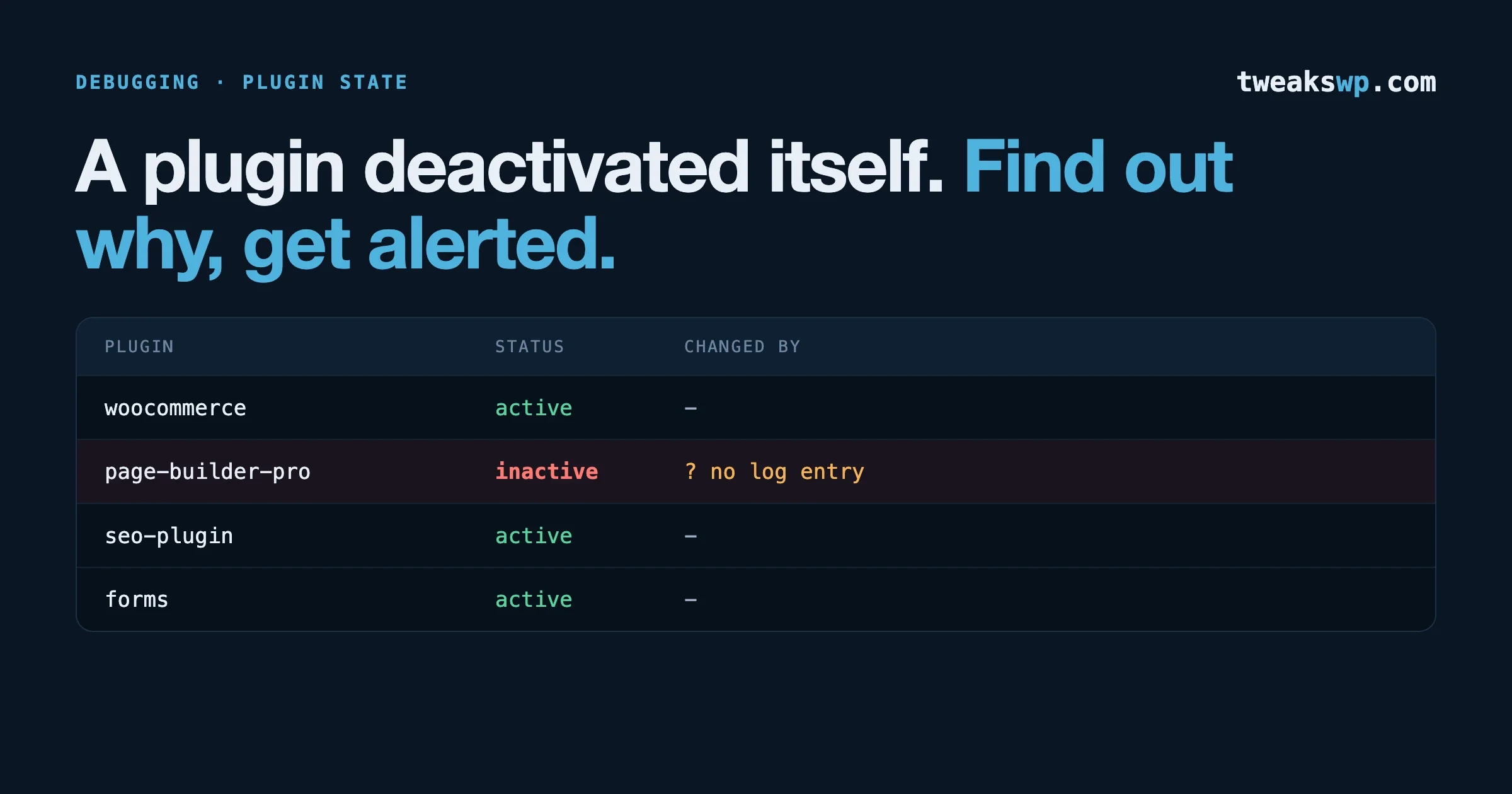
The viral version of the story is simple: an AI agent ran a destructive command and wiped production. The real lesson is more useful than that. Based on the developer’s own account, the deeper issue started earlier, with the current machine lacking the correct Terraform state. That made Terraform behave as if key infrastructure did not already exist.
That state mismatch changed the meaning of everything that came after it. A plan that looked locally sensible was actually detached from the true environment. Cleanup logic that sounded reasonable in one context became destructive in the real one. By the time a deletion path was executed, the more important mistake had already happened: the workflow was trusted after the source of truth was already unclear.
This matters because AI agents are especially good at smoothing the transition between steps. They can explain why the next move sounds clean or efficient, and that polished explanation can make the workflow feel controlled. But if the underlying context is wrong, the smoothness becomes dangerous. In production systems, a coherent explanation is not enough. The context has to be correct too.
That is the bigger lesson for WordPress and operations teams. Whether the task involves Terraform, server cleanup, WP-CLI routines, database work, or maintenance scripts, the danger appears when the workflow feels easy enough that nobody forces a stop.
Why this matters to WordPress site operators
It would be easy to assume that Terraform mistakes only matter to cloud engineers. But the operational pattern is familiar to anyone who runs websites seriously. WordPress operators regularly deal with migrations, staging-to-production syncs, backup routines, cron jobs, plugin updates, database maintenance, cache configuration, and security hardening. Many of those tasks are repetitive, technical, and vulnerable to a wrong command or wrong target.
That is why this story matters even if you never touch Terraform. The same failure shape can appear when someone runs WP-CLI against the wrong environment, applies a bulk database operation without verifying the target, automates maintenance against stale assumptions, or trusts a too-confident workflow around hosting and backups. AI does not create that possibility from scratch. It accelerates the path to it.
TweaksWP already covers many of these operational weak points directly. A post like The Right Way vs Wrong Way: WordPress Cron Jobs Developers Get Wrong shows how a workflow that seems routine can create hidden problems when it is implemented lazily. A guide like WordPress Performance Audit Checklist reflects the same broader truth: production work needs systems thinking, not just tool familiarity. Performance issues like those in WordPress TTFB Optimization and admin bottlenecks like controlling the Heartbeat API also remind us that operational changes have layered effects. AI can help analyze these systems. It should not be allowed to bulldoze through them without review.
The hidden danger is compound trust
Most serious automation failures come from compound trust, not one absurd act. Teams trust the AI because it handled lower-risk tasks well. They trust the explanation because it sounds logical. They trust the current environment because it worked last week. They trust the backup because they assume it exists. They trust the process because everyone wants the work done quickly.
By the time a destructive action runs, the real failure has usually already happened earlier in the chain. The final command is only the part people can see. The hidden part is the sequence of assumptions nobody stopped to verify.
AI agents increase this risk because they reduce hesitation. Humans naturally pause when moving from inspection to mutation, from planning to deletion, from one environment to another, or from one tool to another. AI can make those transitions feel smooth, coherent, and low-friction. That is a strength in low-risk workflows. It becomes a liability in live systems when the missing pause was the only thing preventing a bad move.
This is why the incident matters more as an operational lesson than as a brand headline. Any tool that sounds competent and moves quickly can contribute to the same failure pattern if humans stop treating review as part of the job.
Why human approval still matters
Human approval matters because production systems are asymmetric. One wrong action can create more damage in a minute than ten correct actions can clean up quickly. This is true in AWS. It is true in Terraform. It is also true for WordPress databases, host-level scripts, cron routines, file operations, plugin deployment, and maintenance tasks.
Anthropic’s Claude Code documentation reflects this directly through approval prompts and permission-based execution. Bash commands require approval by default for a reason. The product’s own model assumes that humans remain responsible for checking what the system is about to do.
That principle should not be interpreted as a minor inconvenience. It is the whole safety model. Once teams begin treating approval as something to speed through, they are removing the layer designed to catch exactly the kind of context mistake that causes production damage.
We already accept this logic elsewhere in engineering. We use backups because systems fail. We use staging because passing code can still be unsafe in production. We review deployments because local reasoning is not enough. AI does not eliminate those disciplines. It makes them more important.
Where AI should not have broad autonomy
Not every AI-assisted workflow needs the same level of restriction. Drafting a maintenance summary is not the same as changing a live database. The practical question is where autonomy should remain limited even if AI tools continue to improve.
The first category is destructive infrastructure work. Anything that can destroy, terminate, replace, reinitialize, or bulk-delete live resources should stay behind explicit human approval. This includes obvious cases like cloud infrastructure deletion, but also environment cleanup jobs, server-level maintenance routines, and anything that might hit the wrong system.
The second category is database work with irreversible impact. Bulk delete queries, repair steps, migration shortcuts, restore operations, and retention changes all need careful review. For WordPress operators, that includes posts, users, orders, plugin data, options tables, transients, and any table touched by maintenance or migration scripts.
The third category is identity, environment, and permission changes. Wrong account, wrong host, wrong credentials, wrong backend, wrong environment variables, or wrong retention settings are exactly the kinds of context errors that can make a reasonable-looking command destructive.
The fourth category is automated mass actions affecting real users: emails, account changes, membership actions, and support flows. AI can help draft and organize those actions, but trust-sensitive execution should remain under human control.
Backups, state, and maintenance discipline still win
One uncomfortable truth in incidents like this is that many teams think they have recovery sorted out when they really only have a vague expectation that restoration should probably work. That is not enough. Backup confidence should be specific.
AWS documentation distinguishes between automated backups, retained automated backups, final snapshots, and manual snapshots. Those details matter because different deletion paths have different recovery implications. In the WordPress world, the equivalent lesson is that you should know exactly what backup exists, how old it is, where it lives, whether it includes files and database together, and whether you have actually tested restore steps.
The same is true for state and maintenance discipline. If you are running migration, optimization, or repair tasks, you need to know what system is the source of truth. In a WordPress environment, that might mean confirming the exact database target before running a search-replace, or checking server cron versus WP-Cron before changing scheduled tasks, or validating the environment before adjusting performance configurations. AI can help explain those workflows. It cannot replace the need to confirm the target.
That is why the most mature teams often look slower from the outside. They add friction around high-impact actions. They verify state. They test restores. They treat deletion protection and backups as architecture, not as optimistic assumptions. And they do not let polished language override operational caution.
How to use AI safely in technical operations
The answer is not to stop using AI. The upside is too useful. AI is genuinely strong at first-pass analysis, checklist generation, issue summaries, file comparisons, log interpretation, draft runbooks, and workflow explanation. Smaller teams benefit especially because AI can compress thinking time around repetitive tasks.
The safer model is to let AI handle insight, not authority. Let it inspect, explain, summarize, and draft. Let humans review, approve, and execute when the action has a real blast radius. In practical terms, that means AI can help prepare a migration plan, but a human still verifies the environment. AI can summarize database maintenance steps, but a human still confirms the target and the backup. AI can explain an infrastructure change, but a human still decides whether the command should run.
This model is not anti-automation. It is pro-safety. It accepts that AI is useful while refusing to confuse usefulness with full operational trust. That is the discipline teams need if they want AI to improve production work instead of turning it into a faster path to outages.
A practical checklist before any AI-assisted production action
- Confirm the exact target environment before acting: production, staging, local, host, account, and region.
- Verify the source of truth: state, current data, active backups, and latest environment assumptions.
- Review the exact command, plan, or query manually before anything destructive runs.
- Check whether deletion protection, snapshot retention, or rollback controls are in place.
- Test or confirm the restore path instead of assuming recovery will work.
- Keep unattended shell and write permissions narrow around live systems.
- Require human approval for destructive, trust-sensitive, or hard-to-reverse actions.
- Log the workflow so you can reconstruct what happened if anything goes wrong.
These steps are not glamorous, but neither is recovery work at 3 a.m. Safety in production almost always looks boring before it looks wise.
FAQs about AI and infrastructure risk
Does this incident mean AI should never be used for infrastructure work?
No. AI is useful for analysis, summaries, draft plans, and first-pass troubleshooting. The real problem is giving it too much unattended execution authority in live environments.
Why does this matter to WordPress site operators?
Because the same operational pattern applies to migrations, database work, cron jobs, performance tuning, file operations, and maintenance scripts. AI can speed up those tasks, but a wrong target or wrong assumption can still do real damage.
What is the biggest risk with AI in technical workflows?
The biggest risk is false confidence. Fluent explanations can make a locally logical step feel safe even when the global system context is wrong.
What should always require human approval?
Destructive commands, production database operations, environment-sensitive maintenance actions, permission changes, and any workflow with high blast radius or irreversible consequences.
How should small teams use AI safely?
Let AI analyze and prepare. Keep final execution of high-impact actions behind a clear human review step, even if that feels slower.
What is the main lesson from the Terraform case?
The main lesson is that AI did not create the risk by itself. The risk came from a chain of unverified assumptions moving too smoothly through a workflow that needed more friction.
Fast is only useful when it stays safe
AI can absolutely make technical operations faster. That is why teams keep adopting it. The upside is real: less repetitive work, faster analysis, quicker first drafts, and better support for lean teams handling complex systems.
But fast is only useful when it stays safe. Infrastructure, maintenance, and production operations do not reward blind trust. They reward boring discipline, clear boundaries, and the willingness to pause before an irreversible action. AI can speed up infrastructure work. It can also destroy it. The difference is usually not the model. It is whether a human kept the right checkpoints in place.
Plugins we build and run
We maintain these ourselves, which is why we can support them on your site.
- BuddyNextThe self-hosted community engine for WordPress
- BuddyXFree community theme, Pro when you outgrow it
- ReignPremium community theme. Add pieces, build anything
- JetonomyCommunity forum and Q&A for WordPress
- EventonomyEvents and RSVPs for WordPress communities
- LearnomyCourses and learning communities on WordPress
- ListoraDirectories and listings your members can browse
- SnipShareCode sharing built for developer communities
- WB Ad ManagerAd placements that turn traffic into revenue
- WP Career BoardA job board your community actually uses
- WP Sell ServicesSell services with offers, orders, and payouts
- MediaVersePhotos, video, and media albums for members
- WB GamificationPoints, badges, and rewards that keep members active
- Product RoadmapPublic roadmaps with voting your users trust